
01Who this is for
- Business owners can see how often their listings appear and how users engage with them.
- Marketers can track listing visibility and actions across multiple directories.
02Listings analytics dashboard, explained
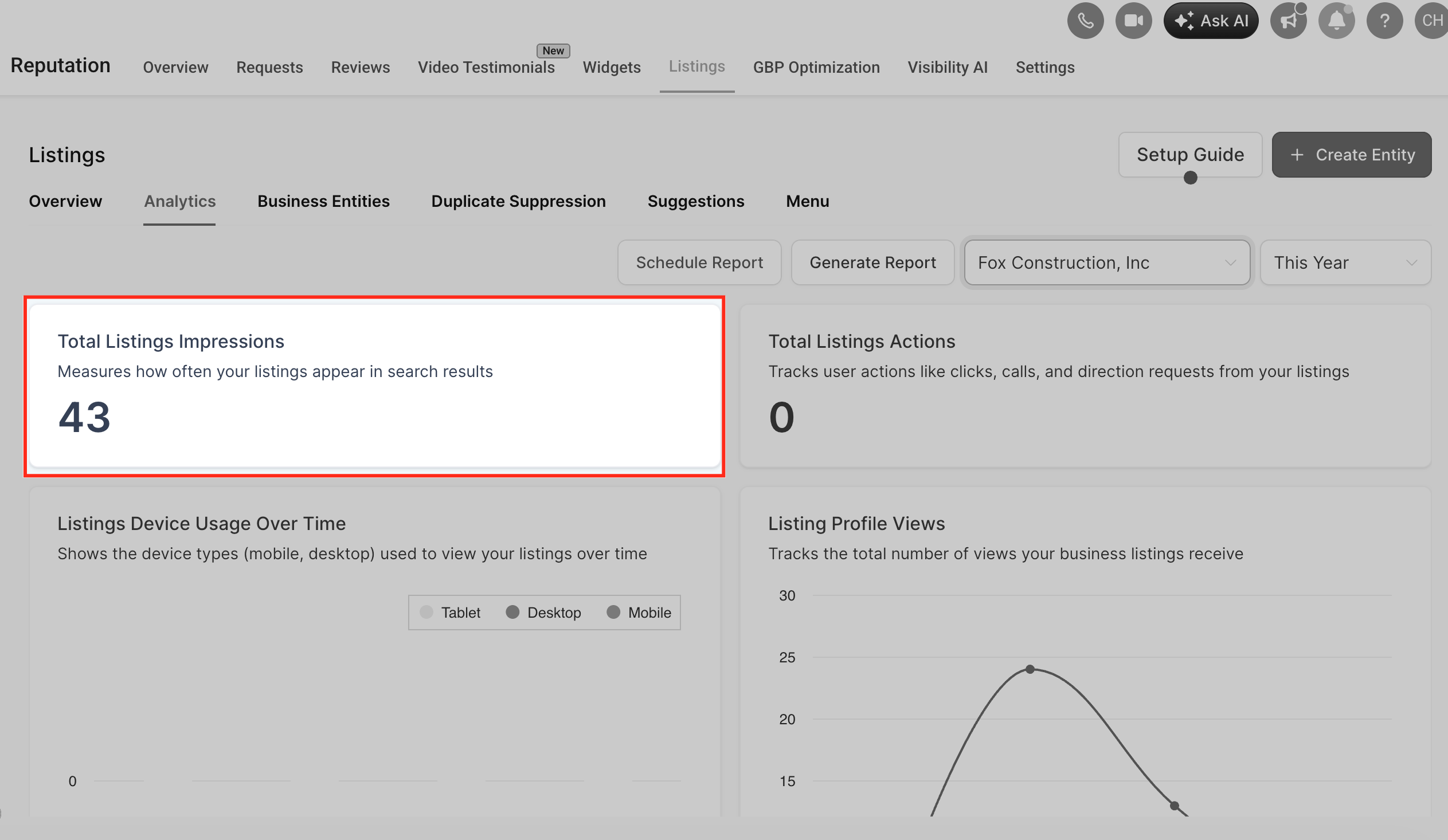
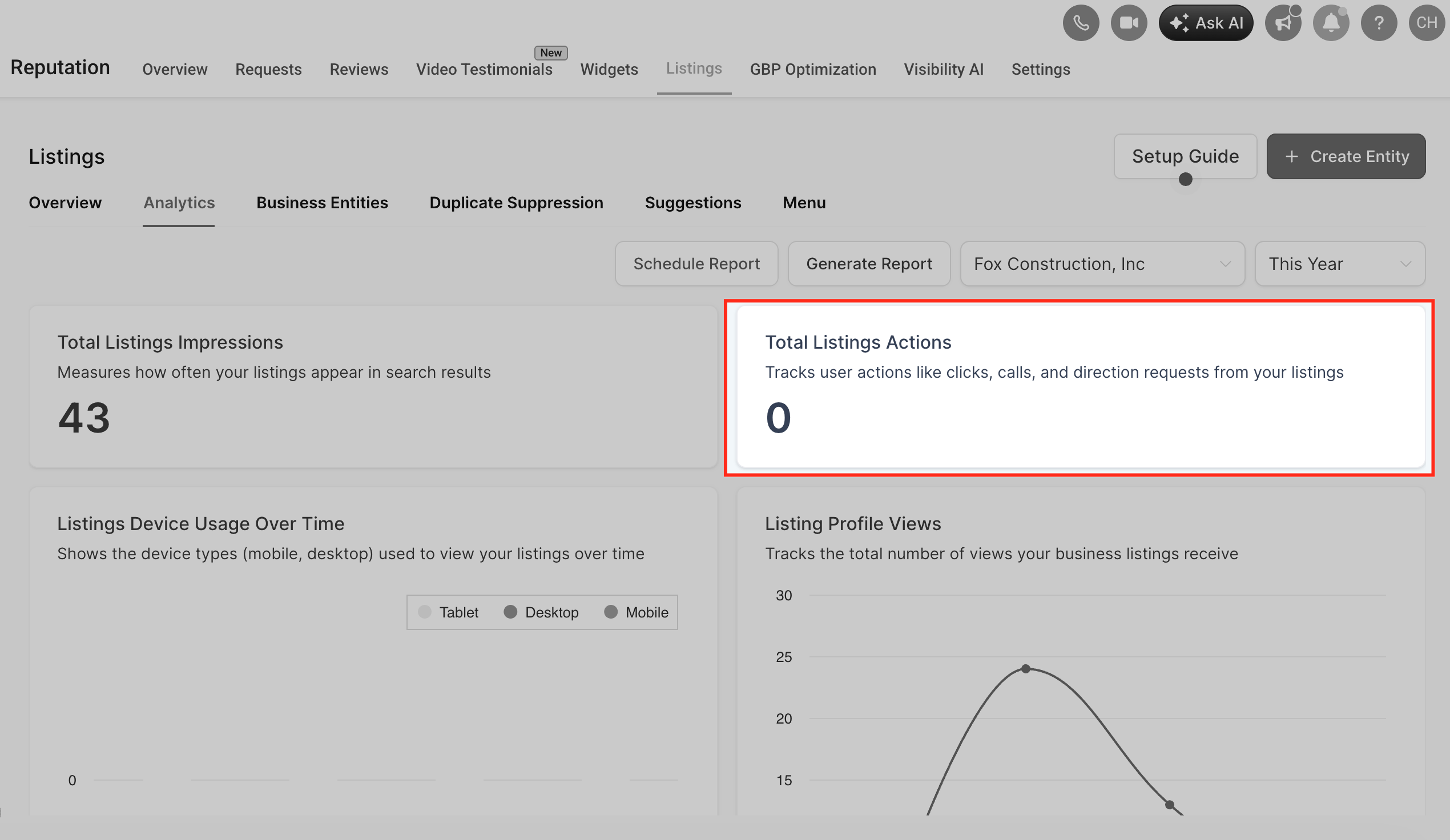
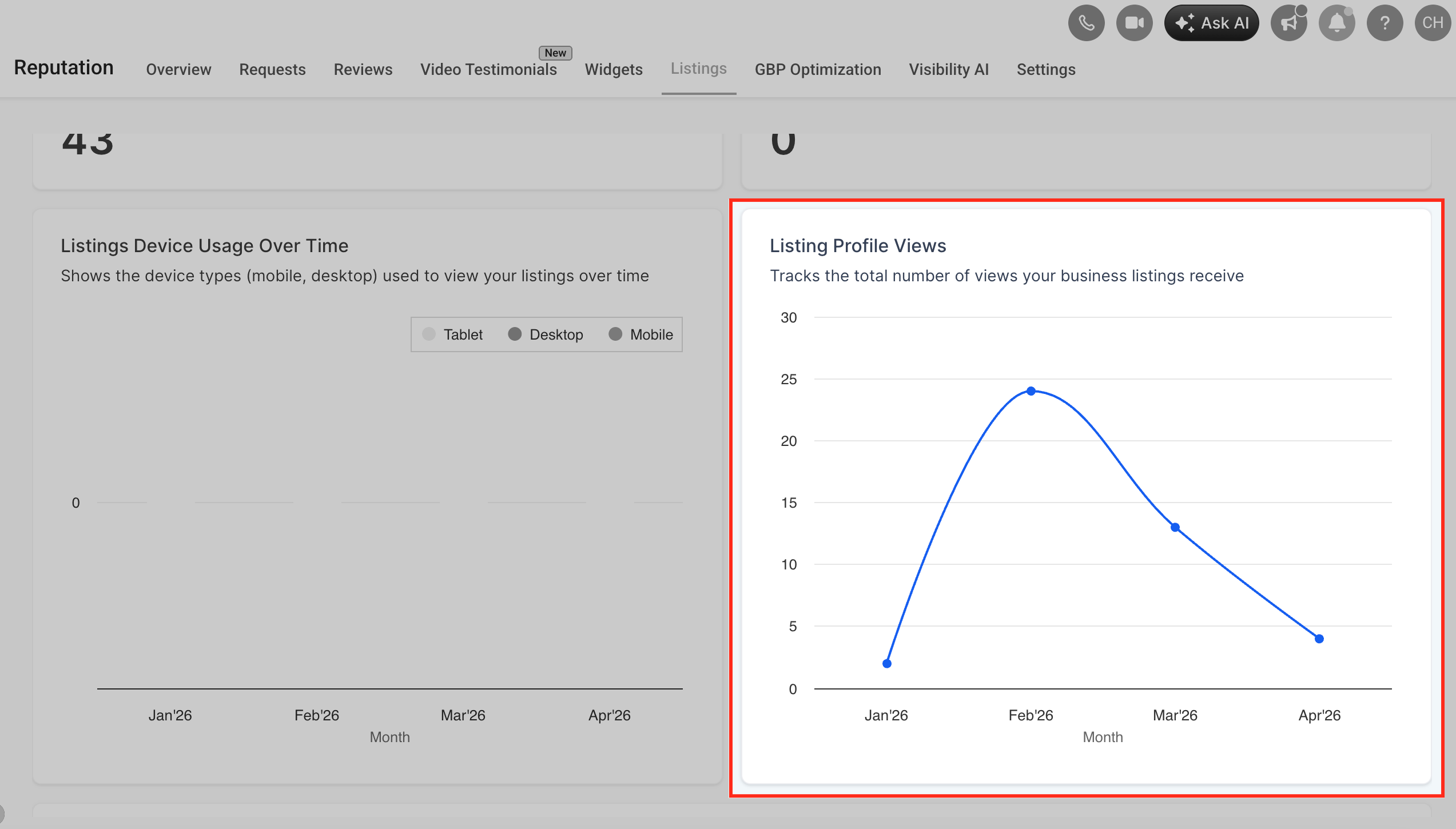
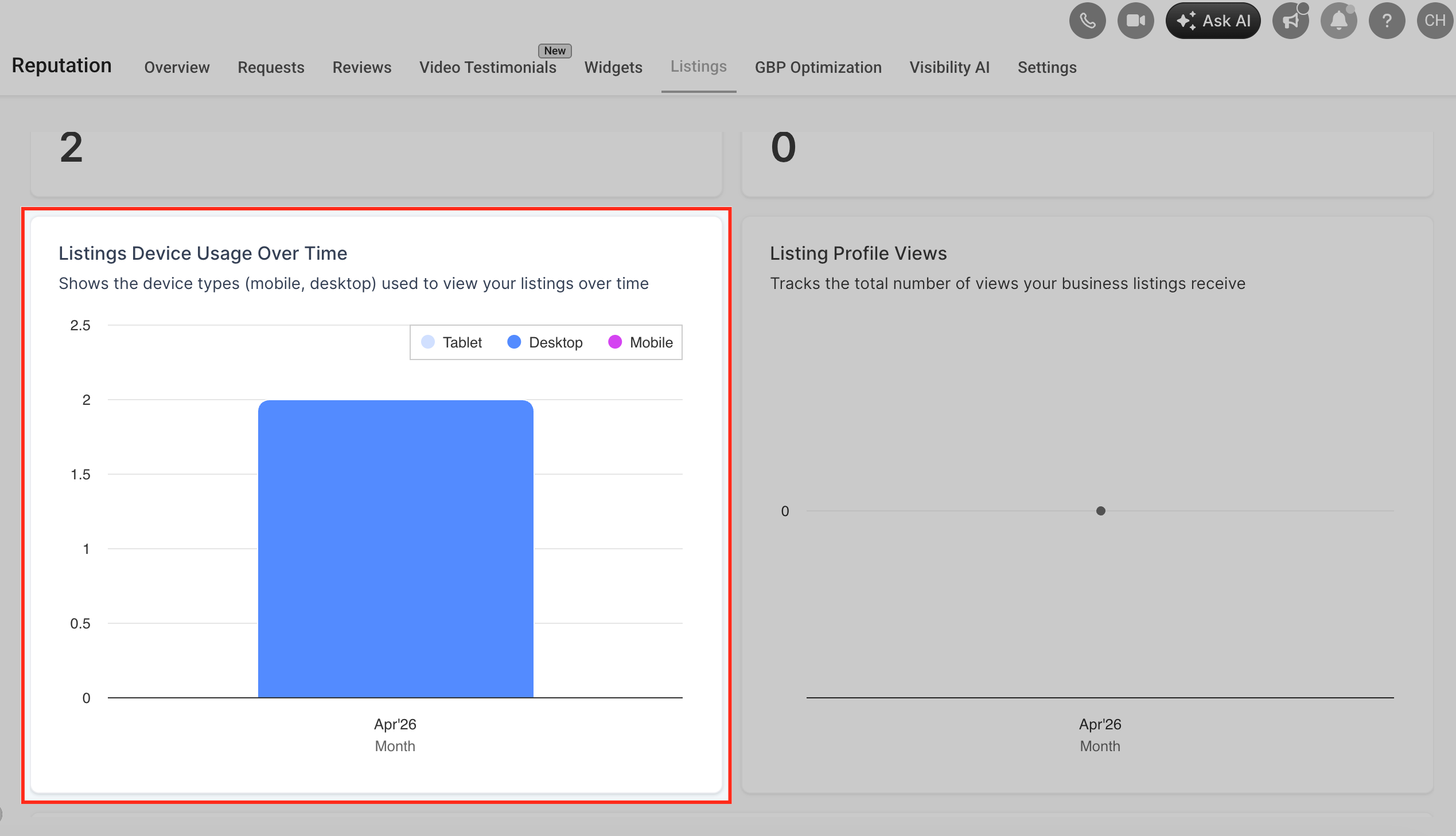
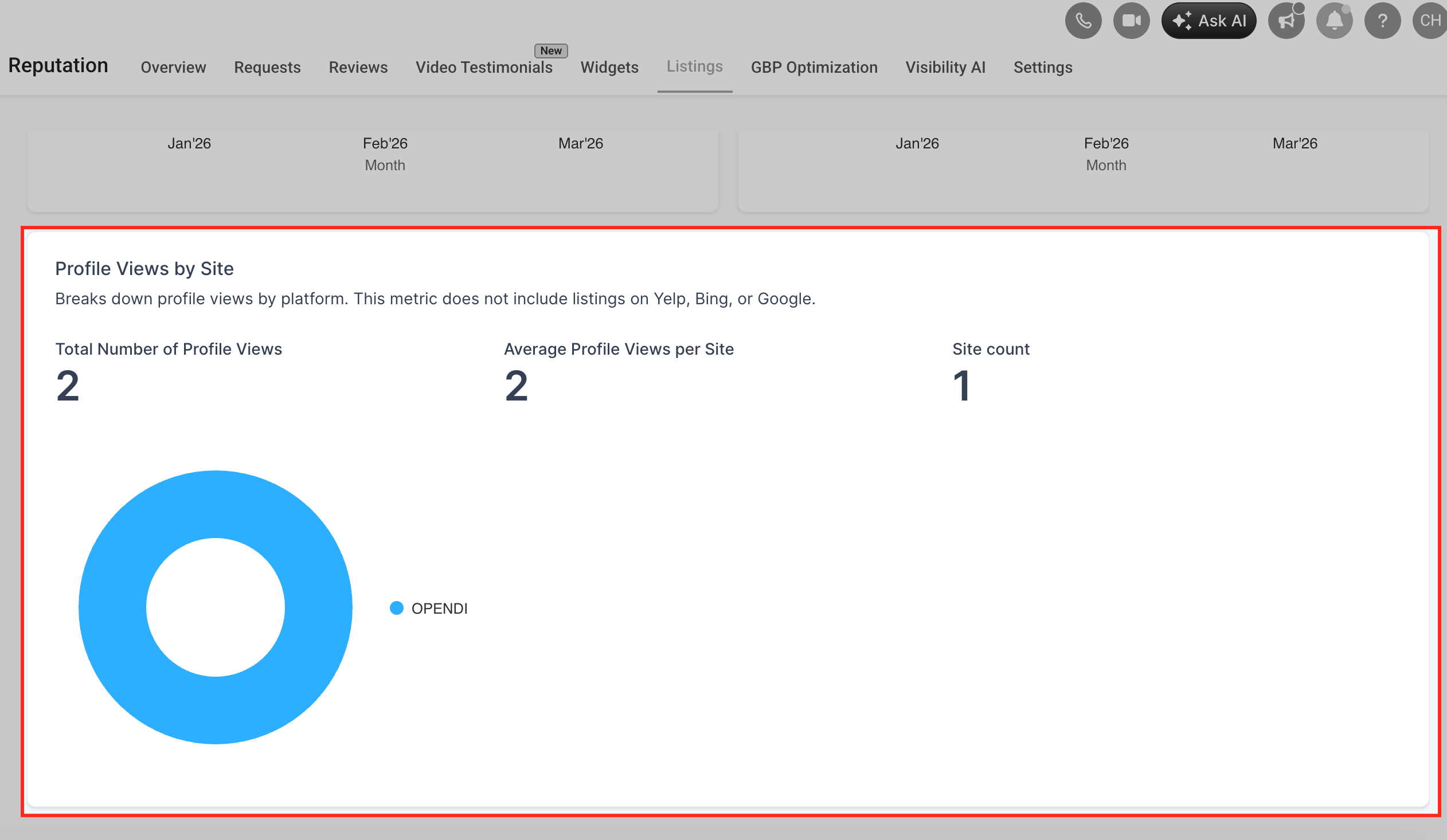
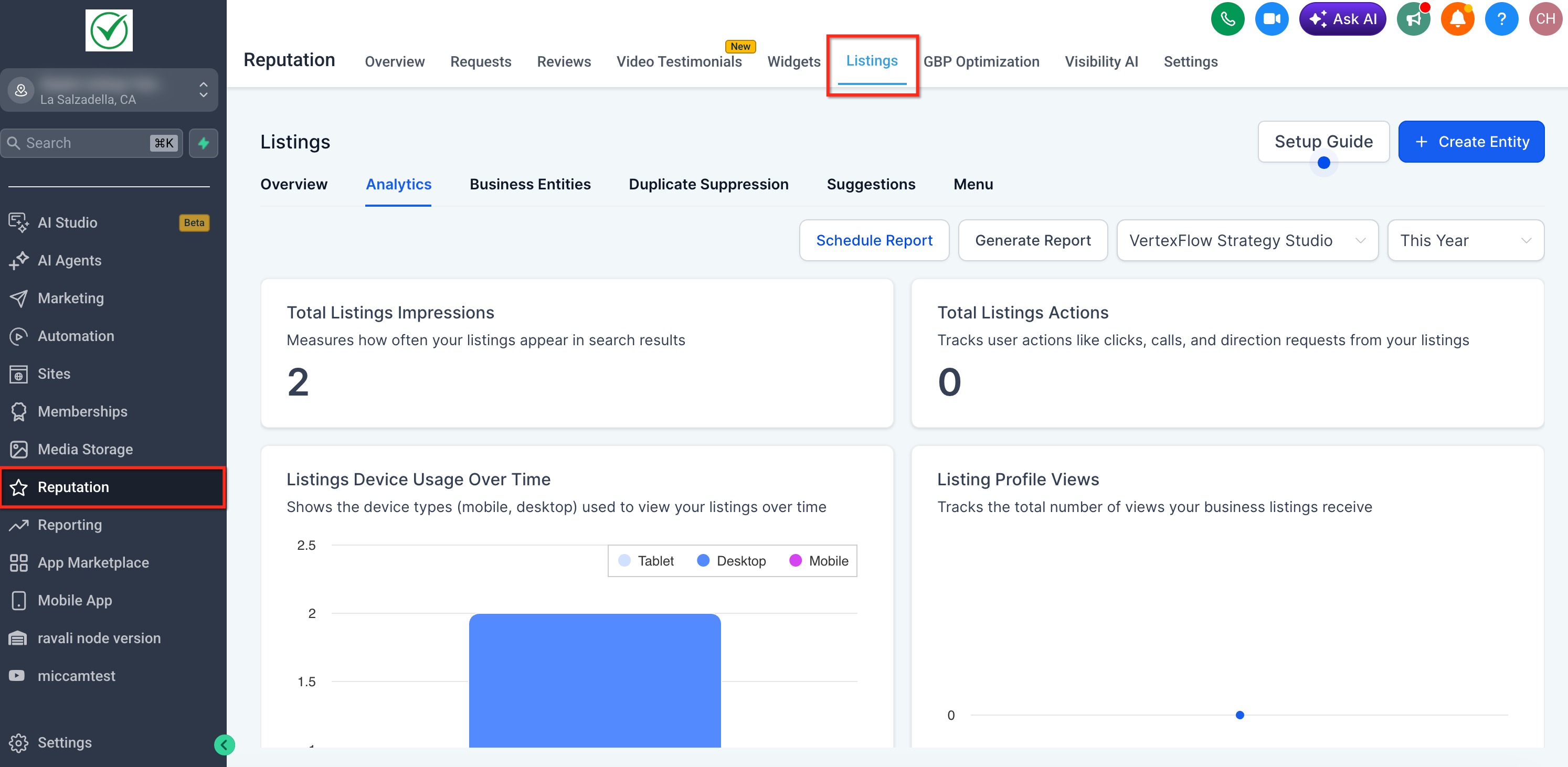
The dashboard pulls real time metrics for listings that use the Yext engine. It displays total impressions, actions such as clicks, calls and direction requests, profile views, and device usage trends.
Data is organized by platform, allowing you to compare high performing directories with those that need attention. The view updates automatically when you change the date range.
You access the dashboard from the Listings section in the left navigation, then select the Analytics tab and apply a date filter to focus on a specific reporting period.
03How businesses use listings analytics dashboard
- Marketing agency. The agency opens the dashboard, selects each client’s date range, and reviews the platform insights to advise on where to strengthen listings.
- Restaurant franchise. The franchise manager views total listings impressions and actions to see which locations attract the most calls and direction requests across directories.
- Home services provider. The provider checks device usage over time to ensure mobile users can easily click to call, then adjusts listing information accordingly.
04How to set up and use listings analytics dashboard in HighLevel
Open Listings Analytics Dashboard
- Select Listings from the left hand menu.
- Click the Analytics tab at the top of the Listings page.
- Choose a date range with the date filter to refresh the data.
05What it looks like in HighLevel
06Things to know before you rely on it
- Analytics are only available for listings powered by the Yext engine; listings using the Uberall engine do not generate data.
- The dashboard updates automatically when the date filter is changed.
07How it connects to the rest of HighLevel
- Activate and resell HighLevel Listings for local SEO Activate Listings
- Online listings supported countries and coverage Supported Countries
- HighLevel pricing and plans Pricing
Michael's take

The biggest risk is leaning on the numbers without checking which engine powers your listings. If your data comes from Uberall, the dashboard won’t show anything, so you could be making decisions on a blank sheet.
When it’s set up with Yext, the dashboard becomes a quick way to see which directories bring the most calls or clicks and where you need to tighten up your profile.