
01Who this is for
- Marketing managers at local service businesses benefit because they can control public listings from one place.
- Agency owners serving multiple clients gain efficiency by reviewing all publisher changes centrally.
- Franchise operators keep each location’s information uniform across directories.
02Listings suggestions, explained
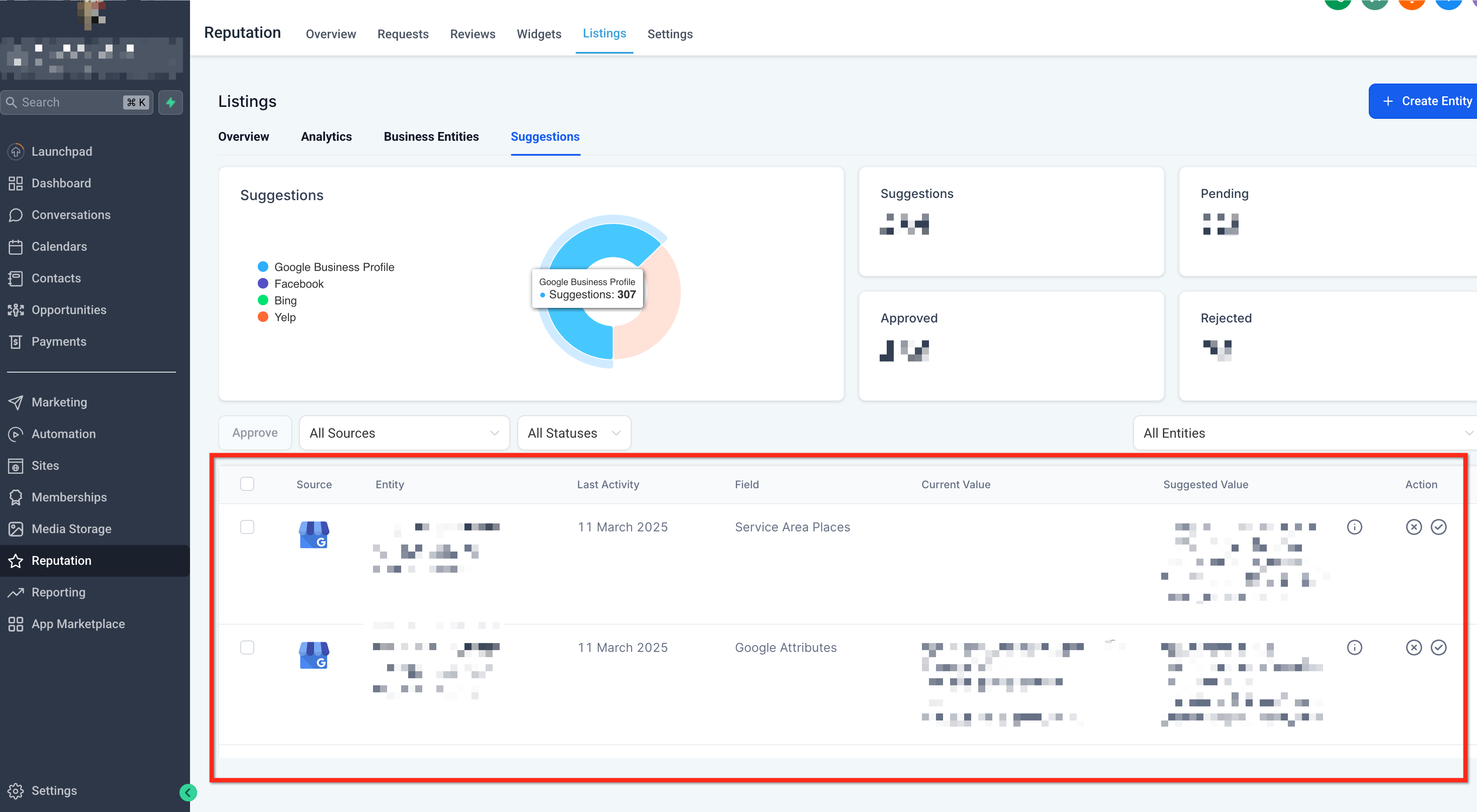
The Suggestions feature gathers update proposals from third party publishers into a single hub inside the Listings area. It shows the suggested value next to the data you already have, so you can decide whether to apply or discard the change. Accepted suggestions are automatically applied to your Listings and then pushed to every connected publisher.
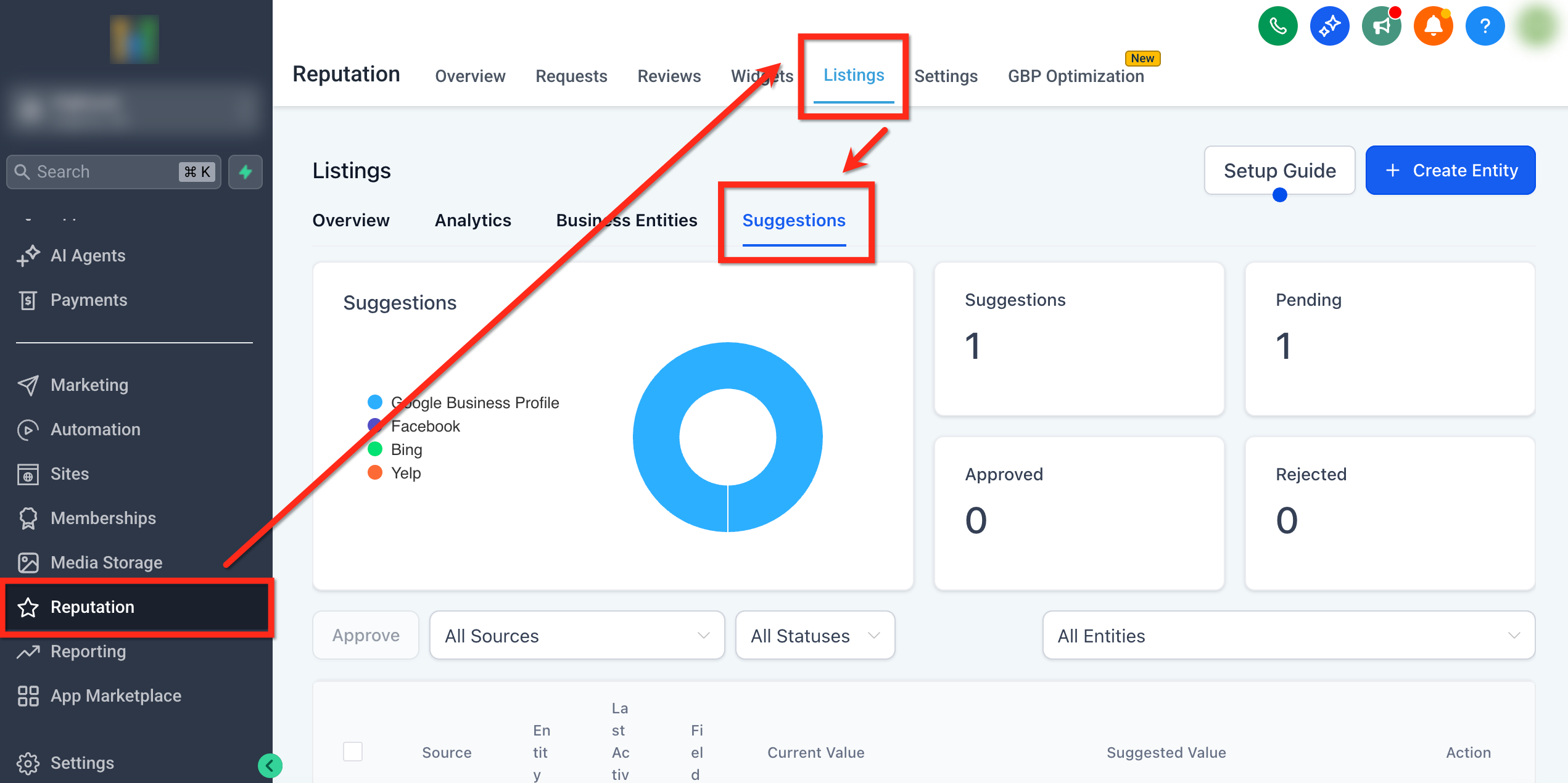
You access the hub via the Reputation section on the left side menu, then select Listings and the Suggestions tab. The interface lists pending suggestions, lets you compare values, and provides Accept and Reject buttons for each item. The feature works with both Yext and Uberall integrations.
03How businesses use listings suggestions
- Local service business. The owner opens the Suggestions hub, reviews each change a platform like Google proposes, such as new business hours, then clicks Accept to update the listing across all directories or Reject to keep the existing schedule.
- Marketing agency. The agency logs into each client’s account, navigates to the Suggestions tab, and processes publisher submitted edits in bulk, ensuring every client’s information stays consistent without manual entry.
- Franchise chain. The franchise manager checks the centralized Suggestions hub for location specific updates, approves those that match the brand standards, and rejects incorrect changes to maintain uniform branding.
04How to set up and use listings suggestions in HighLevel
Review and manage suggestions
- Open the left side menu and select Reputation.
- Click Listings to display the listings dashboard.
- Choose the Suggestions tab to open the Suggestions hub.
- View the list of pending suggestions from publishers.
- Compare each Suggested Value with the current listing data.
- Click Accept to apply a change or click Reject to decline it.
- When accepted, the update syncs automatically to all connected publishers.
05What it looks like in HighLevel
06Things to know before you rely on it
- Suggestions cannot be disabled; they are never applied automatically.
- The feature is available for listings managed through both Yext and Uberall integrations.
07How it connects to the rest of HighLevel
- Set up and sell HighLevel Listings for local SEO Listings setup guide
- Activate and resell HighLevel Listings for local SEO Activate Listings
- Online listings supported countries and coverage Supported countries
Michael's take

I open the Suggestions hub each morning, skim the pending list and approve only the updates that match my verified records. That way I keep my listings accurate without letting the system make unchecked changes.