
01Who this is for
- Agency Founders who resell AI tools to small businesses gain a simple, predictable invoice line for customers.
- Agency owners who manage multiple subaccounts gain control over margin by setting flat rates.
02Fixed rate re billing, explained
The feature lets you define a flat price for each unit of Conversation AI or Voice AI usage. When a usage event occurs, the billing engine applies the flat rate instead of calculating a markup on the token cost. The agency’s own cost from HighLevel remains based on actual token consumption.
You can set the pricing model per product and per subaccount, or at the SaaS plan level for groups of subaccounts. The configuration is stored in the rebilling settings and takes effect immediately for all future charges. Past invoices are not altered.
03How businesses use fixed rate re billing
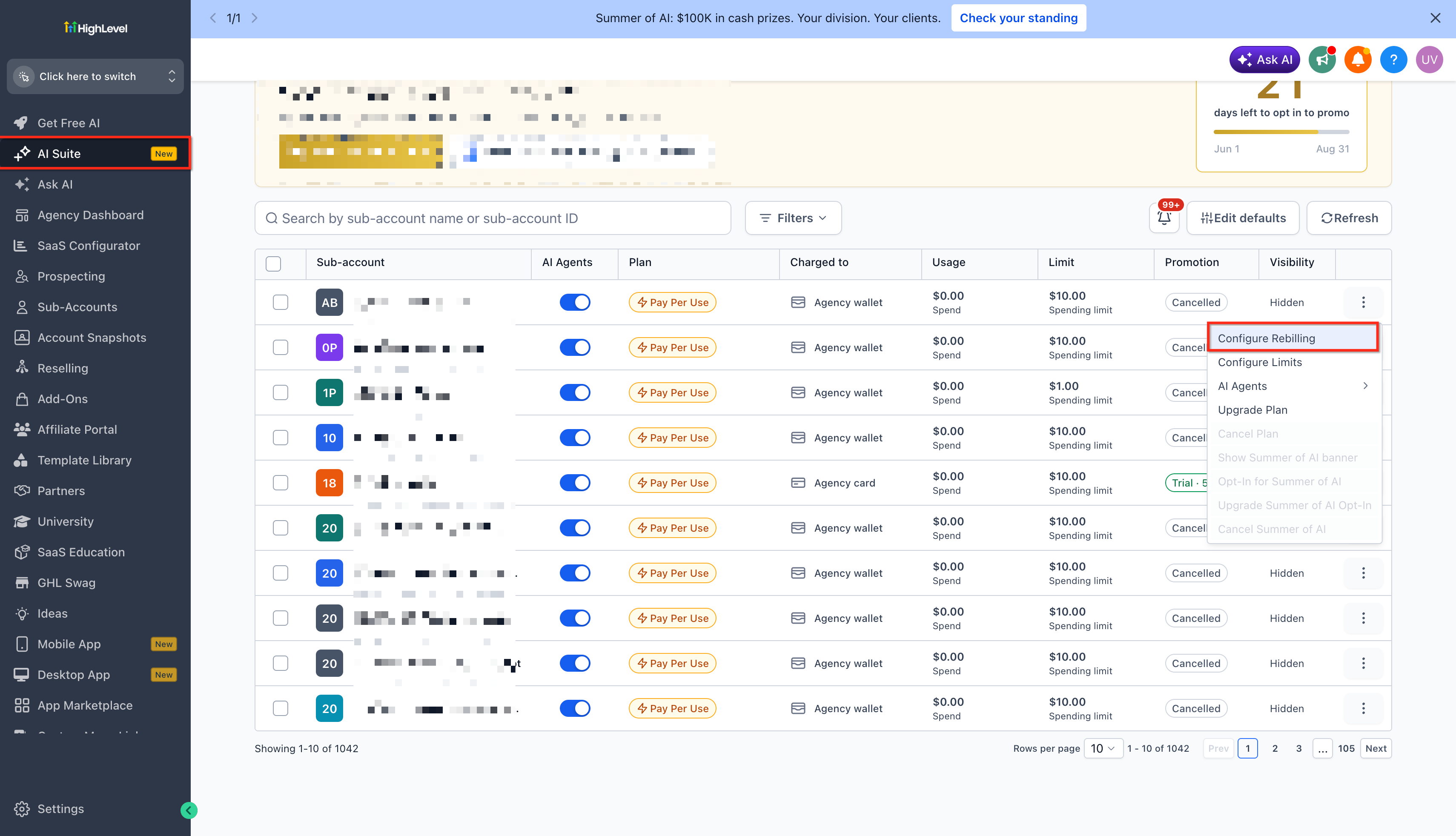
- Digital marketing agency. The agency opens Manage Client > Re billing Settings for a client, selects Conversation AI, chooses Fixed Rate, enters a dollar amount per message, and saves. The client sees the same charge each month for AI usage.
- Small SaaS startup. When creating a SaaS subscription plan, the startup uses SaaS Plan Create/Update > Re billing Flow, picks Voice AI, sets the pricing model to Fixed Rate, inputs a rate per minute, and saves. All users on that plan receive a consistent AI charge.
- Local boutique retailer. The retailer configures AI chat support by going to the AI Usage dashboard, selecting Conversation AI, switching to Fixed Rate, entering the desired price per chat, and saving. The monthly invoice shows a single AI line item.
04The numbers and rules that matter
- $0.50 per Conversation AI message as an example flat rate (per HighLevel's help center, checked November 2026).
- $0.10 per Voice AI minute as an example flat rate (per HighLevel's help center, checked November 2026).
- Pricing model is set per subaccount or per SaaS subscription plan.
05How to set up and use fixed rate re billing in HighLevel
Configure fixed rate rebilling
- Open one of the three rebilling locations: Manage Client > Re billing Settings, SaaS Plan Create/Update > Re billing Flow, or the AI Usage dashboard.
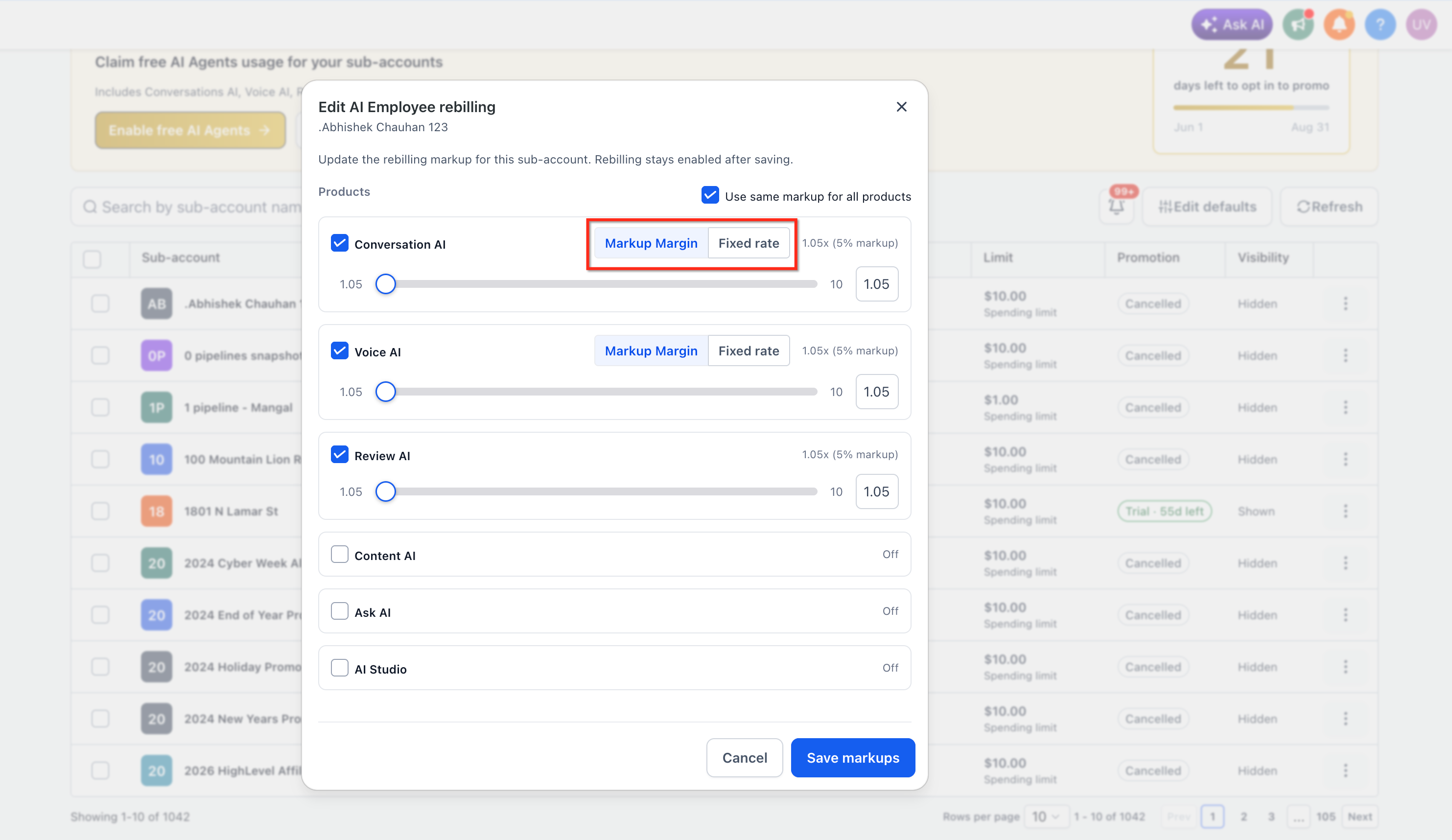
- Find the AI product you want to adjust, either Conversation AI or Voice AI.
- Pick the desired pricing model from the dropdown, choosing Fixed Rate.
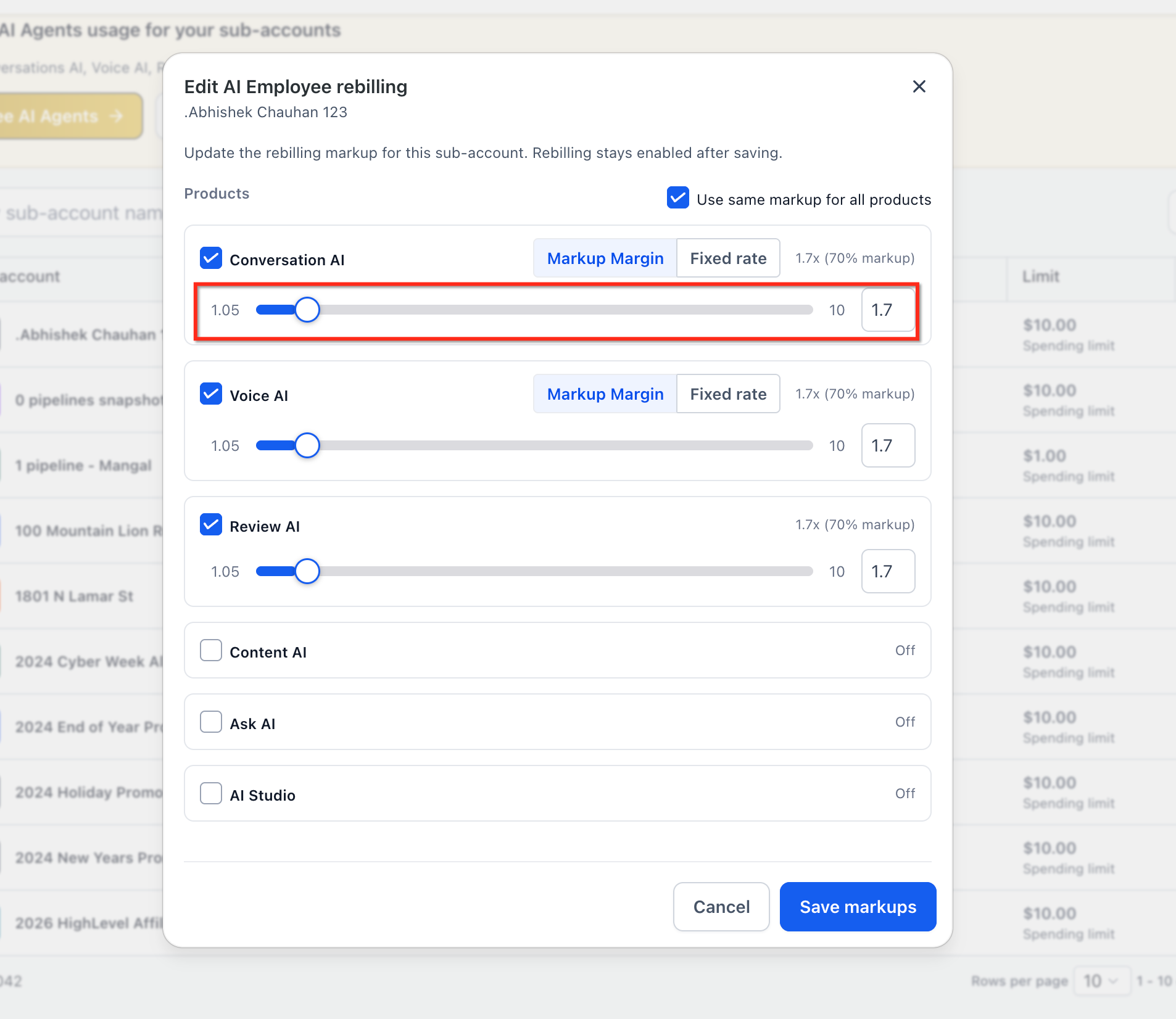
- Enter the flat amount you wish to charge for each unit of usage.
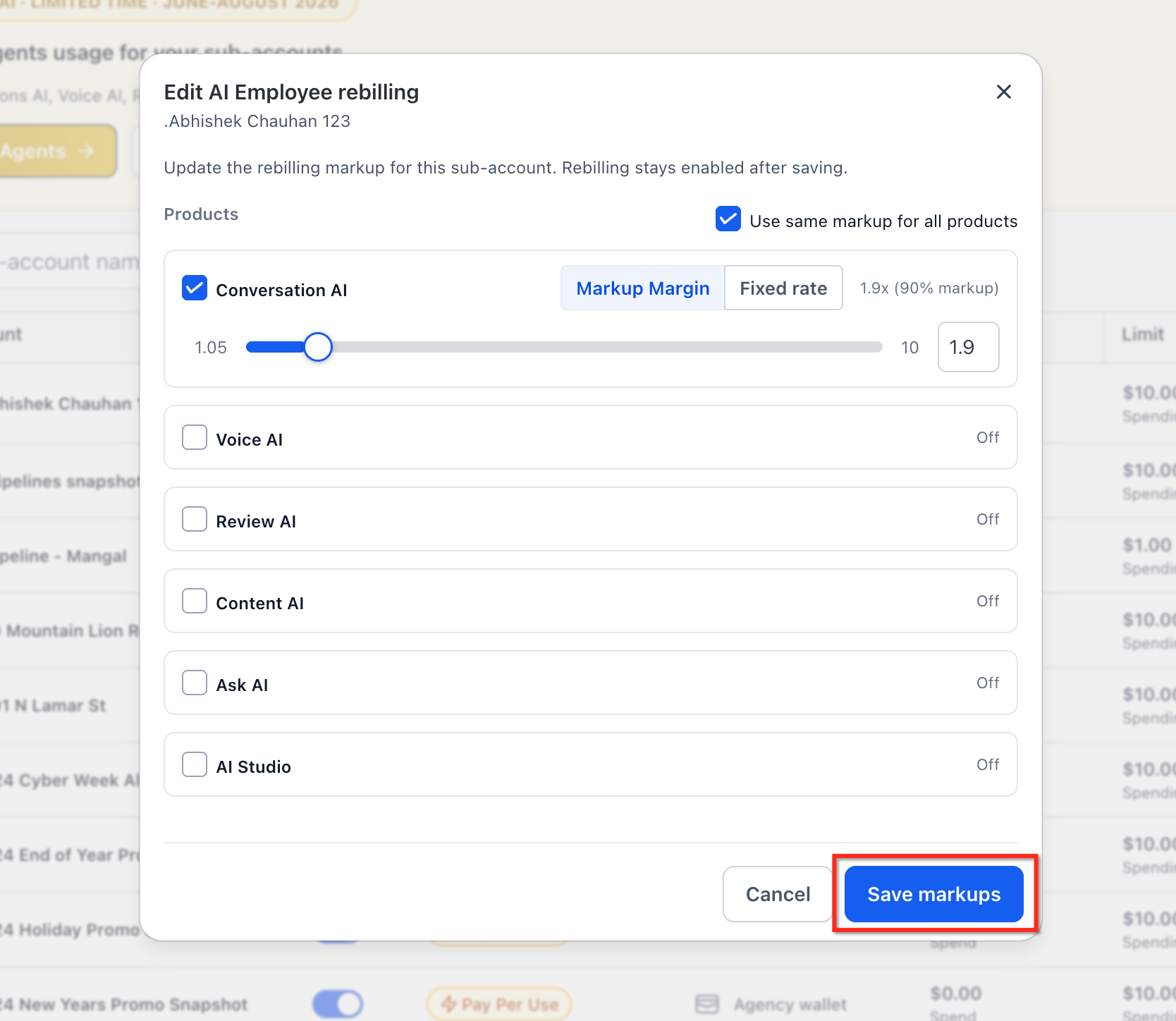
- Click Save Markups to store the new configuration.
06What it looks like in HighLevel
07Settings that matter
- Pricing Model. Determines whether the subaccount is billed with a markup multiplier or a flat fixed rate.
- Fixed Rate. Specifies the dollar amount applied per unit of AI usage when the Fixed Rate model is selected.
08Things to know before you rely on it
- The pricing model applies only to the subaccount or subscription plan you edit; it does not change historic invoice lines.
- A validator checks that a Fixed Rate setting has a value and that a Markup setting does not retain an old fixed price before saving.
- Your agency continues to be charged by HighLevel based on actual token usage regardless of the chosen model.
09How it connects to the rest of HighLevel
- Review all reselling product options Reselling products overview
- See pricing options for HighLevel plans Pricing page
- Start a 30 day trial of HighLevel Free trial
Michael's take

Fixed rate re billing feels like a small convenience that can become a real shift for agencies selling AI. It removes the confusion of token based pricing and lets you present a clean, predictable charge to clients who just want to know what they’ll pay each month.
A boutique marketing agency that bundles a chatbot for local restaurants fits well. They can quote $0.50 per message, set a rate that covers their token costs, and may see fewer billing questions.