
01Who this is for
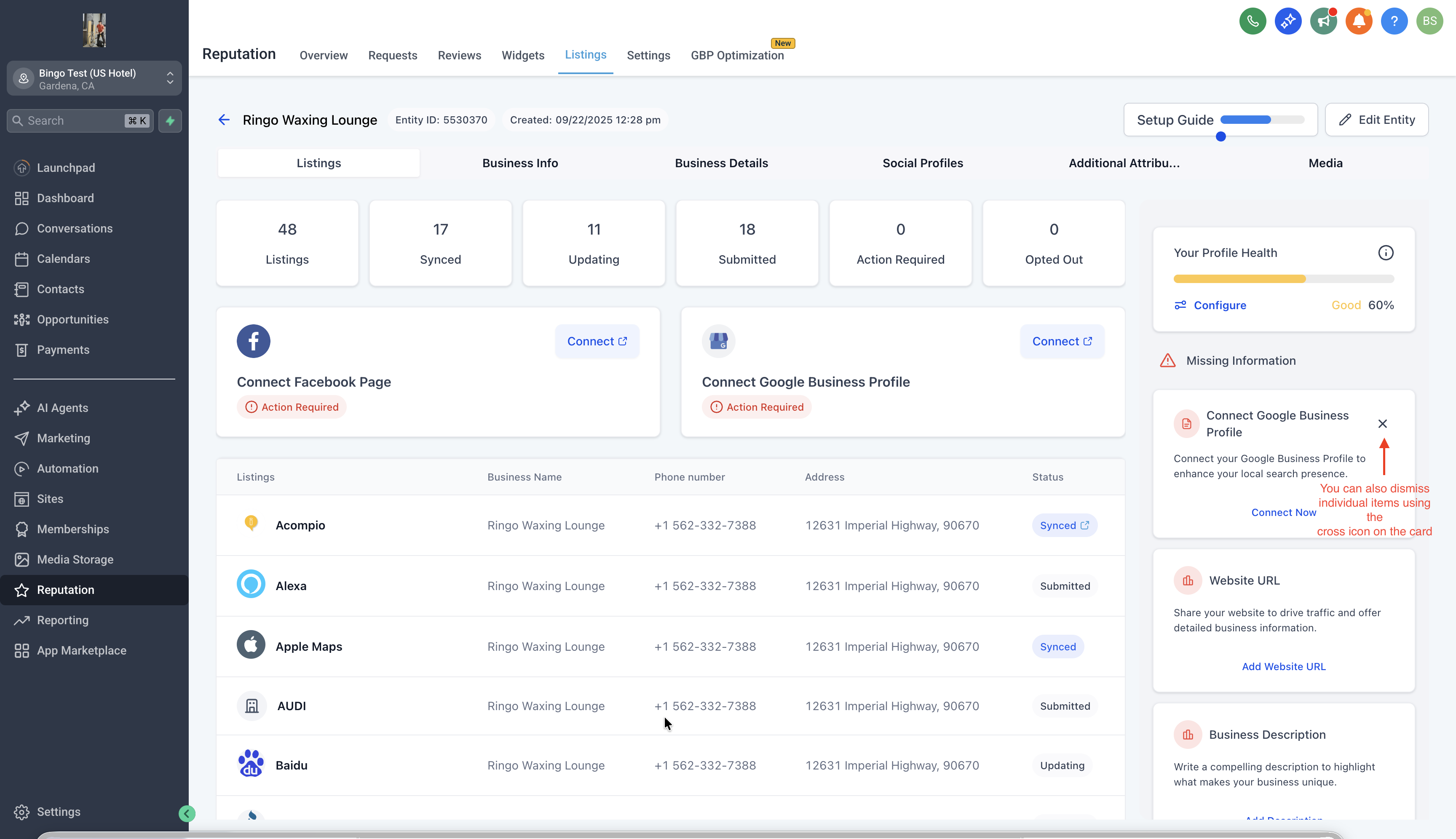
- Agency teams that manage many client listings can remove alerts that are not relevant to each client, keeping the dashboard tidy.
- Small business owners can focus on the fields that matter to them without being distracted by unnecessary missing info warnings.
02Missing info alerts, explained
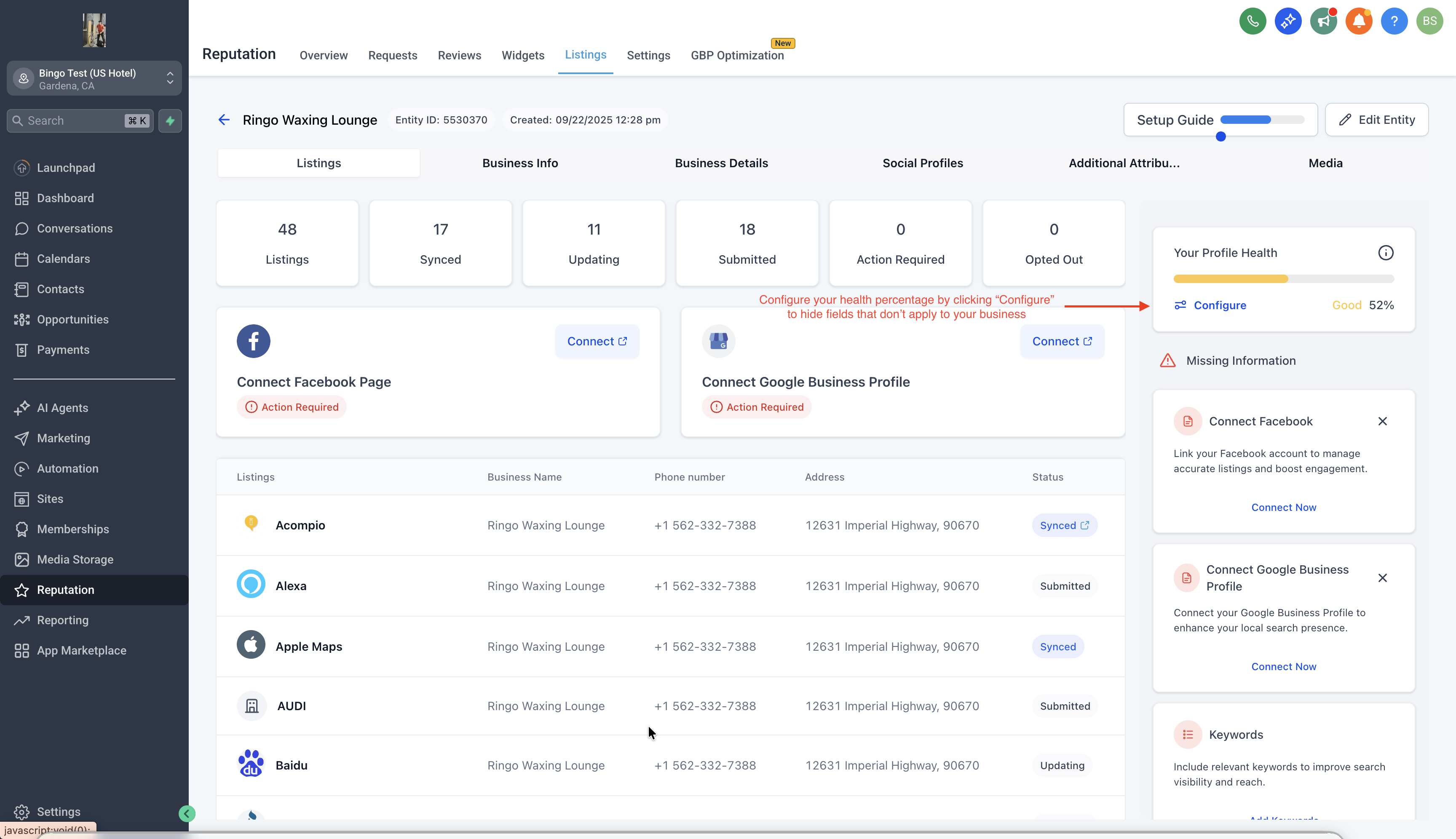
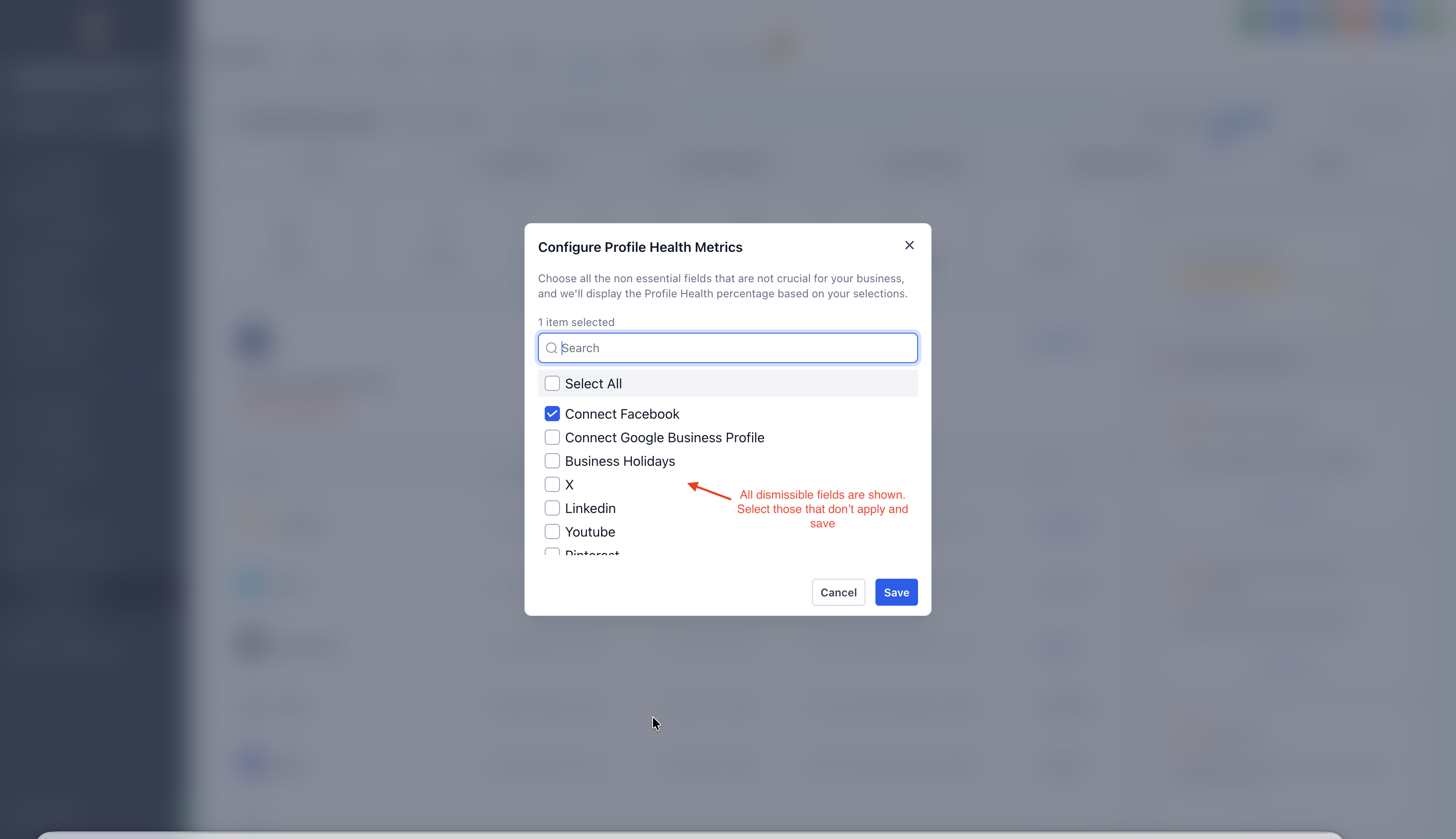
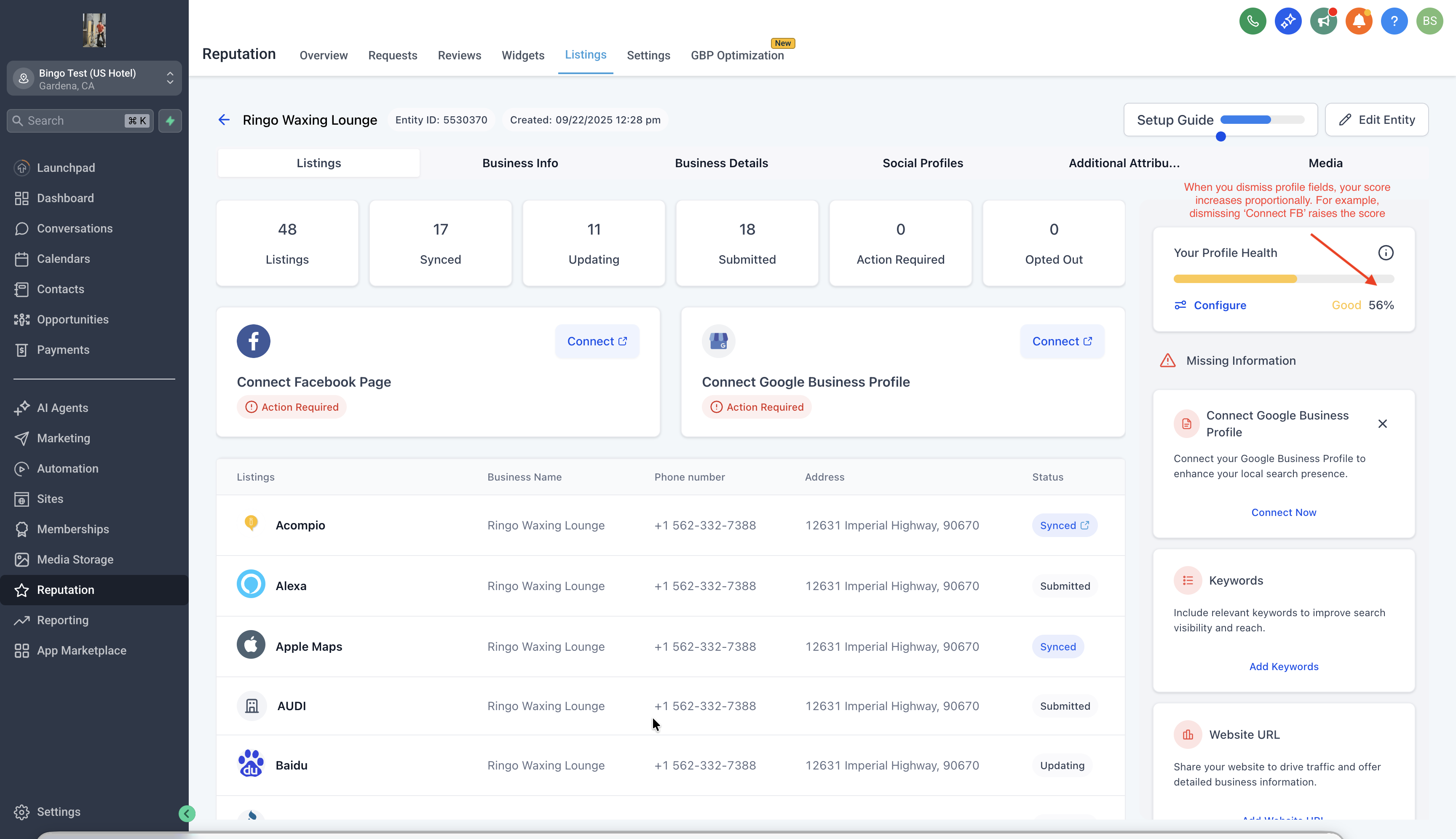
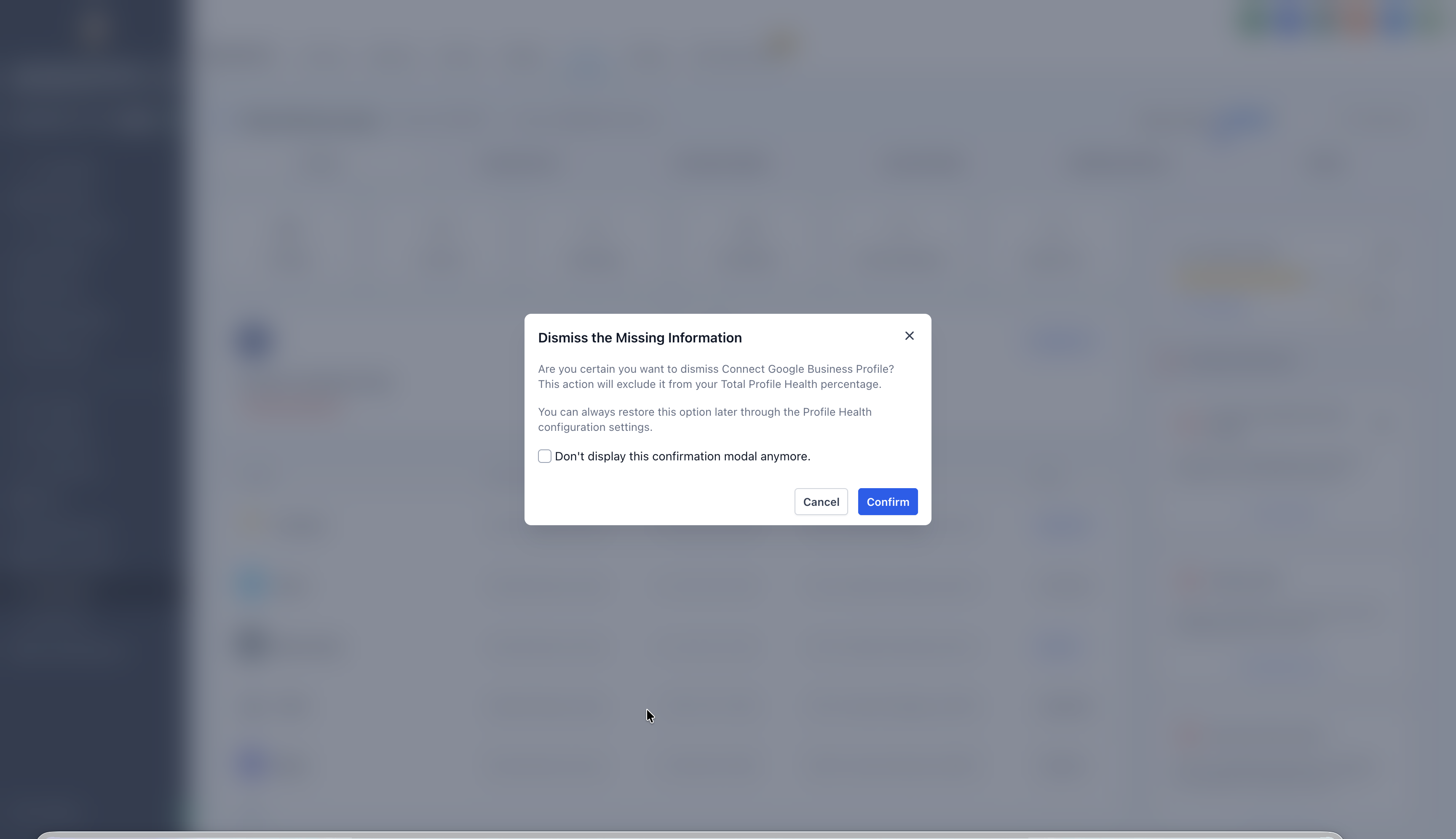
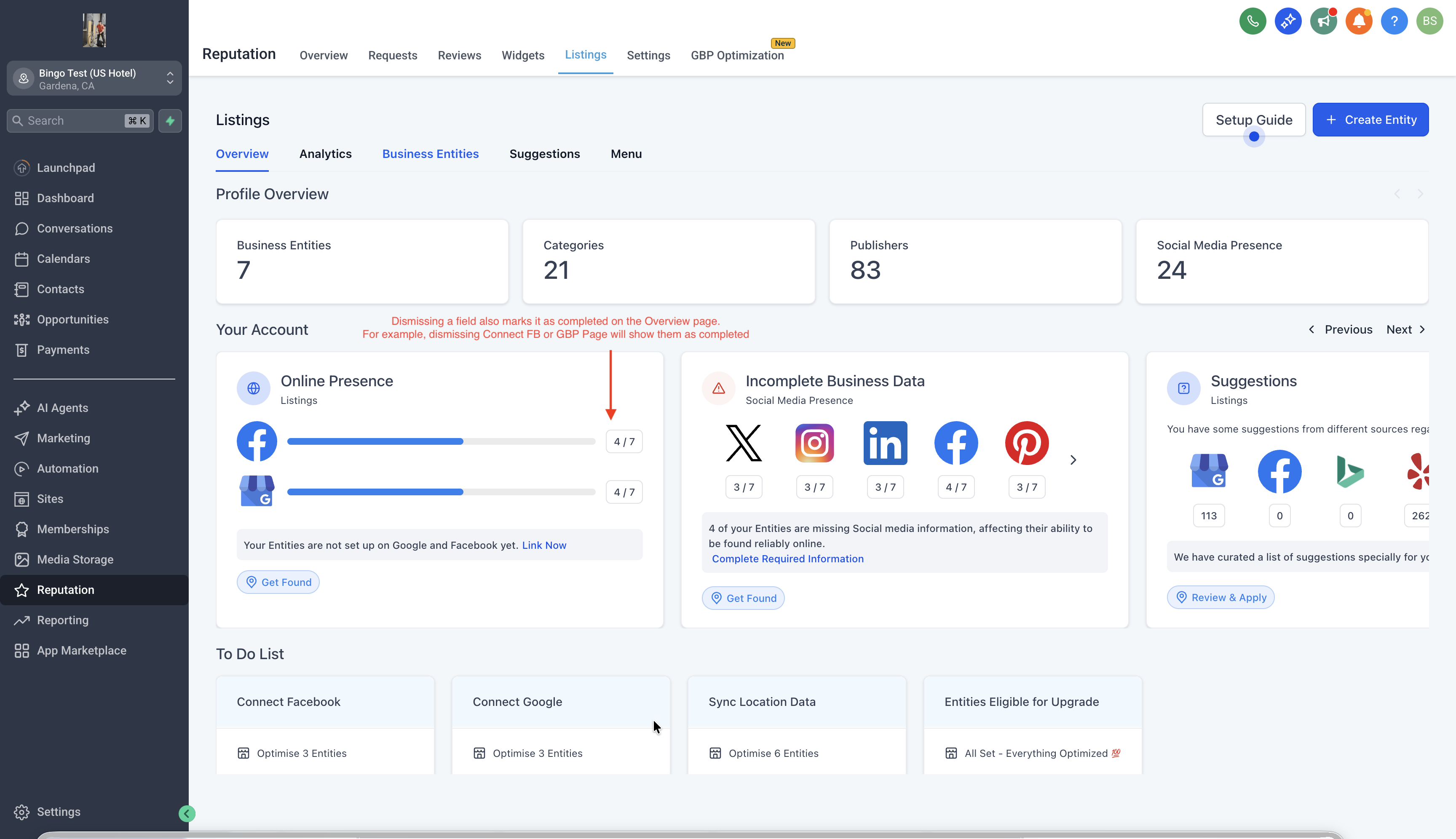
The option to dismiss missing info alerts appears on the entity detail screen inside the Missing Info section. When a field such as TikTok URL or YouTube page does not apply, users select Configure on the Profile Health Card and choose the irrelevant fields. After confirming, the alerts disappear and the profile completeness score updates to ignore those fields.
Dismissed fields can be restored at any time. Opening the same Configure modal shows the previously dismissed items, and a Re enable control adds the field back into alerts and scoring. The change is immediate and affects both the numerator and denominator used for the profile score.
03How businesses use missing info alerts
- Marketing agency. When a client does not use TikTok, the agency opens the client’s profile, clicks Configure in the Missing Info area, selects the TikTok URL field, and confirms. The alert is hidden and the profile score reflects only applicable fields.
- Local restaurant. If the restaurant later creates a YouTube channel, the owner returns to the profile, clicks Configure, finds the dismissed YouTube field, and uses the Re enable option so the alert returns and the score updates.
- Real estate brokerage. Agents who only use Facebook can open each agent’s profile, configure Missing Info, dismiss the Instagram URL field, and keep the profile health card free of irrelevant alerts.
04The numbers and rules that matter
- Example: If 2 fields are dismissed from a 10 field profile, the score is calculated as Completed / 8.
05How to set up and use missing info alerts in HighLevel
Dismiss missing info alerts
- Open the entity profile you want to edit.
- In the Missing Info area, click the Configure button on the Profile Health Card.
- In the modal, select each field that does not apply to the business.
- Confirm the selection; the alert disappears and the profile score updates.
Re enable dismissed fields
- Open the same profile and click the Configure button again.
- In the modal, locate the fields that were previously dismissed.
- Use the Re enable option for each field to add it back to alerts and scoring.
06What it looks like in HighLevel
07Settings that matter
- Missing Info. The section on an entity profile that lists fields lacking data and provides the Configure control.
- Configure. A button on the Profile Health Card that opens a modal where fields can be dismissed or re enabled.
- Re enable. An action inside the Configure modal that restores a previously dismissed field to the alert list and score calculation.
08Things to know before you rely on it
- Dismissed fields are removed from both the numerator and denominator of the profile completeness calculation.
- The feature works only on fields that are marked as not applicable; it does not delete any data.
- All changes are reversible through the same Configure modal.
09How it connects to the rest of HighLevel
- Learn which countries support online listings Online listings coverage
- View HighLevel pricing and plan options Pricing
- Start a 30 day HighLevel trial Free trial
Michael's take

In my experience, being able to hide irrelevant fields can make the profile view feel cleaner for clients with very specific online presences.
If a client never needs to hide fields, the extra step of configuring dismissals might not add much value.