
01Who this is for
- Digital marketing agencies that manage client review profiles can quickly see where each client stands against local competitors.
- Local business owners who monitor their own reputation can identify gaps without manual research.
- Consultants who advise on brand perception can use side by side charts to support strategic recommendations.
02Competitor analysis, explained
Competitor Analysis lives inside the Reputation Management suite. After opening the feature, you add your own location and then select up to three competitor locations. The platform automatically pulls review information from Google and other supported platforms.
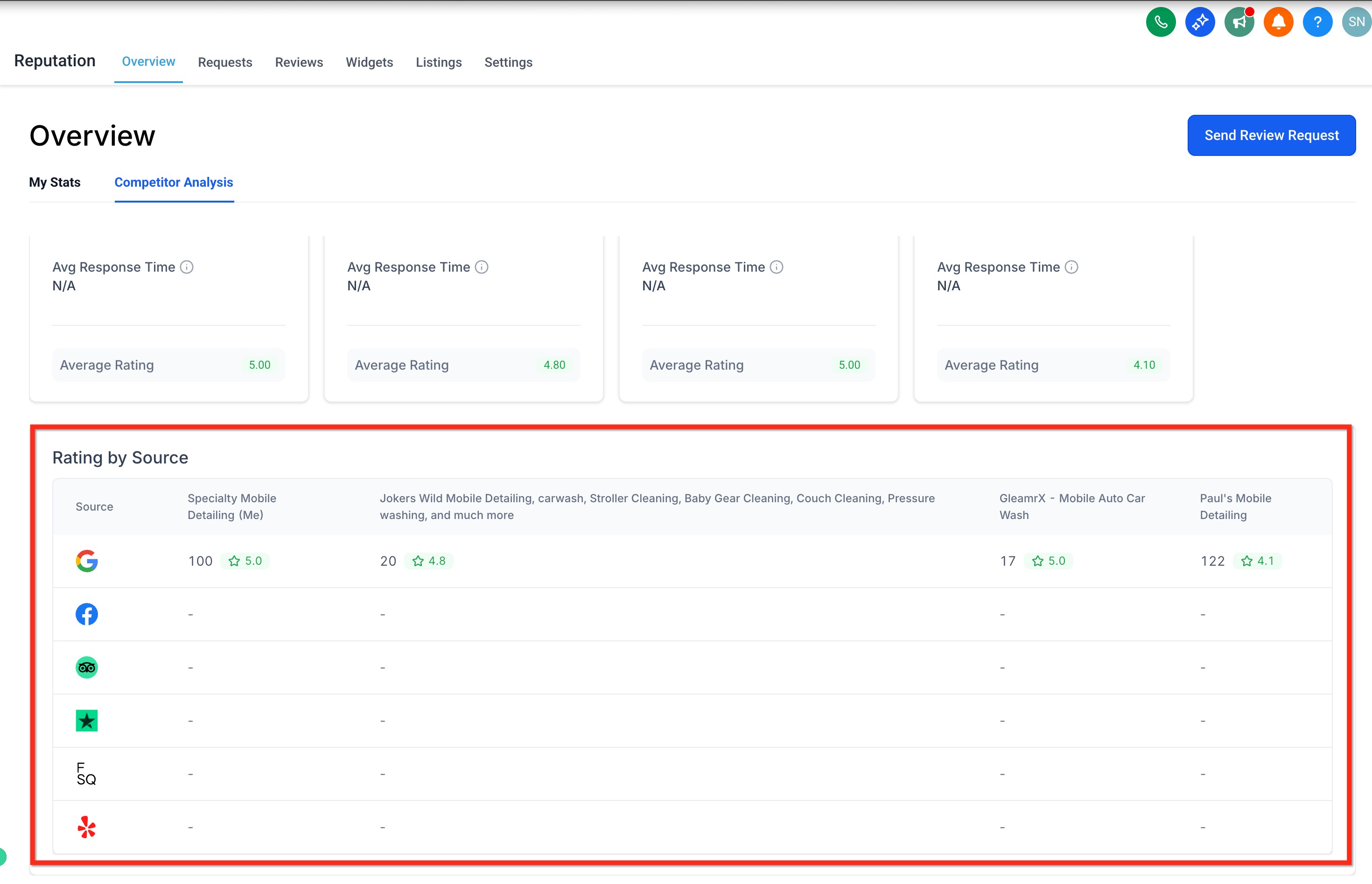
The interface shows a rating by source section where star ratings, total review volume and average response times appear for each selected business. Charts illustrate differences so you can spot strengths and weaknesses at a glance. No manual data entry is required; the system refreshes the information on a regular basis.
03How businesses use competitor analysis
- Dental practice. The practice adds its clinic and selects three nearby dental offices. Within HighLevel it reviews side by side star ratings and review counts, then uses the visual gaps to prepare a client report.
- Real estate agency. The agency registers its office and adds three competing agencies. It checks the real time response time metric to see how quickly each firm replies to reviews, then adjusts its own response workflow.
- Restaurant. The restaurant enters its location and adds three local eateries. It views the multi platform insights, comparing Google and Facebook ratings, to decide where to focus its review generation efforts.
04The numbers and rules that matter
- You can benchmark your business against up to three competitors at a time.
05How to set up and use competitor analysis in HighLevel
Set up competitor analysis
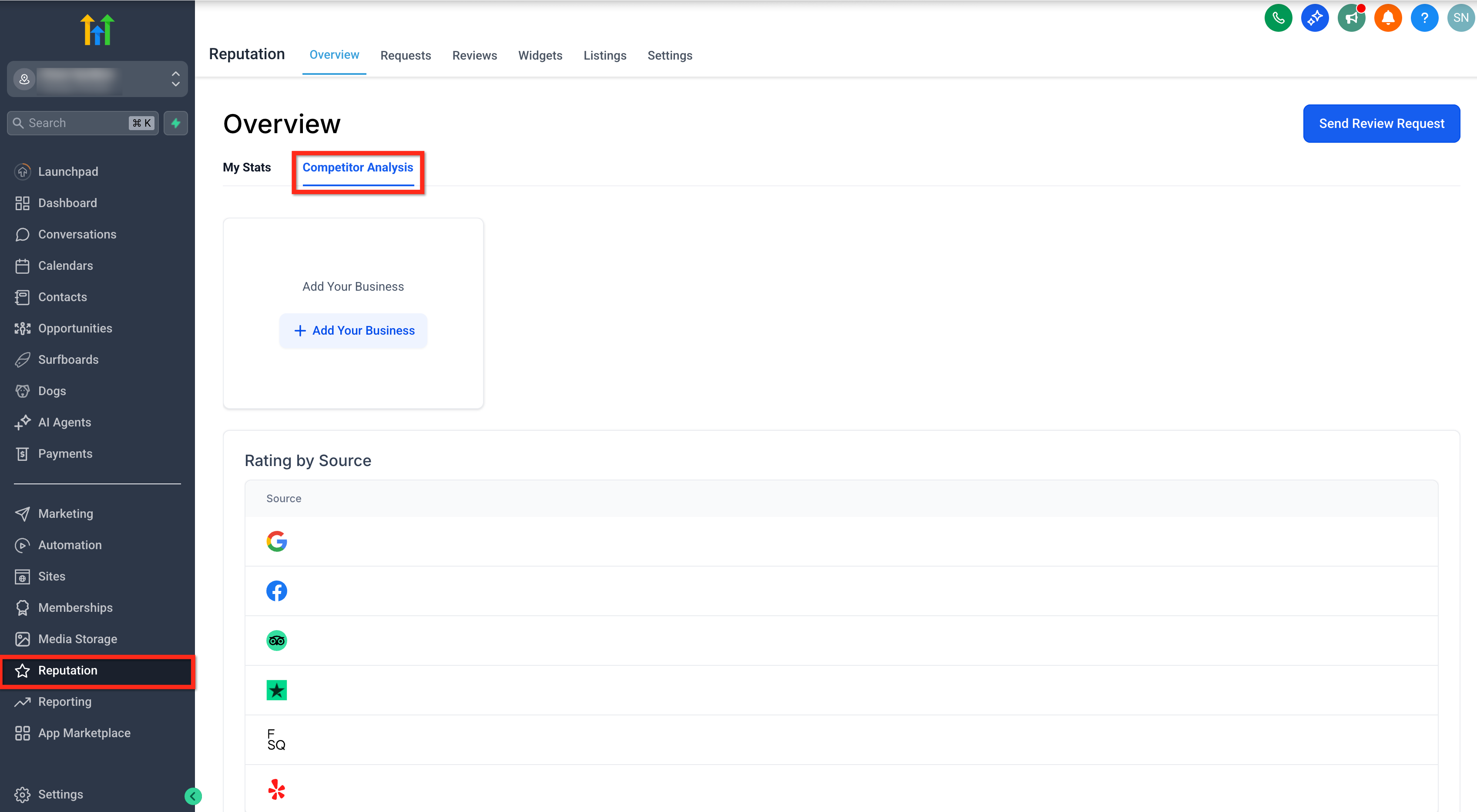
- Click the Reputation option on the account dashboard.
- Select the Competitor Analysis tab.
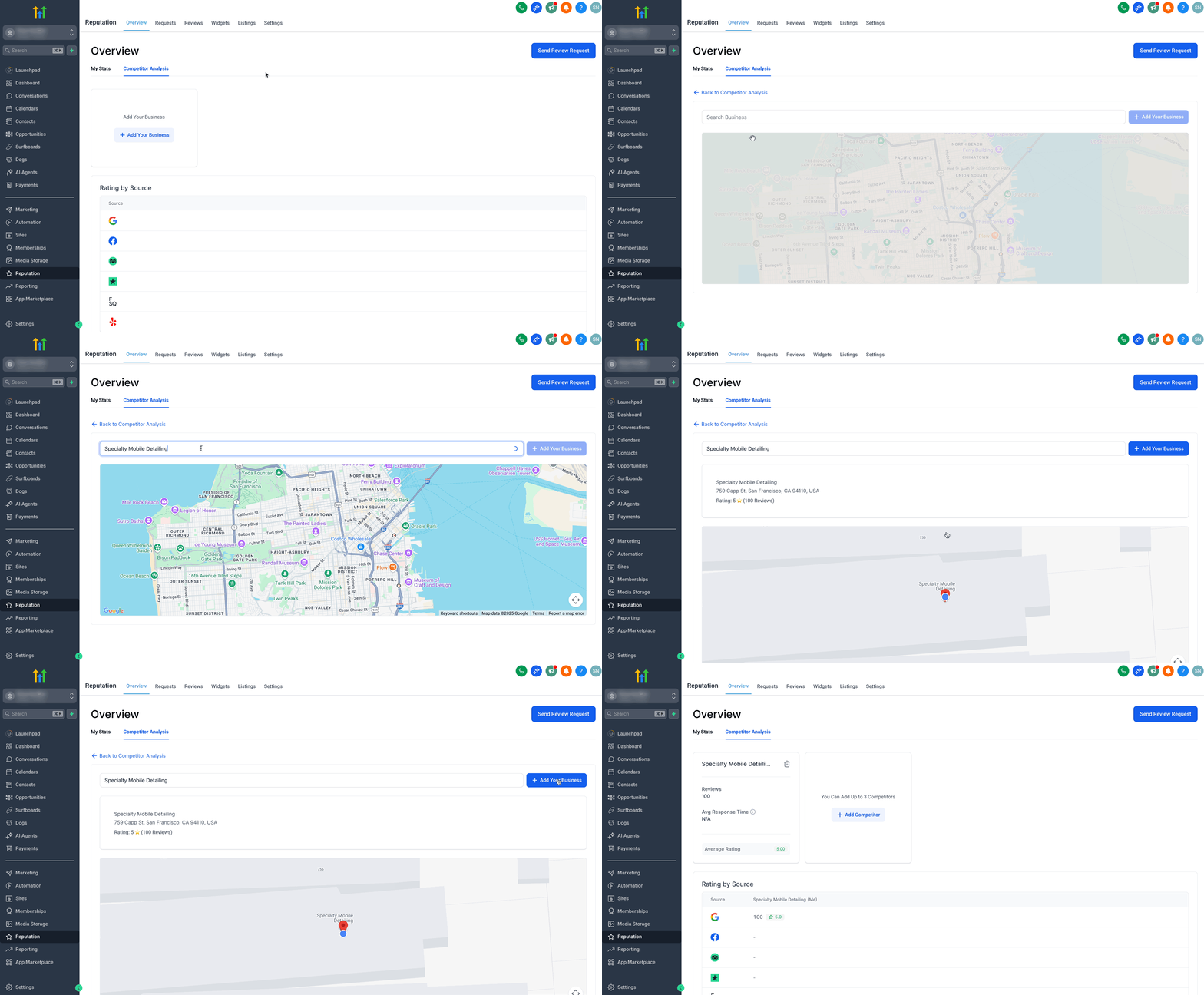
- Press the + Add Your Business button located under the competitor analysis tab.
- Allow the location permission request.
- Search for your own business and choose the correct entry.
- Click the + Add Your Business button next to the search bar.
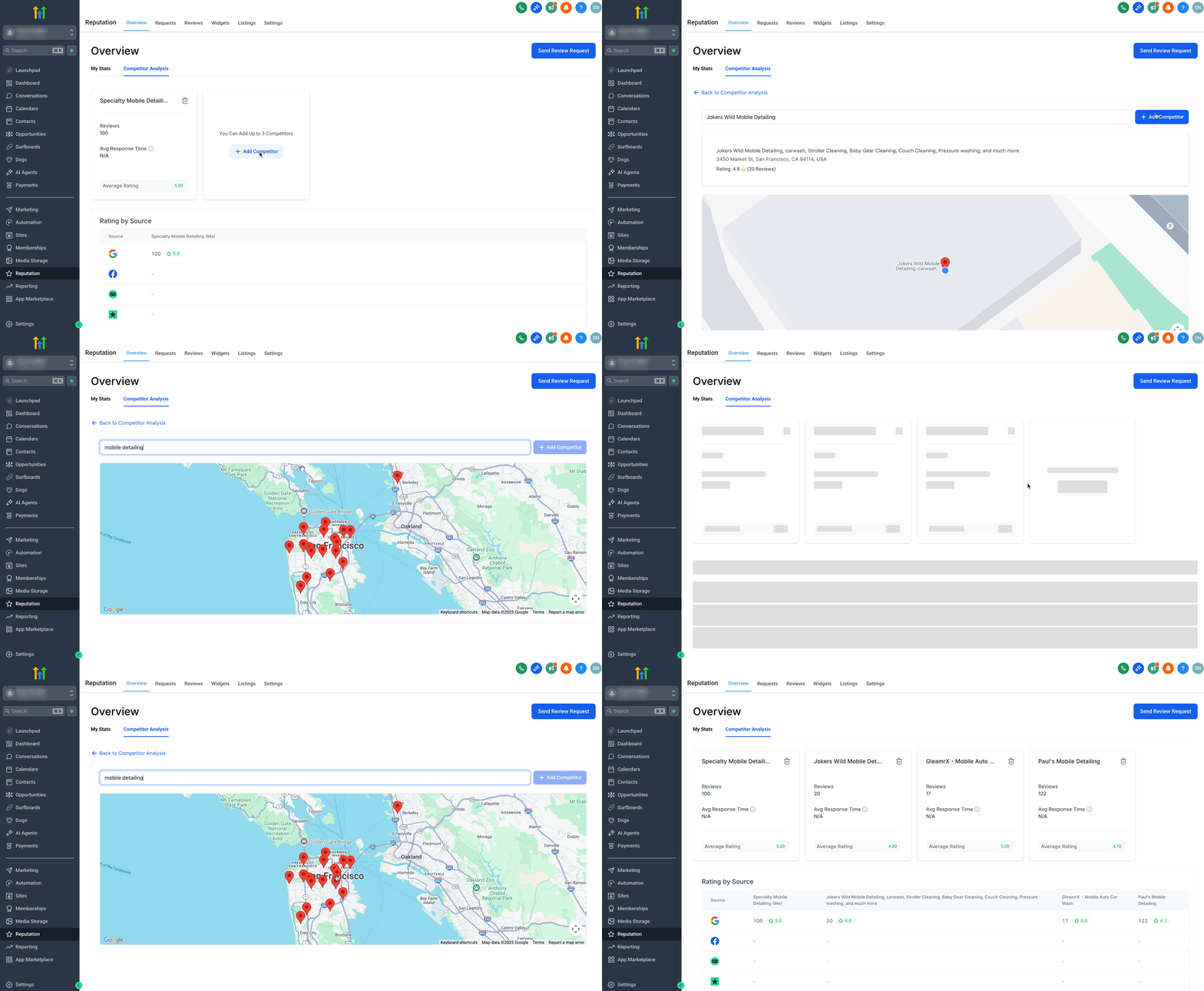
- Press the + Add Competitor button to begin adding rivals.
- Remember that a maximum of three competitors can be added.
- Search for a competitor business and pick the appropriate result.
- Click the + Add Competitor button beside the search bar.
- Scroll down to the “Rating by Source” area and review star ratings, review volumes and response times across Google, Facebook, TripAdvisor and other platforms.
06What it looks like in HighLevel
07Things to know before you rely on it
- You can compare your business with a maximum of three competitors at one time.
- Google reviews are fully supported; additional major platforms such as Facebook and TripAdvisor are also included.
- All competitor data is fetched automatically; no manual entry is needed.
08How it connects to the rest of HighLevel
- Explore all reputation management features All Reputation features
- Review HighLevel pricing and plan options Pricing page
- Start a 30 day HighLevel trial Start trial
Michael's take

Michael ReimerFounder of CRM Pros, HighLevel Commander and Certified Admin
Don’t forget to keep your competitor list current; you can update your competitor selections at any time.
Read the full details on HighLevel →Published November 2, 2026 · Updated November 16, 2026