
01Who this is for
- Digital marketing agencies, can spot missing websites to offer build services.
- Local SEO specialists, can recognize unreachable sites for repair proposals.
- Lead generation firms, can confirm prospect data before outreach.
02Website detection in marketing audit reports, explained
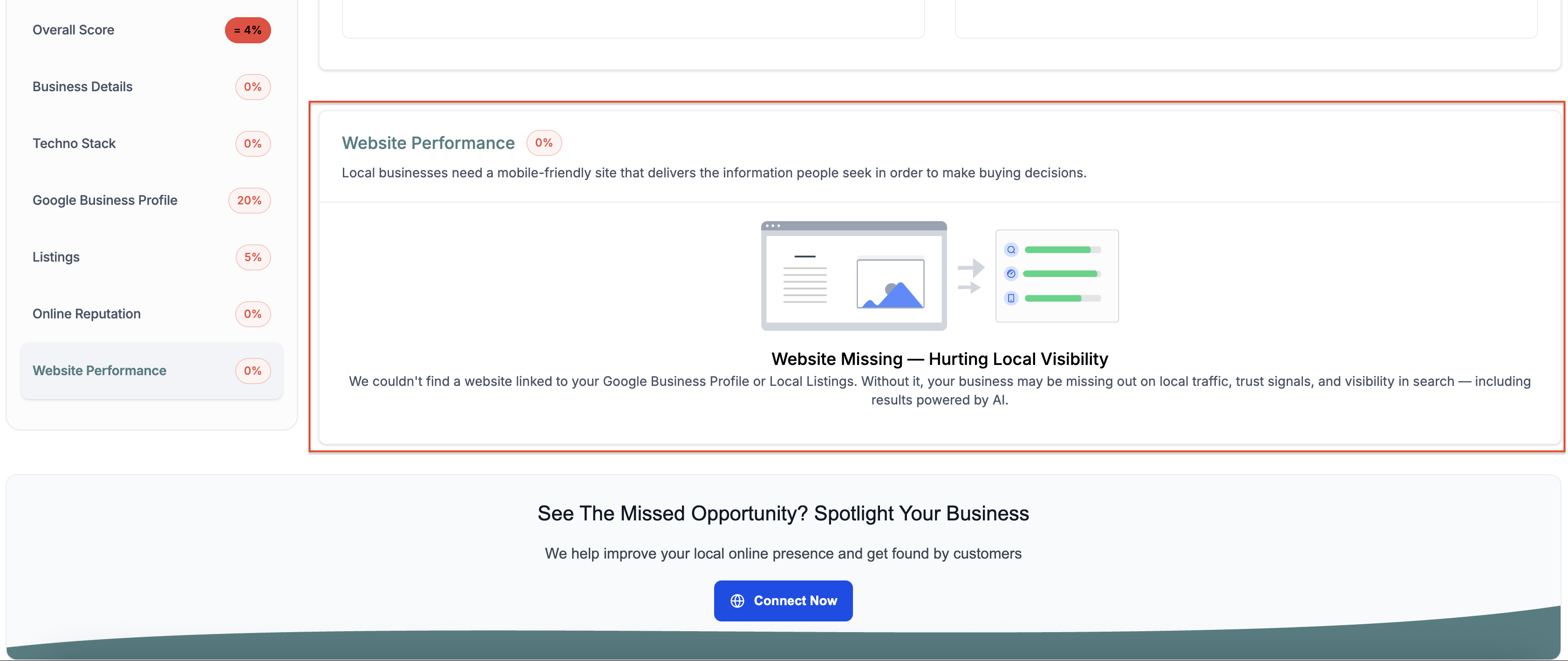
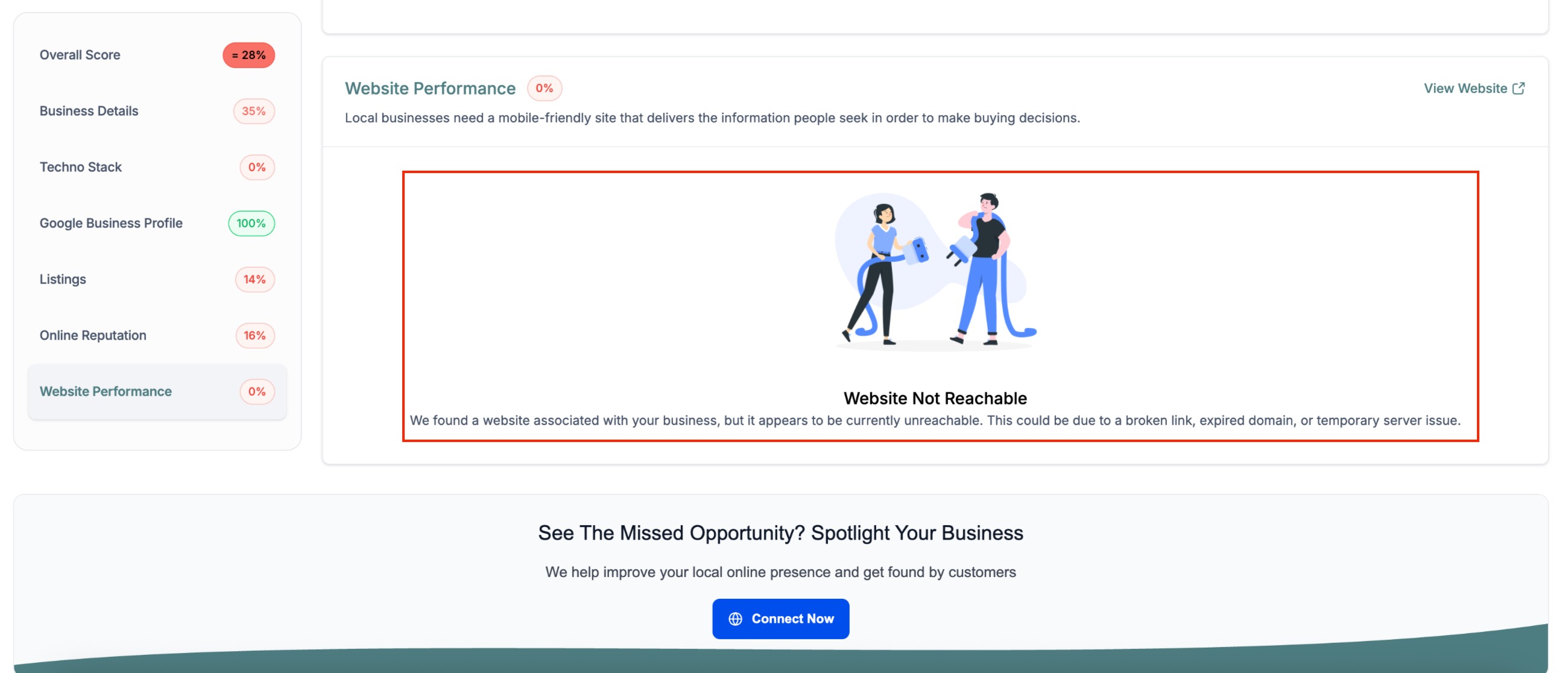
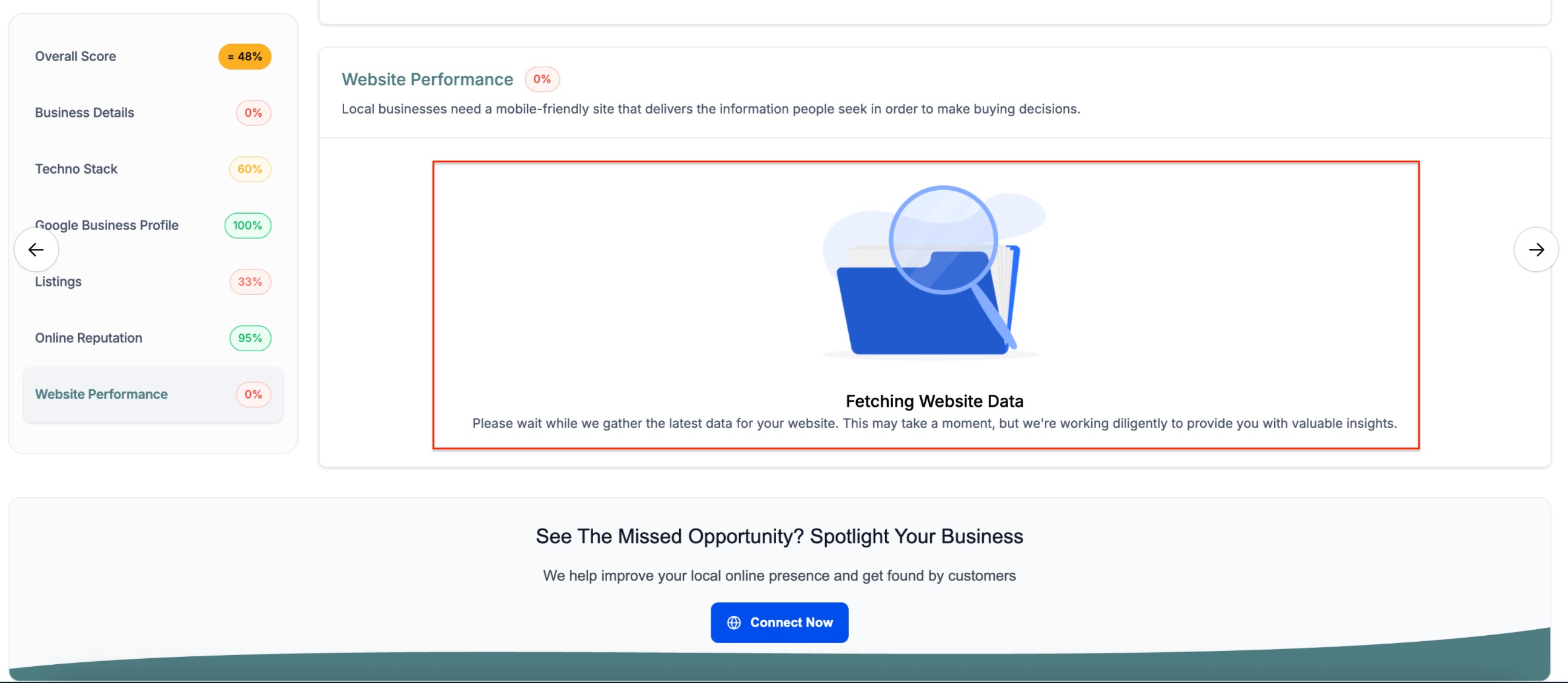
Website Detection runs automatically when a Marketing Audit Report is generated for a prospect. The engine queries supported data sources such as Google Business Profile and local listings to find a URL. Based on what it discovers, the report assigns one of three outcomes: missing, not reachable, or still being fetched.
The assigned outcome controls what appears in the client facing portions of the audit. If the system marks the site as missing or not reachable, that status is shown in the web version and in the PDF export. When data is still being fetched, the outcome is omitted from the client view until the request succeeds.
The feature lives inside the Marketing Audit Report workflow, which is accessed through the Prospecting Tool in HighLevel.
03How businesses use website detection in marketing audit reports
- Digital marketing agency. The agency opens a prospect record in the Prospecting Tool, runs a Marketing Audit Report, and reviews the website detection outcome. If the result is “website missing,” the agency can propose a new site build.
- Local SEO consultant. The consultant generates a Marketing Audit Report for a local business, checks whether the detection shows “website not reachable,” and then offers a recovery or hosting fix based on that finding.
- Lead generation firm. The firm creates a Marketing Audit Report for a lead list, looks at the detection status, and uses “website missing” or “not reachable” outcomes to prioritize outreach strategies.
04The numbers and rules that matter
- Outcome 1: Website Missing. Appears in customer facing Web and PDF reports.
- Outcome 2: Website Not Reachable. Appears in reports with an explanatory message.
- Outcome 3: Fetching Website Data. Not included in reports until data is fetched.
05Before you start
- A prospect must exist in the Prospecting Tool to generate a Marketing Audit Report.
06How to set up and use website detection in marketing audit reports in HighLevel
Run website detection in a Marketing Audit Report
- Generate or open a Marketing Audit Report for a prospect inside the Prospecting Tool.
- The system automatically queries sources such as Google Business Profile and local listings to determine the website status.
- It assigns one of the three outcomes, website missing, website not reachable, or fetching website data, and formats the client facing report accordingly.
07What it looks like in HighLevel
08How it connects to the rest of HighLevel
- Learn how to use local marketing audits and compare reports for strategic growth. Local marketing audits guide
- Explore all reporting features available in HighLevel. All reporting features
- Review pricing and plan options for accessing reporting tools. HighLevel pricing
Michael's take

Website detection is a handy add on for agencies that need honest audit insights. Agencies that never run audits or don’t sell website services can skip it.