
01Who this is for
- Agency owners gain a clear view of client local visibility to demonstrate value.
- Marketing managers can benchmark their locations against nearby competitors.
- Small business Founders receive a single report that highlights listings, reviews and SEO health.
02Local marketing audits, explained
The Local Marketing Audit lives in the Reporting section of a Subaccount. It pulls verified business details and runs checks on Google Business Profile, website performance, listings, reviews and basic SEO, then presents grades and heatmaps.
Results are stored in an interactive Report Timeline that keeps up to twelve months of audits. Audits can be refreshed at any time with a single click, and the refreshed data appears right away without recreating the report.
Centralized Audit Settings let you set default business details, choose how often new audits run and decide which sections appear. Changes only affect future audits; existing reports remain unchanged.
03How businesses use local marketing audits
- Dental practice. Run a Local Marketing Audit to check the completeness of the practice’s Google Business Profile, review count and website speed. Export the findings as a PDF and send the file to the office manager for review.
- Real estate agency. Add up to three nearby broker offices as competitors, generate the side by side comparison, and use the listing and review insights to improve the agency’s own online presence.
- Restaurant. Refresh the audit after a menu update, export the report in the restaurant’s language, and email the PDF to the franchise owner to showcase recent improvements.
04The numbers and rules that matter
- Create up to three heatmaps per business.
- Add up to 3 competitor businesses for comparison.
- Report Timeline stores prior audit reports for up to 12 months.
05Before you start
- The Local Marketing Audit feature is enabled by default for all users in a Subaccount.
- Recipients of emailed reports must have at least View permission.
06How to set up and use local marketing audits in HighLevel
Generate a local marketing audit
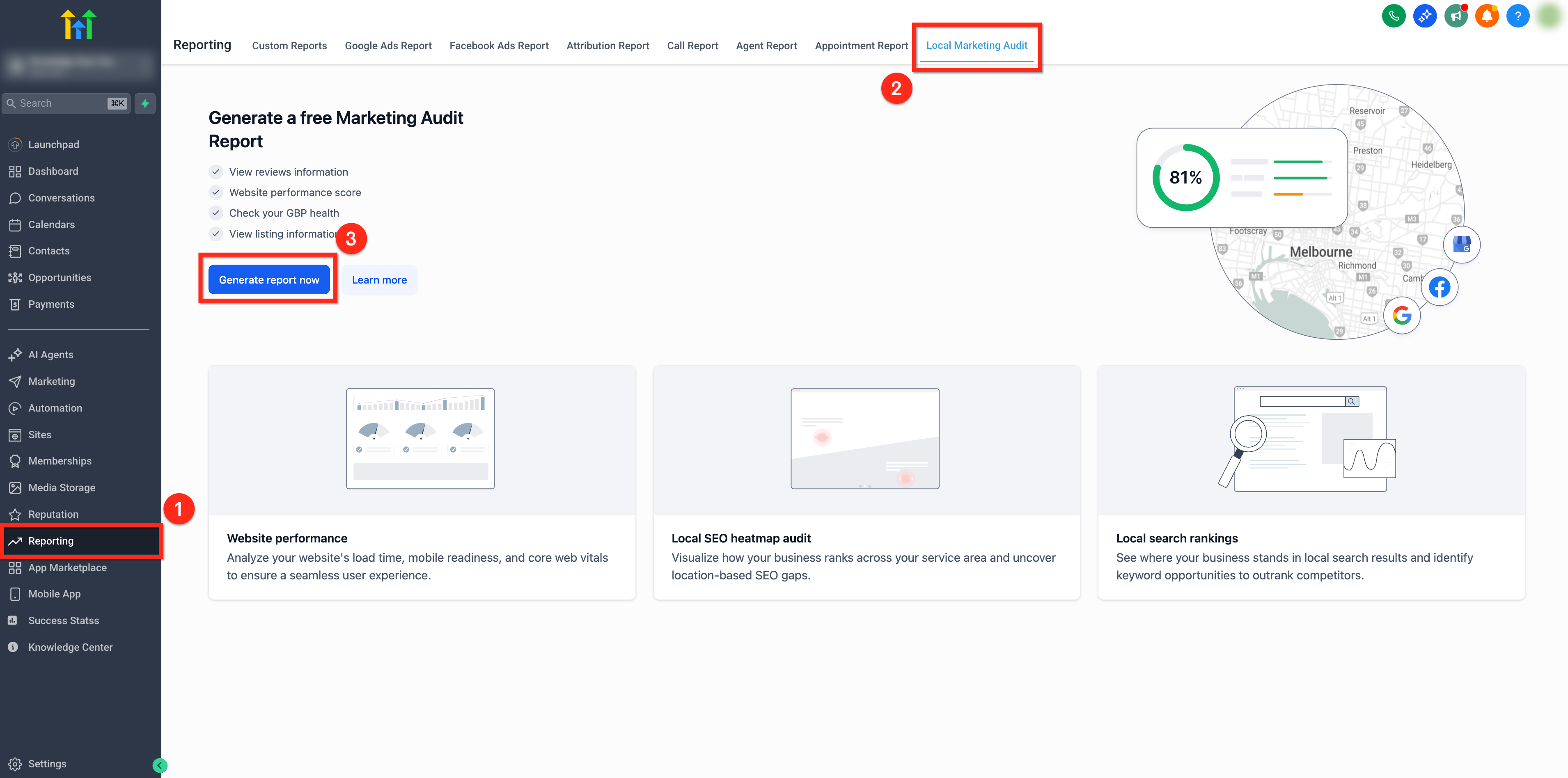
- Click Reporting in the left navigation menu.
- Select the Local Marketing Audit tab at the top.
- Press the blue Generate New Report button.
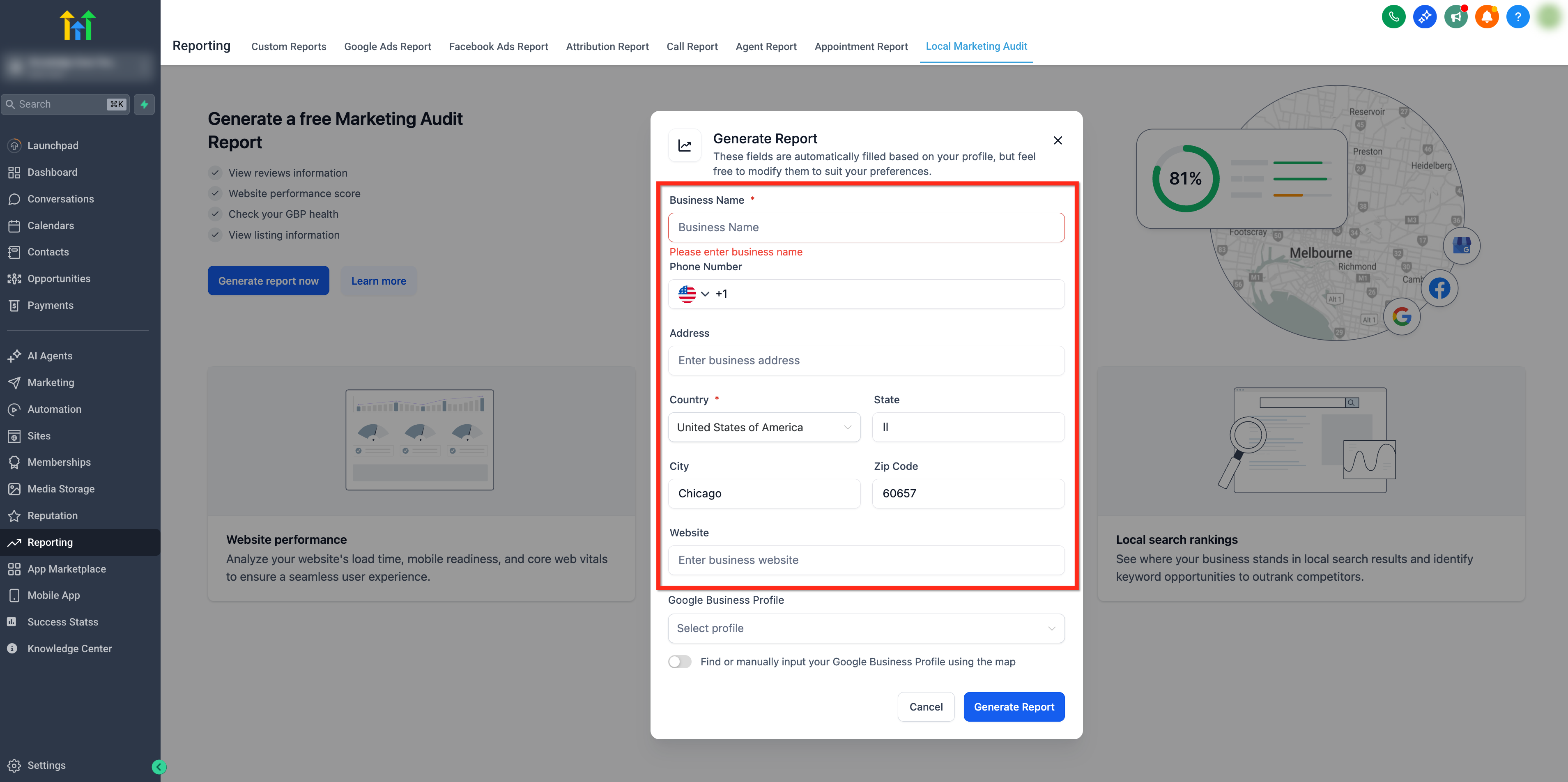
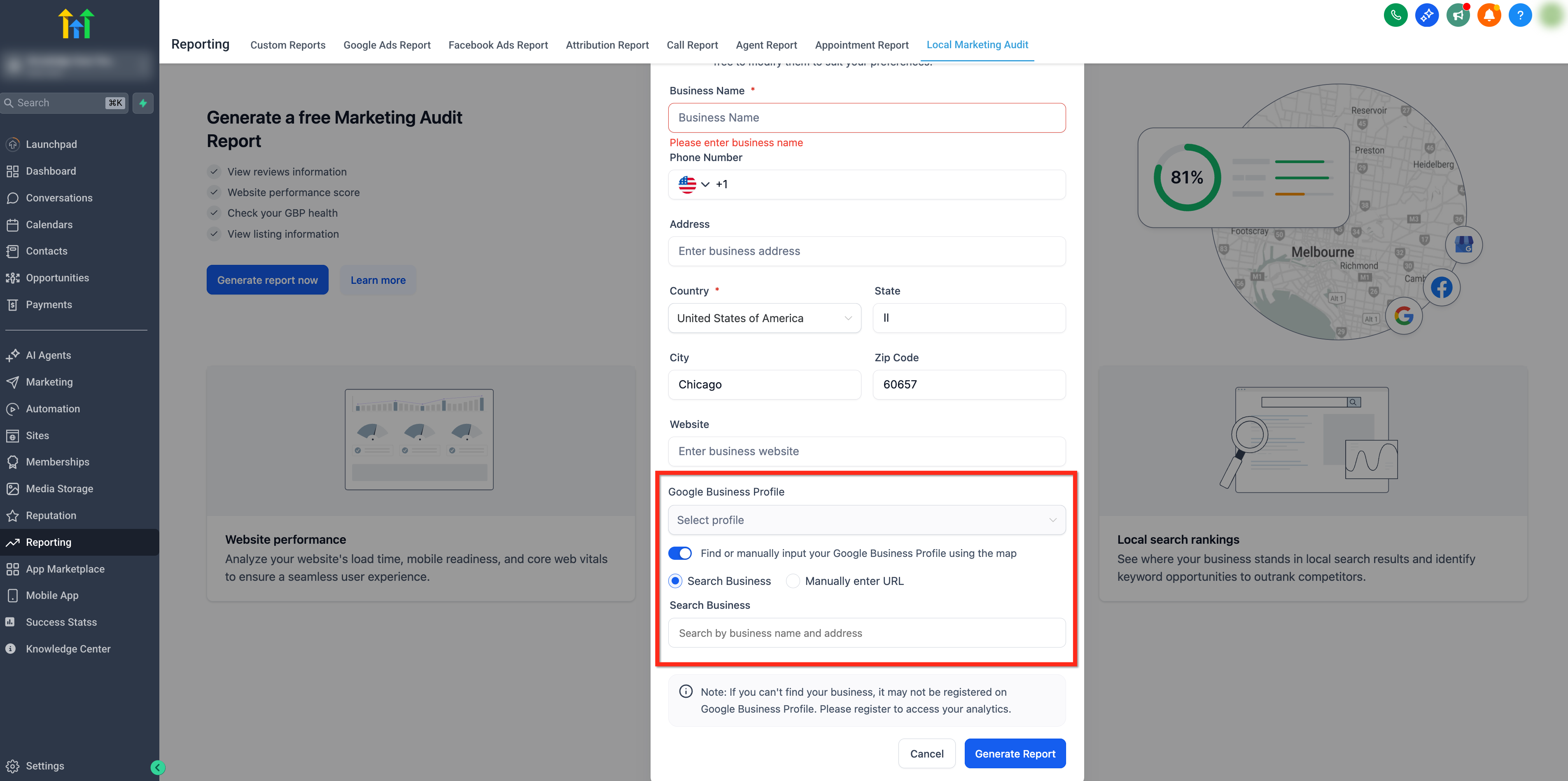
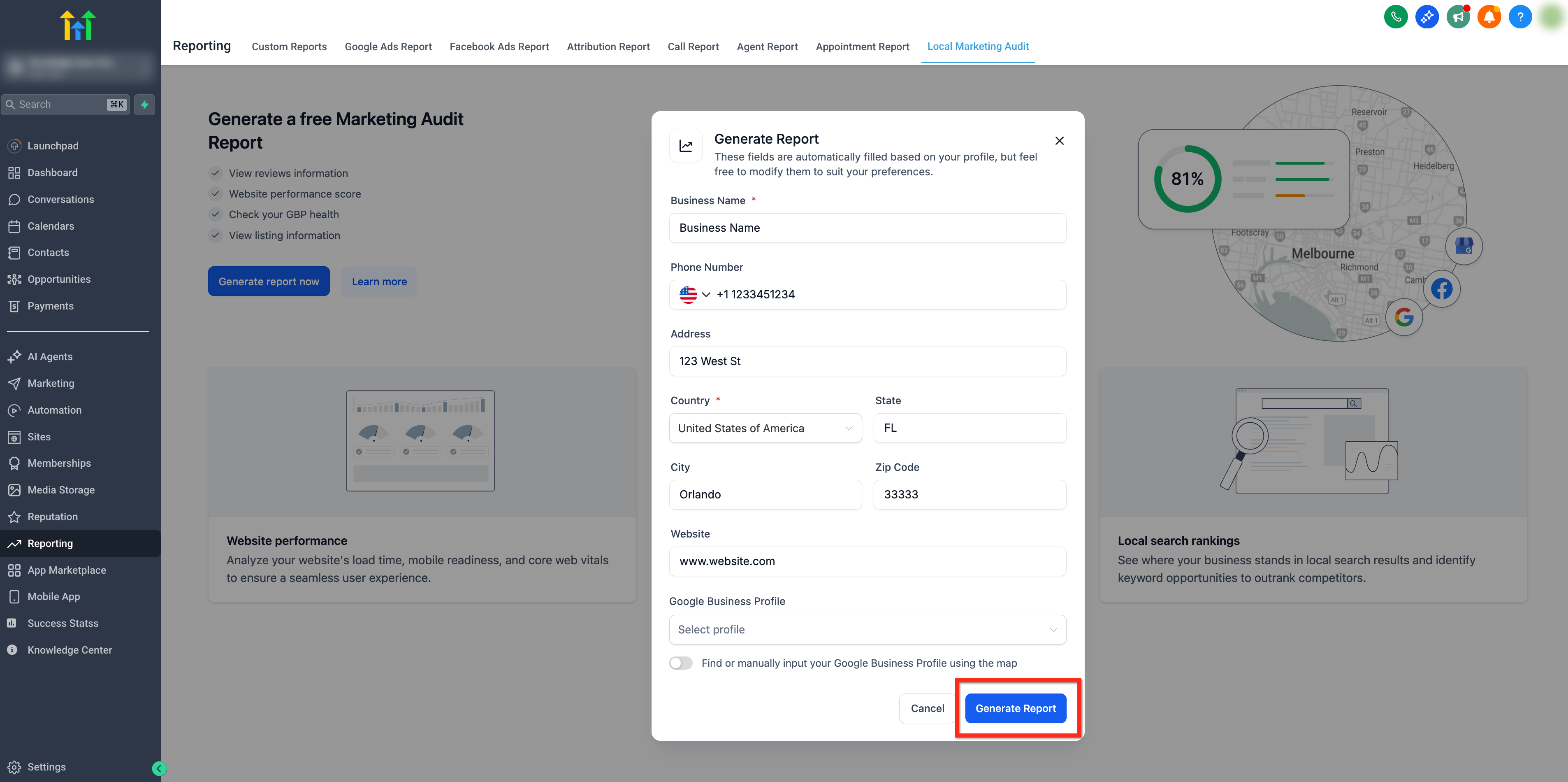
- Verify the auto filled business name, address, phone and website, editing any fields if needed.
- If a Google Business Profile is linked, pick it from the dropdown; otherwise toggle the option to search Google Maps using the business information.
- Click the Generate Report button to create the audit.
Add competitors and generate comparison
- Open the Compare Reports tab after the audit finishes.
- Click the + Compare icon.
- Search for and select a competitor business (up to three can be added).
- Press the Compare Reports button to start the AI driven analysis.
Export audit as PDF
- Choose Export PDF from the report menu.
- Pick a language from the dropdown list.
- Click Export PDF again to download the file.
Share report via email, SMS or a link
- Open the three dot menu and select Share Report.
- Choose Email, SMS or Share Link, set the language and enter recipient details.
- Fill in the email subject line.
- Click Share Report to send the chosen delivery.
Manage permissions for local marketing audits
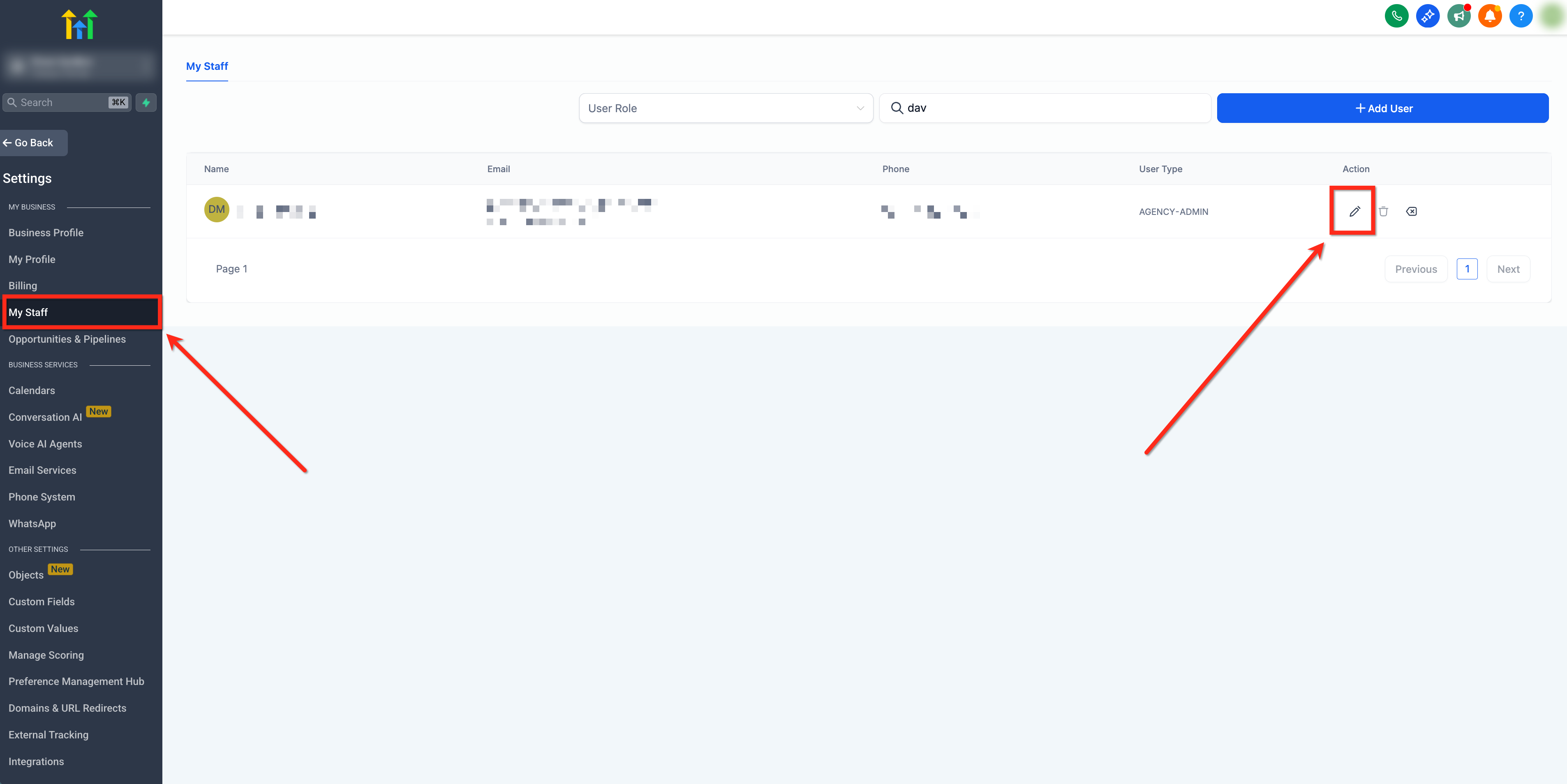
- Navigate to Settings > My Staff.
- Locate the desired user and select them.
- Click the Edit button.
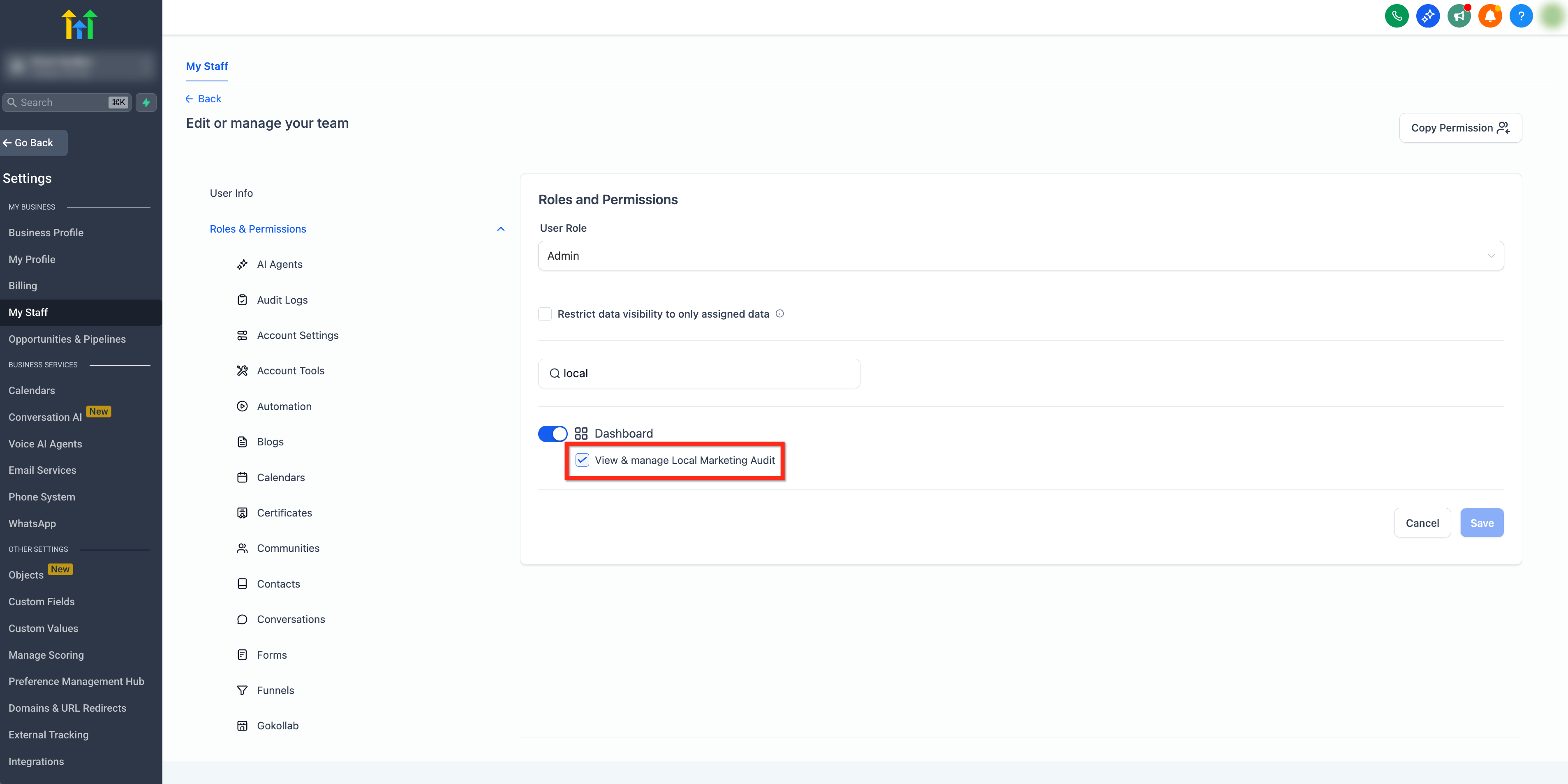
- Open the Roles & Permissions tab.
- Turn on or off View & Manage Local Marketing Audit permission and save the changes.
Refresh a local marketing audit
- When changes are made to the website, GBP, listings or tracking, go to the Local Marketing Audit page.
- Click Refresh Report at the top of the page.
- The audit updates right away with no waiting period and without recreating the report.
07What it looks like in HighLevel
08Settings that matter
- Business Details. Sets the name, address, phone number, website and the Google Business Profile used when generating an audit.
- Report Generation. Determines how often new audits run, monthly, quarterly, or manually, and whether reports are emailed automatically.
- Report Sections. Controls which sections appear in the audit and their order.
- View & Manage Local Marketing Audit. Grants a staff member permission to see or edit local marketing audits.
09Things to know before you rely on it
- You can add up to three competitor businesses for a side by side comparison.
- An audit can include up to three local SEO heatmaps.
- The Report Timeline stores audit records for a maximum of twelve months.
- Refreshing an audit happens right away with no waiting period.
- Changes made in Audit Report Settings only affect audits created after the change; existing reports stay unchanged.
- Email delivery requires recipients to have at least View permission.
10How it connects to the rest of HighLevel
- Learn how website detection appears in audit reports Website detection
- Set up Google Ads reporting to complement audit data Google Ads reporting
- View all reporting capabilities in HighLevel All Reporting features
Michael's take

The first setting I would lock down is the Business Details tab so the name, address, phone and website are spot on before any reports are generated. A clean foundation stops you from chasing errors later on.