
01Who this is for
- Founders who need reliable dashboard numbers to guide strategic decisions.
- Marketing managers who track ad performance and must verify lead and sales counts.
- Sales directors who rely on opportunity revenue data for forecasting.
02Reporting FAQs, explained
The reporting area in HighLevel displays metrics from Google Ads, Facebook Ads, call logs, and opportunity pipelines. It pulls data based on attribution sources, campaign names, and opportunity statuses. The dashboard widgets summarize leads, sales, and revenue for each channel.
Data can appear inconsistent when users operate in different timezones, when tracking scripts are missing, or when campaign naming conventions exceed platform limits. Revenue shown on location dashboards reflects the sum of monetary values of won opportunities, not actual payments received. Call Reporting tracks calls by phone number, while Agent Reporting groups calls by staff member, producing separate counts.
03How businesses use reporting FAQs
- Digital marketing agency. The agency reviews the Google Ads report to see why lead counts are zero. It checks that the tracking template and precautionary script are installed on client sites and confirms campaign names are under 250 characters. After fixing the setup, the lead and sales numbers update automatically.
- Real estate brokerage. The brokerage examines the location dashboard's revenue column to understand the total value of won opportunities. Knowing that this figure sums opportunity values, the team compares it with their actual invoicing to assess pipeline health without expecting payment data.
- SaaS startup. The startup compares Call Reporting with Agent Reporting to ensure call activity aligns with individual staff performance. It notes that calls made to contacts assigned to an agent may be handled by another person, explaining any count differences.
04The numbers and rules that matter
- Lead count may be affected if the campaign name exceeds 250 characters or differs from the contact's campaign name.
- GA4 workflows cannot directly pass Parameter: Value pairs.
05Before you start
- User permissions must include access to contact data for dashboard widgets.
- If the "ONLY ASSIGNED USER" option is enabled, users will only see data linked to their assignments.
- Tracking templates and precautionary scripts need to be added to the website for accurate Google Ads lead counts.
06What it looks like in HighLevel
07Settings that matter
- ONLY ASSIGNED USER. When enabled, the system limits visible data to items assigned to the logged in user.
- Contact permissions. Controls whether a user can view contact related widgets on the dashboard.
08Things to know before you rely on it
- Timezone differences between users can cause recorded timestamps to vary, leading to mismatched reports.
- Campaign, ad group, or ad names longer than 250 characters may prevent lead attribution.
- Call counts in Google Ads are not pulled from the Google Ads platform; they require a number pool and script on the website.
09If something goes wrong
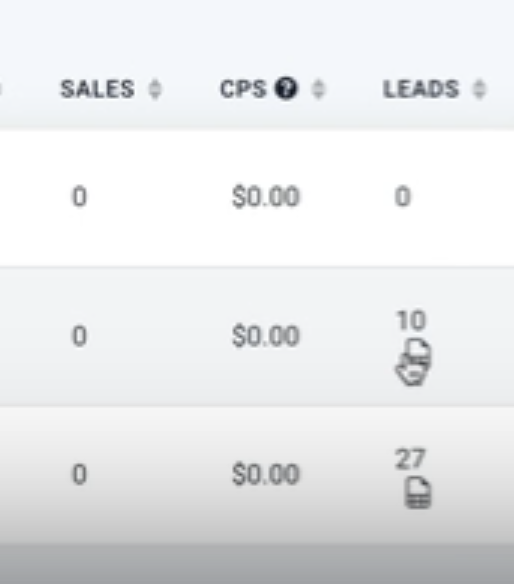
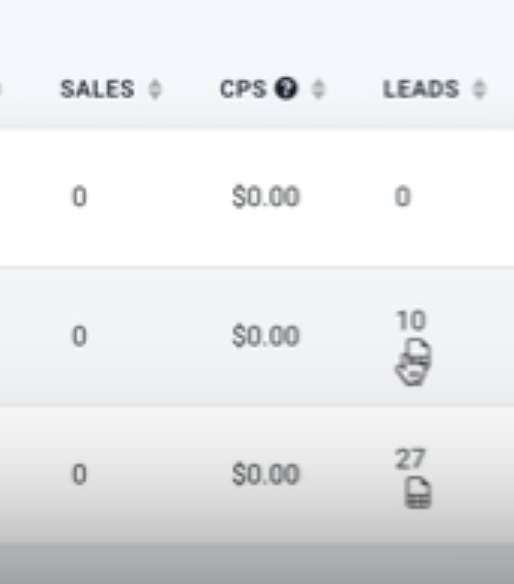
- Lead count in Google Ads report is zero. Verify that the tracking template and precautionary script are present, ensure utm_source=adwords and gclid are captured, and confirm campaign names are under 250 characters.
- Sales count shows zero. Check that the related opportunities are marked as WON and that the Lead count is not zero; the sales metric updates automatically when opportunity status changes.
- Sales count changes for a past date range. Review opportunity status history; each change to WON updates the sales total based on the most recent status change date.
- Google conversion not recording. Add the required tracking template and precautionary script to the site, then ensure the data sent matches the Google Ads API expectations.
- Users cannot see data on dashboard widgets. Confirm the user has contact permissions and that the "ONLY ASSIGNED USER" setting is configured appropriately; also verify the dashboard date range matches the data page.
10How it connects to the rest of HighLevel
- Configure Google Ads offline conversions for HighLevel Google Ads offline conversion
- Add UTM parameters to Facebook ads for accurate reporting Facebook ad UTM guide
- Explore all reporting capabilities in HighLevel Reporting feature list
- Start a 30 day trial of HighLevel 30 day trial
Michael's take

When the reporting numbers start to line up with actual sales and you can see the impact of each campaign, the effort pays off.
If data keeps shifting, it often means scripts are missing or permissions are restricting the view.