
01Who this is for
- Agency owners who manage multiple subaccounts need to see exact markup on phone usage to explain client invoices.
- Founders of marketing firms that run high volume SMS campaigns benefit from confirming carrier fees against current rates.
- Small business operators using HighLevel for client communication can reconcile phone costs with their accounting records.
02Phone System pass through markups, explained
The 5% phone system pass through markup is added at the location level for a defined set of services: A2P registration fees, SMS carrier surcharges, MMS carrier surcharges, Verified Caller ID fees, and RCS messaging carrier charges. This markup is applied before any agency configured rebilling, and it remains in place even when rebilling is turned off.
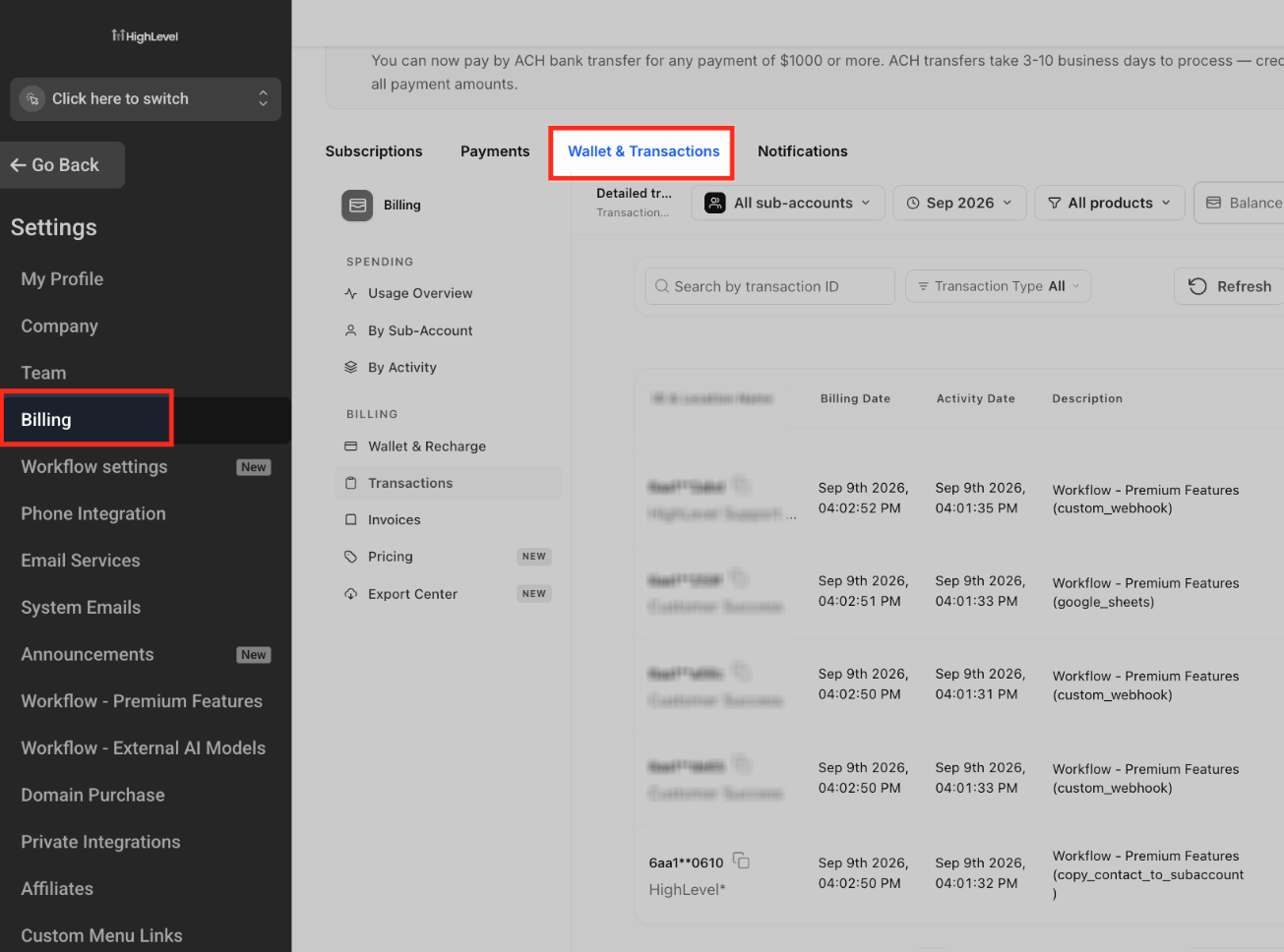
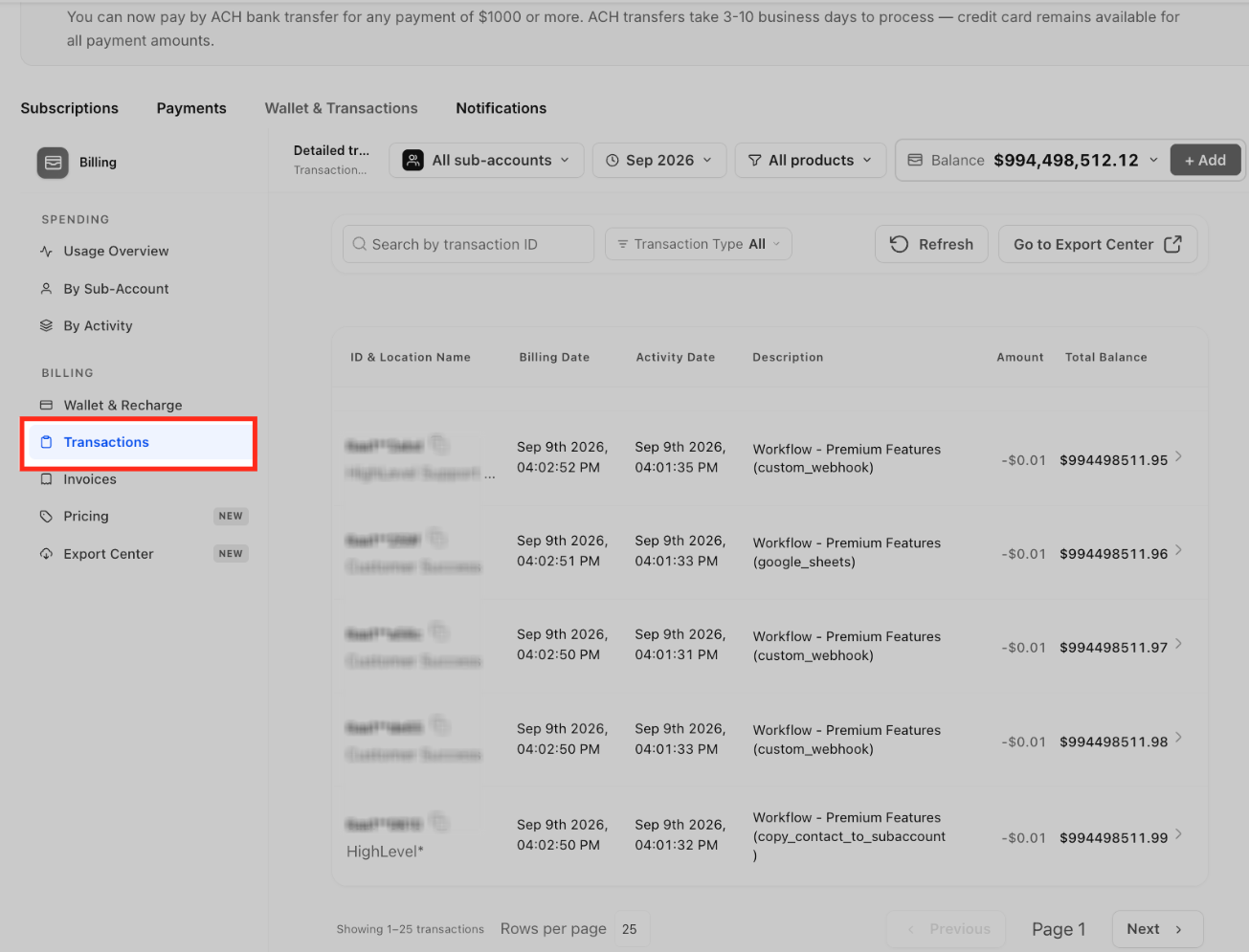
All phone related wallet activity can be inspected in the Wallet & Transactions section of the agency view. The Transactions tab lets users filter by subaccount, billing period, product and other criteria to locate a specific charge. The Pricing tab offers a live reference of current wallet billed product rates, including country specific pricing, which can be compared against the amount shown in a transaction.
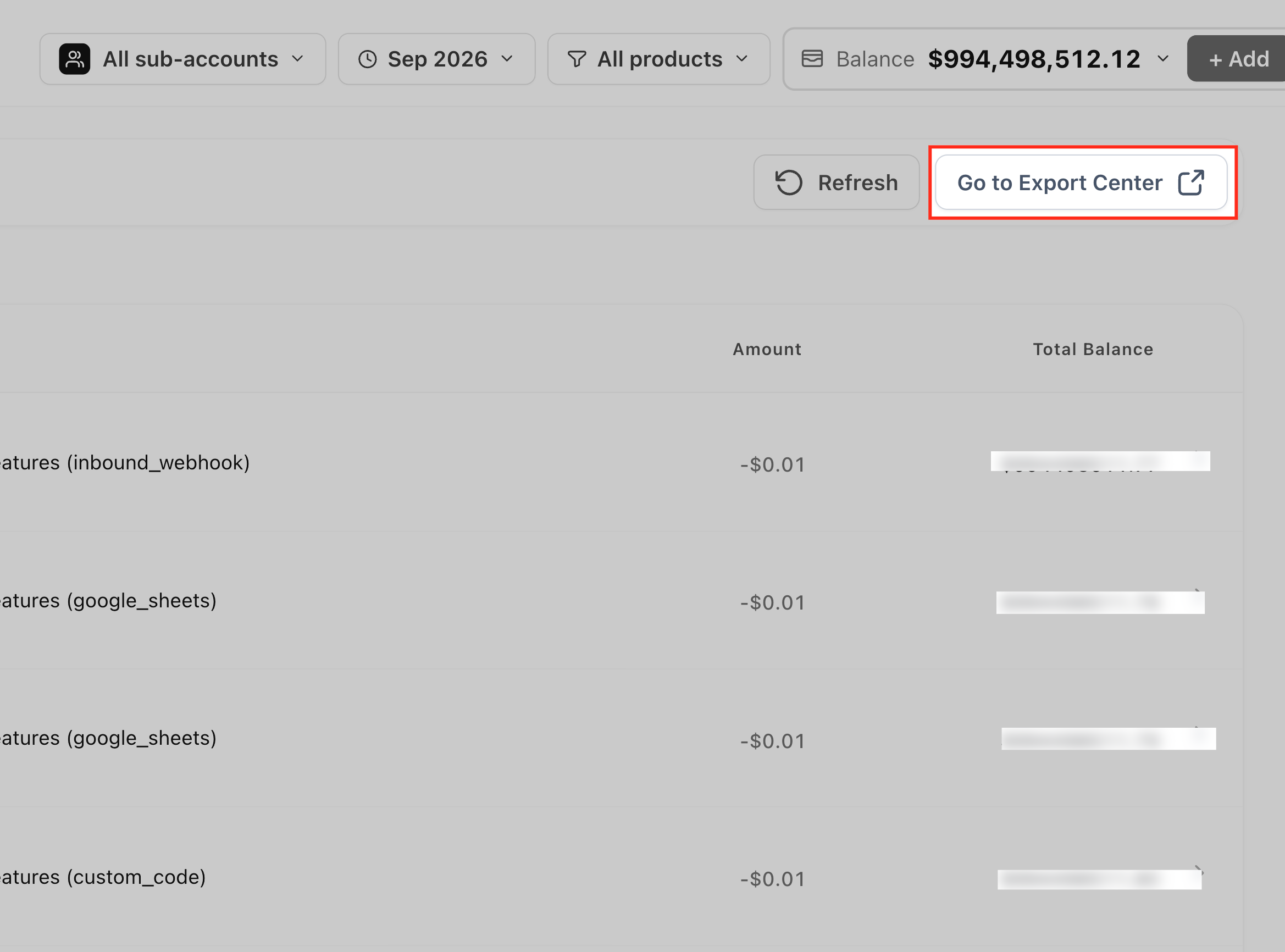
Agencies can also export transaction data from the Export Center for larger reconciliation projects. Exported files contain the same filtered view the user created, making it easy to bring data into external accounting tools.
03How businesses use the 5% Phone System pass through markup
- Real estate agency. An agent opens Wallet & Transactions, filters the Transactions list for the office’s subaccount, finds a SMS carrier fee, then checks the Pricing page to verify the current rate before billing the client.
- Dental practice. The practice applies filters for the month’s phone activity, goes to Export Center, configures a CSV export, and downloads it to reconcile the phone spend with the office’s bookkeeping system.
- Marketing firm. A campaign manager searches the Pricing page for A2P registration fees, notes the unit cost, and uses that figure when setting up client proposals for new messaging campaigns.
04The numbers and rules that matter
- 5% location level markup applies to A2P Registration Fees, SMS Carrier Fees, MMS Carrier Fees, Verified Caller ID, and RCS Messaging Carrier Fees.
- Billing sequence when rebilling is enabled: Base pass through cost > 5% location level markup > agency configured rebilling.
05How to set up and use the 5% Phone System pass through markup in HighLevel
Verify a Phone System charge
- Open Agency View, select Settings, open Billing, and choose Wallet & Transactions.
- Click Transactions within the Wallet & Transactions area.
- Apply filters such as subaccount, billing period, product, transaction type or ID to locate the Phone System transaction.
- Review the transaction details including billing date, activity date, description, amount and total balance.
- Navigate back to Wallet & Transactions and open the Pricing page.
- Search for the product, view its current pricing and billing unit, select the appropriate country if shown, and compare the pricing with the transaction amount.
Export wallet transactions
- Go to Agency View > Settings > Billing > Wallet & Transactions.
- Open the Transactions tab.
- Set the desired filters for the transactions you need.
- Select Go to Export Center or open Export Center directly from the navigation.
- Configure the export options in Export Center and complete the export process.
06What it looks like in HighLevel
07Settings that matter
- Auto Recharge. Controls whether the wallet balance is automatically topped up when it falls below a defined threshold.
08Things to know before you rely on it
- The 5% markup applies only to A2P registration fees, SMS, MMS, RCS carrier fees and Verified Caller ID charges.
- All other Phone System services follow their documented wallet rates without the additional markup.
- The markup is added at the location level regardless of whether agency rebilling is enabled.
- Historical wallet transactions are not recalculated when pricing changes.
09How it connects to the rest of HighLevel
- Phone system pricing and rebilling guide Phone system pricing
- HighLevel pricing and plans Pricing page
- Start a 30 day HighLevel trial Free trial
Michael's take

If your agency already runs tight margins on low volume messaging or the services you use aren’t in the listed categories, the fixed 5% may not add enough value to outweigh the added line item. In that scenario you might skip focusing on it and rely on your existing rebilling setup.