
01Who this is for
- Sales representatives who need to call prospects quickly without copying numbers, using their personal mobile plan.
- Field technicians who are away from a desk and want to reach clients directly from the app while staying on their carrier.
- Small business owners who have not purchased an LC Phone number and prefer to use their existing mobile line for calls.
02SIM based calling, explained
SIM based calling allows a user to start a phone call from the HighLevel mobile app without leaving the interface. When the call icon is tapped, the app sends the contact’s phone number to the device’s native dialer, which then dials using the phone’s SIM and carrier plan.
The feature works only when an LC Phone number has not been activated for the subaccount. If an LC Phone number exists, the app defaults to the HighLevel Phone System instead. Calls placed this way are not recorded, transferred, or automatically logged by HighLevel; any outcomes must be entered manually.
You can initiate SIM based calls from the Contacts list, Opportunity cards, or the Conversations view within the mobile app. The call appears as a regular cellular call on the device, and billing follows the carrier’s rates.
03How businesses use SIM based calling
- Real estate agency. Agents open a contact record in the mobile app, tap the phone icon, and the device’s dialer calls the client using the agent’s personal mobile line. After the conversation, the agent adds a note to record the outcome.
- Home service contractor. A technician views an opportunity on the go, taps the call icon, and places the call through their SIM. They later log the call result in the opportunity to keep the sales pipeline up to date.
- Fitness trainer. The trainer accesses a client’s profile in the Conversations tab, taps the call button, and dials via the native phone app. The trainer then manually logs the follow up note in the client’s contact record.
04The numbers and rules that matter
- HighLevel call recording, transfer, and automatic analytics are not available for SIM based calls.
05Before you start
- Ensure no LC Phone number is active for the subaccount.
- Confirm the device has an active calling app and a working mobile line.
06How to set up and use SIM based calling in HighLevel
Place a SIM based call
- Open Contacts, Opportunities, or Conversations and locate the desired contact.
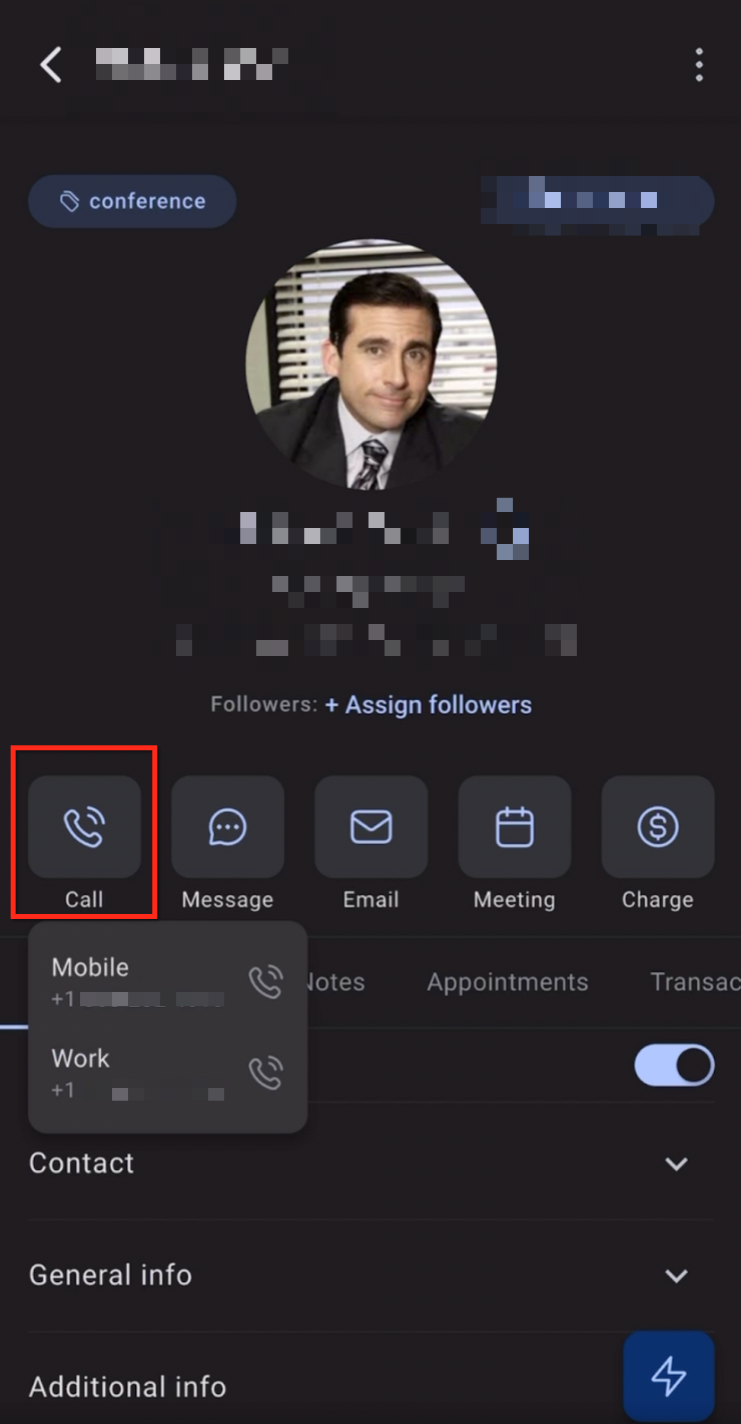
- Tap the phone icon next to the contact’s phone number.
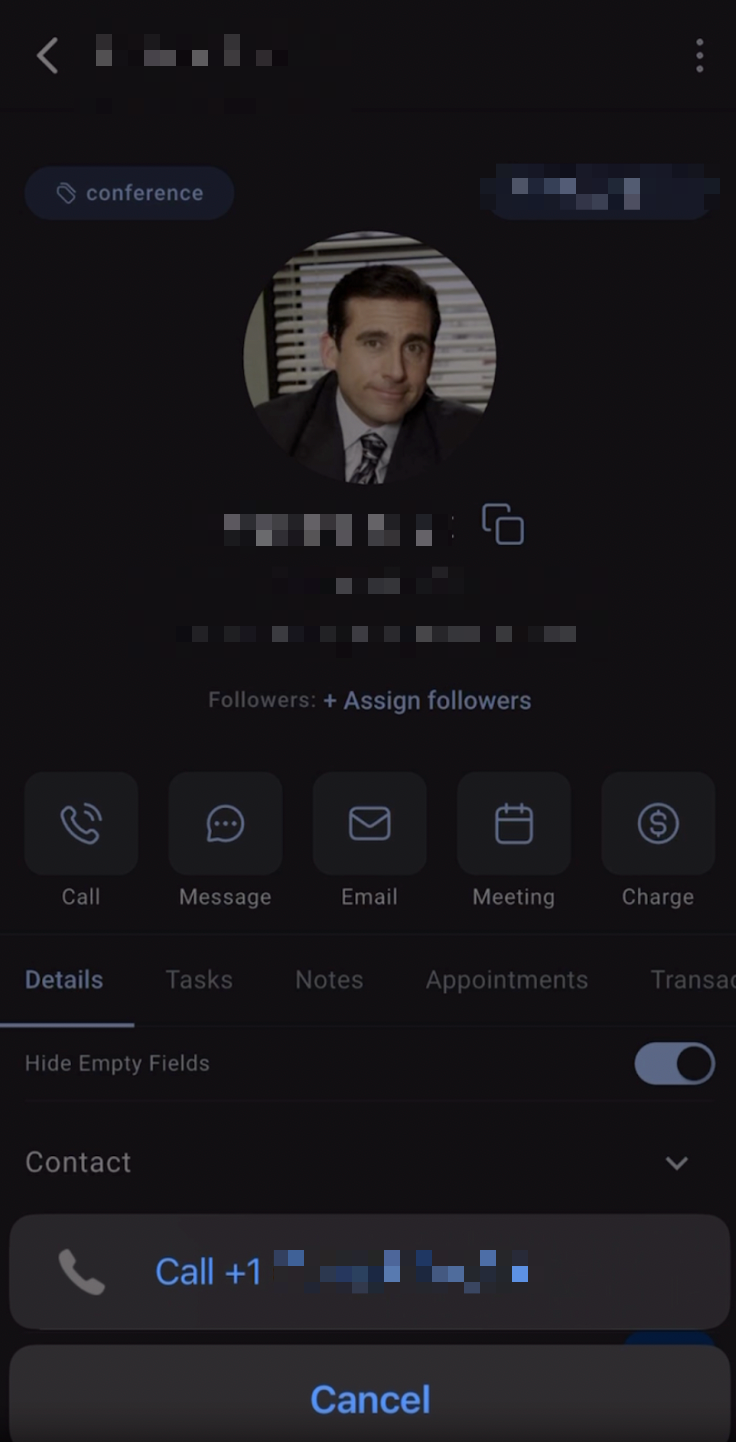
- When the native dialer opens with the number prefilled, use it to place the call.
07What it looks like in HighLevel
08Things to know before you rely on it
- Only available when an LC Phone number has not been purchased and activated for the subaccount.
- Carrier minutes, roaming, or international fees may apply because the call uses the mobile plan.
- HighLevel call recording, transfer, and automatic analytics are not provided for SIM based calls.
- Calls are not automatically logged; manual entry is required to track outcomes.
- Local Presence Dialing does not apply to SIM based calls.
09If something goes wrong
- The native dialer does not open. Verify that the device has an active calling app and a working mobile line, then reopen the HighLevel app and try again.
- The SIM based calling option is missing. Check that no LC Phone number is active for the subaccount. If none is active and the option is still missing, contact HighLevel Support.
10How it connects to the rest of HighLevel
- Learn how outbound calling works in the HighLevel web app (softphone) Outbound calls (softphone)
- Enable inbound calls on the HighLevel mobile app Inbound call forwarding
- Review HighLevel phone system pricing and rebilling details Phone system pricing
Michael's take

SIM based calling feels like a small convenience for teams that haven’t moved to an LC Phone number yet. It lets you reach clients straight from the app without juggling numbers, but you lose the built in analytics and recording that many businesses rely on.
A field service company that spends most of its day on the phone but hasn’t invested in a dedicated virtual number will find this useful. They can tap a contact in the mobile app and call fast, then add a quick note afterward to keep the pipeline clean.