
01Who this is for
- Founders who rely on a single contact number for inbound marketing and want to avoid rebranding costs.
- Agency owners managing multiple client subaccounts who need to keep number consistency across campaigns.
02Deleted phone numbers, explained
The restore process attempts to reclaim a number that was manually deleted or released from an active account. Availability depends on the deletion date and whether the number remains in inventory. HighLevel handles LC Phone numbers, while Twilio hosted numbers are restored through the Twilio console.
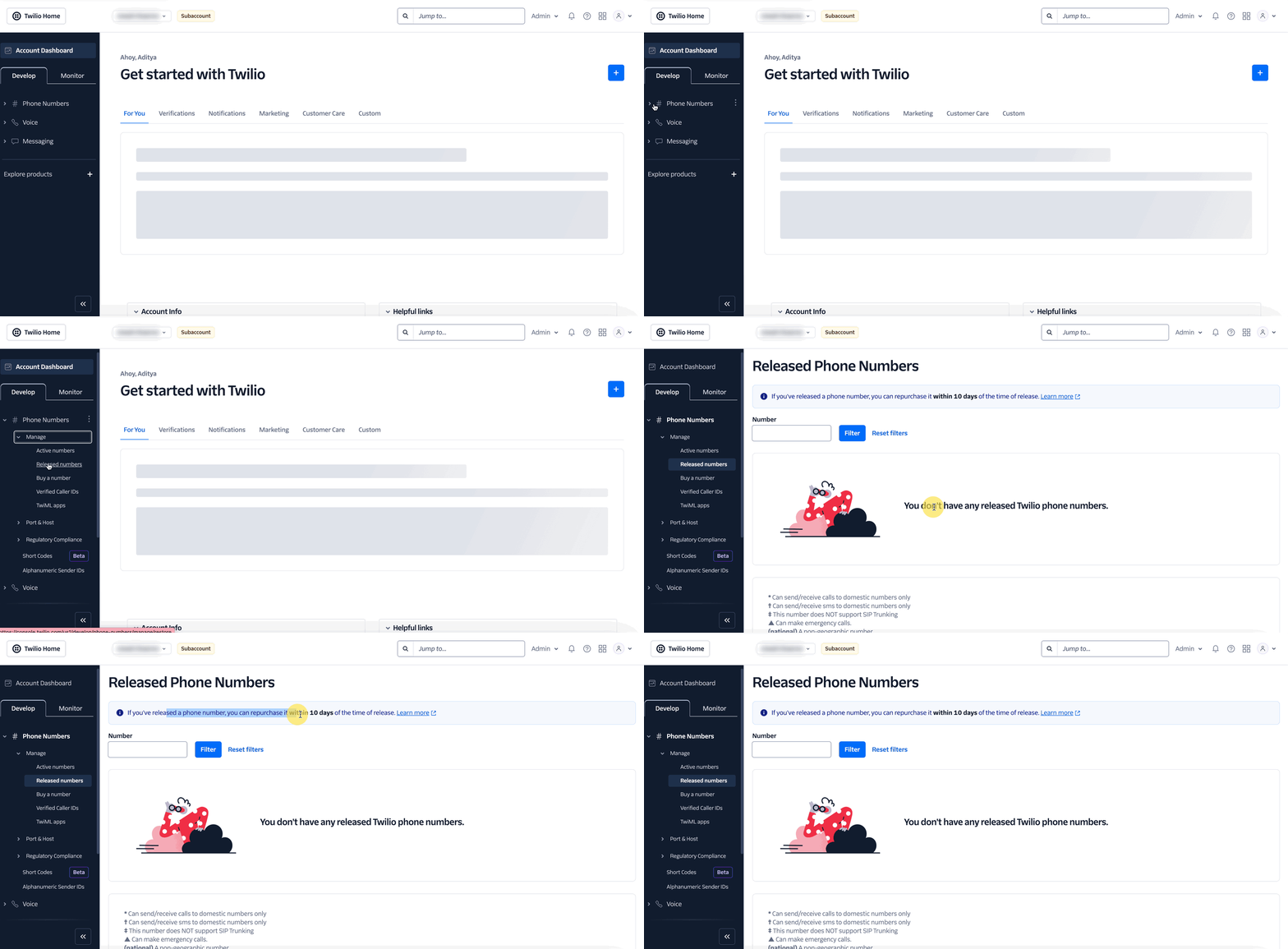
For LC Phone numbers, support staff check the number’s status using the Location ID of the subaccount and attempt restoration on the requester’s behalf. For Twilio numbers, the user must locate the appropriate subaccount, find the Account SID, and repurchase the number from the Released Numbers list. After a successful restore, the number appears in the original subaccount but routing, webhooks, and automations must be re configured.
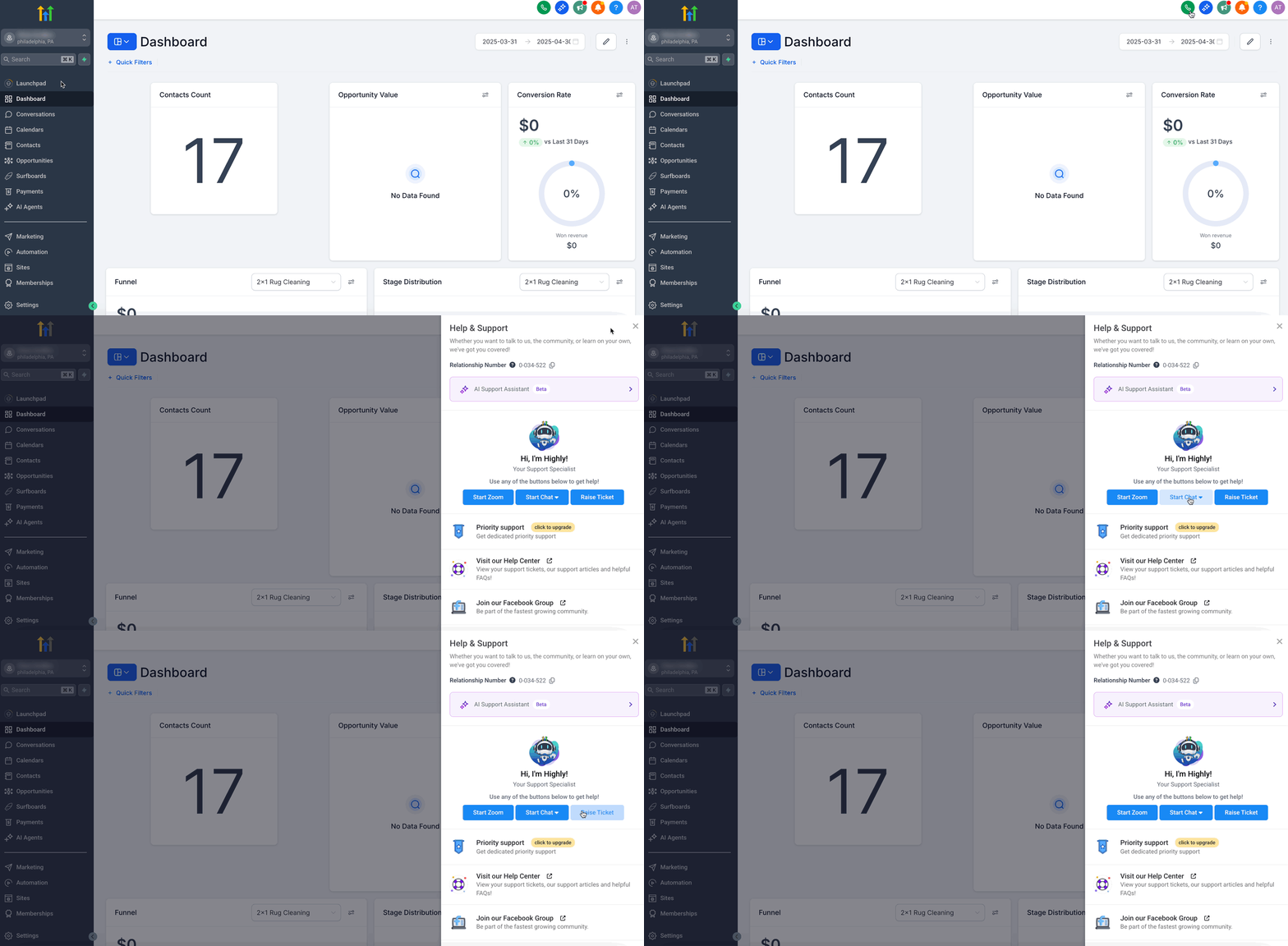
The feature lives under the phone system section of HighLevel. LC Phone restores require opening a support ticket; Twilio restores are performed directly in the Twilio console.
03How businesses use restoring a deleted phone number
- Marketing agency. The agency contacts HighLevel support with the deleted LC Phone number, its Location ID, and deletion date. Support checks availability and attempts to restore the number so client campaigns can keep the same phone number in ads.
- Ecommerce store using Twilio. The store owner opens the Twilio subaccount that originally owned the number, locates the Account SID, and repurchases the number from the Released Numbers tab. This reactivates the number for order confirmations.
- SaaS startup with built in SMS. The startup retrieves the Account SID from HighLevel’s Subaccount Settings, filters in Twilio, and clicks Repurchase on the released number. After restoration, they verify inbound SMS routing and re assign the number to a user.
04The numbers and rules that matter
- 10 Day Window: You have 10 days from the deletion date to restore a number.
- Twilio holds deleted numbers for 10 days.
05Before you start
- The number must have been deleted within the last ten days.
- For LC Phone, have the exact phone number, Location ID, and approximate deletion date ready.
- For Twilio, know the subaccount that originally held the number and have its Account SID.
06How to set up and use restoring a deleted phone number in HighLevel
Restore a number in your own Twilio account
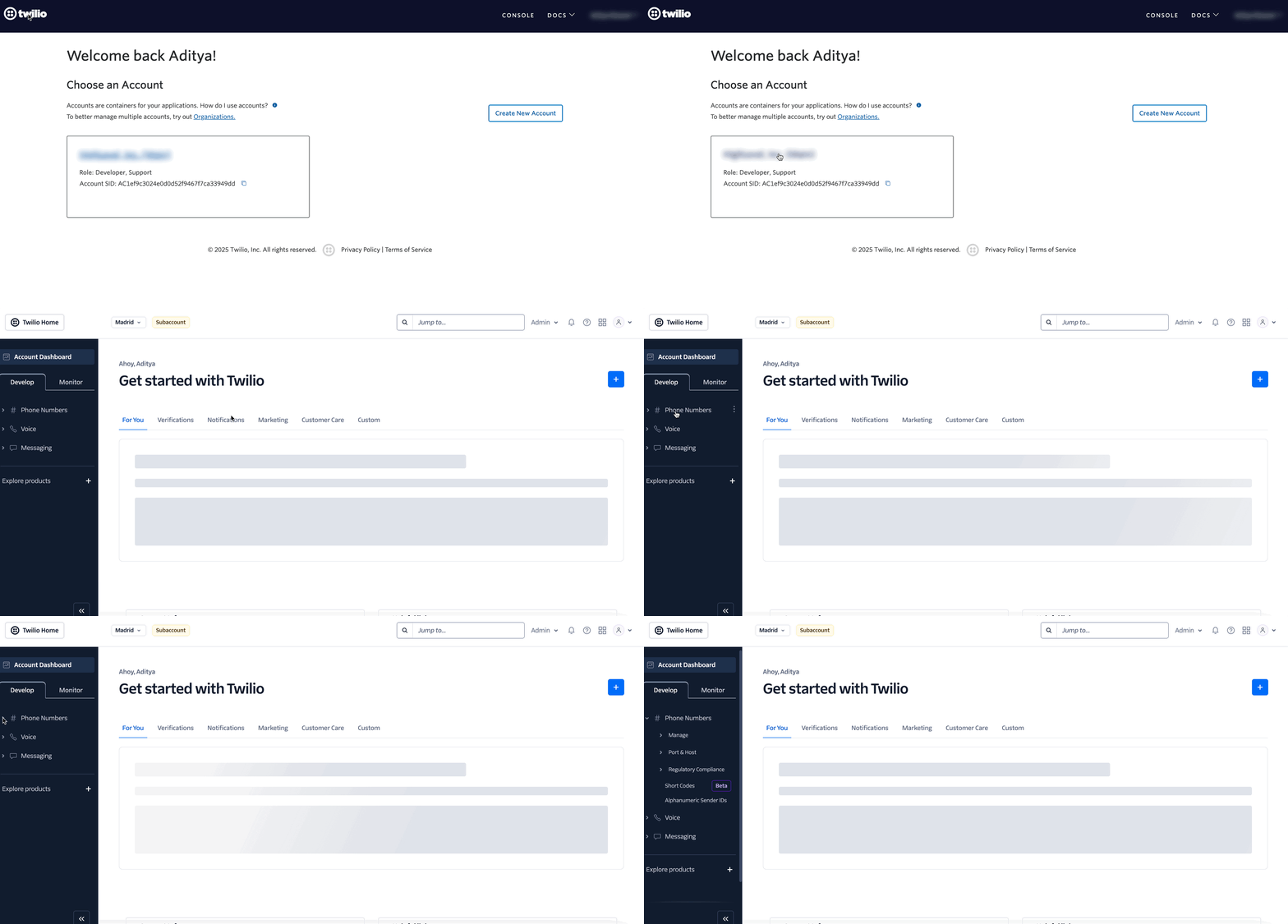
- Navigate to the appropriate Twilio subaccount and click the account name.
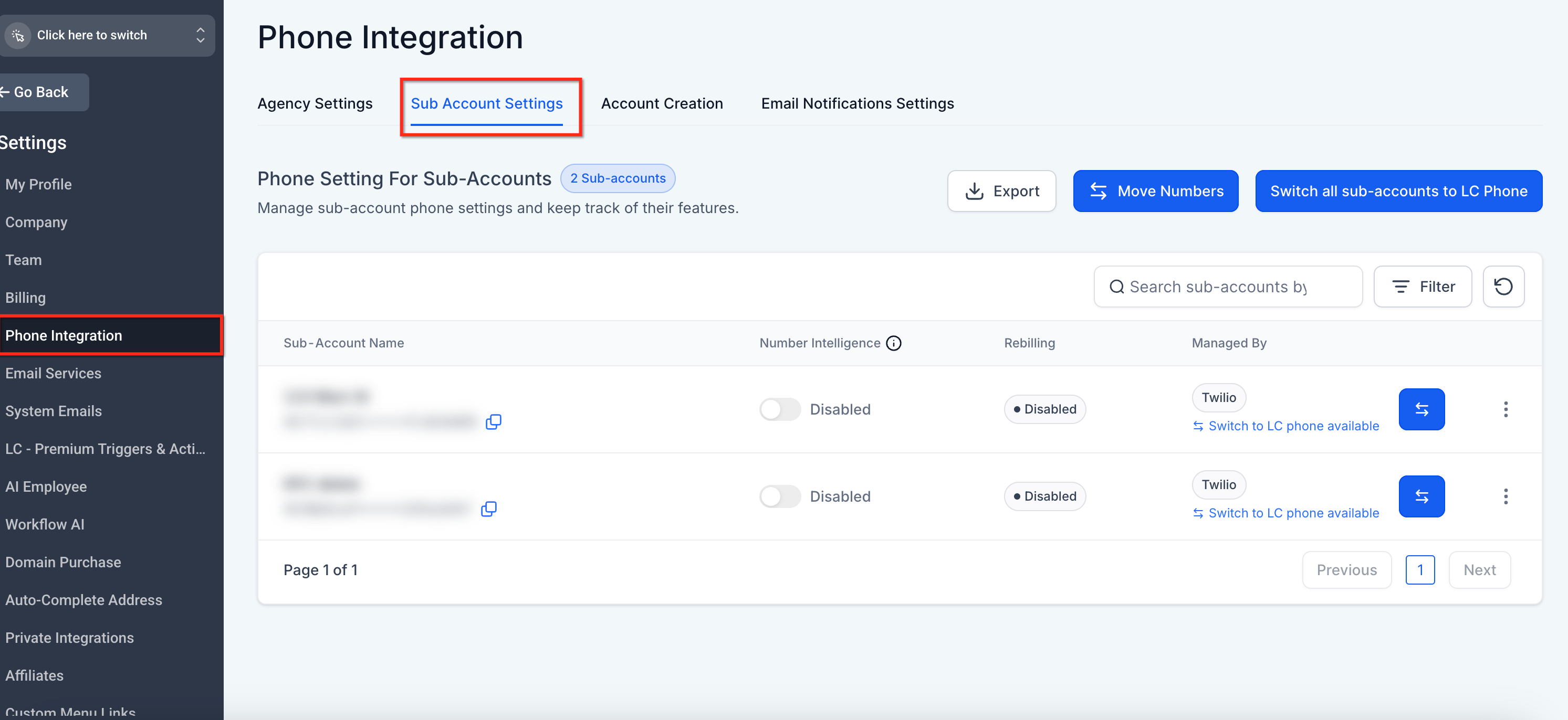
- In HighLevel Agency View, go to Settings > Phone Integration > Subaccount Settings to locate the subaccount.
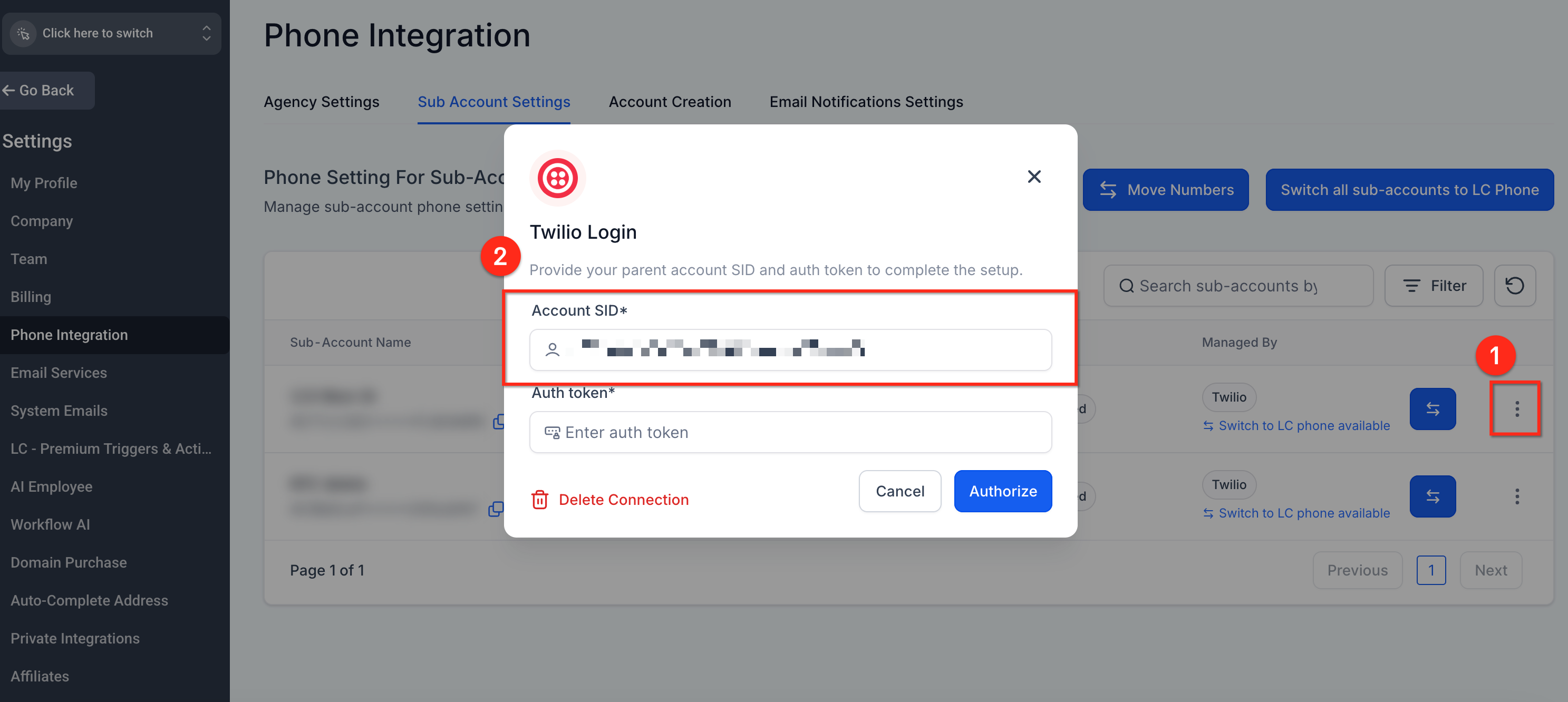
- Click the three dot menu, choose Update Credentials, and copy the Account SID.
- In the Twilio console, expand Phone Numbers, select the Released Numbers tab, find the deleted number, and click Repurchase.
- If the number is not listed, contact Twilio Support with the Account SID and phone number details.
Restore an LC Phone number
- Gather the deleted phone number, the subaccount Location ID, and the approximate deletion date.
- Submit a support request to HighLevel with this information.
- HighLevel support checks availability and attempts to restore the number on your behalf.
07What it looks like in HighLevel
08Settings that matter
- Account SID. Identifies the specific Twilio subaccount; it is used to filter and locate released numbers for repurchase.
09Things to know before you rely on it
- Restoration is only possible within ten days of deletion; after that the number is likely permanently released.
- Twilio may charge the monthly fee immediately upon repurchase.
- HighLevel support does not guarantee recovery; the number may already be reassigned.
- Restoring a number does not automatically reinstate call routing, webhooks, or automations.
10How it connects to the rest of HighLevel
- Buy a new phone number if restoration fails How to purchase a phone number
- Move numbers between accounts without deleting them Moving numbers across accounts
- Review pricing and billing for restored numbers Phone system pricing
Michael's take

Restoring a deleted phone number is worth the effort when the number is tied to your brand and marketing.
If you rely on a number that customers already know, skip this if you have just launched a new campaign and can safely switch to a fresh number.