
01Who this is for
- Agency owners who need to shift numbers between client subaccounts to keep branding consistent.
- Founders of SaaS companies moving numbers from a Twilio account to HighLevel for unified communication.
- International business managers who must relocate numbers across countries while meeting local compliance.
02Phone number migrations, explained
The migration feature transfers eligible LC Phone or Twilio numbers from one supported environment to another. It does not involve purchasing new numbers; the same number is re hosted in the destination account. HighLevel Support orchestrates the move, so you only submit the required details once.
The process works for three scenarios: LC Phone to Twilio, Twilio to LC Phone, and LC Phone to LC Phone when the subaccounts belong to different agencies. The platform itself does not perform the cut over; the support team handles the coordination and notifies you when the number appears in the new location.
All required identifiers, such as Twilio Account SID, HighLevel Location ID, and any regulatory Bundle or Address IDs for international numbers, are gathered before the request. After migration, you must verify call routing, SMS, compliance settings, and voicemail within the destination environment.
03How businesses use phone number migrations
- Digital marketing agency. The agency collects the destination Location ID and the source Twilio Account SID, then submits a single request to HighLevel Support. After confirmation, the agency tests inbound and outbound calls to ensure client campaigns remain reachable.
- SaaS startup. The startup provides its Twilio Account SID (losing) and the HighLevel Location ID of the target subaccount, along with the E.164 formatted numbers. Once Support finishes the move, the startup validates outbound SMS and updates any workflow references.
- International ecommerce retailer. The retailer gathers the Regulatory Bundle SID, Address SID, destination Location ID, and country specific number type, then includes these in the migration ticket. After Support completes the transfer, the retailer checks compliance verification and routing in the new subaccount.
04The numbers and rules that matter
- A typical migration can take approximately 1 to 2 business days after Support has all required information.
- A2P 10DLC registration does not move with the phone number.
05Before you start
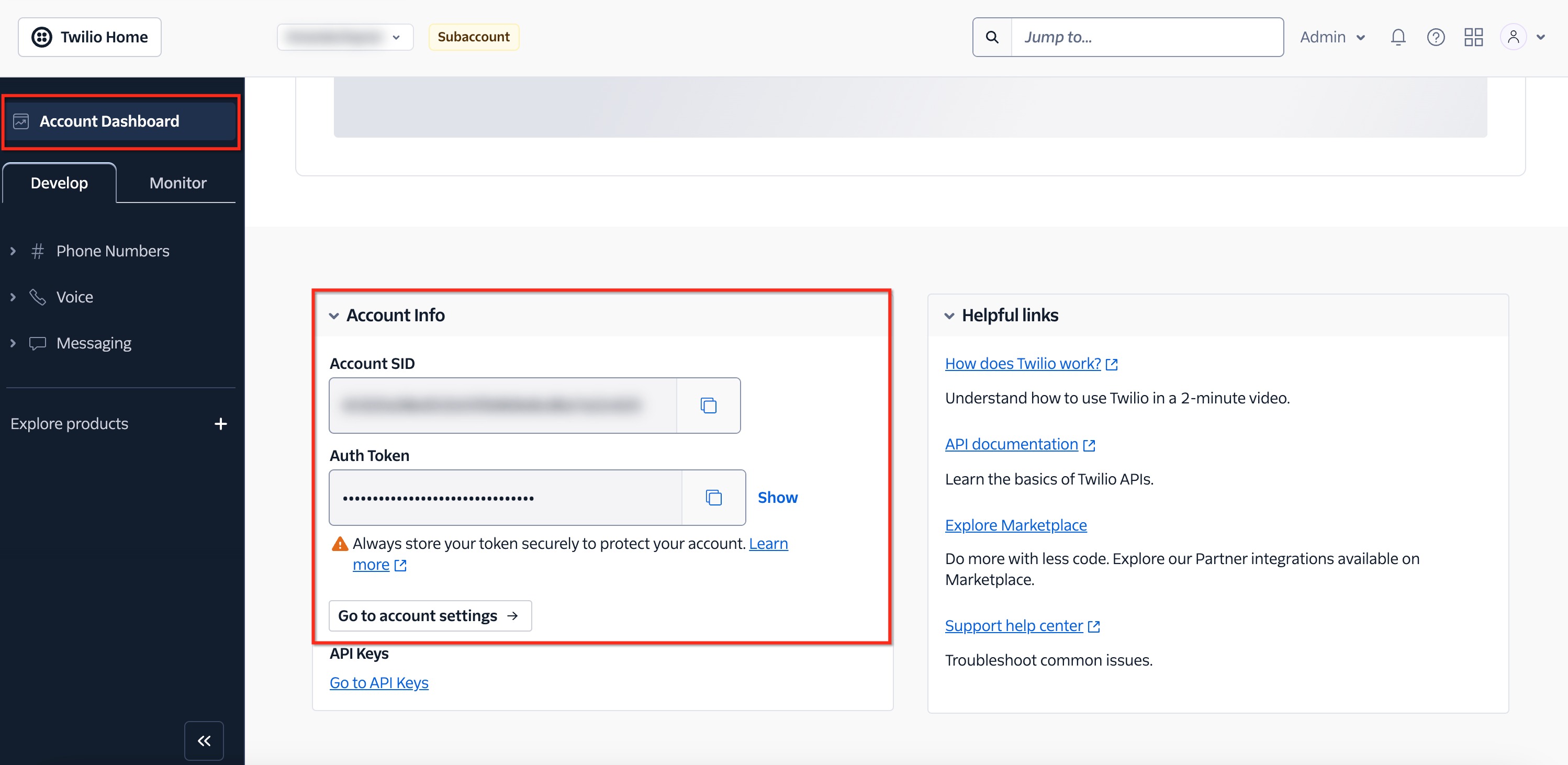
- Gather the Twilio Account SID for US moves, if required.
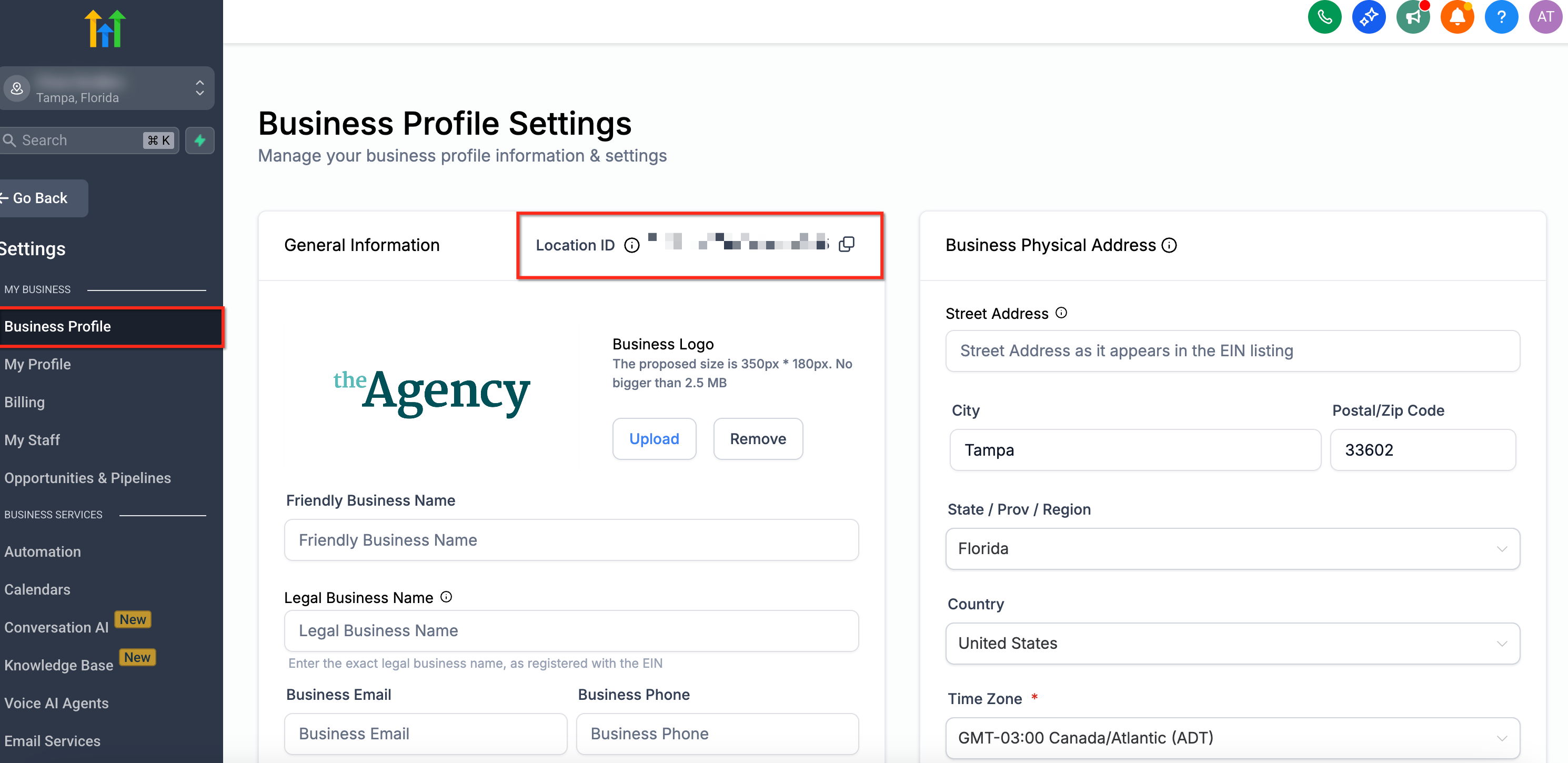
- Copy the HighLevel Location ID (Subaccount ID) from Settings > Business Profile.
- List the phone numbers in E.164 format.
- Prepare Regulatory Bundle SID and Address SID for international numbers.
- Determine a preferred cutover window.
06How to set up and use phone number migrations in HighLevel
Set up a phone number migration across accounts
- Identify the migration direction (LC Phone > Twilio, Twilio > LC Phone, or LC Phone > LC Phone across different agencies).
- Locate the Twilio Account SID in the Twilio dashboard when the migration involves Twilio.
- Find the HighLevel Location ID in Settings > Business Profile for the relevant subaccount.
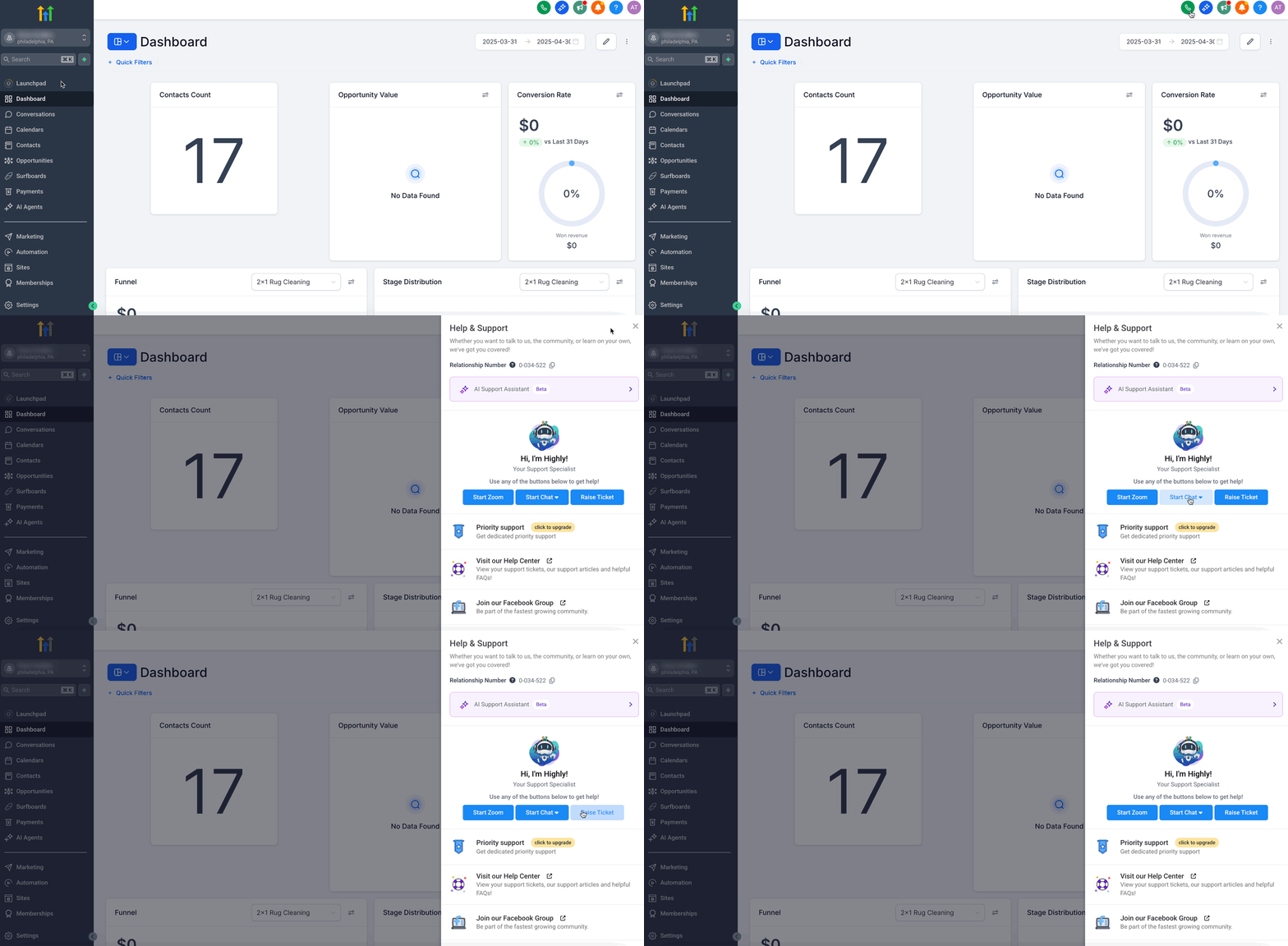
- Submit a single HighLevel Support request containing the migration direction, phone numbers, required IDs, regulatory information, and preferred cutover window.
07What it looks like in HighLevel
08Things to know before you rely on it
- Do not delete, release, disable, or disconnect a number while a migration is in progress unless instructed by Support.
- Cross account migrations are only supported for LC Phone and Twilio numbers; external carriers require the porting process.
- Numbers moving between subaccounts in the same agency must use the in app Move Numbers tool, not this Support process.
- Historical call recordings and voicemails do not transfer with the number; download them beforehand if needed.
- A2P 10DLC registration does not move with the number; verify or complete registration in the destination environment after migration.
09If something goes wrong
- Support is asking for additional information. Confirm the ticket includes the phone numbers, migration direction, applicable Twilio Account SID, HighLevel Location ID, and any regulatory data required for international numbers.
- An international number is not moving. Verify that the Regulatory Bundle SID and Address SID are approved for the correct country and number type.
- The number moved, but SMS is not working. Review the destination’s A2P 10DLC status, Toll Free verification, SMS permissions, and other compliance requirements.
- The number moved, but calls are routing incorrectly. Check the destination number’s forwarding settings, voicemail, user assignments, call routing, and any workflows that reference the number.
- You are moving numbers inside the same agency. Use the in app Move Numbers tool under Agency Settings > Phone Integration instead of the cross account Support process.
10How it connects to the rest of HighLevel
- How to purchase a phone number Purchase guide
- Edit phone number settings in HighLevel subaccounts Configuration options
- HighLevel phone system pricing and rebilling guide Pricing guide
- Start a 30 day HighLevel trial Free trial
- The HighLevel Founder Plan Founder plan
Michael's take

When a business is changing its phone provider or consolidating agencies, moving existing numbers saves the cost of buying new numbers and protects brand continuity. The support coordinated migration does the heavy lifting, so the only real investment is the time spent gathering the correct IDs and regulatory data.
If a company only needs to shift a number within the same agency, the crossaccount process adds unnecessary steps. In that case the built in Move Numbers tool handles the move more directly and without involving Support.