
01Who this is for
- Businesses that send promotional SMS offers and need a compliant opt in widget.
- Agencies that manage multiple client brands and require a single, compliant consent form for each brand.
- Healthcare providers that send appointment reminders and other informational messages.
02Prebuilt A2P campaigns, explained
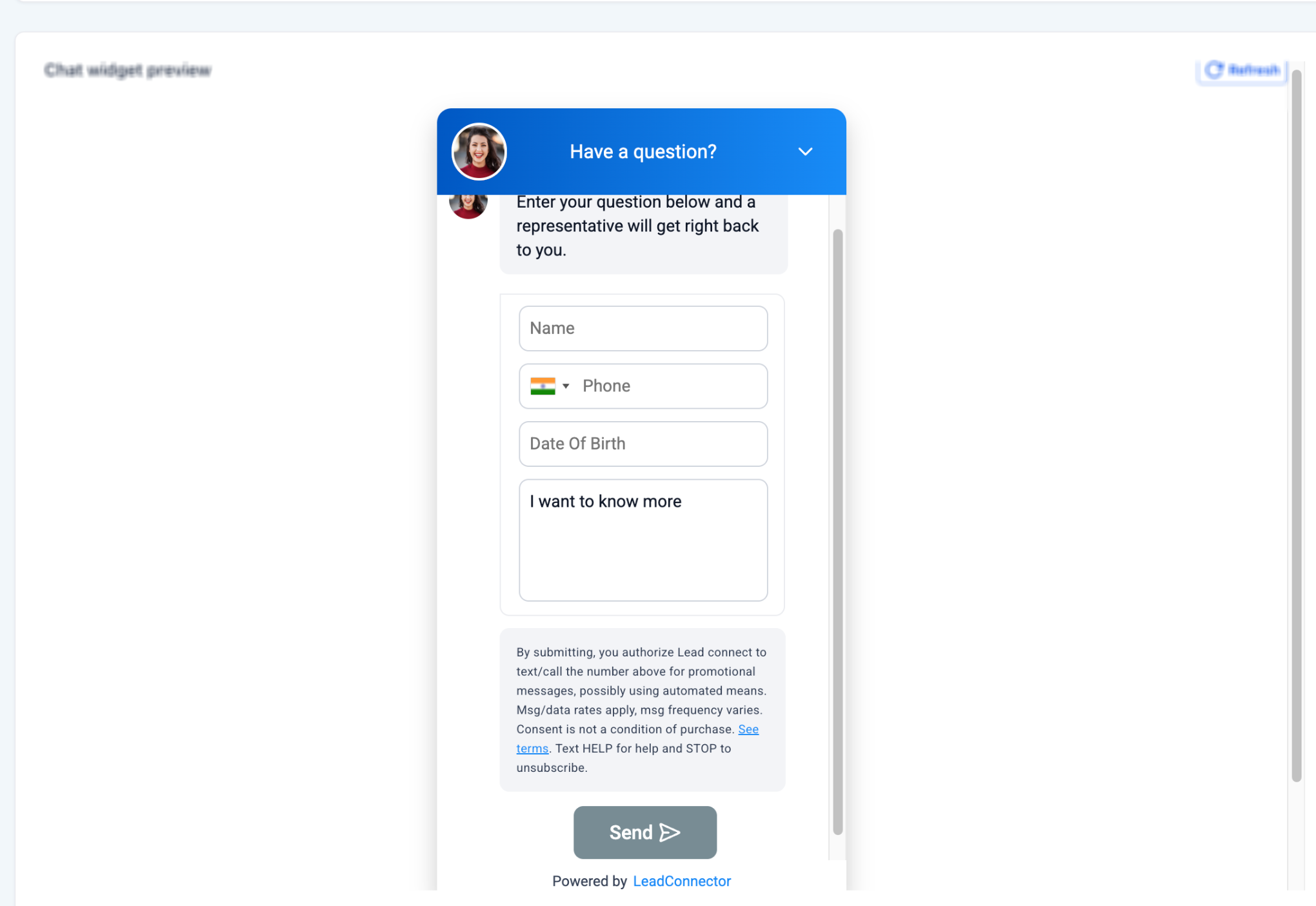
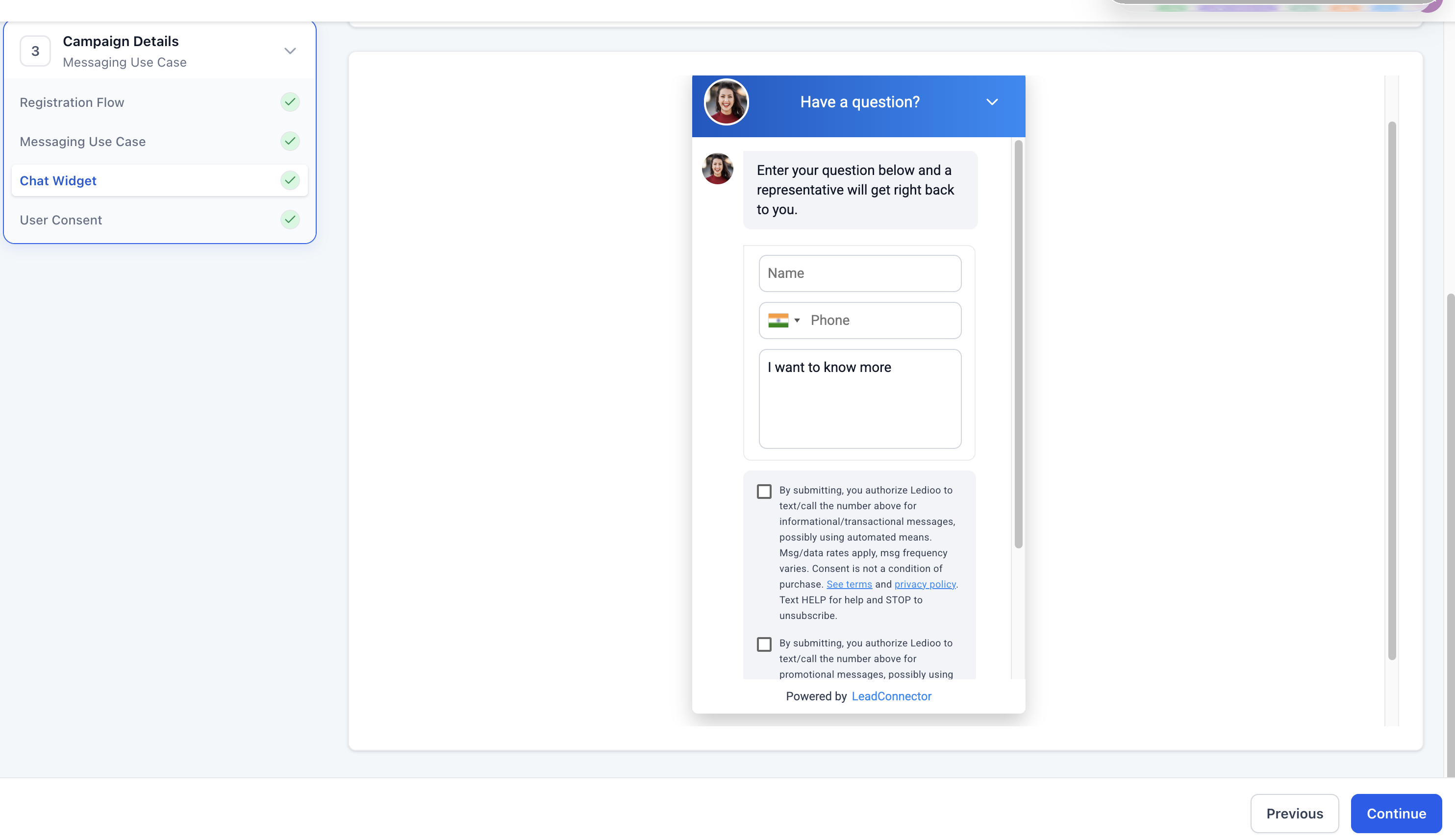
The feature generates a brand specific chat widget that captures SMS consent and aligns the opt in experience with the campaign details you submit. Depending on the chosen messaging category, the widget presents the appropriate disclosure language and, for mixed programs, separate checkboxes for promotional and informational messages.
All compliance sensitive elements, disclosure text, required fields and consent options, are locked, preventing edits that could create mismatches. A mandatory Date of Birth field is added when the questionnaire indicates age gated or financial content.
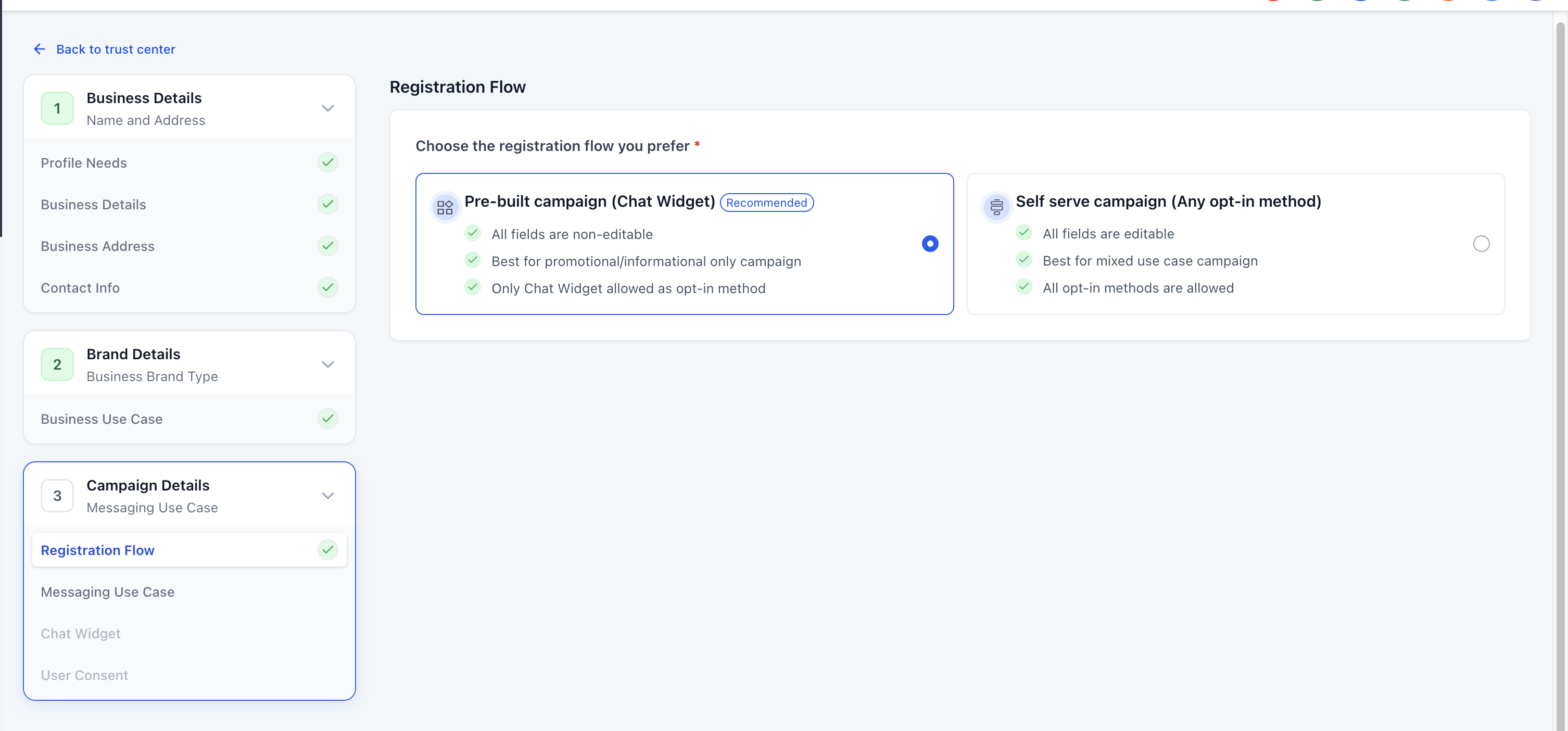
You access the flow in the Trust Center under Settings > Phone System > Trust Center > A2P Messaging (SMS) > Campaign registration. The interface guides you through use case selection, a content questionnaire, widget preview, code generation and a compliance check before final submission.
03How businesses use prebuilt A2P campaigns
- Ecommerce store. Select Marketing as the messaging type, preview the generated widget, embed the JavaScript on the checkout page, and let customers opt in to promotional offers. The locked disclosures keep the opt in consistent with the carrier review.
- Medical clinic. Choose Informational messaging, answer that the campaign includes appointment reminders, and embed the widget on the patient portal. The system adds a Date of Birth field only if age gated content is indicated, ensuring CTIA compliance.
- Financial services agency. Pick Mixed messaging, let the platform set the campaign to Low Volume Mixed, and embed the widget on a landing page. The widget shows two independent consent boxes, allowing visitors to choose promotional offers, transaction alerts, or both.
04Before you start
- Your A2P brand registration must be approved or eligible.
- A publicly accessible website that represents the same business used during brand registration must exist.
- The site must contain a Privacy Policy and Terms & Conditions.
- Know whether your messaging program is Marketing, Informational, or Mixed before starting.
05How to set up and use prebuilt A2P campaigns in HighLevel
Register a pre built A2P campaign with chat widget
- Open Settings, go to Phone System, open Trust Center, locate A2P Messaging (SMS) and continue to Campaign registration, or navigate to Brand & Campaigns > Campaigns > Create Campaign for an additional campaign.
- Proceed with the default Chat Widget Setup, or select Switch to Manual Setup if you already gather consent elsewhere.
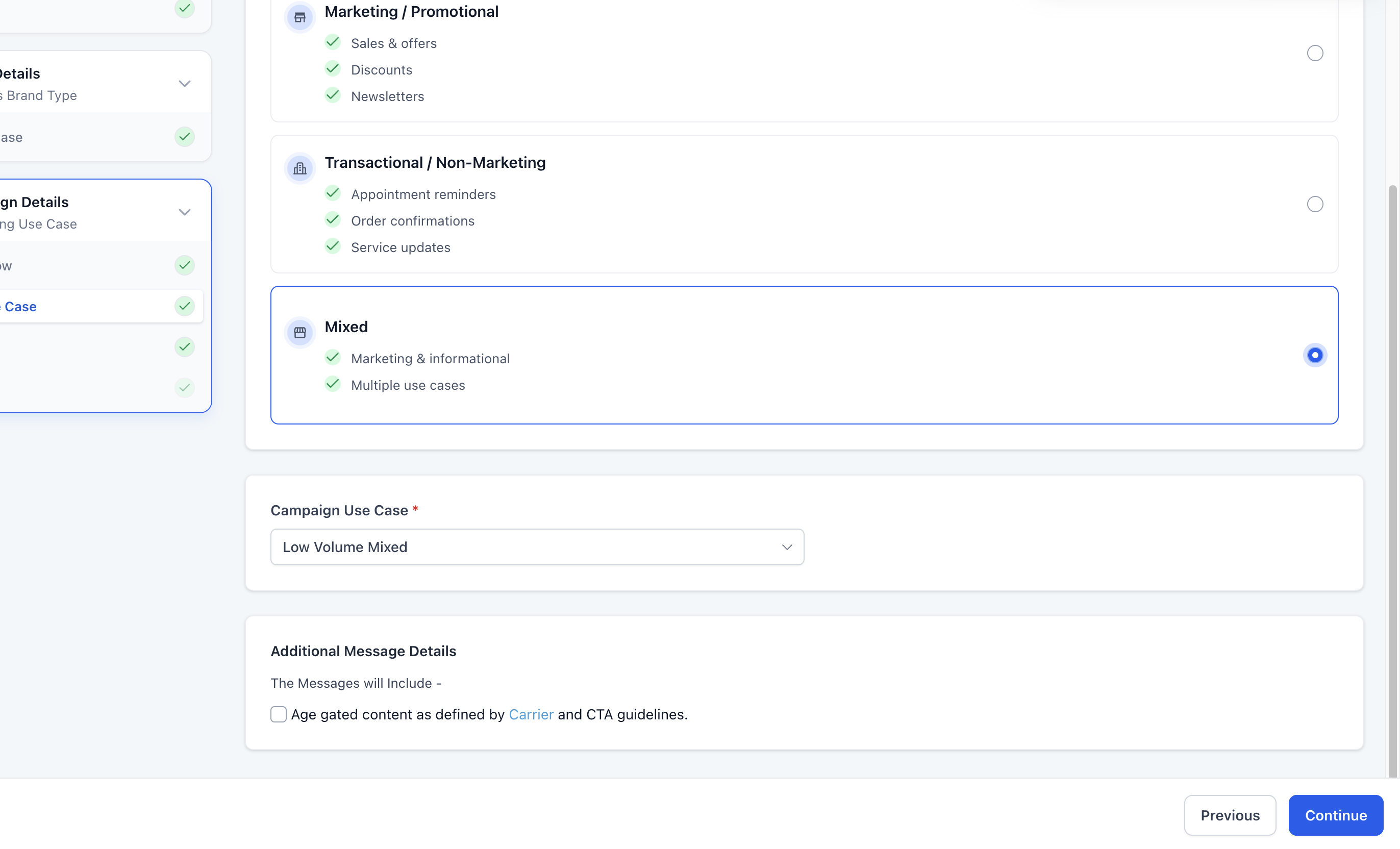
- Pick the appropriate messaging category, Marketing, Informational, or Mixed, and let the system set the campaign use case accordingly.
- Answer the questionnaire about campaign content, financial or loan related material, and age gated subjects; adjust selections if the flow flags a conflict.
- Examine the auto generated widget preview; modify only colors and header text, leaving all disclosure and required fields unchanged.
- Copy the supplied JavaScript embed code and place it on the confirmed web page, ensuring it is the sole SMS opt in form on that page.
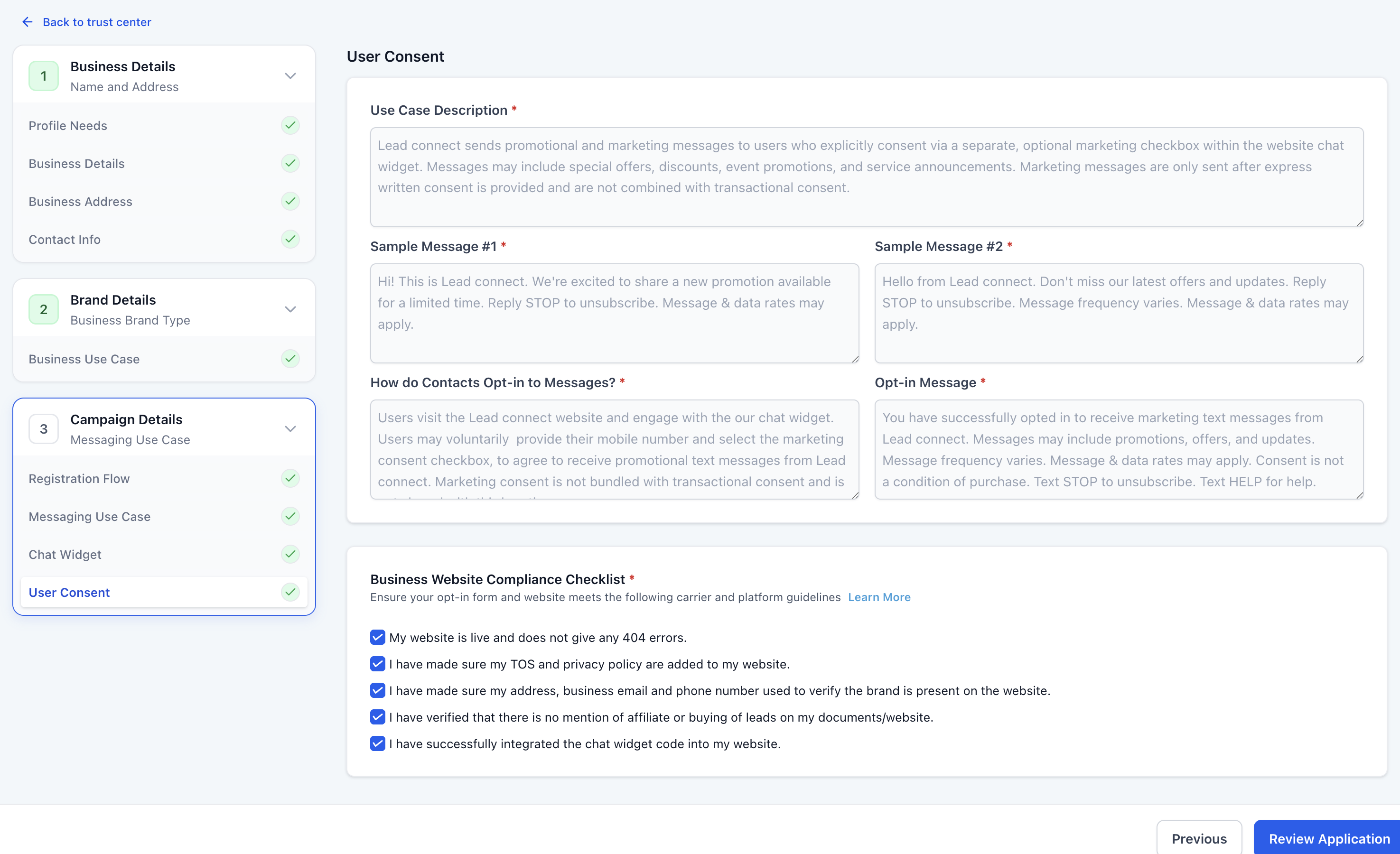
- Verify that the website is live, matches the registered business, displays privacy and terms pages, and includes the opt in widget.
- Click Review Application to run the compliance check, fix any highlighted issues, then submit the campaign for carrier review.
- Open Campaigns > Status in Trust Center and monitor the submission until the carrier approval status updates.
06What it looks like in HighLevel
07Settings that matter
- Messaging Use Case. Determines whether the campaign sends promotional, informational, or mixed messages and filters available use case options.
- Campaign Use Case. Specifies the detailed classification of the campaign; automatically set to Low Volume Mixed when Mixed messaging is chosen.
- Date of Birth field. A mandatory field added to the widget when the campaign involves age gated or financial content, enforcing CTIA age restrictions.
- Consent checkboxes. Boxes that capture separate opt in choices for informational/transactional and marketing/promotional messages; they appear locked and unchecked by default.
- Colors and header text. Visual elements of the widget that you can customize without affecting compliance wording.
08Things to know before you rely on it
- Disclosure language, required fields and consent checkboxes are locked and cannot be edited or removed.
- The Date of Birth field appears only when the questionnaire indicates age gated or financial content.
- Choosing Marketing together with financial services triggers a conflict warning that requires switching to Informational.
- Only one SMS opt in form may exist on the page where the widget is installed.
- Passing HighLevel’s compliance review does not guarantee carrier approval; the final decision is made by carriers.
09If something goes wrong
- Compliance review flags an issue. Read the recommendation shown, correct the indicated campaign or website information, then run the compliance review again before submitting.
10How it connects to the rest of HighLevel
- Guide to A2P brand registration and eligibility A2P brand registration
- Full walkthrough of A2P campaign registration steps A2P campaign walkthrough
- Pricing details for phone system and A2P messaging Phone system pricing
Michael's take

I find the prebuilt A2P flow useful when I need a quick compliant way to collect SMS opt ins without writing legal text. The autofilled disclosures and mixed messaging option let me use a single widget for promotional and transactional messages.
If your business already has a proven consent capture method or you need full control over every field, the widget first flow may add unnecessary steps. The locked language can feel restrictive, and you still have to host the widget on a live page before the carrier sees it.