
01Who this is for
- Agency owners who want to preserve their established phone number for brand continuity. They gain the ability to add messaging in HighLevel while the voice line stays with the original carrier.
- Small business Founders who rely on a single number for inbound calls and need to start texting customers. Number Hosting lets them avoid a costly port and keep existing voice service.
- Marketing teams that run SMS campaigns but must meet A2P 10DLC or toll free verification. Hosting provides a compliant messaging path while voice stays unchanged.
02Number hosting, explained
Number Hosting (also called Hosted SMS or Hosted Messaging) enables SMS/MMS on a phone number that remains owned and voice enabled by another carrier. Only the messaging traffic is rerouted through LC Phone; voice calls continue to use the original carrier. The feature works through an ownership verification and Letter of Authorization process. After Twilio and the carrier approve the request, the number appears as “Hosted” in the subaccount and can be used in HighLevel’s messaging UI. You can start a request either via the self service Labs flow or by contacting HighLevel Support. Do not begin production messaging solely because the hosting request shows approved; ensure all required A2P or Toll Free verification steps are completed.
03How businesses use number hosting
- Dental practice. The practice keeps its familiar office number for patient calls and initiates a Labs request to host SMS. After verification and authorization, the team can send appointment reminders through HighLevel without moving voice service.
- Real estate agency. An agency owner logs in as Admin, enables Hosted Numbers in Labs, and hosts its toll free number. Once approved, agents can text property updates via HighLevel while incoming calls still ring through the existing carrier.
- Ecommerce startup. The Founder submits a Support assisted request with several US numbers and the subaccount Location ID. After the owner signs the LOA and verification completes, the numbers can be used for order confirmation texts in HighLevel.
04The numbers and rules that matter
- One number per request in Labs self service.
- Support assisted estimate: 3, 10 business days.
05Before you start
- Location ID of the subaccount where messaging should be enabled.
- Phone number(s) in E.164 format (e.g., +15551234567).
- Access for the authorized number owner to complete verification.
- Current carrier information for possible confirmation.
- Messaging compliance details such as business use case, consent and opt in information.
06How to set up and use number hosting in HighLevel
Self service number hosting (Labs)
- Log in to HighLevel as an Agency Owner or Admin.
- Open Settings > Labs.
- Turn on the Hosted Numbers toggle.
- Open Settings > Phone System > Manage Numbers.
- Click Add Number and choose Host a Number.
- Enter the US number you want to host.
- Click Next to run the eligibility check.
- View the verification code displayed on screen.
- Answer the verification call on the existing number.
- Enter the received code using the phone keypad.
- Press Verify in the HighLevel interface.
- Select a saved US service address or create a new physical US address.
- Provide the authorized signer’s details and send the electronic Letter of Authorization.
- If prompted, complete the Agency identity verification process.
Support assisted number hosting
- Confirm that each phone number meets the eligibility requirements for hosting.
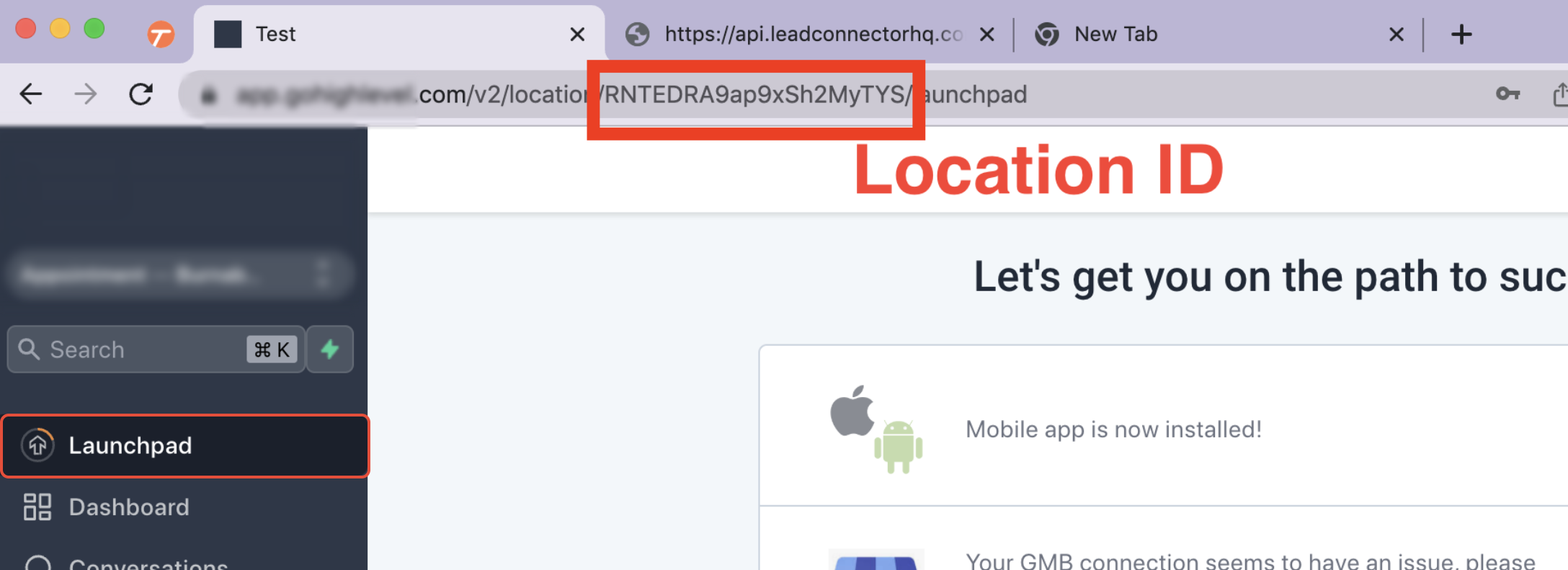
- Locate the Destination Location ID in the subaccount URL.
- Prepare a list of the numbers in E.164 format.
- Open 24/7 Live Chat Support and provide the Location ID and numbers.
- Follow the verification call and sign the Letter of Authorization as instructed.
- Wait for carrier review and, once approved, begin using the number for SMS/MMS in HighLevel.
07What it looks like in HighLevel
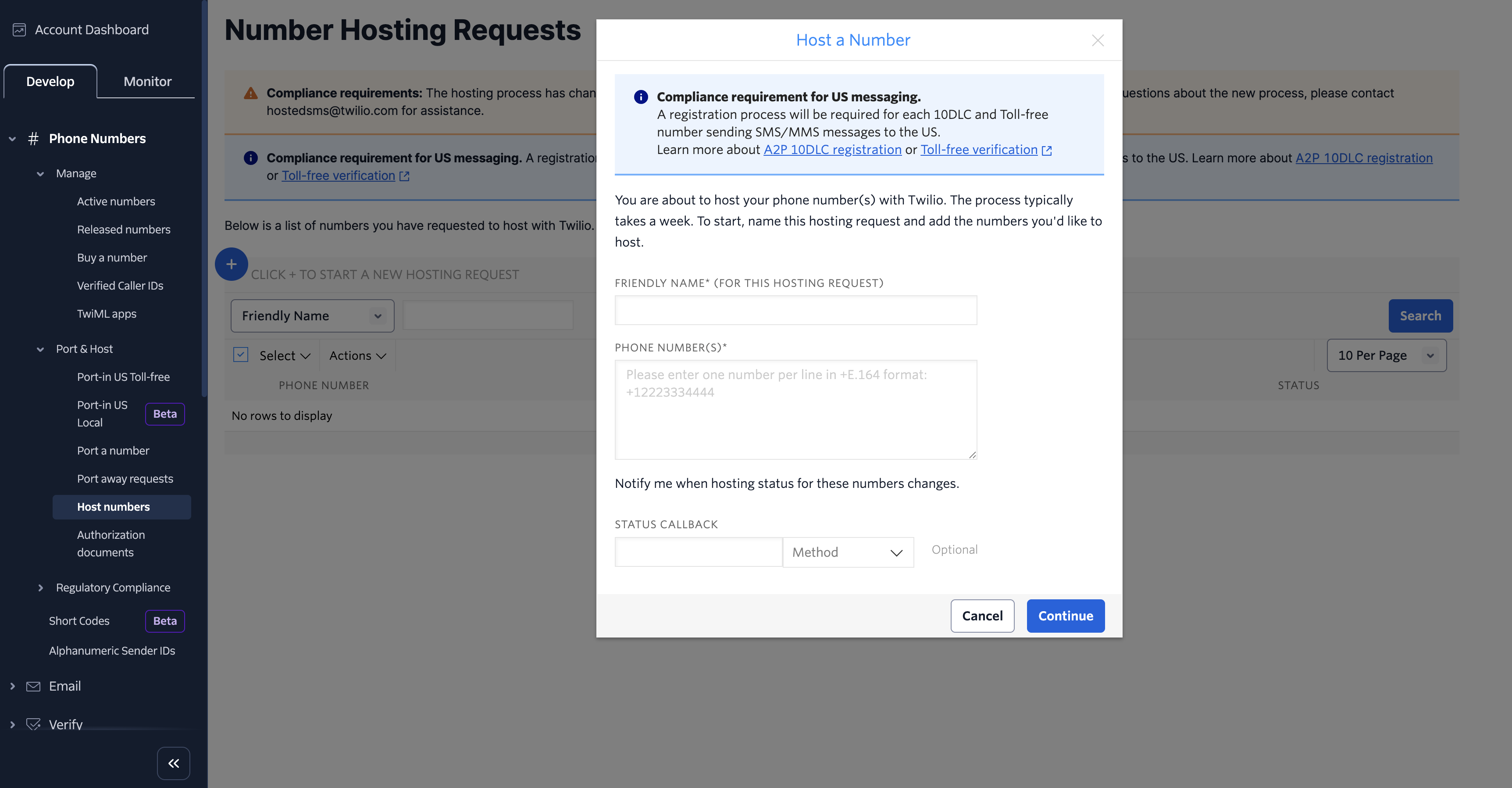
08Settings that matter
- Hosted Numbers. Enables the self service Labs flow that lets an Agency Owner or Admin request SMS/MMS hosting for eligible US local or toll free numbers.
09Things to know before you rely on it
- Only US local and toll free numbers are supported in the Labs self service release.
- Mobile or cellular numbers cannot be hosted through this workflow.
- A Labs request can contain only one number per submission.
- Support assisted hosting can handle multiple eligible US or Canadian numbers.
- The Labs method has no fixed completion timeline; carrier processing may vary.
- Support assisted requests are estimated to take three to ten business days.
10If something goes wrong
- The number is a mobile or cellular number. Mobile numbers are not eligible; choose a supported landline or toll free number.
- The number already has SMS with another provider. Contact Support before changing the existing messaging configuration to determine the correct migration path.
- The hosting request is still pending. Verify that ownership verification and the Letter of Authorization were completed; carrier review may still be in progress.
- Hosting is approved but SMS is not sending. Confirm that A2P 10DLC or Toll Free Verification requirements are completed and review SMS compliance settings.
- Inbound SMS is not appearing in HighLevel. Ensure the hosting request is fully activated for the intended Location ID and test again from a different phone number.
- Voice calling changed unexpectedly. Verify the voice configuration with the original carrier; Number Hosting changes only messaging routing.
11How it connects to the rest of HighLevel
- Create or edit service addresses needed for the self service flow Address bundles
- Configure SMS opt out and sender ID after activation SMS compliance settings
- View pricing and billing details for the LC Phone system Phone system pricing
Michael's take

Number hosting is a good fit if you need SMS on a number that already handles voice with another carrier. Skip it if you don’t need to keep the existing voice provider or if your number is a mobile line.