
01Who this is for
- Agency owners who manage multiple locations can see each location’s SMS limit and progress, enabling coordinated scaling.
- Marketing managers at expanding businesses can plan campaign volume by knowing exactly when higher daily limits become available.
- Customer support leads can avoid surprise outbound blocks by monitoring the temporary restriction periods.
02Messaging ramp progress card, explained
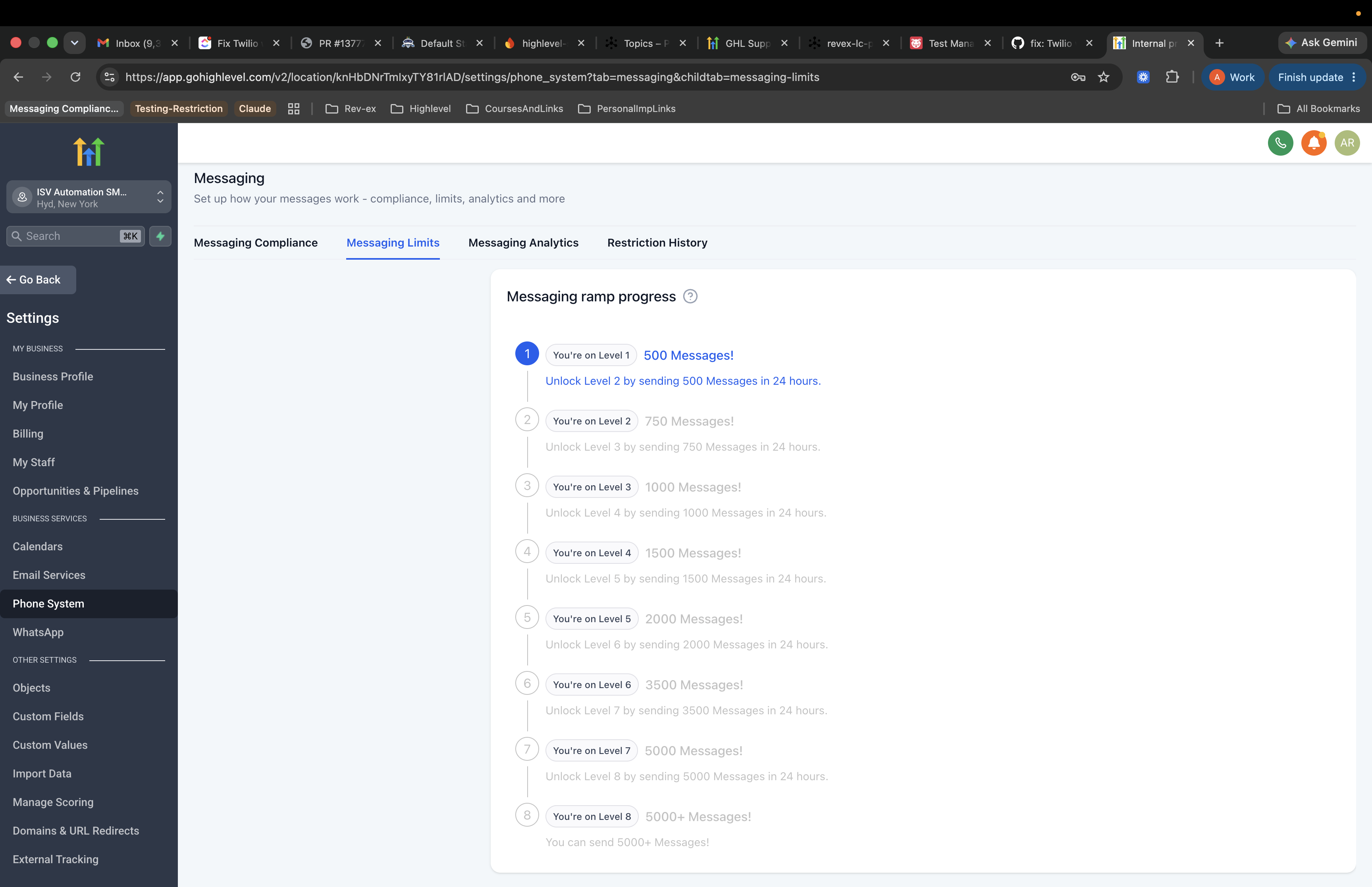
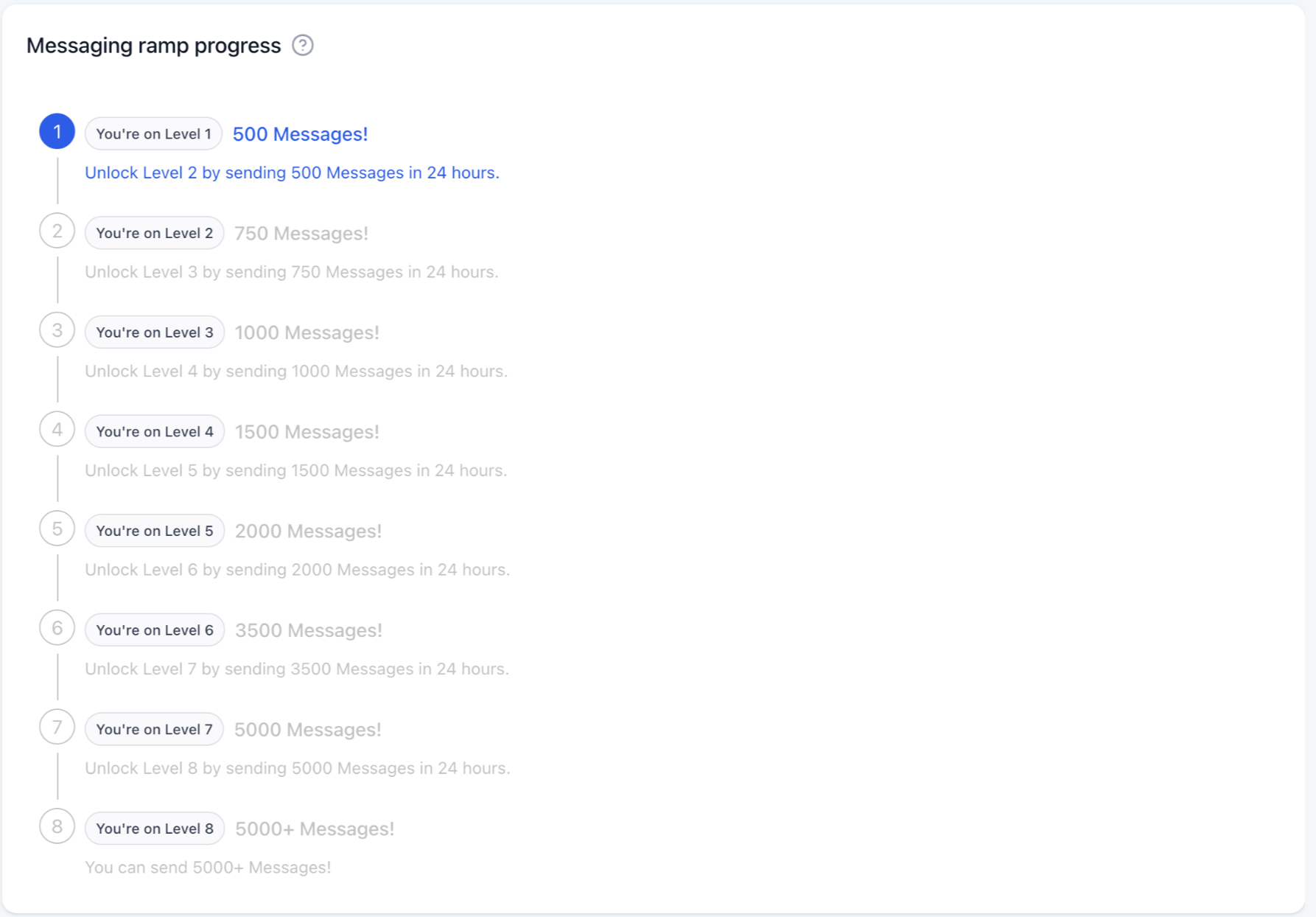
The Messaging Ramp Progress Card displays an eight level visual ramp for SMS and MMS sent through LC Phone. It shows the current daily send limit, how many messages have been sent toward the next level, and any upcoming 24 hour outbound block. The card also lists the next actions needed to unlock the following level.
All locations start at Level 1 with a 500 message limit per 24 hour period. Sending the full limit within a day triggers a 24 hour pause, after which the level advances automatically and a higher limit appears on the card. The ramp begins when the first successful SMS is sent, not on account signup. Reaching Level 8 displays a congratulatory note and suggests contacting the agency owner or admin for any further upgrades.
03How businesses use the messaging ramp progress card
- Real estate agency. The agency opens the Messaging Limit tab to see its current level and daily cap. Agents send the required number of property alerts to reach the next level, then wait the 24 hour restriction before resuming higher volume messaging.
- Fitness studio chain. Each studio location checks the progress card to verify its SMS limit. Managers schedule class reminder blasts that meet the level quota, pause for the mandated 24 hour block, and then continue with the increased limit.
- Dental practice. The practice reviews the card to know how many appointment reminders can be sent daily. After reaching the level limit, staff wait the temporary restriction period, after which they gain a larger daily allowance for future reminders.
04The numbers and rules that matter
- All locations start at Level 1 with a limit of 500 SMS within 24 hours.
- Level 2 limit is 750 SMS per day.
- Level 3 limit is 1000 SMS per day.
- Level 8 allows 5000+ SMS per day.
- WhatsApp sending limits are not affected by the ramp.
- Outbound SMS are temporarily paused for 24 hours after hitting the daily limit at each level.
- One to one and Missed Call Text Back messages count toward the daily limit.
- One to one messages cannot be sent during the 24 hour restriction.
05Before you start
- A location must already exist in HighLevel.
- The location must have LC Phone enabled and send its first successful SMS to start the ramp.
06How to set up and use the messaging ramp progress card in HighLevel
Find the messaging ramp progress card
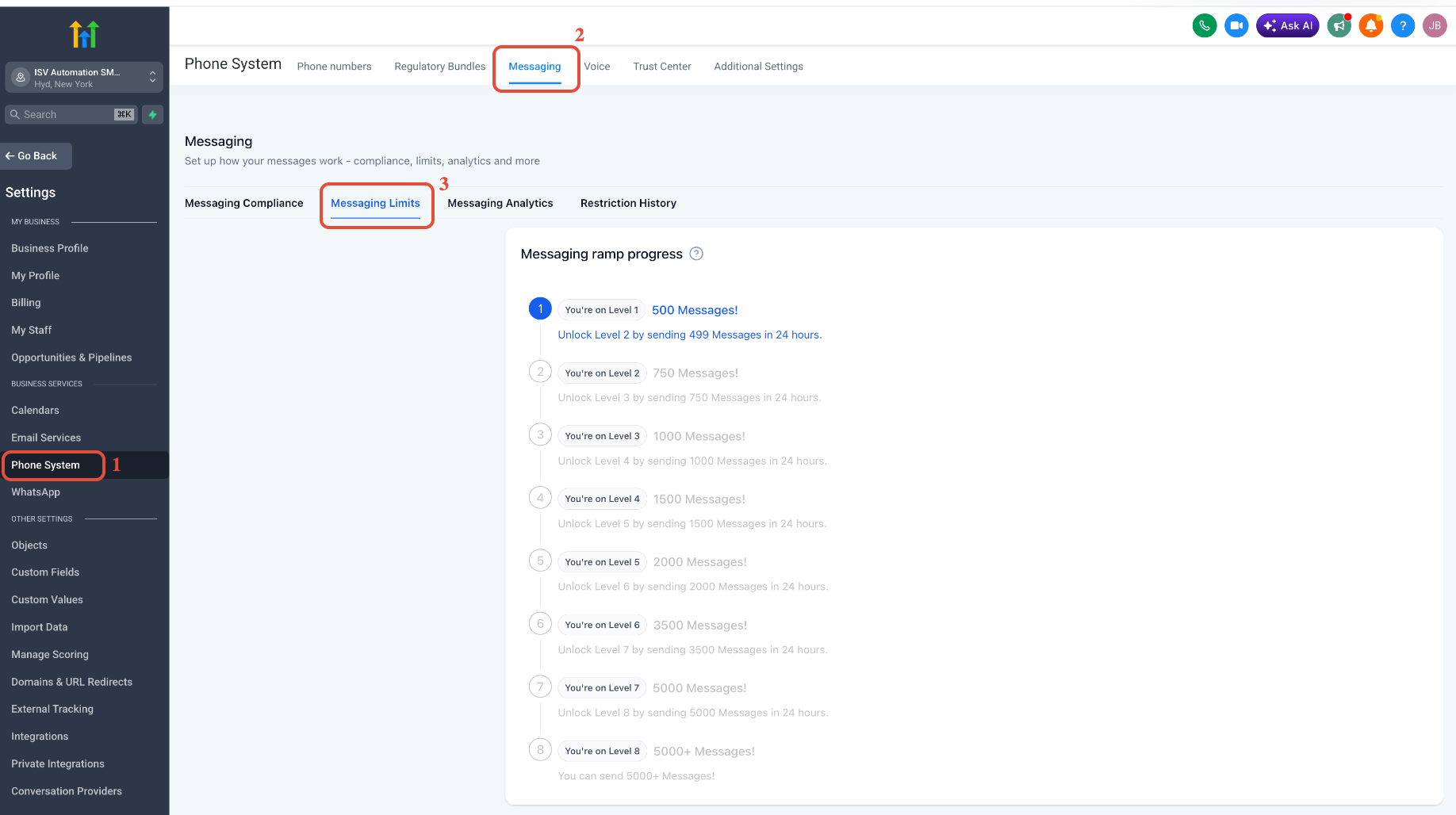
- From a location, go to Settings > Phone System.
- Open the Messaging tab.
- Select the Messaging Limit tab to view the progress card.
07What it looks like in HighLevel
08Settings that matter
- Messaging tab. Provides access to messaging features, including the progress card.
- Messaging Limit tab. Displays the Messaging Ramp Progress Card with level information and next steps.
09Things to know before you rely on it
- All locations start at Level 1 with a 500 message limit per 24 hour period.
- Each level requires sending the full daily limit within a 24 hour window to unlock the next level.
- After reaching the level limit, outbound SMS is paused for 24 hours before the new limit becomes active.
- The ramp begins on the day the first successful SMS is sent, not on signup.
- The model cannot be changed or removed by users.
- One to one and Missed Call Text Back messages count toward the daily limit.
- One to one messages cannot be sent during the 24 hour restriction.
- Inbound messages are still received during the outbound block.
- The ramp applies to SMS and MMS sent through LC Phone; WhatsApp limits are separate.
- Level 8 allows 5000+ messages per day and shows a congratulatory message.
10How it connects to the rest of HighLevel
- SMS compliance settings guide SMS compliance
- SMS delivery troubleshooting checklist SMS delivery troubleshooting
- Prevent SMS carrier filtering (error 30007) Carrier filtering guide
Michael's take

The Messaging Ramp Progress Card is useful if you need clear visibility into SMS limits and a built in path to higher volumes.
Skip it if you never plan to send large numbers of SMS or don’t use LC Phone for messaging.