
01Who this is for
- Agency owners who manage multiple client subaccounts need to stay compliant when adding US or Israel numbers.
- Founders of startups that use LC Phone for outreach can avoid purchase delays by completing verification once.
- Compliance officers in regulated businesses benefit from the added fraud protection during number acquisition.
02Identity verification, explained
Identity verification is a Persona driven process that confirms the person controlling a subaccount before a US, Canada, Puerto Rico or Israel phone number is purchased. The verification runs only when the subaccount has not yet been verified and applies to LC Phone managed numbers.
When the verification succeeds, the subaccount is marked as verified. Future purchases of +1 or +972 numbers, including pool replenishment, no longer trigger the Persona flow. The verification does not replace other compliance steps such as A2P 10DLC registration, toll free verification, CNAM setup, or SHAKEN/STIR authentication.
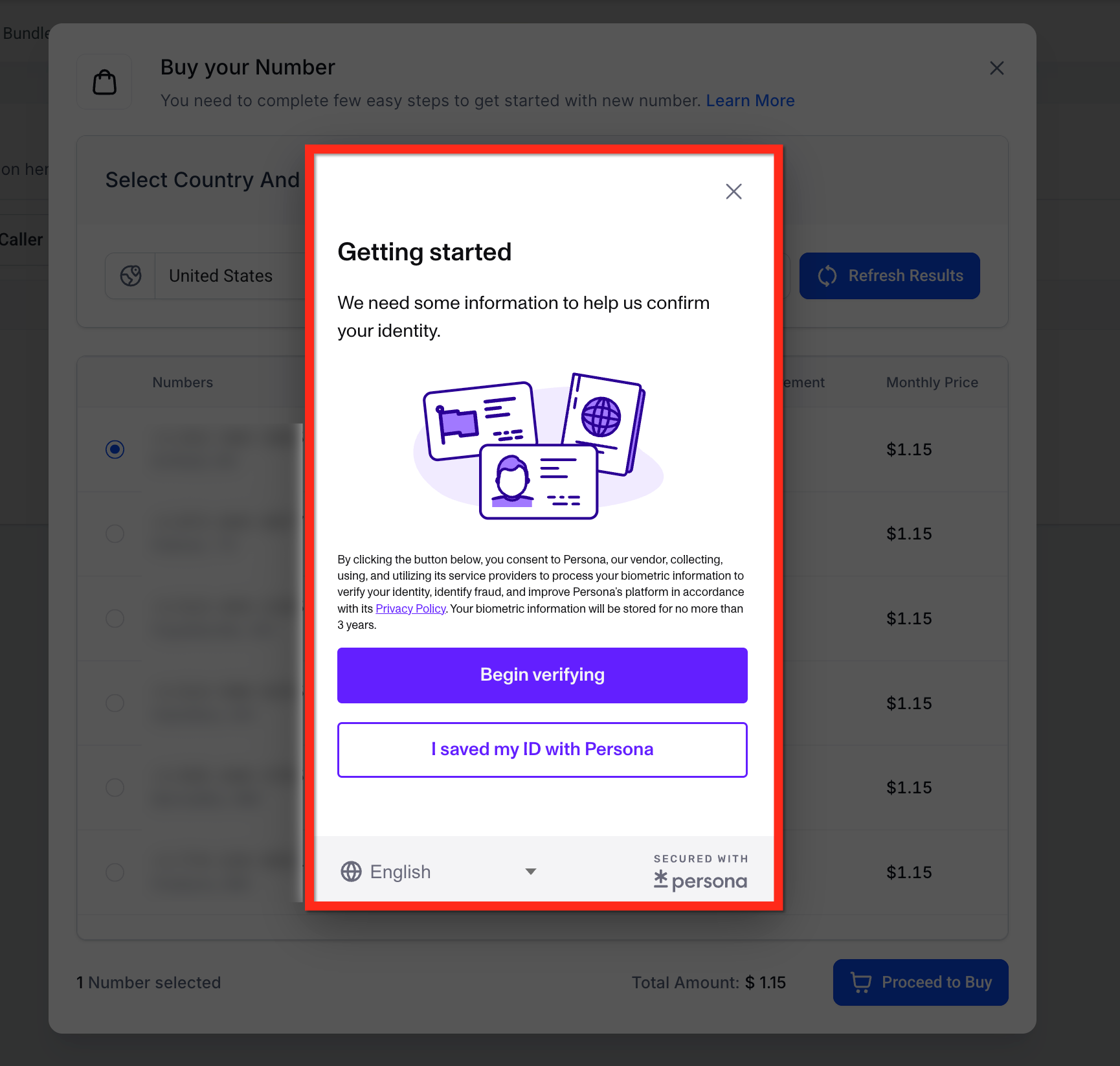
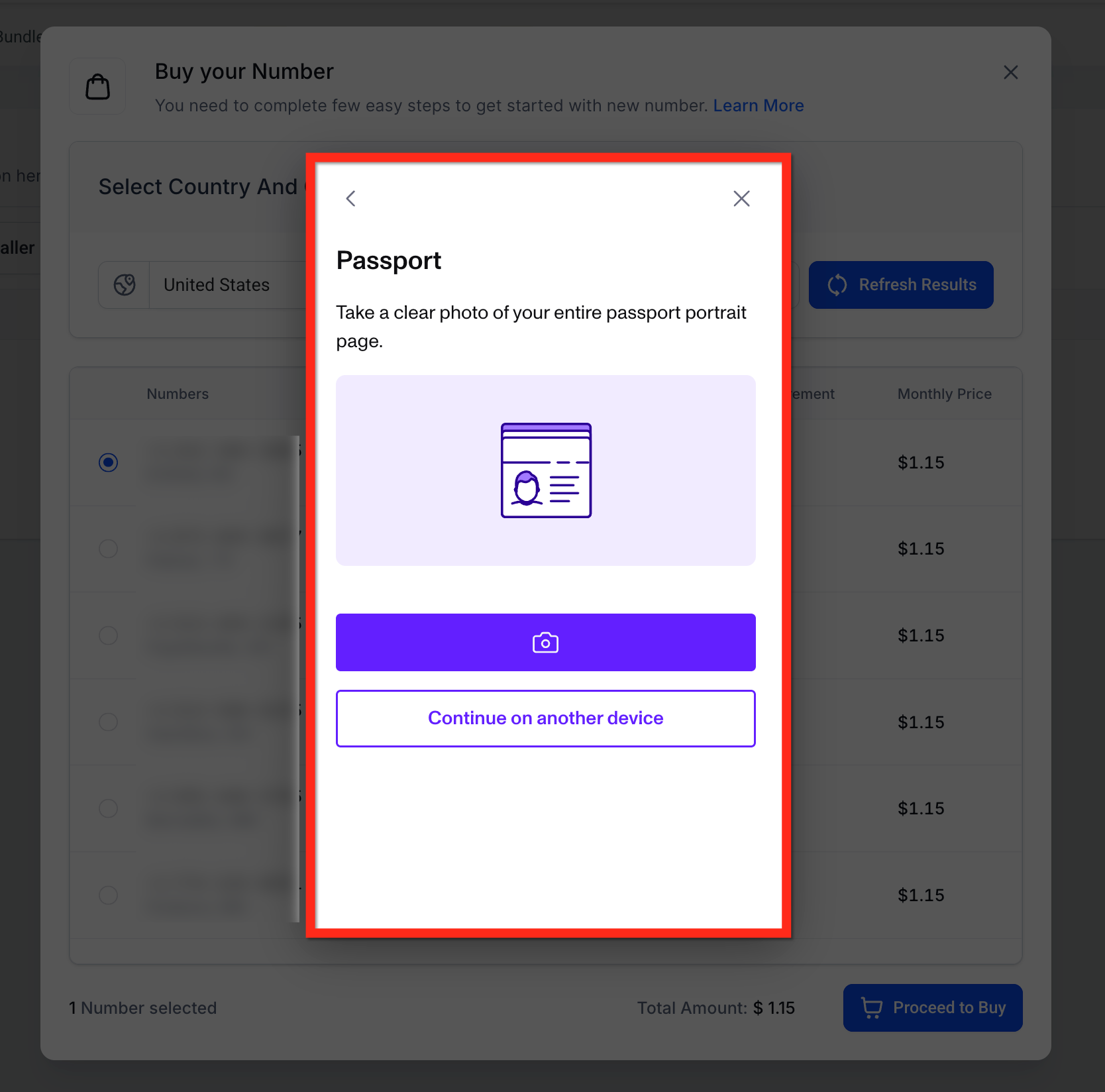
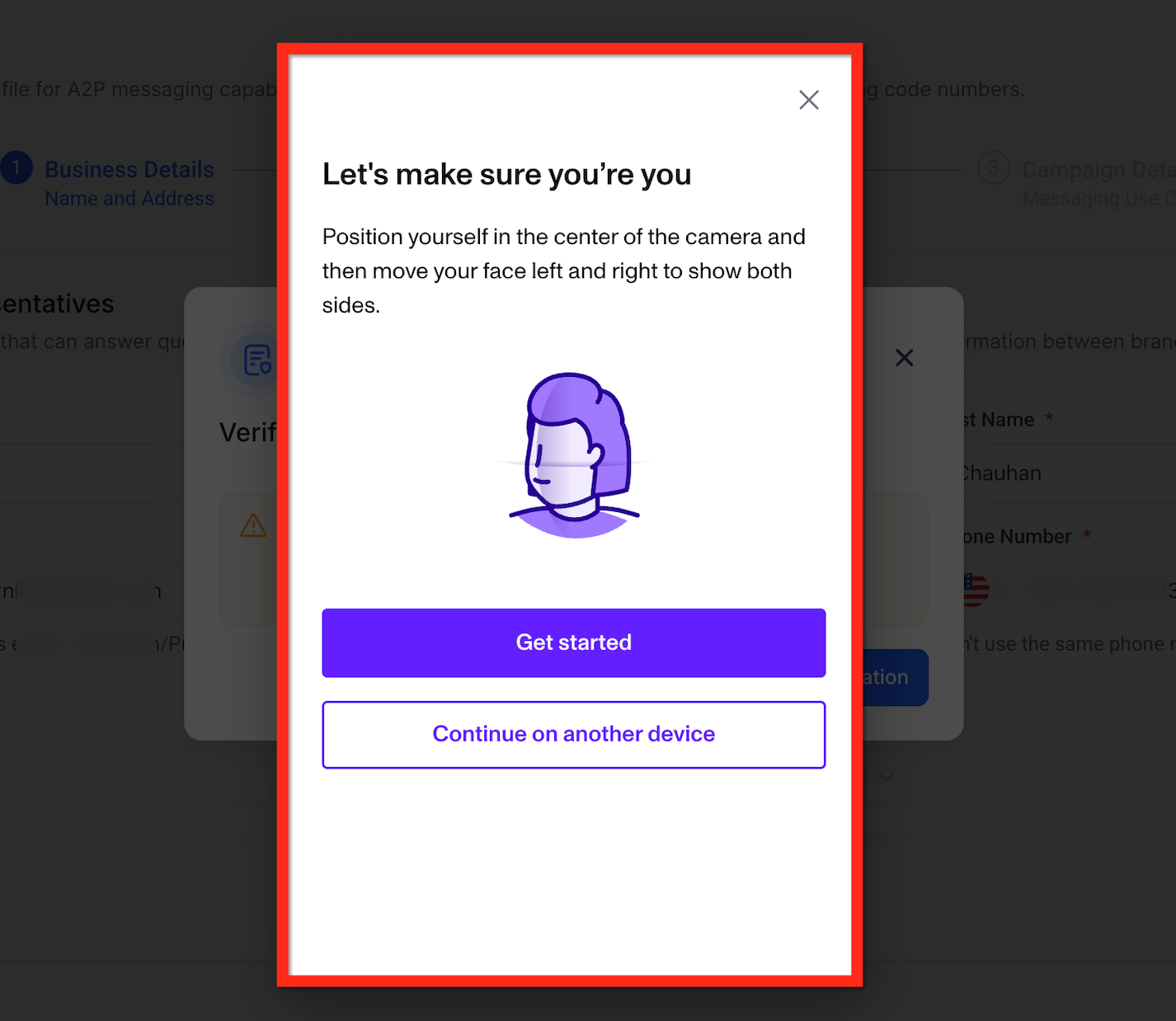
The feature lives inside the phone system purchase flow. It appears as a modal that requires a government issued ID upload and a live selfie capture using a webcam or mobile device.
03How businesses use identity verification
- Real estate agency. An agent logs into the agency’s subaccount, navigates to Settings, adds a new US number, uploads a driver’s license and completes the selfie step. Once verified, the agency can purchase additional numbers for new listings without further prompts.
- Health clinic. The clinic’s administrator opens Settings in the clinic’s subaccount, selects a new Israel number, provides a passport scan and records a live selfie. After the one time verification, the clinic can acquire more Israel numbers for patient reminders.
- Ecommerce store. The store manager accesses Settings, chooses a Canadian number, uploads a government ID and finishes the selfie verification. The store can then buy more Canadian numbers for marketing campaigns without re verifying.
04The numbers and rules that matter
- Applies to LC Phone managed subaccounts that purchase +1 and +972 numbers.
- A successful verification marks the subaccount as verified for future +1 and +972 purchases.
- One time per subaccount.
05Before you start
- The subaccount must be LC Phone managed.
- You must be purchasing a +1 (US, Canada, Puerto Rico) or +972 (Israel) number.
- Persona verification has not been completed for this subaccount before.
06How to set up and use identity verification in HighLevel
Complete identity verification for a phone number purchase
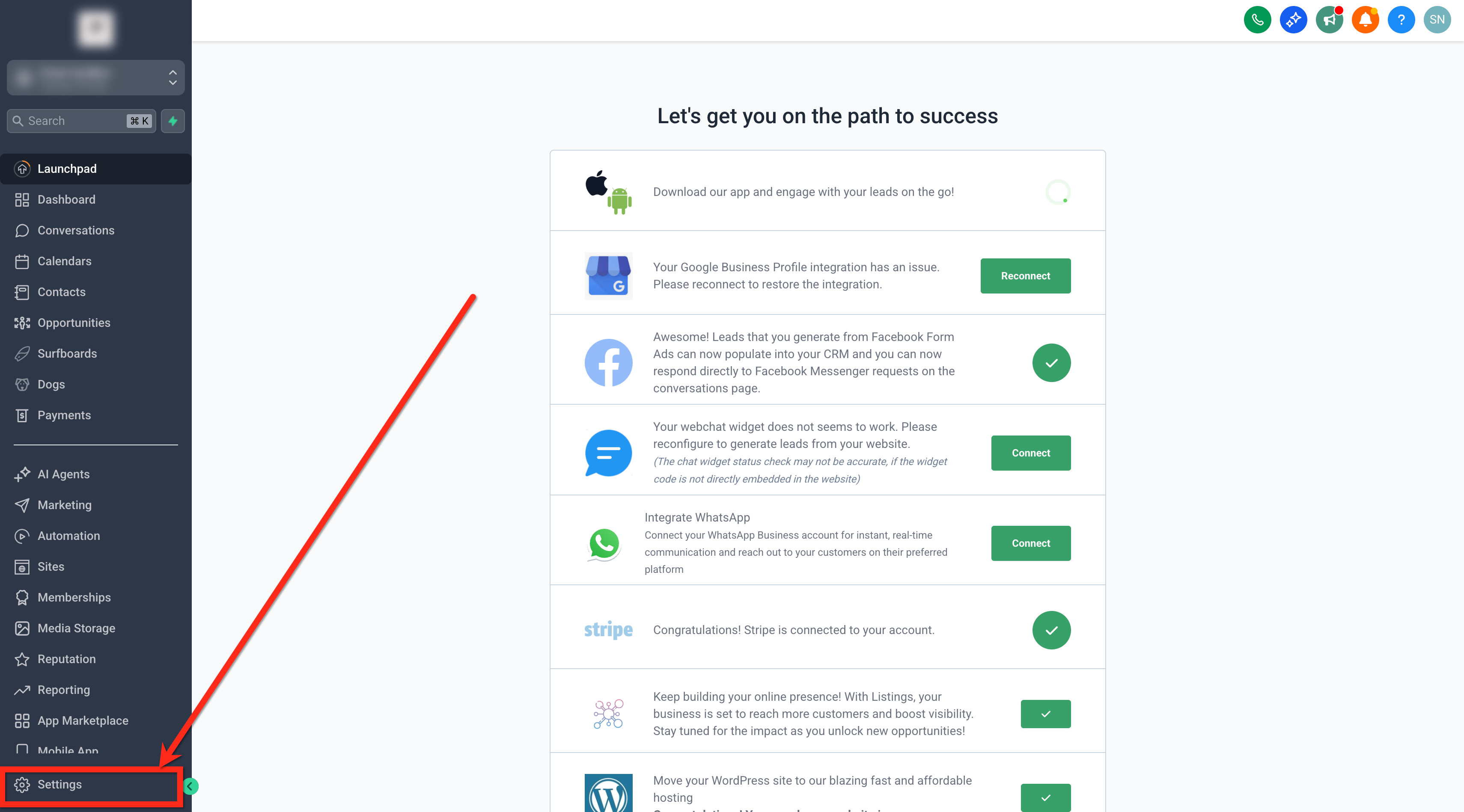
- Log in to the subaccount and open Settings.
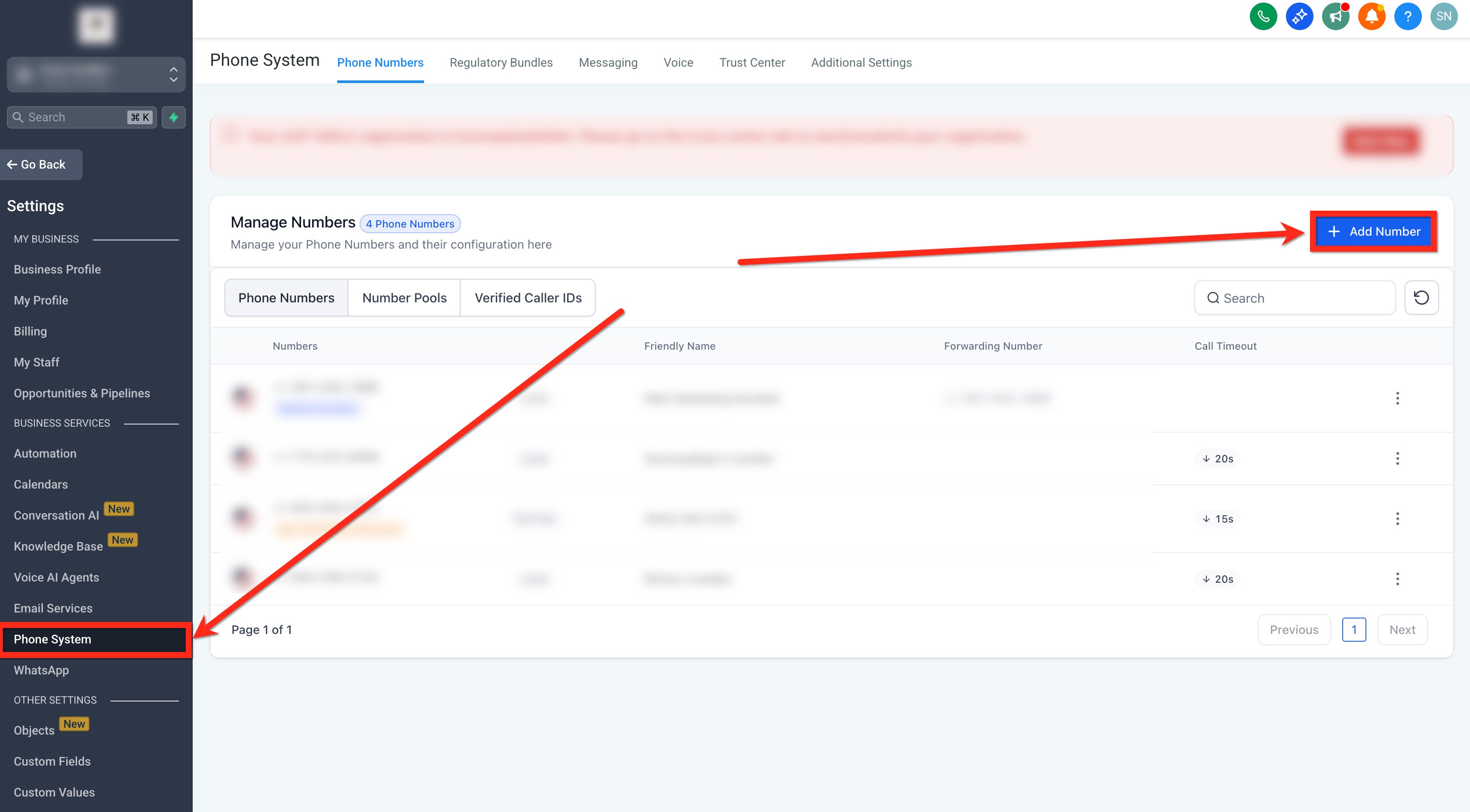
- Select Phone System then click + Add Number.
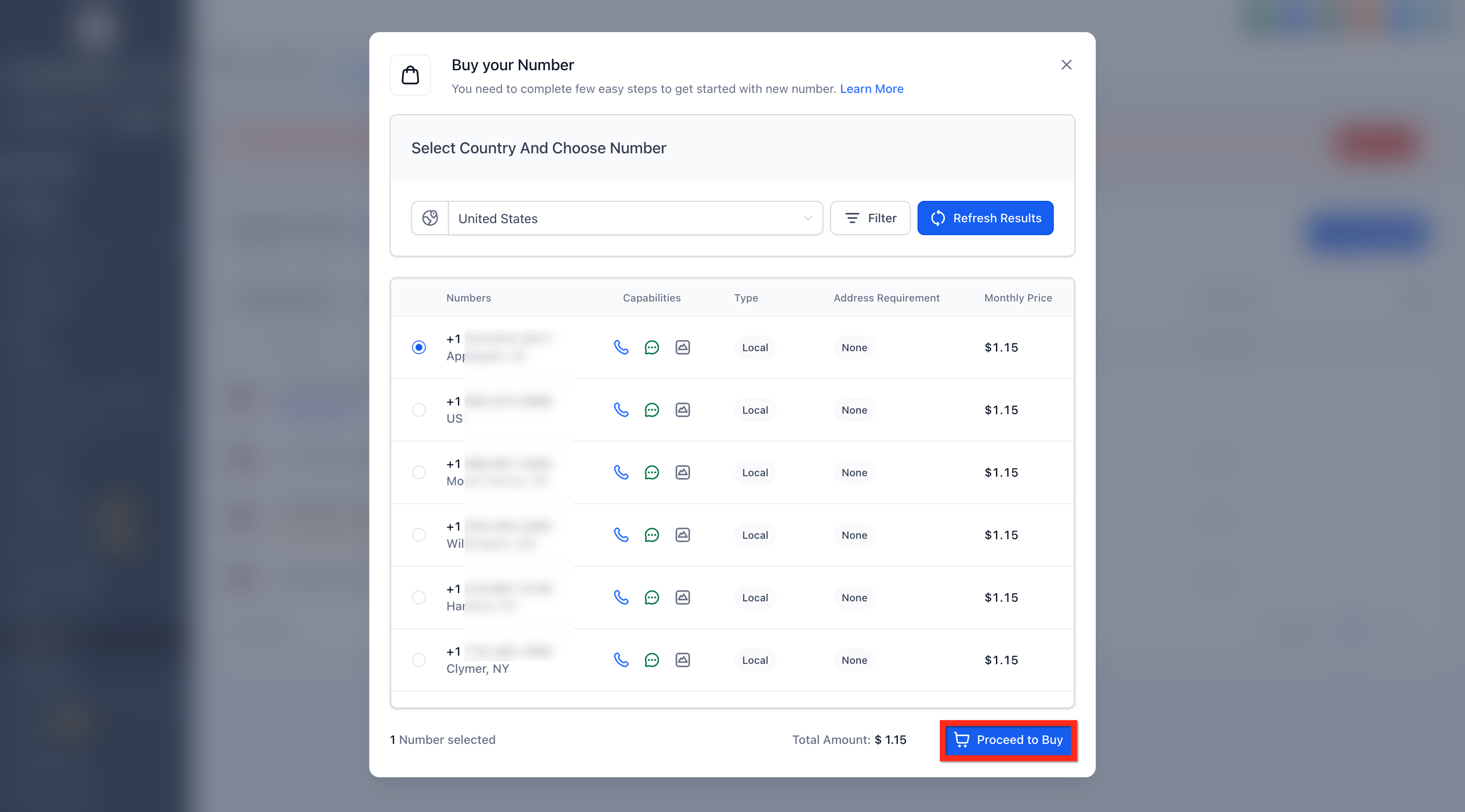
- Choose a +1 or +972 number and click Proceed to Buy.
- When the Persona modal appears, upload a valid government issued ID.
- After the upload, follow the prompt to record a live selfie with a webcam or phone.
- Submit the verification; the subaccount is now marked as verified.
07What it looks like in HighLevel
08Things to know before you rely on it
- Applies only to +1 and +972 numbers purchased in LC Phone managed subaccounts.
- Required only if the subaccount has not completed Persona before.
- Persona verification is a one time step per subaccount; future eligible purchases do not trigger it again.
09If something goes wrong
- Persona prompt does not appear. Refresh the page and retry the purchase. If it still does not appear, contact HighLevel Support.
- Persona verification session is stuck. Do not refresh or leave the page. If it remains stuck for more than 24 hours, contact Support.
- Desired number unavailable. Refresh the available numbers list or choose a different area code, region, or number type.
- Region or inventory limitation. Some numbers may not be available based on provider inventory or location; try a different region or number type.
- Regulatory requirement. If a region requires an approved Regulatory Bundle or address before purchase, provide the required information or contact Support.
10How it connects to the rest of HighLevel
- How to purchase a phone number Phone number purchase guide
- Edit phone number settings in subaccounts Phone number settings
- HighLevel phone system pricing and rebilling guide Pricing guide
- Start a 30 day HighLevel trial Free trial
- The HighLevel Founder Plan Founder Plan
Michael's take

Many businesses stumble when they try to buy new phone numbers and run into compliance roadblocks that delay marketing campaigns. The first thing I would lock down is the identity verification step so the subaccount is marked as verified and future purchases flow without interruption.
Getting the Persona check right the first time helps ensure the ID upload and live selfie work on the device you plan to use most often before moving on to bulk purchases.