
01Who this is for
- Agency owners who manage multiple client locations need to ensure each sender number is correctly assigned and SMS enabled.
- Small business Founders using the platform for marketing campaigns must confirm their numbers can send texts to avoid sending blocks.
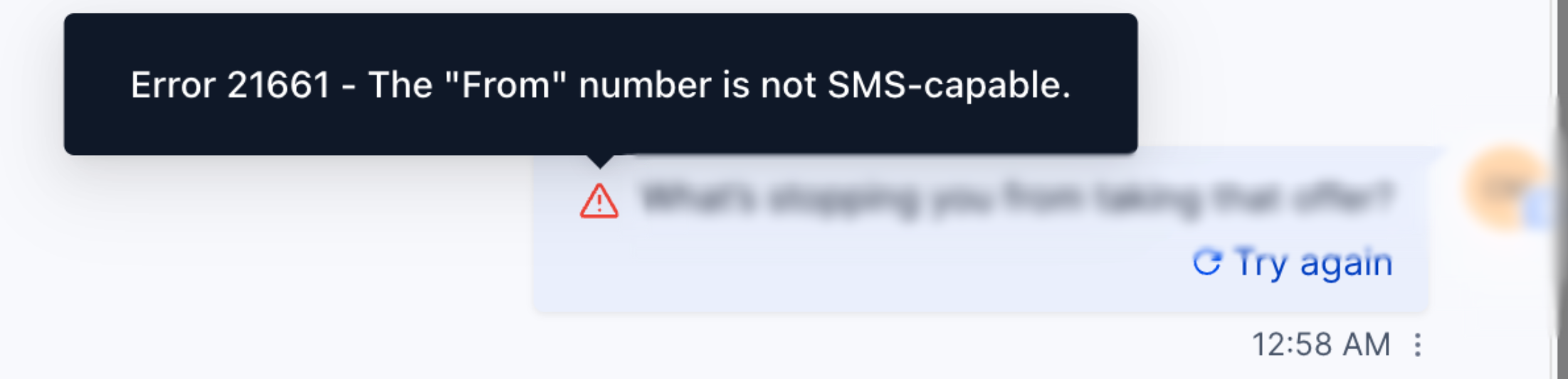
02From number is not SMS capable, explained
The feature validates the sender number before an SMS is handed to the carrier. HighLevel checks that the number has messaging capability, belongs to the active location or connected phone account, and meets any A2P registration requirements for US 10DLC numbers. The validation occurs in Conversations, workflow send actions, campaign logs, or API calls. Users can view a number’s messaging status, brand and campaign association, and formatting requirements in the Phone System settings.
03How businesses use the from number is not SMS capable
- Digital marketing agency. The agency reviews each client’s sender numbers in Settings > Phone Numbers, confirms Messaging is enabled, and ensures the number is linked to the client’s approved 10DLC brand and campaign before launching an SMS blast.
- Local retail store. The store checks that its local long code appears in the From dropdown, verifies ownership in the current location, and formats the number in E.164 when adding it to a workflow action.
- Healthcare clinic. The clinic validates that its toll free number has Messaging enabled and completes toll free verification to avoid carrier filtering before sending appointment reminders.
04The numbers and rules that matter
- US 10DLC numbers require approved Brand and Campaign for A2P messaging.
- From value must be in E.164 format, e.g., +15551234567.
- Ported or newly purchased numbers may need 24, 48 hours for carrier provisioning.
05How to set up and use the from number is not SMS capable in HighLevel
Check SMS capability
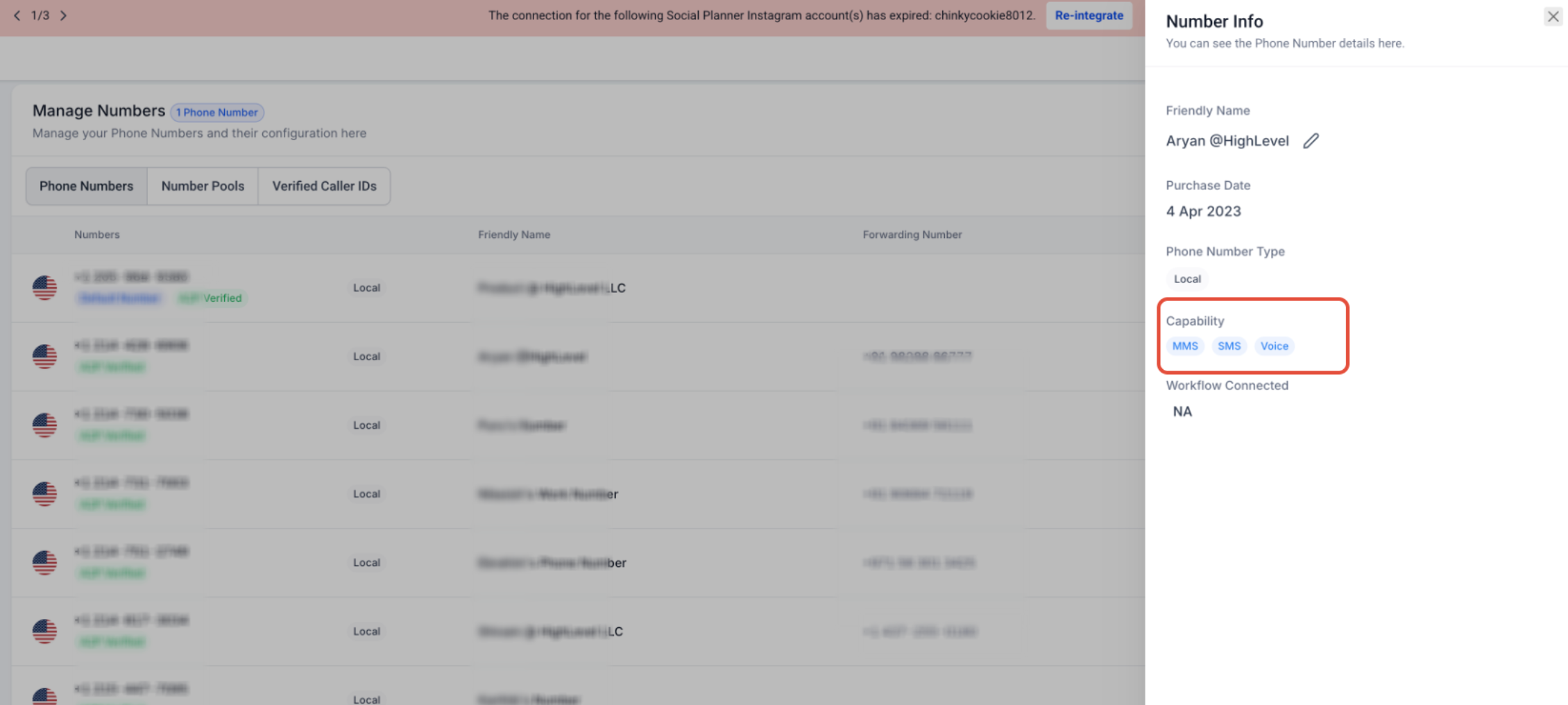
- Open Settings > Phone Numbers and select the number to view its details.
- Confirm that the Messaging option is turned on for the number.
- If using Twilio or BYOT, log in to the Twilio console, locate the number, and verify that SMS appears under Capabilities.
- If the number was recently purchased or ported, wait 24 to 48 hours for carrier provisioning before retesting.
Confirm ownership and assignment
- In Settings > Phone Numbers, ensure the number is listed under the current HighLevel location.
- Check that the number is selected as the sender in Conversations, campaign or workflow configurations.
- Verify that the connected Twilio or BYOT account is still linked and not disconnected.
Verify US 10DLC A2P registration
- Navigate to Settings > Phone Numbers, pick the number, and look for its Brand and Campaign status.
- If the number uses Twilio, sign in to Twilio, find the Messaging Service attached to the number, and confirm it is tied to an approved A2P Campaign.
- Review the Campaign approval status in the Twilio Trust Hub or within HighLevel’s brand settings.
- If the registration is incomplete, finish the Brand and Campaign registration or attach the number to the approved Campaign.
Ensure correct number format
- When entering a From number manually in a workflow, API request, or integration, use E.164 format with a leading + and country code (for example +15551234567).
- Remove any spaces, dashes, or special characters from the number.
- Confirm the formatted number appears correctly in the dropdown for standard Conversations and campaign messages.
Update sender reference after number move
- If a number was recently ported, hosted, or moved between phone accounts, re select the active number in Conversations sender settings, campaign or workflow configurations, default messaging settings, and any external integration that stores the sender number.
- Save the changes and send a test message to verify the new configuration is recognized.
06What it looks like in HighLevel
07Settings that matter
- Messaging. Enables or disables SMS and MMS capabilities for a phone number.
- Brand. Identifies the registered business entity for US 10DLC A2P messaging.
- Campaign. Defines the approved messaging use case linked to a brand for A2P traffic.
- Messaging Service. Groups Twilio numbers for A2P messaging and ties them to an approved campaign.
08Things to know before you rely on it
- Carrier provisioning for newly purchased or ported numbers can require 24 to 48 hours before SMS capability is available.
- Toll free numbers need verification to avoid carrier filtering even though they can technically send SMS.
- Short codes are limited to the country where they are registered and cannot be used for cross country messaging.
- Landline numbers lack SMS capability and cannot be used as a sender.
09If something goes wrong
- Number does not support SMS. Enable Messaging for the number if the option exists, or choose a different number that already has SMS capability.
- Number missing from From dropdown. Confirm the number is listed in Settings > Phone Numbers for the current location and re select it in the sender configuration.
10How it connects to the rest of HighLevel
- General SMS delivery troubleshooting steps SMS troubleshooting checklist
- Best practices to avoid SMS restrictions SMS deliverability guide
- Understanding common SMS delivery errors SMS error guide
Michael's take

Beware that the From number error is a sign of a deeper configuration issue. It’s easy to assume a number is ready just because it can make calls, but without explicit SMS capability the platform will block every text you try to send.
When the number finally checks all the boxes, SMS enabled, correctly owned, registered for A2P if needed, and formatted in E.164. The impact is immediate. Your campaigns and workflows stop stalling, and you gain confidence that each outbound message is using a valid, carrier approved sender.