
01Payment failures, explained
When a subscription payment fails, HighLevel automatically creates an invoice and sends it to the customer. The customer can settle the invoice with a saved payment method or add a new card, which then becomes the default for future subscription payments.
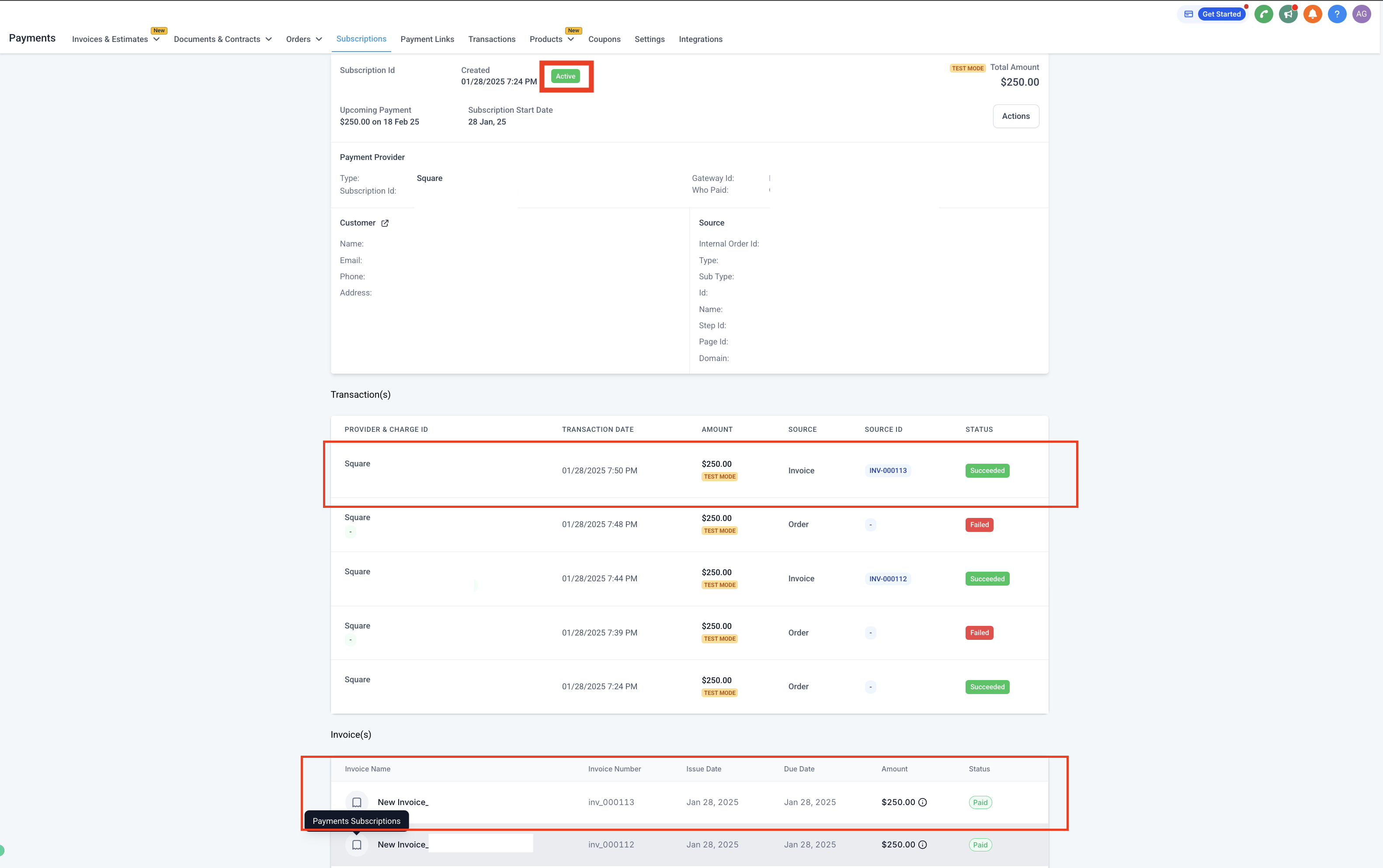
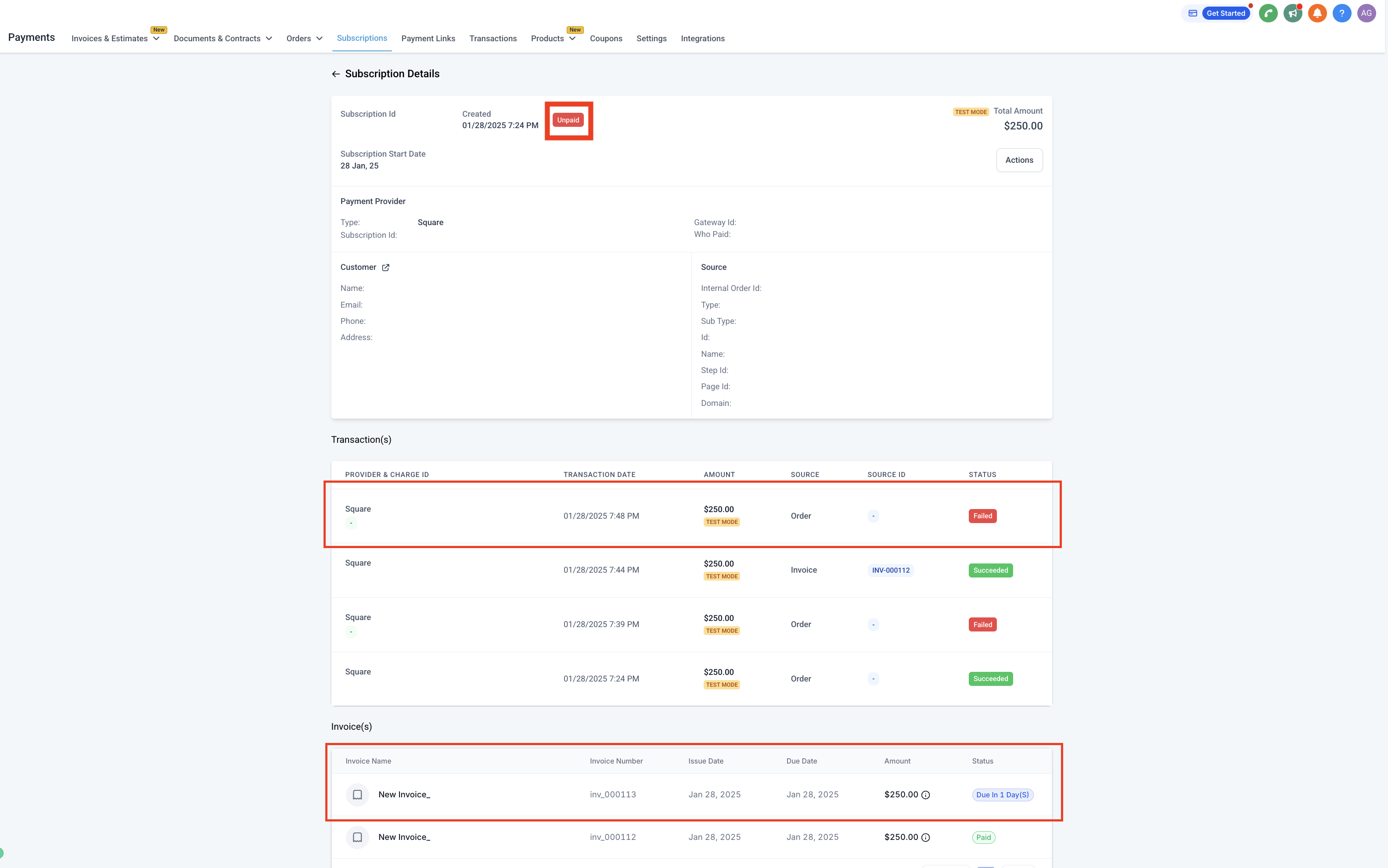
At the same time, the system runs automatic retry attempts based on the configured retry settings. After the retries complete, the subscription status is set to Active if the payment succeeds or the invoice is paid, otherwise it stays unpaid.
02How businesses use payment failures
- Collect overdue payments. The system sends an invoice when a payment fails, giving the customer a direct link to pay and keeping the subscription alive.
- Automatic retry attempts. HighLevel retries the failed charge at the intervals defined in the retry settings.
- Update default payment method. If a customer uses a new card to pay the invoice, HighLevel saves that card as the default for all future subscription charges.
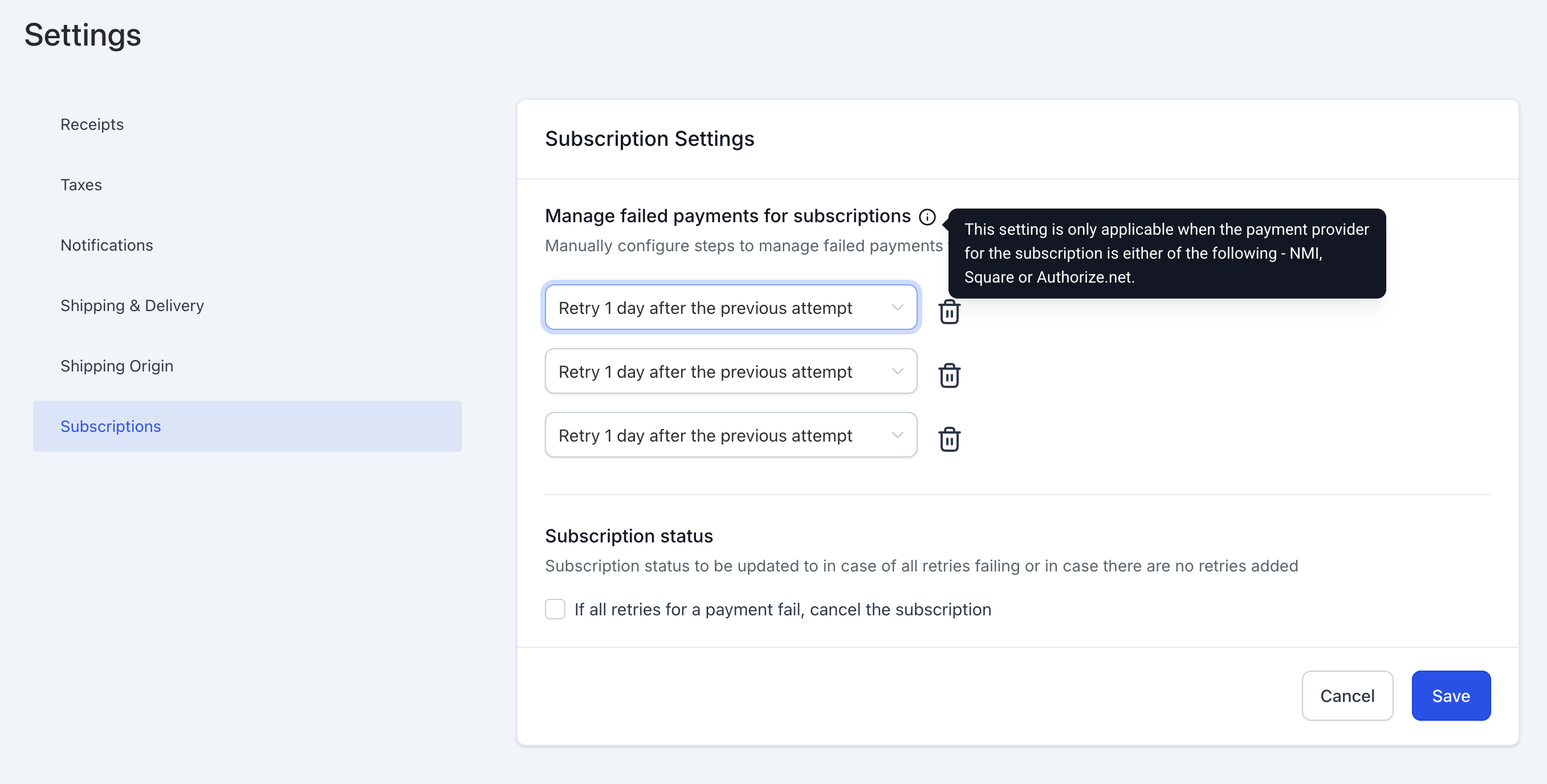
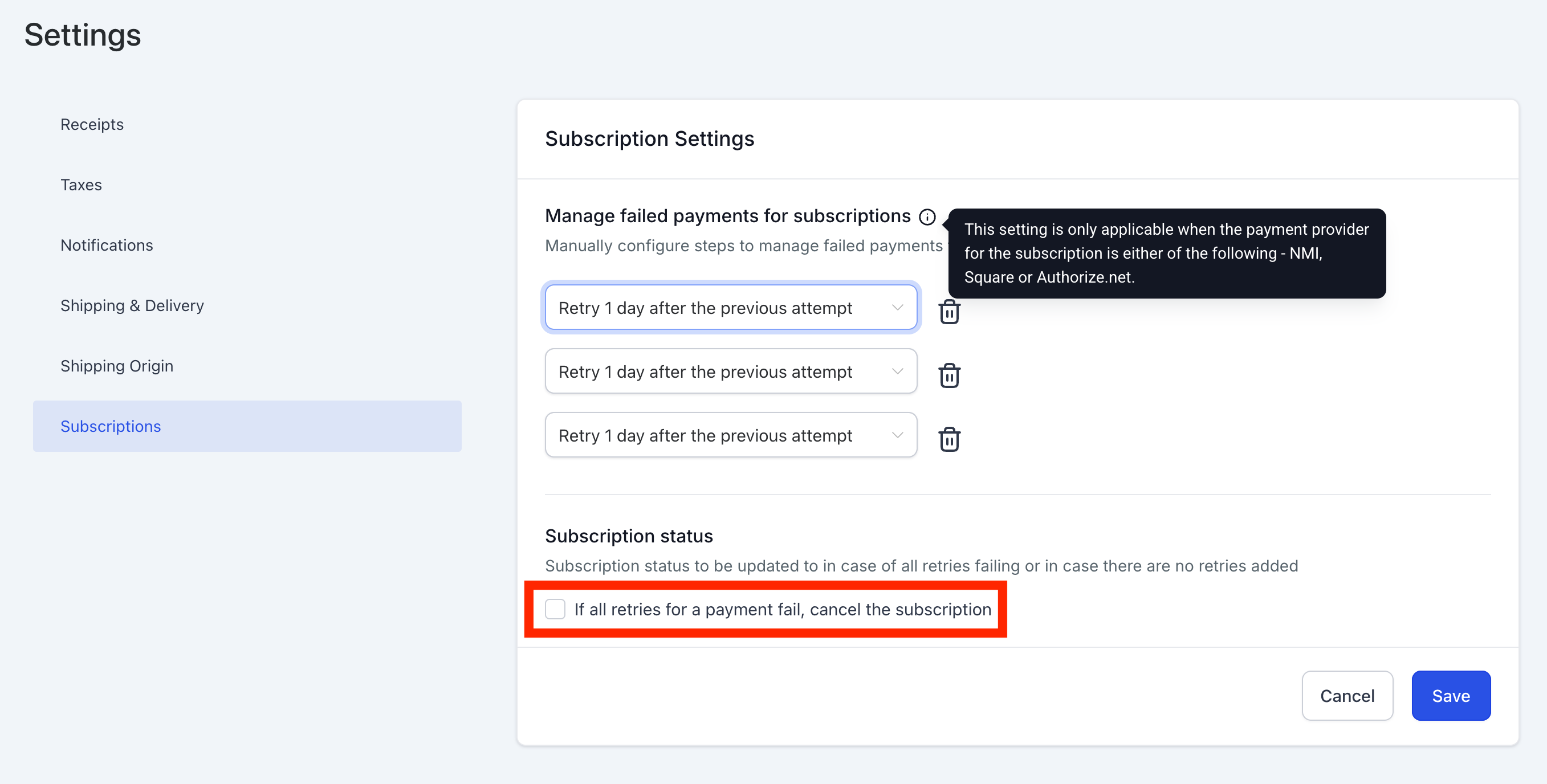
- Automatic cancellation. When all configured retries fail, the subscription can be automatically marked as cancelled via the Payments > Settings > Subscriptions page.
03The numbers and rules that matter
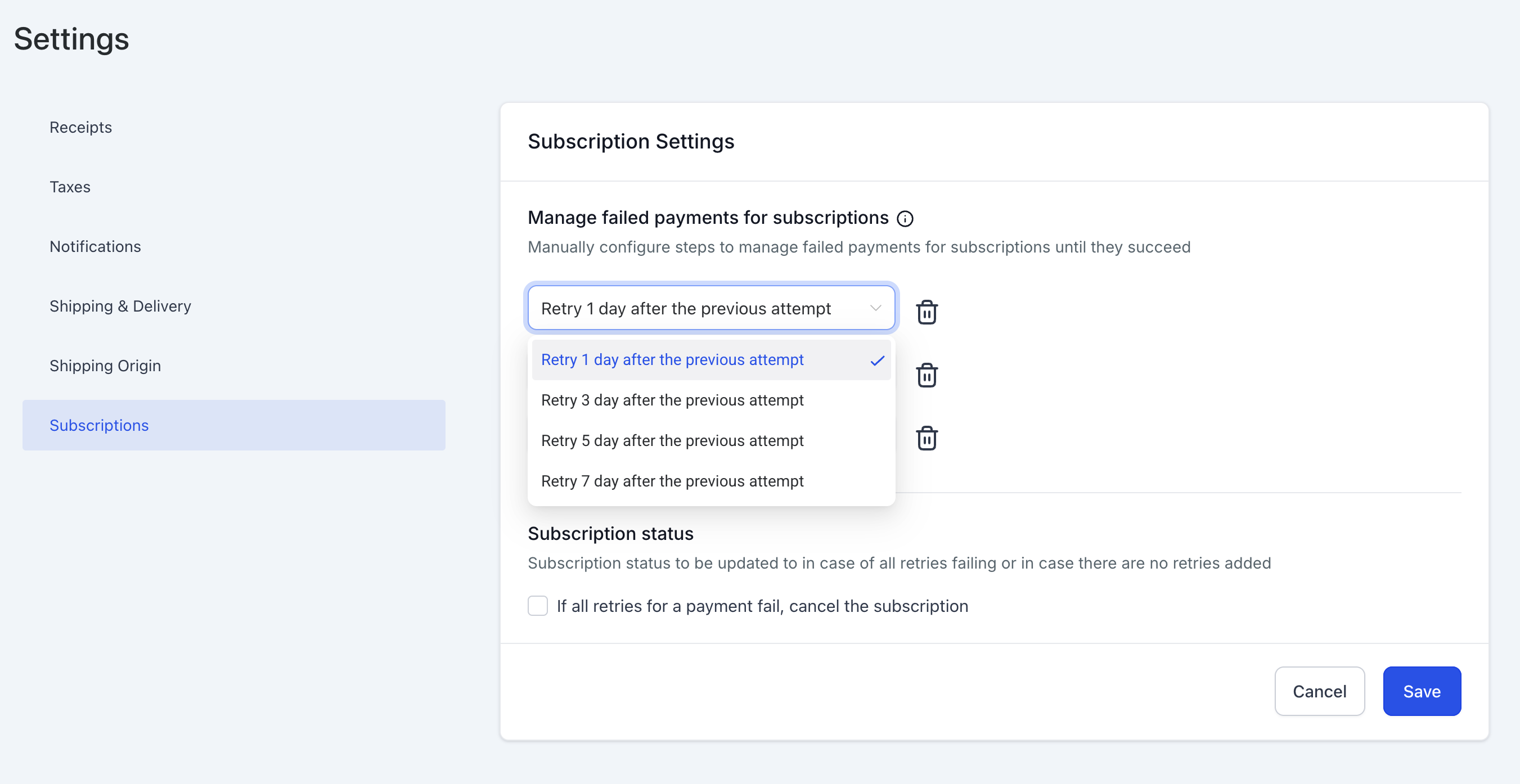
- Configurable retry attempts: 1, 2, or 3.
- Configurable retry intervals: 1, 3, 5, or 7 days.
04How to set up and use payment failures in HighLevel
Handle a failed subscription payment
- Invoice Generation: System creates and sends an invoice when a payment fails.
- Customer Payment: Customer pays via existing method or adds a new card using the invoice link.
- Automatic Retries: System attempts payment again according to retry settings.
- Retry Settings Adjustment (optional): Go to Payments > Settings > Subscriptions to change retry count or intervals.
- Subscription Status Update: Status changes to Active if payment succeeds or the invoice is paid; remains unpaid if all retries fail.
- Automatic Cancellation (optional): Enable setting to cancel subscription after all retries fail.
05What it looks like in HighLevel
06Settings that matter
- Retry settings. Define how many times the system will retry a failed payment and the number of days between each attempt.
- Default payment method. When a new card is used to pay an invoice, it replaces the existing default payment method for future subscription charges.
- Automatic cancellation on failure. Option to mark a subscription as cancelled automatically when all retry attempts have failed.
07Things to know before you rely on it
- If a customer pays the invoice before a retry attempt, the retry process stops automatically.
- Subscription status changes to Active only if no other invoice is pending against the subscription.
08If something goes wrong
- All retries fail and subscription remains unpaid. Enable the automatic cancellation option in Payments > Settings > Subscriptions to have the subscription marked as cancelled after the final failure.
Michael's take

In my experience, having the invoice automatically generated and the retries handled by the system simplifies the process for both the business and the customer.
When retries never succeed and automatic cancellation is not enabled, the subscription stays in an unpaid state, which can require manual intervention.