
01Who this is for
- Sales teams can collect approvals from several stakeholders without leaving the proposal workflow.
- Legal groups can route contracts to multiple parties while keeping a clear audit trail of each signature.
- Service providers can have both the client and the internal account manager sign the same estimate.
02Multiple recipient support on proposals and estimates, explained
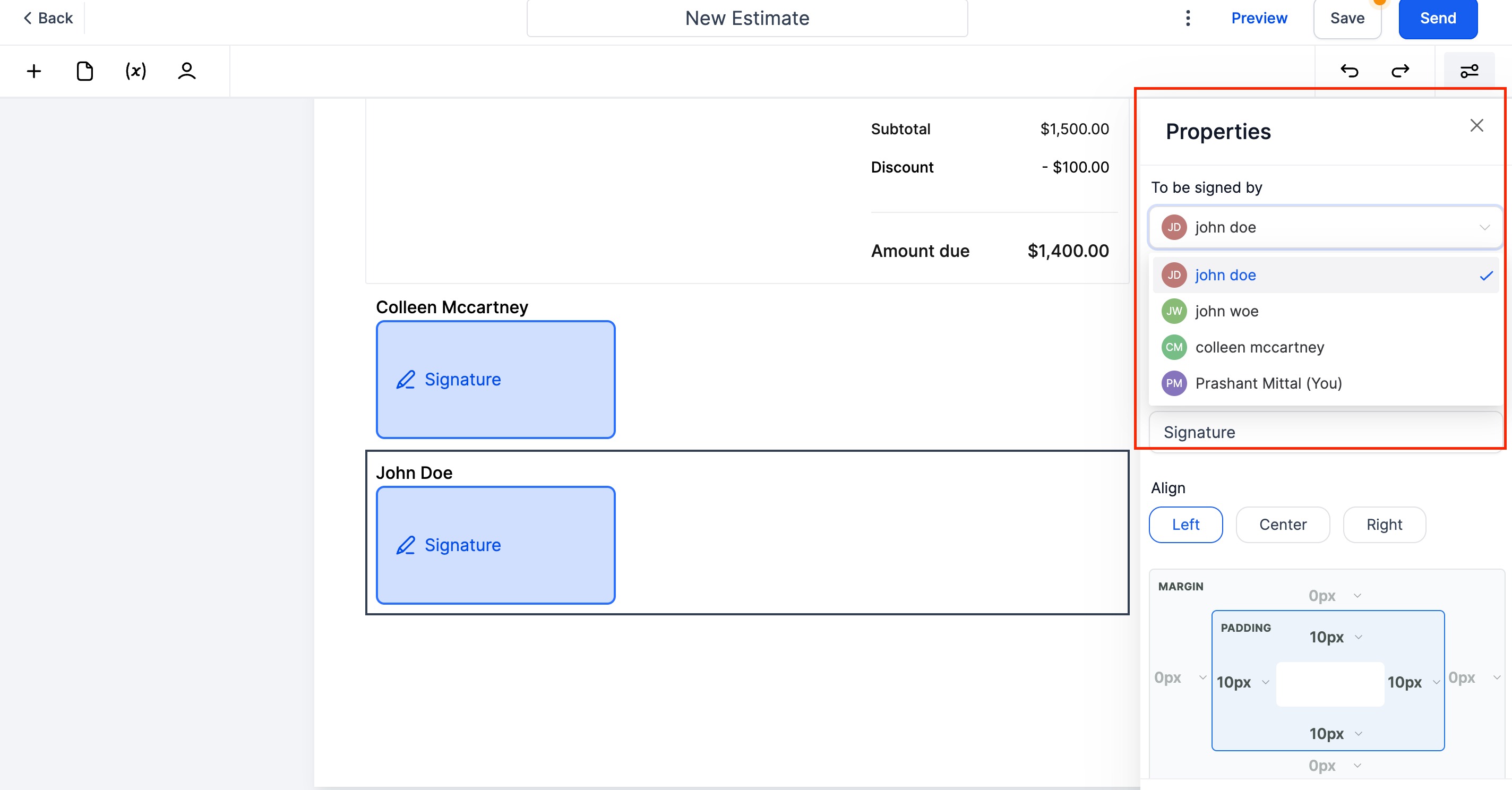
Within the Proposals and Estimates section, users can add signature fields for any number of contacts. The sender of the proposal may also be assigned a signature block, turning the business user into a signer.
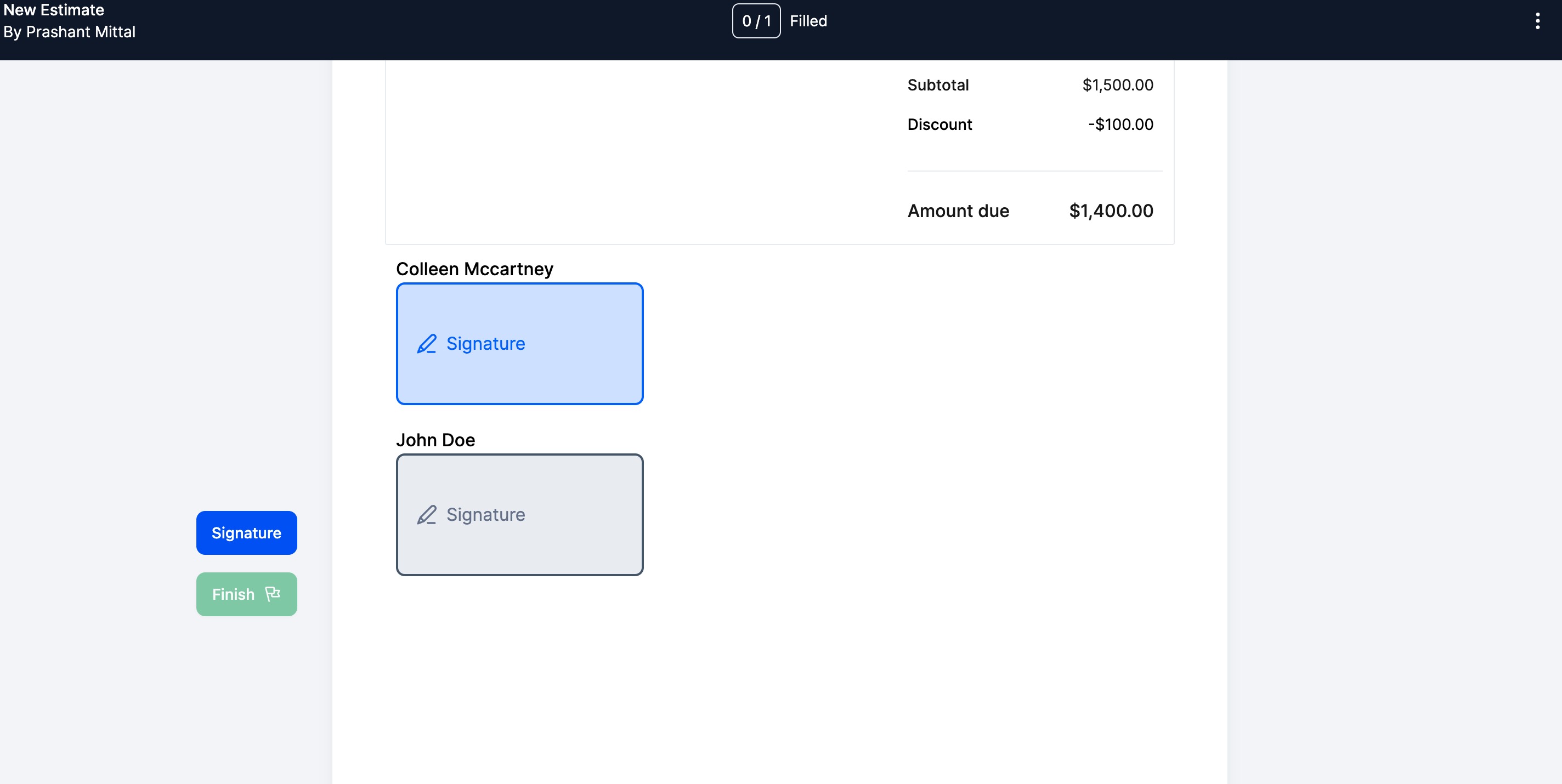
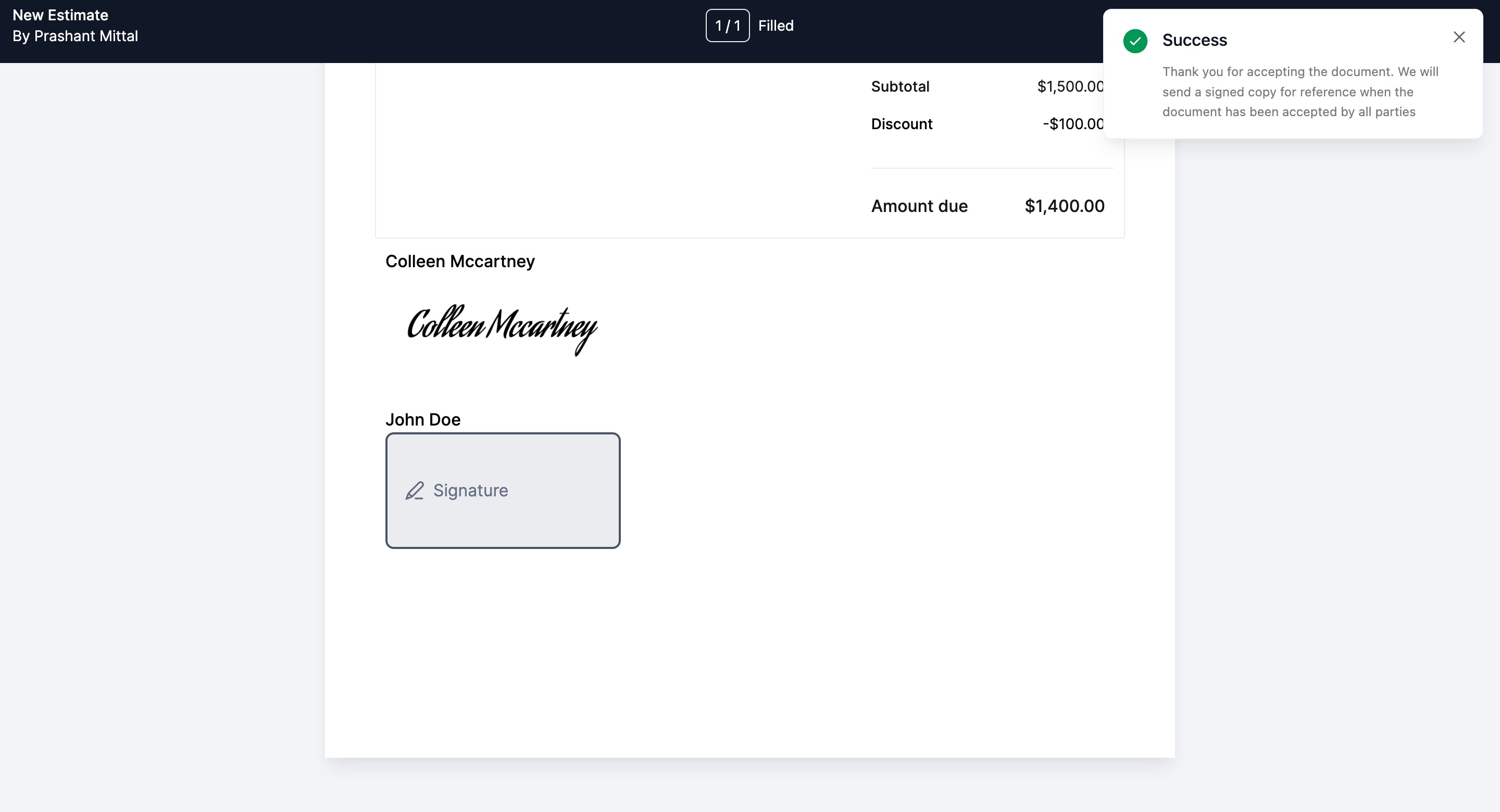
When the document is sent, each signer receives a distinct link that opens only the portion they need to sign. Contacts without signature fields are listed as CC recipients and do not receive signing requests.
03How businesses use multiple recipient support on proposals and estimates
- Consulting firm. The firm adds signature fields for the client, the project manager, and the firm’s owner on a consulting agreement. Each party signs their part via a personalized link, and the firm receives a single signed PDF with a certificate for record keeping.
- Event planning business. The planner creates an estimate and assigns signature blocks to the venue, the client, and the planner’s coordinator. Once all three sign, HighLevel automatically produces the final PDF and attaches a certificate that logs where and when each signature occurred.
- Software reseller. The reseller includes a signature field for the buyer, the buyer’s procurement officer, and the reseller’s sales lead. After everyone signs, the platform generates the signed contract PDF and a certificate that captures each signer’s IP address and timestamp.
04How to set up and use multiple recipient support on proposals and estimates in HighLevel
Enable multiple signatures on a proposal or estimate
- Add signature elements for as many recipients as needed inside the document.
- Optionally place a signature field for the business user who is sending the proposal.
- Save the document and send it; each recipient receives a unique link that opens only their assigned signing area.
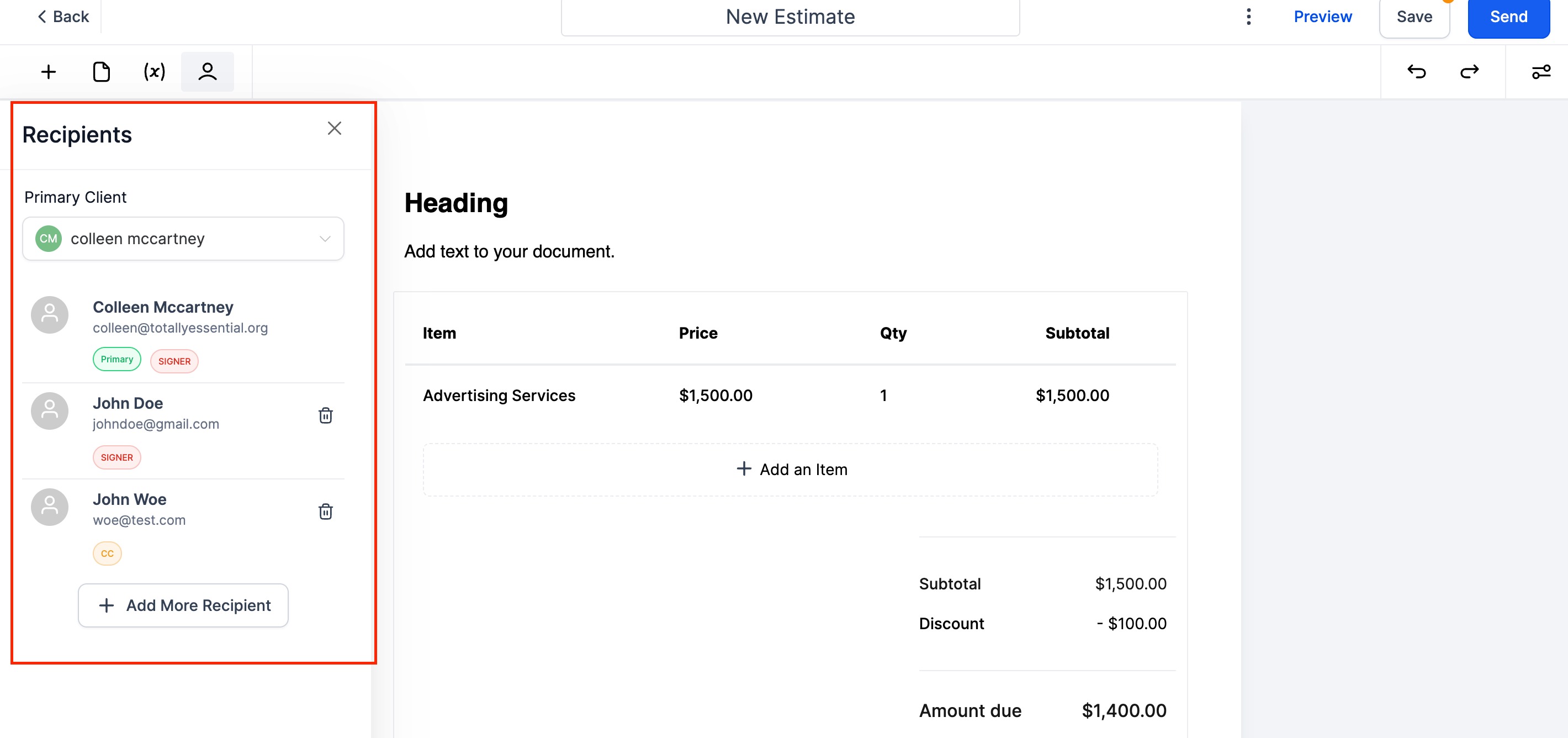
- Identify contacts with signature fields as Signers and those without as CC recipients.
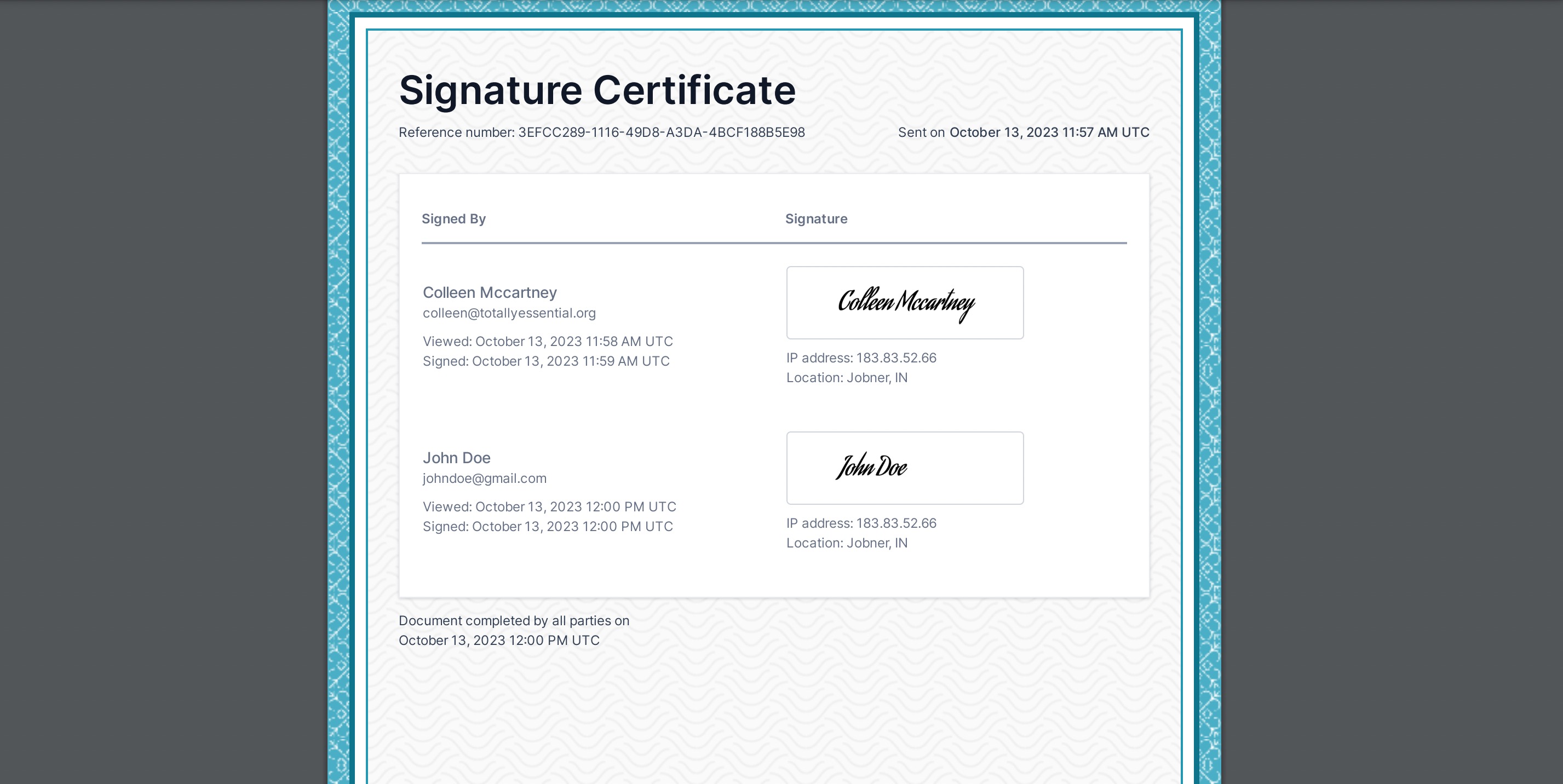
- After every Signer has completed their part, HighLevel creates a signed PDF together with a signature certificate.
- The certificate records each signer’s IP address, location, and the date and time they viewed and signed the document.
- By default, the first contact added becomes the Primary recipient, filling custom fields and prompting invoice creation for that client once the document is fully signed.
05What it looks like in HighLevel
06Things to know before you rely on it
- The first added recipient is automatically set as the Primary recipient, affecting custom field values and invoice generation.
- Only contacts with an assigned signature field are treated as Signers; others become CC recipients.
- The combined PDF and certificate are generated only after all Signers have signed or accepted the document.
07How it connects to the rest of HighLevel
- Explore all payment related capabilities in HighLevel. All Payments features
- Review plan options needed to access proposal and estimate tools. HighLevel pricing and plans
- Learn how automatic sales receipts are created after proposals are signed. Managing automatic sales receipts
Michael's take

Michael ReimerFounder of CRM Pros, HighLevel Commander and Certified Admin
Having several people sign a single proposal or estimate creates a single audit trail.
Avoid treating the first added contact as the only signer when others also need to sign.
Get More InformationOpens on HighLevelPublished November 2, 2026 · Updated November 17, 2026