
01Who this is for
- Service based businesses that need to collect a deposit before delivering work, because they can define a required minimum payment.
- Subscription companies issuing recurring invoices, since they can capture a partial first payment when autopay is disabled.
- Retail merchants selling high value products, because allowing partial payments can secure a commitment from buyers.
02Partial payments, explained
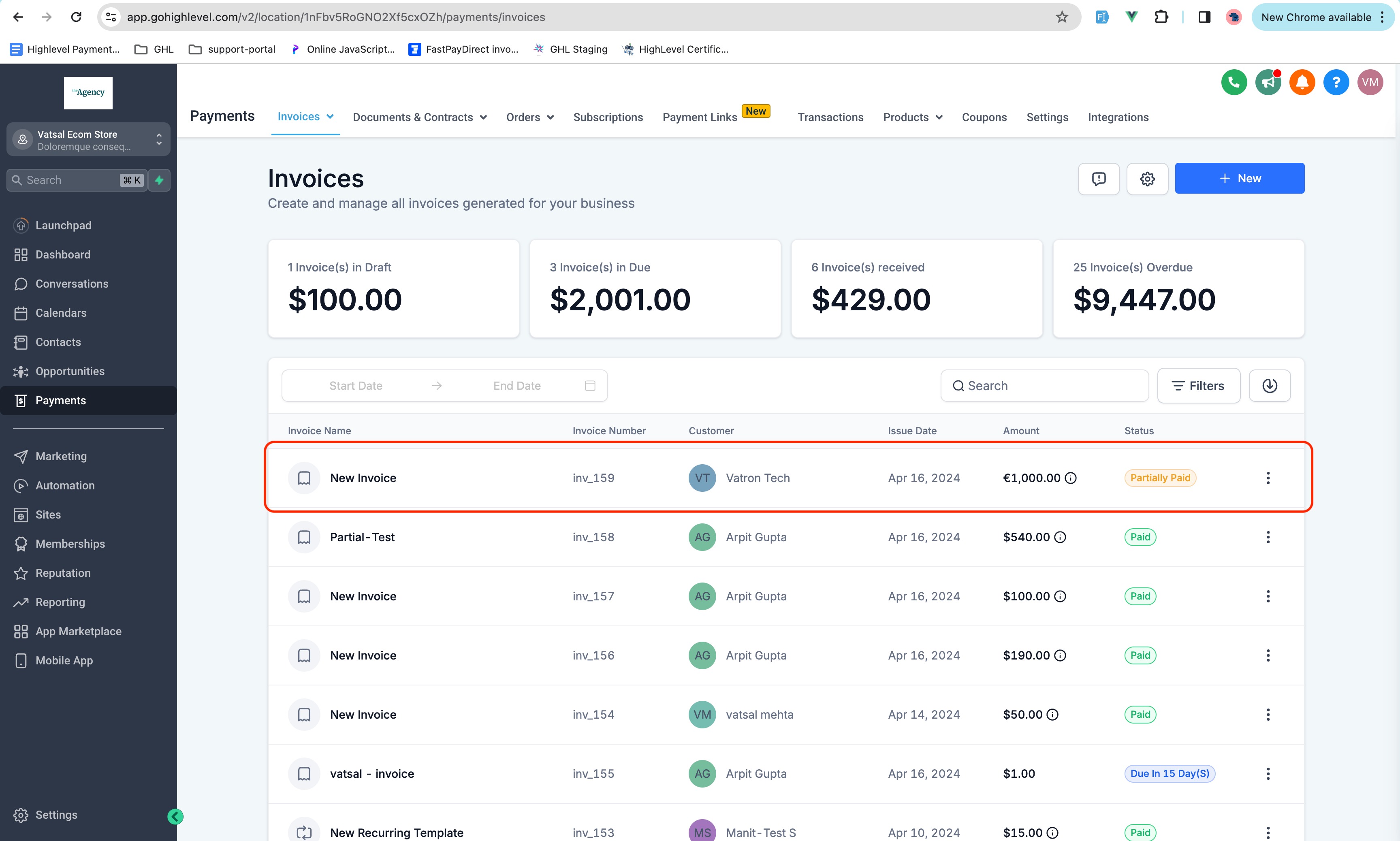
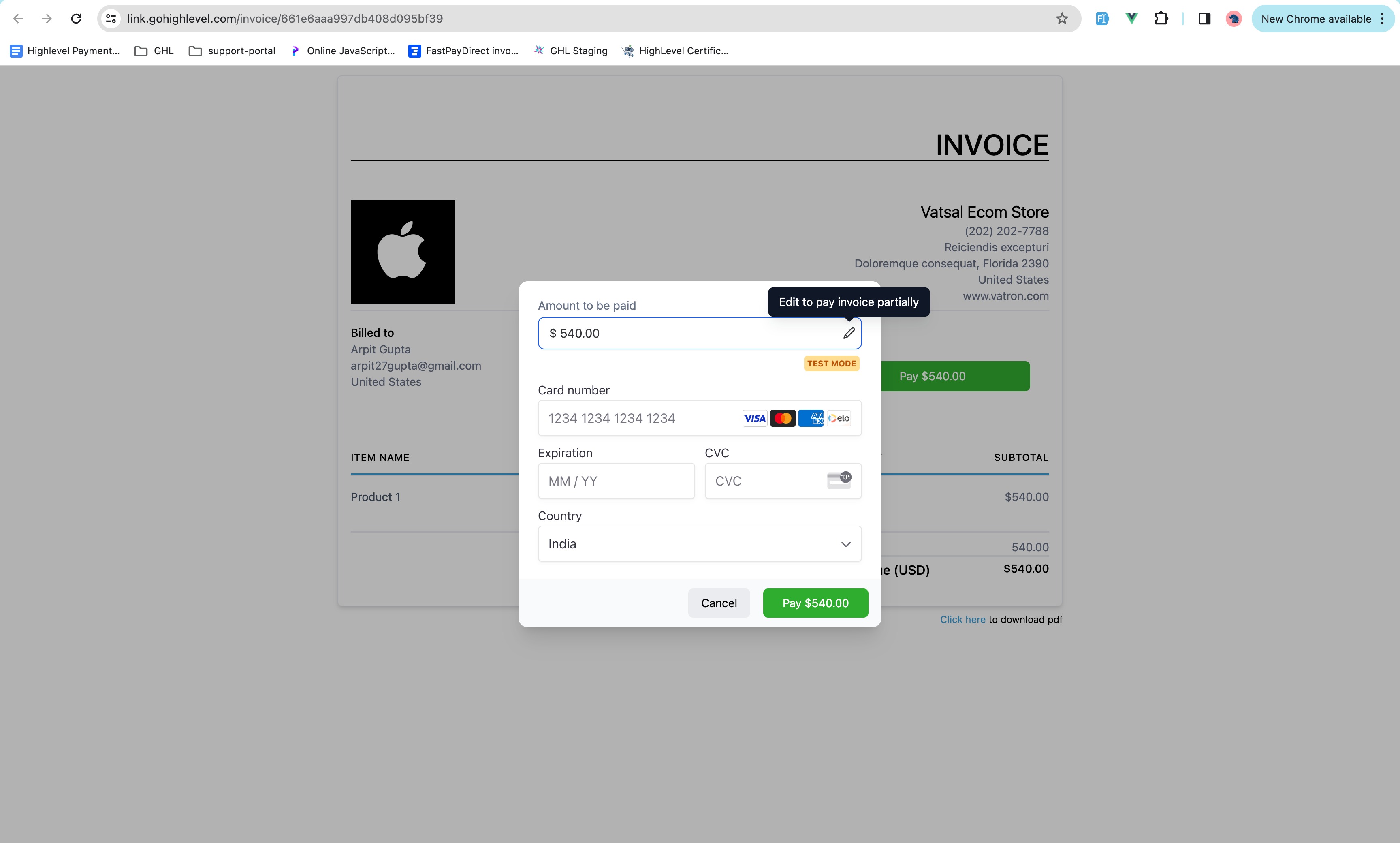
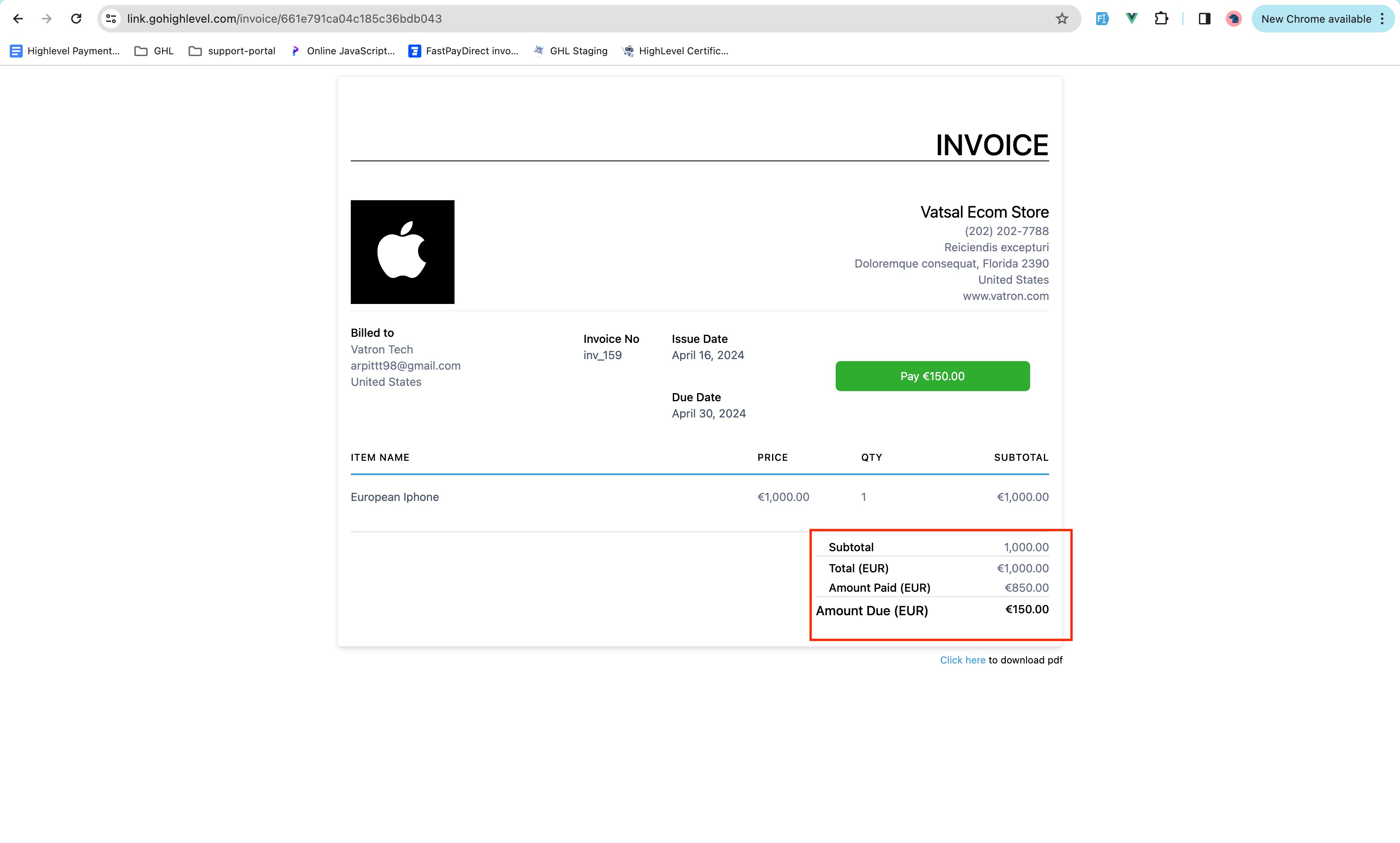
The partial payment option adds a new toggle in the invoice payment settings. When turned on, the user enters a percentage that represents the smallest amount a client may pay toward the total invoice. The system then validates any payment to be at least that percentage of the invoice total.
The feature is available for both single use invoices and for recurring invoices, but recurring invoices must have autopayment disabled to use it. If autopayment is active, the first invoice can accept a partial amount, while later invoices are automatically charged for the full balance.
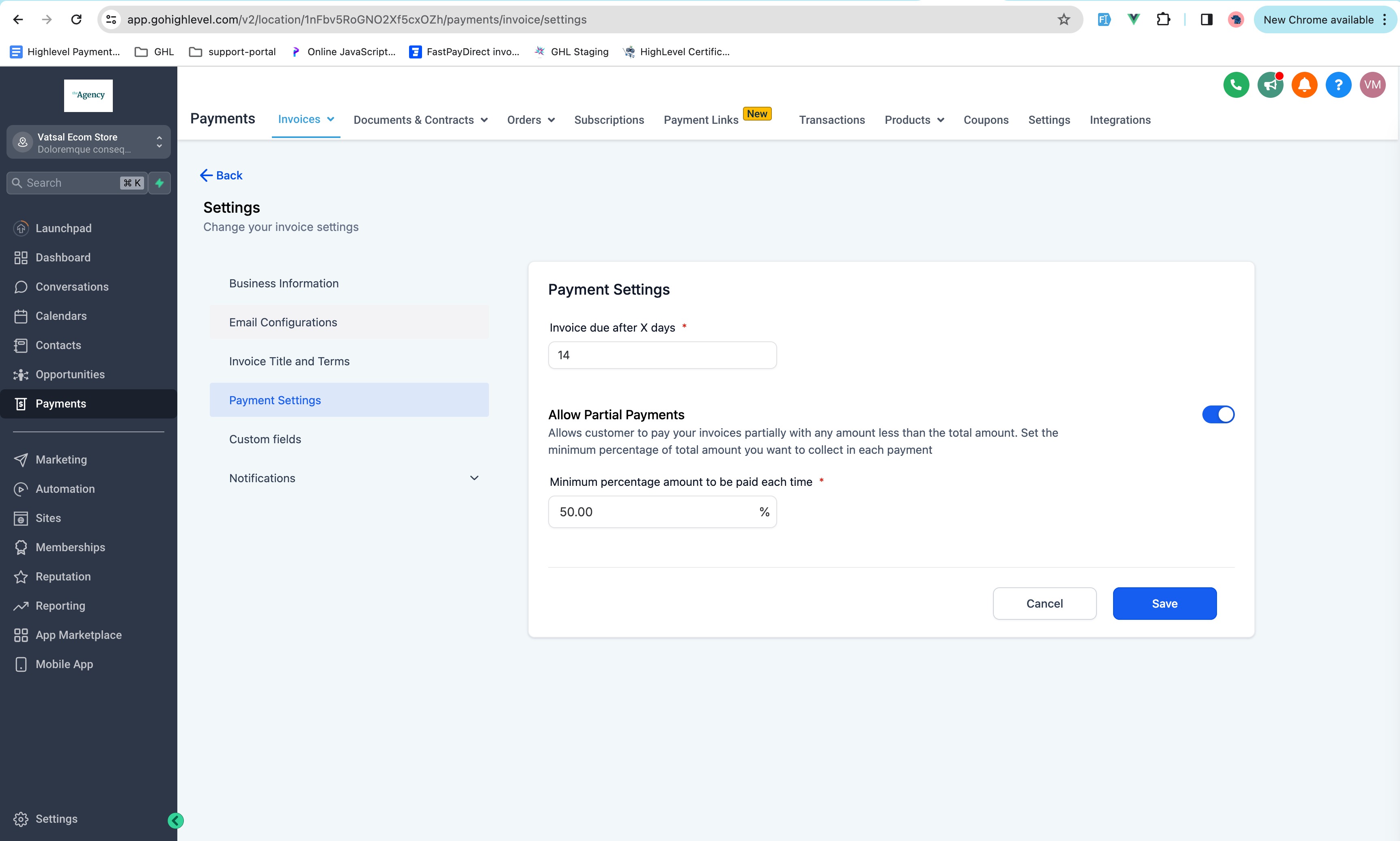
All configuration lives under Payments > Invoices > Invoices Settings, inside the Payment Settings section of the HighLevel platform.
03How businesses use partial payments
- Coaching business. The coach enables partial payments, sets a 30 percent minimum, and then sends program invoices. Clients can pay any amount equal to or above that threshold, giving the coach early cash while allowing flexible payment.
- Property management company. The manager activates partial payments for monthly rent invoices, disables autopay, and defines a 50 percent minimum. Tenants can make a partial rent payment each month, ensuring a base amount is collected each cycle.
- Software subscription service. The SaaS provider turns on partial payments for its first month invoice, leaves autopay off, and sets a 20 percent minimum. New customers pay a small portion up front, and subsequent invoices are billed in full when autopay is later enabled.
04The numbers and rules that matter
- Businesses can set a minimum percentage of the total invoice amount.
05Before you start
- A supported payment gateway such as Stripe, Authorize.net, or NMI must be integrated with HighLevel.
06How to set up and use partial payments in HighLevel
Enable partial payments for invoices
- Confirm that a payment gateway like Stripe, Authorize.net, or NMI is already connected to the account.
- Navigate to Payments > Invoices > Invoices Settings in the platform.
- Select the Payment Settings tab from the settings page.
- Turn on the Partial Payments toggle switch.
- Enter the desired minimum percentage in the provided field and click Save.
07What it looks like in HighLevel
08Settings that matter
- Partial Payments Toggle. Activates or deactivates the ability to require a minimum payment amount on invoices.
- Percentage input field. Specifies the lowest percent of the total invoice that a customer must pay.
09Things to know before you rely on it
- The feature works for both single use and recurring invoices, but recurring invoices require autopayment to be turned off.
- If autopayment is enabled, only the first recurring invoice can accept a partial payment; later invoices will be fully auto drafted.
- A payment gateway must be integrated before the toggle can be used.
10How it connects to the rest of HighLevel
- Learn how to create, edit, tax, discount, and send invoices in HighLevel. Invoice workflow
- Set up recurring invoices and manage their settings. Recurring invoices
- View all payments related features and options. Payments overview
- Check which HighLevel plans include payments capabilities. Pricing and plans
Michael's take

Partial payments feel like a small convenience that can become a real shift for businesses that sell on credit or need deposits. It lets you ask for a modest slice of the total bill and still move the deal forward.