
01Who this is for
- Ecommerce Founders who sell physical goods and want to give shoppers flexible payment choices, which can improve checkout completion.
- Coaches or course providers offering single session or one off training packages, needing a simple way to add BNPL without changing their subscription setup.
- Marketing agencies managing client checkout pages, requiring a Stripe based solution that records every transaction in HighLevel’s Payments area.
02BNPL payment methods, explained
The BNPL feature adds three new payment options, Klarna, Affirm, and Afterpay/Clearpay, to order forms and payment links. Users can select any of these methods when configuring a form, allowing customers to split purchases into installments.
Only businesses that have Stripe enabled as their payment gateway can activate BNPL. The options appear for one time products; recurring or subscription items do not support BNPL. Both single page and two page order forms can display the BNPL methods.
When a customer completes a BNPL checkout, HighLevel records the order and the associated transaction in the Payments menu, just like a standard credit card payment. The platform’s built in triggers for Order Submitted and Payment Received fire in the same way as before.
03How businesses use BNPL payment methods
- Online boutique. The boutique adds Klarna as a payment option on its product order form. Customers select Klarna at checkout, and the sale appears in the Payments tab. The boutique keeps its existing Order Submitted trigger to start fulfillment.
- Fitness class provider. The provider creates a one step payment link for a single class and enables Afterpay. Participants pay via Afterpay, and the payment receipt is logged under Payments, allowing the provider to send confirmation emails using existing automation.
- Digital content creator. The creator builds a two step order form for a downloadable e book and turns on Affirm. Buyers complete the BNPL flow, and the transaction shows up in Payments, triggering the standard Payment Received workflow to grant access.
04The numbers and rules that matter
- Supported BNPL providers: Klarna, Affirm, Afterpay/Clearpay.
05Before you start
- A Stripe integration must already be configured in HighLevel.
- Only one time products can be added to the order form or payment link.
- The account must have completed the required migration from Stripe; some accounts may already have the feature enabled.
06What it looks like in HighLevel
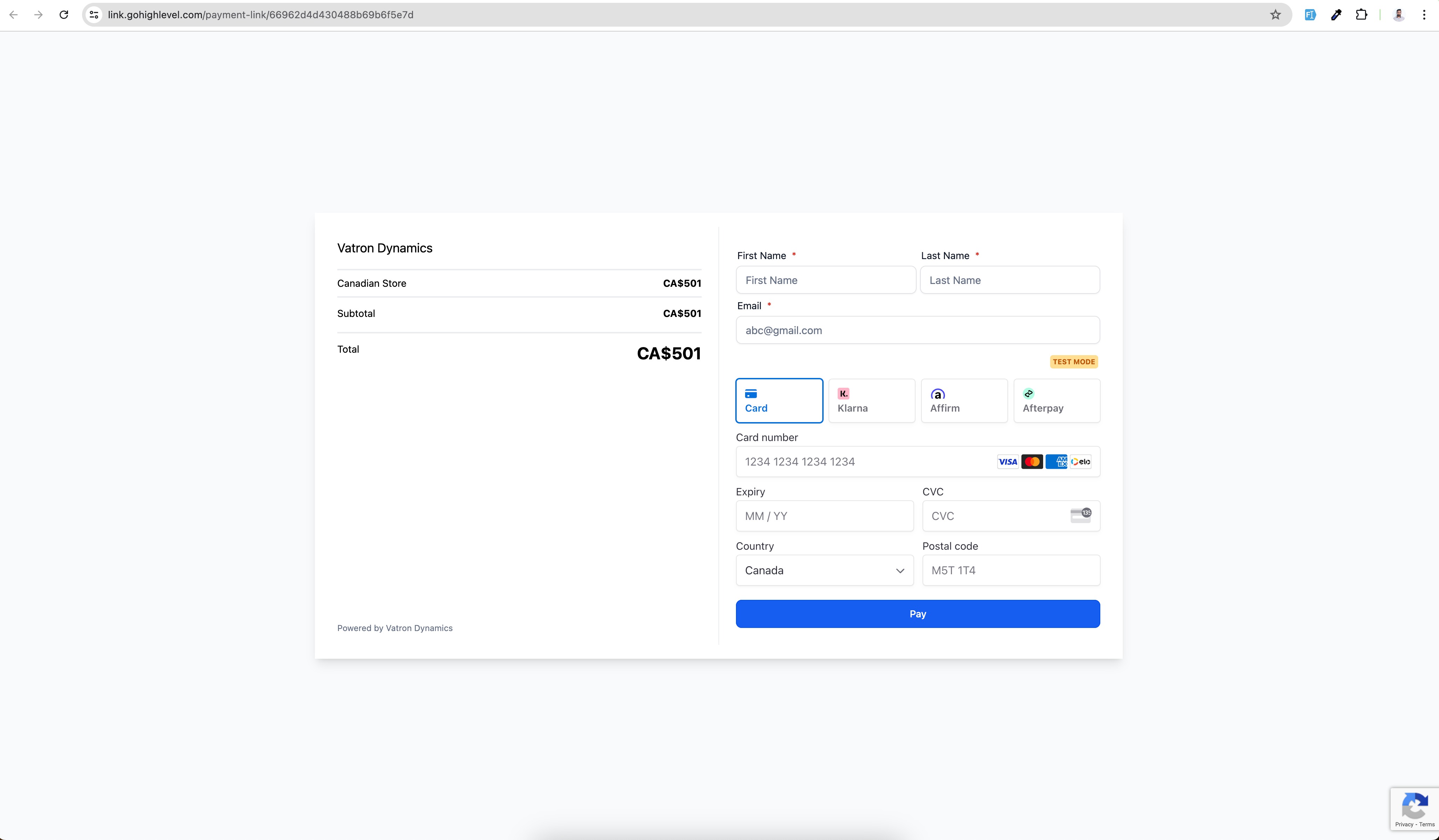
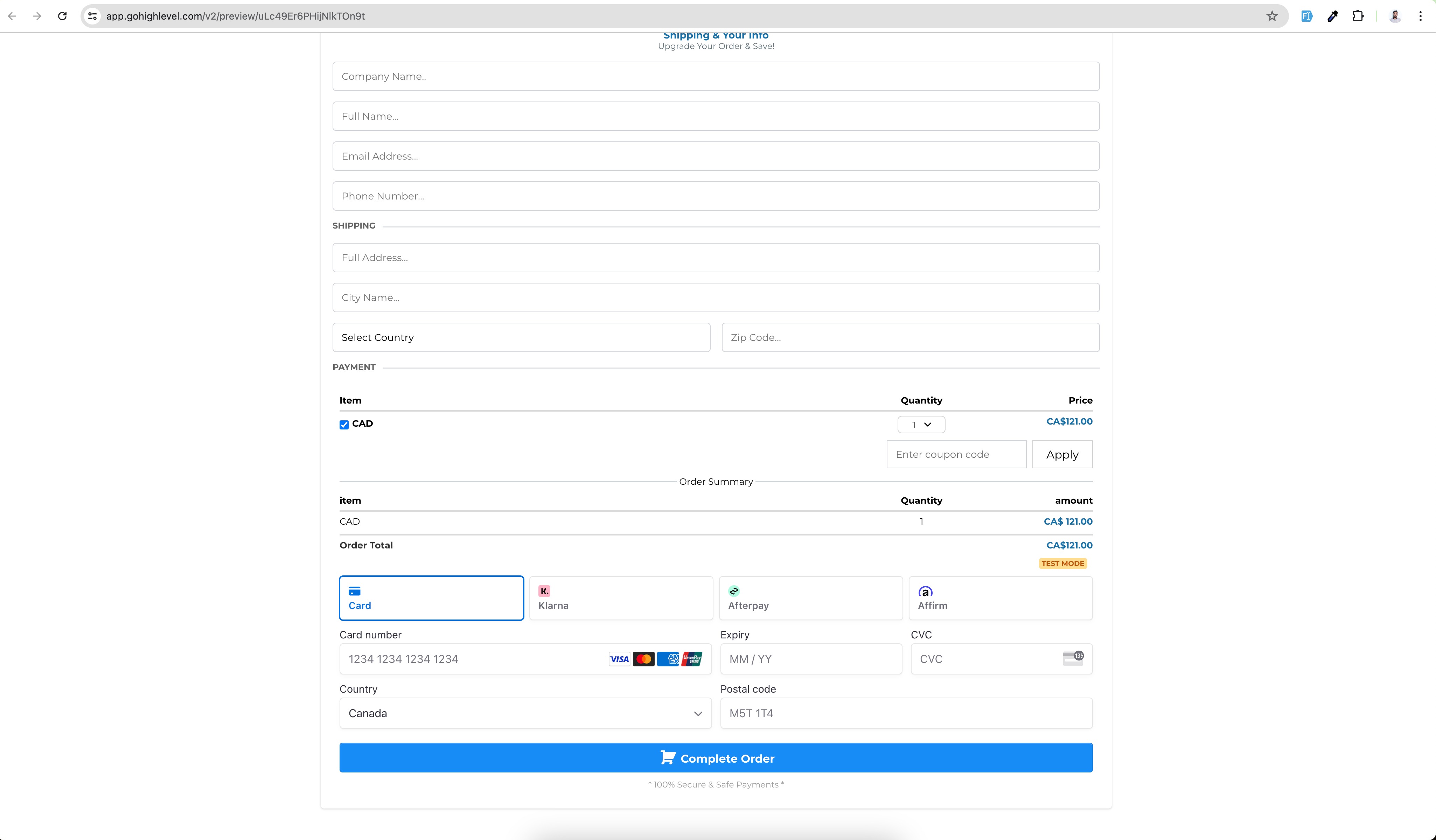
07Things to know before you rely on it
- BNPL options are limited to businesses using Stripe as the payment provider.
- The methods apply only to one time (non recurring) products.
- Both 1 step and 2 step order forms support BNPL, but subscription type forms do not.
- A migration from Stripe is required before the BNPL options become available.
08How it connects to the rest of HighLevel
- Manage Stripe payment methods Stripe payment methods
- Selling products on order forms with payment providers Product sales
- HighLevel pricing and plans Pricing
Michael's take

BNPL in order forms is a solid option for businesses that need flexible checkout for one time sales. If you don’t use Stripe or sell recurring services, you can skip this feature.