
01Who this is for
- Founders who sell digital products and need a fast way to collect payments from email newsletters.
- Marketers managing multiple product launches and want each email to track its own sales.
- Small business owners who want to see purchase data reflected directly in campaign reports.
02Direct checkout, explained
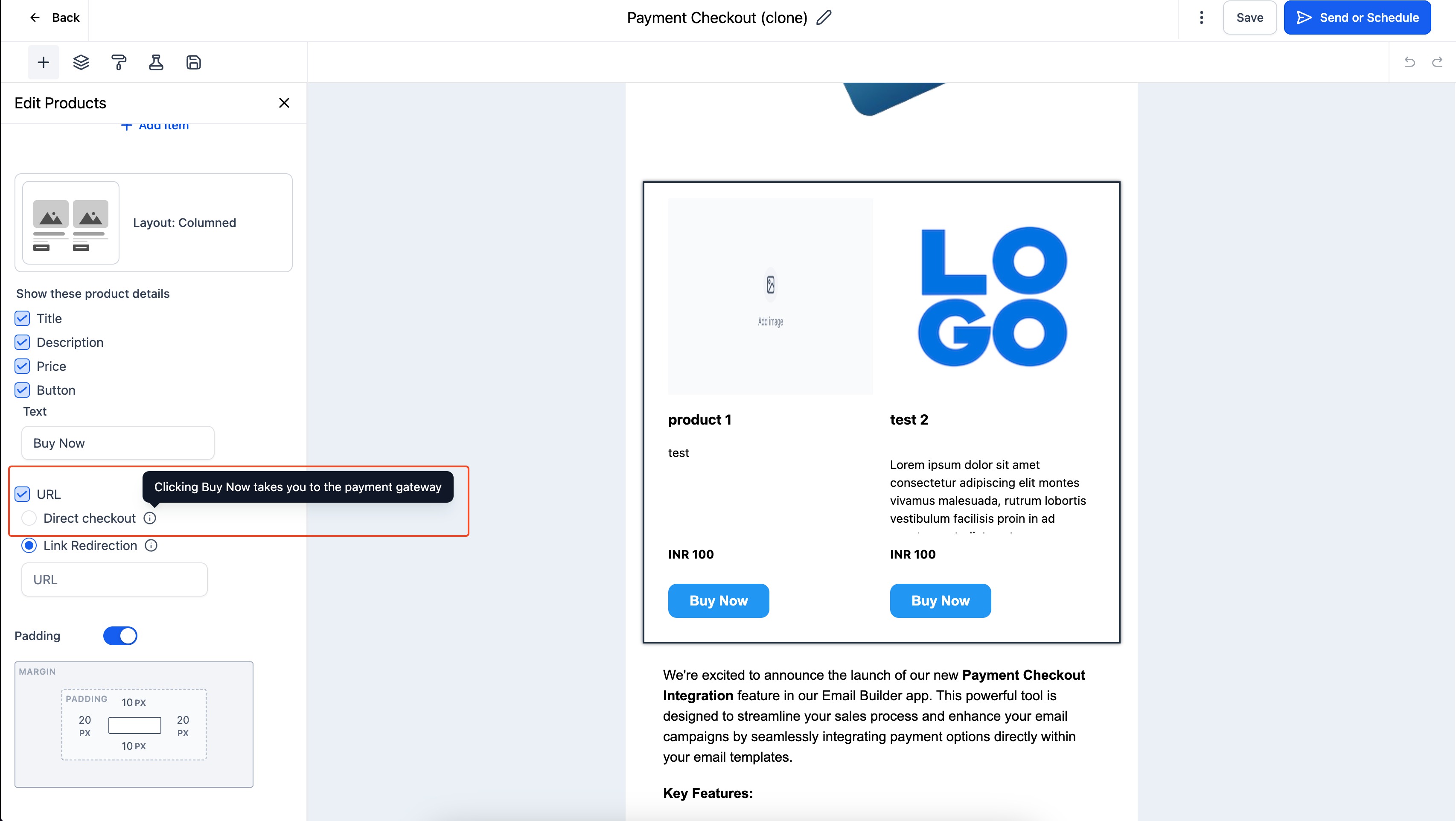
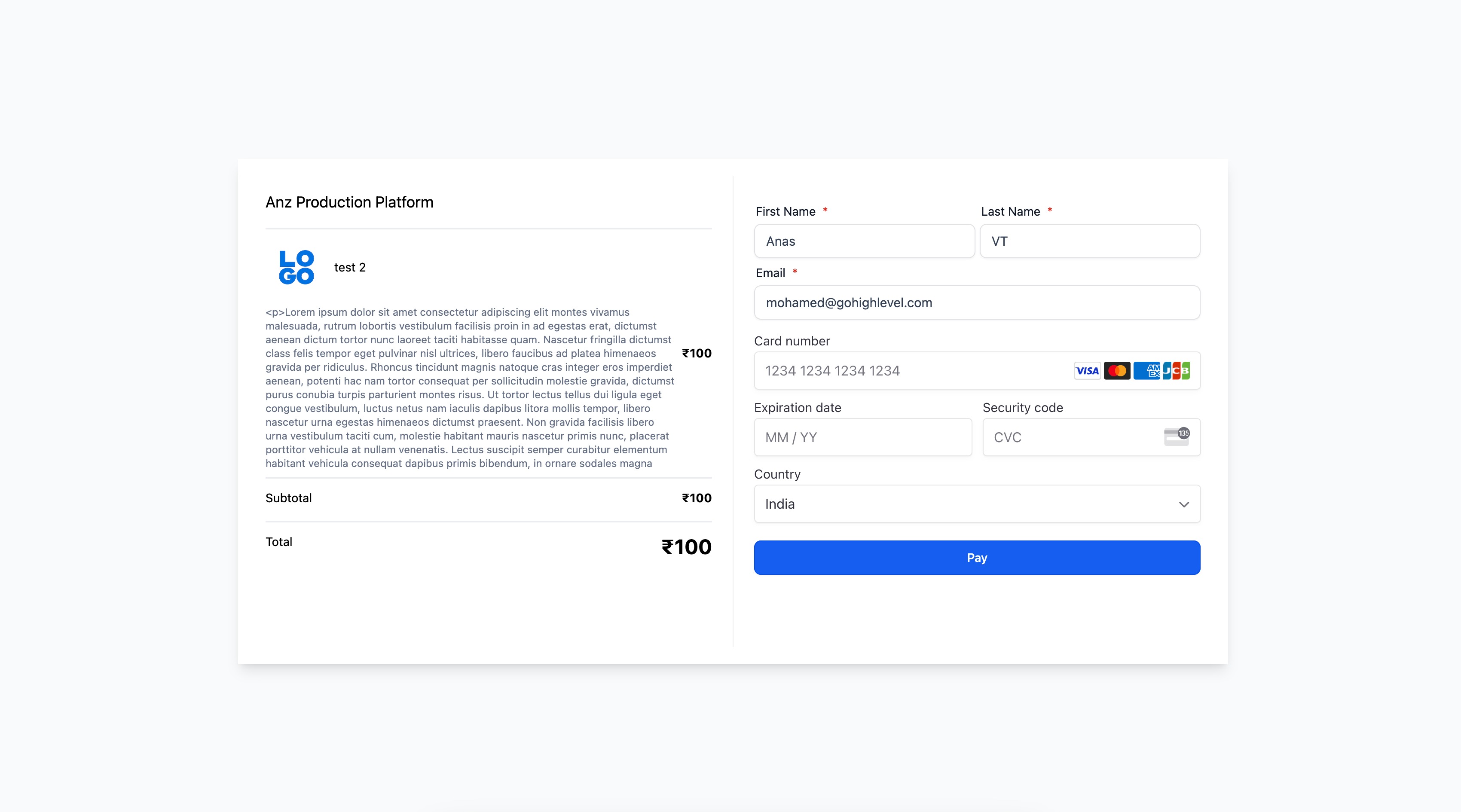
The feature adds a product element to an email and creates a unique payment link for that product. Selecting direct checkout attaches the link to the product, replacing generic URL redirects. When the link is clicked, a checkout page appears that can be edited for layout and branding. The platform records each purchase and updates the campaign’s conversion statistics automatically.
Direct checkout lives in the email marketing area of HighLevel. It is accessed while building an email campaign, where the product block includes an option to enable direct checkout and a link icon to edit the checkout page. After customizing the page, the changes are saved and the email can be sent.
Testing the email before launch is recommended to verify that the checkout flow works as expected. The test email follows the same steps a recipient would experience, allowing you to confirm the link and page layout.
03How businesses use direct checkout
- Online course creator. Adds a product block for each course module, enables direct checkout, and customizes the checkout page with course branding. Sends the email to students and tracks which modules are purchased directly from the campaign.
- Fitness studio. Creates an email offering a class package, selects direct checkout for the package product, and adjusts the checkout page to show studio details. Sends the campaign and monitors sign ups through the updated conversion metrics.
- Boutique retailer. Places a product element for a seasonal item, turns on direct checkout, and edits the checkout layout to match the store’s look. Sends the promotional email and watches purchase counts appear in the campaign report.
04How to set up and use direct checkout in HighLevel
Set up direct checkout for a product in an email campaign
- Open the email marketing section in HighLevel.
- Start a new email campaign.
- Insert a product element and choose the direct checkout option.
- Click the link icon beside the product to open the checkout page editor.
- Adjust the layout of the checkout page and save the changes.
- Send a test email to confirm the checkout link and page work correctly.
05What it looks like in HighLevel
06How it connects to the rest of HighLevel
- Set up product payment providers for checkout. Product payments
- Configure sales receipts for email checkout sales. Sales receipts
- Check plan eligibility for direct checkout feature. Pricing
Michael's take

Direct checkout is a clean way to sell products straight from an email. Small shops that rely on simple email offers should skip it if they don’t need per product checkout customization.