
01Who this is for
- Ecommerce Founders who want control over how product choices look on their storefront.
- Store managers aiming to improve mobile usability by choosing a selector style that fits their layout.
- Marketing teams needing a consistent visual pattern for variants, quantity pickers, and upsell options.
02Product selector styles, explained
Product selector styling determines the visual format of variant, price, quantity, and upsell options on a Product Details Page. Two formats are offered: a Dropdown menu that keeps the page compact, and Pills that show all choices as button style selectors.
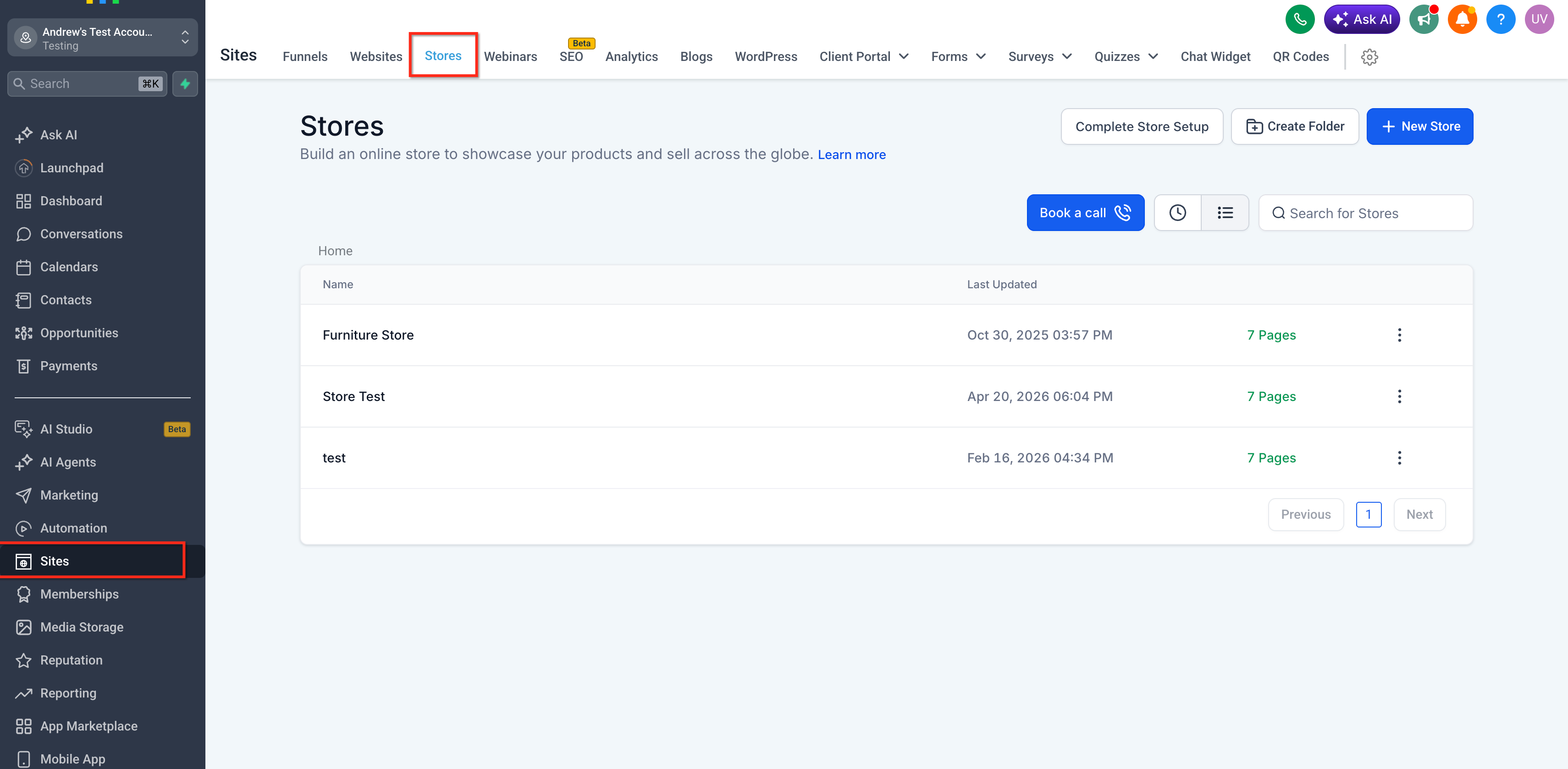
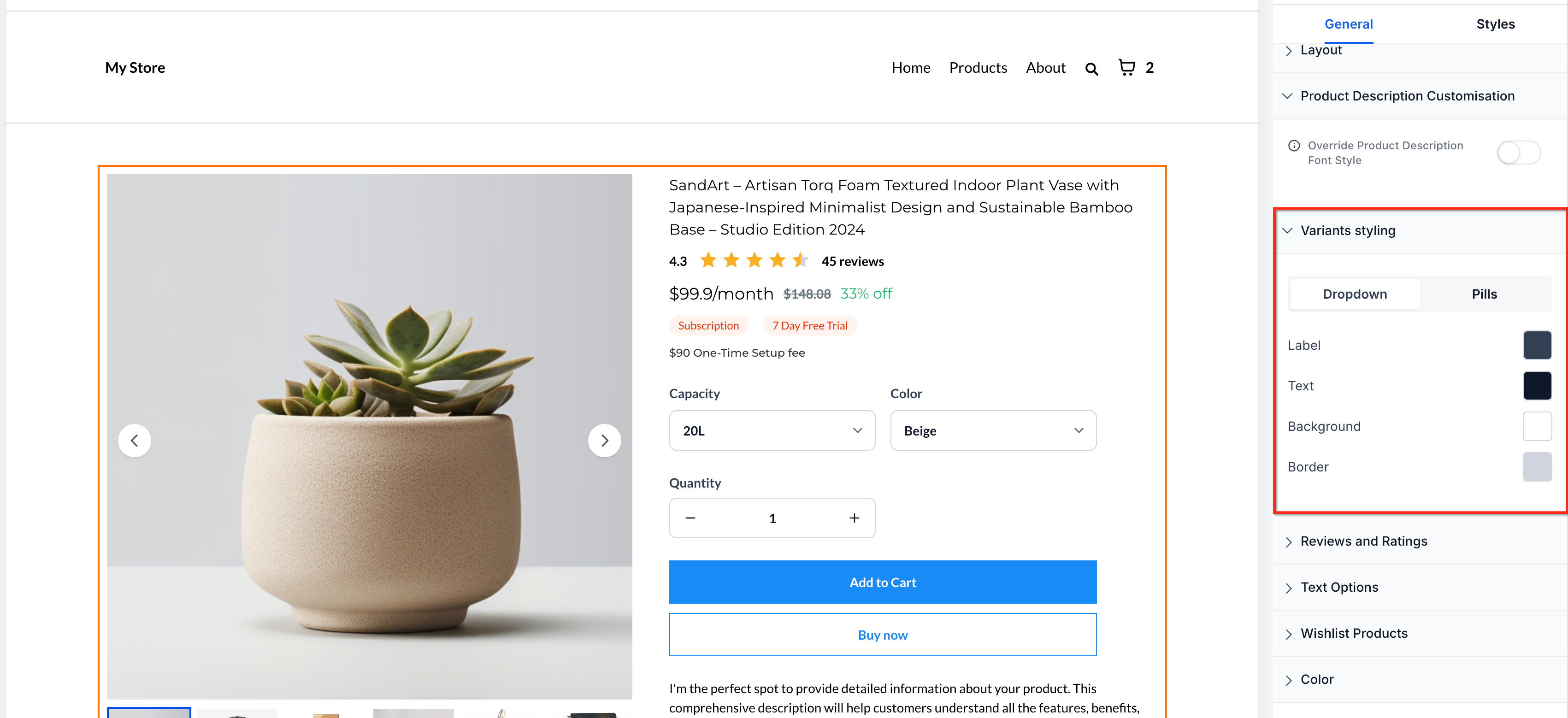
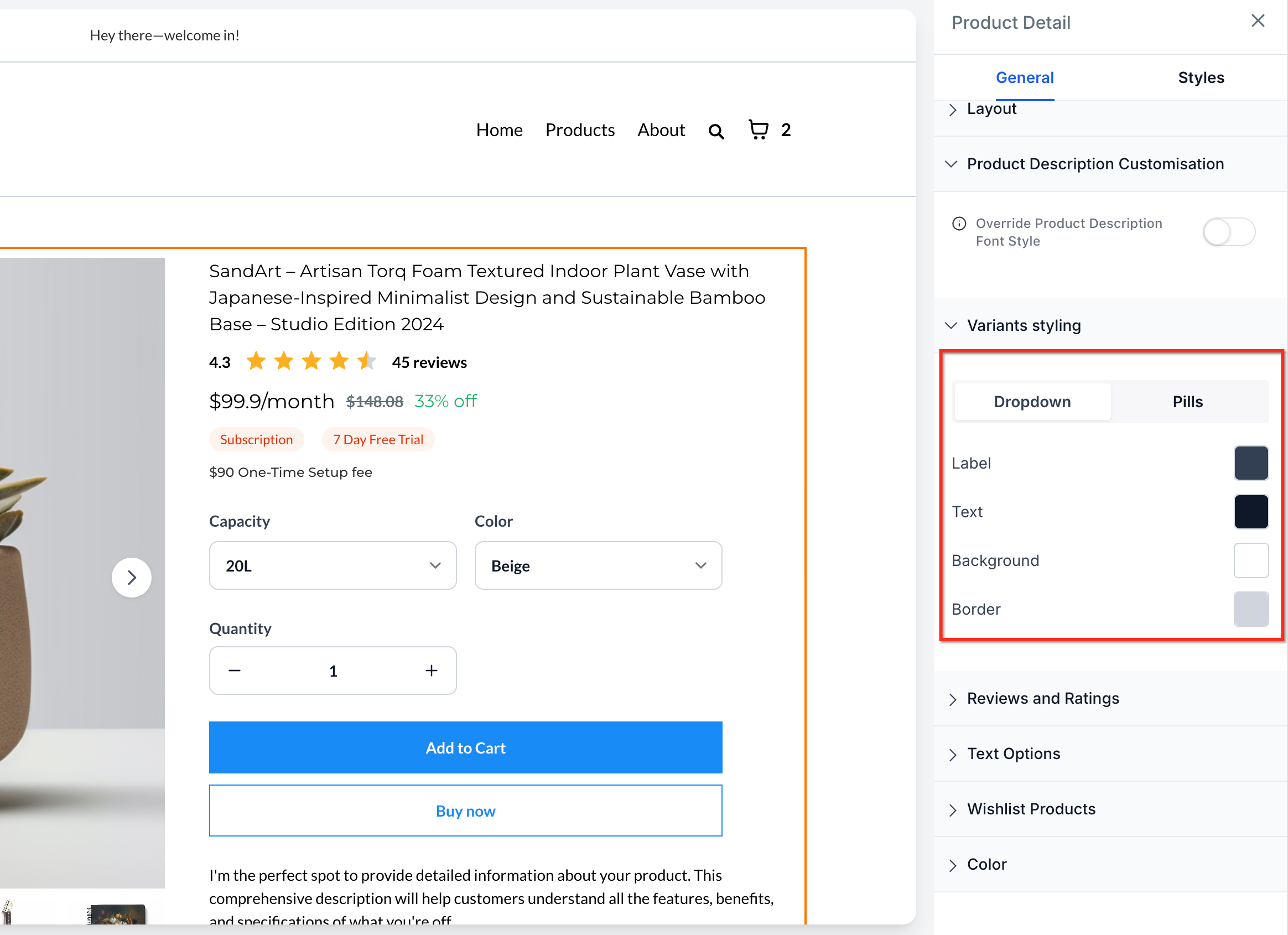
The styling options are accessed from the Store Builder. In the general settings of a Product Element you locate the Variants styling control and select either Dropdown or Pills. The chosen layout is reflected in both Page Builder and Builder Preview, allowing you to see how it looks on desktop and mobile before publishing.
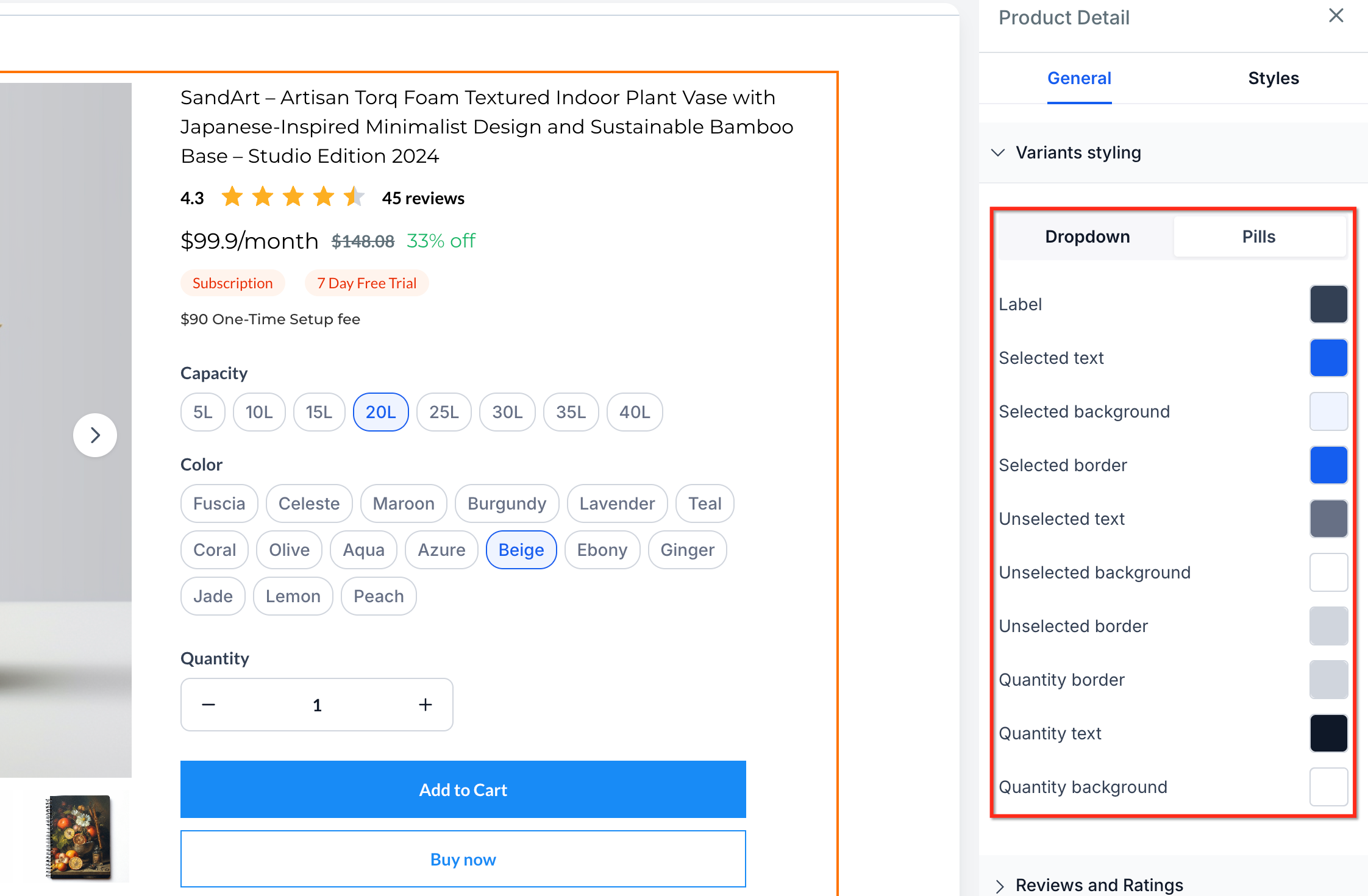
Pills display every option as selectable buttons and allow customization of the selected and unselected colors, but they support only a single selection per variant group. Quantity color customization is available only when Pills are active. Dropdown remains the default for existing stores and does not change automatically.
03How businesses use product selector styles
- Fashion boutique. The boutique can switch to Pills style so customers see all size and color options as buttons, making it easy to compare styles. The owner selects Pills in the Product Element settings, previews the page, and publishes the update.
- Electronics retailer. With many model variants, the retailer keeps the Dropdown layout to keep the page tidy. They edit the Product Details Page, leave the default Dropdown selected, and save the changes.
- Online nutrition supplement store. The store uses Pills to highlight quantity choices and add on upsells as visible buttons. After selecting Pills, they customize the button colors for selected and unselected states, preview the result, and publish.
04The numbers and rules that matter
- Pills support single selection per variant group.
05How to set up and use product selector styles in HighLevel
Set up product selector styles
- Open your Store Builder in HighLevel.
- Edit the Product Details Page.
- Select the Product Element on the page.
- In the general settings panel, locate Variants styling.
- Choose one of the available display styles: Dropdown or Pills.
- Review the Product Details Page in Builder Preview.
- Save and publish your changes.
- Important: Dropdown remains the default style for existing stores and will not switch automatically.
- Important: Pills display all variant options visually and support only a single selection per variant group.
- Important: Quantity color customization is possible only when Pills style is selected.
06What it looks like in HighLevel
07Settings that matter
- Variants styling. Controls whether product options appear as a Dropdown menu or as Pills button style selectors.
08Things to know before you rely on it
- Dropdown is the default style for existing stores and will not change automatically.
- Pills display all variant options visually and support only single selection per variant group.
- Quantity color customization is possible only when Pills style is selected.
09How it connects to the rest of HighLevel
- Selling products on order forms with payment providers Order form payment integration
- HighLevel tax settings overview Tax configuration
- HighLevel pricing and plans Pricing details
Michael's take

Changing selector styles feels risky if you rely on a familiar layout. I double check the preview on both desktop and mobile before publishing.
When the look matches the brand, the payoff feels clear. I would test a single product page with Pills to see how it feels before rolling it out across the whole store.