
01Who this is for
- Sales reps who meet clients on site benefit from rapid quote creation and consistent branding.
- Small business owners can maintain uniform pricing and terms across all team members.
- Service contractors can generate and deliver estimates while away from the office.
02Estimate templates, explained
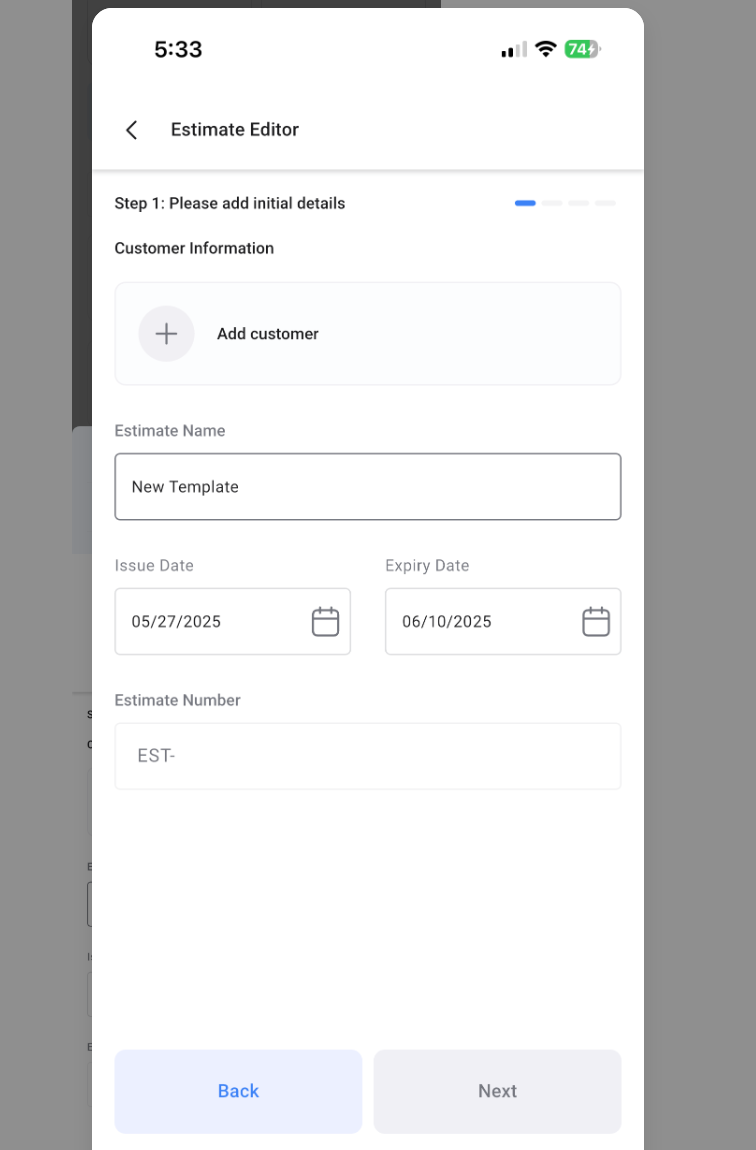
The feature reads estimate templates that were created in the HighLevel web interface and makes them selectable inside the mobile app. When a template is chosen, the app opens a new estimate populated with the template’s sections, line items and terms. Users can then adjust editable fields such as quantities or pricing before sending the quote.
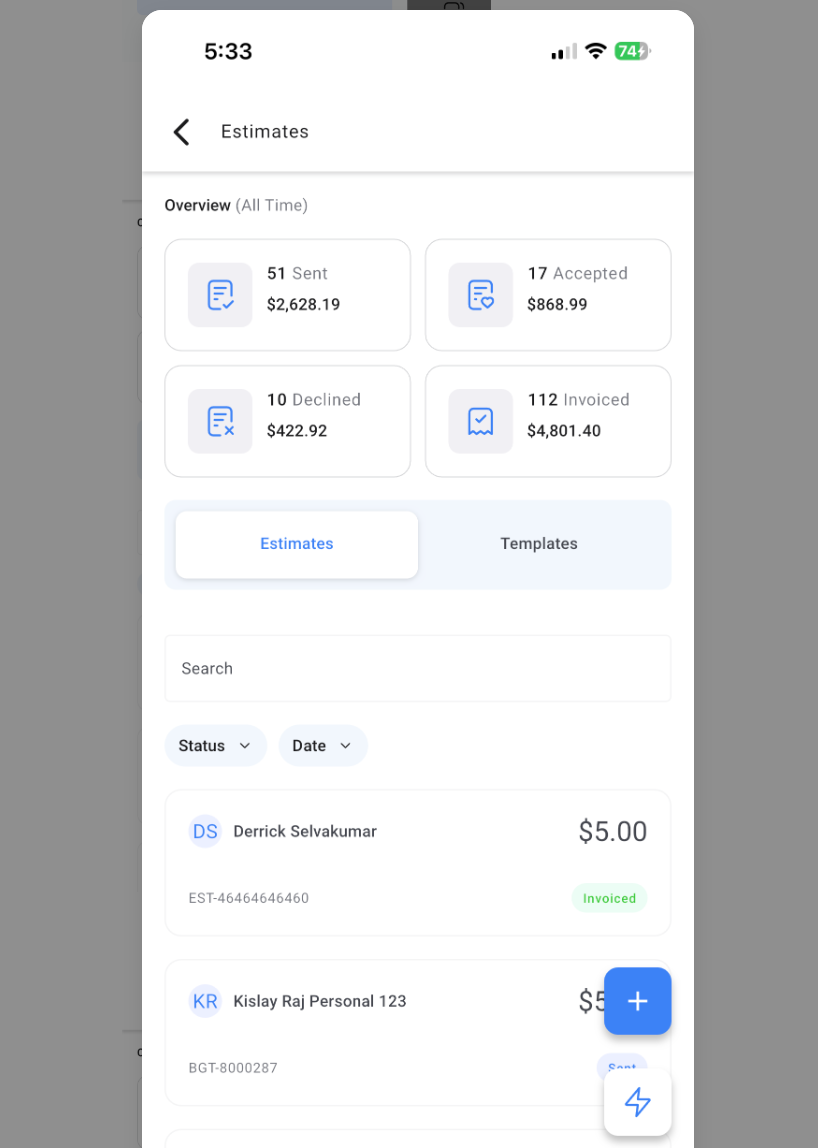
The templates are stored on the web; the mobile app only reads them. No template creation, editing, or deletion is possible on the phone. The Estimates module houses both the list of existing estimates and a Templates tab that displays the available web templates.
To use the feature, the mobile app must be version v3.98.1 (or LeadConnector v3.98.1). Whitelabeled apps require a request for the v3.98.1 build. Users also need permission to the subaccount and access to Payments > Estimates.
03How businesses use estimate templates
- Landscaping service. A crew member opens the Estimates module on their phone, selects a saved landscape design template, updates the square footage quantity, and sends the quote to the client on site.
- IT consulting firm. A consultant picks a consulting hourly rate template, modifies the number of hours for a specific project, and delivers the estimate to the decision maker during a meeting.
- Home remodeling contractor. The foreperson chooses a kitchen remodel template, edits material costs as needed, and forwards the estimate to the homeowner directly from the job site.
04The numbers and rules that matter
- Mobile app version: HighLevel v3.98.1 or LeadConnector v3.98.1.
- Whitelabeled apps: Request the v3.98.1 update from account manager/support.
05Before you start
- Mobile app must be version HighLevel v3.98.1 or LeadConnector v3.98.1.
- Whitelabeled apps need the v3.98.1 update requested from the account manager.
- Estimate templates must already exist in the HighLevel web app.
- User must have access to the subaccount and permissions for Payments > Estimates.
06How to set up and use estimate templates in HighLevel
Create estimate from a template
- Open the HighLevel mobile app, sign in, and select the appropriate subaccount.
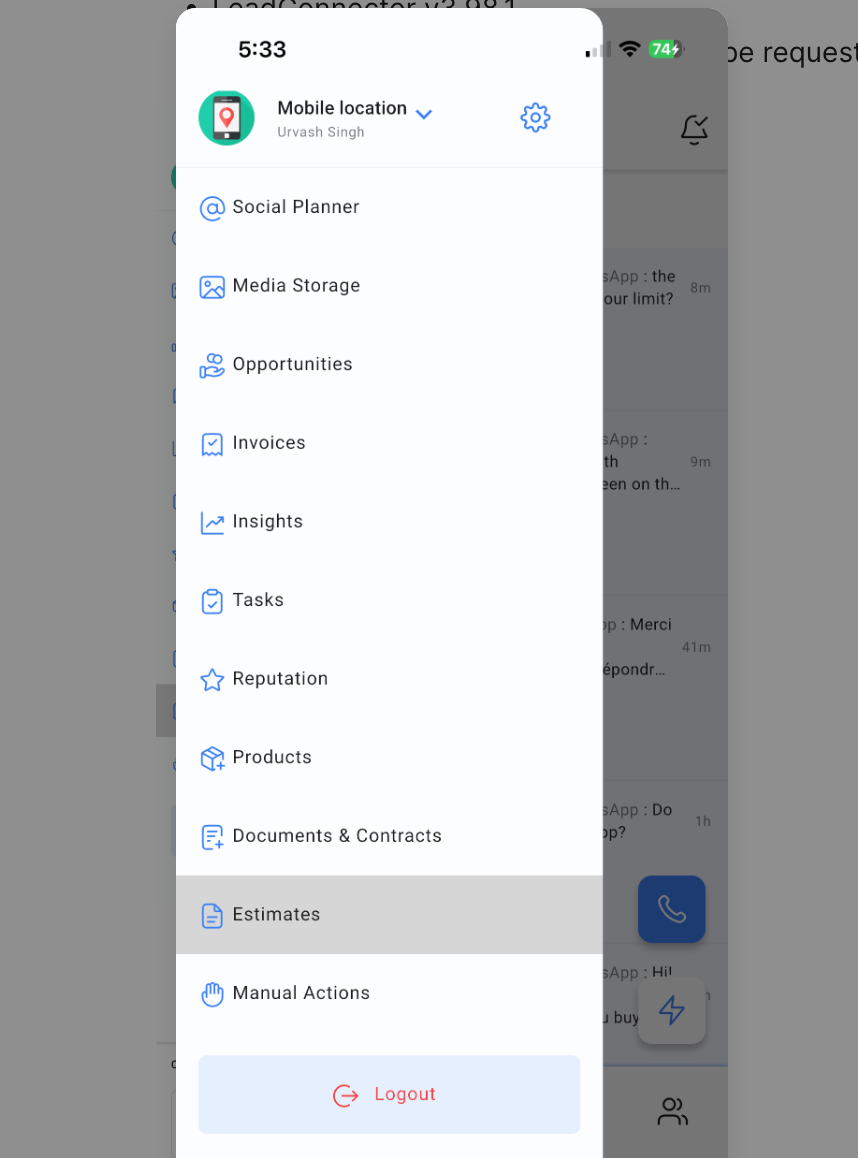
- Tap the Estimates module in the left hand navigation bar.
- Switch to the Templates tab displayed at the top of the Estimates screen.
- Tap the desired estimate template to start a new estimate.
- Edit any editable fields such as quantities or pricing on the new estimate.
- Save the estimate or send it directly to the client.
07What it looks like in HighLevel
08Things to know before you rely on it
- Feature works only with mobile app version HighLevel v3.98.1 or LeadConnector v3.98.1.
- Whitelabeled apps must receive a v3.98.1 update request before the feature appears.
- Templates are read only on mobile; creation, editing, or deletion must be done in the web app.
- Attachments follow the normal estimate/template rules defined elsewhere.
09If something goes wrong
- Templates tab isn’t showing. Verify the app version is v3.98.1, ensure you are in the correct subaccount, confirm the user has access to Payments > Estimates, and if using a whitelabeled app, make sure the v3.98.1 build has been deployed.
10How it connects to the rest of HighLevel
- Create, edit, tax, discount, and send invoices in HighLevel Invoice workflow
- Explore all payments related features All Payments features
- View HighLevel pricing and plan options Pricing
Michael's take

When reps are out in the field they need a way to put together a polished quote without hunting for paperwork or rebuilding the same line items over and over. Estimate templates on the mobile app let them pull a predesigned, brand consistent estimate in a few taps, keeping the sales cycle fast and error free.
The first thing I would get right is making sure the mobile app is on version v3.98.1 and that the user has Permissions > Payments > Estimates. Without those, the Templates tab never shows up, and you lose the whole benefit of the feature.