
01Who this is for
- Founders who run multiple pricing tiers and need discounts only on premium tiers.
- Ecommerce managers who sell products with several options and want to promote a single variant.
- Automation specialists who build workflows that react differently depending on the exact discounted item.
02Coupon targeting, explained
Coupon targeting is a feature in the Payments section of HighLevel. It expands the classic product level coupon by letting you narrow the discount to specific prices or variants inside a product. When you create or edit a coupon you choose whether it applies to the full product, all prices/variants, or only particular ones.
During checkout on funnels, forms, ecommerce pages, payment links or calendar bookings, the system checks the selected product, price and variant. The discount is applied only when the checkout choice matches the coupon configuration. This keeps discounts from being applied unintentionally.
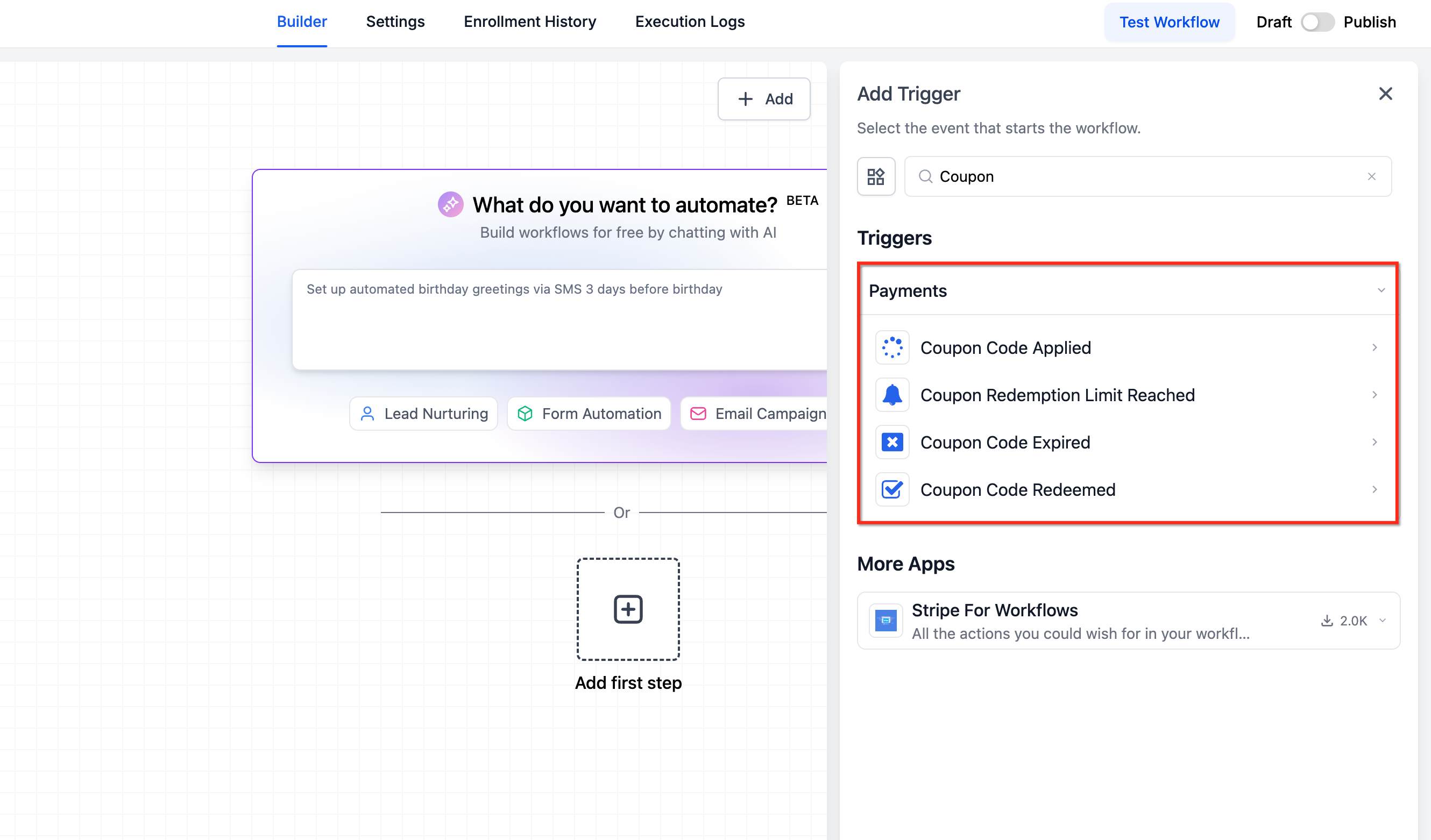
Workflow triggers such as “Coupon Code Applied” and “Coupon Code Redeemed” now include dependent filters. After you pick a product in the trigger, the platform reveals the relevant price or variant options, allowing automation to fire only for the exact discounted offer.
03How businesses use coupon targeting by product, price, and variant
- Fitness studio. The studio creates a coupon that applies only to the premium membership price. In HighLevel it selects the specific price under the membership product, saves the coupon and tests it on the booking form. The discount appears only when a client chooses that premium option.
- Boutique clothing store. The store wants a promo on the red shirt variant of a t shirt product. It opens the coupon, uses the nested view to pick the red variant, saves the coupon and verifies the discount works on the ecommerce page. Other color options remain full price.
- Online course provider. The provider sets a coupon for the full course product so it automatically covers any future pricing tiers added later. It selects the full product during coupon setup, saves, and then adds a workflow trigger that fires when the coupon is applied, regardless of price level.
04The numbers and rules that matter
- Supported checkout surfaces: Funnels, Forms, Ecommerce / Store, Payment Links, Calendars.
05How to set up and use coupon targeting by product, price, and variant in HighLevel
Set up coupon targeting
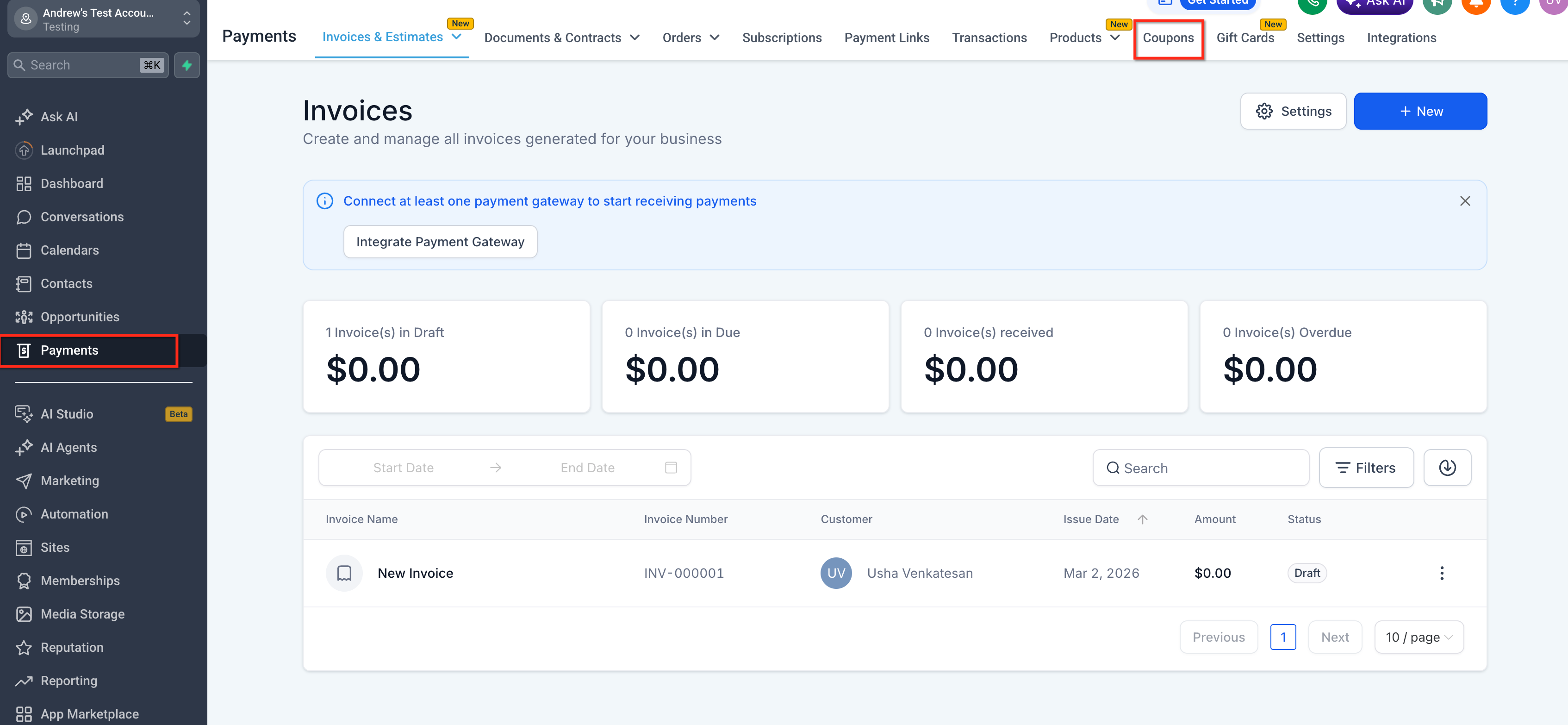
- Open the Payments area and click Coupons.
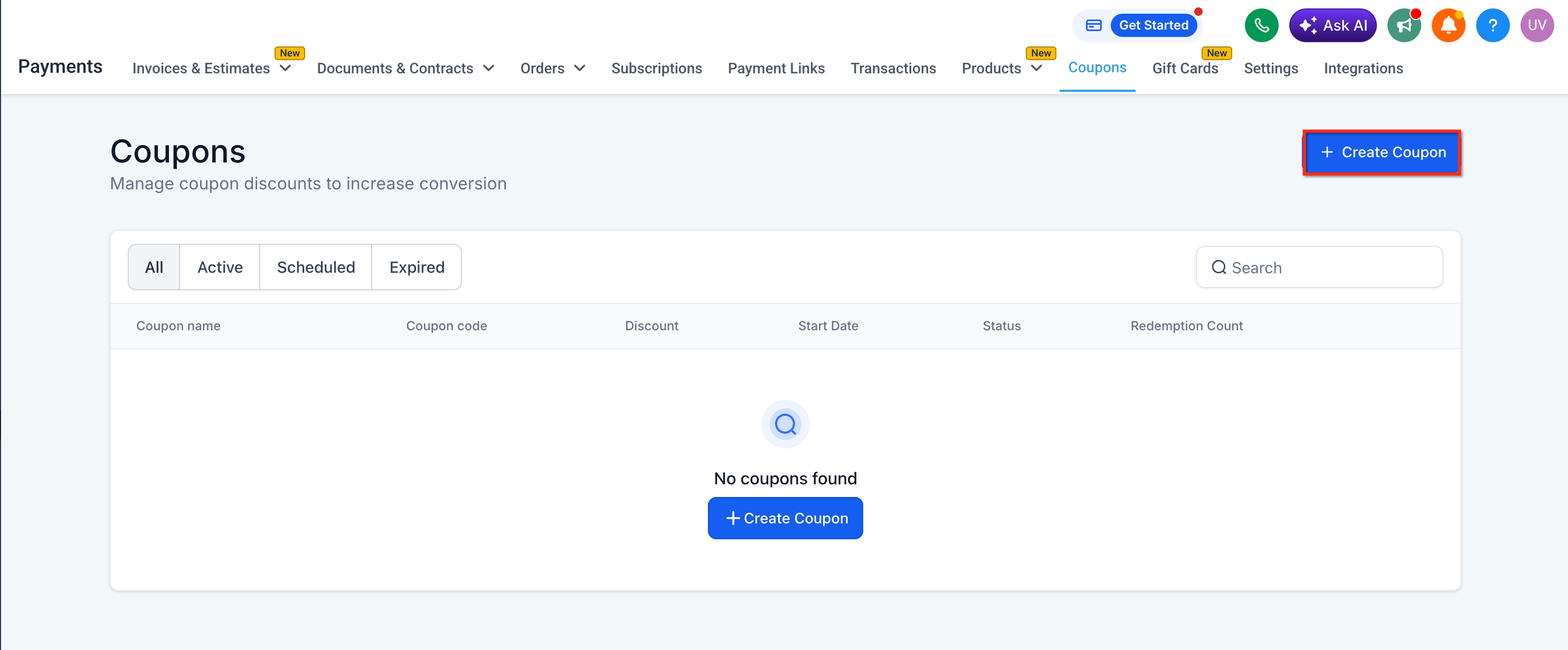
- Choose Create Coupon for a new coupon or open an existing one and click Edit.
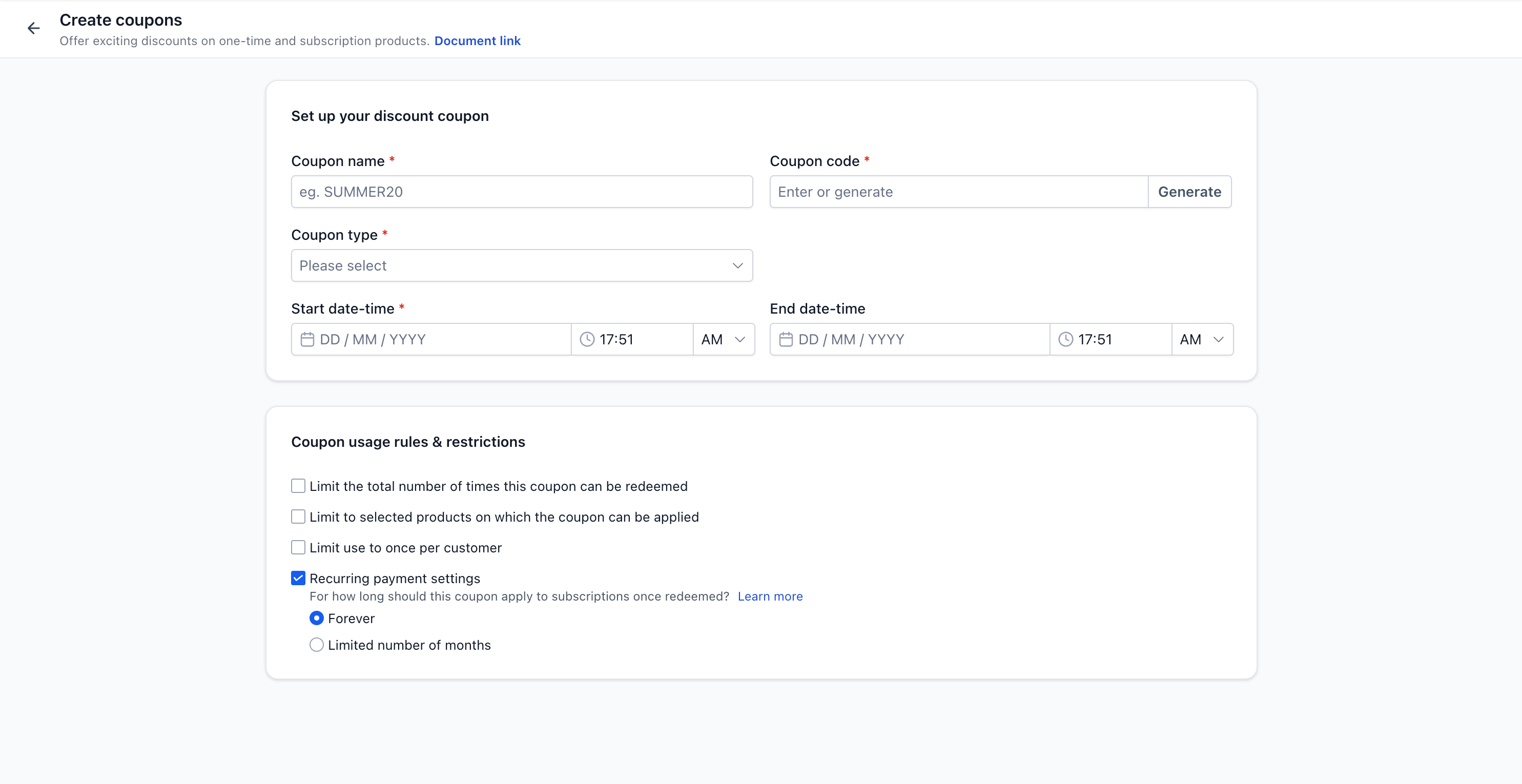
- Enter the coupon code, select the discount type and set the discount value.
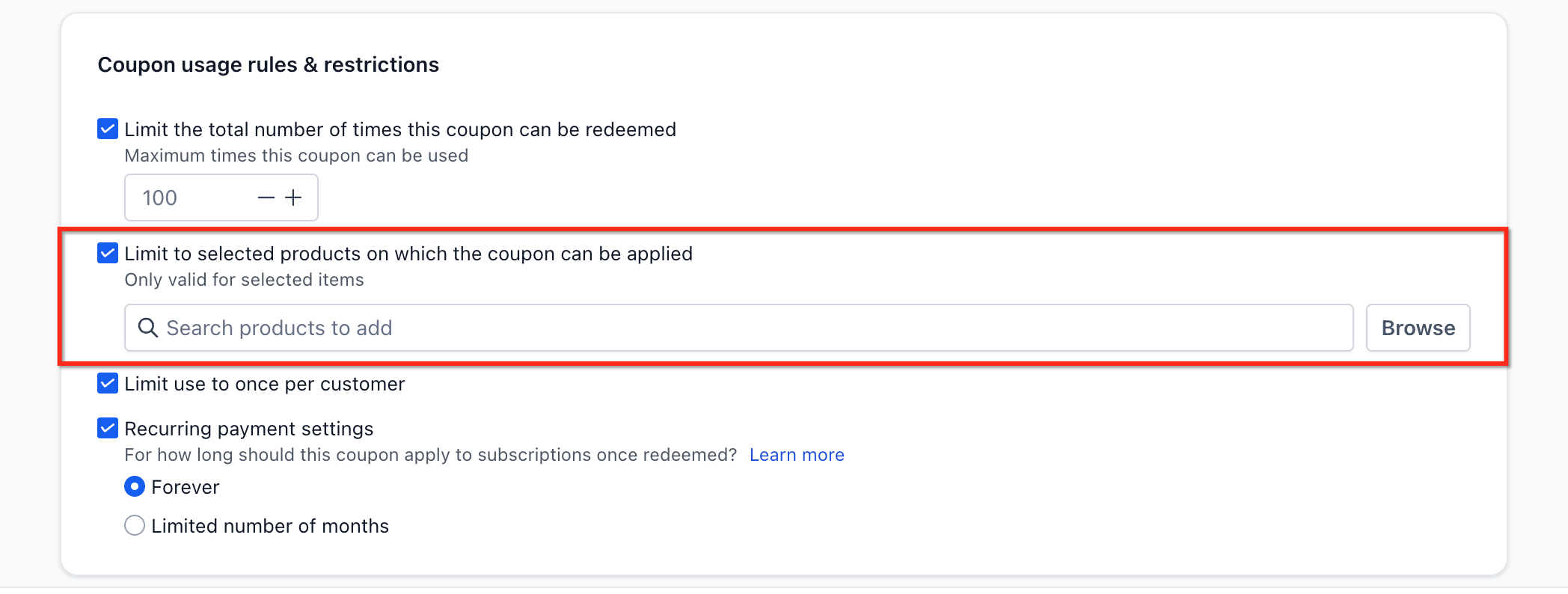
- In the product selection area, pick the product the coupon should affect.
- Use the nested selection view to pick the full product, all prices/variants, specific prices, or specific variants.
- Save the coupon configuration.
- Test the coupon on a funnel, form, ecommerce page, payment link or calendar booking page.
- If needed, go to Automation > Workflows and add a coupon based trigger.
- In the trigger filters, select the product first and then choose the relevant price or variant filter.
06What it looks like in HighLevel
07Settings that matter
- Coupon code. The alphanumeric string customers enter to receive the discount.
- Discount type. Specifies whether the coupon gives a percentage off or a fixed amount.
- Discount value. The numeric amount that the discount applies, matching the chosen discount type.
- Full product. Applies the coupon to every price and variant now and in the future under the selected product.
- All prices or variants. Makes the coupon valid for all current prices and variants of the chosen product.
- Specific prices. Limits the coupon to the selected price points within the product.
- Specific variants. Limits the coupon to the selected product variants only.
08Things to know before you rely on it
- Existing subscriptions and past transactions keep using the older coupon logic.
- Price and variant filters in workflow triggers appear only after a product is selected.
- The updated coupon behavior applies only to funnels, forms, ecommerce/store pages, payment links and calendar bookings.
09If something goes wrong
- Coupon does not apply to another variant of the same product. Check the coupon configuration and ensure the variant you want discounted was selected during setup.
- Price or variant filter is missing in a workflow trigger. Select a product first in the trigger filters; the dependent price or variant options will then become available.
10How it connects to the rest of HighLevel
- Learn how to sell products on order forms with payment providers Selling products on order forms
- Manage automatic sales receipts for orders and invoices Automatic sales receipts
- View HighLevel pricing and plan options HighLevel pricing
Michael's take

When you need a promotion that only applies to a certain price tier or a specific product variation, the granularity of coupon targeting cuts out the extra work of duplicating items and keeps discounts from spilling over to unintended options.
If you’re only offering broad discounts across whole products, the added setup steps may not justify the feature. In those cases, the simpler product level coupons work just fine, and you can skip the extra configuration.