
01Who this is for
- Sales teams benefit because they receive a documented reason for a lost deal, helping them plan next steps.
- Customer support groups can track declined contracts to address client concerns without searching multiple emails.
- Legal departments gain a reliable audit trail of declined agreements, supporting compliance reviews.
02Decline documents, explained
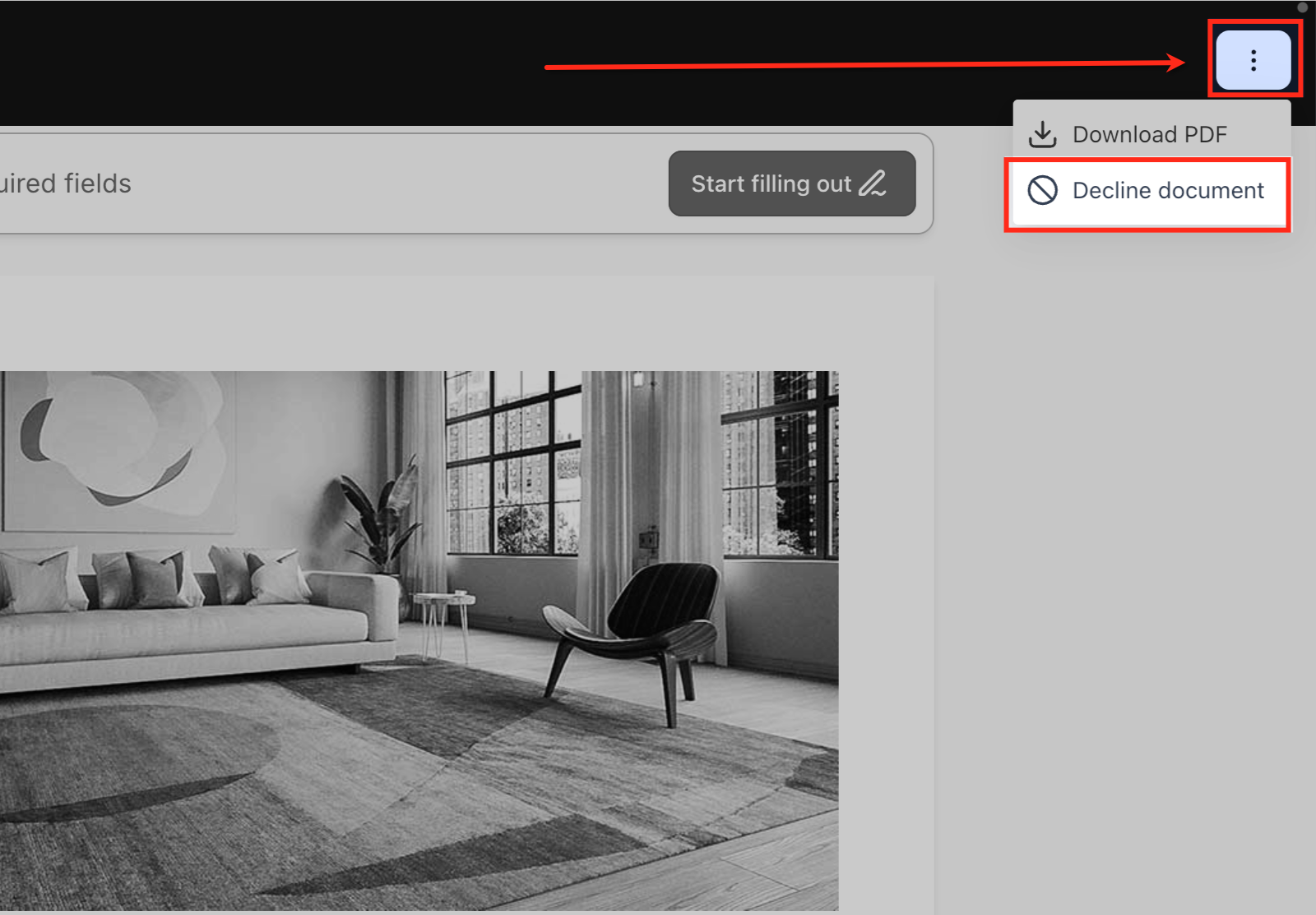
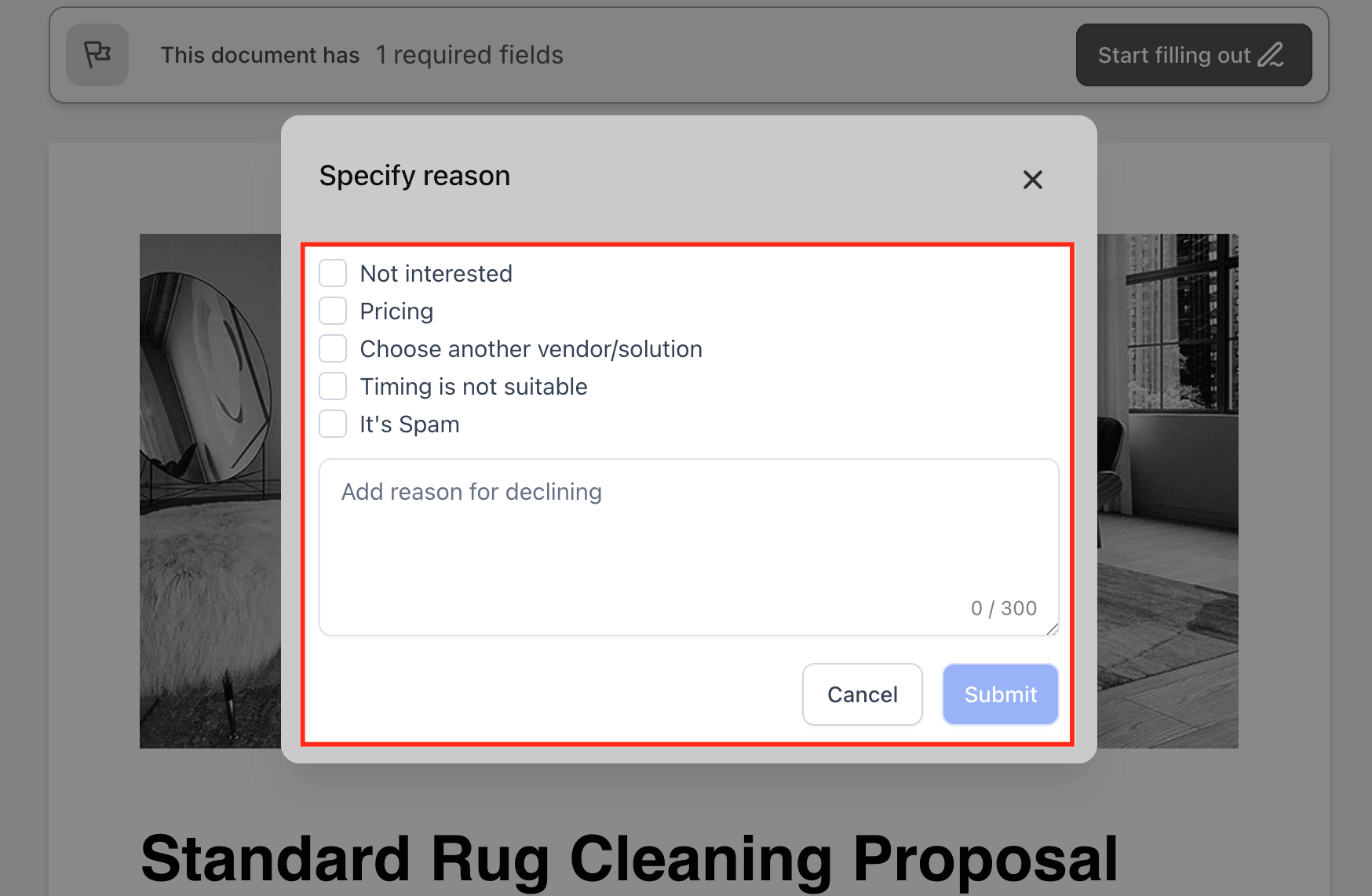
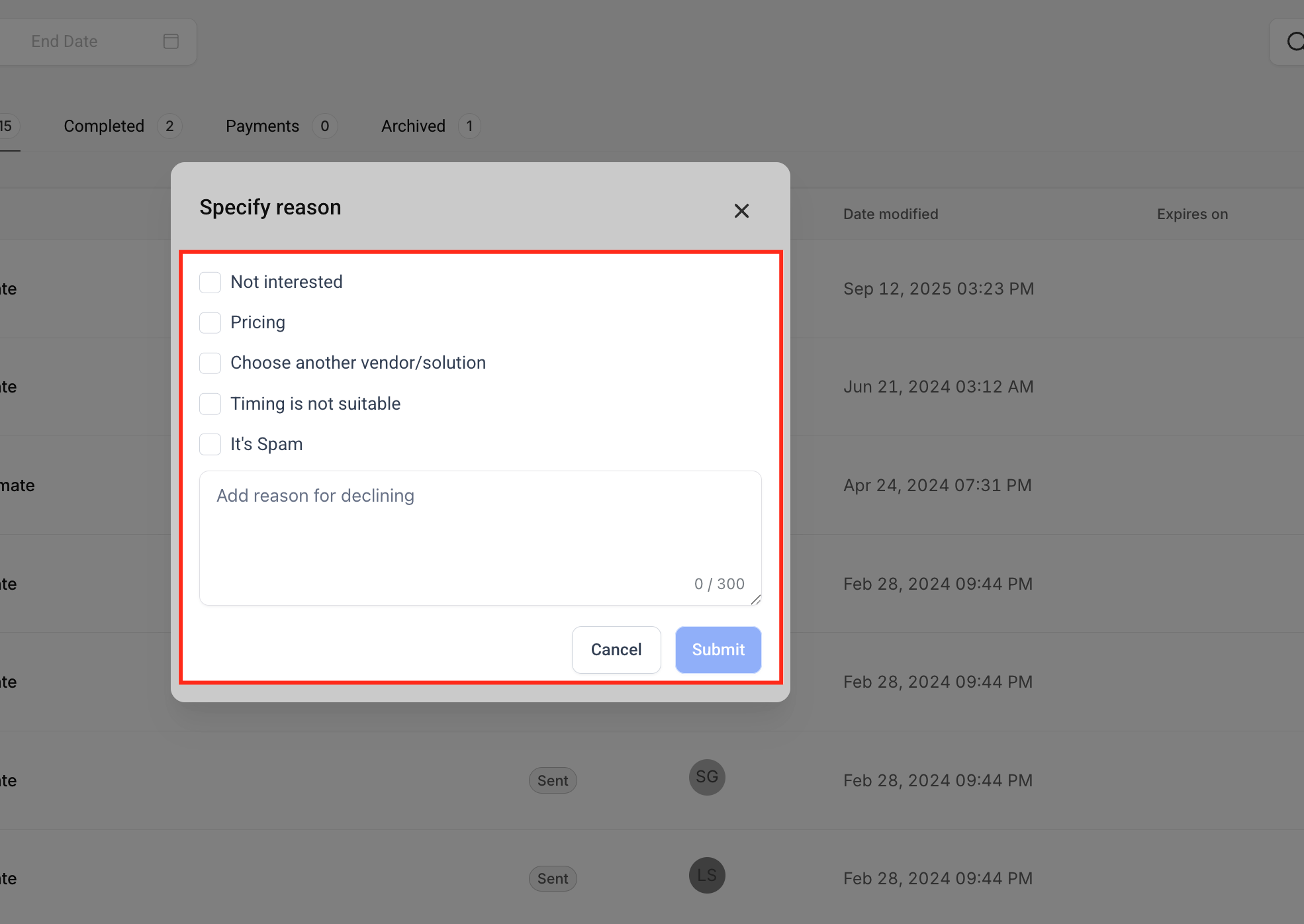
The feature works on any file generated in the Documents & Contracts tool, such as proposals, agreements, or contracts. When a recipient clicks Decline Document, they select a preset reason or type a custom note, then submit. The platform changes the document status to Declined, moves it to the Archived section, and logs the decline details.
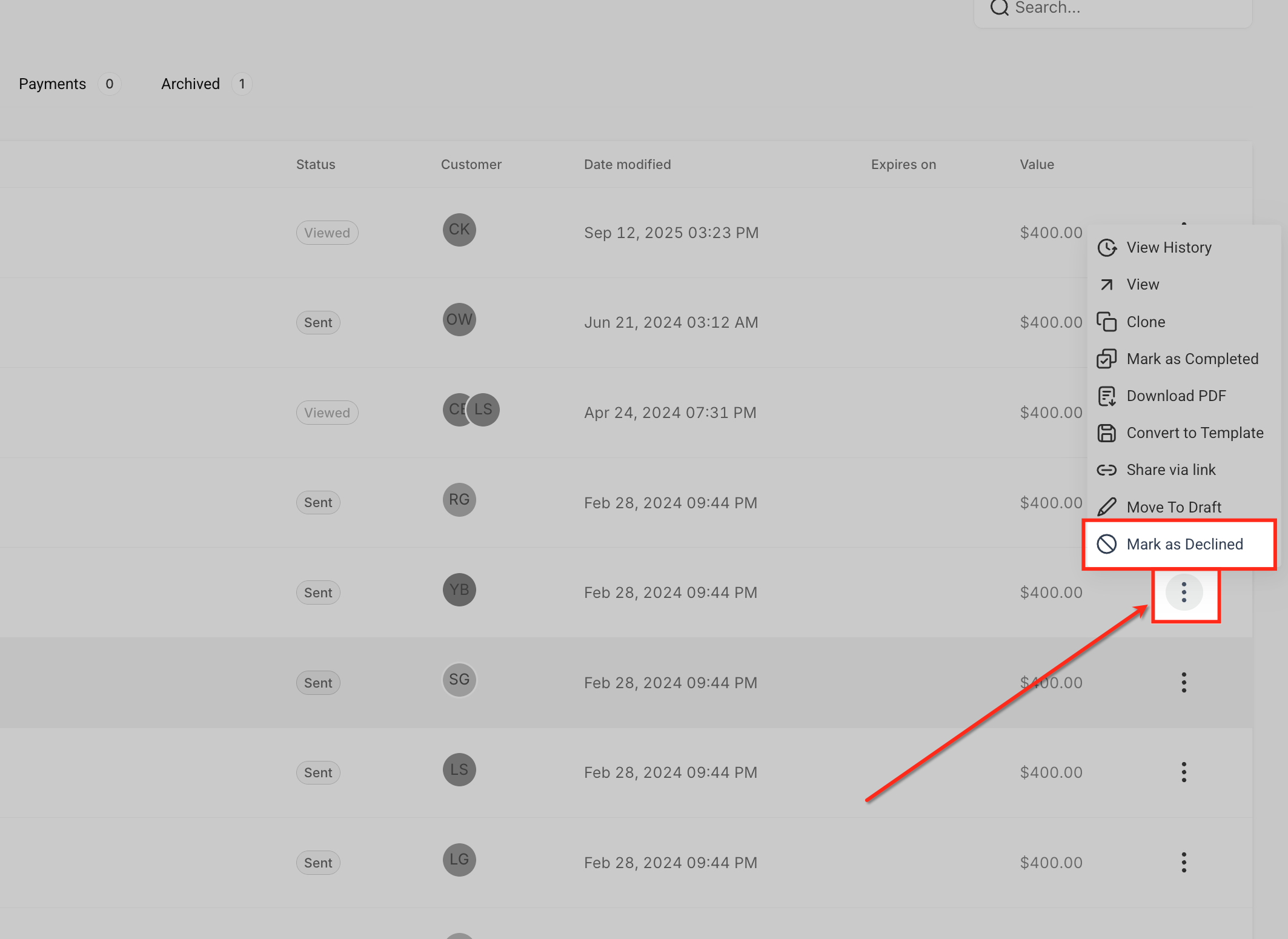
Business users can also mark a document as Declined manually, which records the same information when a client communicates the decision outside the platform. Because the status is Declined, you can use it as a trigger in Workflows to launch notifications, tasks, or follow up sequences. Email templates can pull the reason and notes through custom values, personalizing communication.
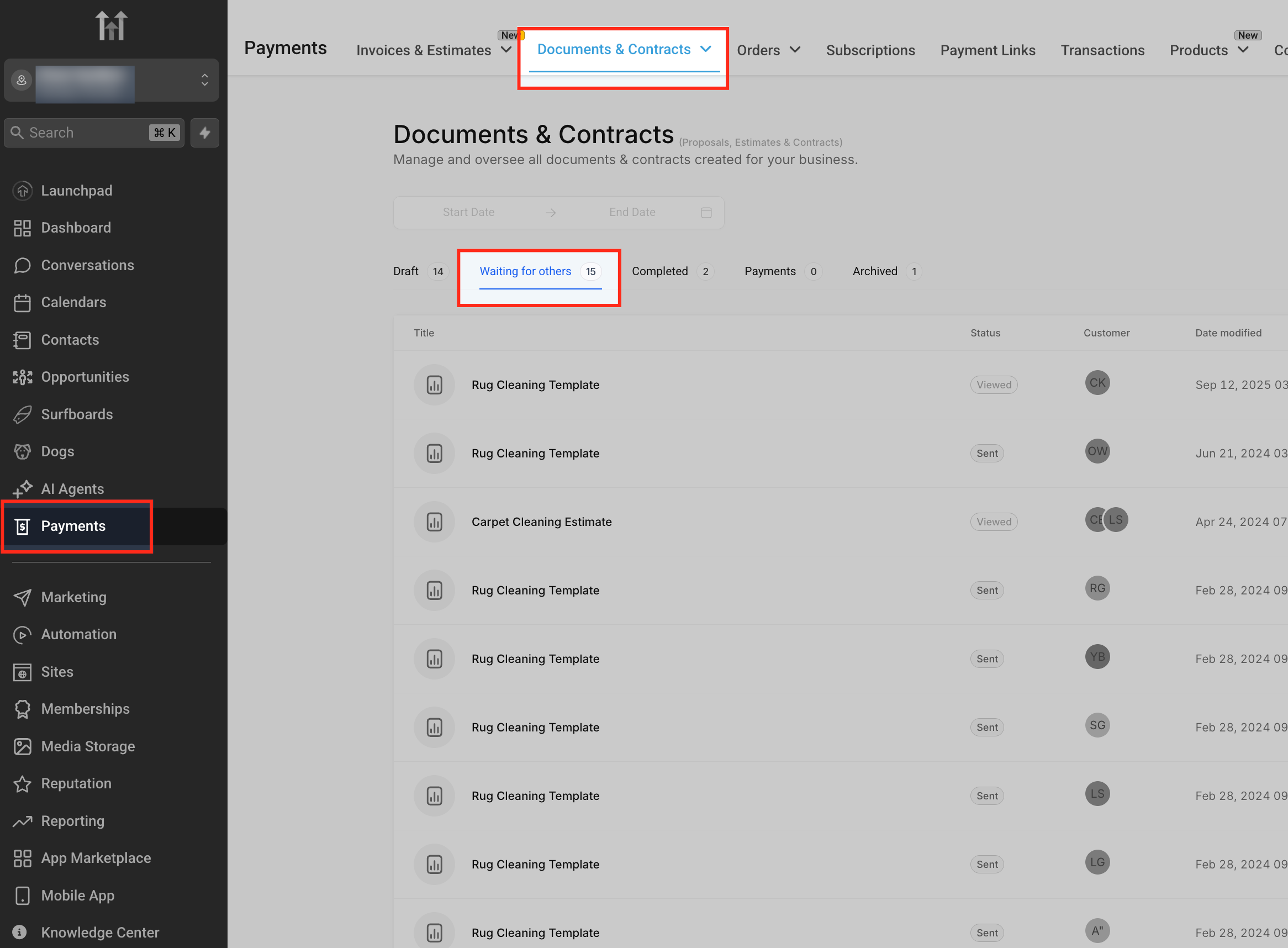
All declined items remain viewable in Documents & Contracts > Archived, where you can open a document and select View History to see who declined, the timestamp, and any notes.
03How businesses use decline documents
- Real estate agency. An agent sends a lease agreement via Documents & Contracts. The prospect clicks Decline Document, selects "Terms not acceptable" and adds a note about rental price. The agent sees the declined status, reviews the feedback in the archive, and triggers a workflow to send a revised offer.
- Health clinic. The clinic’s billing staff marks a treatment consent form as Declined after the patient calls to cancel the procedure. The staff adds a custom note explaining the cancellation, which records the outcome and starts a workflow that creates a follow up task for the practitioner.
- Software consultancy. When a client declines a project proposal, the account manager uses the Email Builder to insert {{Document Decline Reasons}} and {{Document Decline Reasons Body}} into a reply. The email automatically includes the client’s reason and comments, providing context for the next discussion.
04How to set up and use decline documents in HighLevel
Recipient decline flow
- Open the document link that was sent.
- Select the Decline Document button in the top right corner.
- Pick a predefined reason or type a custom note.
- Submit the decline request.
Business user mark as declined
- Navigate to Documents & Contracts in HighLevel.
- Find the relevant file under the Waiting for others list.
- Open the three dot menu next to the document and choose Mark as Declined.
- Enter a reason or custom note and confirm the action.
Set up workflow trigger for declined documents
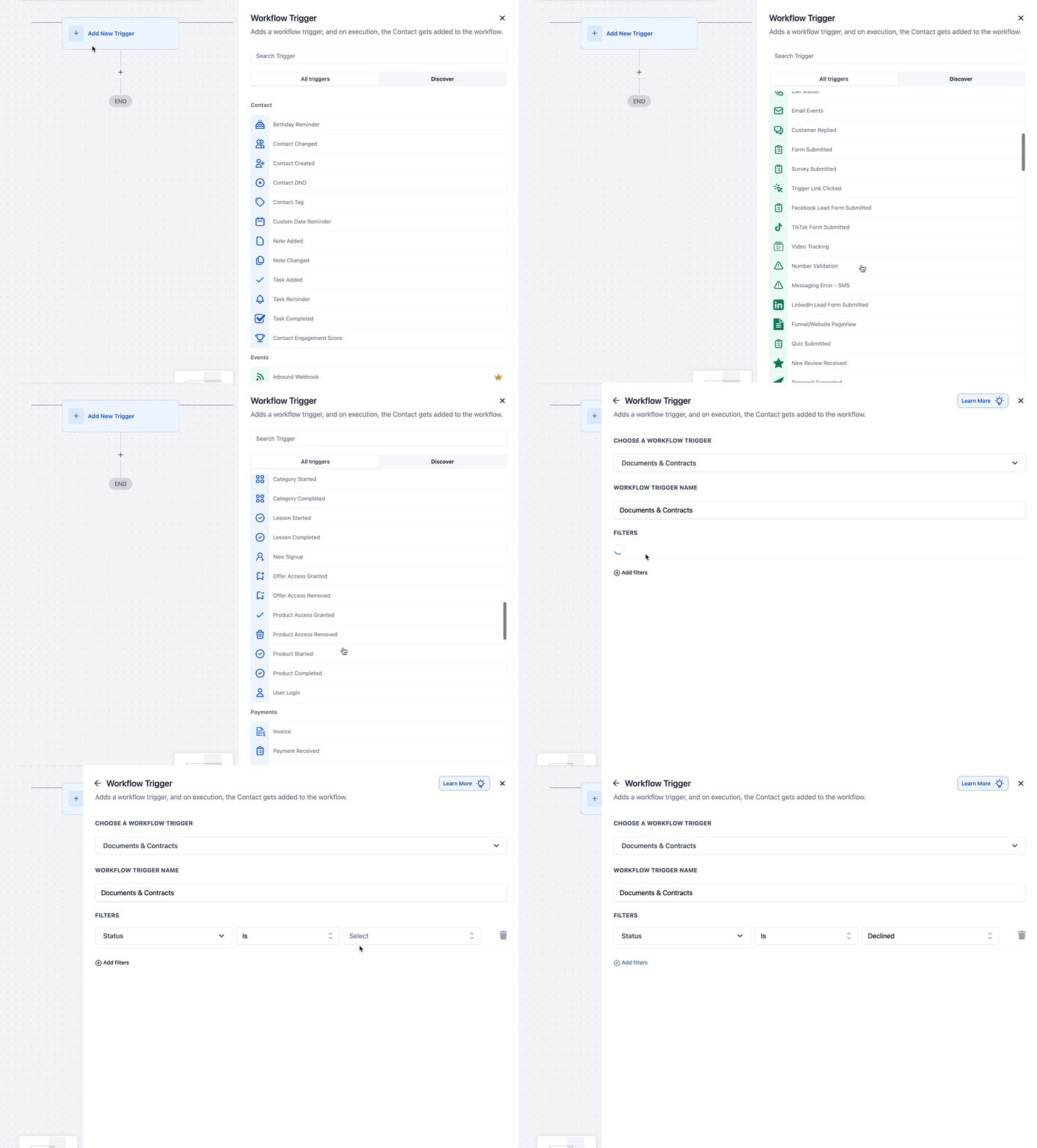
- Open the Workflows area and add a new trigger.
- Choose Documents & Contracts > Status > Declined as the trigger condition.
- Configure the subsequent actions, such as notifications, tasks, or follow up sequences.
Use decline Custom Values in email templates
- In the Email Builder, open an existing template or create a new one.
- Click the Custom Values dropdown and navigate to Documents & Contracts.
- Insert either Document Decline Reasons or Document Decline Reasons Body into the email content.
05What it looks like in HighLevel
06Settings that matter
- Documents & Contracts > Status > Declined. Controls the workflow trigger that fires when a document’s status changes to Declined.
- Document Decline Reasons. Provides the selected predefined reason for a declined document to use in templates.
- Document Decline Reasons Body. Provides any custom notes entered by the recipient for a declined document to use in templates.
07Things to know before you rely on it
- Only files created through the Documents & Contracts tool can be declined.
- When a document is marked Declined, it moves to the Archived section and can no longer be signed.
- The feature records the reason and notes but does not alter any other document data.
08How it connects to the rest of HighLevel
- Send documents and contracts via SMS SMS documents
- HighLevel pricing and plans Pricing
- Start a 30 day HighLevel trial Free trial
Michael's take

Decline Documents turns a silent rejection into data you can act on, keeping your pipeline tidy and letting you follow up with the right message at the right time.
Don’t forget to actually record the decline reason; forgetting it defeats the purpose of the feature.