
01Who this is for
- Ecommerce retailers who need to recover card processing costs and want the fee shown to shoppers at checkout.
- Service providers issuing invoices who wish to include a convenience charge without manual entry.
- Marketing agencies building funnels or forms that collect payments and want a uniform surcharge across all channels.
02Processing charges, explained
Processing charges are an optional fee that a business can enable in the Payments settings. Once turned on, the platform calculates the charge as a percentage of the actual amount sent to the payment provider, (Subtotal Discounts + Taxes) for most payments, or that amount plus Shipping for ecommerce orders. The result is rounded to two decimal places and added to the total.
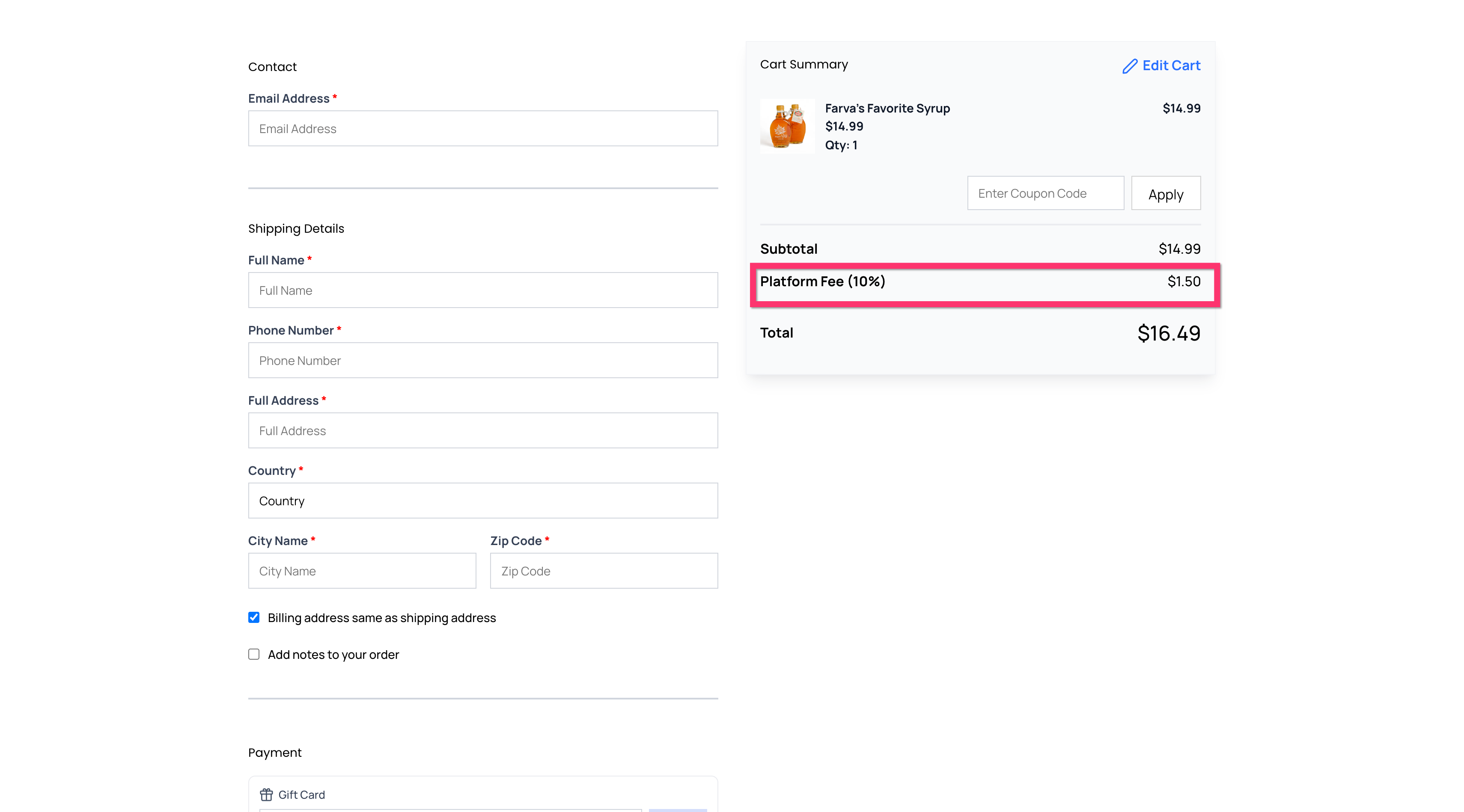
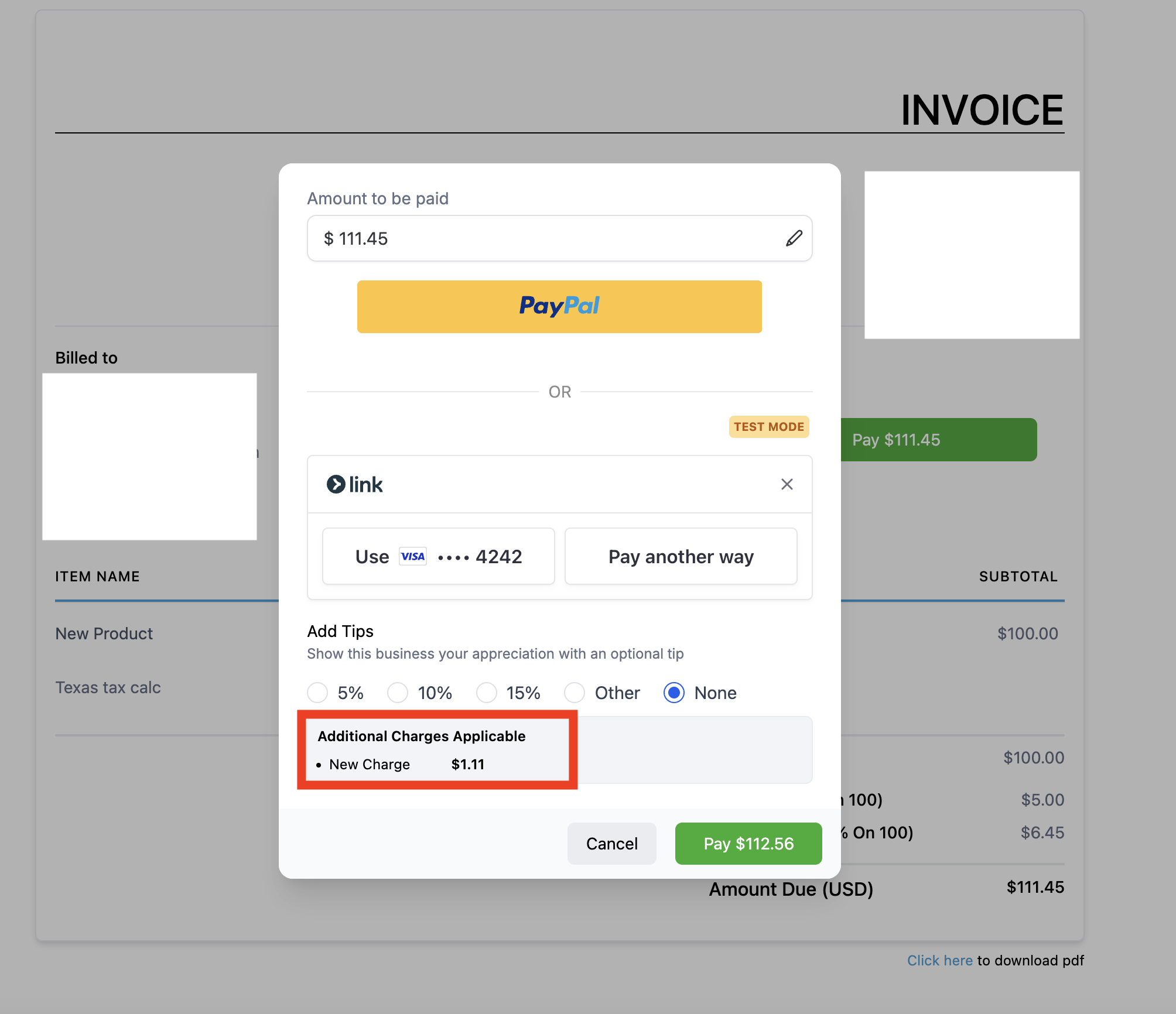
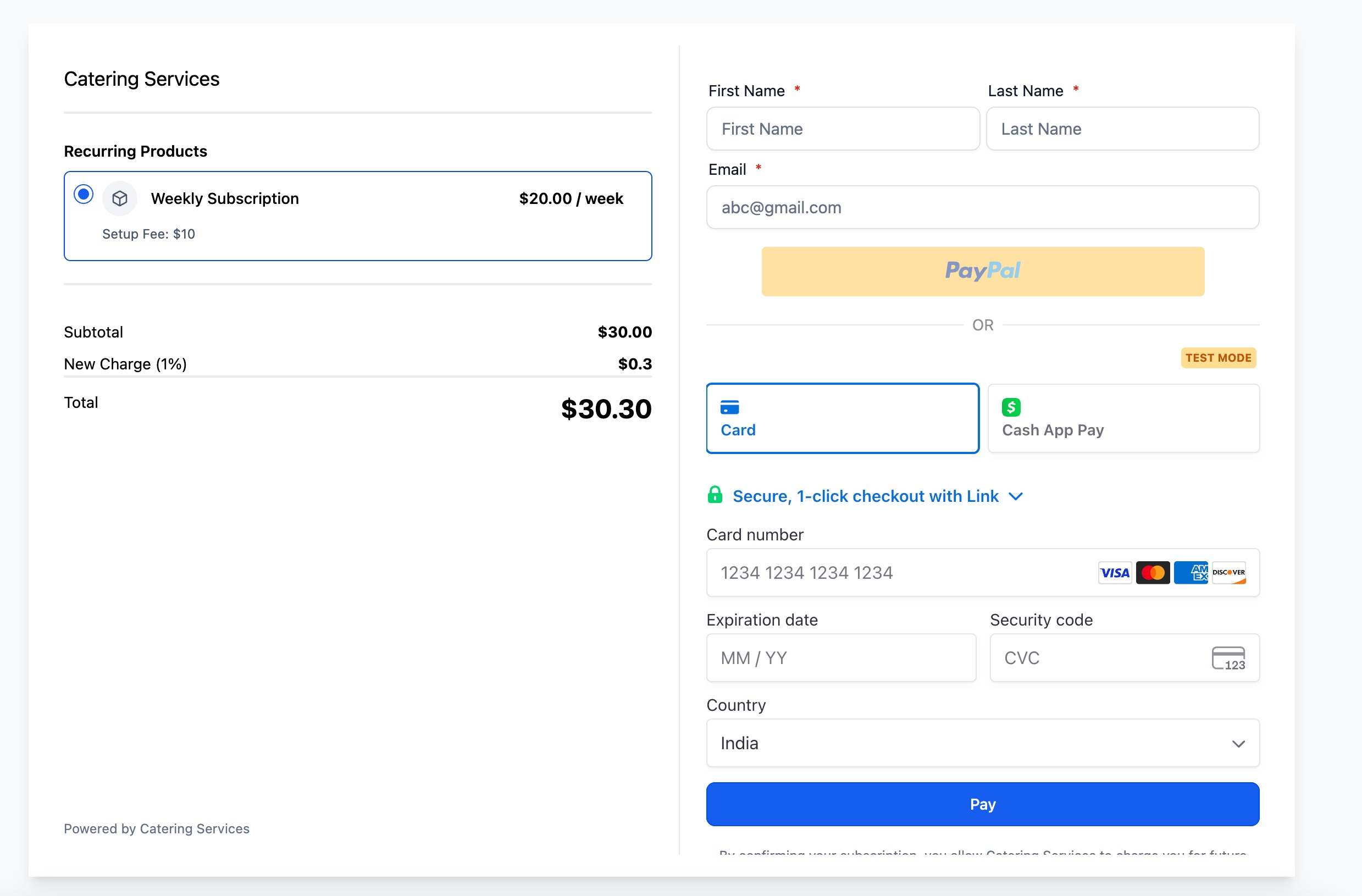
The fee shows up as its own line item during checkout and on the payment receipt. It can be applied to Invoices & Estimates, Funnels, Ecommerce Stores, Payment Links, Forms, Surveys and Services. The feature does not work with PayPal or custom payment providers, except when the invoice channel is used, and it does not affect ecommerce upsell products.
All configuration lives under Payments > Settings in each subaccount. After saving, the charge only affects new or edited draft invoices and any new checkout instances. Existing sent invoices or completed orders stay unchanged, and disabling the toggle does not remove fees from editable records.
03How businesses use processing charges
- Ecommerce retailer. In the Payments settings, enable Processing Charges, set a label such as "Card Processing Fee" and a percentage like 2.5%. Select the Ecommerce Store source and save. At checkout, customers see the fee as a separate line before completing the purchase.
- Consulting firm sending invoices. Turn on the Processing Charges toggle, create a custom label "Service Fee", and enter the desired percentage. Check the Invoices & Estimates box. When generating a new invoice, the fee appears after the client clicks Pay, providing a transparent add on on the receipt.
- Marketing agency using funnel landing pages. Activate Processing Charges, define a label like "Convenience Charge", set the percentage, and select Funnels. Save the settings. Any payment collected through a funnel page will automatically include the fee as part of the total shown to the buyer.
04How to set up and use processing charges in HighLevel
Configure a processing charge
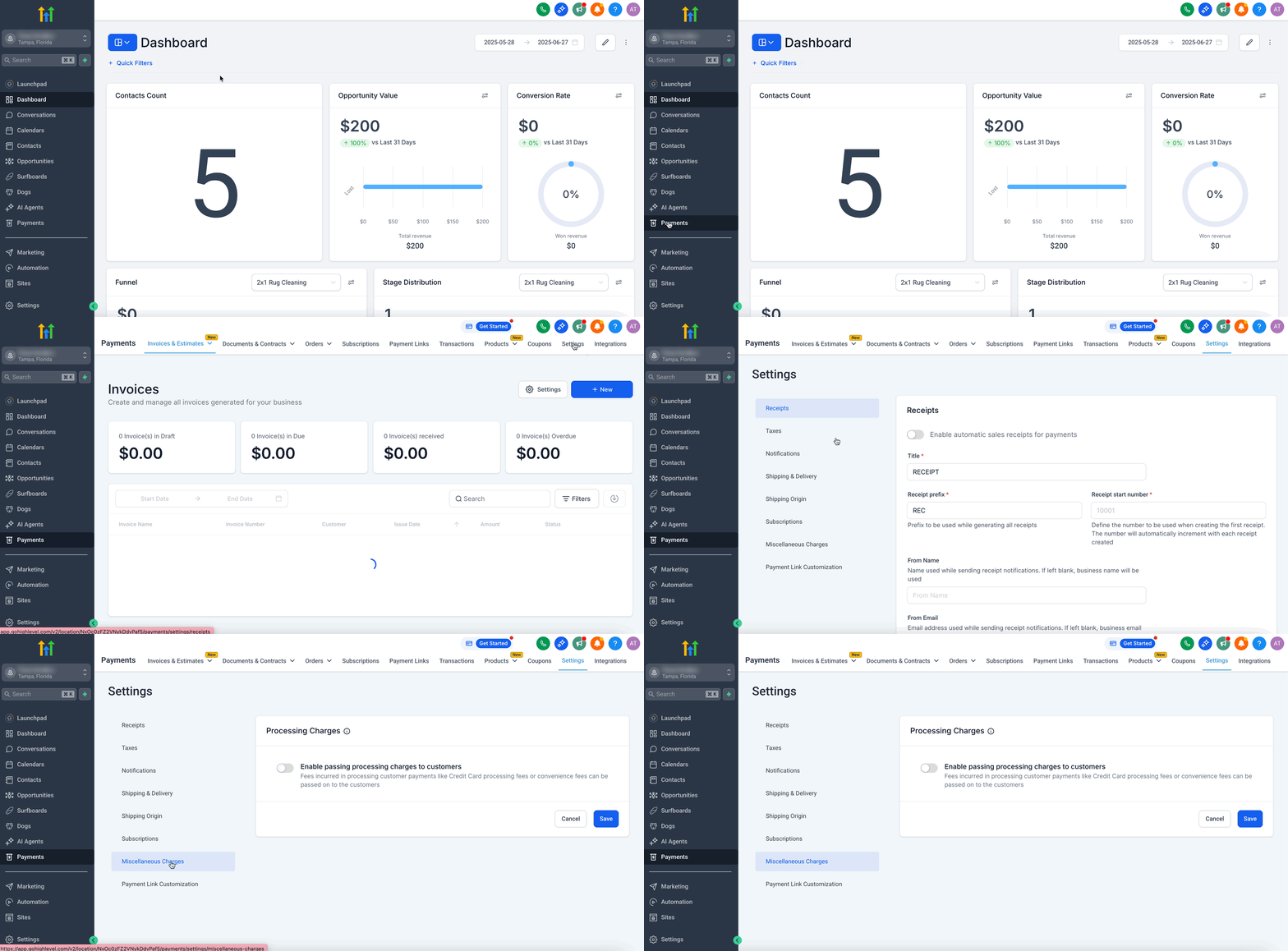
- Log in to the desired subaccount.
- Open Payments > Settings.
- Scroll down to the Miscellaneous Charges section.
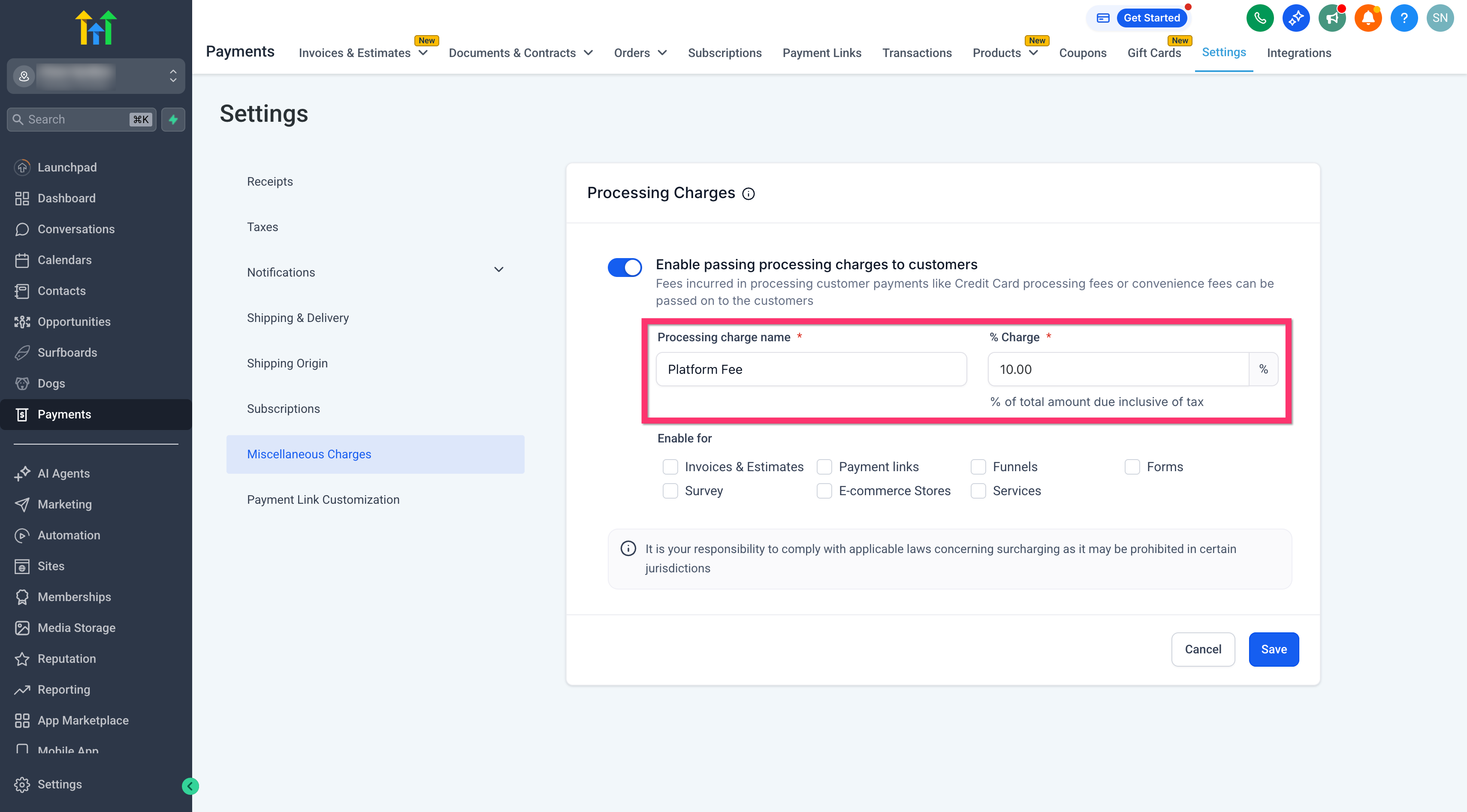
- Switch the Processing Charges toggle to on.
- Enter a custom label that will appear for the fee.
- Type the percentage value to apply to each transaction.
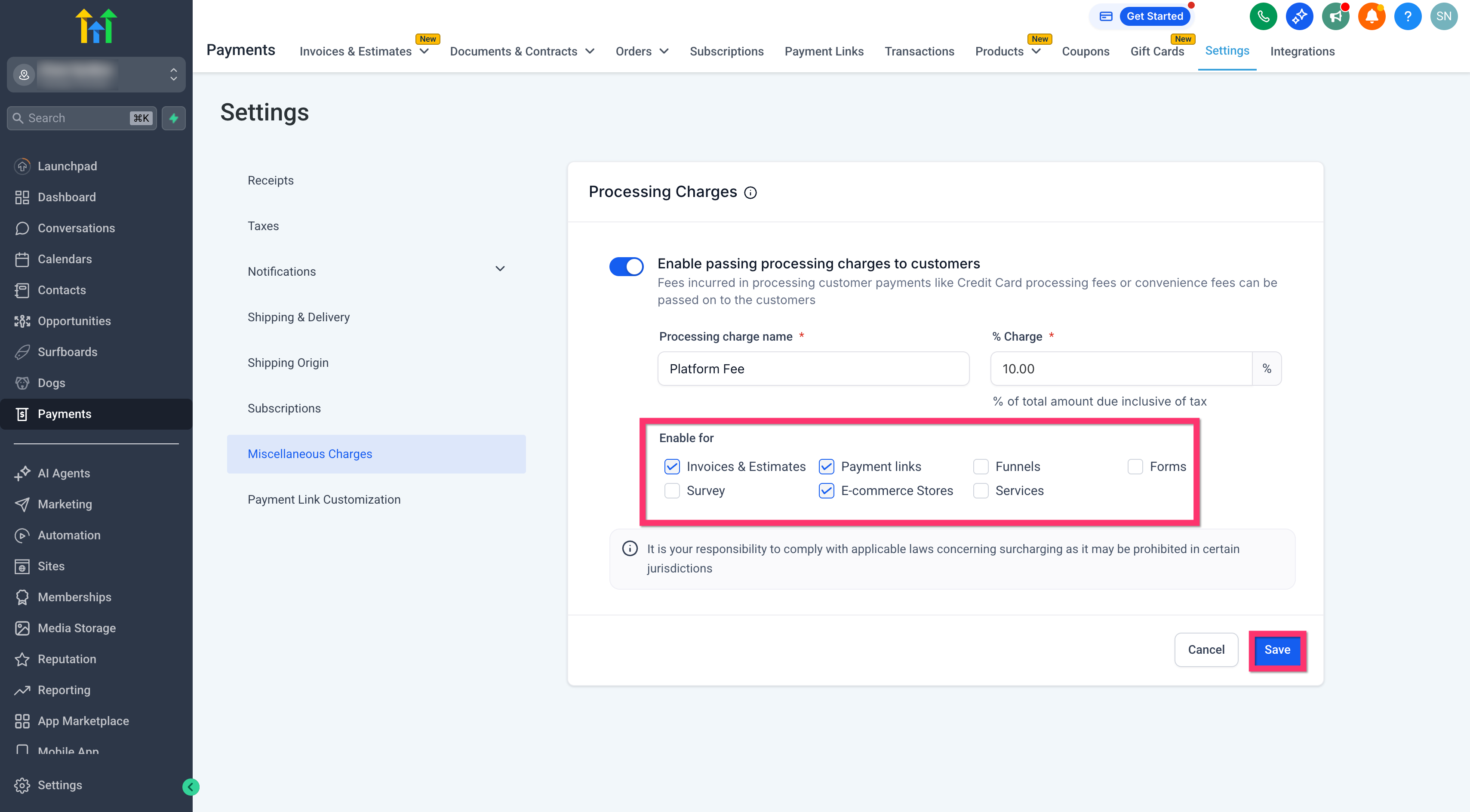
- Check the boxes for each payment source where the fee should be added.
- Click Save to apply the configuration.
05What it looks like in HighLevel
06Settings that matter
- Processing Charges toggle. Activates or deactivates the automatic fee feature for the account.
- Custom label/name. Sets the text that customers see next to the fee on checkout and receipts.
- Fee percentage. Determines the proportion of the transaction amount that will be added as a charge.
- Payment source checkboxes. Selects which checkout types, invoices, funnels, ecommerce, etc., will include the processing charge.
07Things to know before you rely on it
- The feature cannot be used with PayPal or Custom Payment Providers, except for invoices where all providers are supported.
- Processing charges are not applied to ecommerce upsell products.
- Draft invoices show the fee only after they are edited following activation of the feature.
- Invoices already sent or orders already placed before enabling the toggle remain unchanged.
- Disabling the toggle does not remove charges from existing editable records.
- Fees are rounded to two decimal places before being added to the total.
- Charges are not yet applied to invoices paid via the mobile app.
08If something goes wrong
- Processing charge does not appear on an invoice. Verify that Invoices & Estimates is checked in Payments > Settings > Miscellaneous Charges and that the toggle is saved. Remember the fee shows after the Pay button is clicked, not on the preview. For a draft invoice created before activation, edit it once after enabling the feature. Sent invoices will not update.
09How it connects to the rest of HighLevel
- Manage Stripe payment methods Stripe integration
- Customize email and SMS invoice notifications Invoice notifications
- HighLevel tax settings overview Tax settings
Michael's take

Watch out for local laws. Some jurisdictions ban surcharging, so you must verify that adding a fee is legal before you turn the feature on. Ignoring this can land you in compliance trouble.
When it’s allowed, these charges let you recover real costs and keep pricing clear for customers. A simple label and a few percentage points can turn a hidden expense into a transparent line item.