
01Who this is for
- Marketing managers who need to reuse email templates while updating the promotion link for each campaign.
- Workflow designers who want clicks on a link to move a contact to the next step in an automated sequence.
- Compliance officers who must provide channel specific unsubscribe links that right away opt a contact out.
02Trigger links, explained
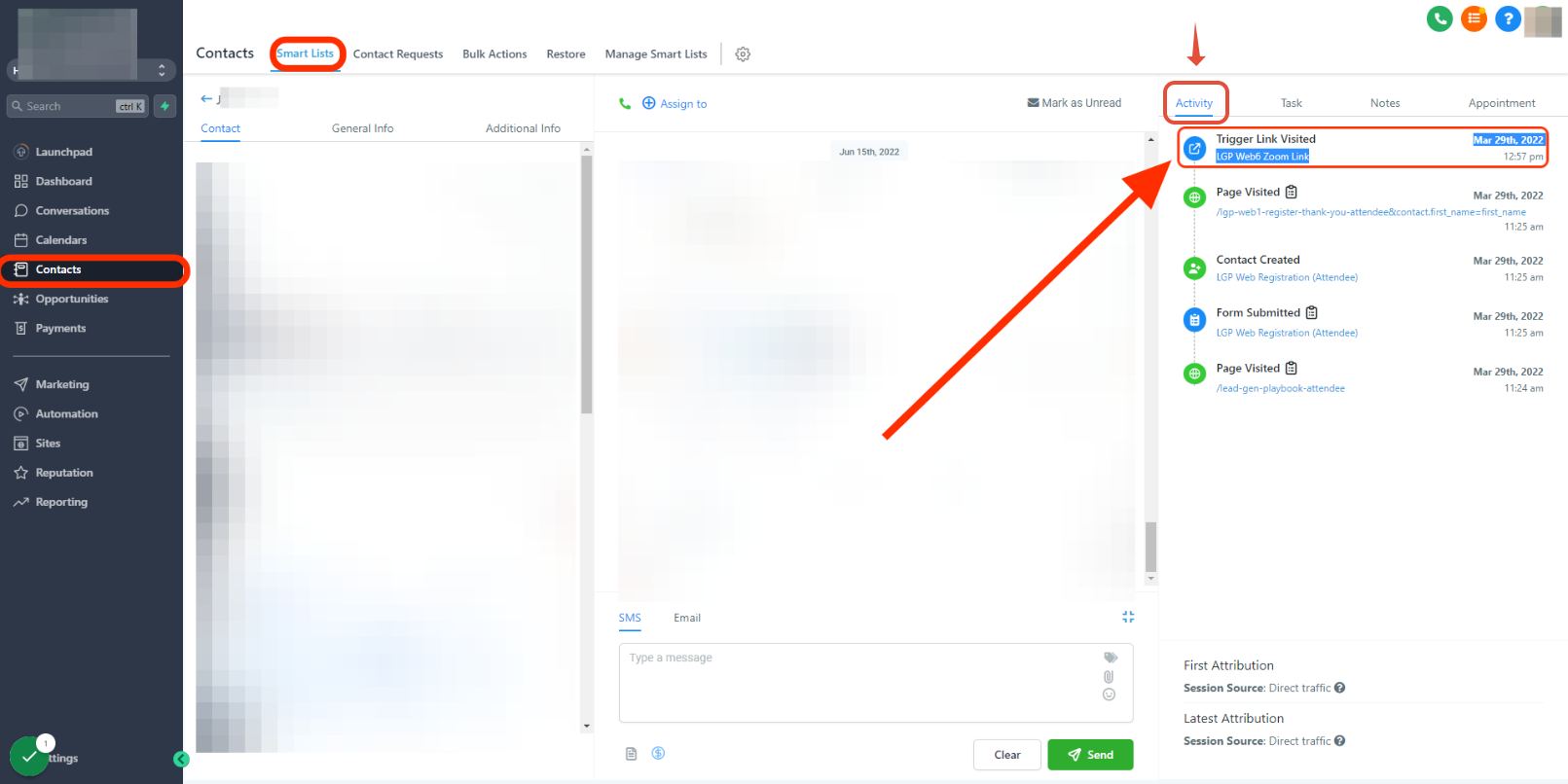
Trigger links are clickable URLs placed in SMS, email, GMB posts, or FB/IG/WhatsApp direct messages. When a contact clicks the link, HighLevel records the event in the activity timeline and can fire a workflow trigger. The link can be customized with a custom value so the destination address updates without editing the message itself.
The feature lives inside the message editor for each communication channel. After creating a trigger link, you assign a custom value that holds the dynamic URL. The final step is to paste the trigger link placeholder into the message body; the raw custom value does not activate the link.
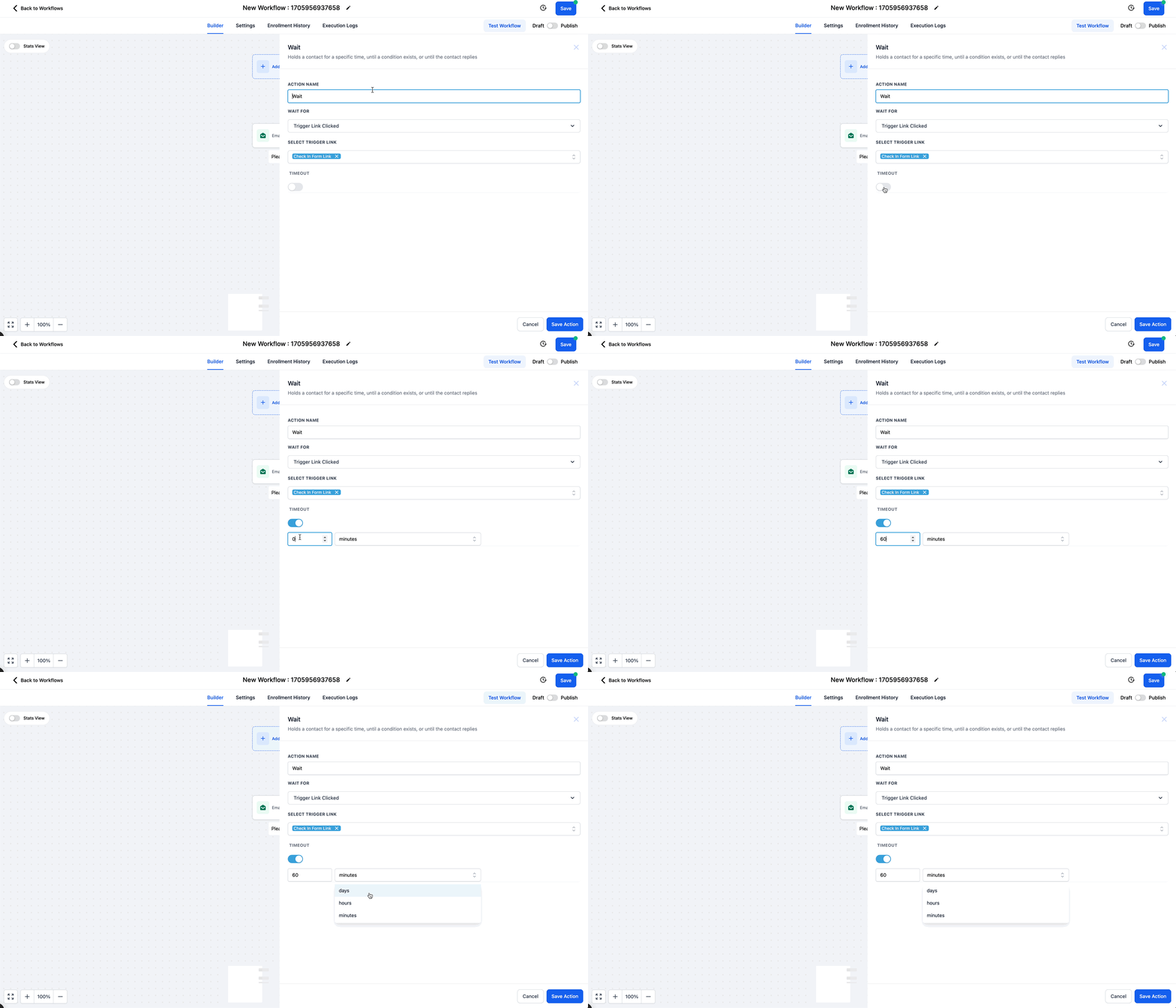
Workflow steps such as a Wait action can pause until a trigger link click occurs, allowing you to branch logic based on the contact’s interaction. Unsubscribe trigger links are also available per channel, using built in opt out keywords for SMS and a clickable link for other media.
03How businesses use trigger links
- Ecommerce retailer. The retailer creates a trigger link that points to a custom value holding the current sale page URL. They embed the trigger link in a monthly promotion email. When a subscriber clicks, the URL automatically reflects the latest sale without editing the template.
- Service appointment business. The business adds a trigger link to an appointment reminder SMS. The link launches a workflow Wait step that waits for the click before sending a follow up survey. The click is logged and moves the contact to the next workflow stage.
- Nonprofit organization. The organization inserts an unsubscribe trigger link in its Facebook Messenger updates. A contact who clicks the link is automatically removed from that channel’s list, keeping communication preferences up to date.
04The numbers and rules that matter
- Supported in SMS, Email, GMB, FB/IG and WhatsApp DMs ONLY.
- API domain is shared across all locations/subaccounts and cannot be set per location.
05How to set up and use trigger links in HighLevel
Use a custom value with a trigger link
- Create a new trigger link in the HighLevel platform.
- Assign the custom value that contains the dynamic URL to the newly created trigger link.
- Place the trigger link (not the raw custom value) into the SMS or email message body.
06What it looks like in HighLevel
07Settings that matter
- Timeout toggle. When enabled, this option defines a time limit after which the Wait step skips if the trigger link has not been clicked.
- API domain. Configures the domain shown in trigger links so they display the agency’s branded URL instead of the default HighLevel domain.
08Things to know before you rely on it
- Trigger links work only in SMS, Email, GMB, and FB/IG/WhatsApp direct messages.
- Placing only the custom value in a message will not fire the trigger link when clicked.
- Changing a custom value does not affect URLs that were used in previous campaigns.
- A single API domain is shared across all locations and subaccounts; individual domains per location are not supported.
09How it connects to the rest of HighLevel
- Send or schedule a regular email campaign Email campaigns
- Use SMS snippets to reuse text messages SMS snippets
- Explore the HighLevel template library Template library
Michael's take

Remember to insert the actual trigger link. Not just the custom value. So the click registers and can fire workflow actions.