
01Who this is for
- Social media managers can maintain a steady posting rhythm without manual effort, keeping brand presence consistent.
- Founders of small ecommerce shops can automate seasonal promotions and product showcases to stay visible to customers.
- Content creators such as coaches or podcasters can reuse evergreen material like tips or quotes, freeing time for new work.
02Recurring social posts, explained
The recurring posts tool lives inside the Social Planner under the Content area. It stores a parent post that defines the repeat pattern and child posts that appear on the calendar as individual scheduled items. When the parent post is edited, the changes flow to every child post; editing a child post leaves the parent unchanged.
You choose a repeat frequency, daily, weekly, monthly or yearly, and specify date ranges, days of the week and exact times. Individual scheduled posts appear separately, and can be viewed, edited or deleted in the Calendar, List or Content views. Media such as images or videos can be attached, and AI can help draft the caption.
The feature works across all connected social accounts, but platform policies still apply. For example, excessive repetition on Twitter may trigger flags. There is no option to pause a series once it is active.
03How businesses use recurring social posts
- Retail store. The owner creates a parent post promoting a seasonal sale, sets it to repeat monthly, and lets the system generate each month's post. The parent can be edited later to update the discount details, and all future posts will reflect the change.
- Motivational speaker. The speaker writes an inspirational quote, enables AI to refine it, and schedules the post to repeat daily. Each day a new scheduled post appears, and the speaker can edit any single instance without altering the rest.
- Tech education platform. The platform builds a weekly tutorial post, selects the week repeat option, and assigns a specific day and time. The series appears as individual items on the calendar, letting staff adjust timing for a particular week if needed.
04Before you start
- Access to the Marketing > Social Planner area in HighLevel.
05How to set up and use recurring social posts in HighLevel
Schedule a recurring post
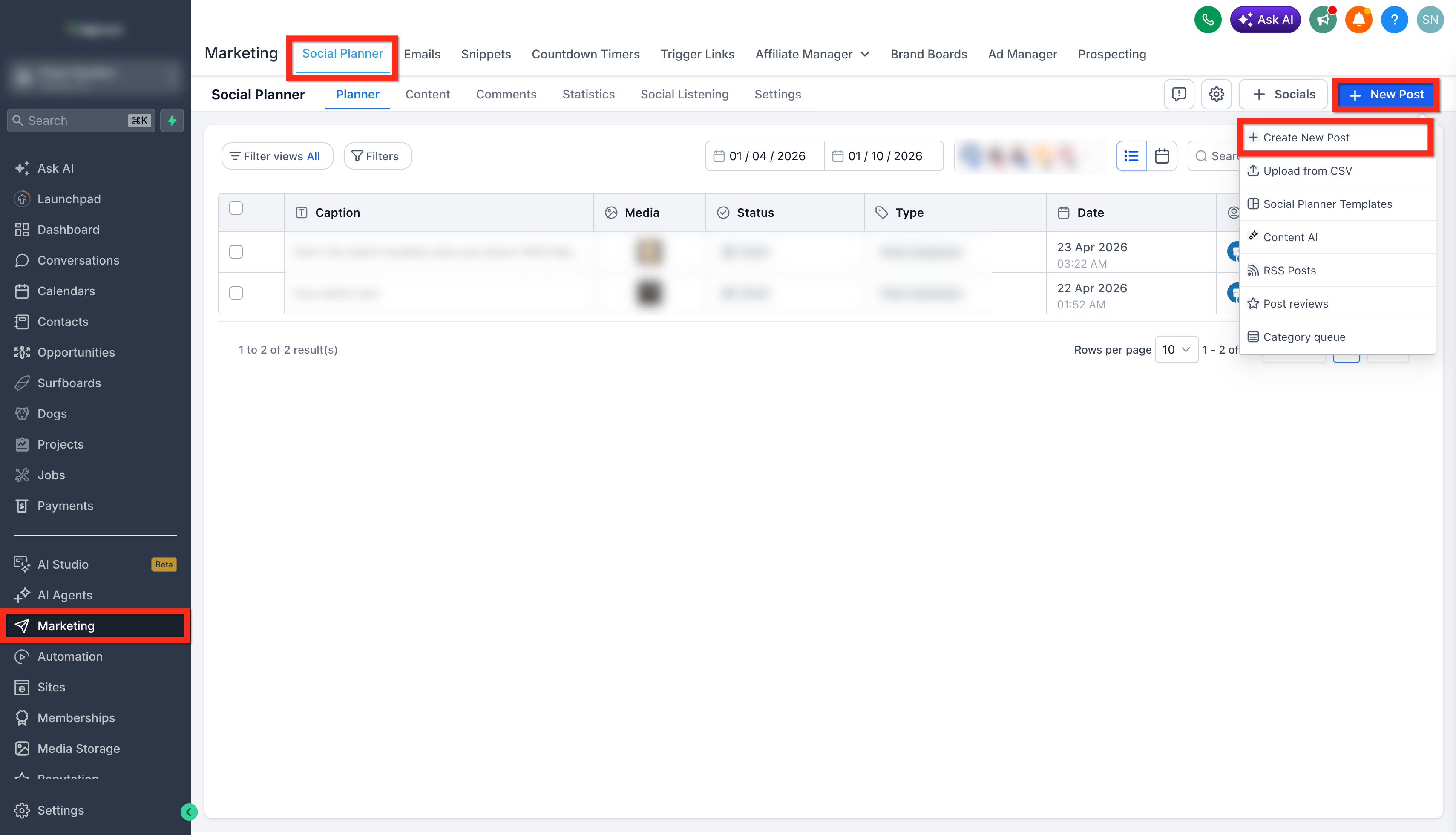
- Navigate to Marketing > Social Planner.
- Select New Post > + Create New post.
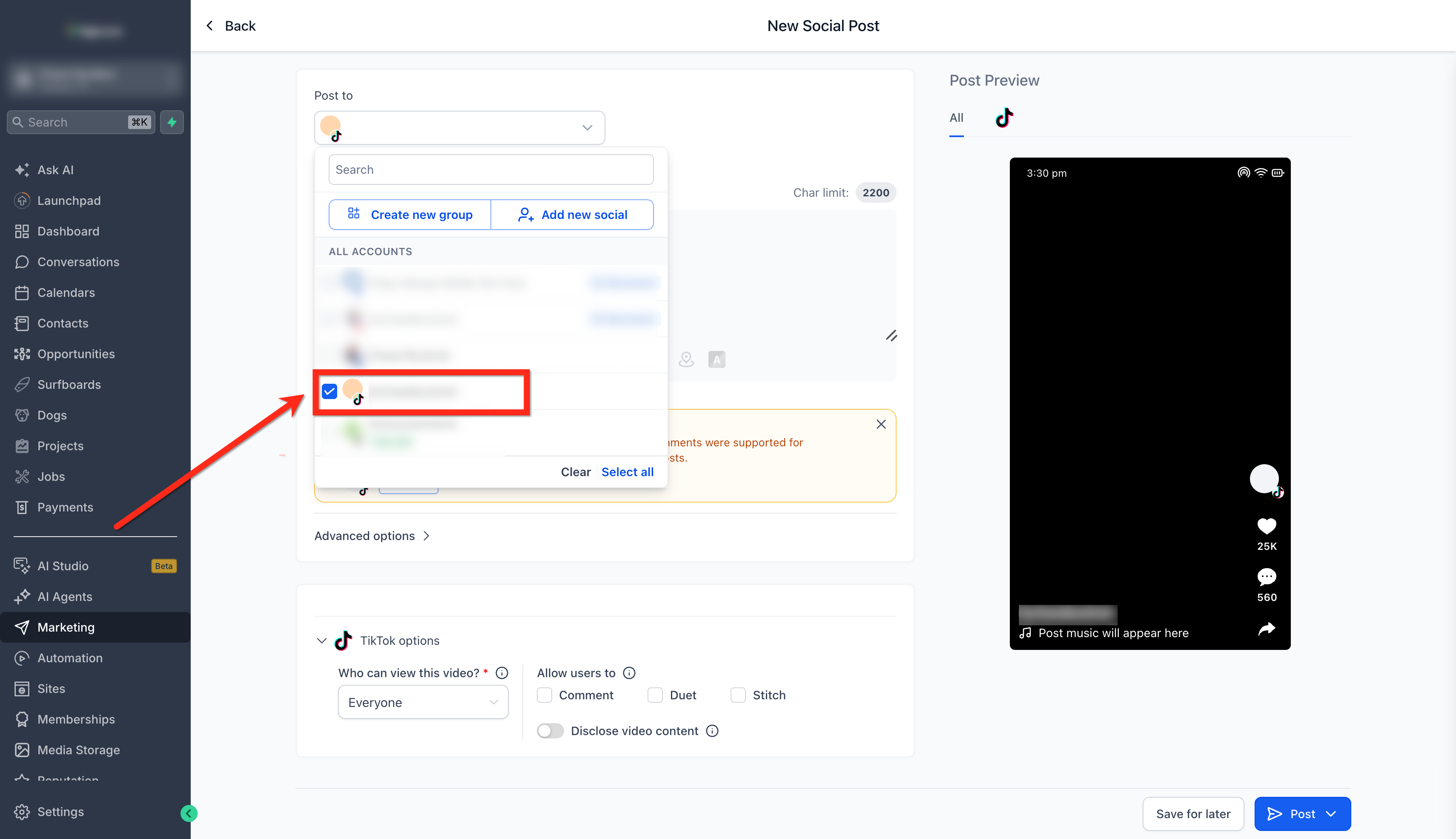
- Choose the social account(s) that will publish the content.
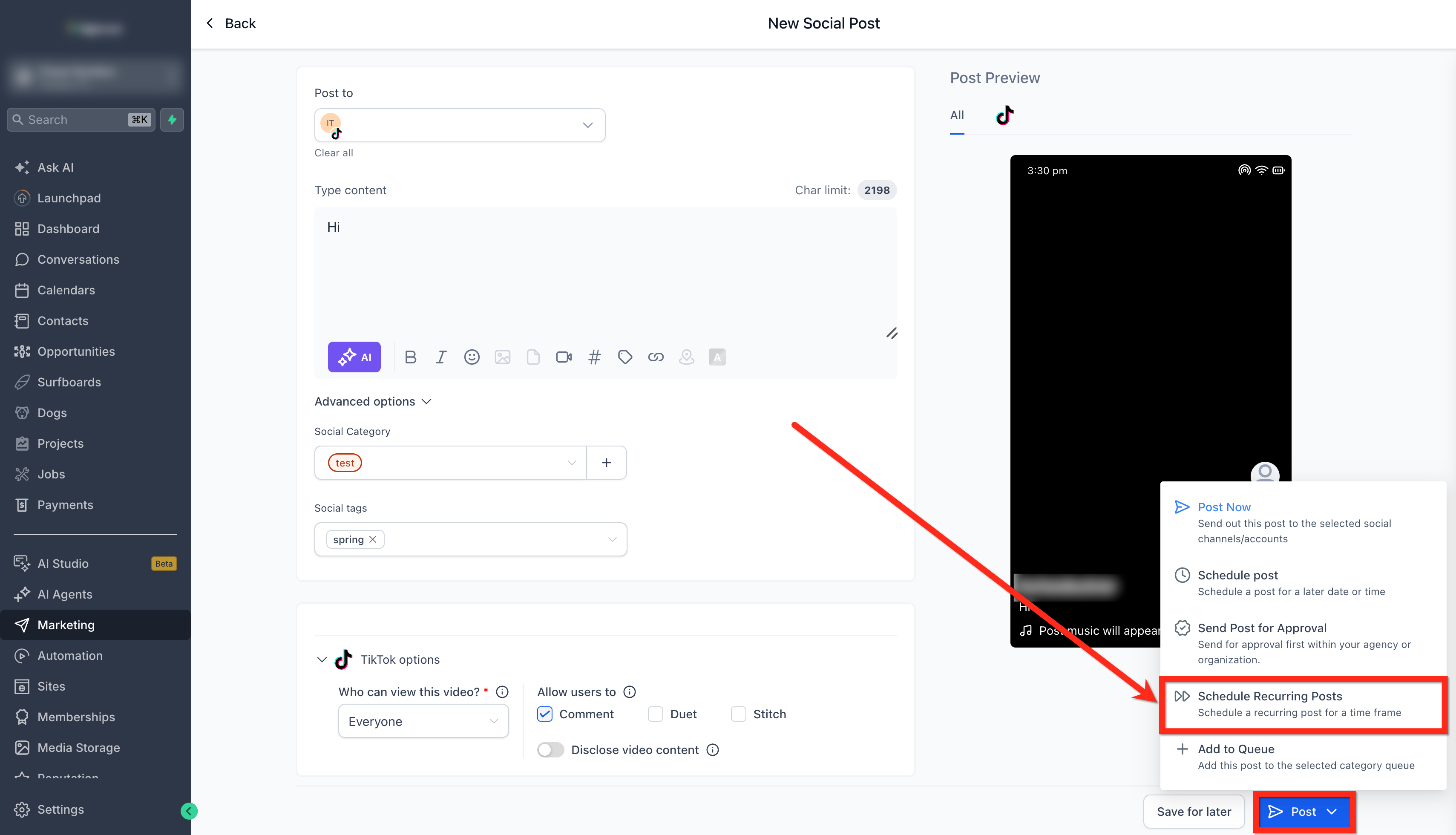
- Compose the post text and add any desired media.
- Open Posts > Schedule Recurring Posts.
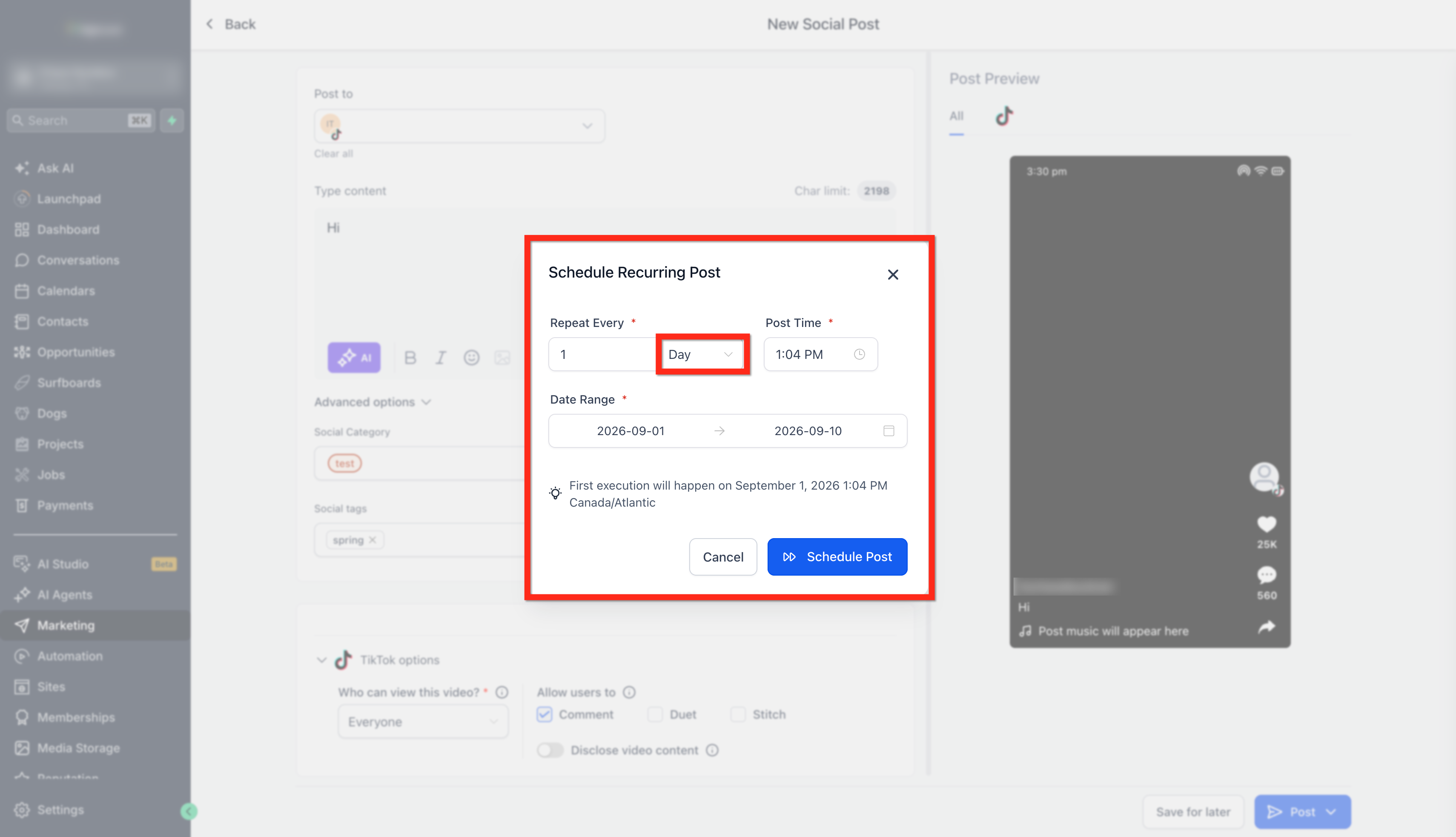
- Pick the Day option and set the time for daily repeats.
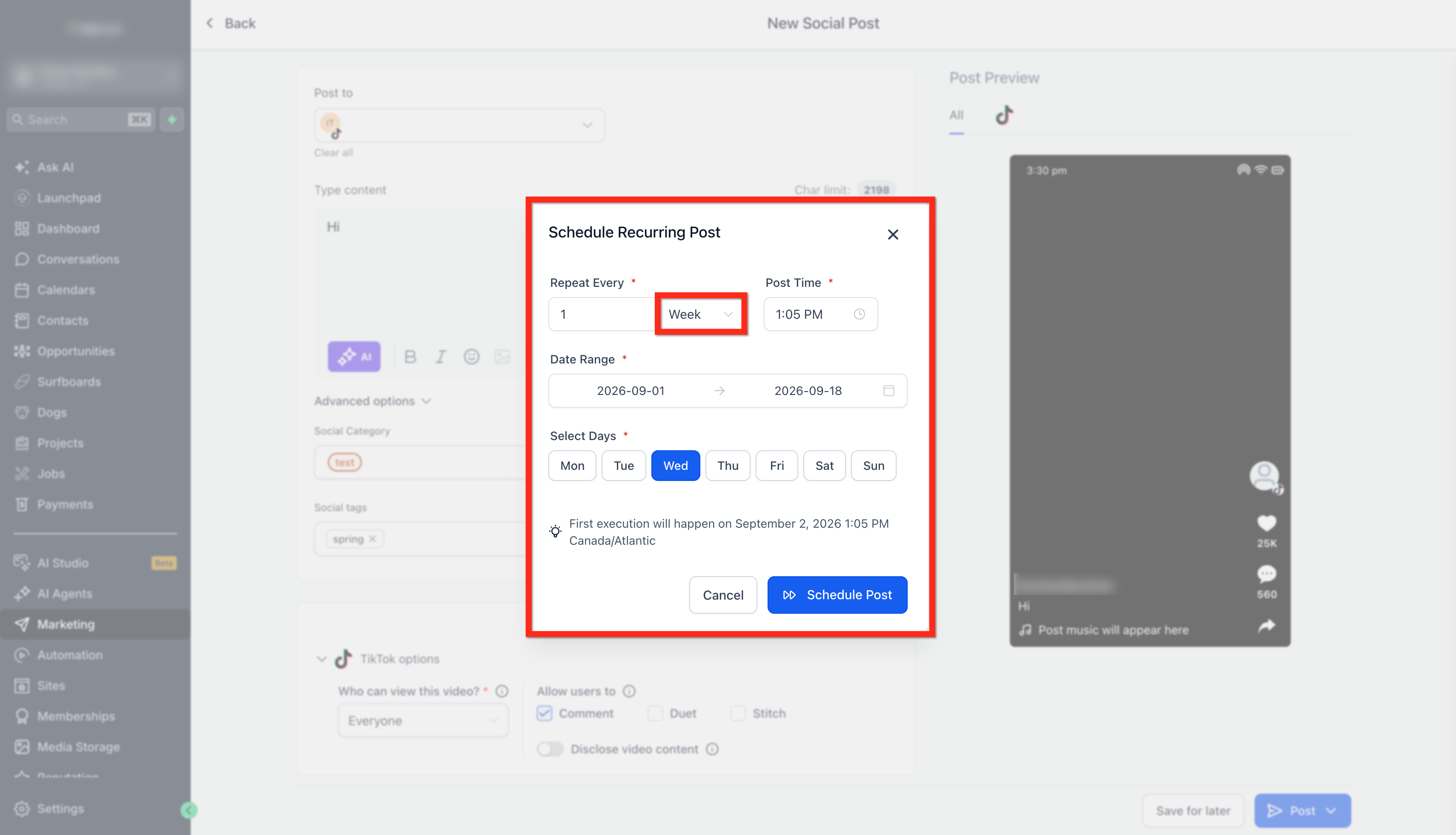
- Pick the Week option, choose a day of the week, set a date range and time.
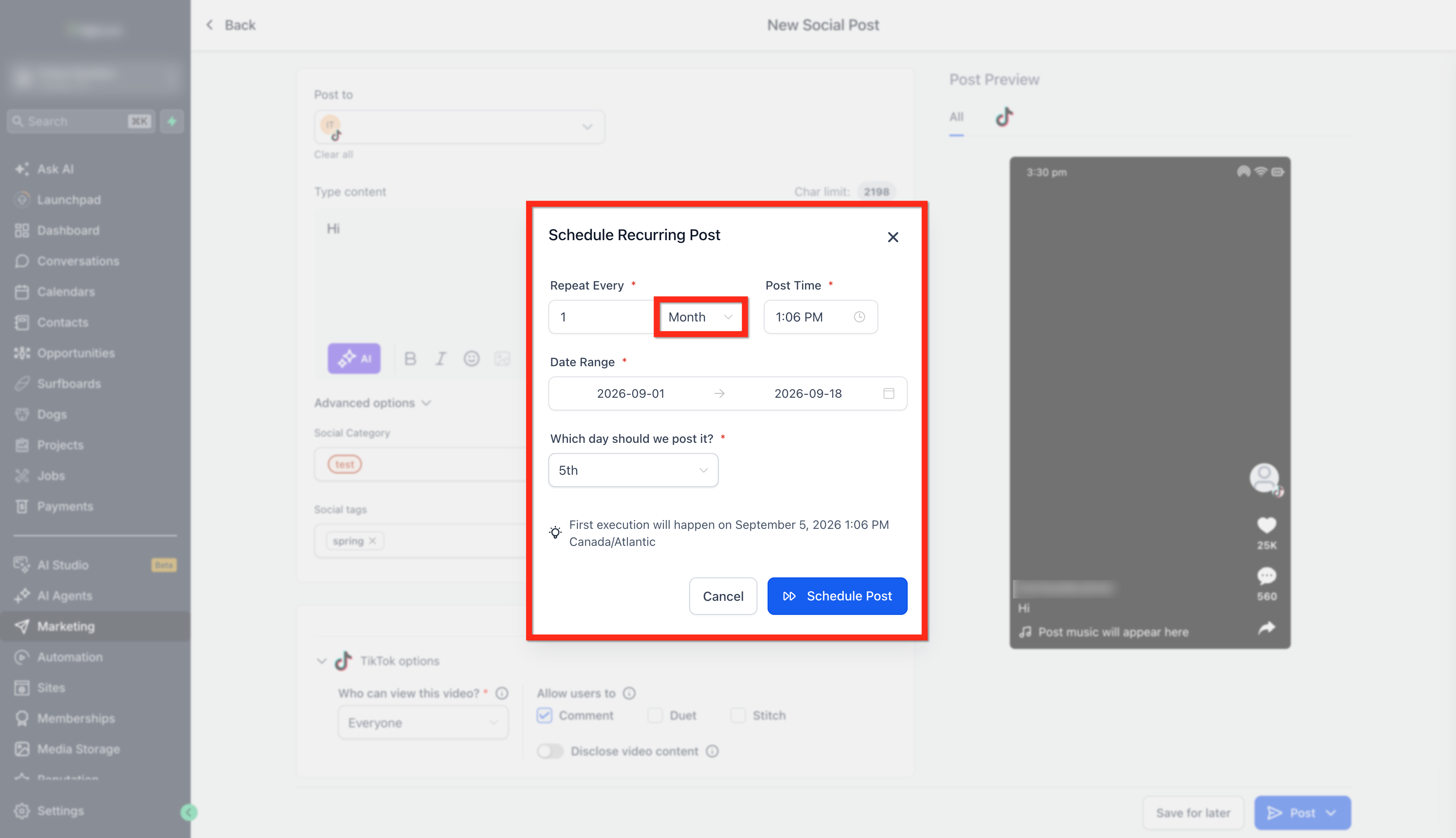
- Pick the Month option, define the calendar date and time for monthly repeats.
- Pick the Year option, select the calendar date and time for yearly repeats.
- Confirm the schedule; the system adds the parent post to Content > Recurring tab.
- Use the Edit button to adjust the time or date range of the recurring series.
06What it looks like in HighLevel
07Settings that matter
- Day. Sets the specific time that the post will repeat every day.
- Week. Allows selection of a weekday and a date range for weekly repetition.
- Month. Defines the calendar date and time for a post that recurs once each month.
- Year. Specifies the date and time for a post that repeats once per year.
08Things to know before you rely on it
- Twitter may flag content that repeats too often, so use the feature sparingly on that platform.
- The series cannot be paused or temporarily stopped once it is active.
- Scheduling horizon depends on each platform's rules; you may be able to plan days, weeks, months or years ahead.
09How it connects to the rest of HighLevel
- Connect your Facebook pages before saving a recurring post Facebook connection guide
- Review image and video specifications for recurring posts Media specs
- Learn how to add @mentions and tag profiles in posts Mentions guide
Michael's take

Recurring social posts are a handy way to keep a steady flow of content without daily effort.
Skip it if you need a fully manual, highly personalized posting strategy.