
01Who this is for
- Social media managers gain a single place to plan Instagram content, reducing tool juggling.
- Founders of small businesses can launch Instagram posts quickly without needing a Facebook page.
- Marketing agencies benefit from the ability to manage multiple client Instagram accounts within one platform.
02Direct Instagram integrations, explained
The Instagram connector lives inside the Social Planner area of HighLevel. It offers two ways to link an account: the classic route that pairs Instagram with a Facebook Page, and a newer Direct connection that only requires Instagram credentials. Both approaches let you queue standard posts, Stories and Reels.
When you choose the Direct option, the platform asks only for Instagram permissions and then shows likes and comments on scheduled items; view count data is not returned by Instagram’s API. The Facebook linked path adds extra metrics such as image and video views but requires a Facebook Page and the appropriate admin role.
03How businesses use Direct Instagram integration
- Dental practice. The practice selects Direct Instagram Integration, grants access to its Creator account, and schedules patient education Stories. All steps stay inside HighLevel, so no Facebook page is needed.
- Real estate agency. The agency uses the Facebook linked method to attach its Instagram Business profile. This lets the team view detailed video view statistics for property tour Reels while scheduling them from Social Planner.
- Fitness studio. The studio opts for Direct Instagram Integration to quickly post workout tip Stories. It authorizes the Instagram account, chooses the content type, and the posts publish automatically.
04The numbers and rules that matter
- Schedule Posts, Stories, and Reels per Instagram guidelines.
- Connect multiple accounts up to your HighLevel plan limits.
05Before you start
- Verify the Instagram account is set up as a Business or Creator profile.
- If you plan to use the Facebook linked method, ensure you hold an Admin or Editor role on the associated Facebook Page.
06How to set up and use Direct Instagram integration in HighLevel
Connect Instagram using Facebook linked integration (classic)
- IMPORTANT: This method is required if you need legacy features that rely on Facebook permissions.
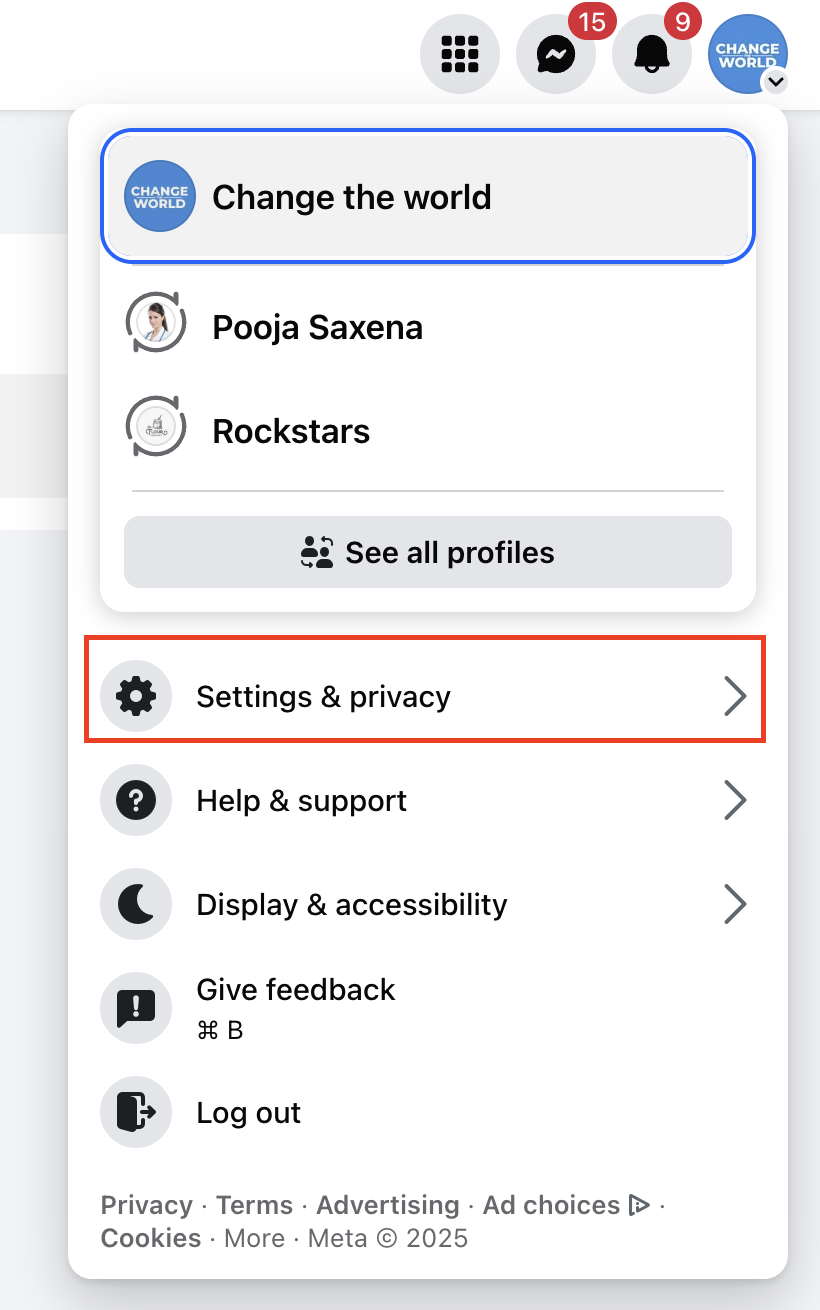
- Sign in to Facebook and click your profile picture at the top right corner.
- Select See all profiles and choose the Page you want to manage.
- Click the Page’s own profile picture located at the upper right.
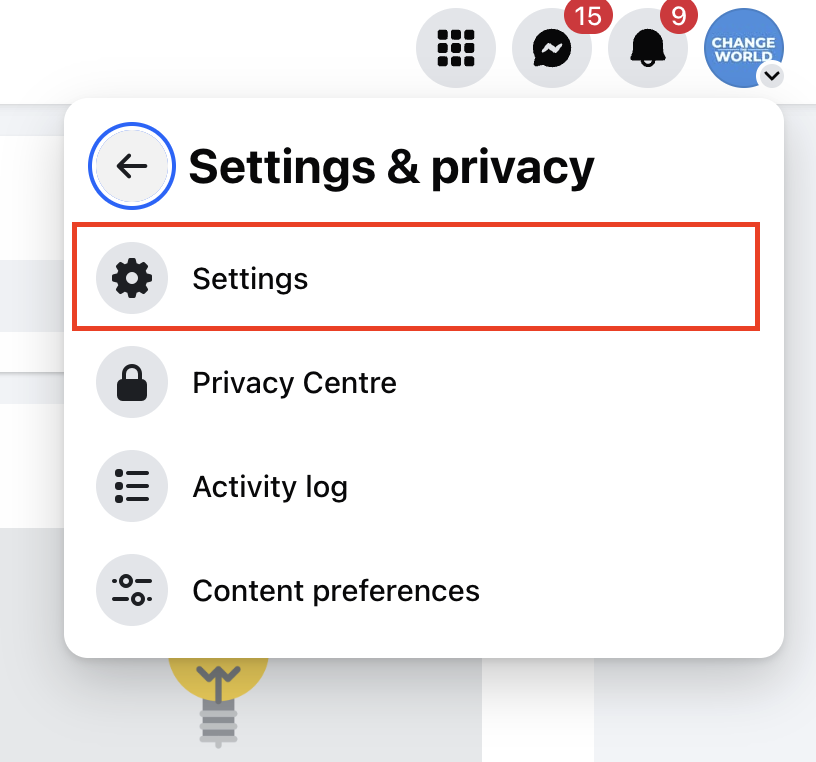
- Open Settings and privacy, then go into Settings.
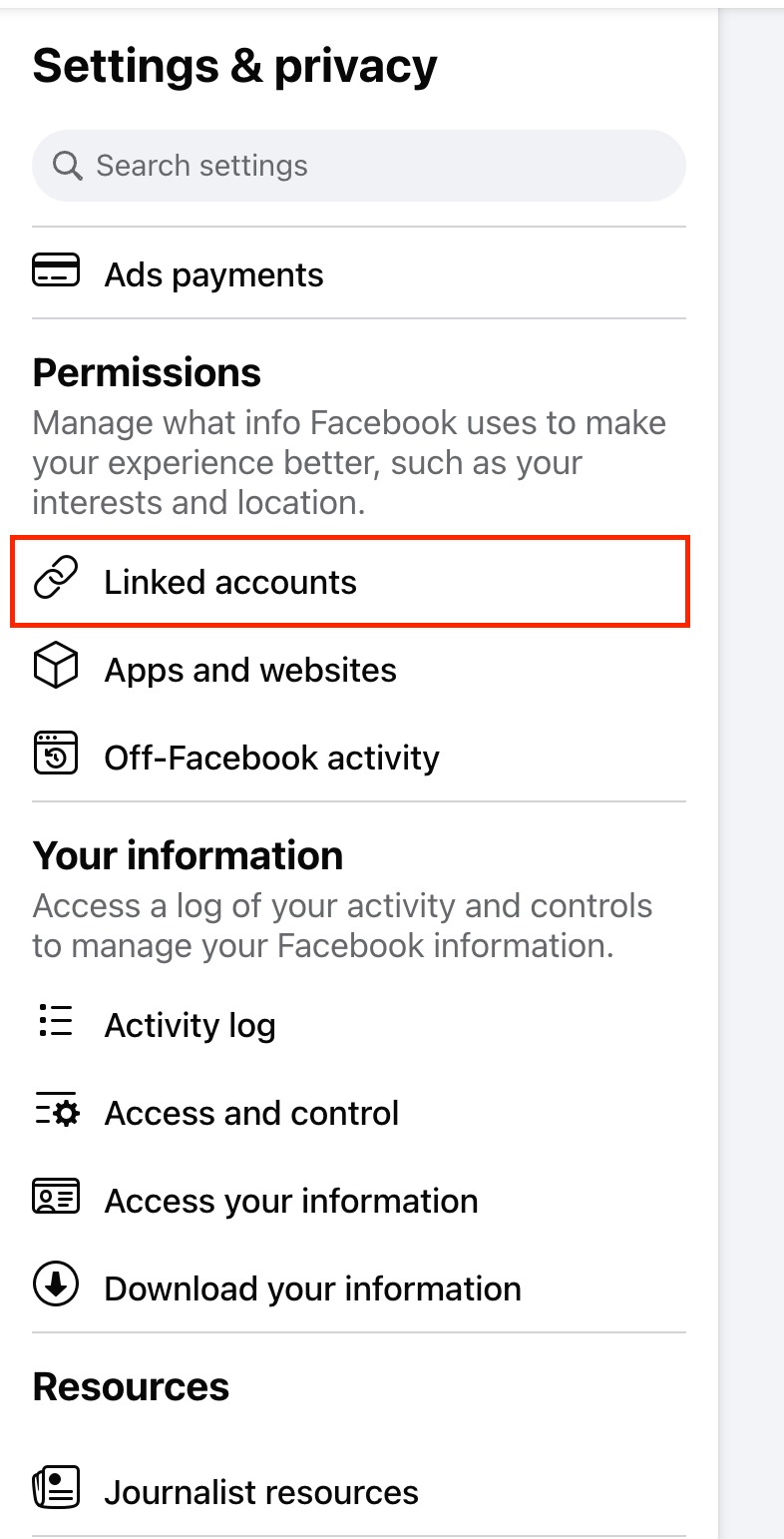
- Under Permissions, open Linked accounts.
- Find Instagram in the list and press View.
- Press Connect account and follow the prompts to link the Page with the Instagram account.
- Confirm that the Instagram Business profile now appears linked to your Facebook account.
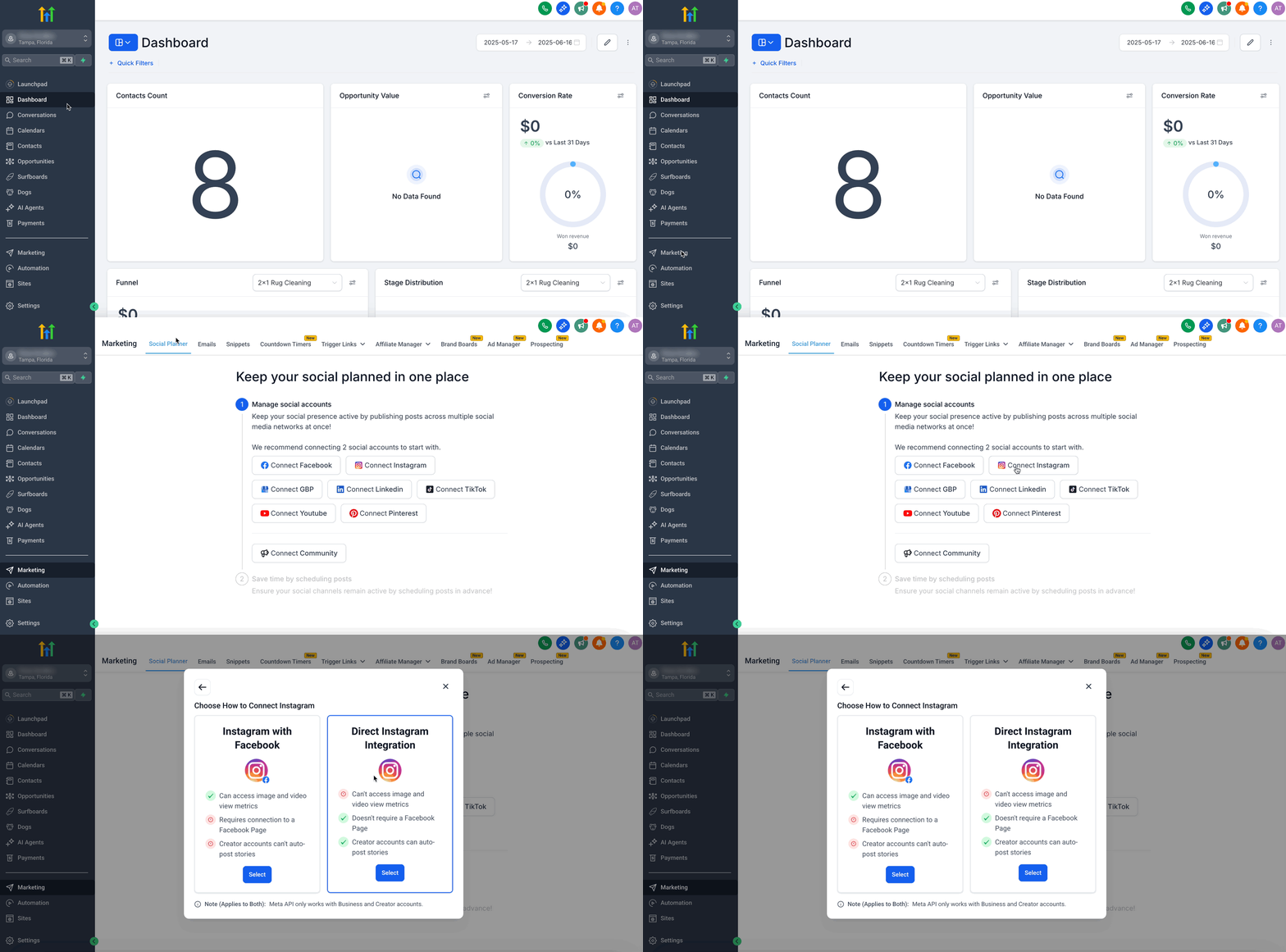
- In HighLevel, navigate to Marketing greater than Social Planner.
- Tap the gear shaped Settings icon next to New Post.
- Select Add Socials from the menu.
- Choose Instagram as the social channel.
- Pick Instagram with Facebook and finish the connection wizard.
Connect Instagram using Direct Instagram integration (recommended)
- Open Marketing greater than Social Planner inside HighLevel.
- Click the gear shaped Settings icon beside New Post.
- Select Add Socials from the options presented.
- Choose Instagram from the list of networks.
- Select Direct Instagram Integration as the connection type.
- In the popup, confirm Direct Instagram Integration again.
- Grant the requested permissions and pick your Instagram Business or Creator account.
07What it looks like in HighLevel

08Settings that matter
- Add Socials. Opens the list of social platforms you can connect to the Social Planner.
- Instagram with Facebook. Selects the classic linking method that requires a Facebook Page.
- Direct Instagram Integration. Enables connection directly to Instagram without involving a Facebook Page.
09Things to know before you rely on it
- View count metrics for images and videos are not provided by Instagram’s API, so they are unavailable in the Direct method.
- You may link multiple Instagram accounts, but the total number is limited by your HighLevel subscription plan.
- Creator accounts can only use Direct Instagram Integration for auto posting Stories.
10If something goes wrong
- Posts fail to publish. Check that the content follows Instagram’s image and video specifications and verify the account is correctly linked.
11How it connects to the rest of HighLevel
- How to attach a Facebook Page inside HighLevel Social Planner Facebook page connection
- Image and video guidelines for Social Planner content Content specs
- HighLevel pricing and plan limits for connected accounts Pricing and limits
Michael's take

Skipping the Facebook page requirement sounds great, but Instagram still expects the underlying profile to be a Business profile linked to a page or a Creator profile. If that isn’t set up correctly, the integration will never finish.
When it works, the single login lets you line up Stories, Reels and posts in one view and watch likes and comments without flipping between apps. That’s the kind of streamlined workflow that lets you focus on the creative side rather than juggling permissions.