
01Who this is for
- Social media agencies benefit by handling client Bluesky accounts without leaving HighLevel.
- Small business owners can keep their brand active on Bluesky while using the same calendar as other channels.
- Content marketers gain a single place to draft, approve, and schedule Bluesky updates.
02Bluesky integration, explained
The integration brings Bluesky into the Social Planner dashboard. After you generate an app password in Bluesky, you enter the handle and password inside Social Planner to authenticate. Once linked, the account appears in the All Accounts list and can be used like any other channel.
From the planner you can compose posts that respect Bluesky limits, schedule them, view and reply to comments, and see metrics such as likes, impressions, and engagement rate. All actions happen inside the platform, eliminating the need for a separate Bluesky client.
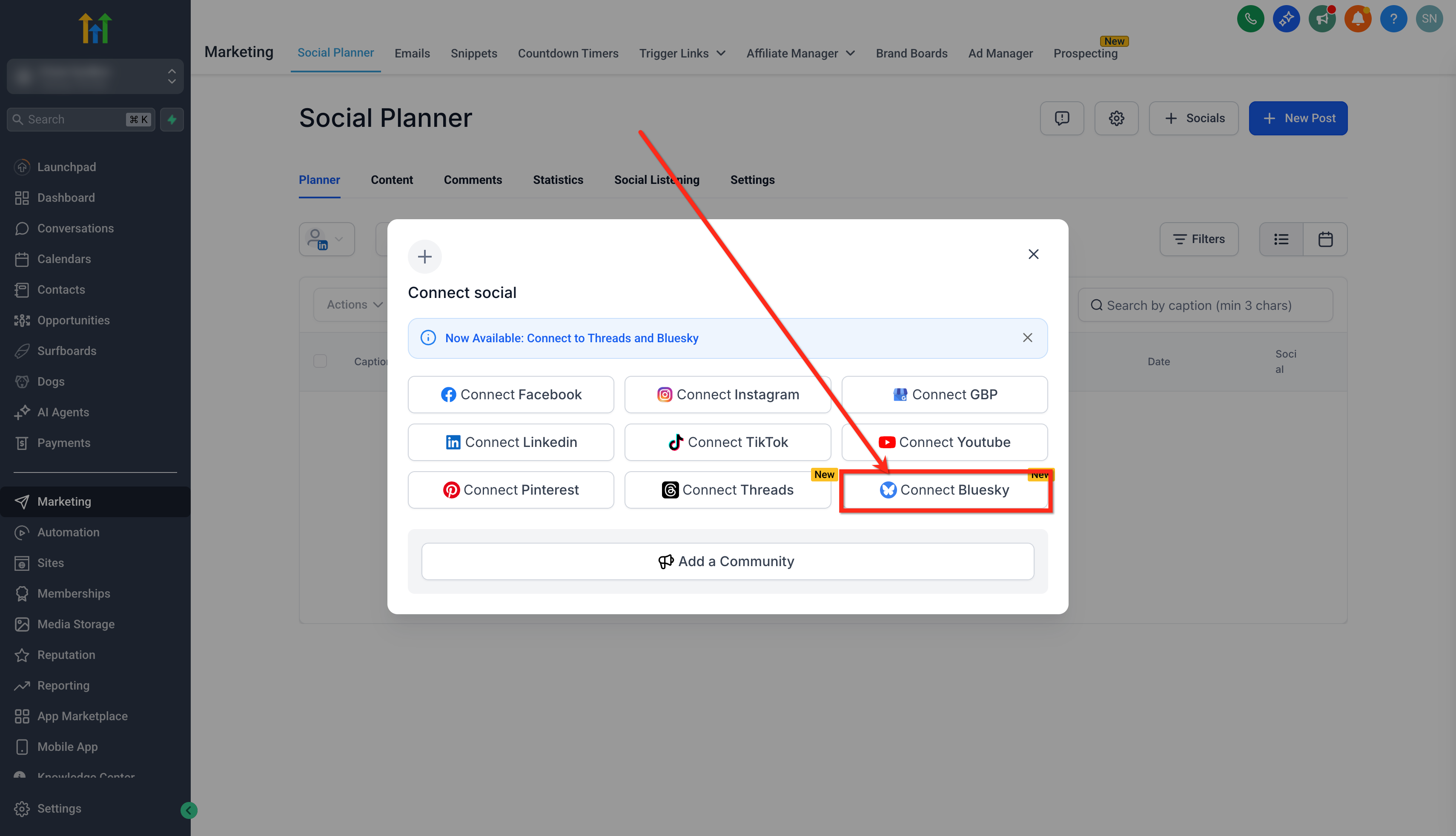
The feature lives under Marketing > Social Planner > + Socials, where the Connect Bluesky option is available.
03How businesses use bluesky integration
- Marketing agency. The agency creates an app password for each client’s Bluesky handle, connects them in Social Planner, then schedules posts for multiple brands from a single calendar, using the built in approval flow before publishing.
- Real estate brokerage. A broker generates an app password, links the brokerage’s Bluesky account, and drafts property teaser posts that are queued to run throughout the week while monitoring comments directly within Social Planner.
- Fitness studio. The studio sets up an app password, connects its Bluesky profile, and schedules class promotion videos and class time hashtags, tracking likes and impressions from the planner’s analytics view.
04The numbers and rules that matter
- Character limit: 300 characters per post.
- Images: JPEG, PNG up to 1 MB, up to 4 per post.
- Video: MP4, MOV up to 50 MB, 1 video per post (cannot mix with images).
- Video dimensions: Recommended 480p, 720p, aspect ratio 16:9 or 1:1, duration up to 3 minutes, frame rate 30, 60 FPS, codecs H.264 and AAC.
- Daily posting limit: 100 posts per 24 hours.
- Links must start with http:// or https:// and count as 23 characters.
05Before you start
- A Bluesky account with valid login credentials.
- Access to a HighLevel subaccount that includes the Social Planner feature.
06How to set up and use bluesky integration in HighLevel
Create an app password in Bluesky
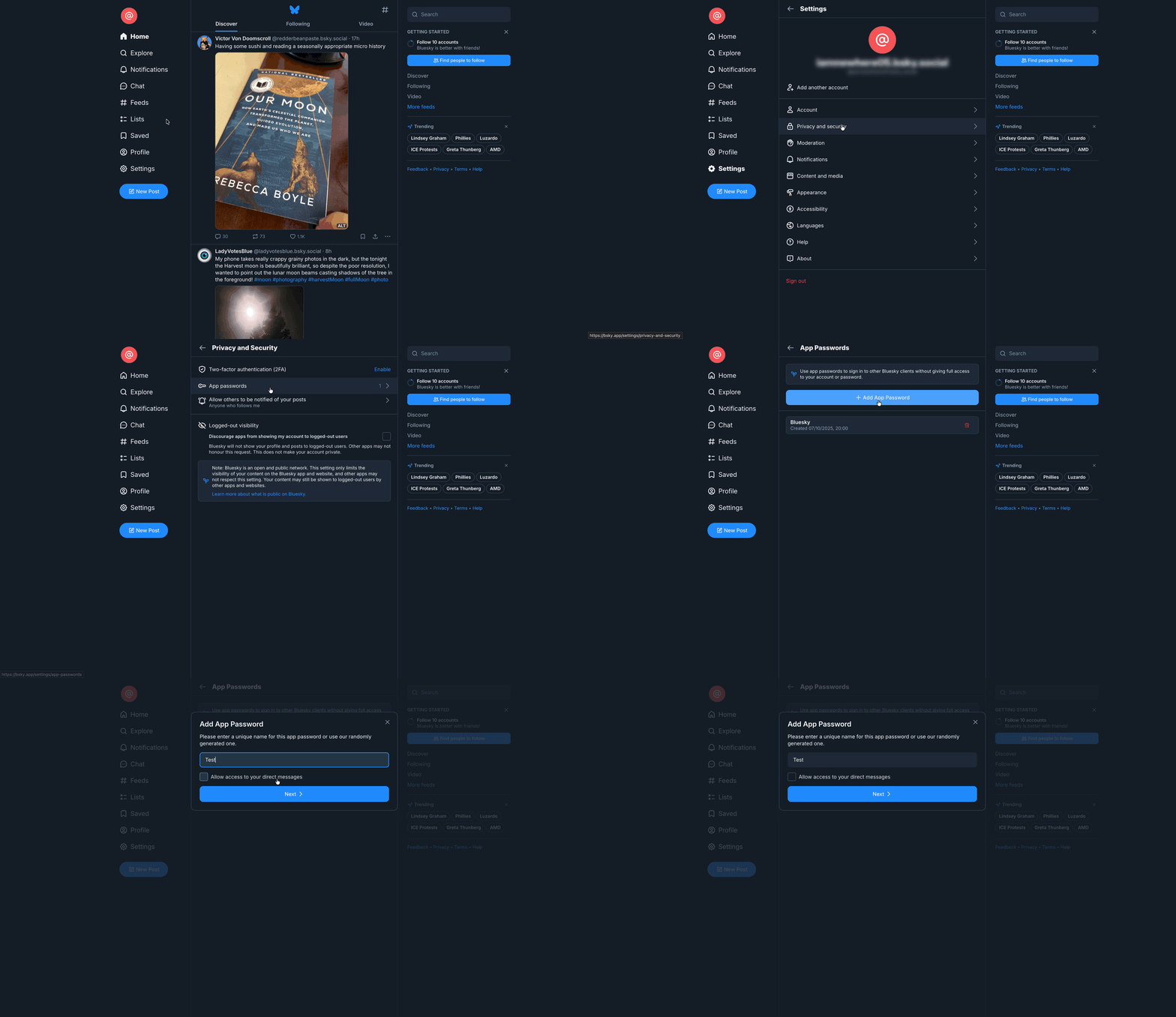
- Open a new browser tab and sign into your Bluesky account.
- Select Settings, then go to Privacy & security, and open App Passwords.
- Click the + Add App Password button.
- Enter a name for the password in the pop up and press Next.
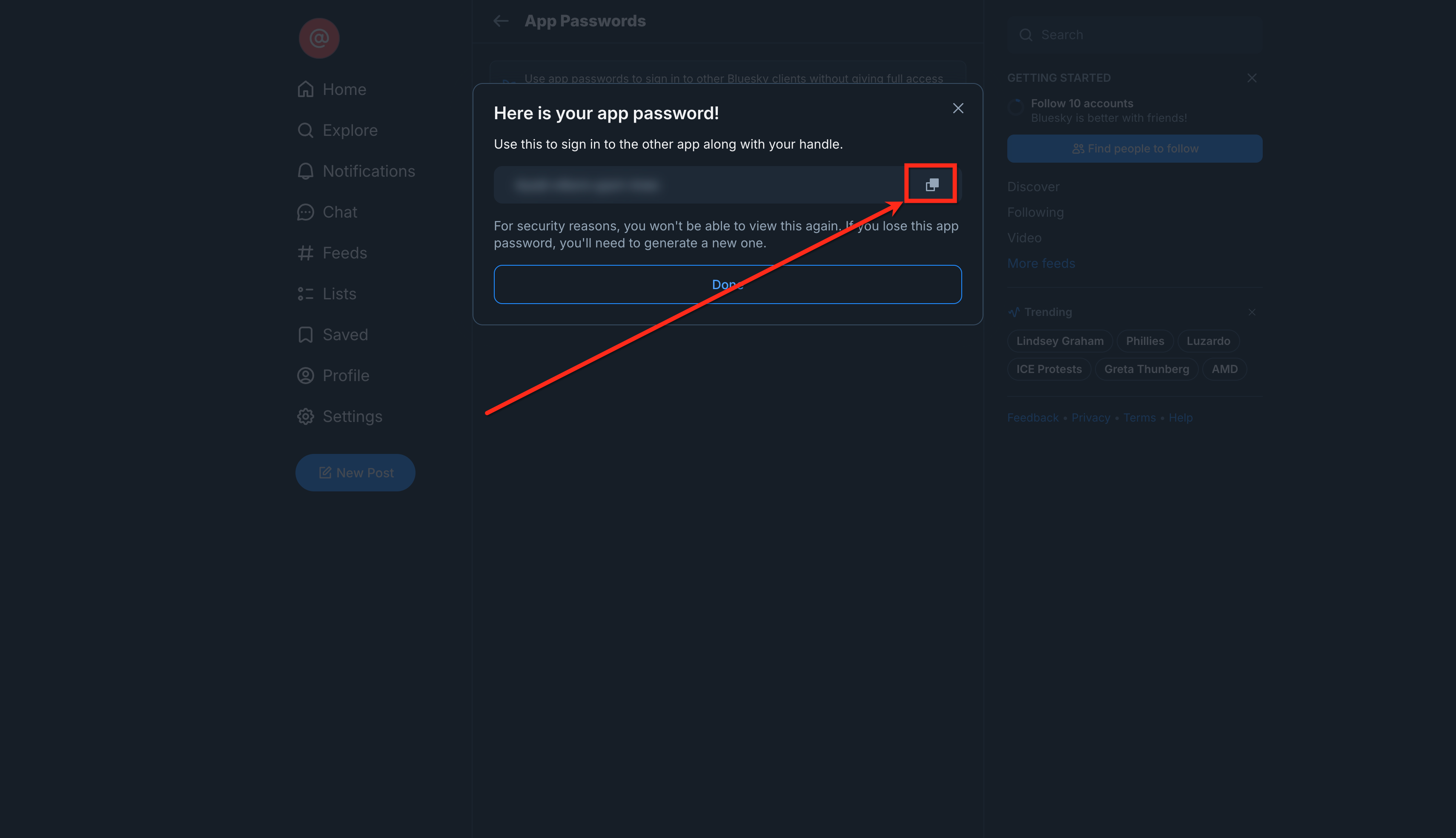
- Copy the displayed password because it will be shown only once.
Connect Bluesky to Social Planner
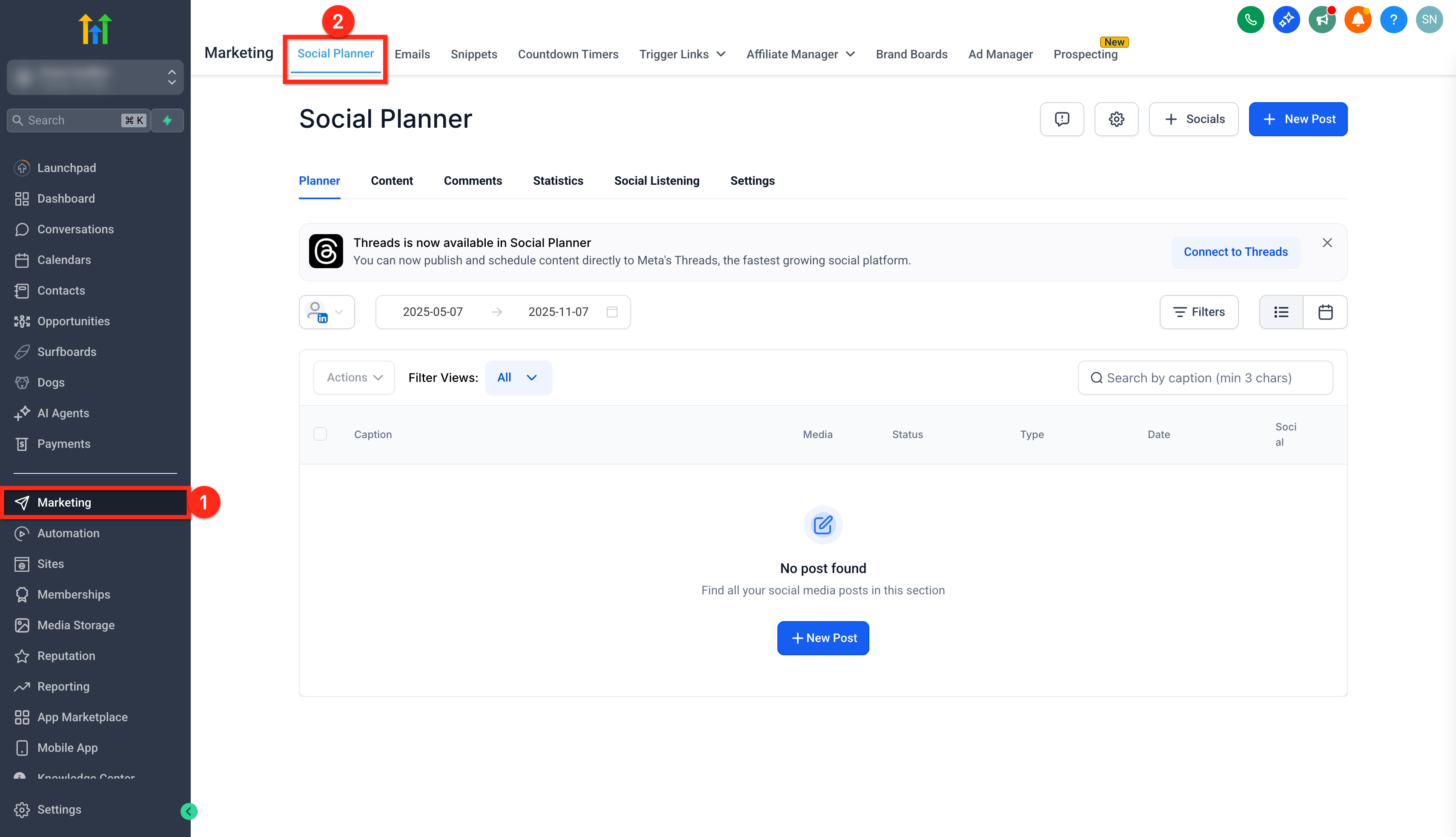
- From your subaccount, click the Marketing tab.
- Open the Social Planner section.
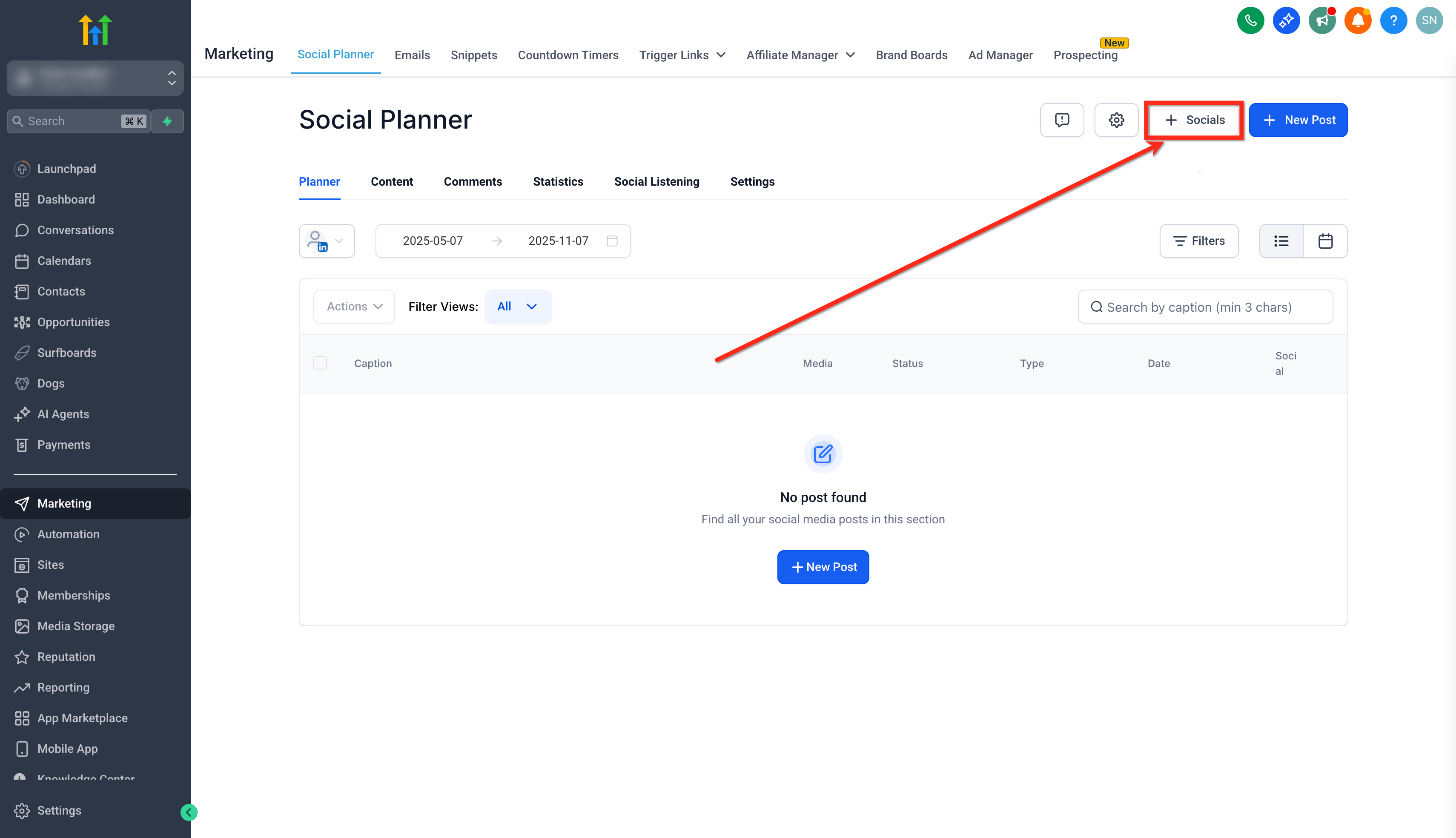
- Press the + Socials button.
- Choose the Connect Bluesky option.
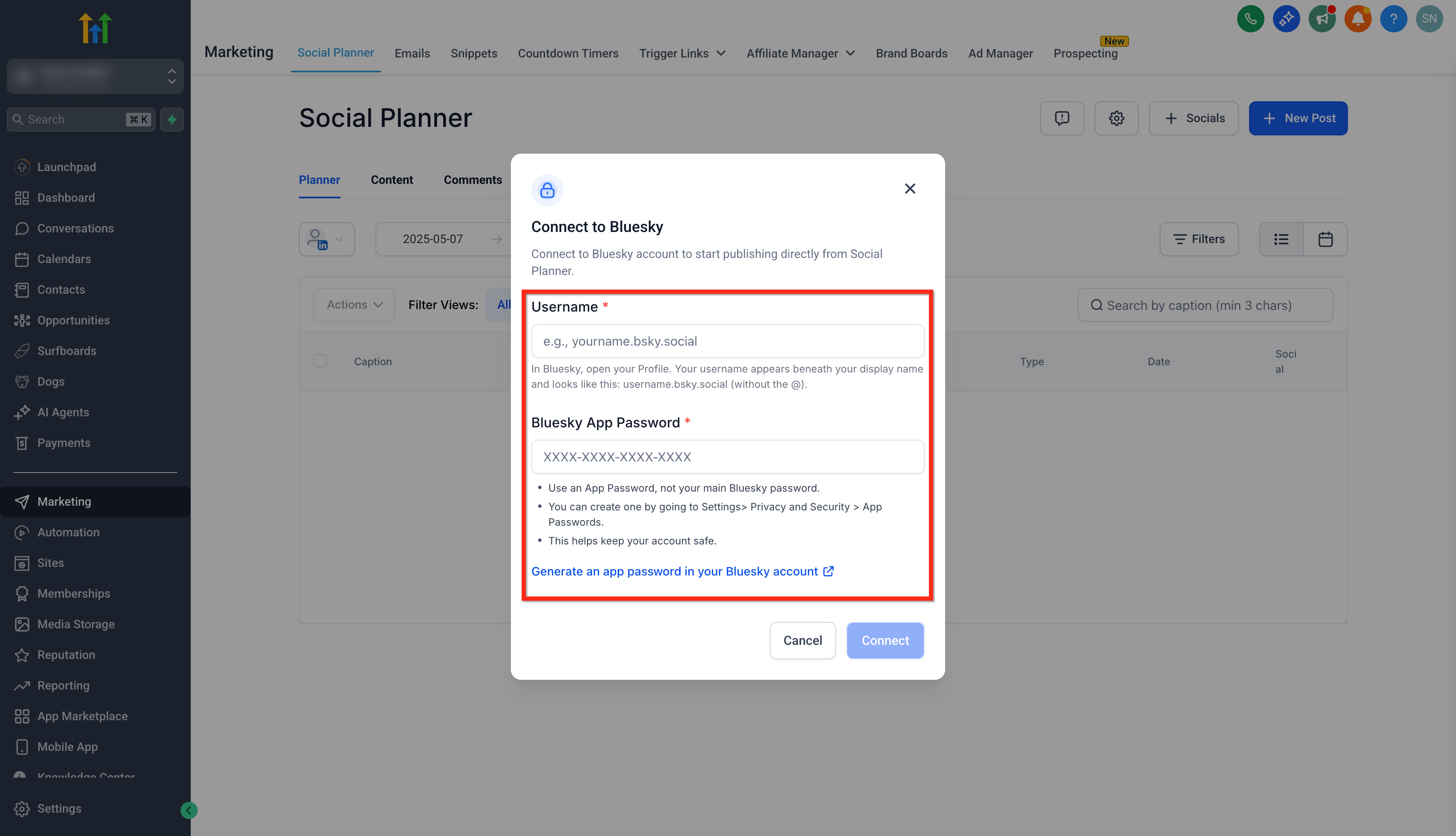
- Type your Bluesky username without the @ symbol.
- Paste the app password you saved earlier.
- Click the Connect button.
- Press Add next to the new profile to place it in Social Planner.
07What it looks like in HighLevel
08Settings that matter
- App Passwords. Controls the one time passwords generated in Bluesky for third party tools like HighLevel, keeping your main login secure.
09Things to know before you rely on it
- Posts are limited to 300 characters.
- You may attach up to four images or one video per post, but not both.
- Image files must be JPEG or PNG and no larger than 1 MB each.
- Video files must be MP4 or MOV, up to 50 MB, 16:9 or 1:1 aspect ratio, 3 minutes max, 30 to 60 FPS, H.264/AAC codecs, and cannot have a custom thumbnail.
- A maximum of 100 Bluesky posts can be published in any 24 hour period.
- The app password is displayed only once; if missed you must delete and recreate it.
10How it connects to the rest of HighLevel
- Link Facebook pages to the same Social Planner for cross platform scheduling. Facebook page connection
- Connect Instagram accounts, which can be linked through Facebook or directly, to manage all visual content together. Instagram connection
- Add LinkedIn profiles or business pages to Social Planner to coordinate professional updates alongside Bluesky. LinkedIn connection
- Use the mention feature in Social Planner to tag other users in Bluesky posts. Add mentions
Michael's take

Keeping a brand’s voice active on every platform is a challenge, especially when a new network like Bluesky pops up. The biggest win is making sure you never have to hop between apps just to stay present on Bluesky.
The first setting I’d lock in is the app password. Generate it once, copy it carefully, and paste it into Social Planner. That single step secures the connection and lets you schedule posts, reply to comments and track performance without juggling another tool.