
01SEO audits, explained
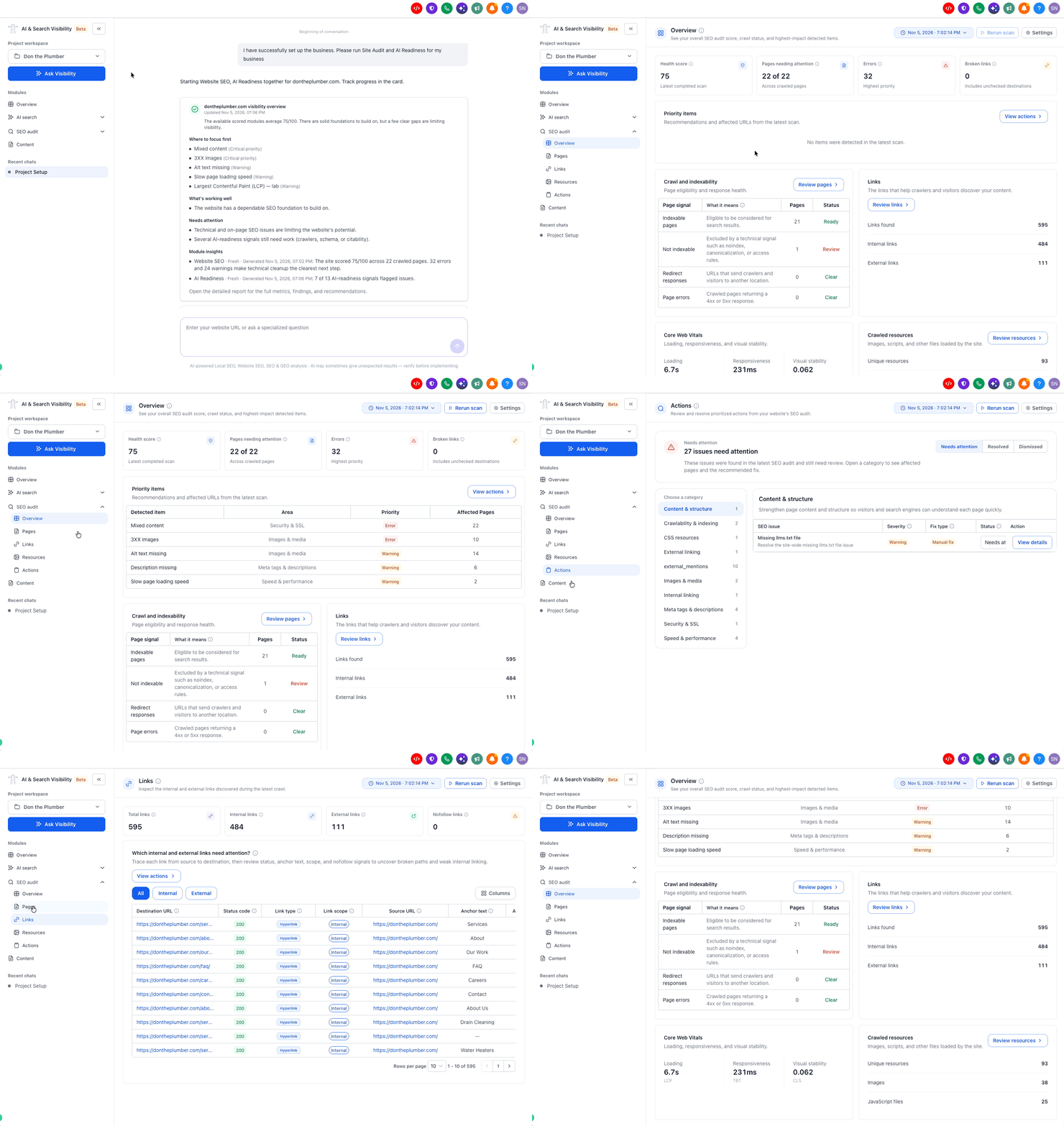
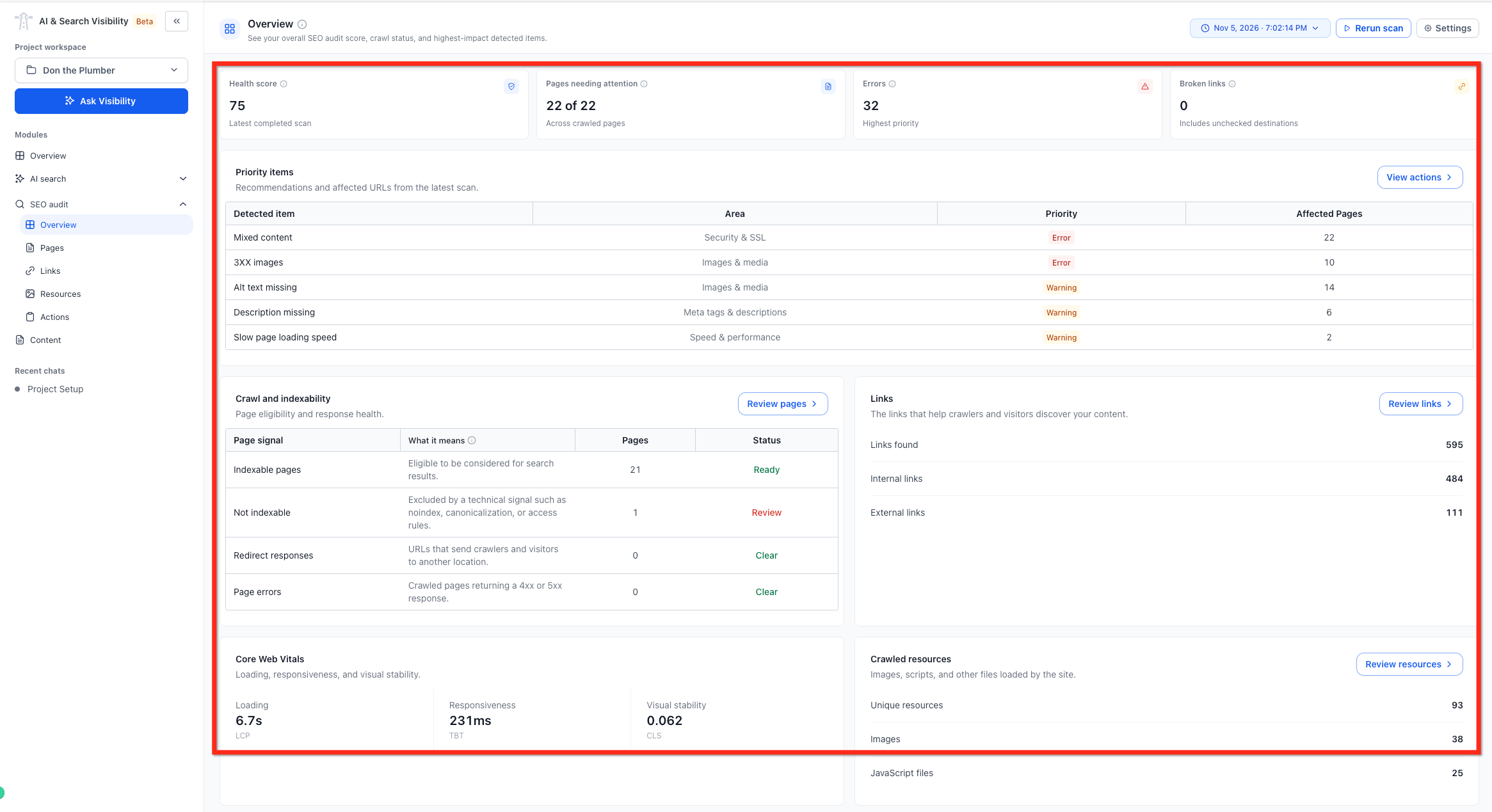
A site audit in HighLevel crawls your pages and runs more than 100 technical checks. It looks at indexability, redirects, link discovery, core web vitals, and crawled resources, then assigns a health score from 0 to 100 based on issue severity, page impact and audit area.
The audit groups findings by severity, Errors, Warnings and Notices. So you can see which problems need attention first. After you fix the items, you can run another audit to see how the score changes and whether the issues are resolved.
02How businesses use SEO audit
- Identify technical SEO issues. Run the audit to see pages that need attention, indexability problems, redirect errors and performance gaps. Prioritize the listed Errors first, then address Warnings to improve your health score.
- Track improvement over time. After fixing the first set of findings, manually start a new audit. Compare the new health score and issue counts with the previous report to see the effect of your changes.
03The numbers and rules that matter
- Each project receives 10 SEO audits per monthly cycle during the beta.
- The Health Score is a number from 0 to 100.
- The audit runs more than 100 technical checks.
04How to set up and use SEO audit in HighLevel
Run first site audit
- Open AI & Search Visibility.
- Create a new project by entering your business information and website domain, then complete the project setup.
- The first SEO audit starts automatically.
- Open SEO Audit from the side navigation panel.
- Allow the scan to finish.
- Review the report showing Website Health Score, Errors, Warnings and Notices.
Run a subsequent audit
- Open your existing project in AI & Search Visibility.
- Select SEO Audit from the side navigation panel.
- Manually initiate a new scan.
05What it looks like in HighLevel
06Things to know before you rely on it
- Once the limit is reached, the latest completed audit report remains available.
- The health score is not a search engine ranking or a guarantee of organic traffic.
- After the initial scan, SEO Audits do not run automatically; users must manually start later scans.
Michael's take

Want to know if your site’s technical health is holding back search traffic? The SEO audit in HighLevel gives you a quick health score and a prioritized list of problems so you can focus on the issues that matter most.
I’d jump on the first audit, fix the high severity errors, then rerun the scan to see the score improve.