
01SEO audit rescans, explained
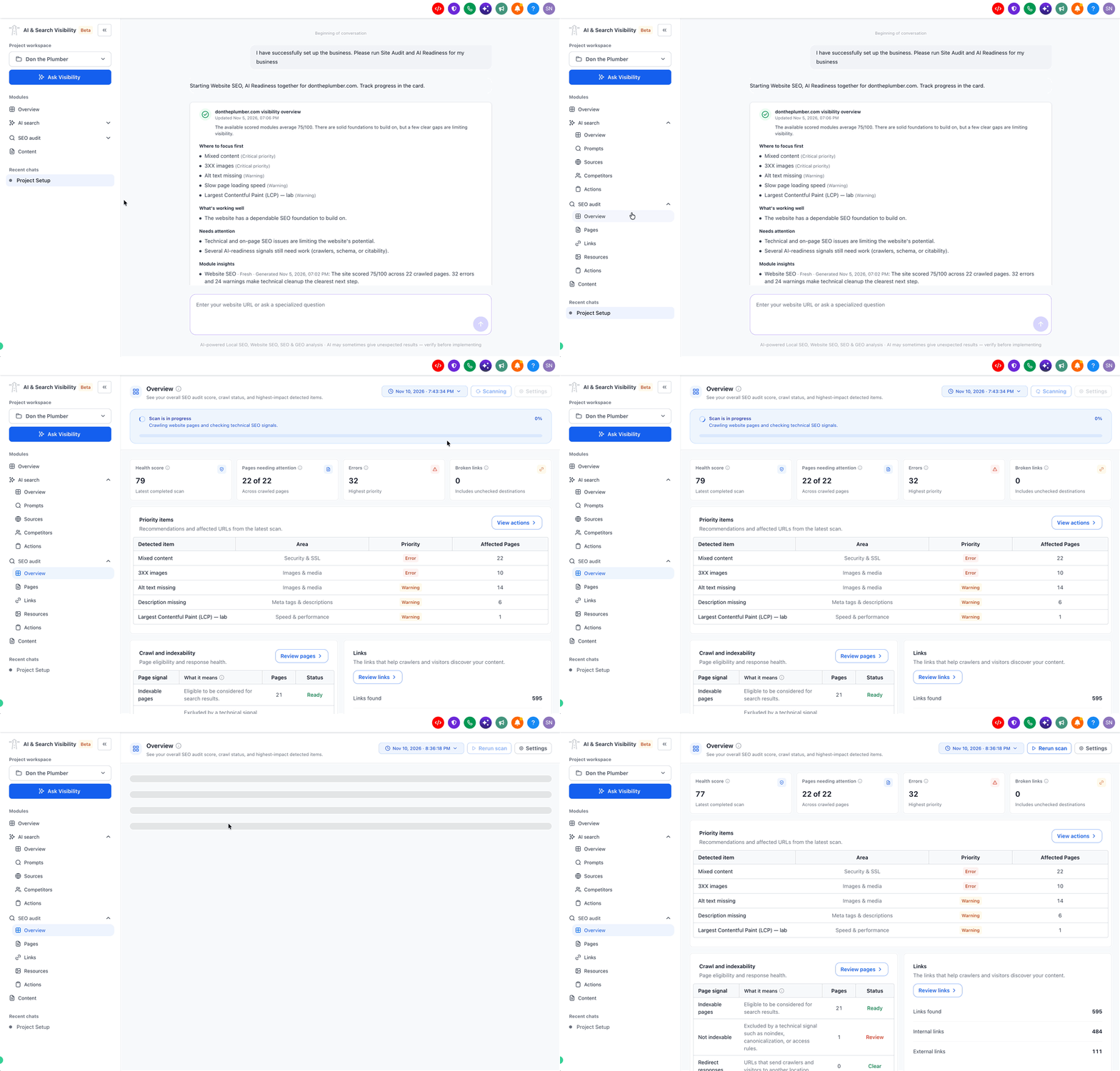
A rescan runs a fresh SEO audit of your website and generates an updated health score and a new list of errors, warnings and notices. Comparing the new report with the previous one shows whether the changes you made have fixed the identified problems.
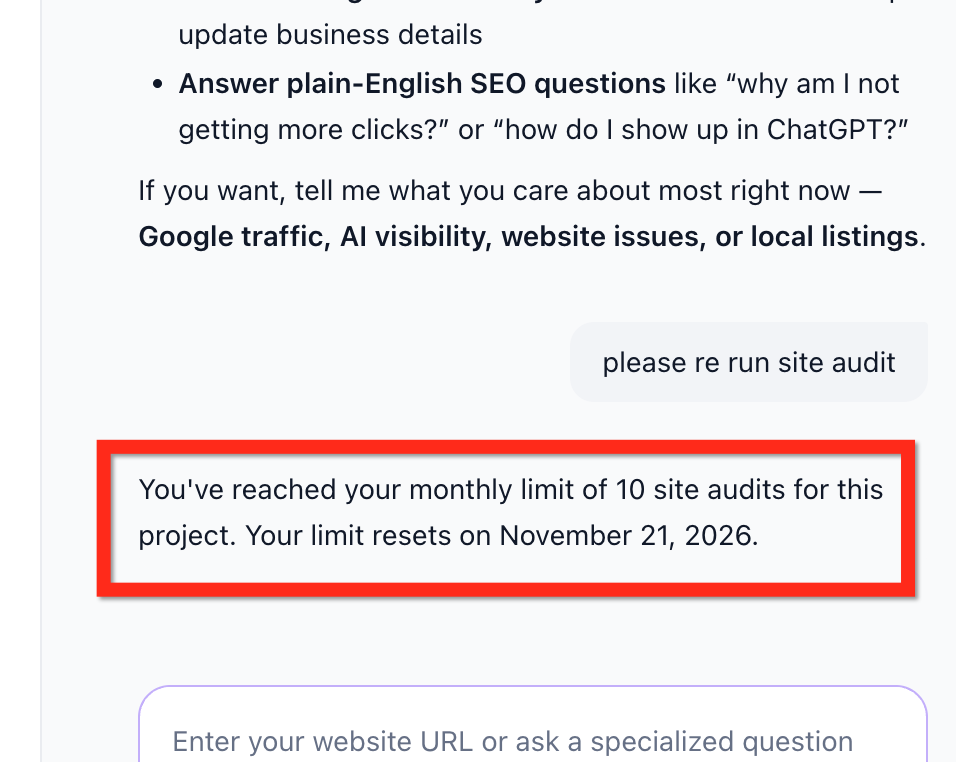
The feature is part of the AI & Search Visibility beta. Each project can run up to 10 audits per monthly cycle, covering both standard and advanced audits. When the limit is reached, additional audits become unavailable, but the latest completed report remains accessible.
02How businesses use the SEO audit rescans
- Verify SEO fixes. After repairing issues flagged in a prior audit, run a rescan to see if those problems still appear. The updated report confirms whether the fixes were successful.
- Measure improvements. Run a rescan once changes are live, then compare the new health score with the old one to see whether the site’s technical health has improved.
- Identify remaining issues. If the rescan still shows errors or warnings, you can focus on the remaining problems. The fresh report highlights any new or persistent issues that need attention.
03The numbers and rules that matter
- Beta limit: 10 audits per project per monthly cycle.
04How to set up and use the SEO audit rescans in HighLevel
Run an SEO audit rescan
- Open AI & Search Visibility and select your project.
- Navigate to SEO Audit.
- Open the existing audit report and select the available Rescan option.
- Allow the scan to complete.
- Review the updated health score and detected issues to evaluate your improvements.
05What it looks like in HighLevel
06Things to know before you rely on it
- Each project has a fixed audit allowance during the beta.
- When the limit is reached, additional audits become unavailable until additional scans become available in a subsequent monthly cycle.
- The last completed audit report remains accessible after the limit is reached.
Michael's take

Rescans feel like a small convenience that can turn into a real shift if you’re actively fixing technical SEO. The ability to compare a before and after health score lets you see the impact of every tweak without guessing.
A local service business that updates its site’s schema after a redesign would benefit. Run a rescan once the new markup is live, check the health score, and assess whether the effort resulted in improvements.