
01AI & Search Visibility, explained
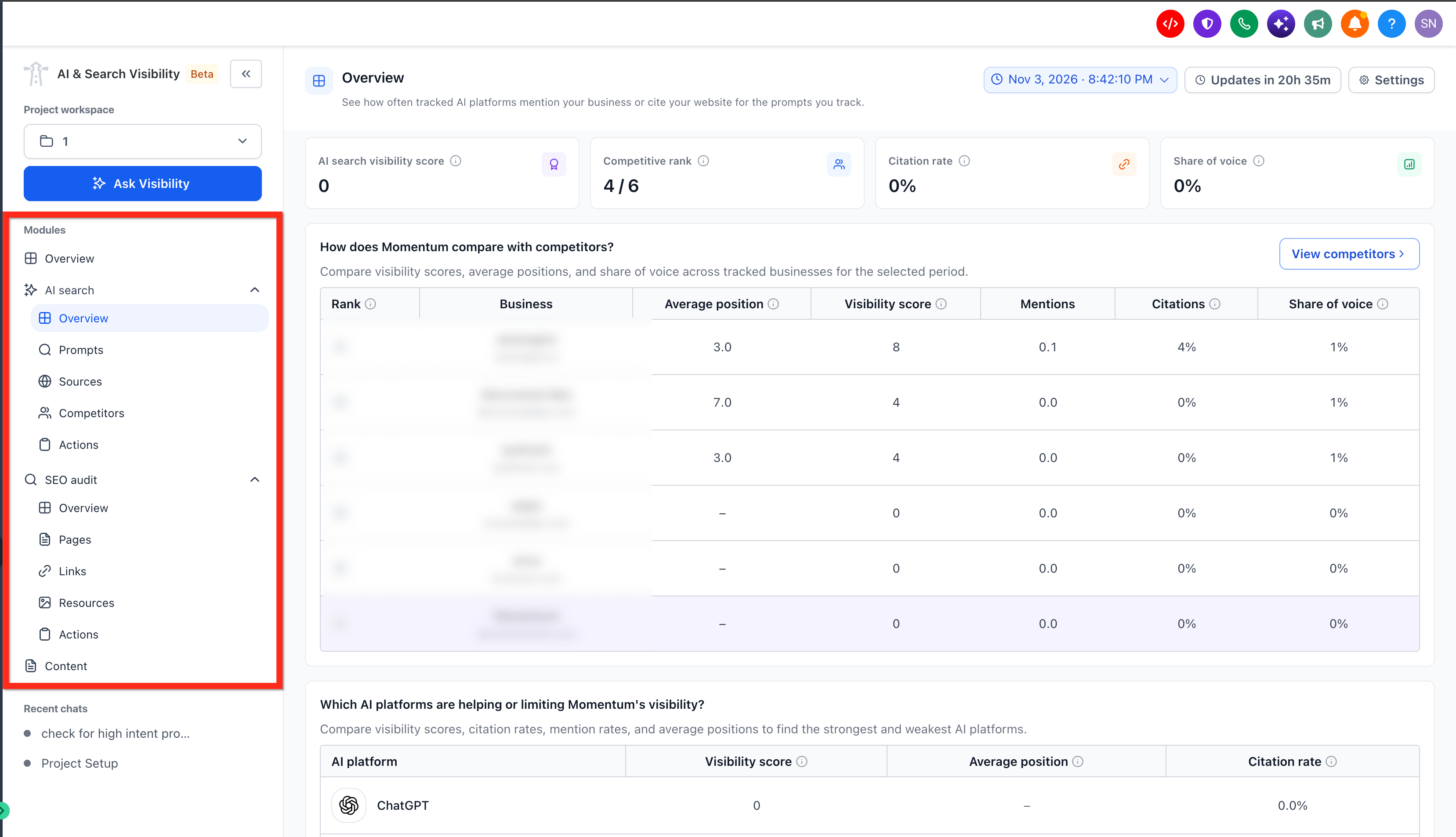
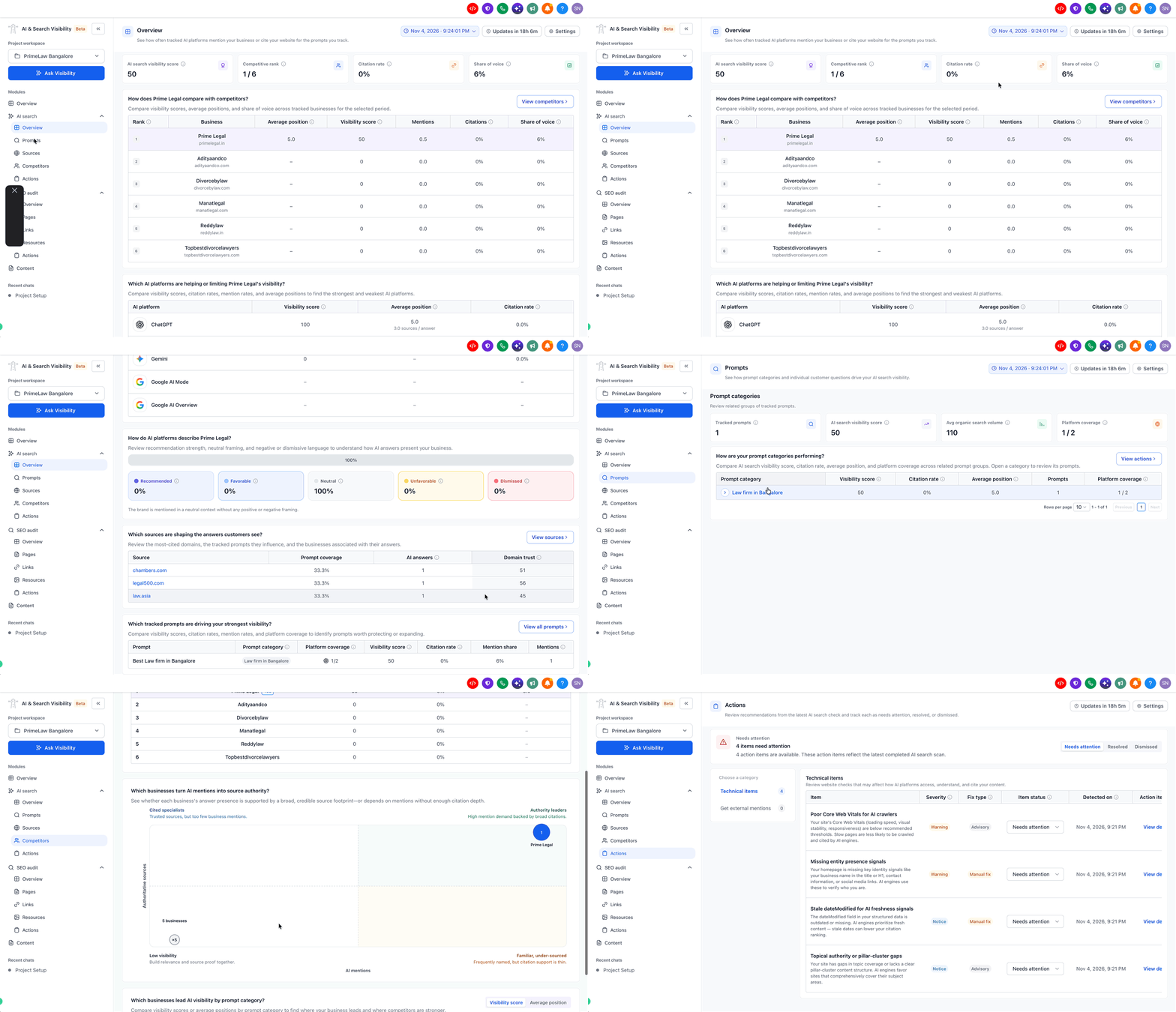
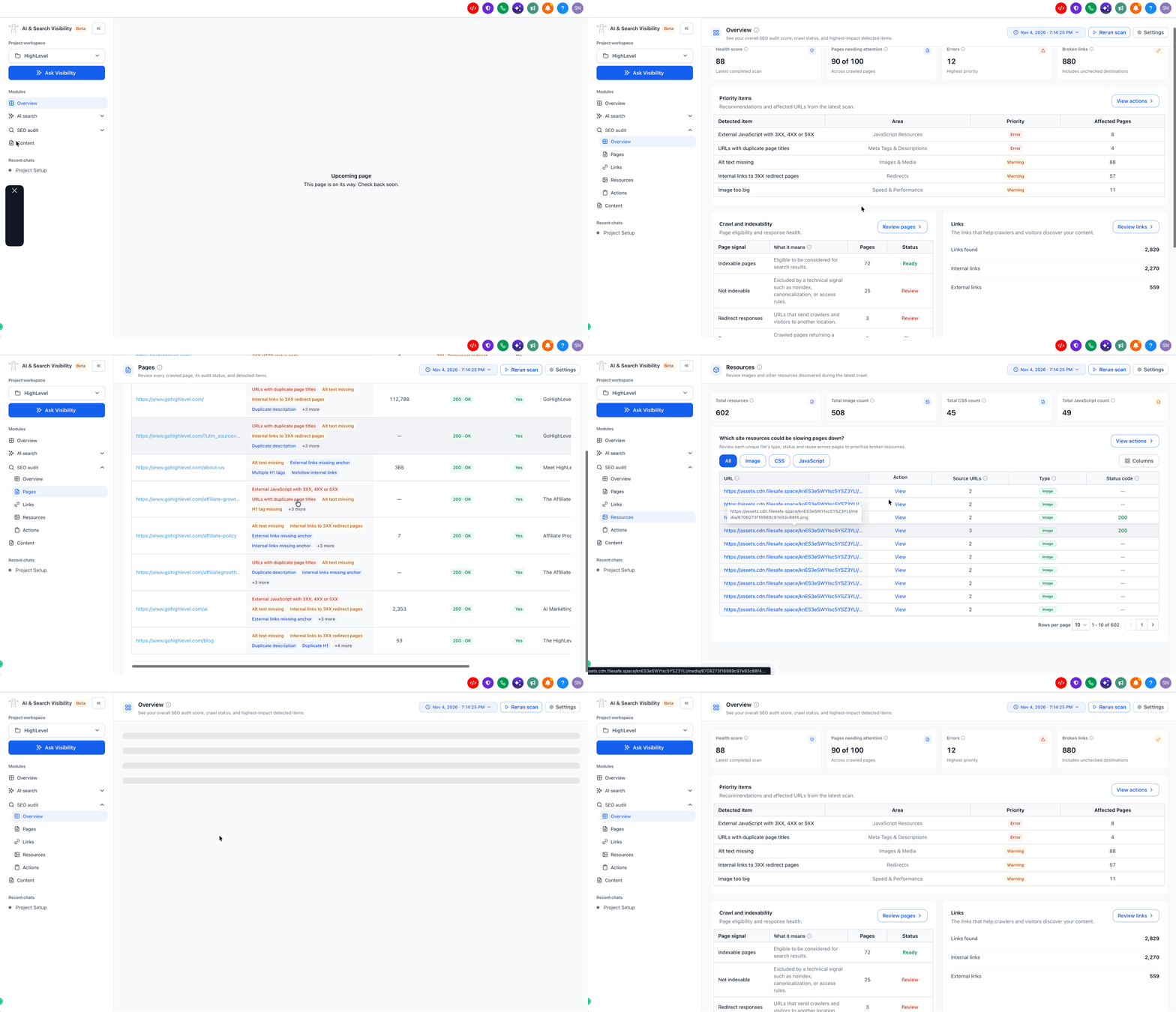
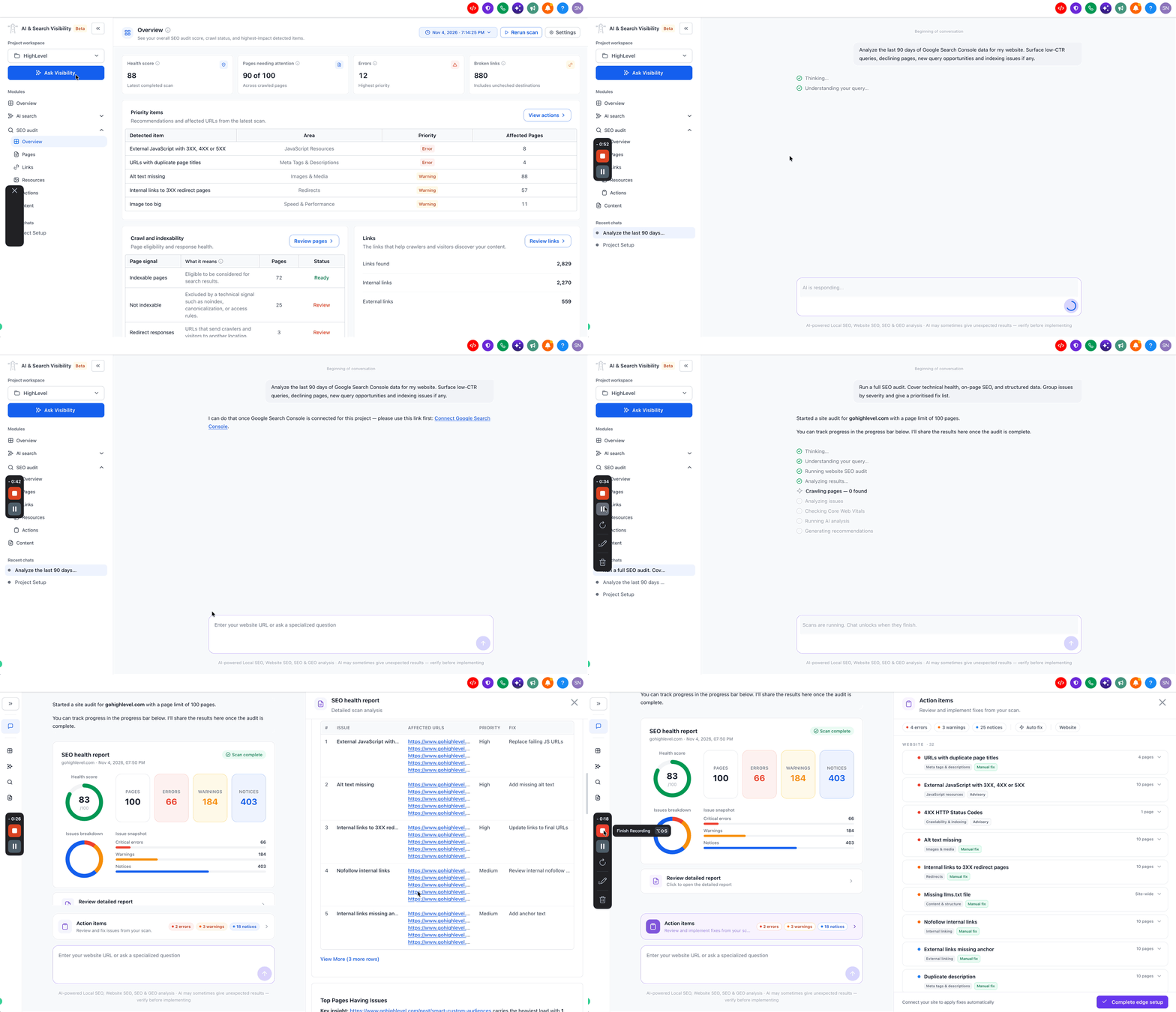
AI & Search Visibility is a beta feature that brings three modules together: An SEO Audit that scans your website for technical issues, an AI Search tracker that monitors your brand across up to 4 AI platforms, and a Content module that creates SEO- and AEO optimized blog posts when the module is enabled for your account. Your first SEO audit starts automatically when you create a project, and the report includes a health score, issue list and visibility metrics.
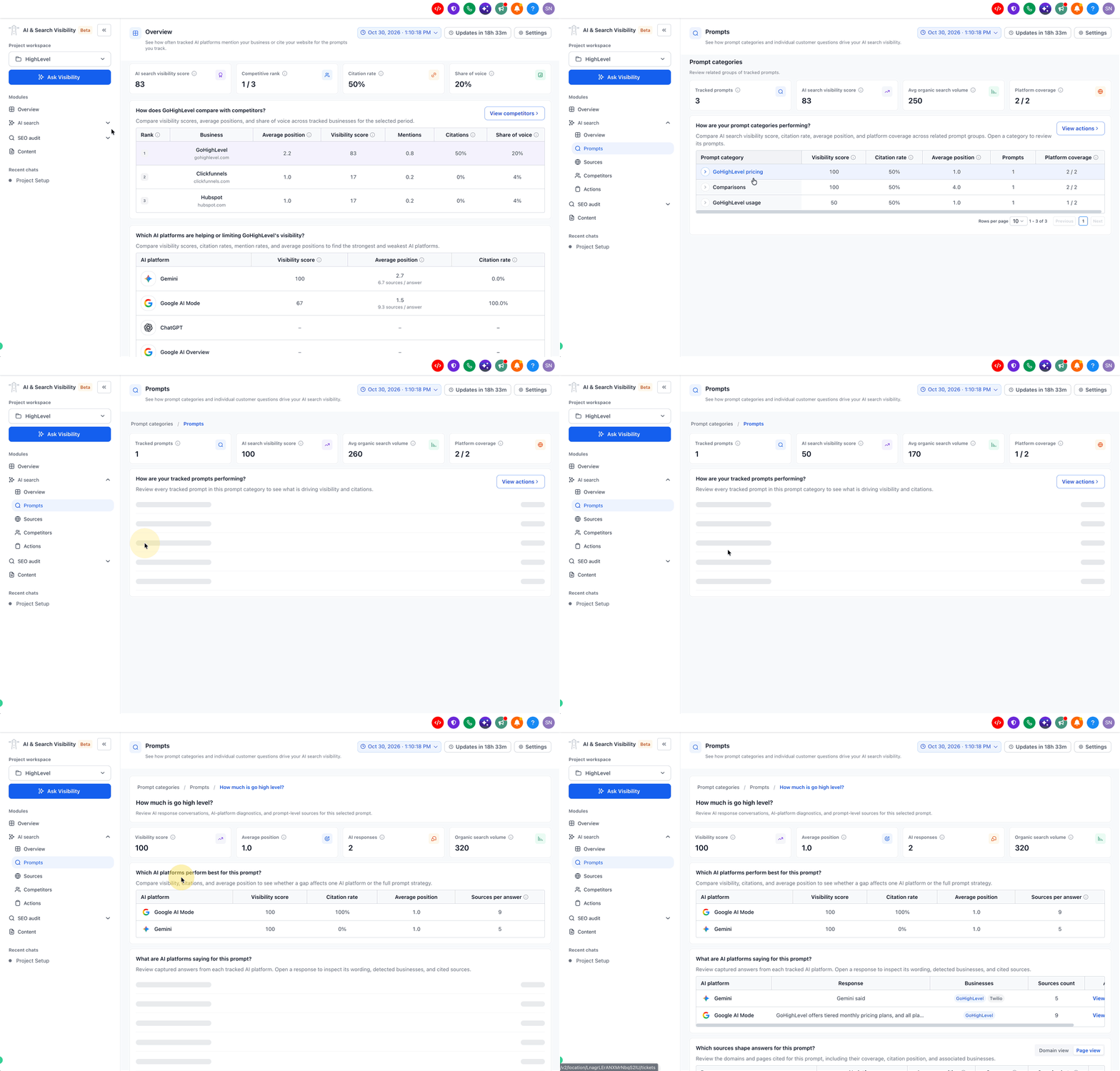
The dashboard shows brand visibility, mention rate, citation rate, average position, share of voice, sentiment and competitor comparisons. You can explore the data through the Ask Visibility chat interface, which lets you ask questions or run suggested actions. When fixes are available, you can apply them directly to a HighLevel hosted website.
02How businesses use AI & Search Visibility
- Technical SEO improvements. Run an SEO audit to receive a health score and a list of errors, warnings and notices. Apply the recommended fixes directly from the tool or copy them to fix a non HighLevel site.
- AI search monitoring. Track how your brand appears in AI answers on Google AI Overview, Google AI Mode, ChatGPT and Gemini. Review trends across multiple runs to understand changes in visibility.
- Content creation. Generate blog posts based on AI suggested prompts, keyword trends and competitor performance. The tool adds internal links and can publish the post directly if your site is hosted within HighLevel.
- Competitor benchmarking. Add up to five competitors in a project and compare share of voice, sentiment and average position across AI platforms and traditional search.
03The numbers and rules that matter
- Projects: Up to 4 projects per location (subaccount) per monthly cycle.
- SEO Audits: 10 audits per project per monthly cycle.
- AI Search Prompts: Up to 10 active prompts per project.
- AI Search Engines: Up to 4 engines per project.
- Competitors: Up to 5 competitors per project.
- Initial scan takes approximately 30, 60 minutes.
- Data refreshes daily at 10:00 AM UTC.
04Before you start
- Access to the AI & Search Visibility beta in the subaccount.
05How to set up and use AI & Search Visibility in HighLevel
Get started with AI & Search Visibility
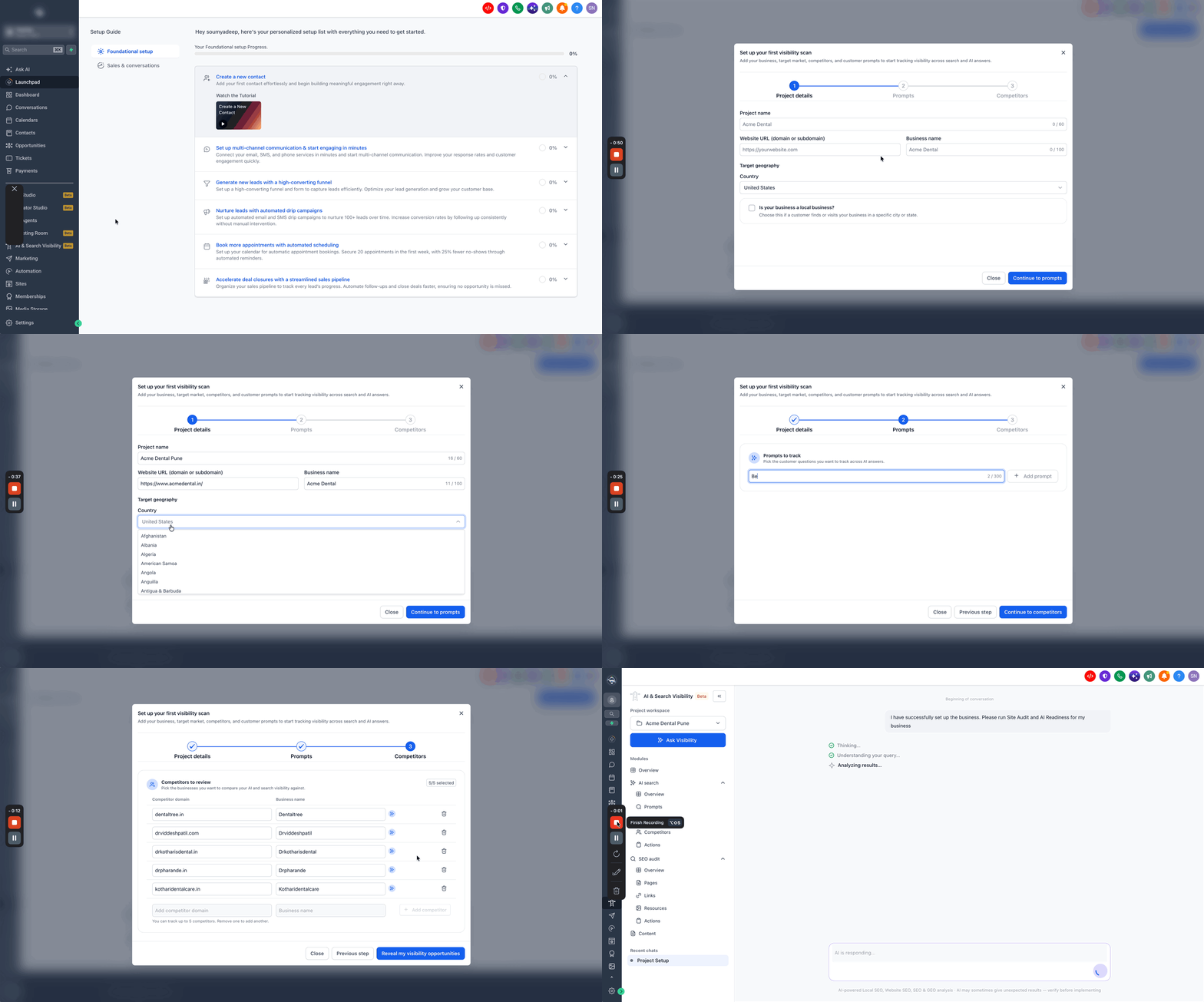
- Open the HighLevel location (subaccount) that has access to the AI & Search Visibility beta.
- Go to AI & Search Visibility from the main menu in the old UI or Marketing > AI & Search Visibility in the new UI and start creating a new project.
- Enter the project name, business name and business website.
- Use the official customer facing business name as it appears in search results.
- Complete the project configuration, including AI search prompts and competitors.
- Finish creating the project.
- Allow the first SEO & AI Search audit to finish, then review the website health findings.
06What it looks like in HighLevel
07Things to know before you rely on it
- Up to 4 projects per location per monthly cycle.
- 10 SEO audits per project per monthly cycle.
- Up to 10 active AI Search prompts per project.
- Up to 4 AI search engines per project.
- Up to 5 competitors per project.
- Initial scan may take 30, 60 minutes; some AI platform results appear after 5, 10 minutes.
- Results refresh daily at 10:00 AM UTC.
08If something goes wrong
- Brand not counted in AI generated answers. Check that the Business Name in the project settings matches the name customers and AI platforms commonly use when referring to your business.
- AI visibility score changes without website updates. AI generated answers can vary between tracking runs. Review results across several completed runs before drawing conclusions.
- Incomplete AI Search results. Wait for the daily scan to complete; full data appears after the next scan at 10:00 AM UTC.
Michael's take

The free beta provides a useful set of tools for businesses that want to see how they appear in both traditional SEO and AI driven search results.
If you already have solid SEO foundations, the additional AI monitoring may be less critical, but it can still highlight where AI platforms reference your brand.