
01Who this is for
- Agency owners who manage multiple affiliates benefit because they can correct wrong contact links without merging data.
- Marketing managers overseeing affiliate programs gain accurate attribution and uninterrupted automation after fixing duplicate contacts.
02Reassigning CRM contacts between affiliates, explained
Reassigning changes HighLevel contact that an affiliate is attached to. The action updates the link so future reporting, commissions, and workflows reference the correct profile. Historical reports may not recalculate, and previously paid commissions stay unchanged. The feature lives inside the Affiliate Manager, accessible from the Marketing section.
When you reassign, the affiliate’s portal and any ongoing automations start using the newly linked contact. No data is deleted; only the association is switched. The change is immediate after you confirm, and you can repeat the process to point the affiliate to another contact if needed.
03How businesses use reassigning CRM contacts between affiliates
- Digital marketing agency. The agency selects an affiliate that was linked to a duplicate contact, opens the Reassign Contact option, searches for the correct client profile, and confirms the change. This aligns the affiliate with the proper client record for accurate reporting.
- Ecommerce brand with influencer affiliates. When an influencer’s affiliate account points to the wrong shopper record, the brand uses the reassignment flow to locate the shopper’s correct contact by email, selects it, and confirms. Future commission calculations then reference the right shopper.
- SaaS company running a partner program. The SaaS admin finds a partner affiliate linked to an outdated contact, opens the three dot menu, chooses Reassign Contact, picks the current partner contact, and clicks Confirm. Ongoing workflows that add new leads to the partner now target the correct contact.
04Before you start
- You must have permission to view and manage Affiliate Manager and Contacts in the target subaccount (Location).
- Confirm you are operating in the correct Location if you manage multiple locations.
05How to set up and use reassigning CRM contacts between affiliates in HighLevel
Reassign an affiliate’s linked HighLevel contacts
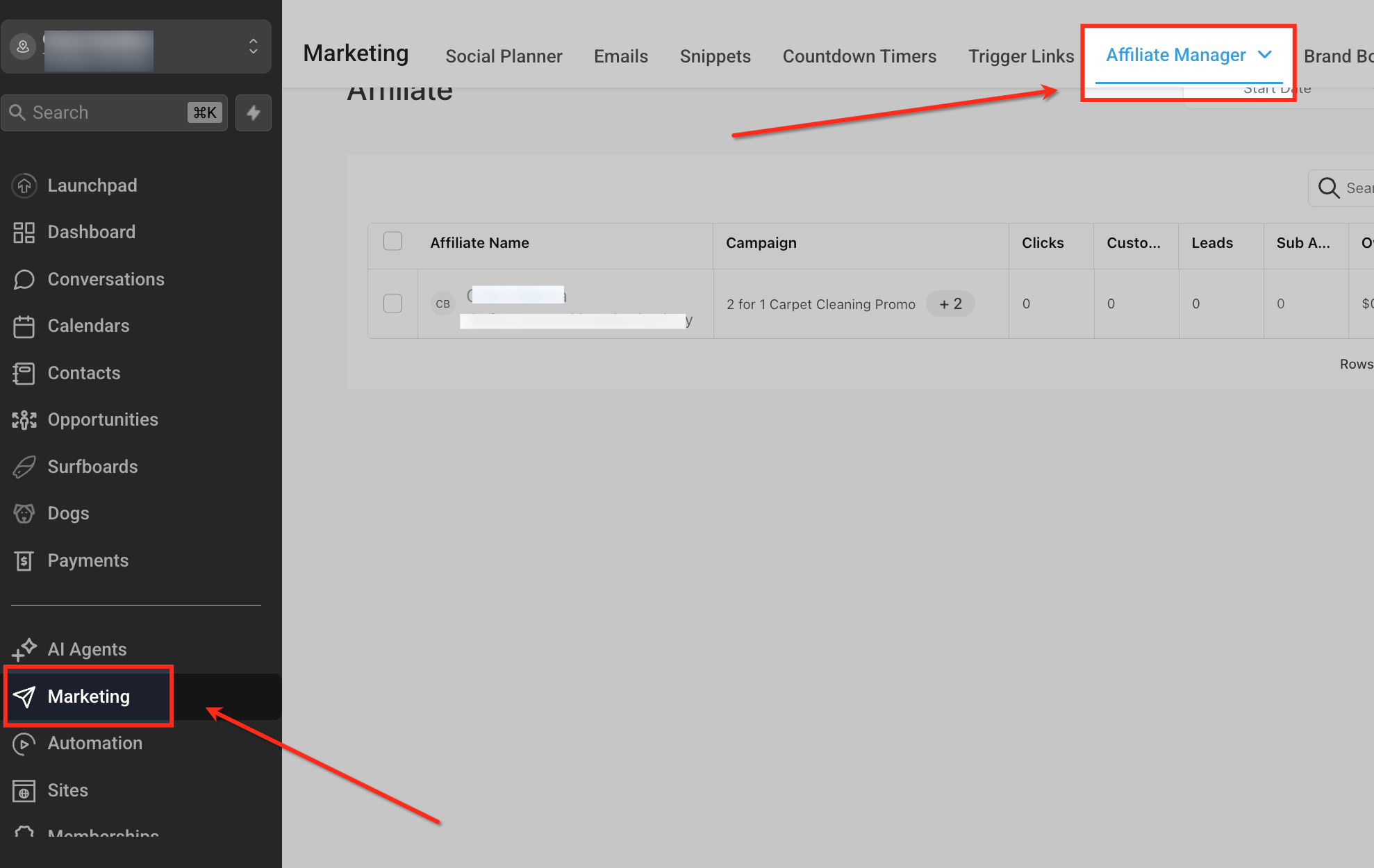
- Navigate to the appropriate Location, click Marketing in the left navigation, and open Affiliate Manager from the top bar.
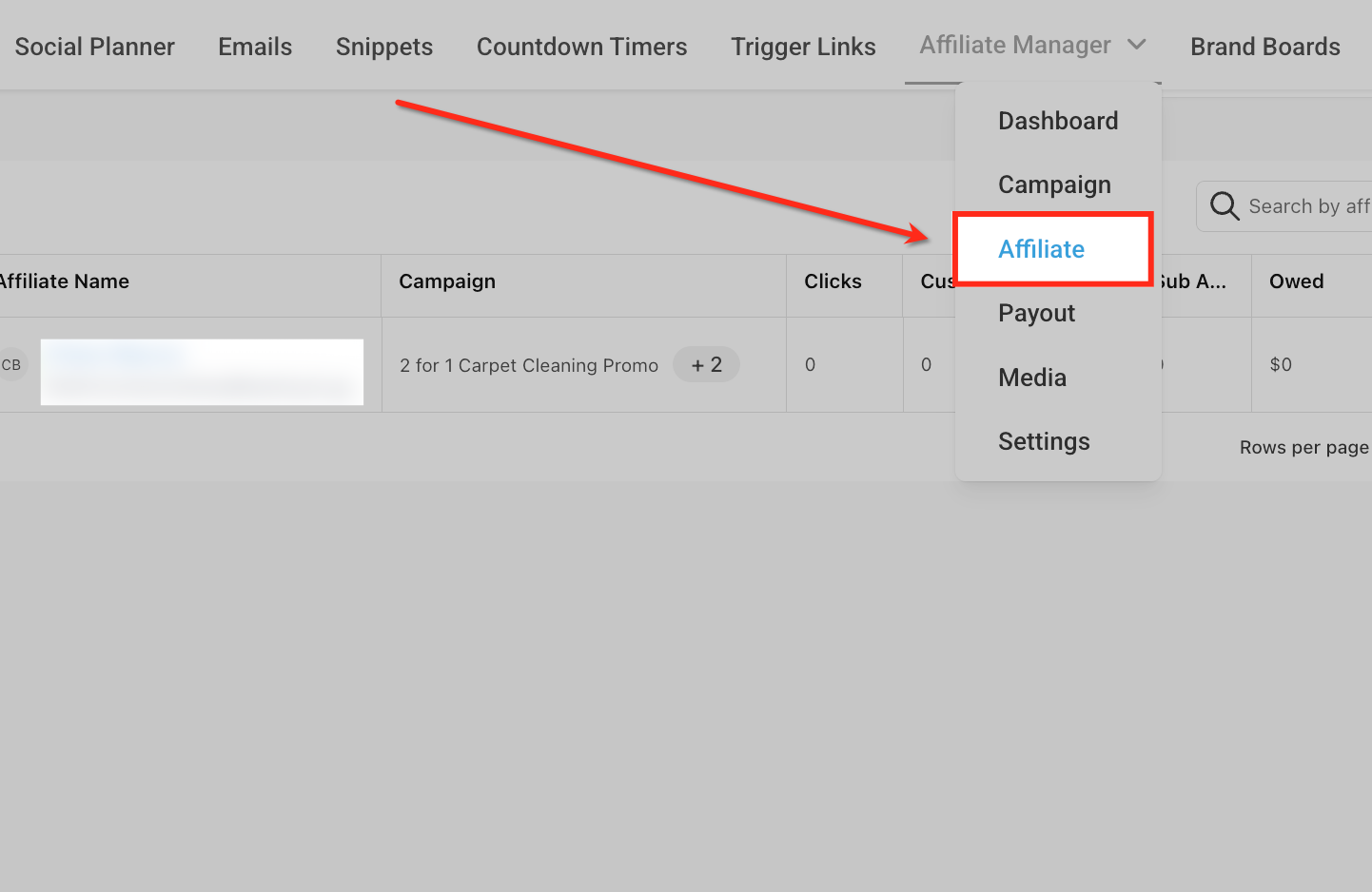
- In Affiliate Manager, open the dropdown and select the Affiliate tab to view the list of affiliates.
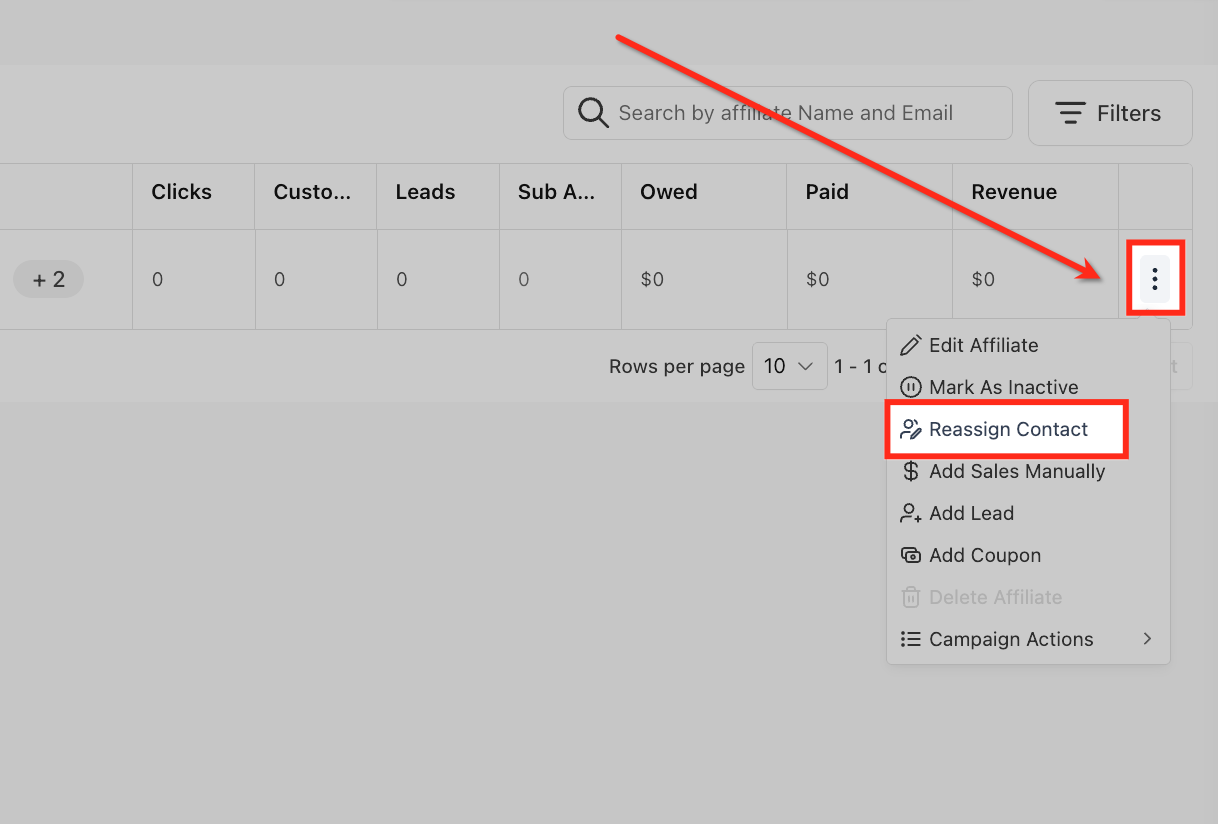
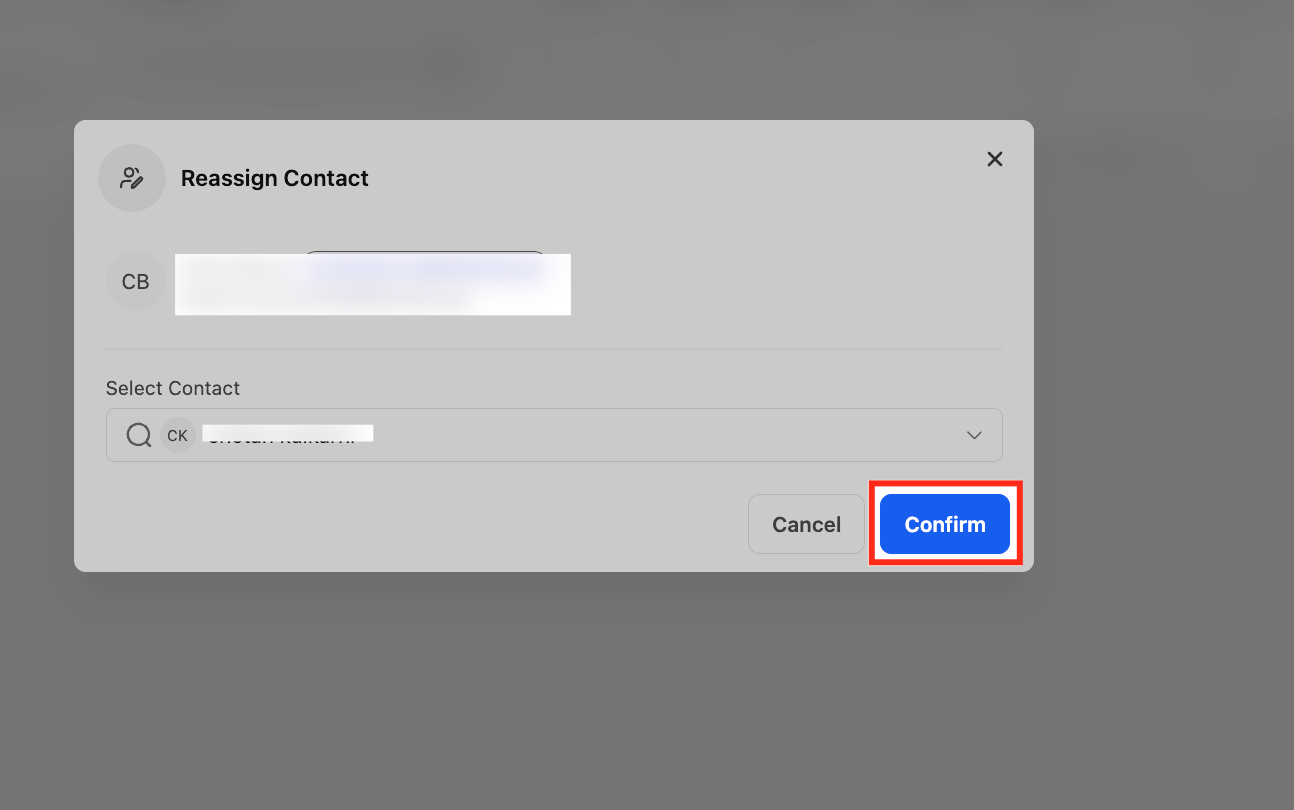
- Find the affiliate’s row, click the three dot menu, and choose Reassign Contact.
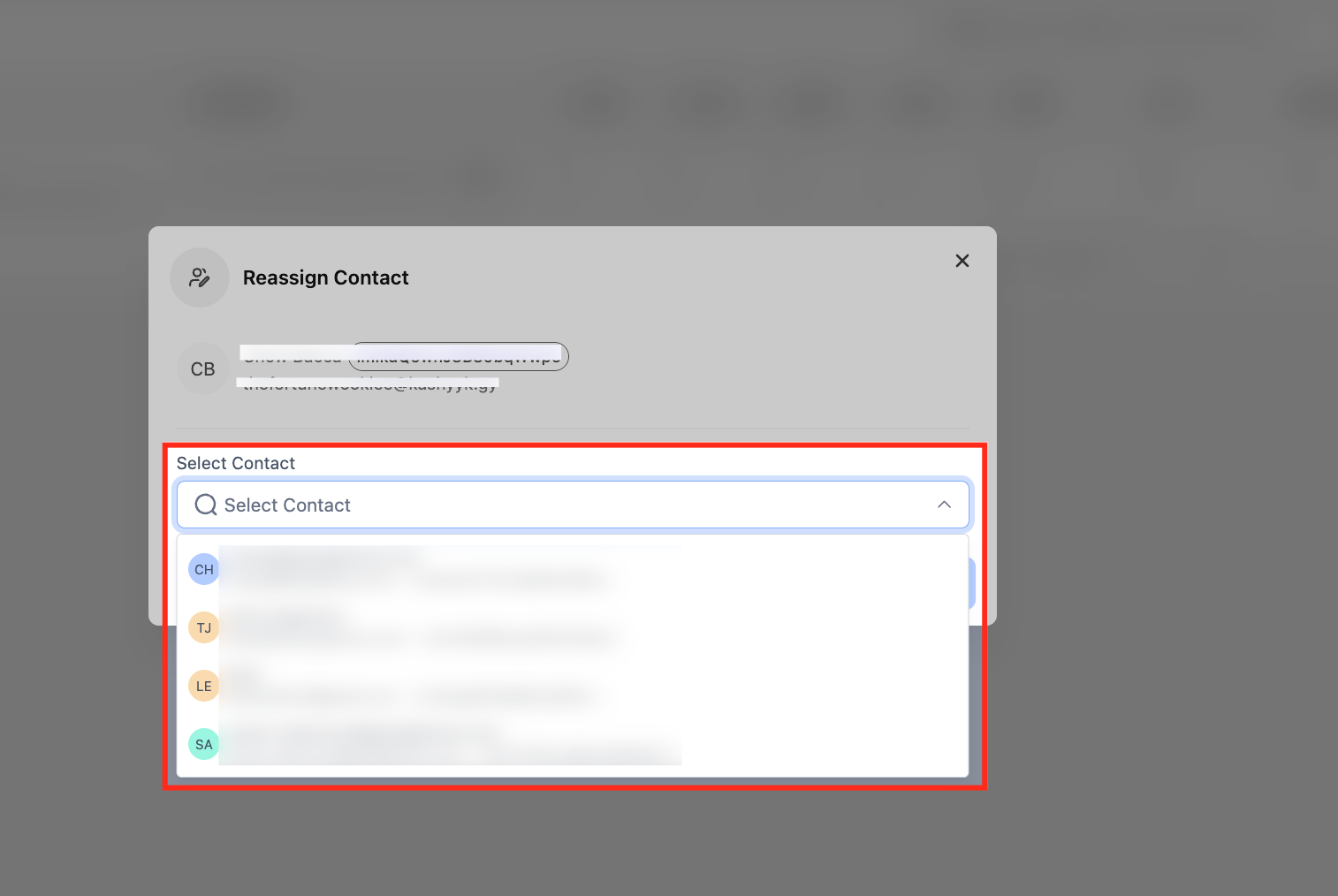
- In the Reassign Contact modal, search for the correct contact by name or email and select it.
- Click Confirm to apply the reassignment, or click Cancel if you selected the wrong record.
06What it looks like in HighLevel
07Settings that matter
- Allow Duplicate Contacts. Controls whether the system permits the creation of multiple contact records that share the same email address.
08Things to know before you rely on it
- Reassignment works best when duplicate contacts share the same email; different emails may require a merge.
- Bulk reassignment is not supported; affiliates must be reassigned one at a time.
- There is no single click undo; you must run reassignment again to change the link.
- If the option does not appear, verify you are in the correct Location and have the needed permissions.
09If something goes wrong
- Reassignment option is missing. Check that you are in the correct Location and that your role includes permissions to view and manage Affiliate Manager and Contacts.
10How it connects to the rest of HighLevel
- Learn how to add affiliates in the Affiliate Manager before reassigning contacts. Add affiliates guide
- Review how to delete, disable, or move customers under affiliates for related changes. Customer management
- Explore setting custom affiliate commissions to see how reassignment may affect payouts. Custom commissions
Michael's take

Reassigning HighLevel contacts between affiliates is worth the effort for a small business that relies on clean affiliate reporting and automated follow ups; it fixes duplicate contact headaches without the risk of merging data incorrectly.
The mistake to avoid is assuming the change will rewrite past commissions or historical reports.