
01Who this is for
- Affiliate managers who need to reward partners for sales that occur outside the online funnel.
- Small business owners with brick and mortar or event based sales that are referred by affiliates.
- Founders running referral programs that rely on word of mouth or offline promotions.
02Manual sales attribution, explained
Manual Sale Attribution is a feature inside the Affiliate Manager that gives administrators full control over how sales are linked to affiliates. It works for transactions already recorded in the system, for sales that have no existing transaction, and for batch processes built in workflows. When a manual sale is entered, only the revenue figure is required; the platform applies the default commission rate of the selected affiliate campaign to compute the payout.
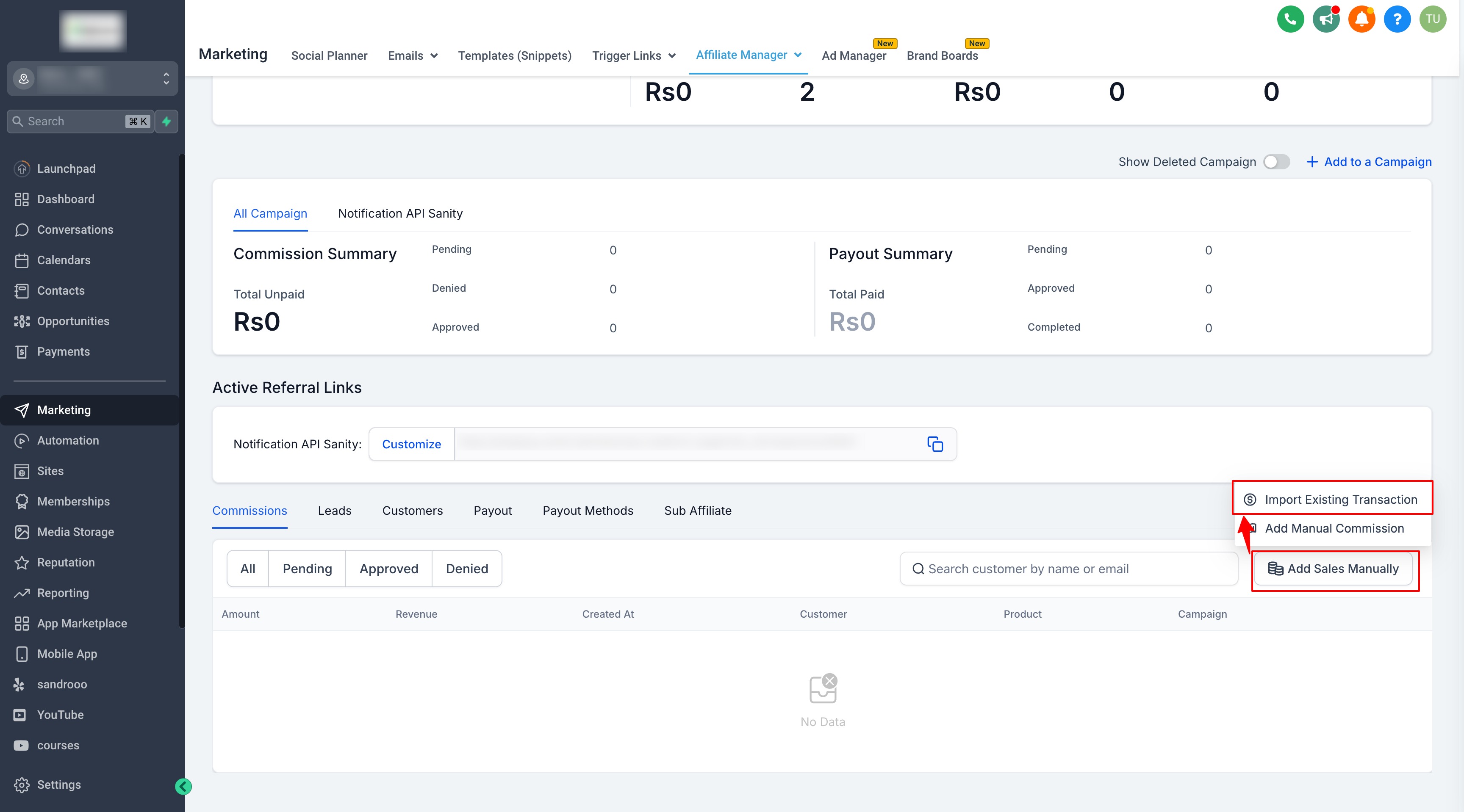
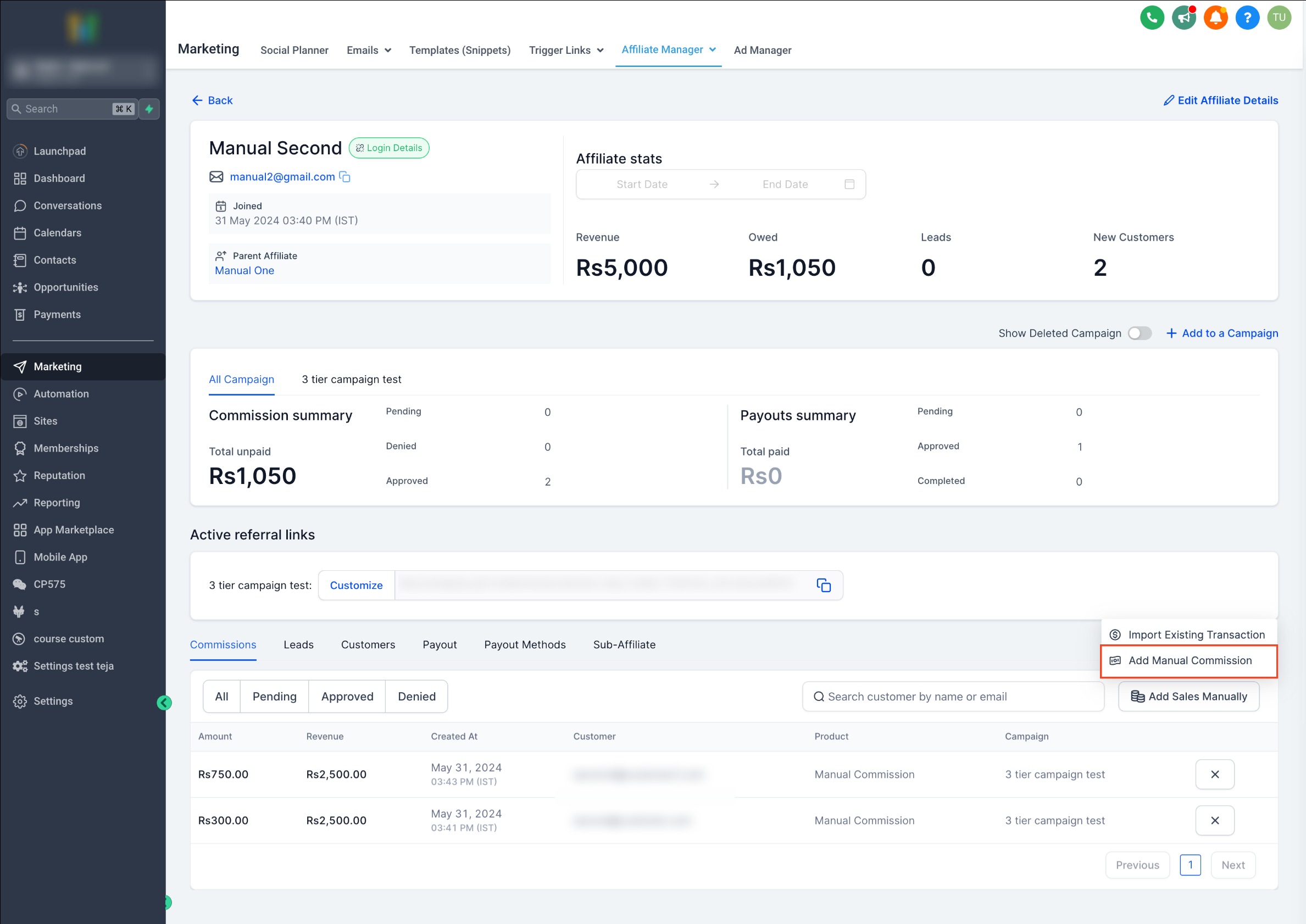
The feature is accessed through the Affiliate Manager. Within an affiliate’s profile, the Commissions tab provides the option to add sales manually. Depending on the situation, users can import an existing transaction, create a new offline transaction, or set up an automation that adds sales automatically. All calculations happen in real time, and the resulting commission appears in the affiliate’s commission list.
Because the commission rate is taken from the campaign’s default settings, there is no need to manually input percentages. This keeps the process consistent and reduces the risk of errors when crediting affiliates for non digital sales.
03How businesses use manual sales attribution
- Local retailer. The retailer opens the Affiliate Manager, selects an affiliate’s profile, and uses the Add Sales Manually option to import a transaction that was recorded in the point of sale system. This ensures the affiliate receives commission for the in store purchase.
- Event organizer. After a conference, the organizer creates a new lead in the Subaccount Affiliate Manager, enters the offline sale amount, and saves the record. The platform automatically calculates the affiliate’s commission based on the campaign’s default rate.
- SaaS Founder. The Founder adds the “Add Manual Sales For An Affiliate” action to a workflow that triggers nightly. The workflow pulls revenue data from an external source and records manual sales for the chosen campaign without manual entry each day.
04How to set up and use manual sales attribution in HighLevel
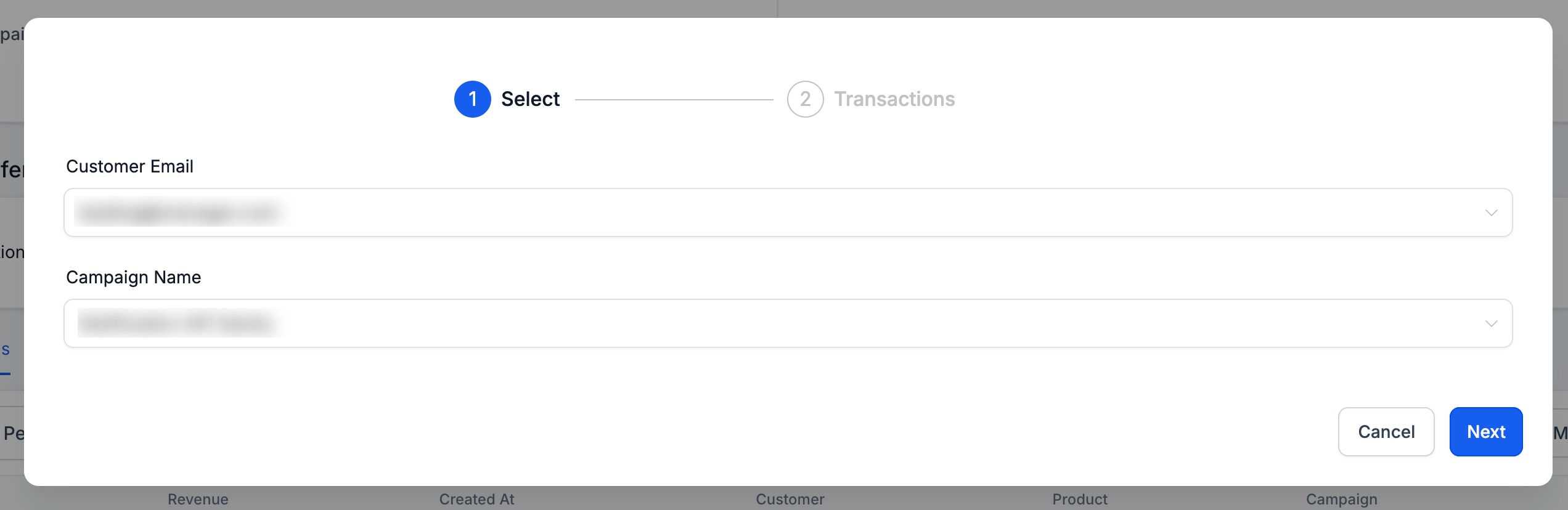
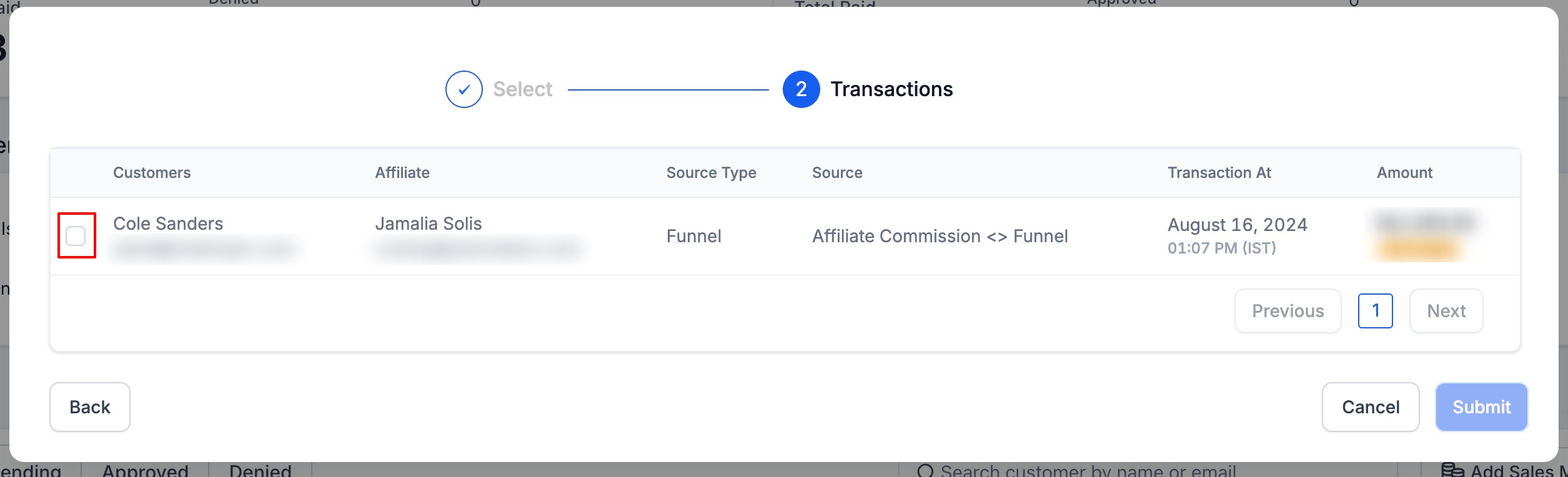
Attribute a sale using an existing transaction
- Open the Affiliate Manager.
- Select the affiliate profile and go to the Commissions tab.
- Click Add Sales Manually and choose Import Existing Transaction.
- Enter the customer’s email and select the campaign.
- Review the list and pick the transaction to attribute.
- Confirm and submit the manual sale.
Record an offline sale when no transaction exists
- Open the Subaccount Affiliate Manager and navigate to the Affiliate Profile.
- Scroll to the Commissions tab and click Add Sales Manually.
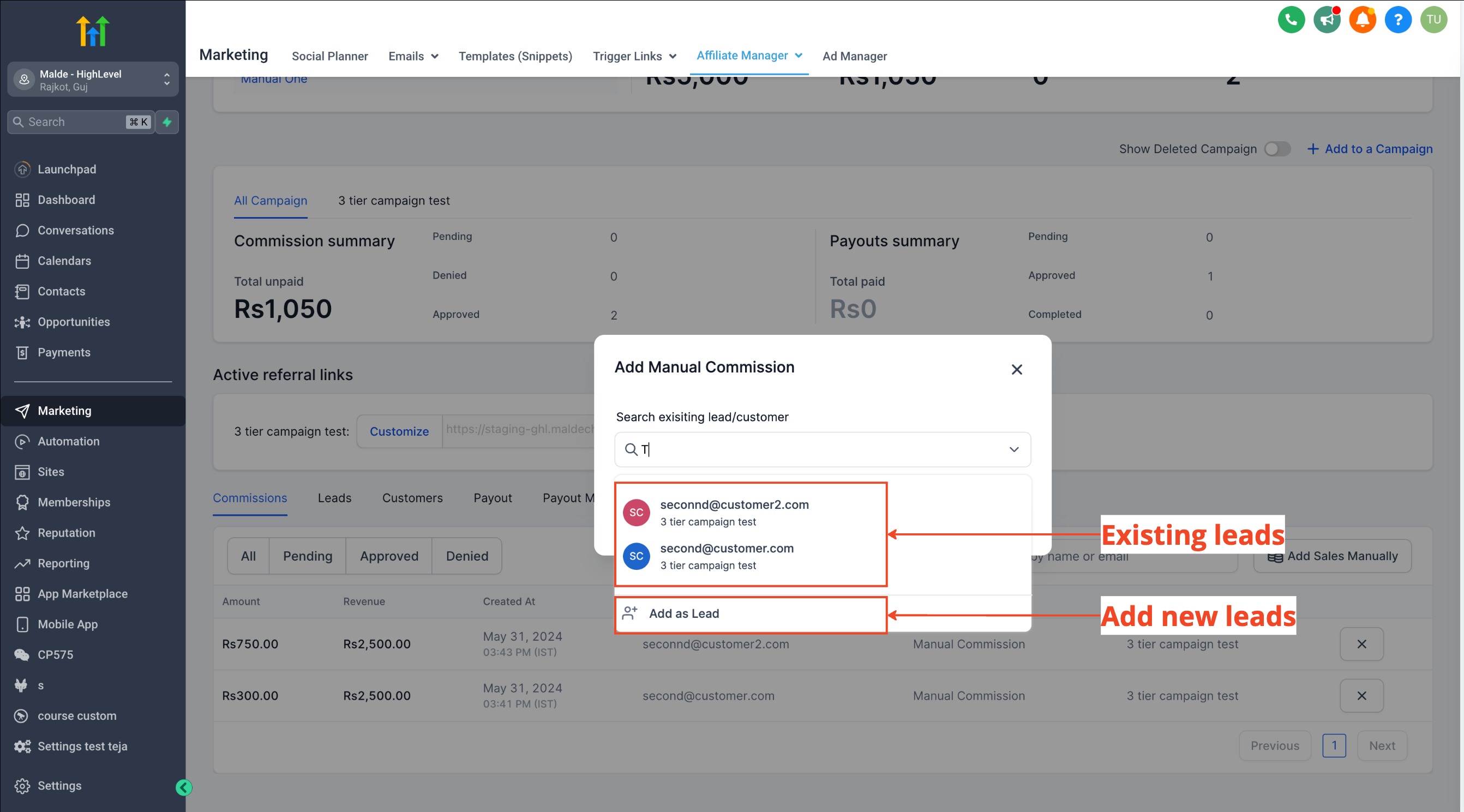
- If the lead or customer does not exist, add a new lead record.
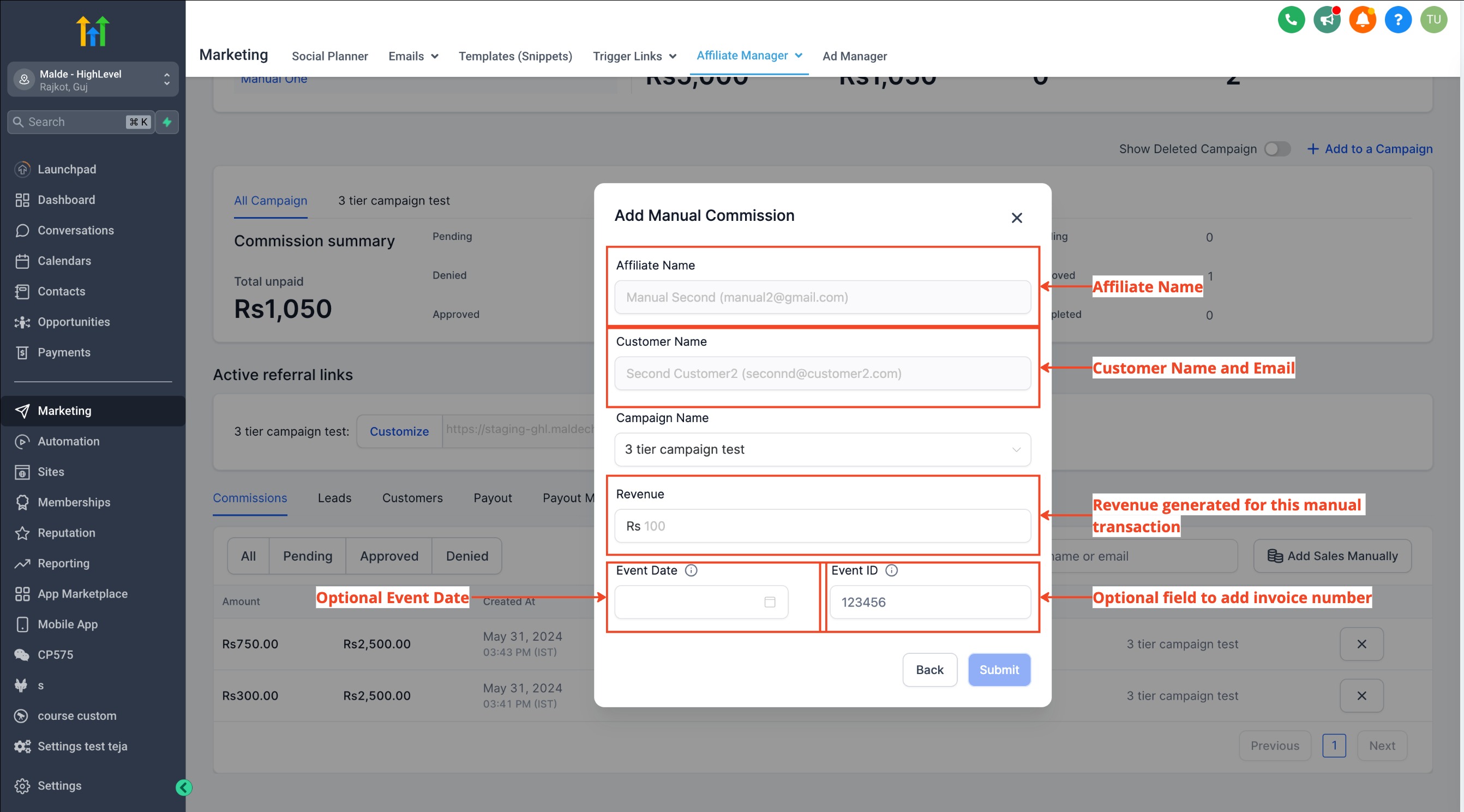
- Enter the transaction amount; the commission is calculated automatically.
- Optionally add the transaction date and reference number.
- Submit and save the manual sale entry.
Automate manual sales attribution via workflows
- Add the Add Manual Sales For An Affiliate action inside a workflow.
- Choose whether the workflow should use first or latest attribution.
- Select the affiliate campaign and provide the revenue details.
- Save the workflow to enable automated manual sale attribution.
05What it looks like in HighLevel
06Settings that matter
- default commission rate. Sets the percentage used to calculate an affiliate’s commission when a manual sale is entered.
07How it connects to the rest of HighLevel
- How to add affiliates in HighLevel’s Affiliate Manager Add affiliates guide
- HighLevel Affiliate Manager: Tracking clicks and manual sales Affiliate tracking FAQ
- How to configure custom affiliate commissions in HighLevel Custom commissions
- HighLevel pricing and plans Pricing page
- Start a 30 day HighLevel trial Free trial
Michael's take

Manual sales attribution requires careful tracking to avoid double counting commissions.
When used correctly, it provides visibility into sales that would otherwise be untracked.