
01Affiliate portal, explained
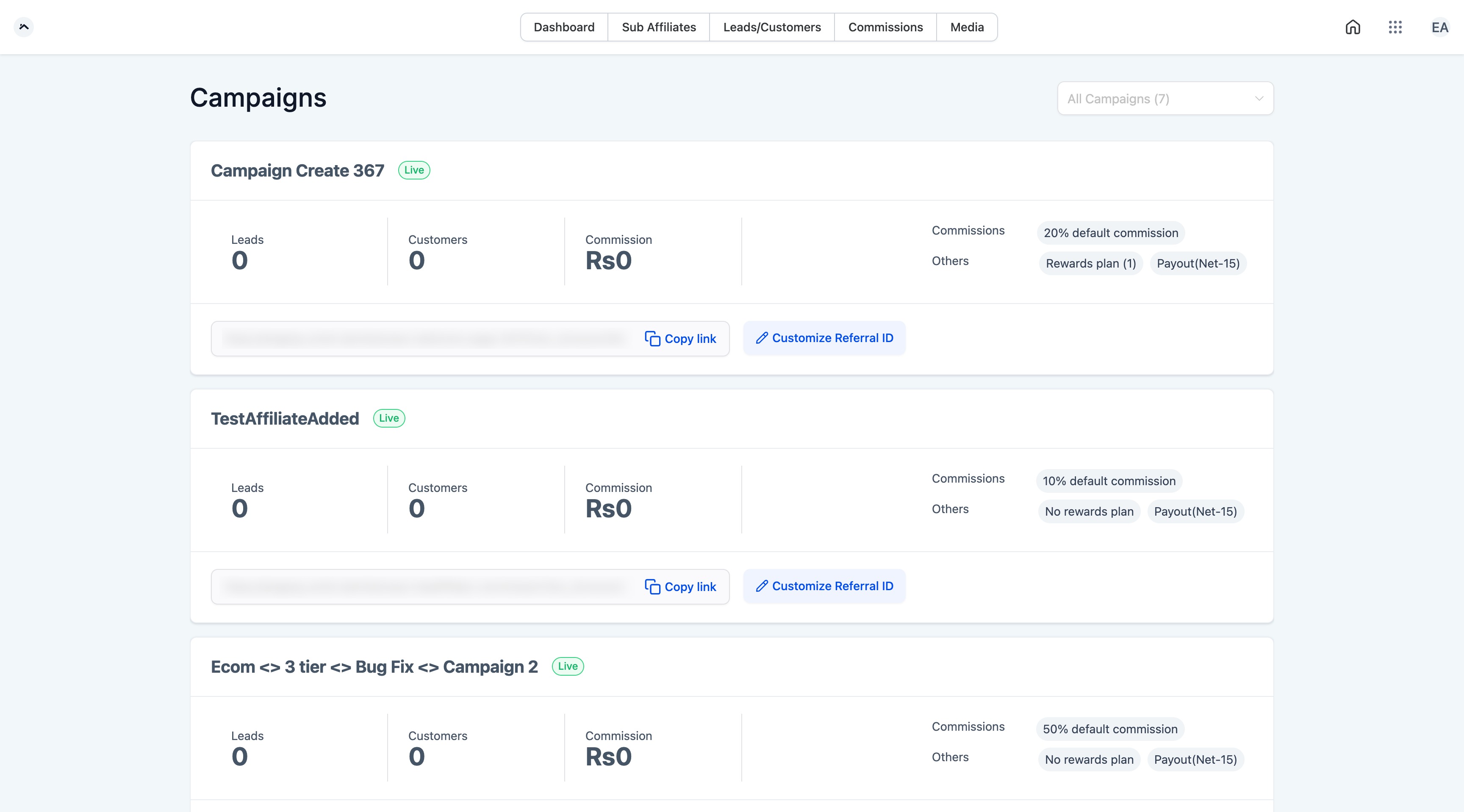
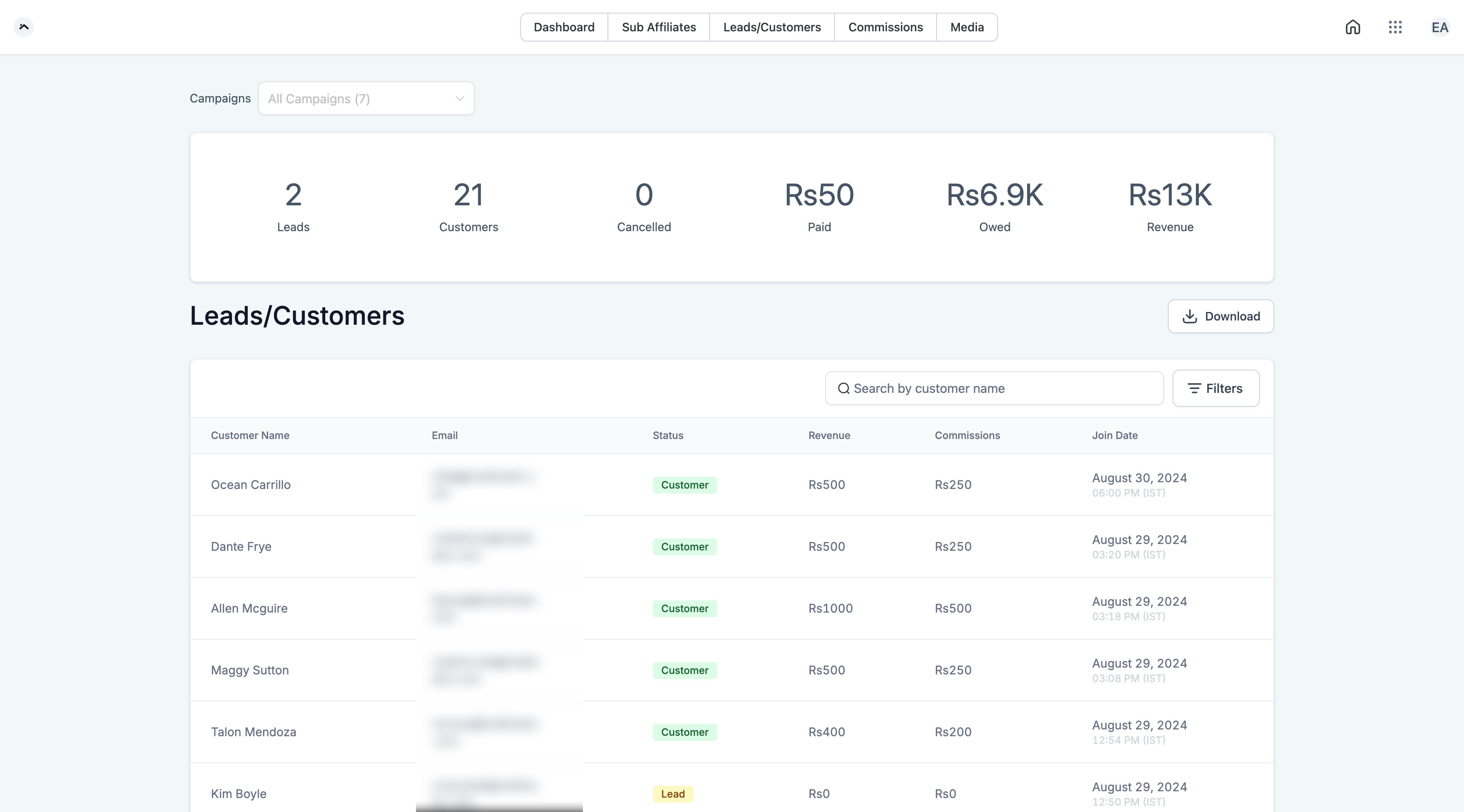
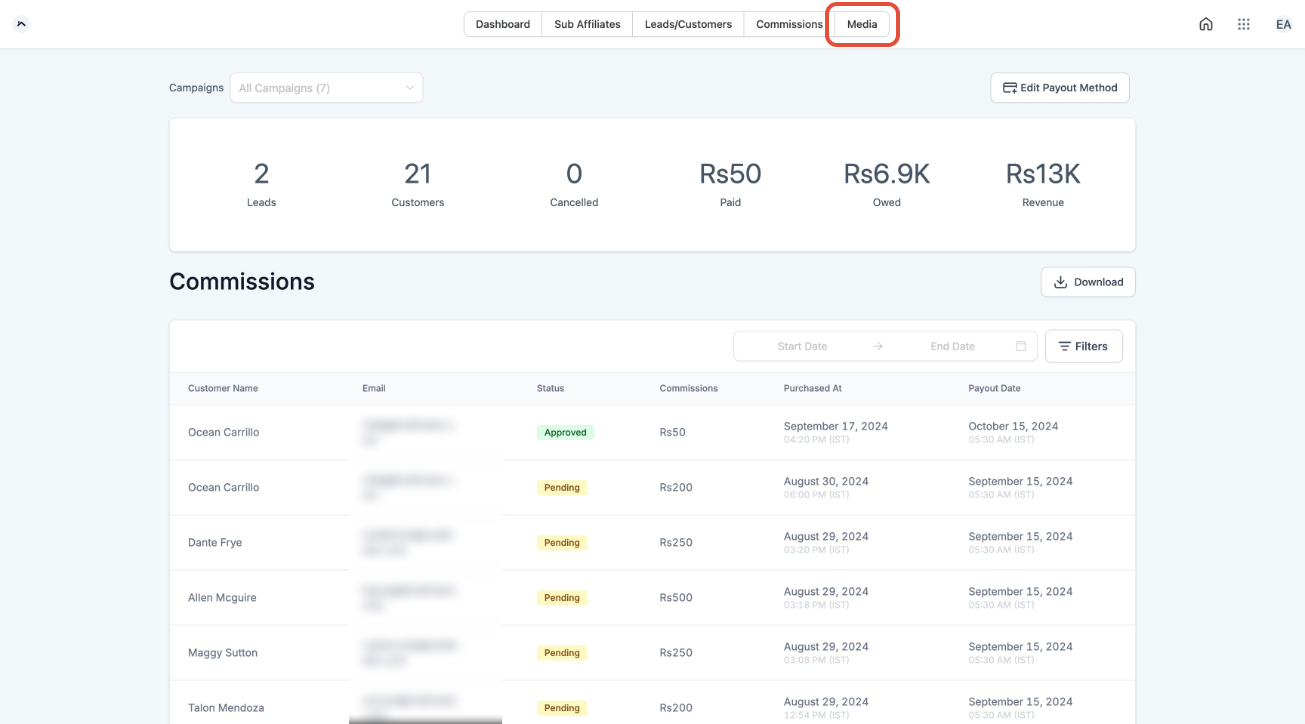
The Affiliate portal is a centralized interface that affiliates log into to monitor their marketing activities. It shows campaign visibility, referral links, tracked leads and customers, commission totals and payout status. Affiliates can also access media assets and, when enabled, manage subaffiliates.
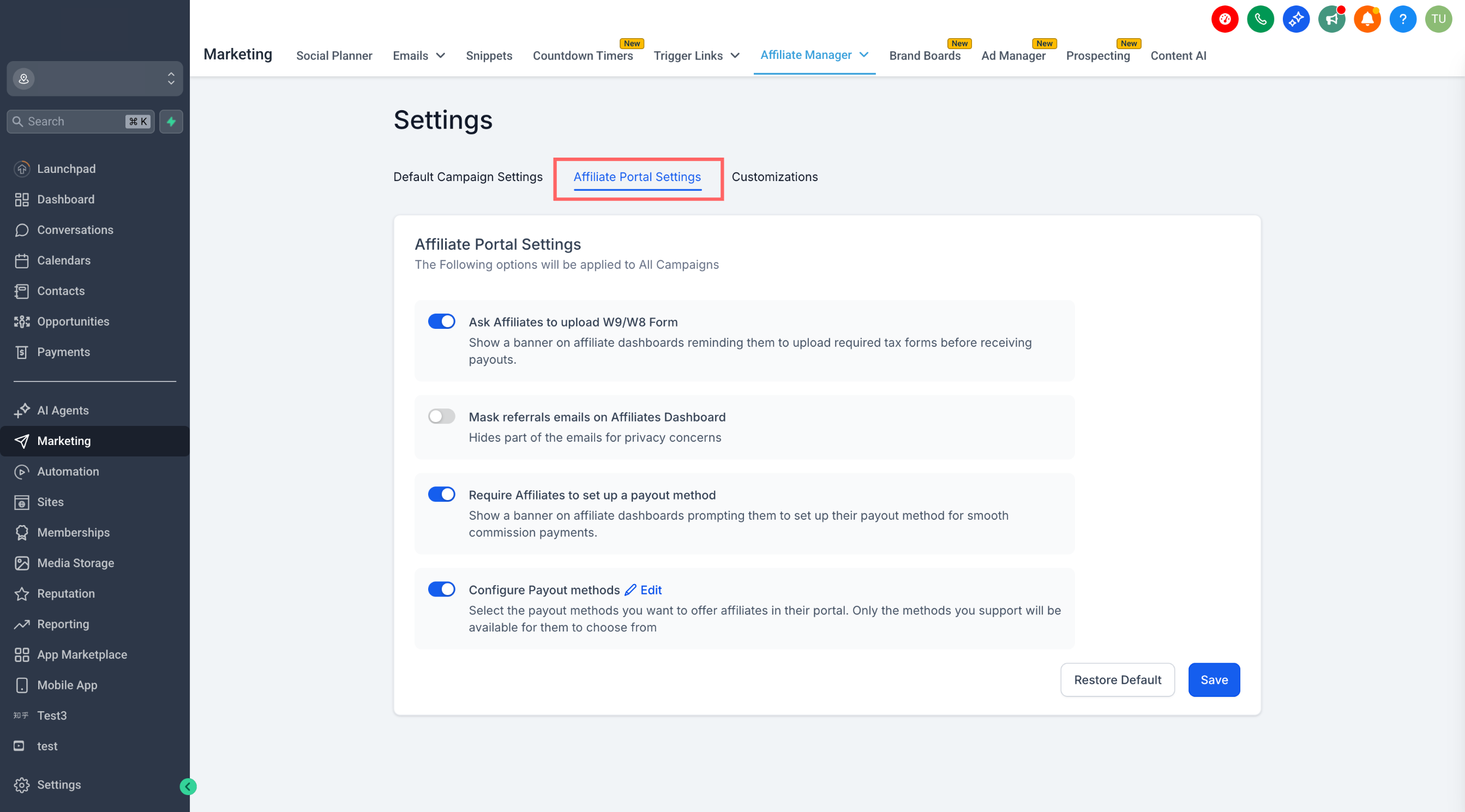
Account admins configure what affiliates can see and do through the Affiliate Portal Settings. Settings include tax form upload prompts, payout method requirements, email masking and the list of payout options available. These controls help ensure compliance and smooth payout processing.
02How businesses use affiliate portal
- Track performance. Affiliates view the Dashboard screen to see leads, customers, clicks and commissions for each campaign.
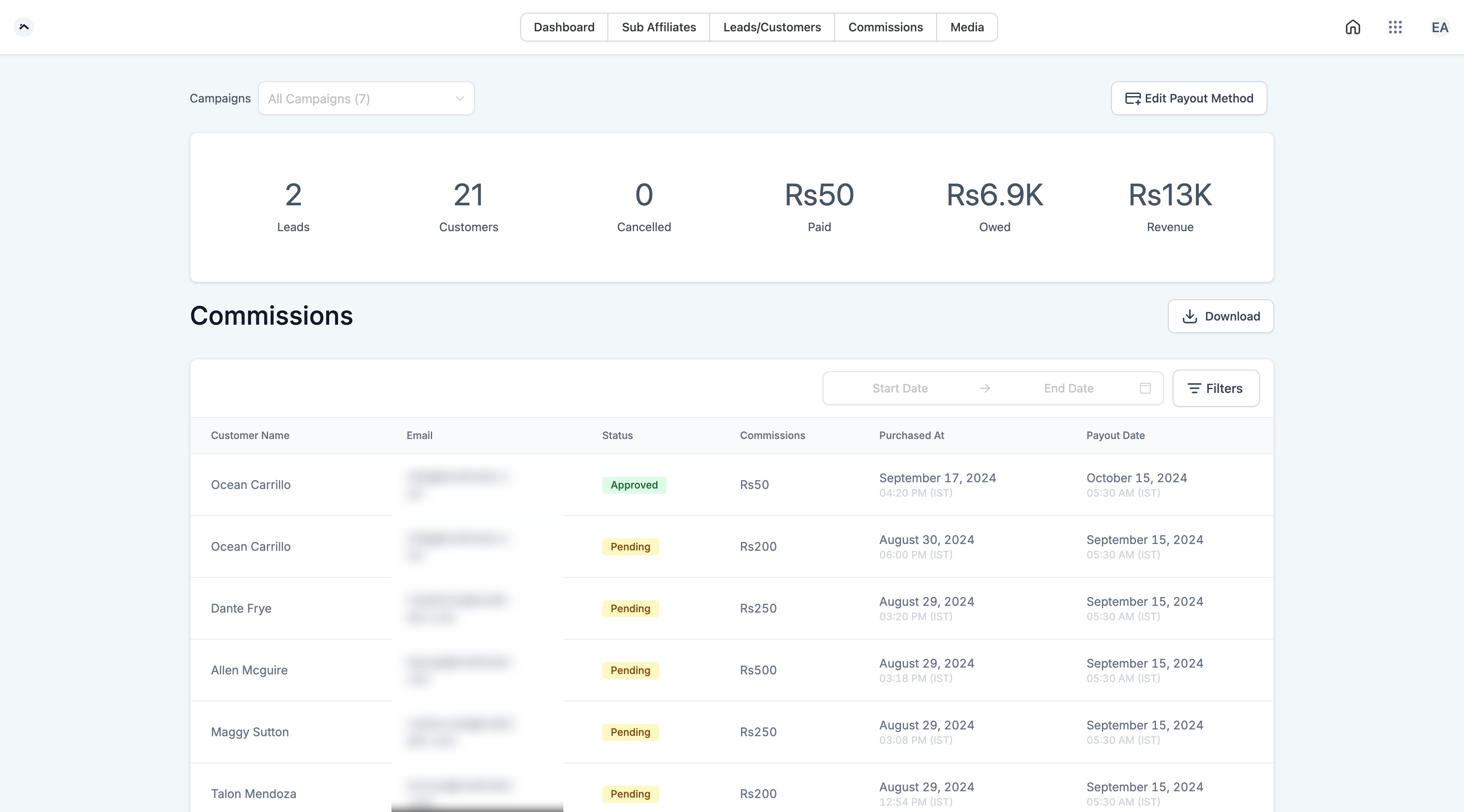
- Manage payouts. The Commission screen displays earned commissions, total revenue and payout status. Affiliates can edit their payout method if the admin has enabled that option.
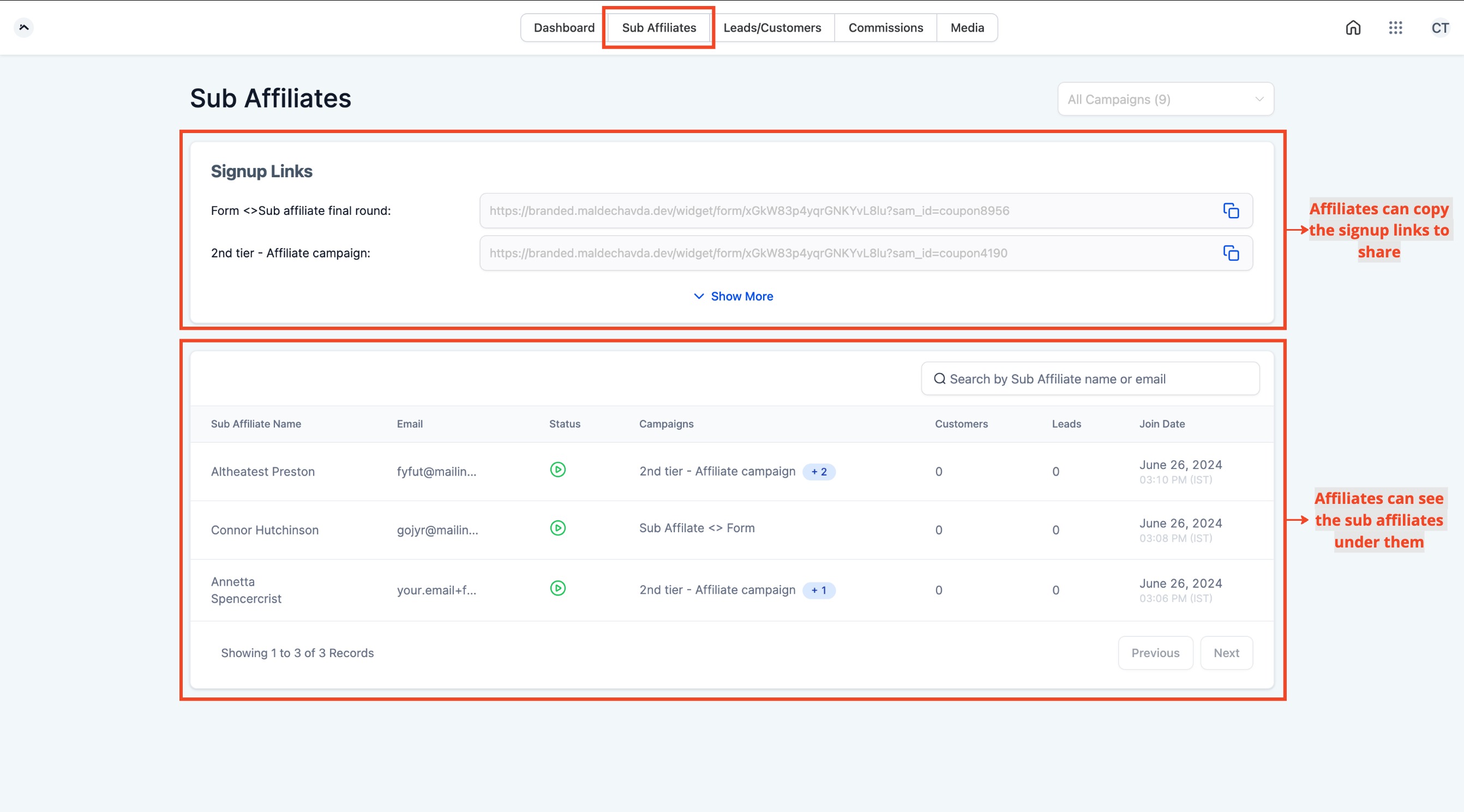
- Recruit subaffiliates. When a campaign supports multitier enrollment, affiliates see a SubAffiliate page with a signup form URL they can share.
- Access media assets. The Media tab lists images, copy or files that the account admin has assigned to the affiliate’s campaigns. Affiliates can copy links or download the assets for their promotions.
03The numbers and rules that matter
- Ask Affiliates to Upload W9/W8 Forms displays a banner prompting tax form upload.
04Before you start
- Affiliate must be added to a campaign in Affiliate Manager.
- At least one payout method must be enabled in Affiliate Portal Settings.
05How to set up and use affiliate portal in HighLevel
Configure affiliate portal settings
- Navigate to Affiliate Manager > Settings tab.
- Switch to the Affiliate Portal Settings tab.
- Toggle ON or OFF each setting as needed.
- Click Save at the bottom of the page.
06What it looks like in HighLevel
07Settings that matter
- Ask Affiliates to Upload W9/W8 Forms. Displays a banner on the affiliate dashboard prompting them to upload the required tax form.
- Require Affiliates to Set Up a Payout Method. Shows a banner on the affiliate dashboard nudging them to set up a valid payout method such as PayPal or a bank.
- Mask Referral Emails on Affiliate Dashboard. Hides a portion of the referral emails visible to affiliates, protecting customer and lead privacy.
- Configure Payout Methods. Lets you choose which payout methods are available for affiliates to select; only enabled methods appear in the portal.
08Things to know before you rely on it
- Do not assume every affiliate receives a traditional username and password in the original invitation.
Michael's take

Michael ReimerFounder of CRM Pros, HighLevel Commander and Certified Admin
I find the Affiliate portal useful for keeping affiliates informed about their performance.
Get More InformationOpens on HighLevelPublished November 2, 2026 · Updated November 3, 2026