
01Who this is for
- Affiliate managers who need to reward a top performer with a higher rate while keeping other affiliates on the standard schedule.
- Product owners who sell multiple items and want to offer different percentages for specific products to certain affiliates.
- Businesses running multi tier affiliate programs that require adjusting the commission percentages for a particular affiliate without changing the overall tier structure.
02Custom affiliate commissions, explained
Custom commissions are affiliate level overrides that sit inside a specific affiliate campaign. They replace the campaign level defaults only for the selected affiliate, leaving other affiliates unaffected. The campaign still governs the number of tiers and the base structure.
Within the affiliate profile you can set a default commission that applies to all products, add product specific rates for chosen items, and modify the commission percentages for each existing tier. These settings are saved in the Advanced settings modal of the campaign.
The platform follows a precedence order: product specific rates beat the default commission, and both can override the campaign defaults for that affiliate. Tier adjustments apply only to the tiers already defined at the campaign level.
03How businesses use custom affiliate commissions
- Software SaaS company. The company opens the affiliate’s profile, selects the campaign, and sets a higher default commission for a key reseller affiliate. It then adds a lower commission for a premium product that the affiliate will promote, and finally adjusts the tier percentages to match the affiliate’s performance level.
- Ecommerce store. The store identifies an affiliate that specializes in selling a seasonal item. In the affiliate manager it configures a product specific commission for that seasonal product while keeping the standard default rate for all other items.
- Consulting firm with a multi tier program. The firm opens the affiliate’s profile, reviews the existing tiers, and modifies the commission percentages for each tier to reflect a negotiated agreement, without altering the total number of tiers in the campaign.
04The numbers and rules that matter
- Current campaign level commission system supports up to seven tiers.
05Before you start
- An affiliate campaign must already exist in the selected Subaccount.
06How to set up and use custom affiliate commissions in HighLevel
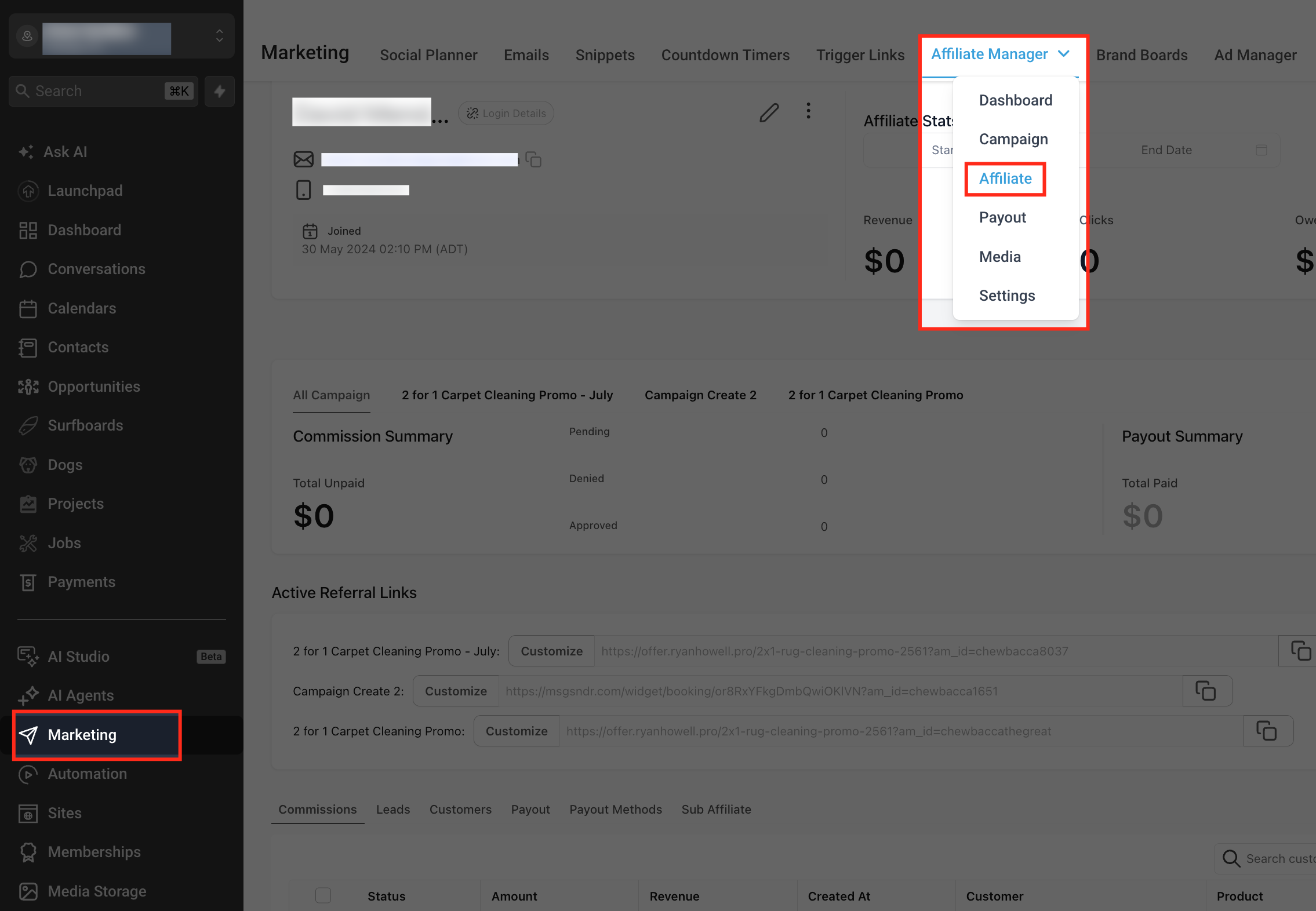
Open Affiliate Manager
- From the Subaccount view, click Marketing.
- Select Affiliate Manager from the Marketing submenu.
- Open the Affiliate section.
Set a custom commission for an affiliate
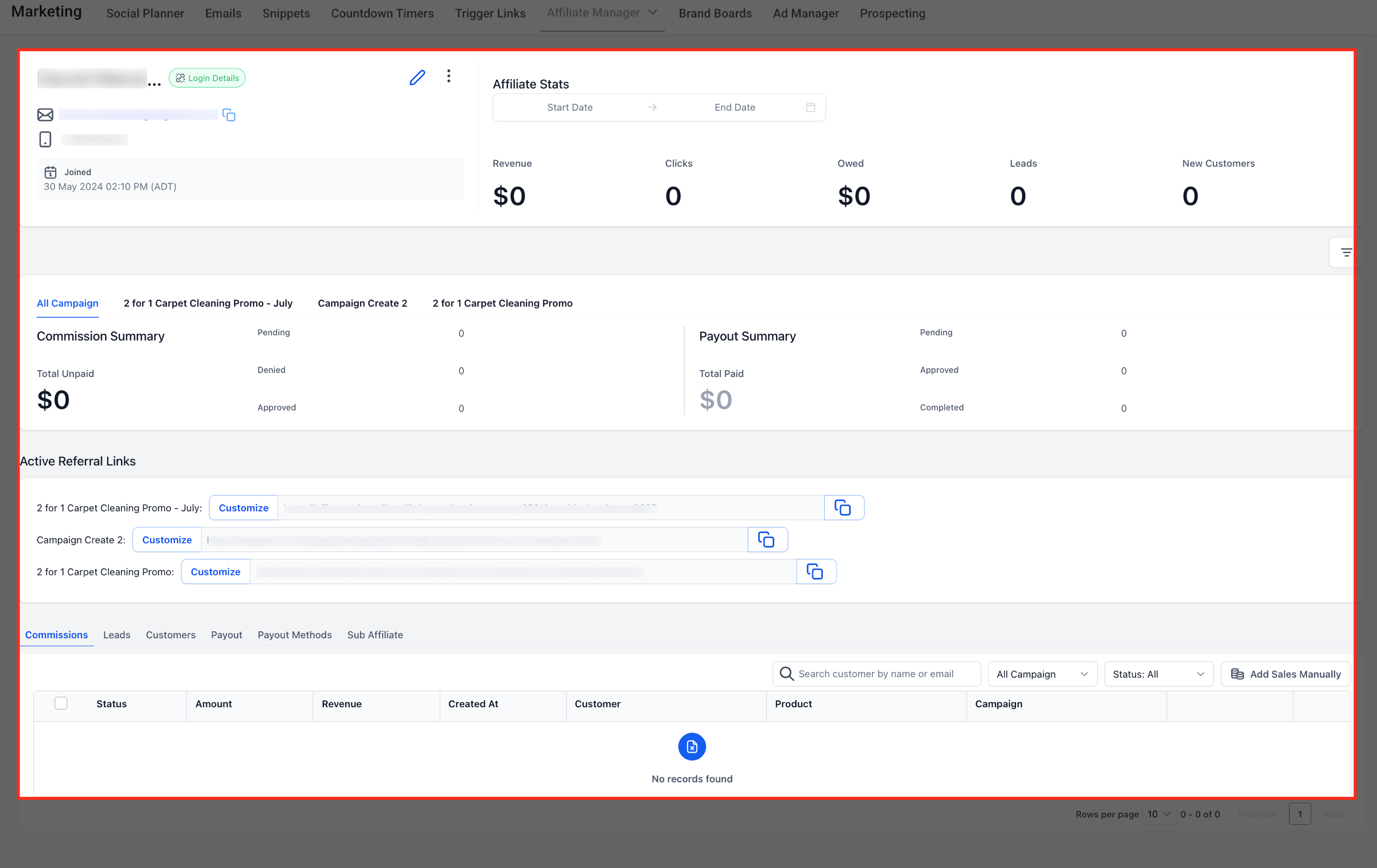
- Locate the affiliate and open their profile.
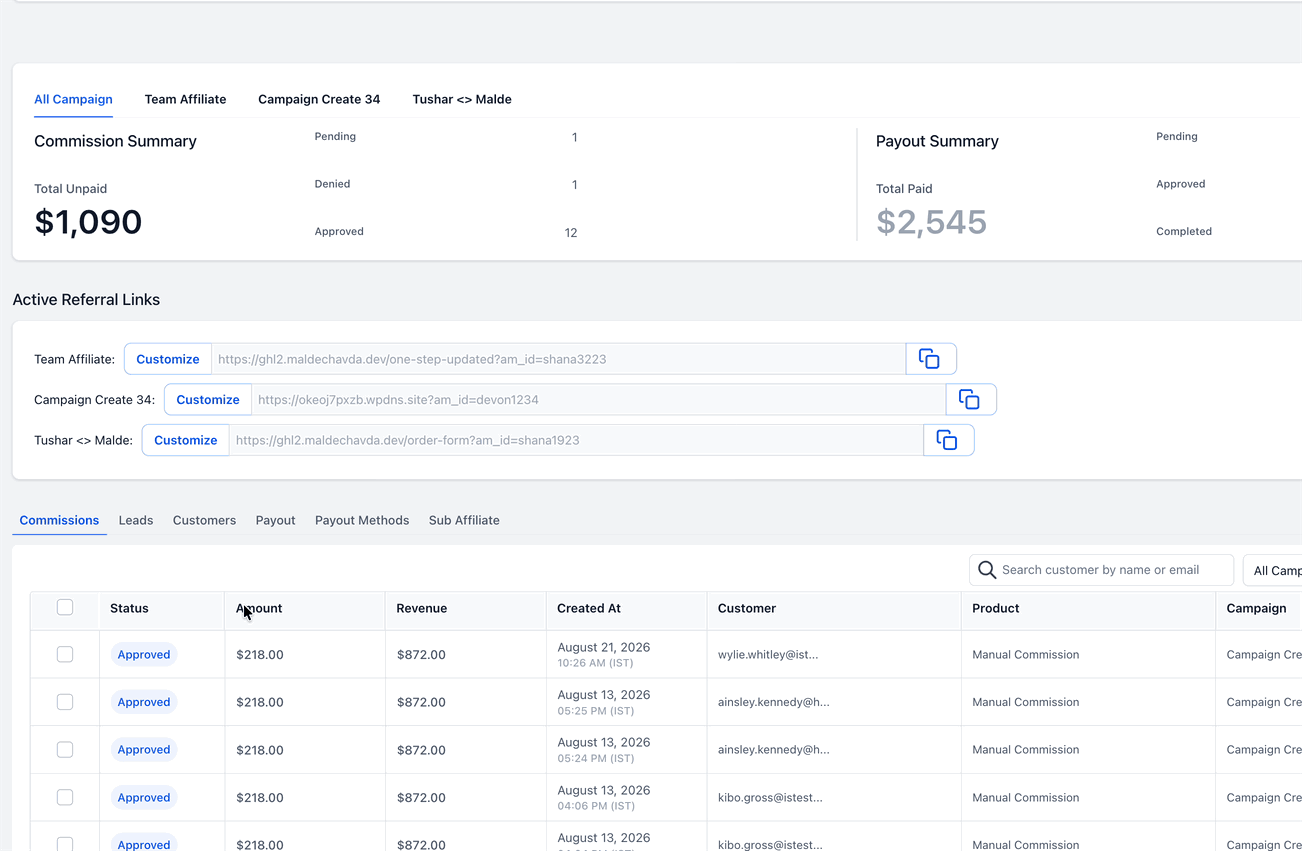
- In the profile, scroll to Active referral links and locate the campaign to customize.
- Click Customize beside that campaign to open the Advanced settings modal.
- Confirm the correct campaign is selected, then select the Commissions tab.
- Set the default commission by locating “Default commission for all products”, choosing the commission type, and entering the affiliate specific value.
- To add product specific rates, select “Customize commission by products”, choose the products, and enter the commission rate for each.
- For tier level adjustments, open “Advance commission settings”, review the existing tiers, and modify the affiliate level rates as needed. Note that the number of tiers cannot be changed here.
- Review all commission settings for accuracy.
- Click Save to apply the custom commission configuration.
07What it looks like in HighLevel
08Settings that matter
- Default commission for all products. Defines the general commission percentage that applies to every product when no product specific rate is set.
- Customize commission by products. Allows you to assign different commission percentages to selected products, overriding the default commission for those items.
- Advance commission settings. Provides controls to edit the commission percentages for each tier that already exists in the campaign.
09Things to know before you rely on it
- The campaign can have up to seven tiers; affiliate level settings cannot add or remove tiers.
- Product specific commissions take priority over the default commission for the same affiliate.
- A Restore Default action is available in the Advanced settings modal to revert changes.
10How it connects to the rest of HighLevel
- Manage commissions through the Affiliate portal Affiliate portal guide
- Add affiliates to the Affiliate Manager Add affiliates
- HighLevel pricing and plans Pricing
Michael's take

Tier numbers are fixed by the campaign, so you can't add new tiers from an affiliate profile.