
01Who this is for
- Affiliate program managers can tidy up inactive or fraudulent customers to protect commission integrity.
- Marketing directors overseeing multiple affiliates can reassign customers to balance performance across affiliates.
- Finance teams can delete denied commissions to keep payout reports accurate.
02Managing customers under affiliates, explained
The feature set lives inside each affiliate’s profile page in the Affiliate Manager. It gives you direct actions for individual customers and their commissions. You can delete a customer, disable or enable them, erase a denied commission, or move the customer to another affiliate.
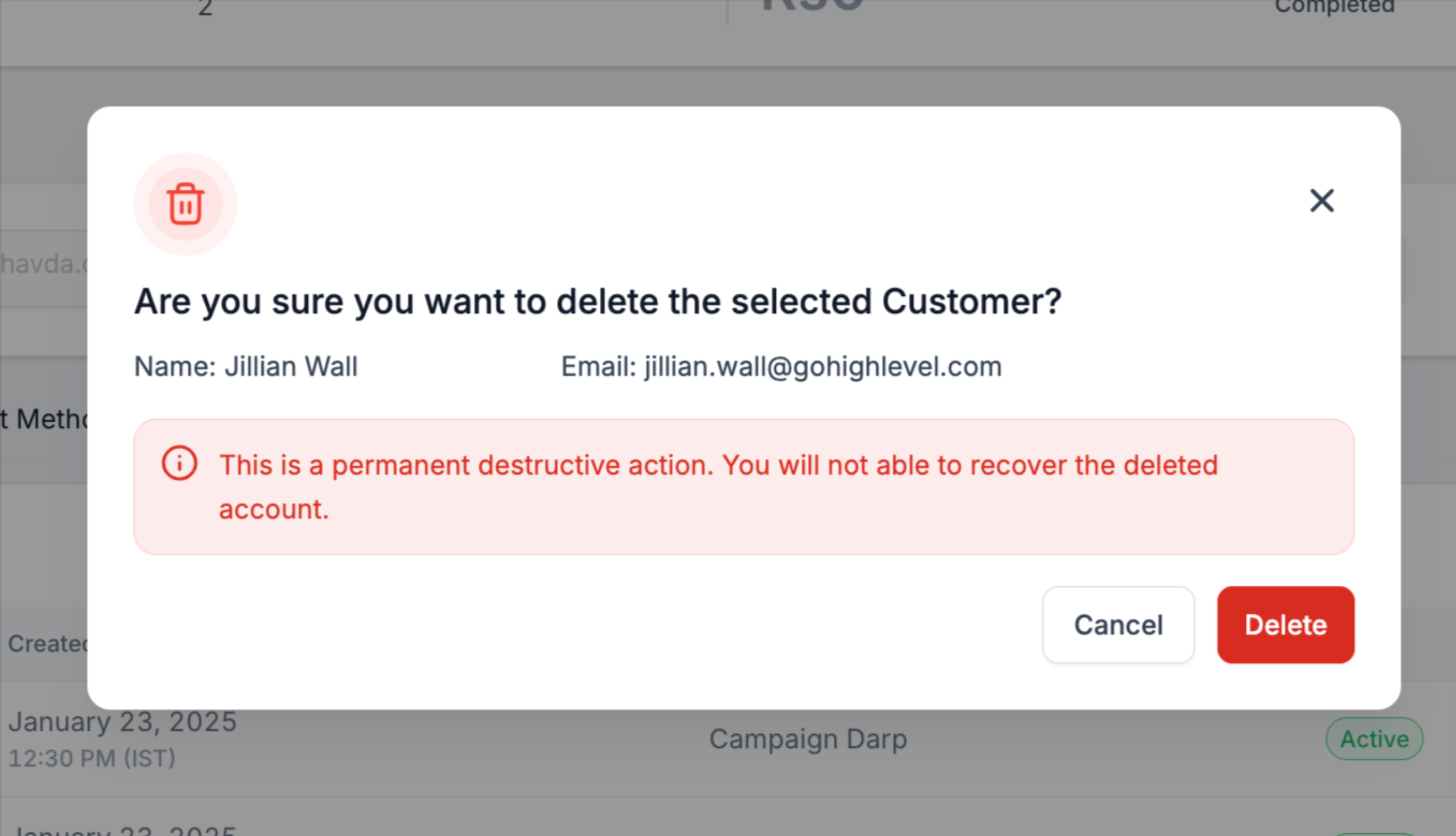
Disabling a customer stops any future sales from generating commissions. Enabling restores commission eligibility, but only if the customer was previously disabled. Deleting a customer removes the link to the affiliate so future sales are no longer tracked for that affiliate.
When moving a customer, the system only allows transfers within the same campaign. You can choose whether to bring unpaid commissions along; paid commissions stay with the original affiliate.
03How businesses use managing customers under affiliates
- Digital marketing agency. The agency can delete customers who never converted after a trial, ensuring that those contacts do not affect affiliate payouts. They navigate to the affiliate’s profile, locate the customer, and confirm the deletion.
- Online course platform. If a student signs up fraudulently, the platform disables that customer to stop any further commission accrual. The staff opens the affiliate profile, finds the student, selects Disable Customer from the three dot menu, and confirms.
- SaaS subscription service. When a partner changes, the service moves the subscriber to the new partner’s affiliate. They go to the Affiliate Manager, open the customer’s entry, choose Move Customer, pick the destination affiliate, and optionally transfer unpaid commissions.
04How to set up and use managing customers under affiliates in HighLevel
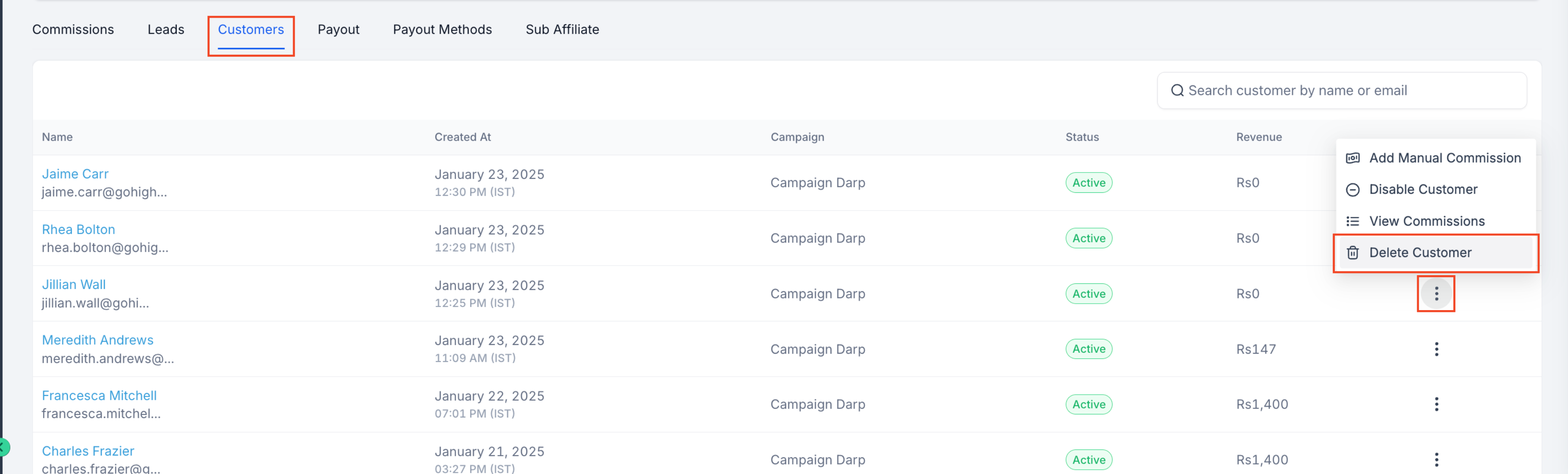
Delete a customer from an affiliate
- Open the affiliate page, select the affiliate’s name, and view the profile.
- Search or filter in the Customers tab to find the target customer.
- Click Delete next to the customer and confirm the removal.
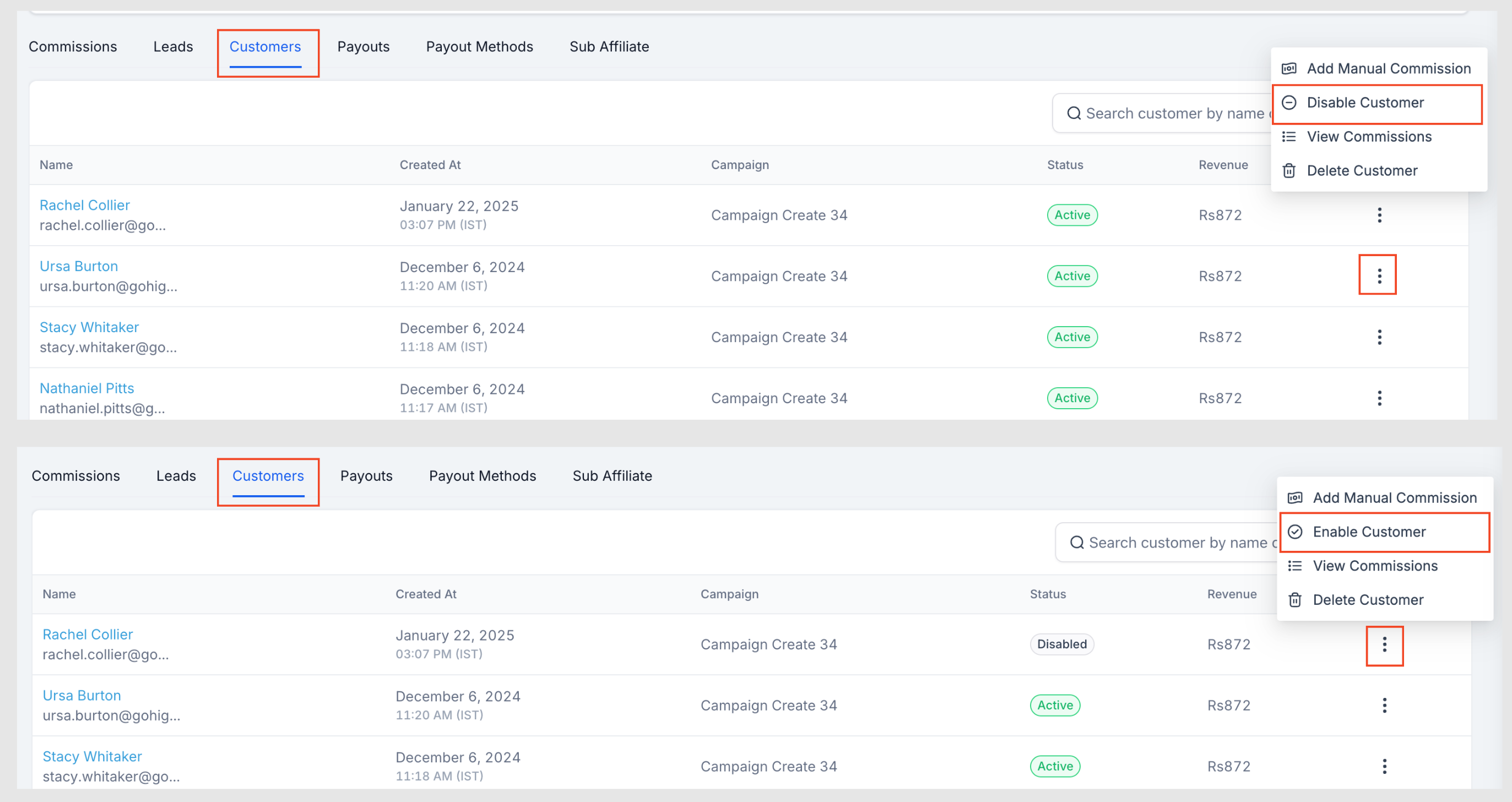
Disable or enable a customer
- Open the affiliate page, click the affiliate’s name to see details.
- Locate the customer in the Customers tab using search or filters.
- Open the three dot menu for that customer, choose Disable Customer (or Enable Customer if already disabled), and confirm the change. Only disabled customers can be re enabled.
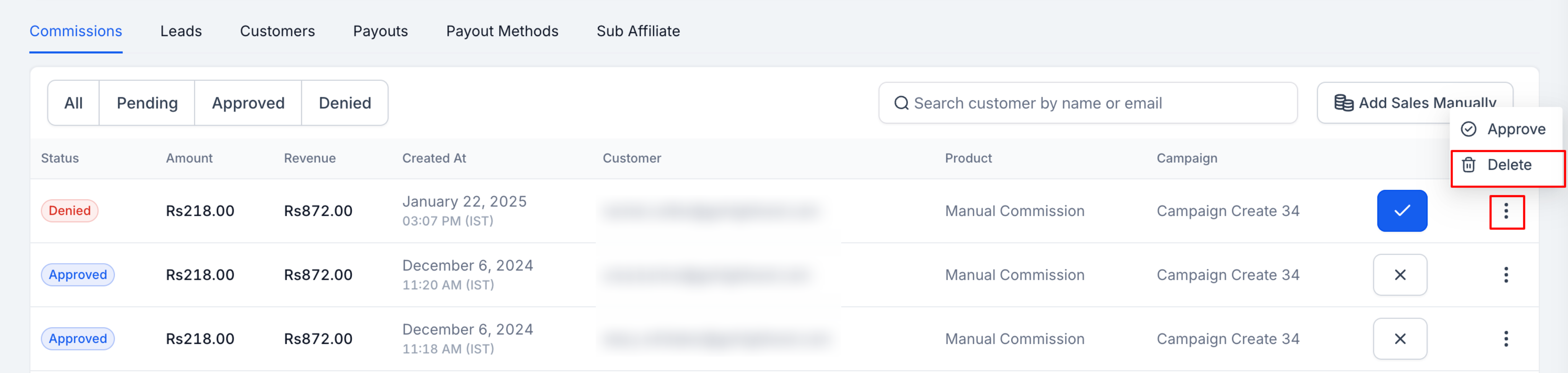
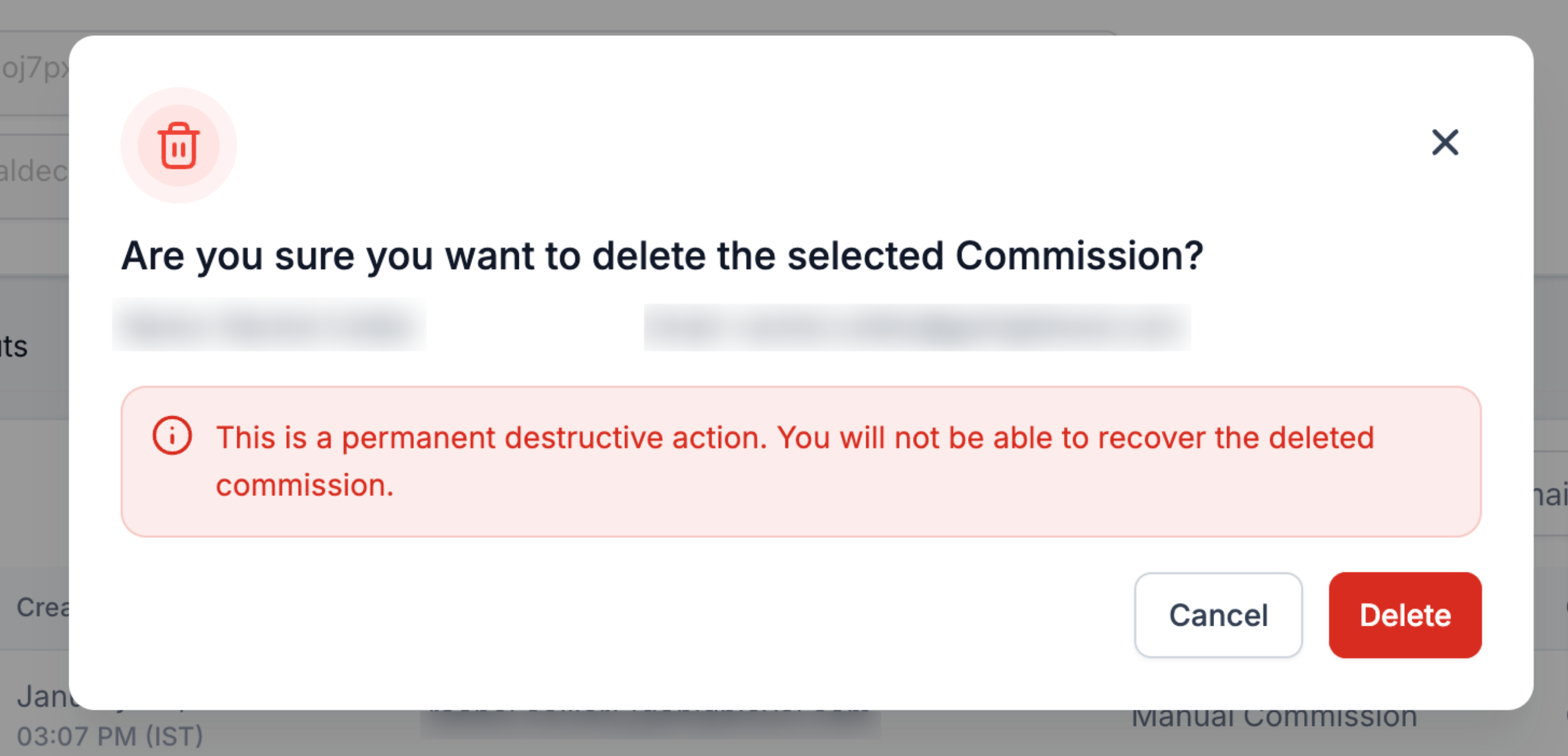
Delete commissions
- Open the affiliate page and access the affiliate’s profile.
- Find the commission to remove in the Commissions tab; ensure it is denied.
- Open the three dot menu for the denied commission, select Delete, and confirm.
Move customers across affiliates
- Navigate to the Affiliate Manager and open the current affiliate’s profile.
- Scroll down to the Customers section.
- Click the three dot menu beside the desired customer.
- Select Move Customer from the dropdown list.
- In the pop up, choose the destination affiliate, toggle the option to move unpaid commissions if needed, and press Move. Customers can only be moved within the same campaign; paid commissions remain with the original affiliate.
05What it looks like in HighLevel

06Settings that matter
- Also move all associated commissions of this Customer to destination Affiliate. Controls whether unpaid commissions tied to the moved customer are transferred to the new affiliate during a customer move.
07Things to know before you rely on it
- Customers can only be moved within the same campaign.
- Only unpaid commissions are transferred when moving a customer; paid commissions remain with the original affiliate.
- A commission must be denied before it can be deleted.
- Only disabled customers are eligible to be re enabled.
- Disabling a customer stops future sales tracking and commission generation.
08How it connects to the rest of HighLevel
- Add affiliates to your account Add affiliates
- Track clicks and manual sales for affiliates Affiliate tracking
- Manage affiliates using quick campaign actions Quick actions
Michael's take

Managing customers under affiliates is essential for any affiliate program.
If you don’t use affiliates at all, you can skip it.