
01Social connect invites, explained
The feature creates a secure, password protected invitation that opens an external page where a client can manage their own social account connections. It reduces back and forth during onboarding.
When a client connects or reconnects an account, HighLevel adds it to your subaccount and makes it available in Social Planner, creating a faster and more streamlined onboarding experience.
02How businesses use invite clients to connect social accounts
- Streamlined onboarding. Send the invite to a new client. They open the link, enter the password, and connect their social profiles. The accounts are automatically added to your Social Planner, supporting the onboarding process.
- Ongoing account management. Clients can use the invite page to reconnect a disconnected account or remove an account they no longer want connected. Changes are automatically added to your subaccount.
03The numbers and rules that matter
- Invite links expire 30 days after creation.
04How to set up and use invite clients to connect social accounts in HighLevel
Create and share an invite
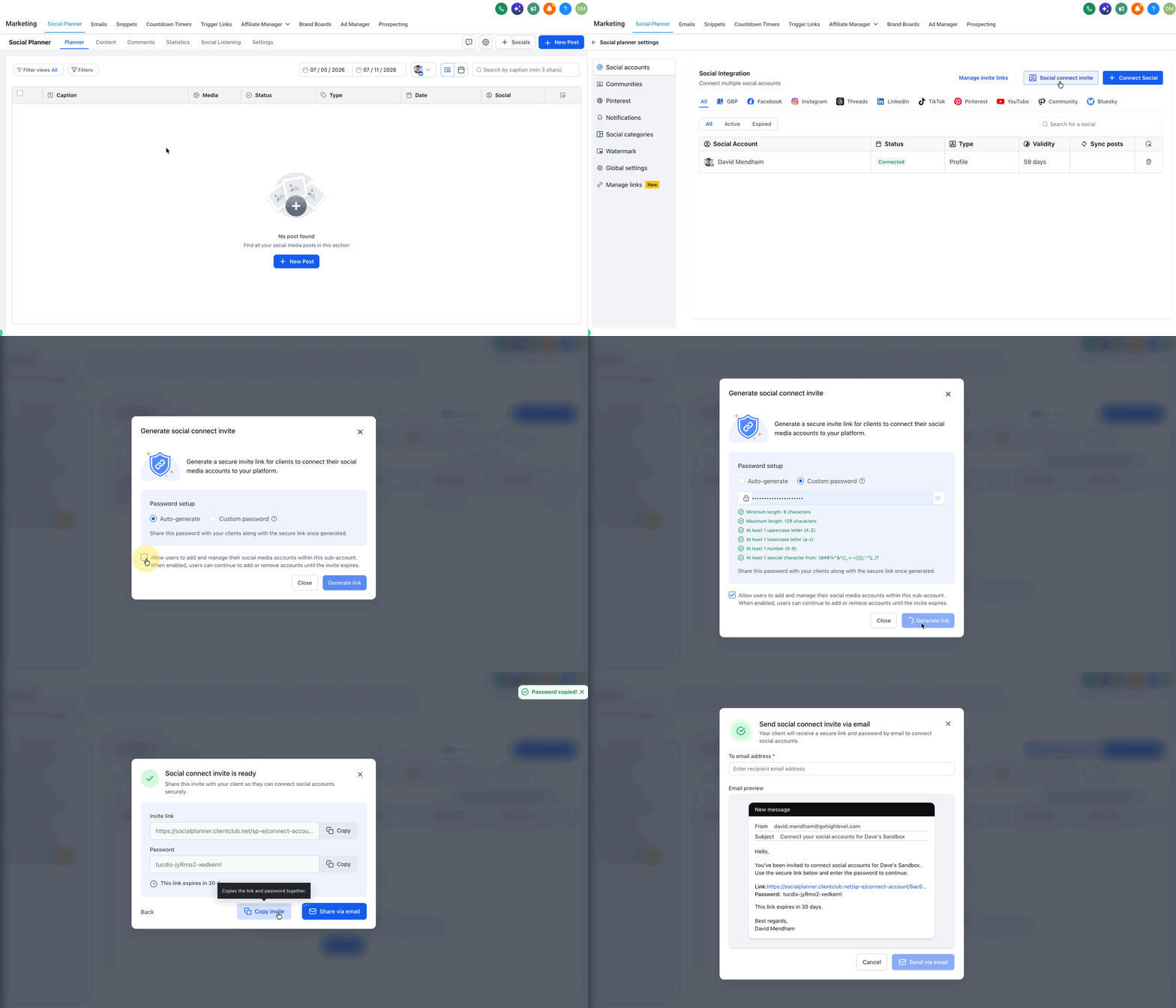
- Go to Marketing > Social Planner > Settings > Social Accounts.
- Select Social Connect Invite.
- Choose an autogenerated password or create a custom password.
- Generate the invite. Invite links expire 30 days after creation.
- Send the invite directly from Social Planner, or copy the invite link and password and share them with your client through your preferred channel.
Manage an invite
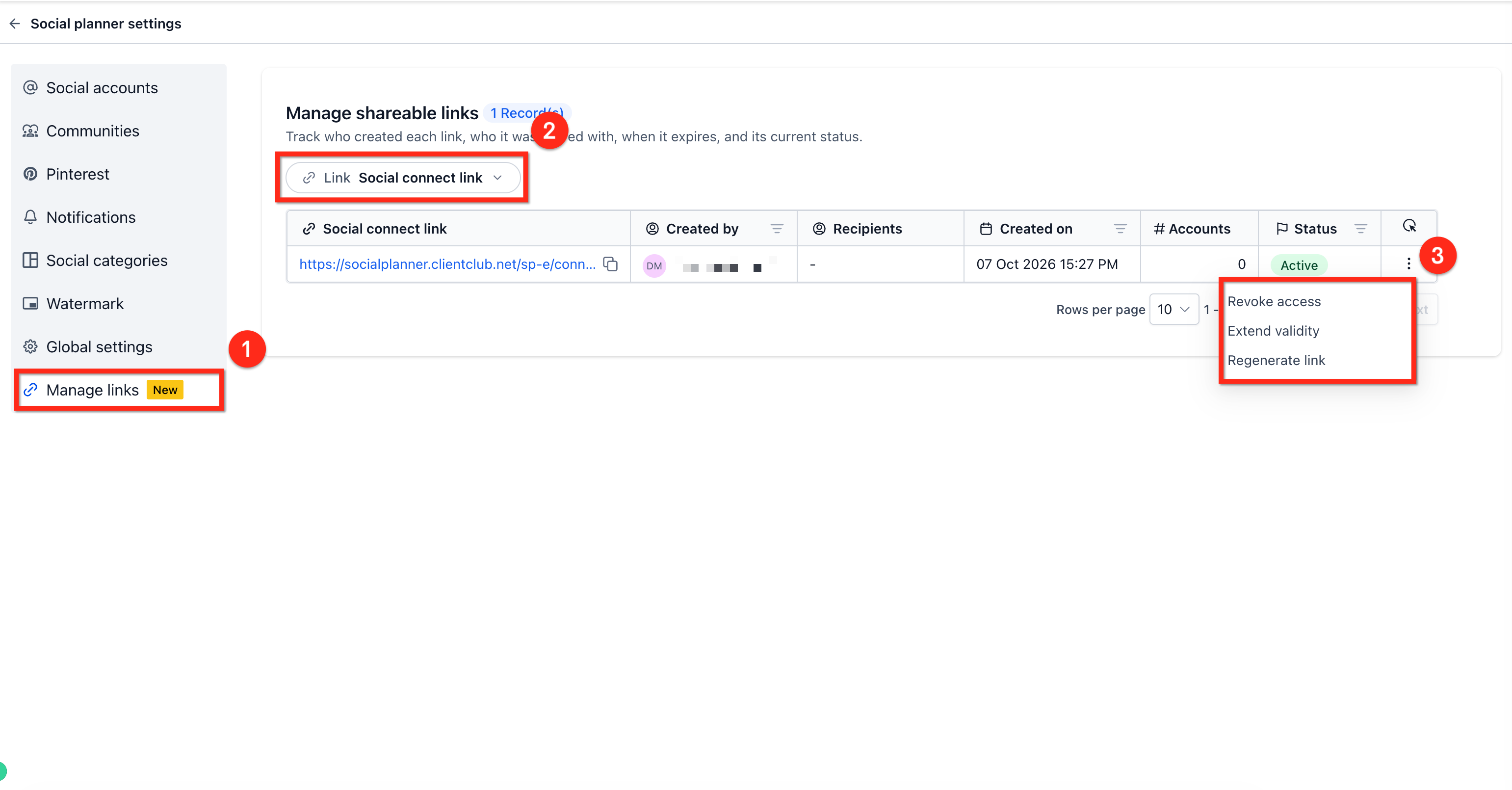
- Go to Social Planner > Settings > Manage Links.
- Select Social Connect Link to view existing invites.
- Click the 3 dot icon to open the dropdown menu of actions.
- From the menu, extend the invite's validity, regenerate it, or revoke it.
- Revoking an invite immediately disables access through that invite.
Client uses the invite to link social accounts
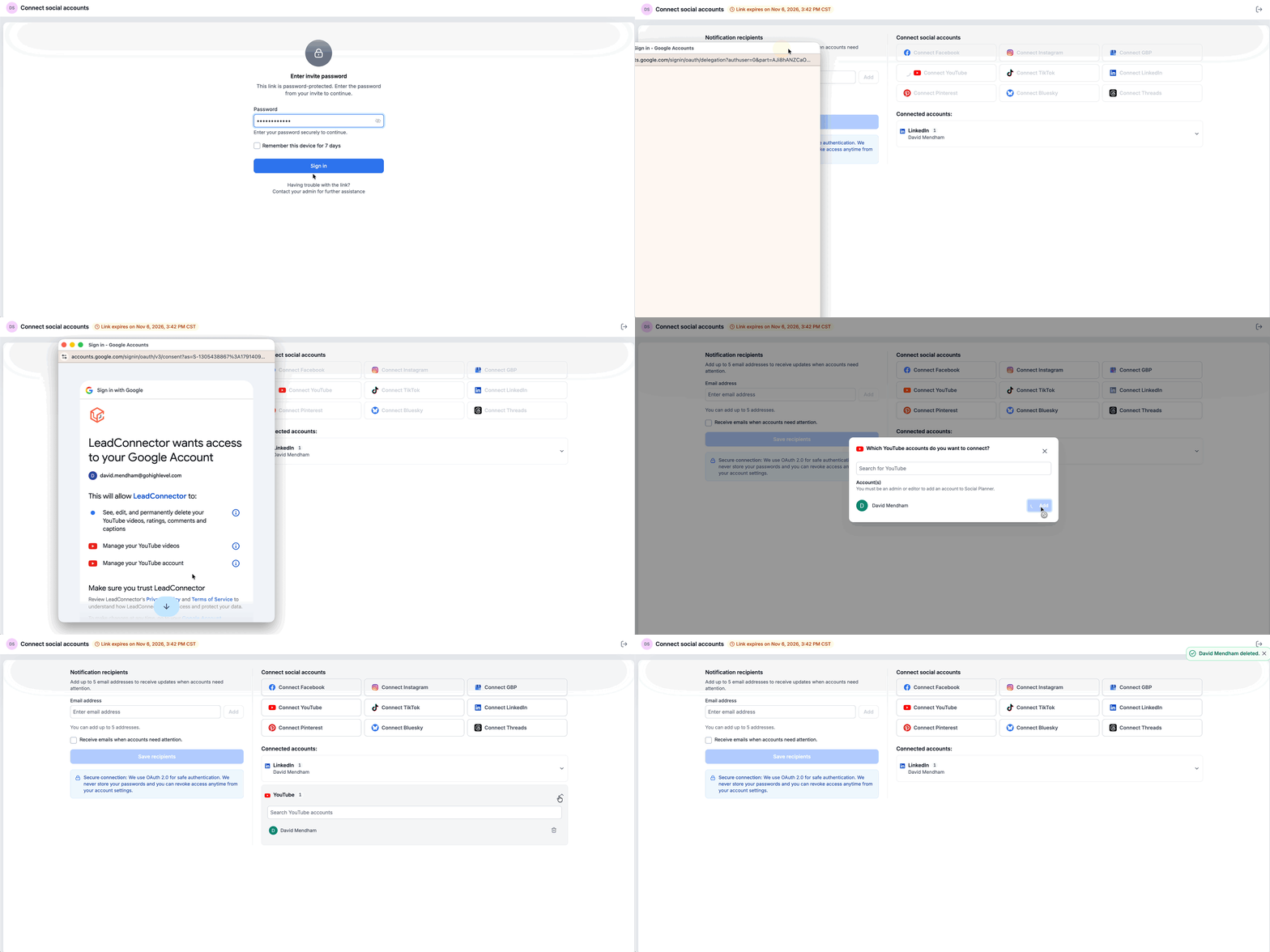
- Open the invite link.
- Enter the password provided with the invite.
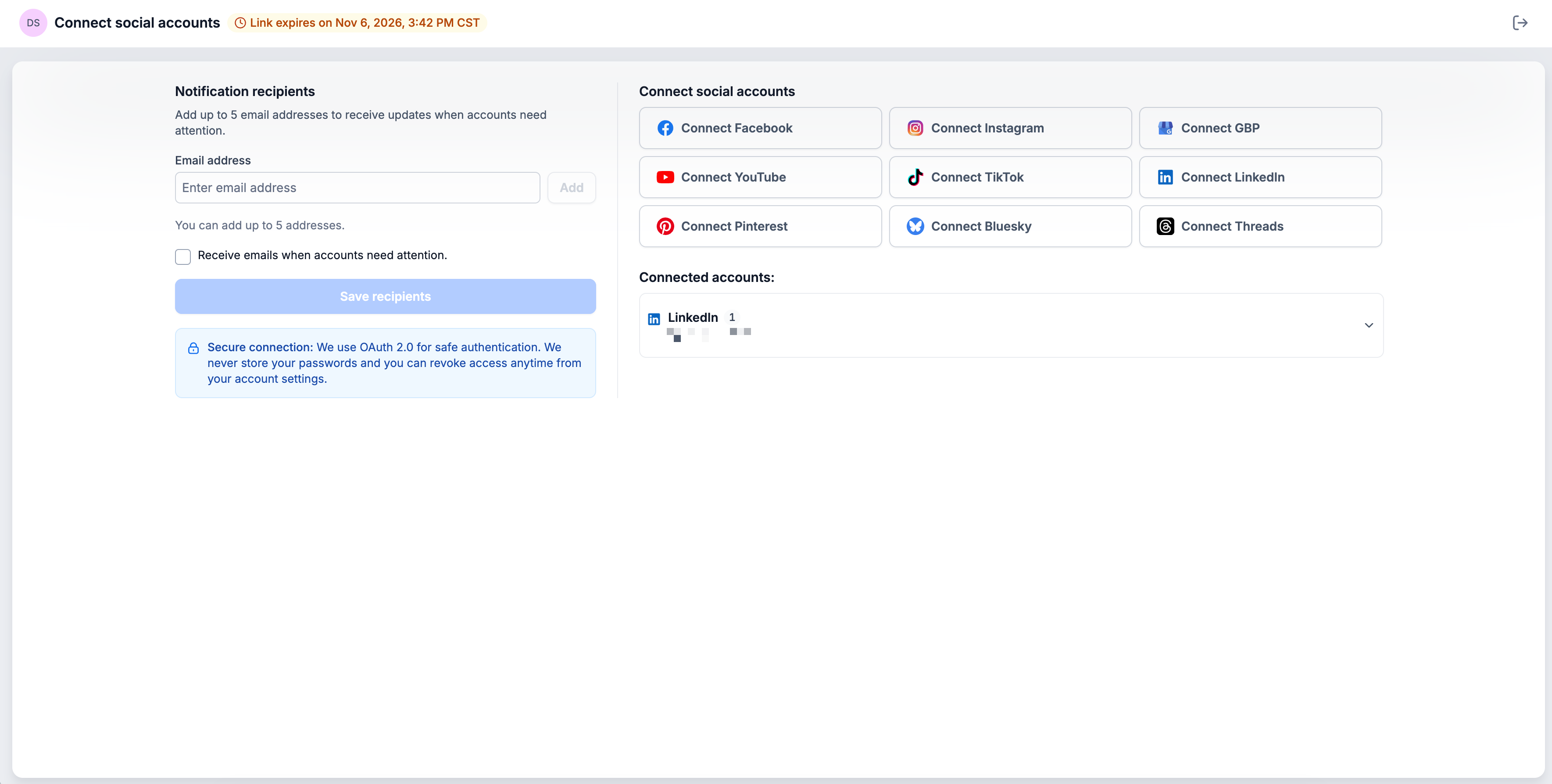
- Use the Social Connect page to manage their social account connections.
- Connect new social accounts, reconnect disconnected accounts, or remove accounts they no longer want connected.
05What it looks like in HighLevel
06Settings that matter
- Autogenerated password. Option for the system to generate a random password for the invite.
- Custom password. Option to create your own password for the invite.
07Things to know before you rely on it
- Only share the invite link and password with trusted clients.
- Anyone with both the link and password can use the invite to connect social accounts to your subaccount.
- Revoking an invite immediately disables access.
Michael's take

Michael ReimerFounder of CRM Pros, HighLevel Commander and Certified Admin
This is a quick win for agencies that spend hours coordinating login details for every new client. A single invite gives the client control and gets you up and running faster.
Never send the invite link and password to anyone who isn’t a trusted client.
Get More InformationOpens on HighLevelPublished November 3, 2026 · Updated November 3, 2026