
01Who this is for
- Marketing agencies managing multiple client subaccounts can reuse proven campaign configurations.
- Founders with several brand locations can quickly set up ad campaigns for each new location.
- Ad managers handling both Meta and Google ads can maintain consistency across accounts without rebuilding each campaign.
02Snapshots, explained
Snapshots are a feature within the Agency View that let you capture the configuration of supported Meta and Google ad campaigns from a source subaccount. After a snapshot is saved, you can load it into another subaccount, replicating the selected campaign assets.
The snapshot process lives under Account Snapshots. You create a snapshot by selecting the source subaccount and confirming the assets you want to include. Later, you load the snapshot from the target subaccount’s Basic Details tab using the Actions menu. The platform then copies the chosen campaigns, handling any conflicts you may encounter.
03How businesses use snapshots
- Digital marketing agency. The agency creates a snapshot of a high performing Meta campaign from a master client subaccount. It then loads that snapshot into a new client subaccount, selecting only the campaign assets needed. The copied campaign appears ready for launch after the client’s Facebook page is linked.
- Real estate brokerage with multiple offices. The brokerage saves Google ad campaign settings used by one office as a snapshot. When opening a subaccount for a new office, it loads the snapshot, chooses the Google campaign assets, and resolves any overlap warnings. The new office receives the same ad structure right away.
- Ecommerce brand with several storefronts. The brand captures its standard Meta ad campaigns in a snapshot. For each new storefront subaccount, it loads the snapshot, picks the Meta campaign assets, and confirms the load. After connecting the storefront’s Facebook page, the campaigns appear in the Campaign Details list.
04Before you start
- The source subaccount must already contain the Meta or Google ad campaigns you want to copy.
- The target subaccount must be created and have a default page selected.
- For Meta campaigns, the target subaccount must complete onboarding by connecting its Facebook account, ad account and Facebook page.
05How to set up and use snapshots in HighLevel
Duplicate ad campaigns with snapshots
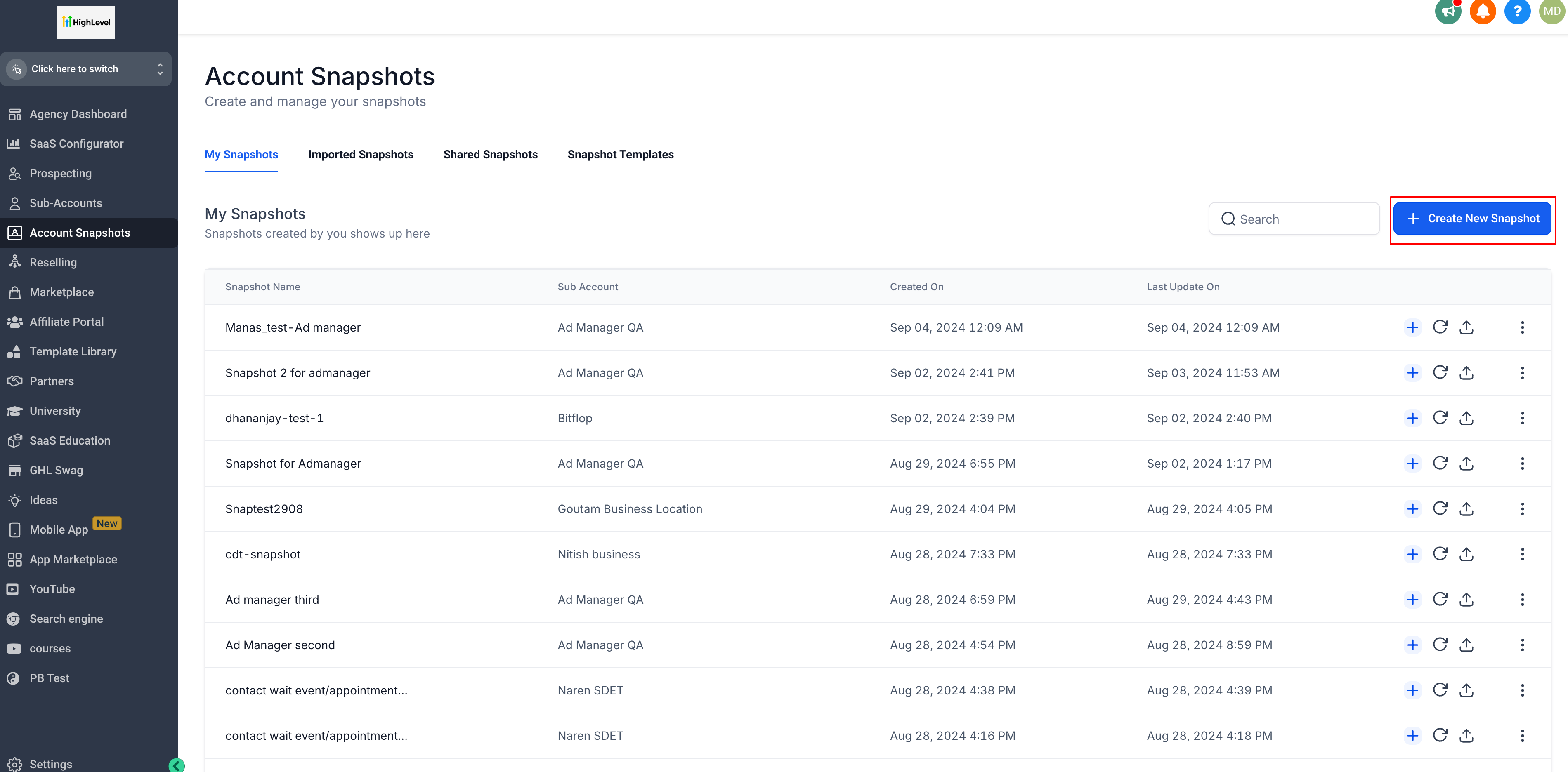
- Open Agency View and go to the Account Snapshots page.
- Click “Create New Snapshot”.
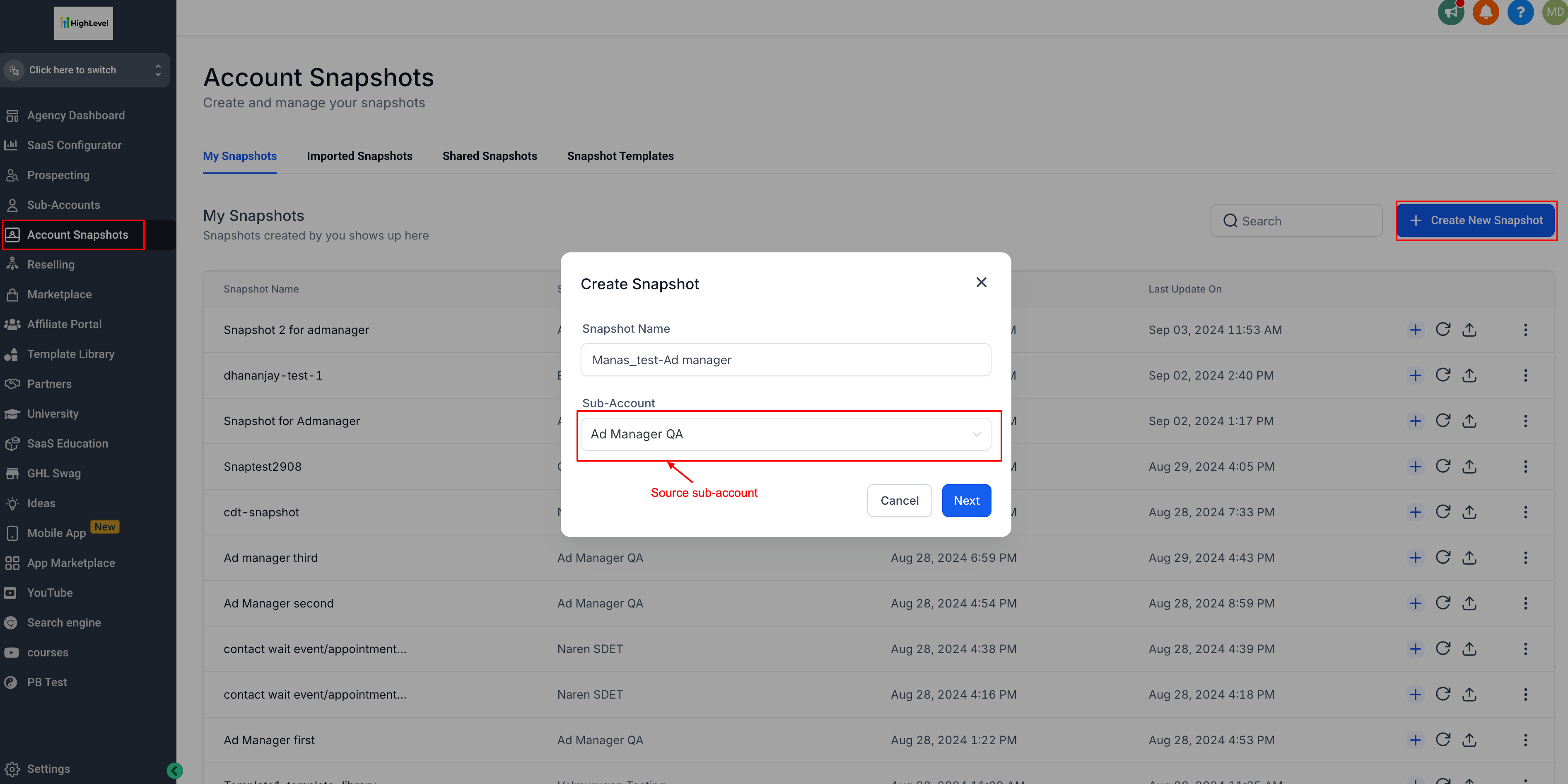
- Enter a name for the snapshot and select the source subaccount that holds the campaigns.
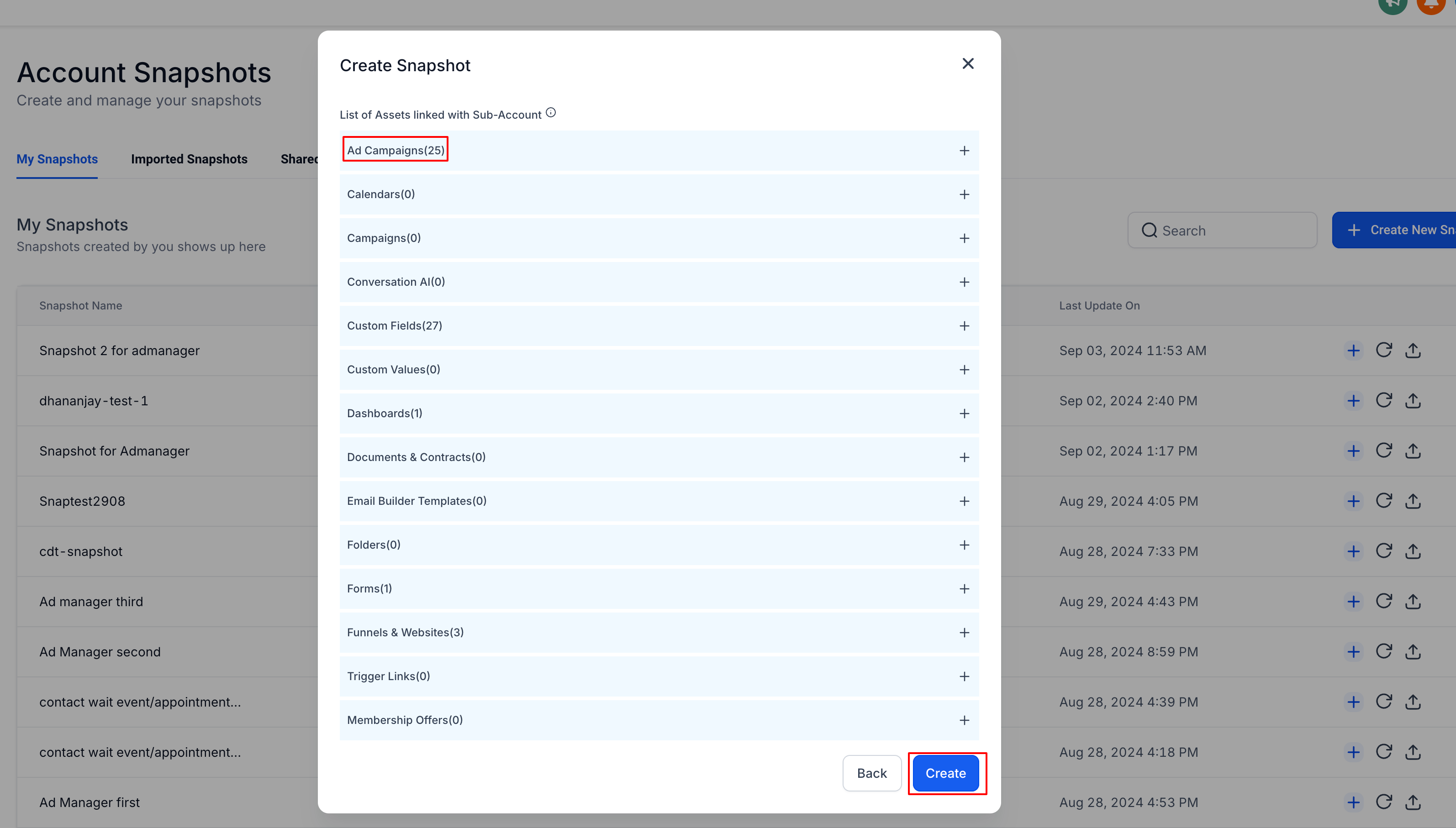
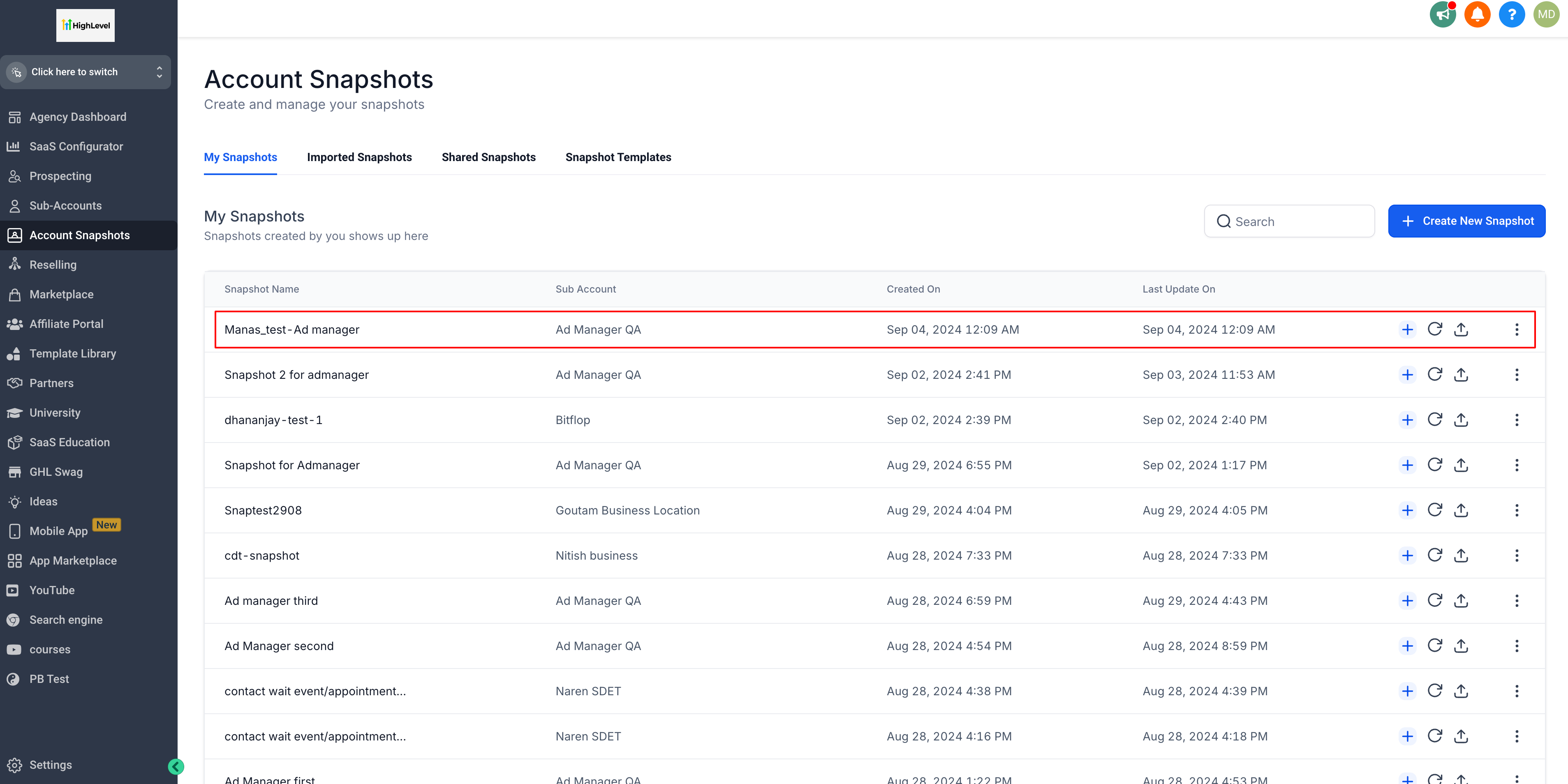
- Review the listed assets and press “Create”.
- Navigate to Subaccounts and pick the target subaccount.
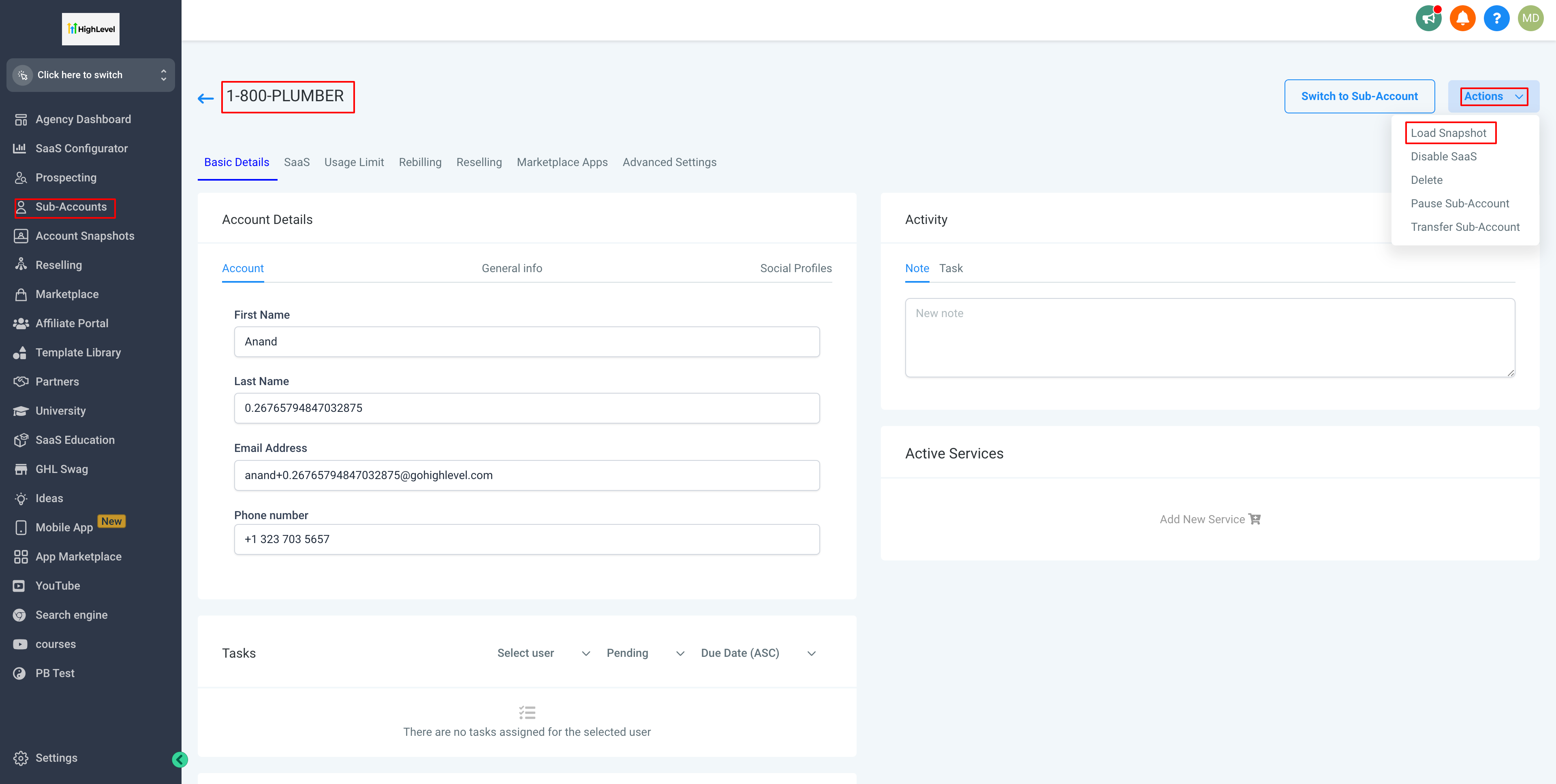
- In the target subaccount’s Basic Details tab, open the Actions menu.
- Choose “Load snapshot” from the dropdown.
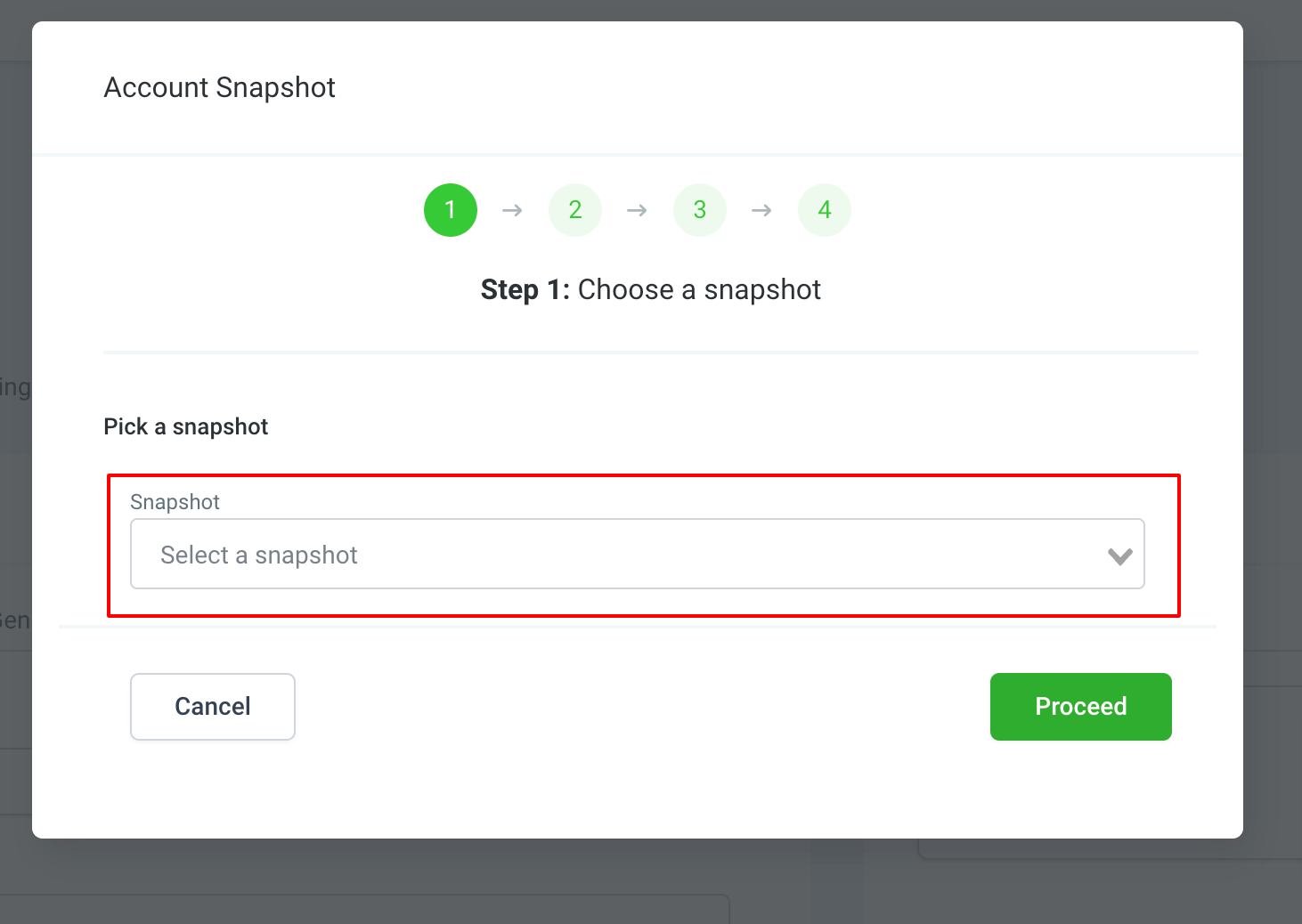
- In the first dialog screen, select the snapshot you just created.
- Tick the checkboxes for “Ad Campaigns, Meta” and/or “Ad Campaigns, Google” you wish to copy, then click “Proceed”.
- If conflict warnings appear, decide to skip or overwrite the listed items, then confirm the load.
- Watch for the notification bell indicating the snapshot was loaded successfully.
- Complete onboarding by connecting the Facebook account, ad account and page, then open the target subaccount’s Campaign Details list to see the duplicated campaigns.
06What it looks like in HighLevel
07Settings that matter
- Ad Campaigns - Meta. Controls whether Meta ad campaign assets are included when a snapshot is loaded into a target subaccount.
- Ad Campaigns - Google. Controls whether Google ad campaign assets are included when a snapshot is loaded into a target subaccount.
08Things to know before you rely on it
- Only Meta and Google ad campaigns are currently supported as snapshot assets.
- Only the campaign types that appear in the snapshot asset list can be selected for copying.
- Facebook specific items such as Lead Forms, Custom Audiences and Lookalike Audiences are not copied because they belong to the source ad account’s Business Manager.
- Snapshot availability may differ by advertising platform and campaign type.
09How it connects to the rest of HighLevel
- Learn how to enable and resell Ad Manager within the platform. Enable and Resell Ad Manager
- View all marketing capabilities offered by HighLevel. All Marketing features
- Check plan options and pricing for access to Snapshots. HighLevel pricing and plans
Michael's take

Snapshots feel like a small convenience that can become a real shift for agencies that spin up many locations. It lets you take a proven campaign setup and press a few buttons instead of rebuilding everything from scratch.