
01Who this is for
- Digital marketing agencies, benefit from a single place to see Meta’s optimization advice, reducing the need to toggle between platforms.
- Ecommerce store owners, can quickly adjust ad settings based on impact levels to improve performance after publishing.
- Local service businesses, receive prioritized recommendations that help boost ad effectiveness without leaving HighLevel.
02Meta recommendations, explained
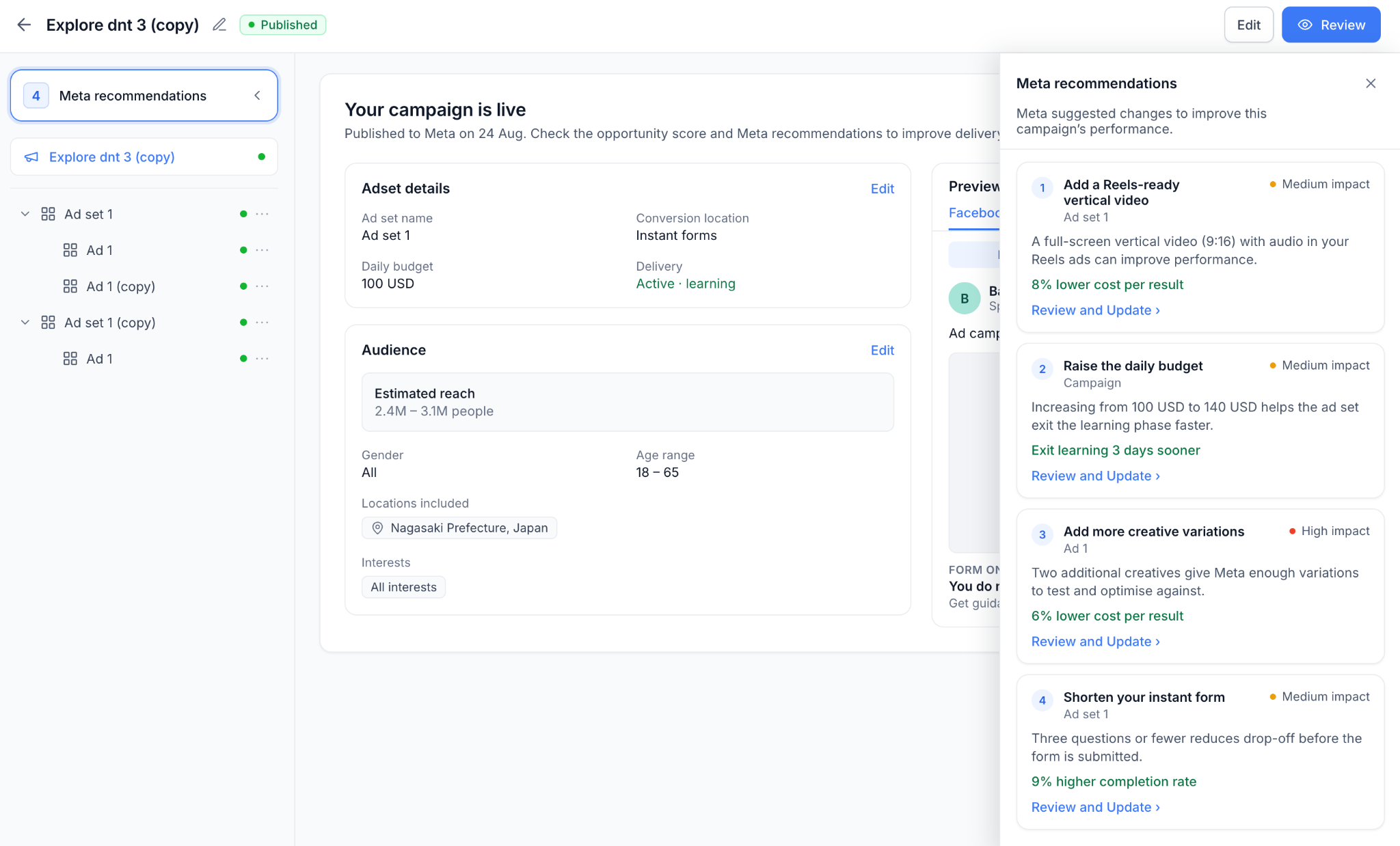
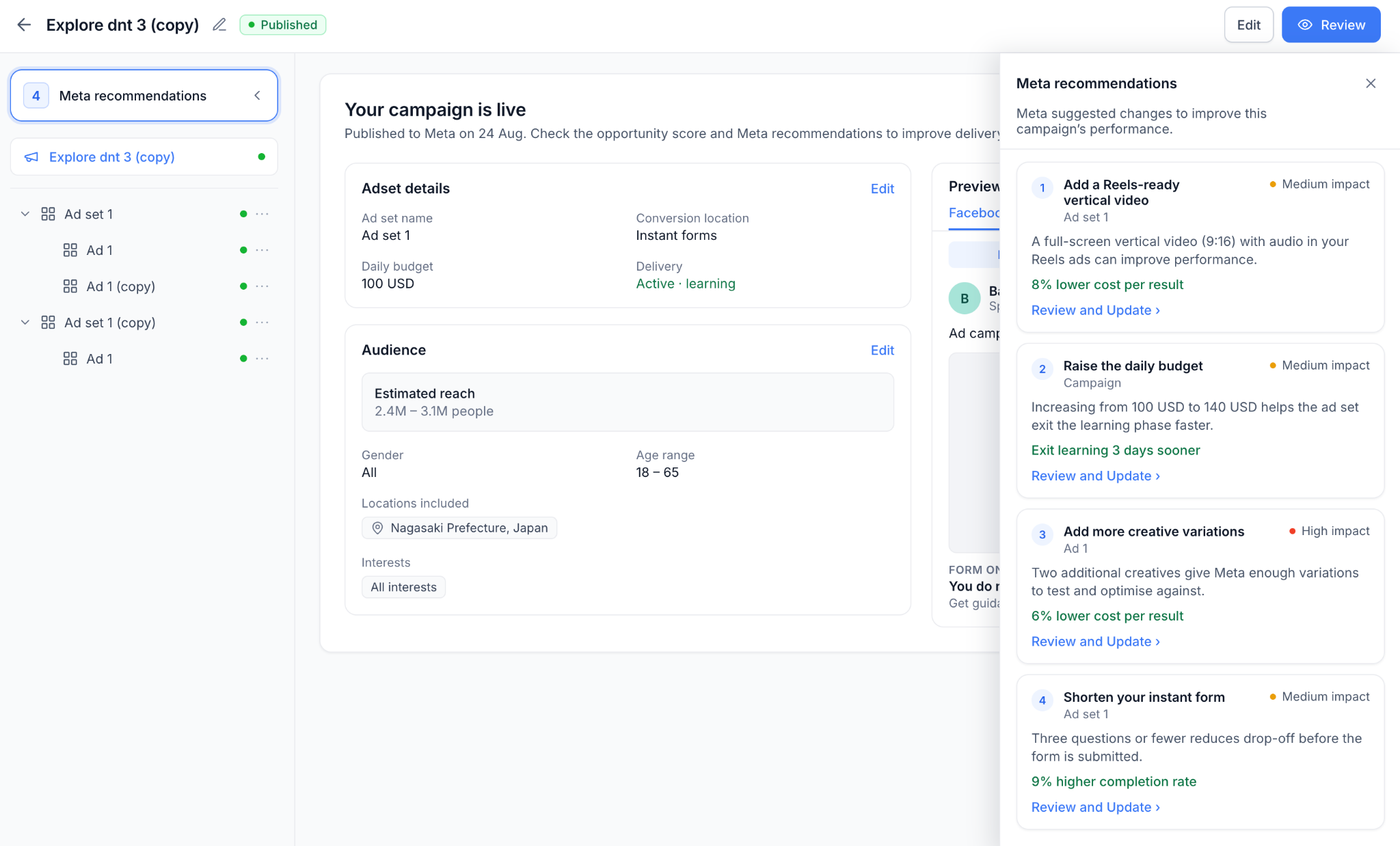
Meta recommendations appear on the Review screen of a published Meta campaign inside HighLevel Ad Manager. They are suggestions that Meta provides to improve an ad after it is live. Each recommendation lists a suggested change, the element that needs attention, an estimated improvement and an impact level.
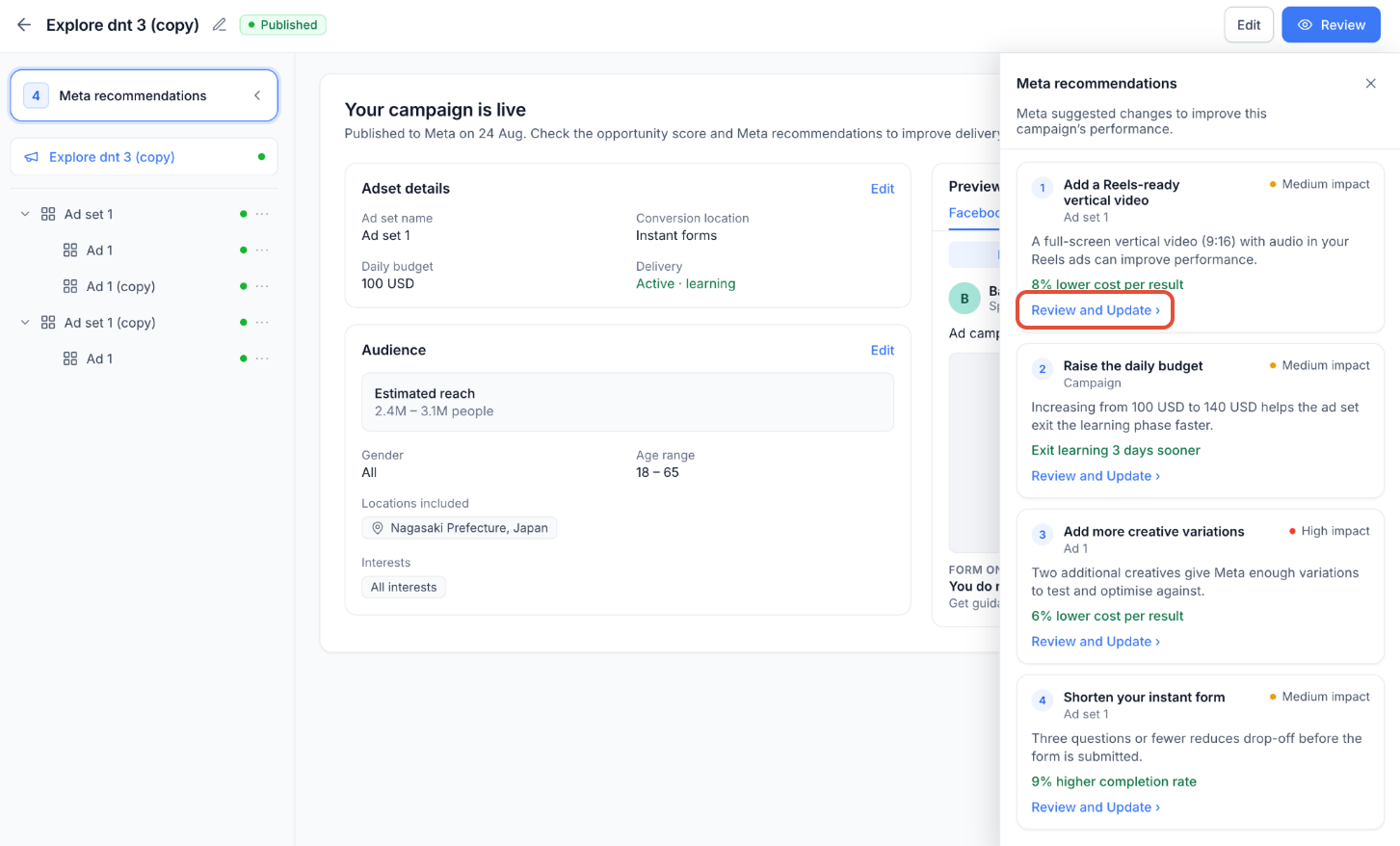
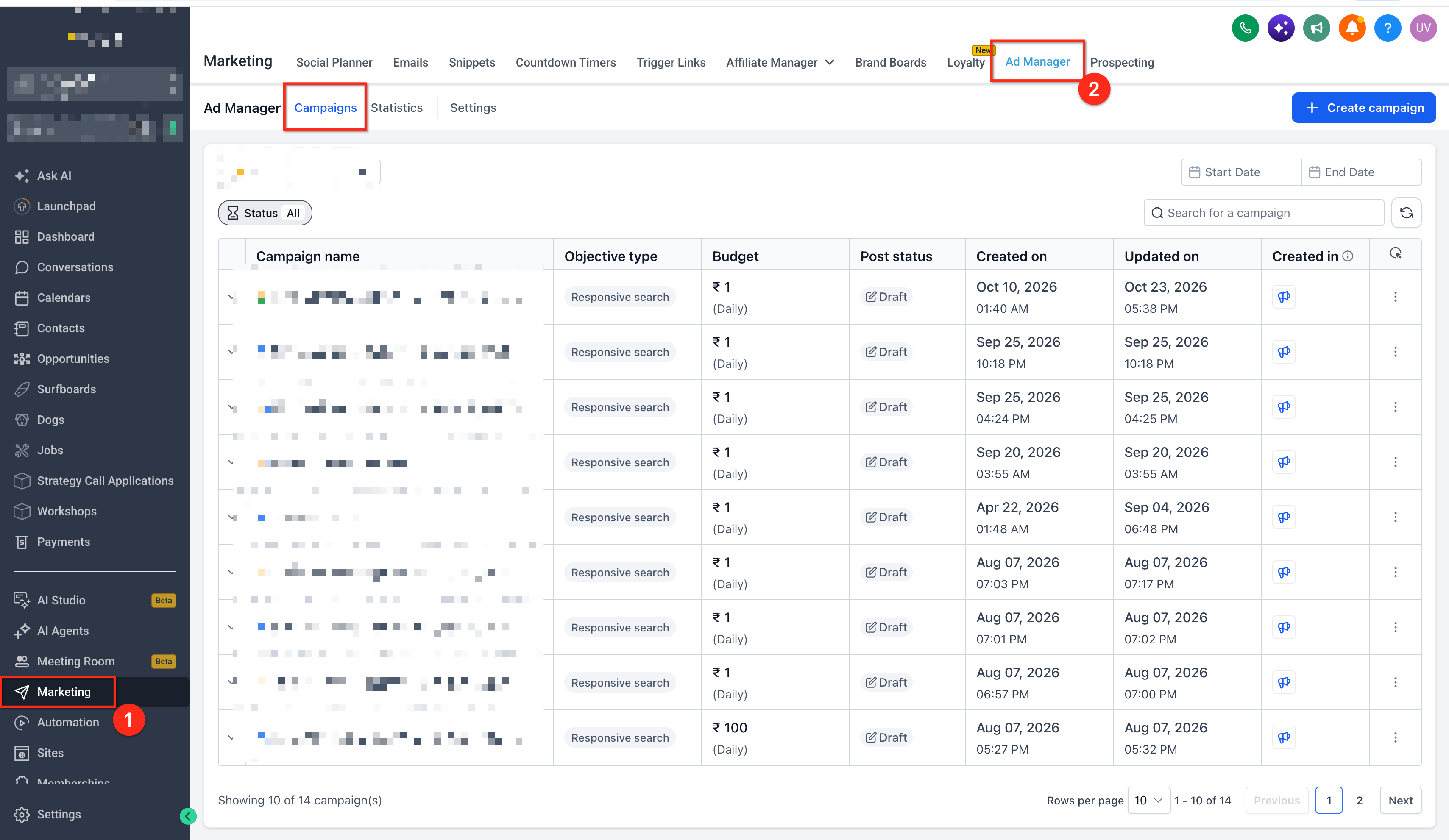
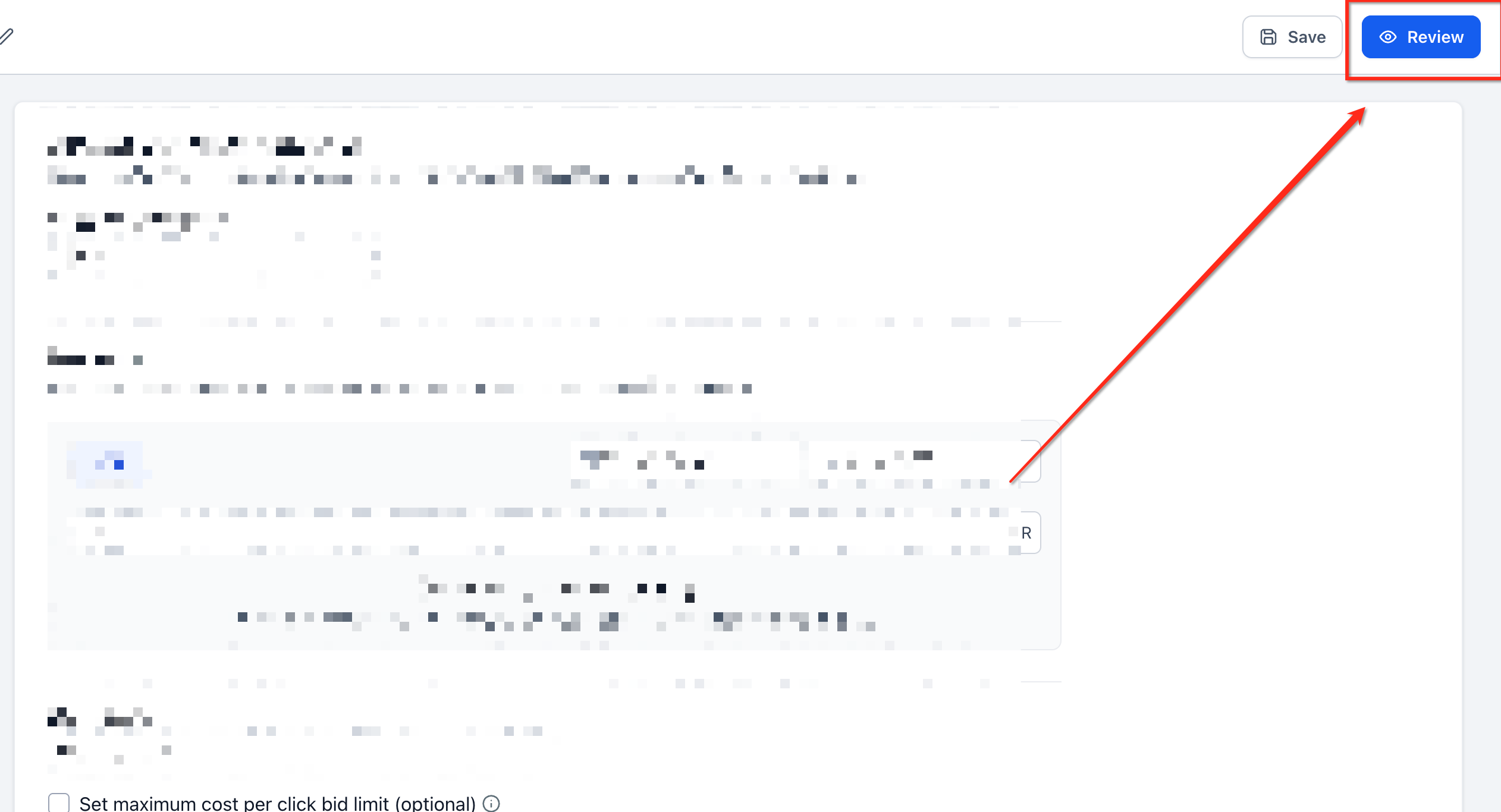
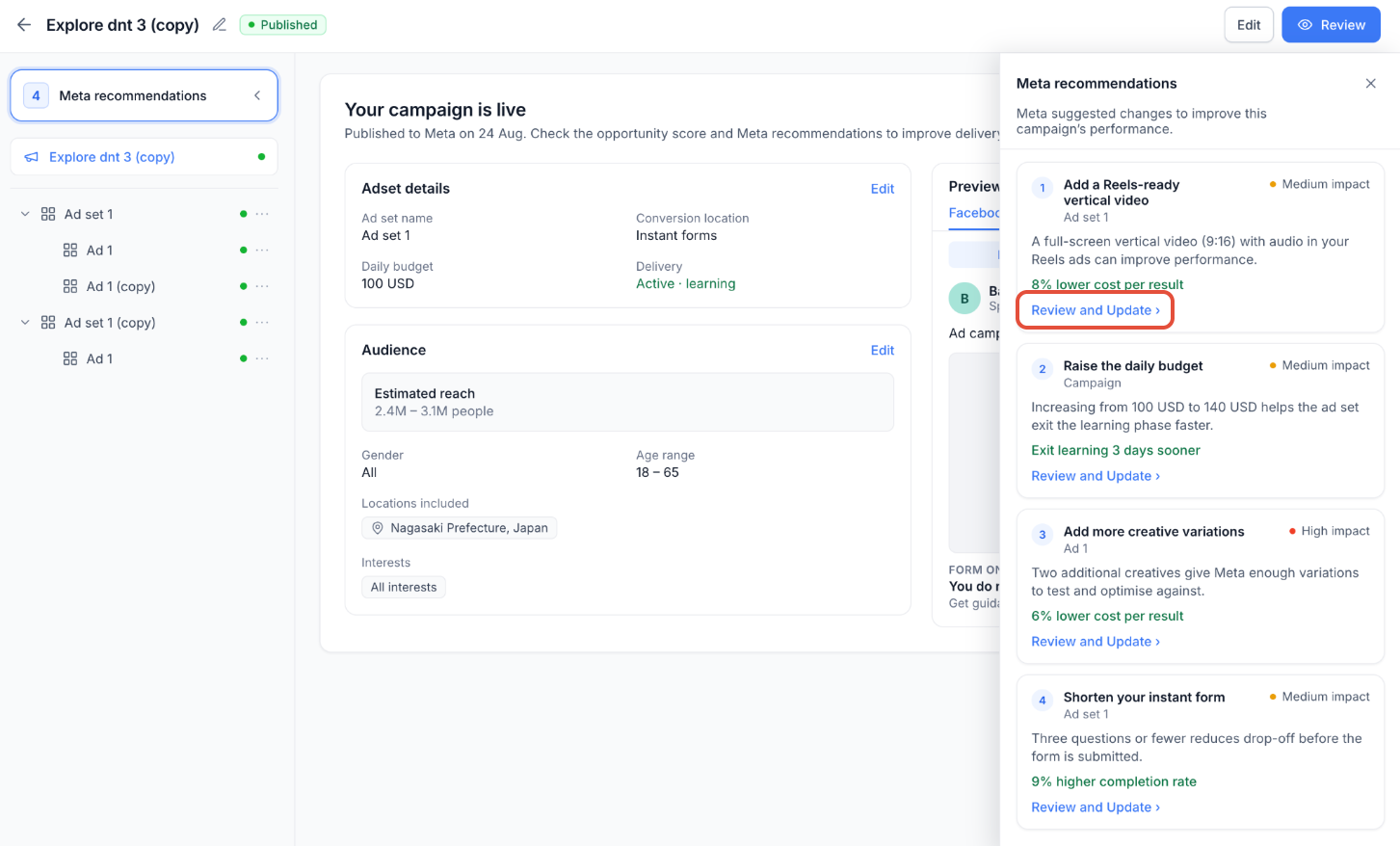
The feature lives under Marketing > Ad Manager. Users open a campaign, go to the Review tab and click the Meta recommendations button in the upper left corner. The panel shows all available suggestions and their count. Selecting a recommendation opens a Review and Update shortcut that jumps to the corresponding campaign setting.
Impact levels are labeled High, Medium or Low to help users decide which changes to address first. The panel also lets users see when there are no suggestions, displaying a “No recommendations right now” notice.
03How businesses use Meta recommendations
- Dental practice. The practice opens its published Meta campaign, reviews the recommendations panel, and selects a High impact suggestion. Using Review and Update, it jumps to the ad budget setting, makes the change, and submits the update through the normal campaign workflow.
- Real estate agency. After publishing a property ad, the agency checks the Recommendations list for Medium impact tips. It clicks Review and Update, navigates to the targeting criteria, adjusts the audience as advised, and then saves the changes.
- SaaS startup. The startup reviews its campaign’s Recommendations panel. When it sees the “No recommendations right now” message, it knows Meta currently has no optimization advice and can continue monitoring performance without further edits.
04How to set up and use Meta recommendations in HighLevel
View Meta recommendations
- Navigate to Marketing > Ad Manager.
- Open a published Meta campaign.
- Go to the Review screen.
- Click Meta recommendations in the upper left corner.
- Review the list of suggestions and the recommendation count.
Apply a recommendation
- Open the Meta recommendations panel.
- Select a recommendation to review.
- Click Review and Update.
- Navigate to the relevant campaign section.
- Make the suggested change and submit the applicable campaign updates.
05What it looks like in HighLevel
06Settings that matter
- Suggested Change. Shows the specific optimization that Meta advises for the campaign.
- Affected Element. Identifies which campaign setting or component needs attention.
- Expected Improvement. Provides an estimate of the performance benefit Meta predicts.
- Impact Level. Indicates the relative importance of the recommendation as High, Medium or Low.
07Things to know before you rely on it
- Review and Update does not automatically apply a recommendation; users must make the change manually.
- Some published campaign settings may have editing restrictions and could require Meta review before changes take effect.
- Expected performance improvements are estimates and are not guaranteed results.
- If Meta has no suggestions, the panel displays “No recommendations right now”.
08How it connects to the rest of HighLevel
- Explore Opportunity Score for pre publish optimization. Opportunity Score
- Learn how to edit a published or in review Meta ad campaign. Edit Published Campaign
- Read about Meta Campaign Budget Optimizer settings. Campaign Budget Optimizer
Michael's take

Most people think the panel will automatically fix their ads. It only shows ideas; you still have to edit the campaign yourself. I would open the recommendations, pick the high impact ones, and use the Review and Update link to jump straight to the setting that needs tweaking.
Once there, I would make the change, save, and watch the results. It’s a quick way to keep campaigns humming without hopping over to Meta Ads Manager.