
01Who this is for
- Marketing managers who need to organise multiple LinkedIn initiatives by business goal can keep each goal in a separate Campaign Group.
- Lead generation teams can use the built in LinkedIn lead forms to capture prospect details directly from ads.
- Digital analysts benefit from real time performance metrics at the group, campaign and ad levels.
02LinkedIn ad campaigns, explained
HighLevel's Ad Manager stores LinkedIn ads in a three level hierarchy. The top level, a Campaign Group, groups campaigns that share an overall objective such as lead generation or website traffic. Within a group, each Campaign holds its own budget, schedule, media type, language and audience filters. Ads sit inside a campaign and contain the specific creative assets, copy, call to action and optional lead gen form.
All settings are entered through the Ad Manager interface. You can start from a pre filled LinkedIn template, which loads supported campaign configurations automatically. After completing the fields, HighLevel validates URLs, budget minimums and required elements before allowing you to publish. Once live, performance data appears under Statistics > LinkedIn, broken down by spend, impressions, clicks and other key metrics.
03How businesses use LinkedIn ad campaigns
- SaaS startup. The startup creates a Campaign Group for "Q4 Lead Generation" and selects the Lead Generation objective. Inside the group it builds a single Campaign targeting decision makers in technology firms, then adds multiple image ads with concise copy and a LinkedIn lead form. The team publishes and watches CPL metrics in the Statistics view.
- Ecommerce retailer. The retailer sets up a Campaign Group aimed at driving traffic to a seasonal landing page. It chooses the Website Traffic objective, defines a daily budget, and creates a Campaign that targets shoppers in specific regions. Carousel ads showcase product images, each linking to the retailer's site, and the retailer monitors clicks and CTR in real time.
- Professional services firm. The firm builds a Campaign Group for "Thought Leadership" with a Traffic objective. Within it, a Campaign uses video media to promote a webinar. The ad includes a headline, description and a "Learn More" CTA that points to the registration page. The firm reviews performance at the ad level to compare video versus image formats.
04The numbers and rules that matter
- Bidding: Manual input for Cost Per Lead or CPC.
- Carousel ads support 2 to 10 image cards; videos not allowed in carousel cards.
- Introduction Text up to 3,000 characters.
- Headline recommendation approx 70 characters.
- Description up to 300 characters.
- Lead Gen Form limits: 12 prefilled fields, 3 custom questions, 20 hidden fields, 5 consent checkboxes.
05How to set up and use LinkedIn ad campaigns in HighLevel
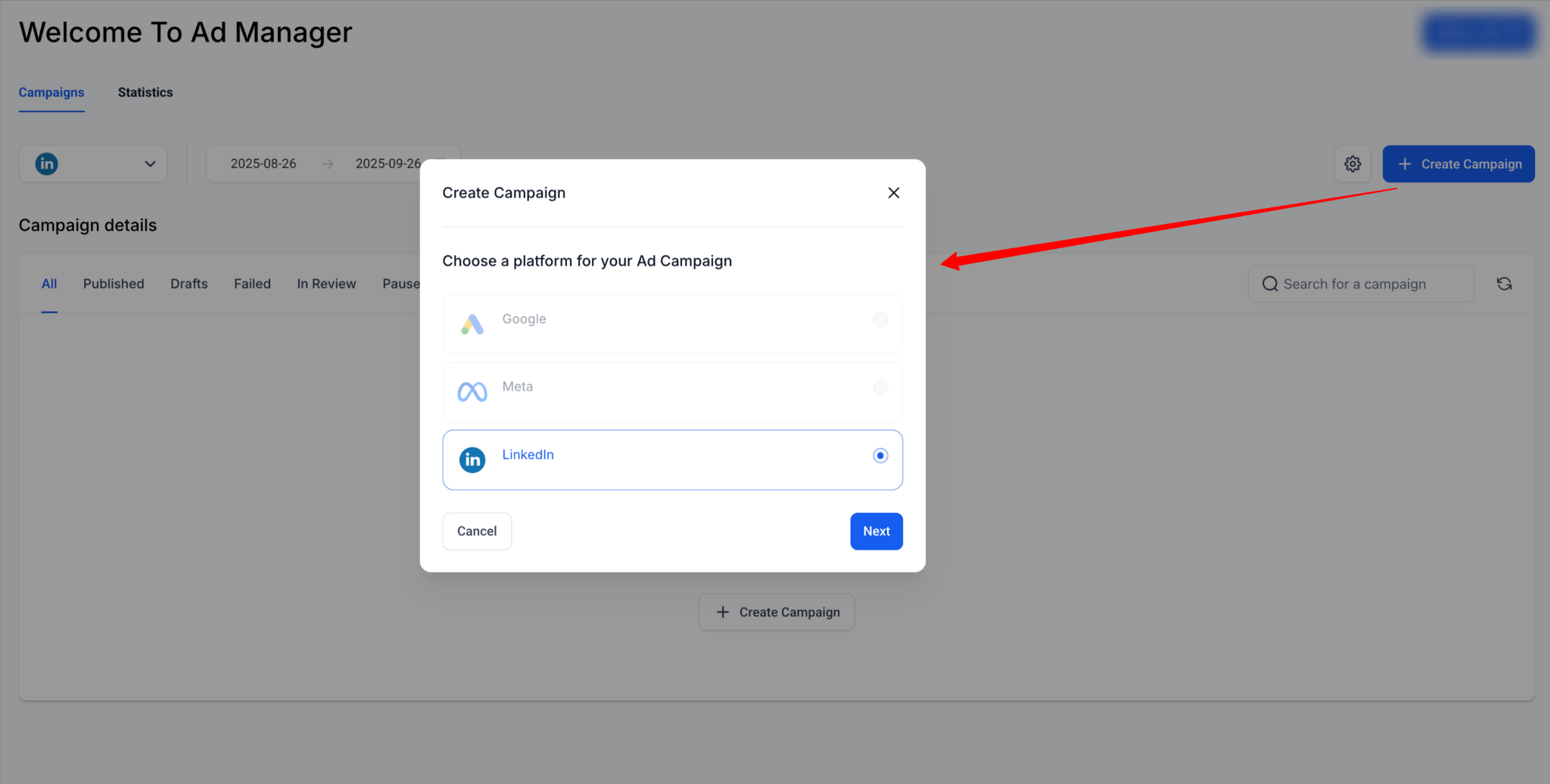
Use a campaign template
- Open Ad Manager and select Ad Manager Templates.
- Choose a LinkedIn template.
- Review the pre filled settings that match the selected template.
- Click Continue to create a Campaign Group with those settings.
Create a Campaign Group
- Open Ad Manager and select the option to create a new Campaign Group.
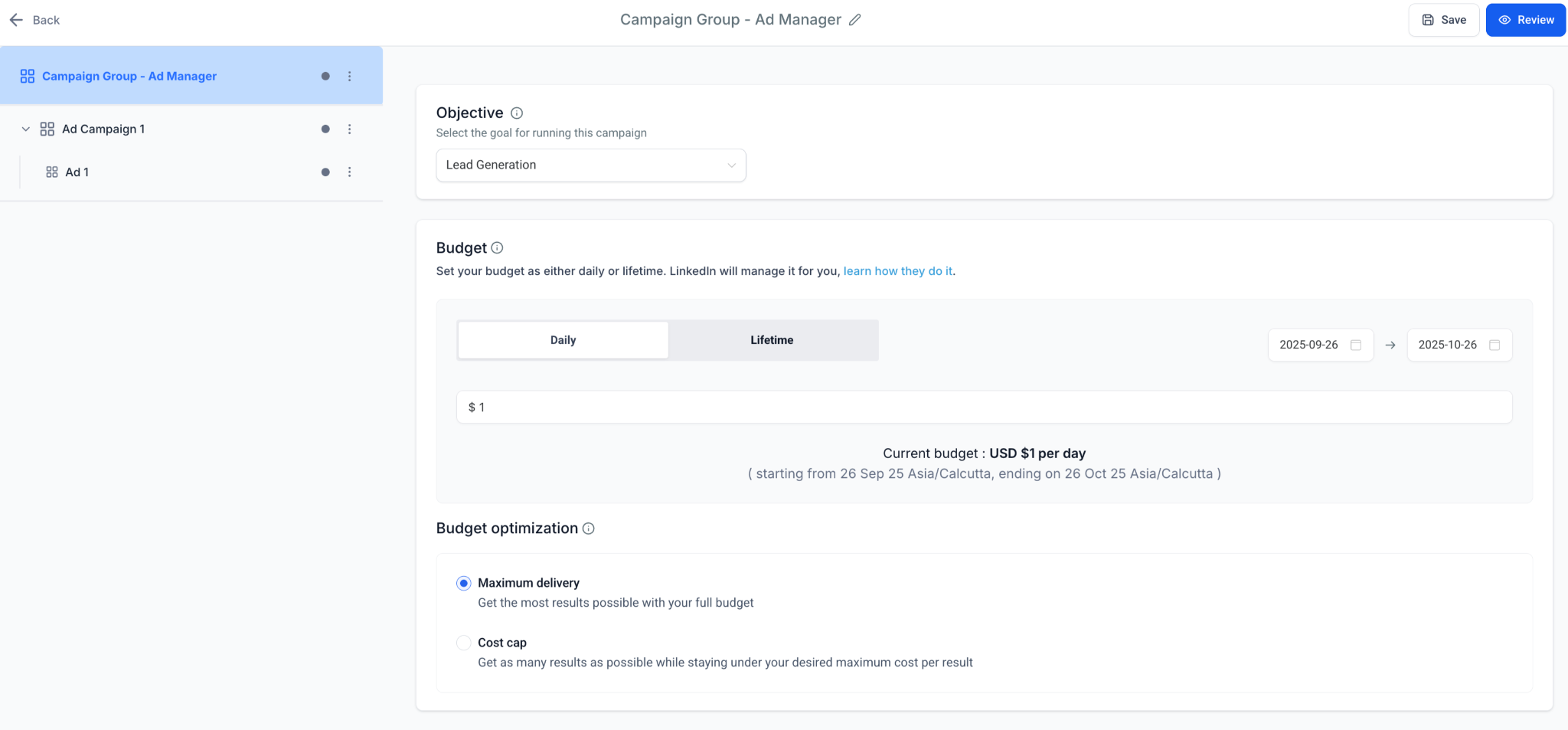
- Enter a descriptive Campaign Group Name.
- Choose an Objective: Lead Generation or Website Traffic.
- Set a daily or lifetime budget for the group.
- Pick start and end dates for the campaign group schedule.
- Enter a manual bid amount for Cost Per Lead or CPC if desired.
- Save the Campaign Group to finish creation.
Create a Campaign Inside the Group
- Open the newly created Campaign Group.
- Click to add a new Campaign.
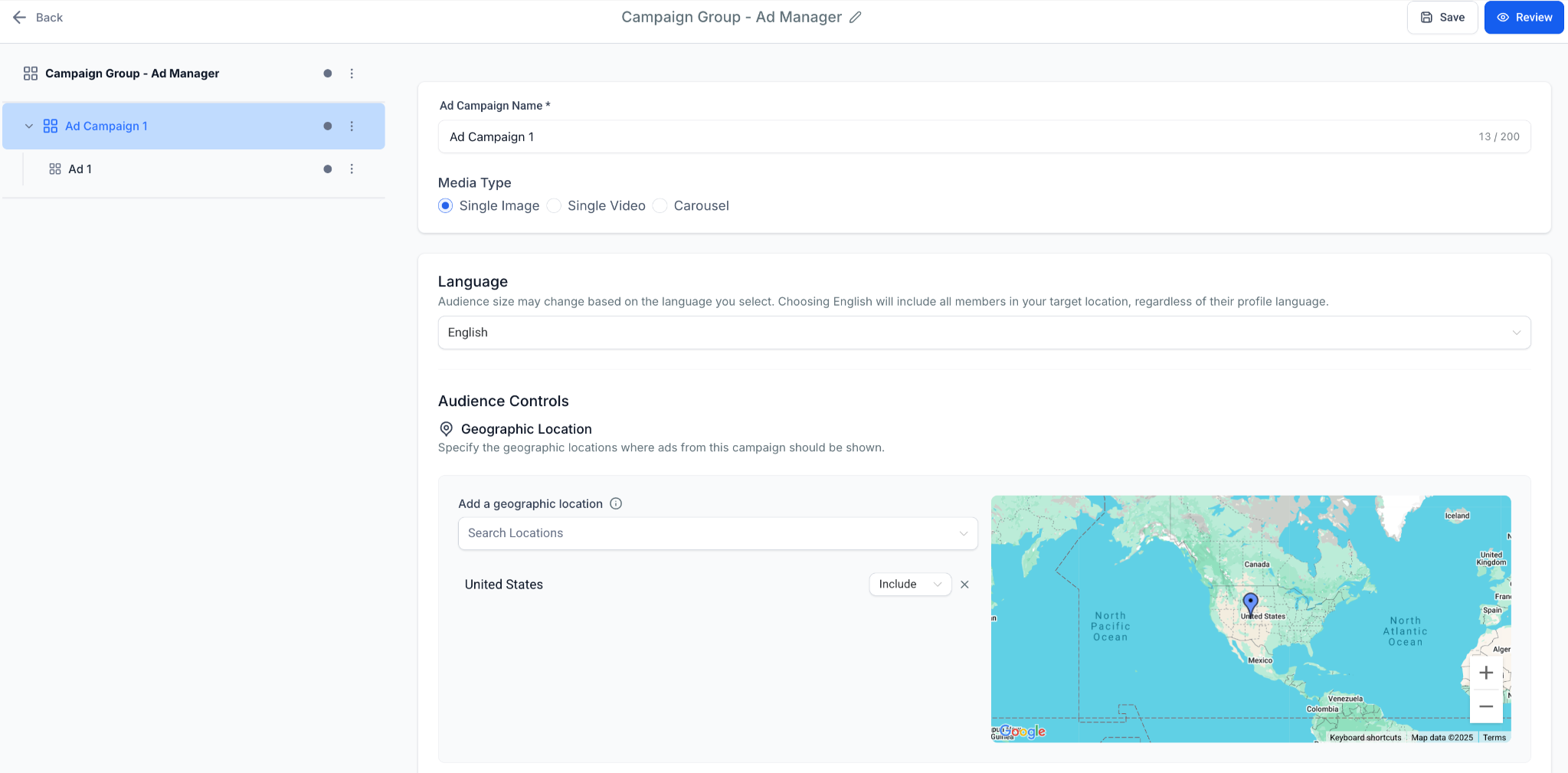
- Provide a unique Campaign Name.
- Select the Media Type (single image, video, or carousel).
- Set the Language for the campaign.
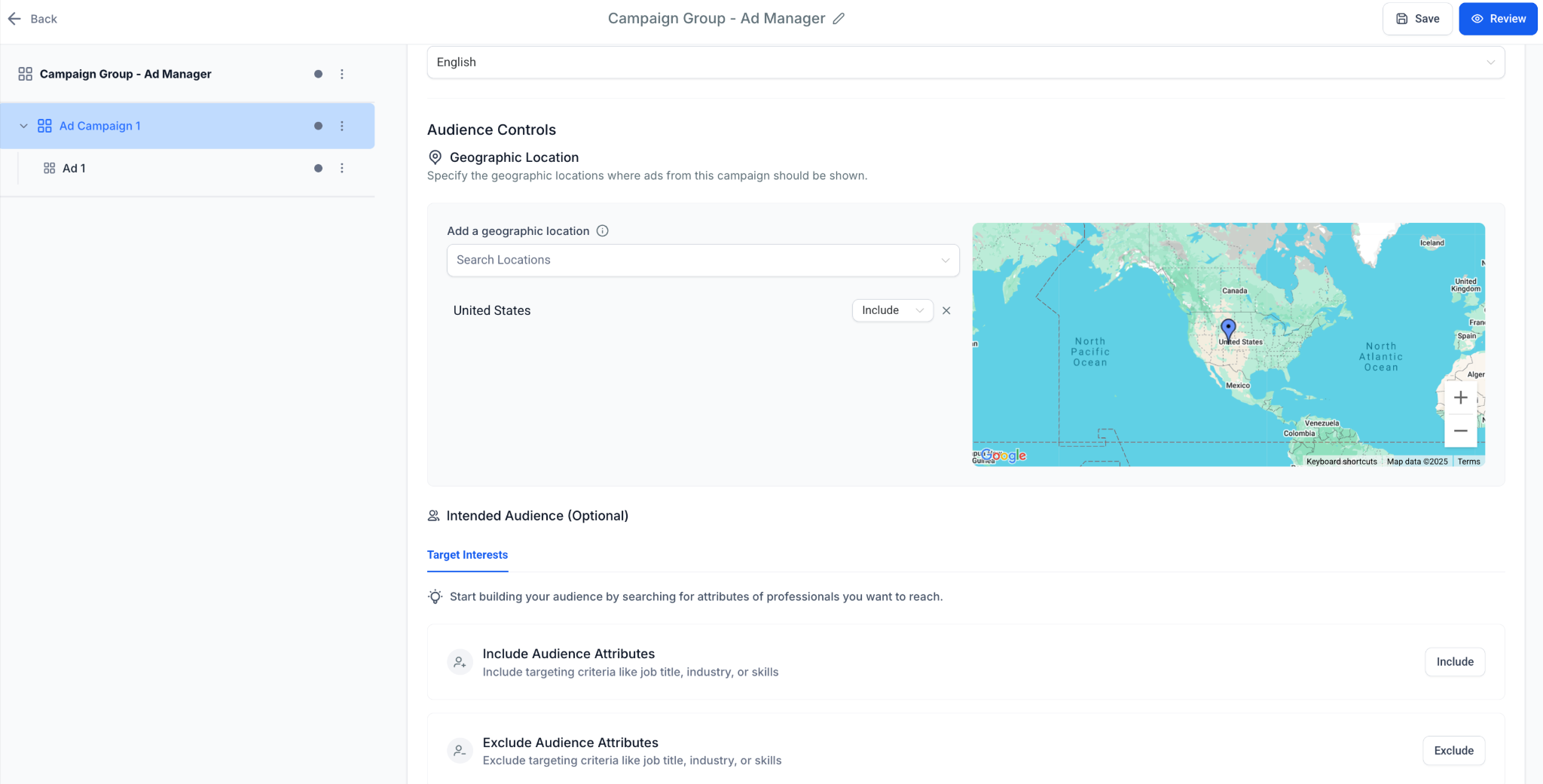
- Define the Geographic location (include or exclude).
- Optionally specify an Intended Audience.
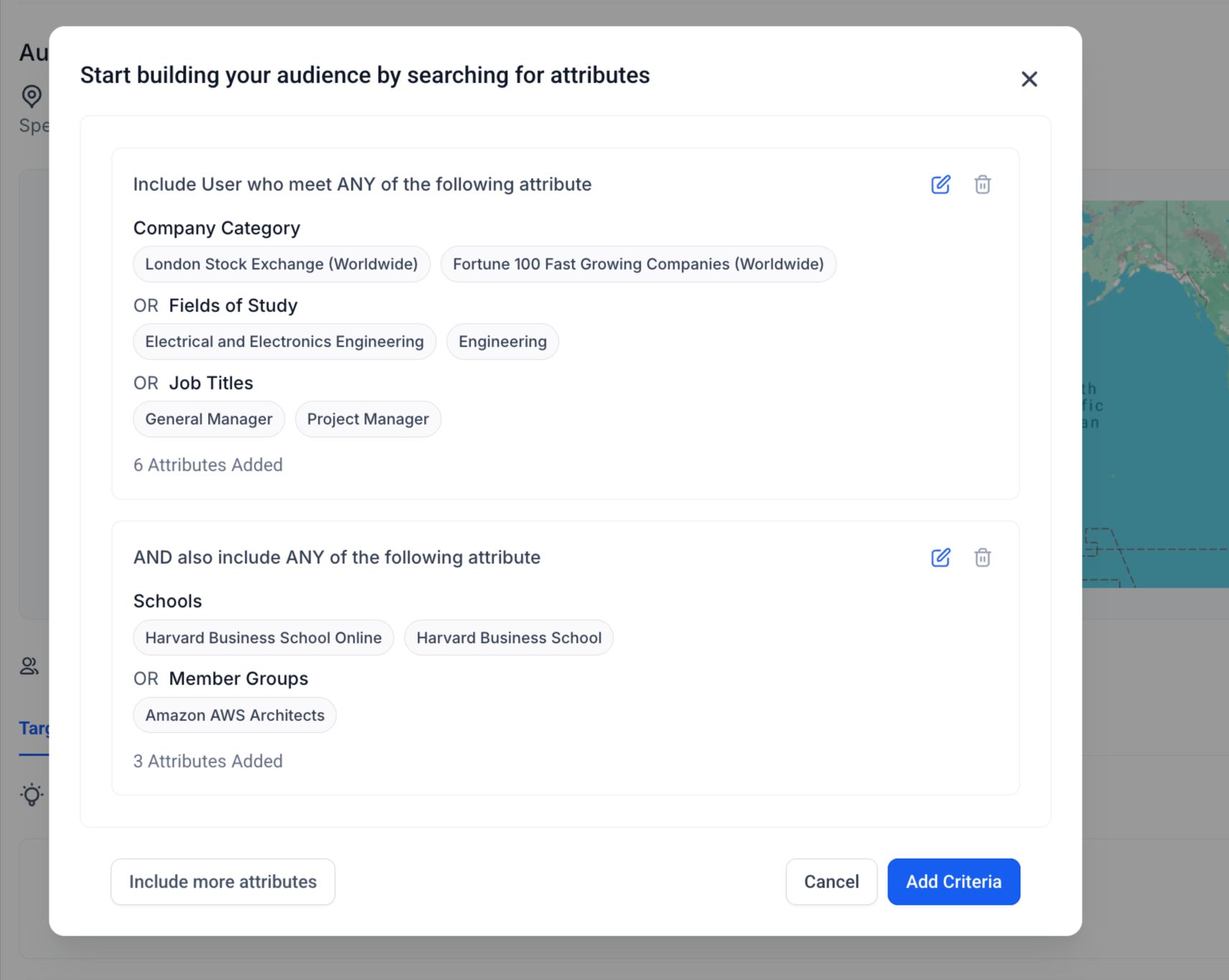
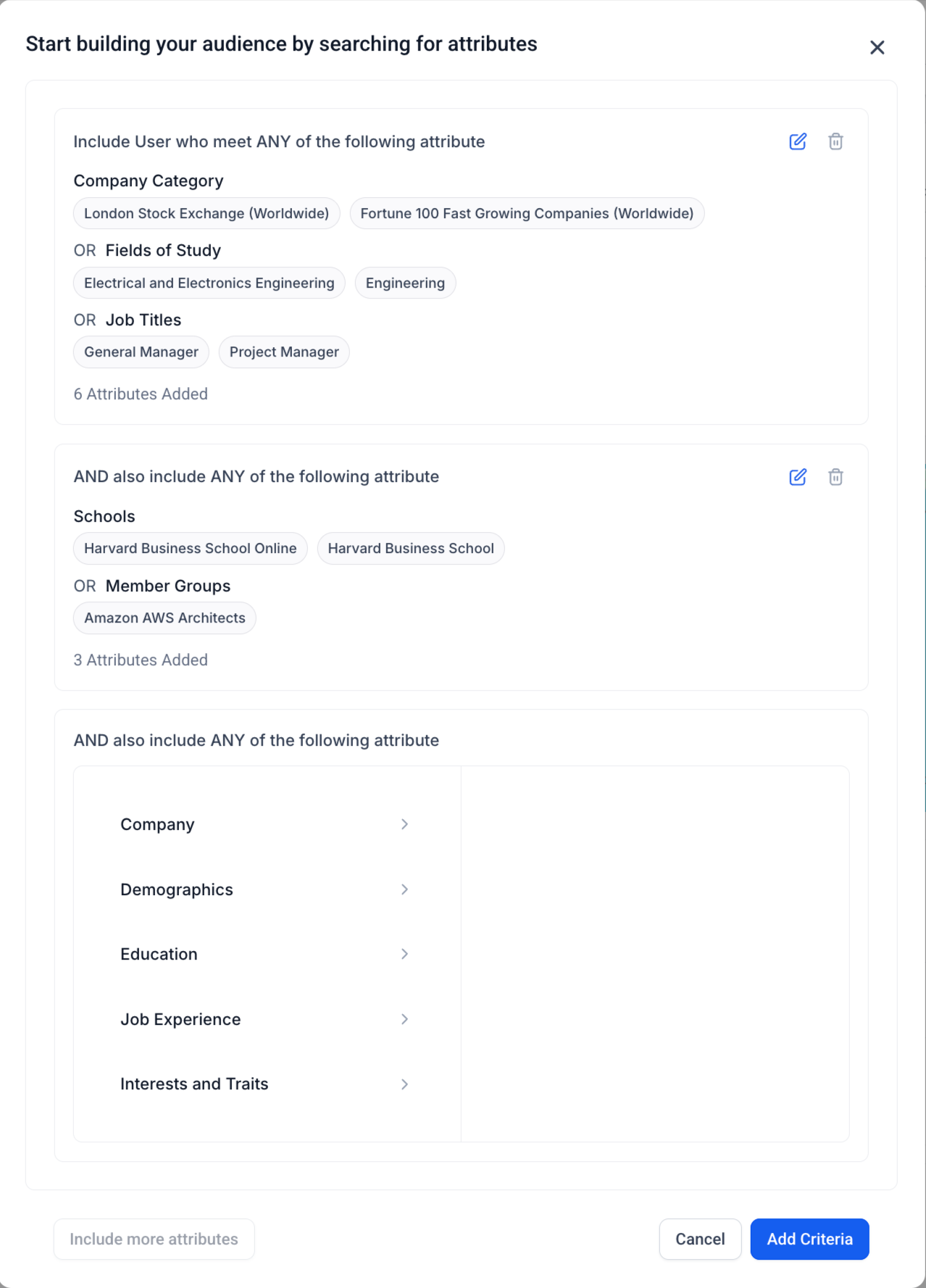
- Configure Audience Targeting: mandatory location, optional filters, and set logic groups with OR inside and AND between groups.
Create Ads Inside the Campaign
- Open the Campaign where ads will be added.
- Click to create a new Ad.
- Enter an internal Ad Name.
- Upload media that matches the campaign's Media Type.
- Fill the creative fields: Introduction Text, Headline, Description, Call to Action and Destination URL.
- If the objective is Lead Generation, select or edit a LinkedIn Lead Gen Form for the ad.
Review & Publish
- Navigate to the Review & Publish screen.
- Confirm objective, budget, schedule and optimization mode.
- Preview the creative on desktop and mobile views.
- Allow validation to pass and click Publish to launch the ads.
View Campaign Group Performance
- Go to Statistics > LinkedIn.
- Select the Campaign Group to see Spend, Impressions, Clicks and CTR.
- Drill down to individual Campaigns and Ads for detailed metrics such as Conversions, CPL and CPC.
06What it looks like in HighLevel
07Settings that matter
- Campaign Group Name. Sets the identifier for the top level container that holds related campaigns.
- Objective Selection. Determines whether the group aims for Lead Generation or Website Traffic.
- Daily or Lifetime Budget. Controls how much can be spent during the campaign group’s run.
- Schedule. Specifies start and end dates for the campaign group.
- Manual Bid. Provides a custom cost per lead or cost per click amount.
- Campaign Name. Unique label for each campaign inside a group.
- Media Type. Defines whether the campaign uses image, video or carousel assets.
- Language. Sets the language of the campaign’s audience.
- Geographic location. Mandatory filter that includes or excludes regions.
- Intended Audience. Optional label for the target segment.
- Audience Targeting. Applies optional filters such as Job Title, Industry, Company Size, Seniority, Skills, Education, Interests and Traits.
- Logic Builder. Allows up to three attribute groups, using OR logic inside each group and AND logic between groups, with include and exclude support.
08Things to know before you rely on it
- Carousel ads support between 2 and 10 image cards; video cannot be used inside carousel cards.
- Introduction Text allows up to 3,000 characters; longer copy may be truncated.
- Headline is recommended at roughly 70 characters to avoid truncation.
- Description field accepts up to 300 characters.
- Lead Gen Form pre filled fields are limited to 12 entries.
- Custom questions on a lead form are limited to 3.
- Hidden fields for a lead form can be up to 20.
- Consent checkboxes on a lead form may be up to 5.
09How it connects to the rest of HighLevel
- Use an Ad Manager template to pre fill campaign settings. Ad Manager templates
- Create a LinkedIn lead form to attach to lead gen ads. LinkedIn lead forms
- View detailed LinkedIn ad statistics after publishing. LinkedIn statistics
Michael's take

LinkedIn ad campaigns are a solid way for a small business to capture leads or drive traffic without a huge budget; the hierarchy keeps spend organized and performance easy to read.
Don’t forget to double check the URL formatting before publishing.