
01Who this is for
- Founders of B2B SaaS firms who need to reach decision makers on LinkedIn without juggling separate tools.
- Marketing managers at professional services firms who want lead gen forms to flow directly into HighLevel contacts.
- Small agencies that run client campaigns across Google, Meta, and LinkedIn from a single interface.
02LinkedIn ads, explained
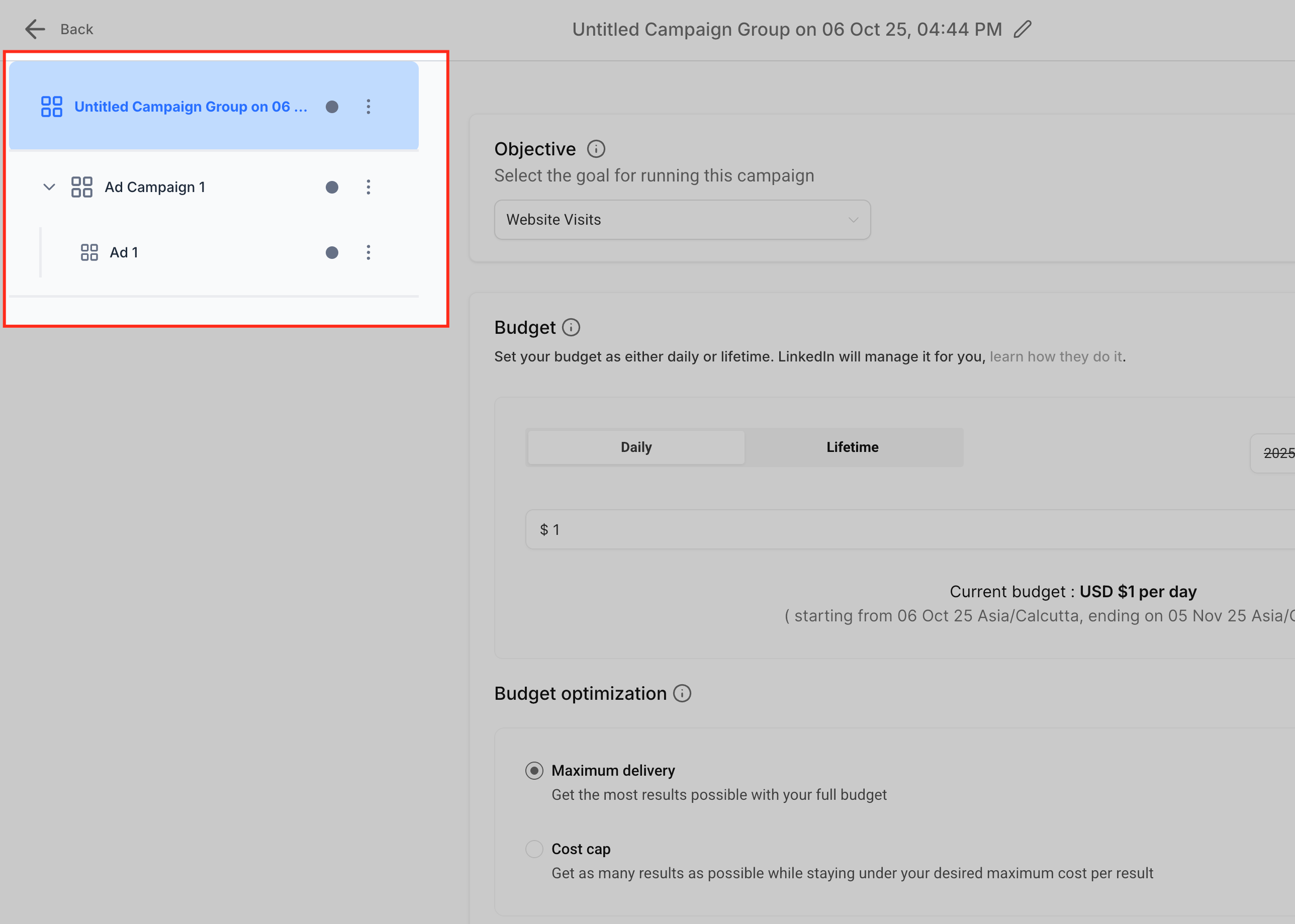
The LinkedIn integration lives inside the HighLevel Ad Manager. After you attach a LinkedIn ad account, the platform mirrors LinkedIn’s three tier hierarchy, campaign group, campaign, and ad, so you can set budgets, objectives and creative assets without leaving HighLevel. Lead gen form submissions are automatically imported into the HighLevel contacts list.
From the Ad Manager dashboard you can preview ads for desktop and mobile, choose single image, single video or carousel formats, and apply LinkedIn’s advanced targeting filters such as job title, seniority, company size and industry. Performance metrics like impressions, clicks, CPC, CPL and spend are shown under the Statistics › LinkedIn tab, and you can pause, edit or export reports directly.
All settings are accessed via Marketing › Ad Manager and the Settings gear icon, where you can manage connections for Meta, Google and LinkedIn in one place.
03How businesses use LinkedIn ads
- Consulting firm. The firm links its LinkedIn ad account, selects a Lead Generation objective, uploads a single image ad, defines target seniority and company size, sets a daily budget, and publishes. Leads appear in HighLevel contacts labeled “LinkedIn Ads.”
- Recruitment agency. After connecting the LinkedIn account, the agency creates a Website Traffic campaign with a carousel ad showcasing multiple job openings, configures geographic and skill based targeting, schedules a two week run, and monitors clicks and conversions on the Performance Dashboard.
- Enterprise software vendor. The vendor connects several LinkedIn ad accounts to separate HighLevel subaccounts, toggles between them in Settings › LinkedIn, builds Lead Generation campaigns for each product line, and uses the live preview to ensure branding consistency across desktop and mobile.
04The numbers and rules that matter
- Supported ad formats: Single Image, Single Video, Carousel.
- Optimization modes: Maximum Delivery (default) or Cost Cap.
- Up to three attribute groups can be created with OR logic within groups and AND logic between groups.
05Before you start
- A LinkedIn Ad Account must be active in LinkedIn Campaign Manager.
- The LinkedIn Company Page must be linked to the ad account.
- You need Campaign Manager access to the ad account and Admin access to the Company Page.
06How to set up and use LinkedIn ads in HighLevel
Connect LinkedIn ad account
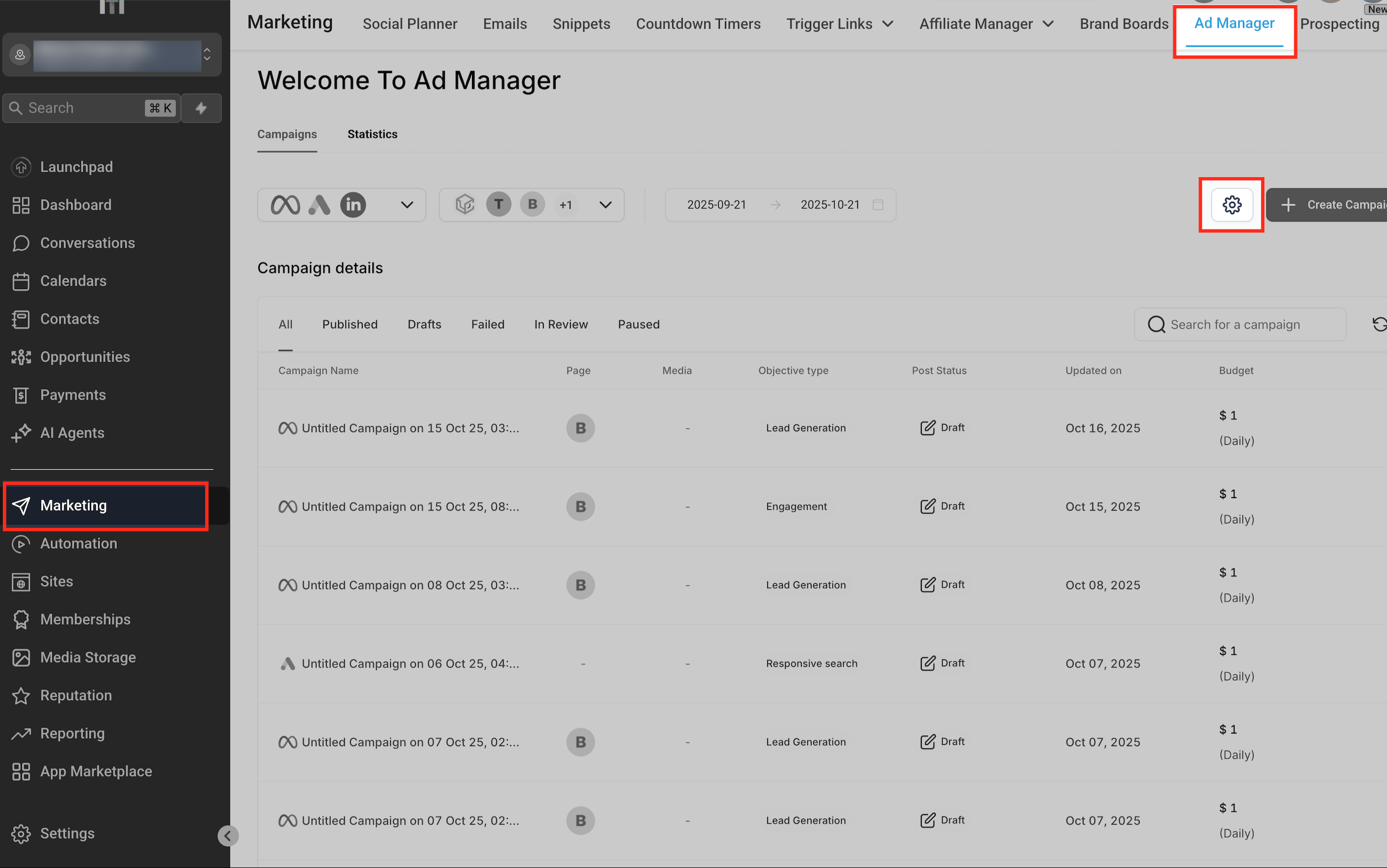
- Navigate to Marketing › Ad Manager.
- Click the Settings gear icon at the top right of the dashboard.
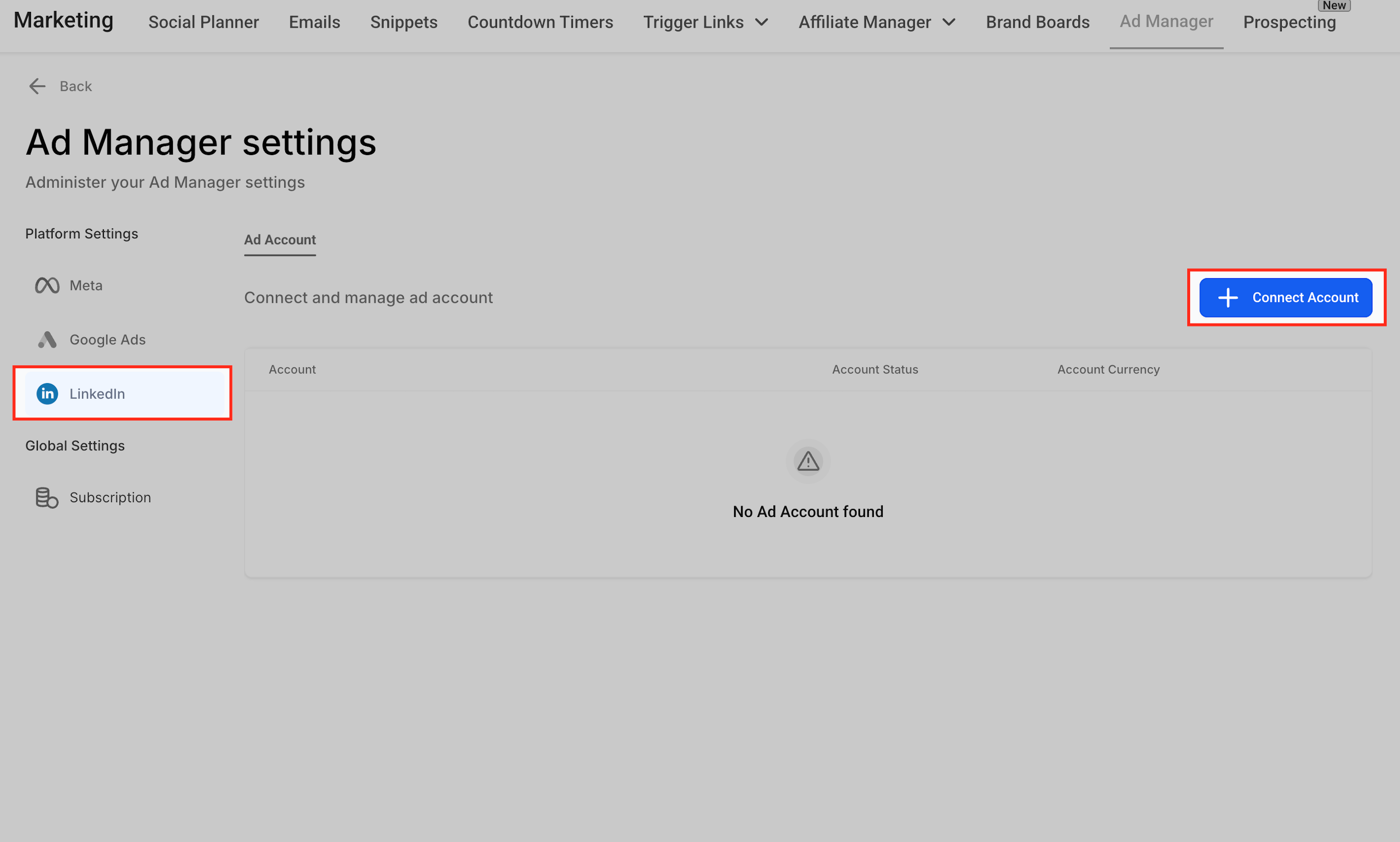
- Select LinkedIn from the Platform Settings list on the left.
- Press the + Connect Account button on the right panel.
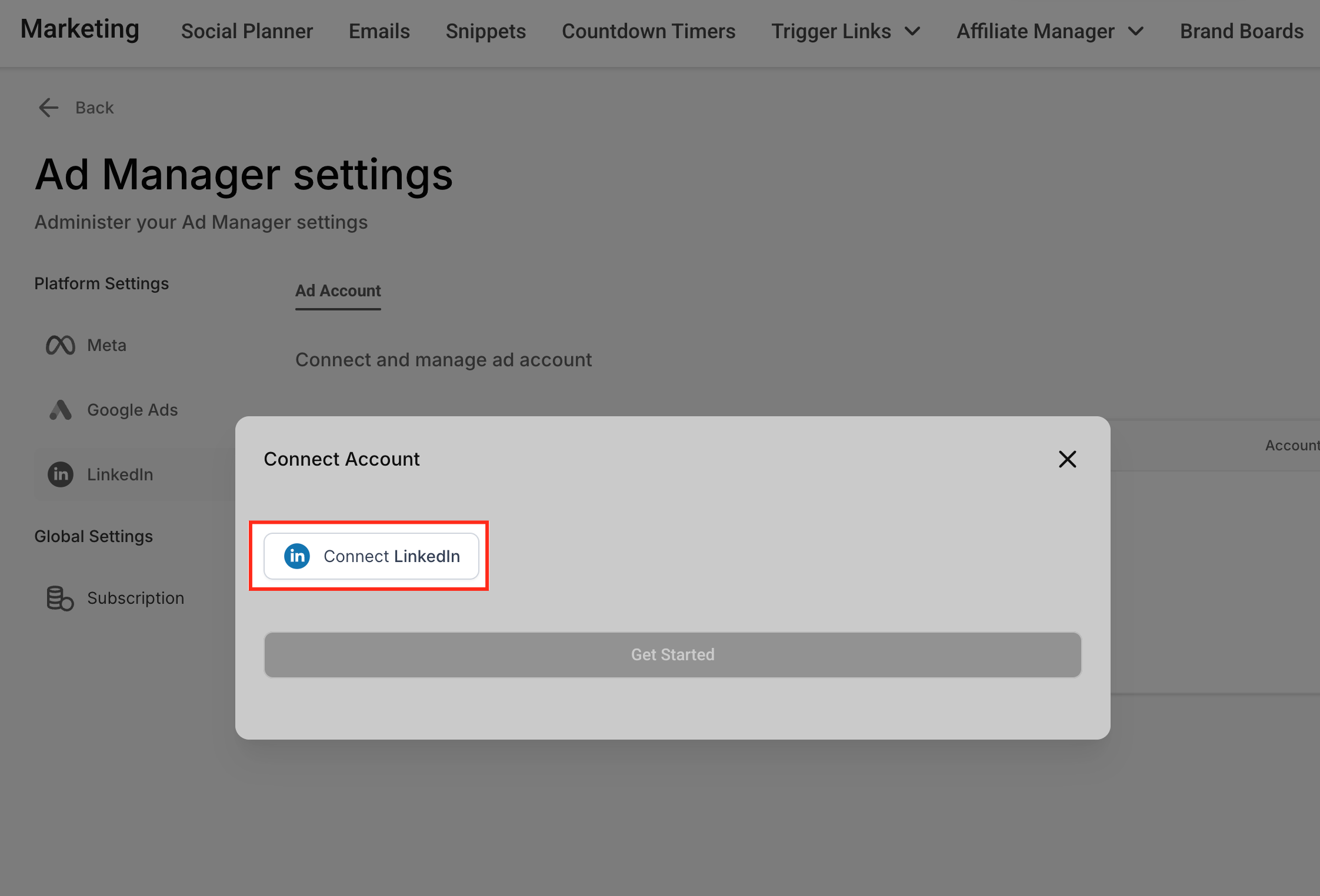
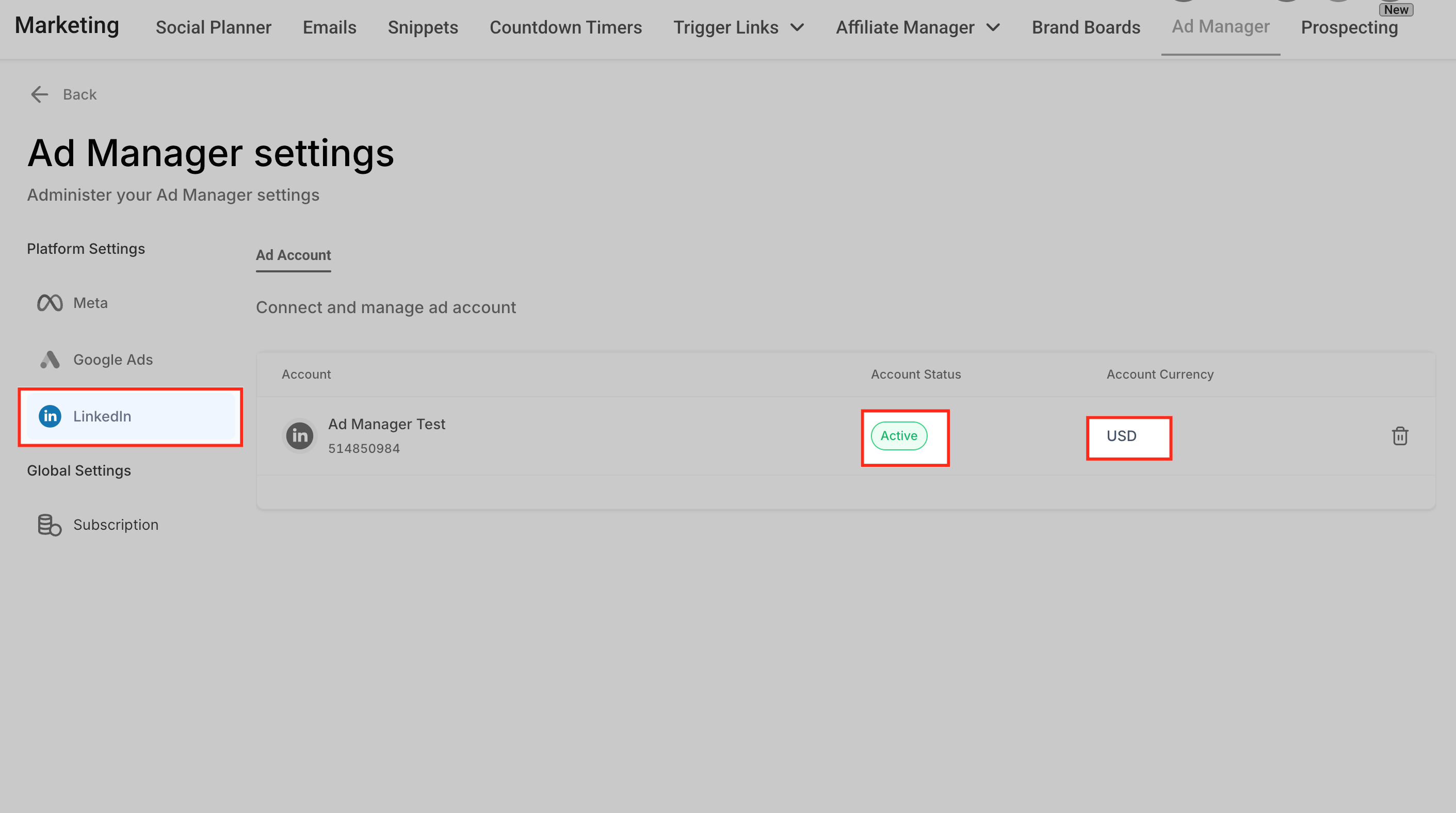
- In the pop up, click Connect LinkedIn, sign in, grant permission, and confirm the account appears with a green Active status.
Create LinkedIn ad campaign
- Go to Marketing › Ad Manager › Settings › LinkedIn and click + Create Campaign.
- Choose the campaign objective, Lead Generation or Website Traffic.
- Add creative assets such as an image, video or carousel, then fill in headline, description, CTA and destination URL.
- Set audience targeting parameters, starting with a geographic location and refining by job title, industry, company size, etc.
- Select a Daily or Lifetime budget, pick an optimization mode, and set start and end dates if needed.
- Review the campaign summary and verify the layout in the live preview panel.
- Click Publish to push the campaign to LinkedIn Campaign Manager and begin tracking results.
07What it looks like in HighLevel
08Settings that matter
- Platform Settings. Lists the supported ad platforms and lets you choose LinkedIn as the channel to connect.
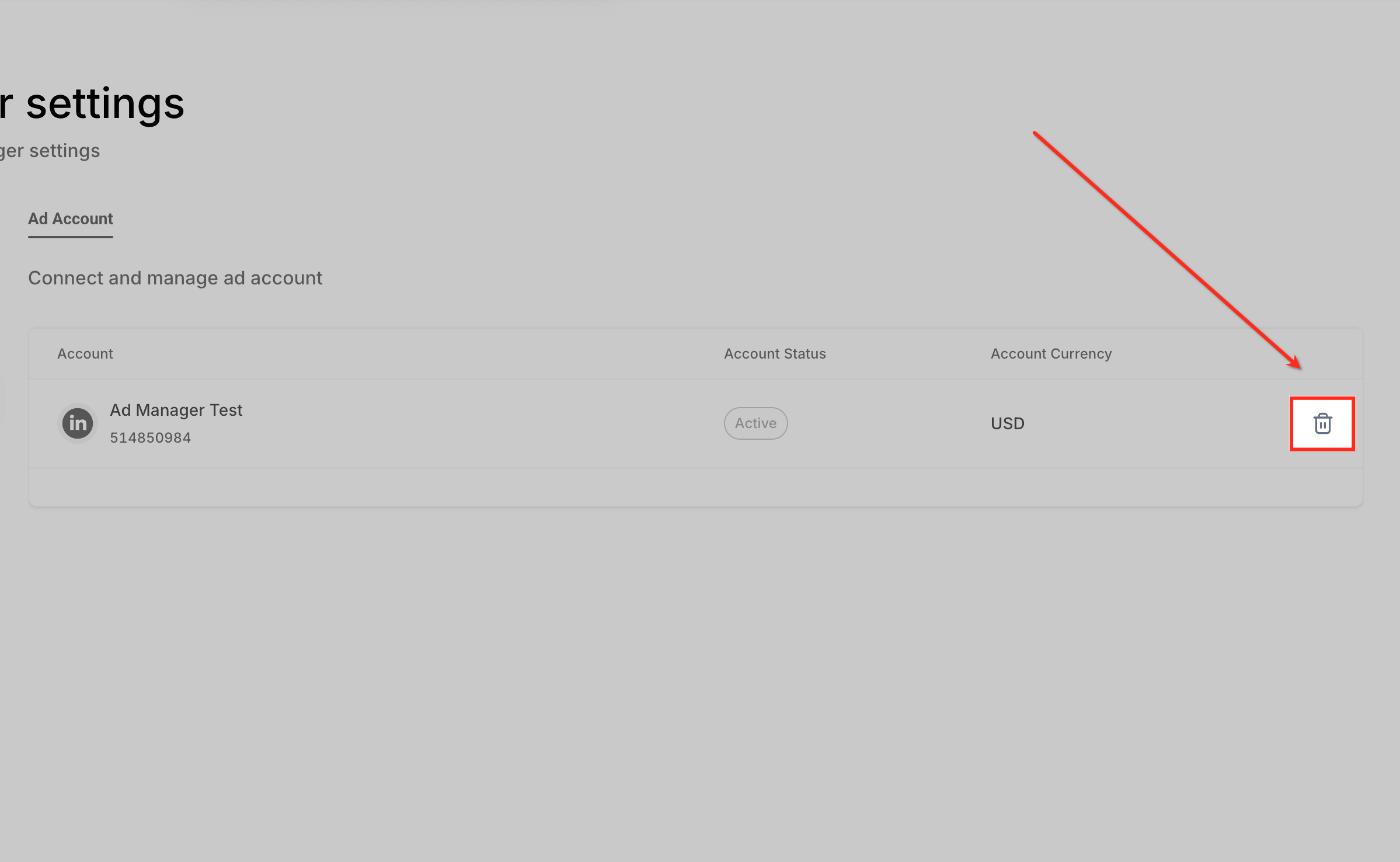
- LinkedIn. Displays the linked LinkedIn ad account, its status and currency, and provides the + Connect Account and bin icons for managing the connection.
09Things to know before you rely on it
- Each LinkedIn ad account must be linked to a Company Page.
- If the account does not appear, verify that you have admin level permissions on both the ad account and the Company Page.
- Carousel ad format is available for both Lead Generation and Website Traffic objectives.
10If something goes wrong
- LinkedIn account is not showing in Ad Manager. Check that you have admin permissions on the LinkedIn ad account and that the account is linked to a valid Company Page.
11How it connects to the rest of HighLevel
- Create LinkedIn ad campaigns in HighLevel Ad Manager Create campaign guide
- Understand LinkedIn statistics in HighLevel Ad Manager Statistics overview
- Audience targeting for LinkedIn campaigns in Ad Manager Targeting guide
Michael's take

LinkedIn ads in HighLevel are worth the effort for any small B2B business that wants to keep ad spend, lead flow and reporting under one roof.
Avoid the mistake of skipping the required admin permissions on the LinkedIn Page; without them the account won’t connect.