
01Who this is for
- Affiliate program managers, they can expand networks while keeping hierarchy visible.
- Ecommerce owners, multi tier commissions let them reward both direct sellers and their uplines.
- Marketing agencies, they can offer clients a structured referral system without manual tracking.
02Subaffiliates, explained
The sub affiliate feature lives inside the Affiliate Manager. It works only when the affiliate campaign has at least two commission tiers configured. Once tiers are set, the platform can record relationships between a parent affiliate and affiliates placed beneath them. The hierarchy is shown on the Affiliates page and in the Affiliate Portal.
Three enrollment methods are available. Manual assignment gives full control over which affiliate sits under a parent. Auto enroll converts a successful referred customer into a sub affiliate automatically. Self recruitment provides a shareable sign up form that affiliates can distribute, letting prospects join the network themselves.
03How businesses use subaffiliates
- Ecommerce store. Create a multi tier campaign with at least two tiers, then enable Auto Enroll New Customers as Sub Affiliates. After a purchase that is credited to an affiliate, the buyer is added as a sub affiliate under that affiliate.
- Digital marketing agency. Use the Sub Affiliate Sign Up Page option on a campaign. Provide a form containing First Name, Last Name, and Email. Agency affiliates share the generated URL to recruit their own sub affiliates.
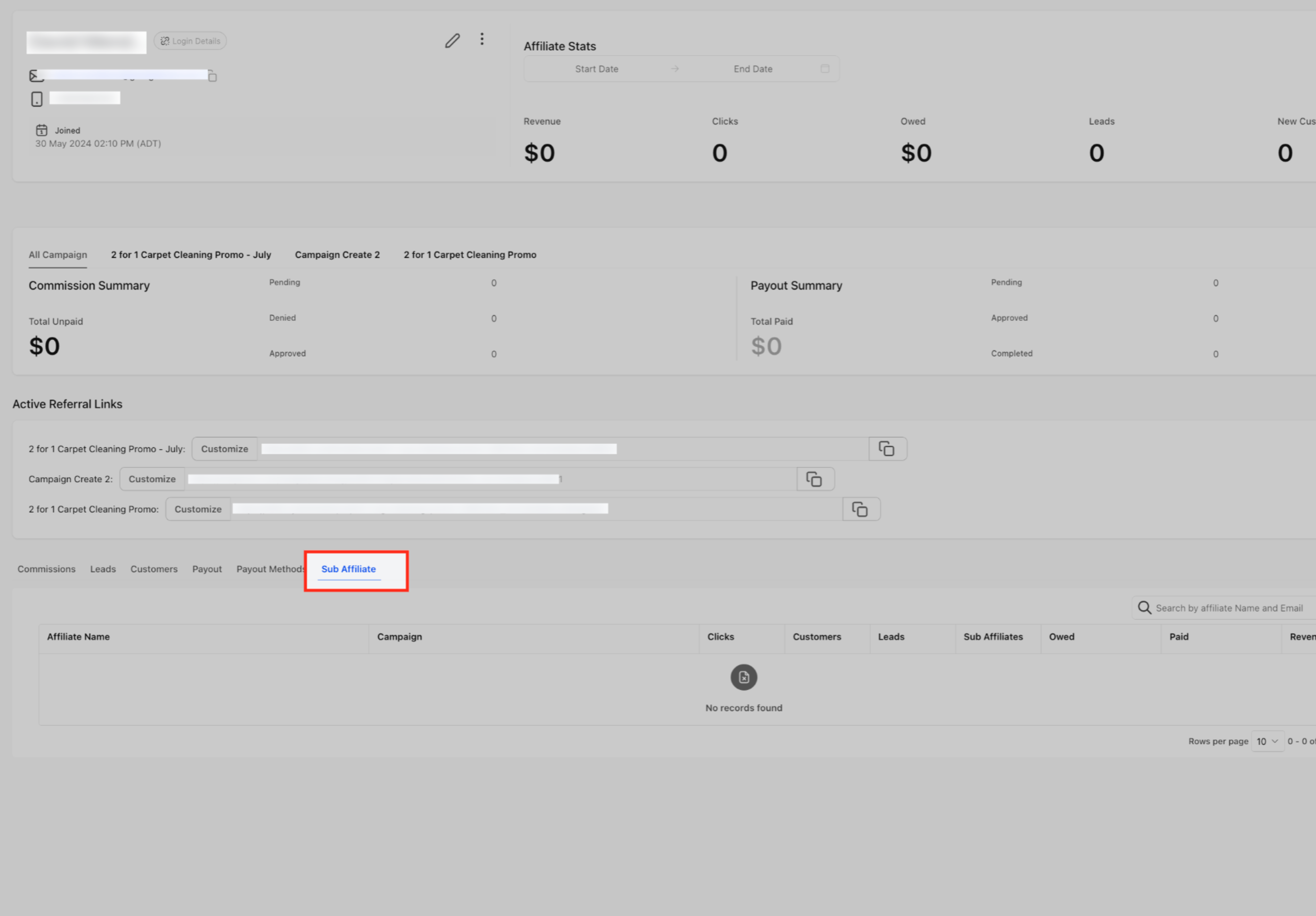
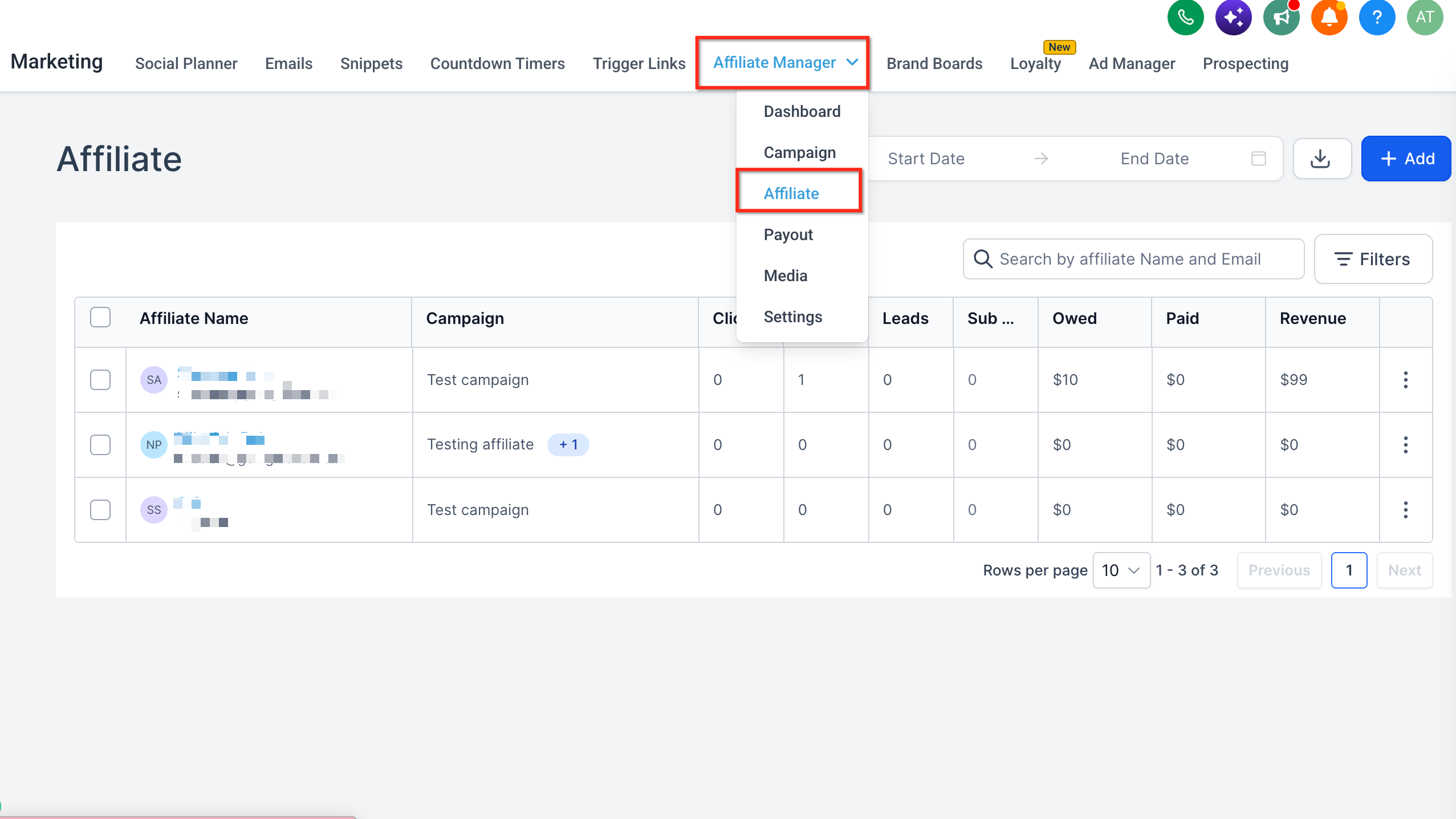
- Software reseller. Open Affiliate Manager, locate a top performing reseller, go to the Sub Affiliate tab, and manually add new reseller accounts beneath the parent to build a structured referral chain.
04The numbers and rules that matter
- HighLevel supports up to 7 commission tiers in a multitier affiliate campaign.
- A campaign must have at least 2 tiers configured before subaffiliates can be used.
05Before you start
- Create or select an Affiliate Manager campaign.
- Configure the campaign with at least two commission tiers and set rates for each tier.
- If using self recruitment, prepare a form that includes First Name, Last Name, and Email fields.
06How to set up and use subaffiliates in HighLevel
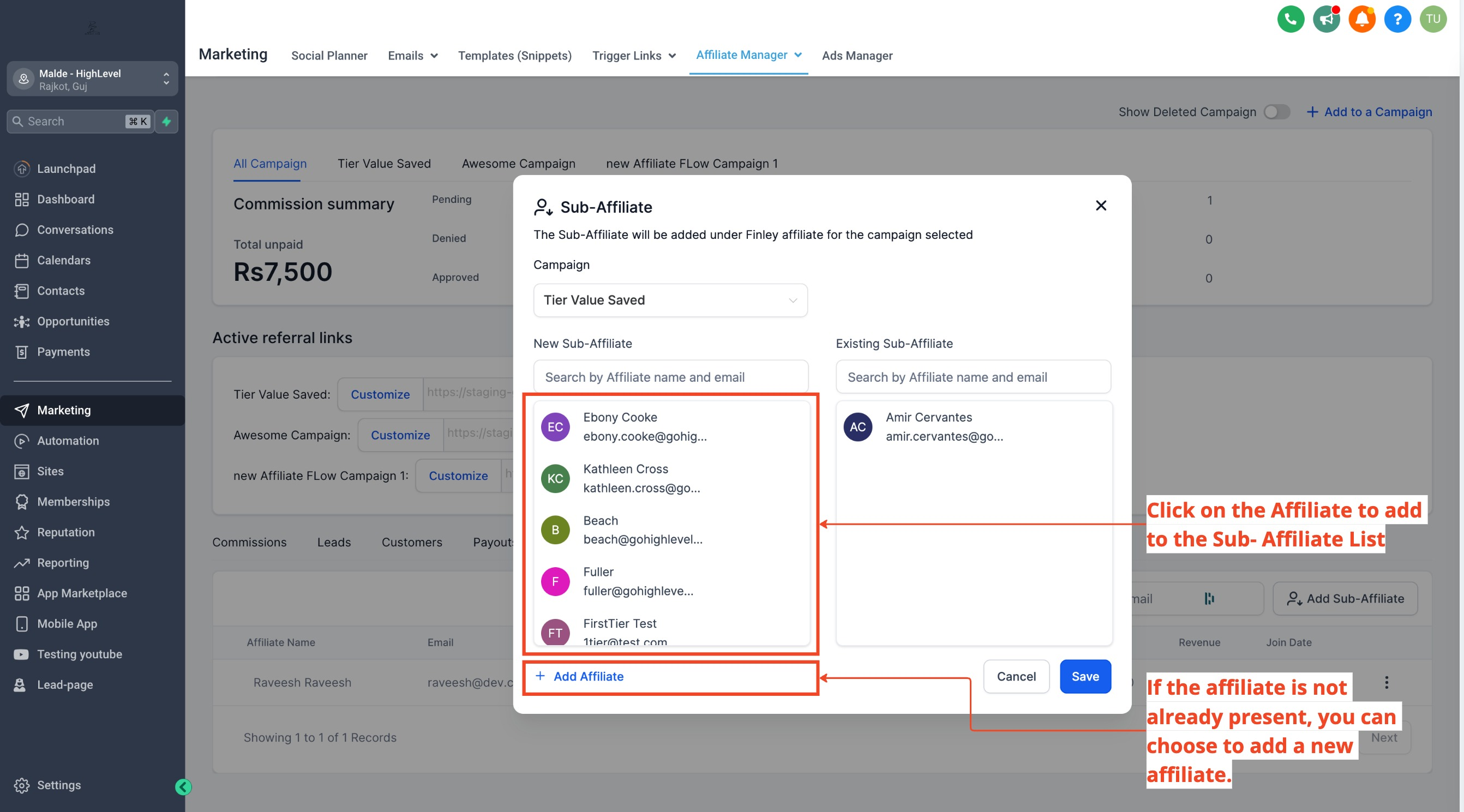
Add sub affiliates manually
- Open Affiliate Manager.
- Find and open the affiliate you want to act as the parent.
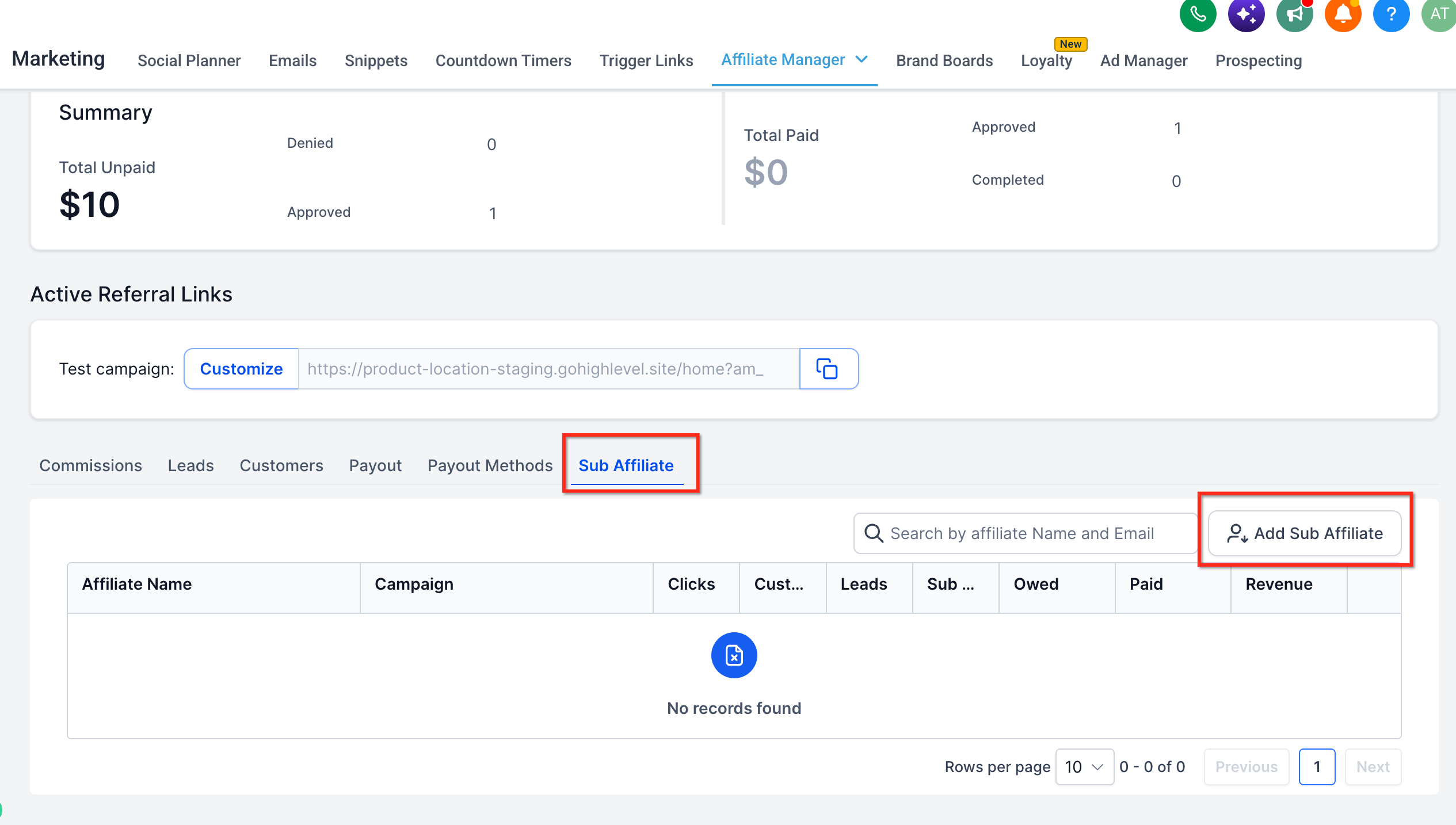
- Select the Sub Affiliate tab.
- Click Add Sub Affiliate.
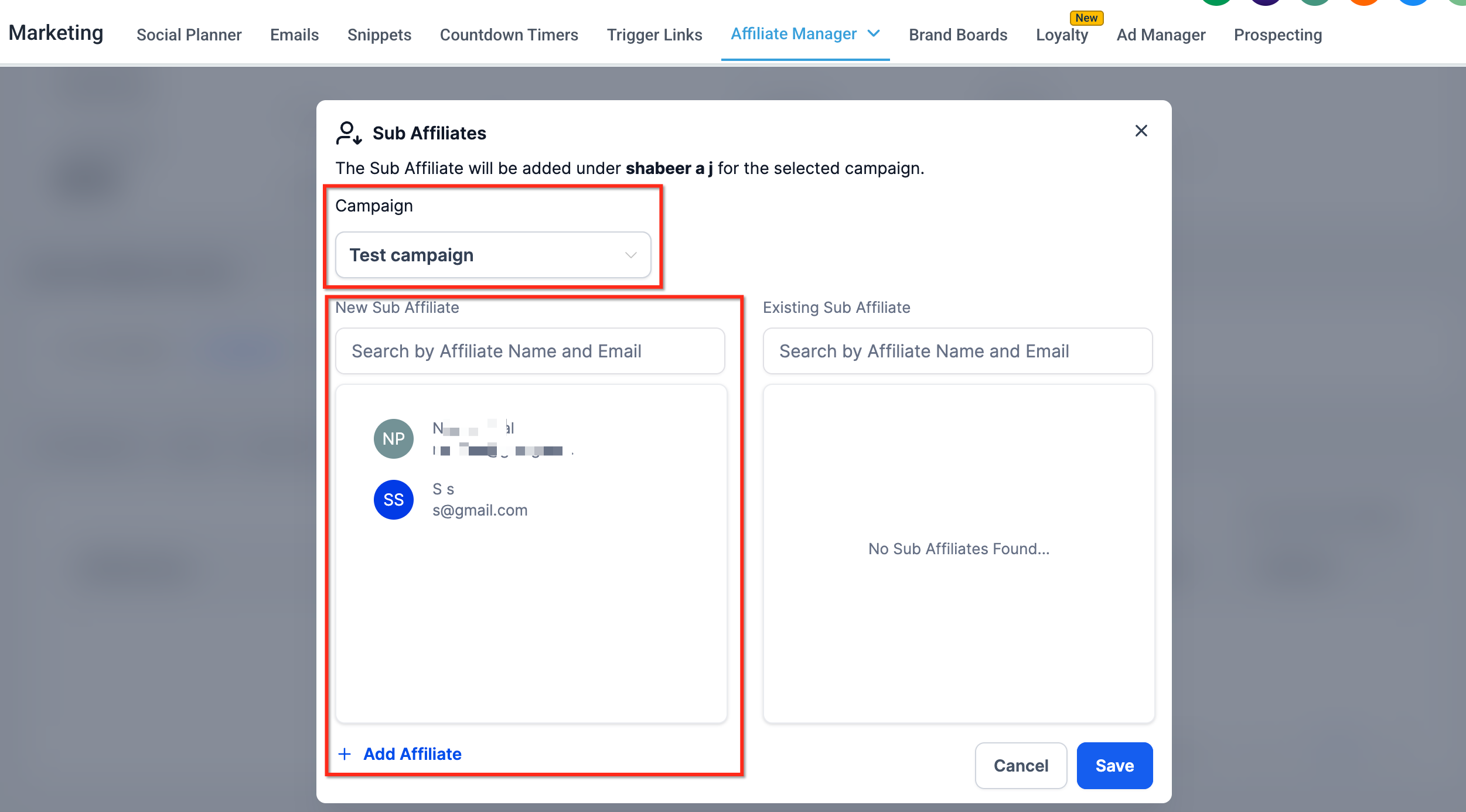
- Choose the applicable multi tier campaign.
- Select an existing affiliate to place beneath the parent, or create a new affiliate profile if needed.
- Save the relationship.
- Verify that the sub affiliate appears under the parent affiliate.
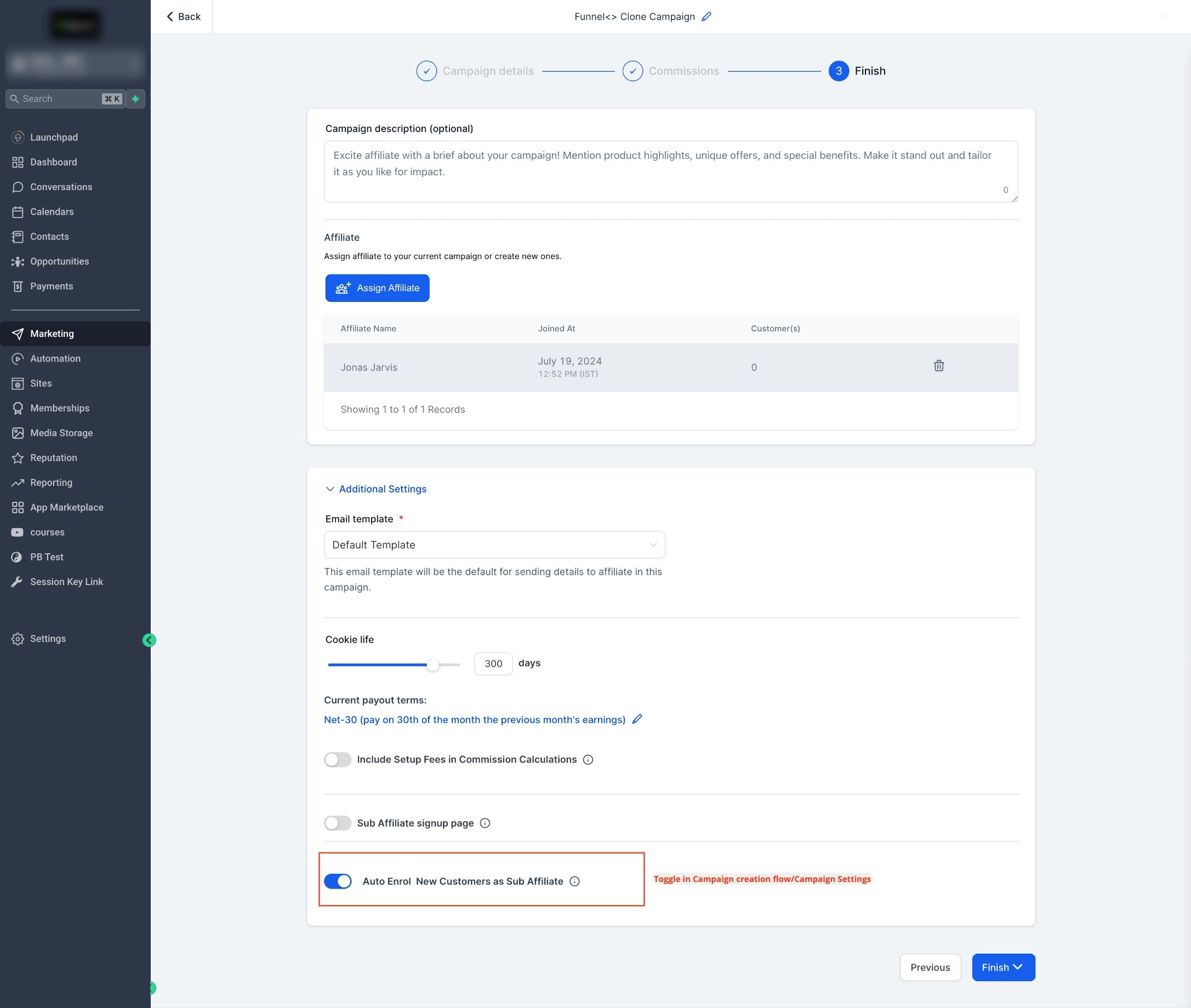
Enable auto enroll customers as sub affiliates
- Open the affiliate campaign you wish to modify.
- Go to the campaign’s Additional Settings.
- Enable Auto Enroll New Customers as Sub Affiliates.
- Save the campaign.
Enable affiliate self recruitment
- Open the affiliate campaign you want to enable.
- Navigate to Additional Settings.
- Turn on the Sub Affiliate Sign Up Page option.
- Select a form that contains First Name, Last Name, and Email fields.
- Save the campaign.
07What it looks like in HighLevel
08Settings that matter
- Auto Enroll New Customers as Sub, Affiliates. Determines whether a customer who completes a qualifying sale is automatically added as a sub affiliate beneath the referring affiliate.
- Sub, Affiliate Sign, Up Page. Controls whether affiliates can share a sign up link that lets new users become sub affiliates after completing a required form.
09Things to know before you rely on it
- A campaign must have at least two commission tiers before sub affiliates can be used.
- HighLevel supports up to seven commission tiers in a multi tier campaign.
- Auto enrollment occurs only after a successful referred sale; it does not trigger on every lead or form submission.
- Affiliate networks can grow deeper than the configured tier limit, but commissions are paid only to uplines within the tier range.
- Changes made in Global Settings apply only to campaigns created after the change and do not affect existing campaigns.
10If something goes wrong
- Sub affiliate sign up page returns an error. Confirm that the selected form includes First Name, Last Name, and Email fields.
11How it connects to the rest of HighLevel
- Start a free trial to test affiliate features 30 day trial
- View pricing options for affiliate manager access Pricing
- Learn about the Founder Plan for advanced affiliate settings Founder Plan
Michael's take

Subaffiliates are useful only for affiliate programs that need a layered referral structure. Skip it if you run a simple, single tier affiliate program.