
01Who this is for
- Sales teams, use sequences to send introductory messages and timed follow ups while stopping automatically when a prospect replies.
- Customer success groups, nurture onboarding with a series of instructional emails that pause if the customer engages.
- Marketing managers, run lead nurture campaigns that adjust delivery based on open or delivery status.
02Email sequences, explained
Email sequences are a series of automated emails tied to a single conversation thread. Each step can include a designed or plain text email, a delay, and optional conditions that check whether the previous email was opened or delivered. If a contact replies, the optional Stop on Reply setting halts any further automated messages.
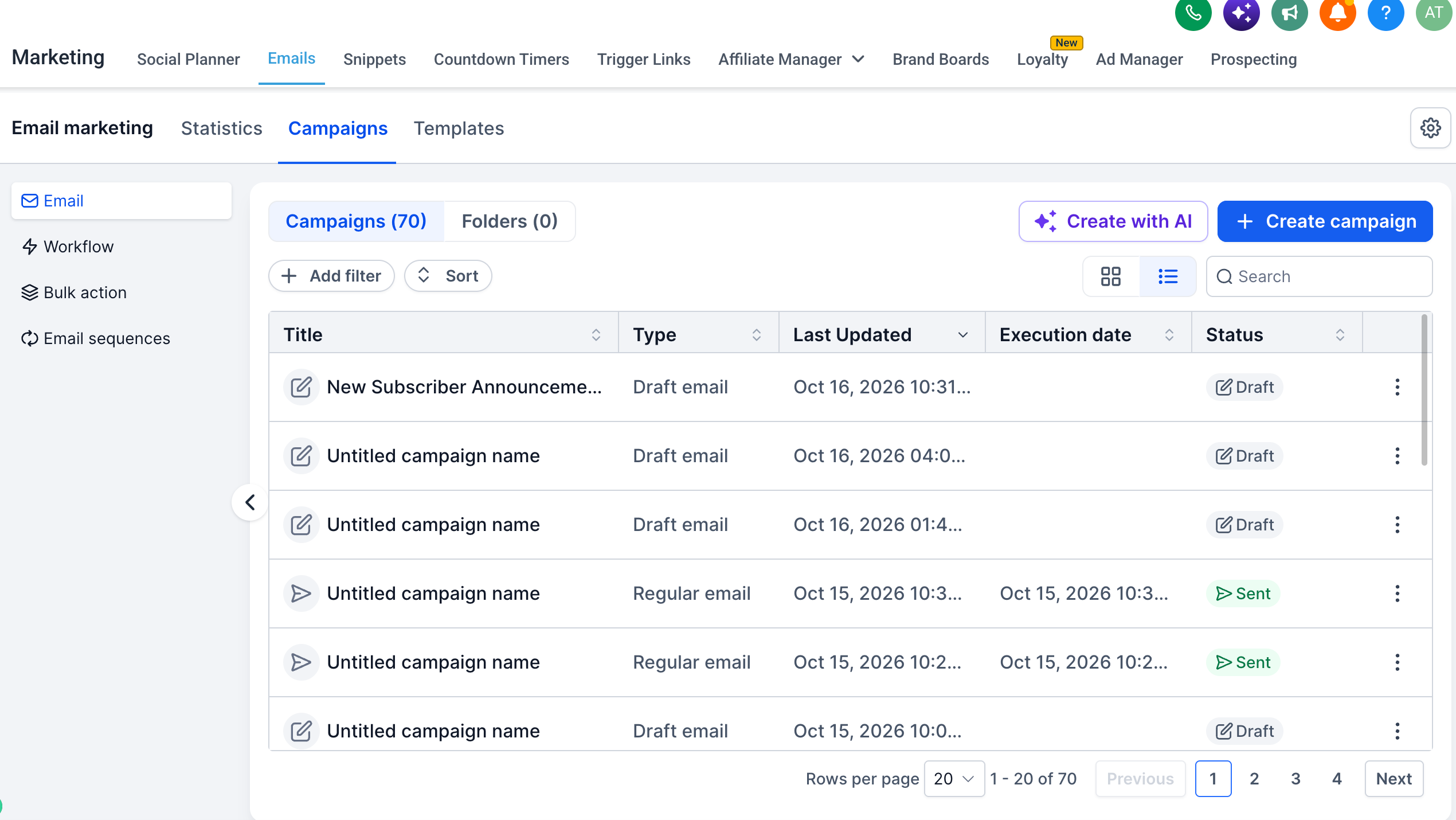
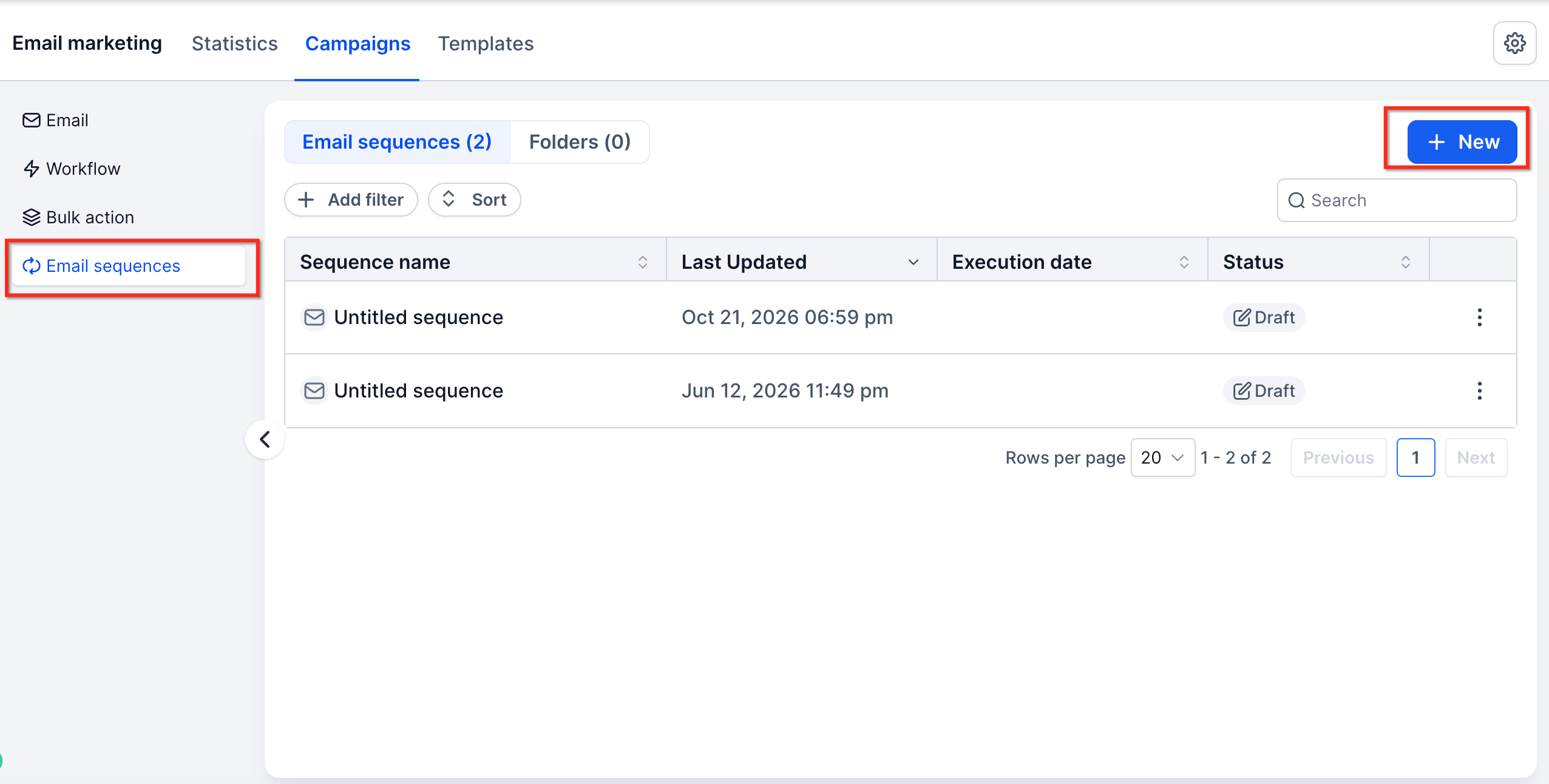
The feature lives in the Email area of the platform. From Marketing > Email > Campaigns you create a new campaign and select the option to build an Email Sequence. After defining a trigger, audience, and steps, the sequence runs automatically according to the configured schedule and conditions.
Performance data is available at both the sequence level and for each individual step. You can view statistics by opening the three dot menu on a sequence and selecting Statistics, which shows open, delivery, and reply metrics.
03How businesses use email sequences
- Software SaaS company. The team creates a three step onboarding sequence that welcomes a new trial user, sends a feature highlight email after two days, and follows up with a pricing reminder. They enable Stop on Reply so a user who replies to any email stops the remaining steps.
- Real estate brokerage. Agents build a sequence to introduce a property, send a follow up with additional photos after three days, and deliver a final call to action email. Conditions are set so the second email only sends if the first was opened.
- Health clinic. The clinic designs a patient education sequence that mixes designed newsletters and plain text reminders. Delays space the messages a week apart, and Stop on Reply prevents further emails if the patient replies with a question.
04Before you start
- Be part of the Private Beta and have opted in to use Email Sequences.
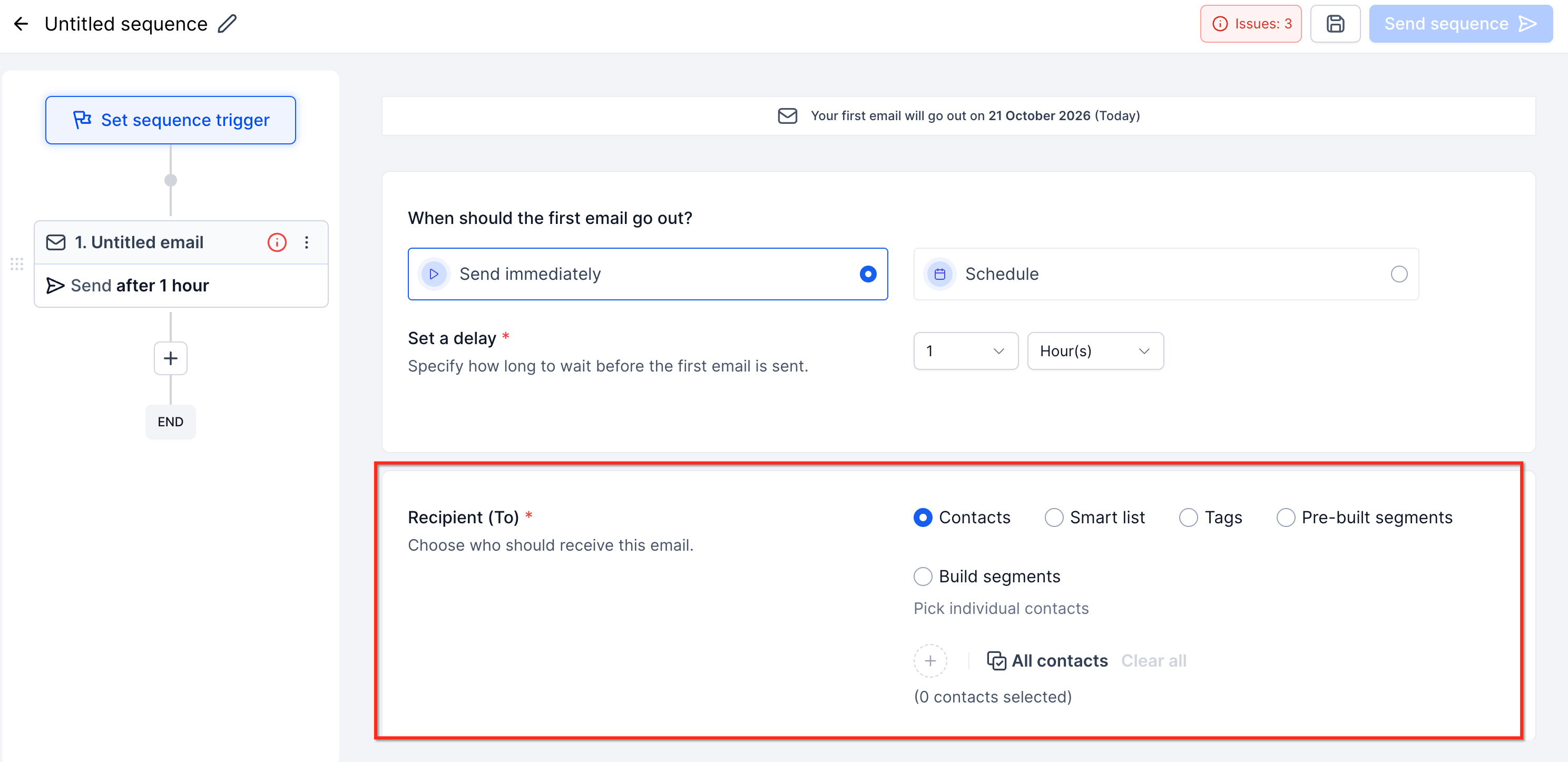
- Prepare the contacts, lists, or segments that will receive the sequence.
05How to set up and use email sequences in HighLevel
Set up an email sequence
- Navigate to Marketing > Email > Campaigns.
- Create a new campaign or email asset and choose Create an Email Sequence.
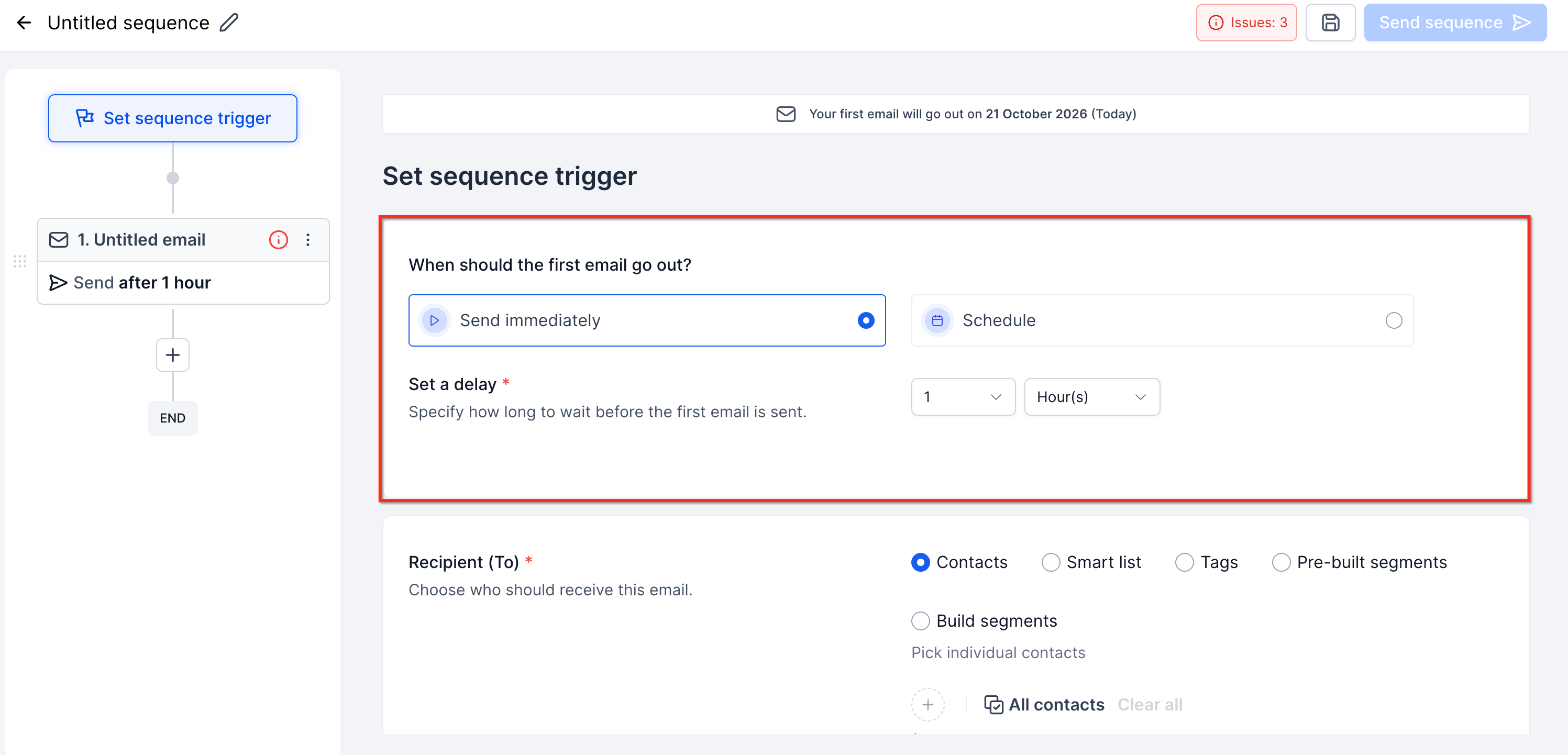
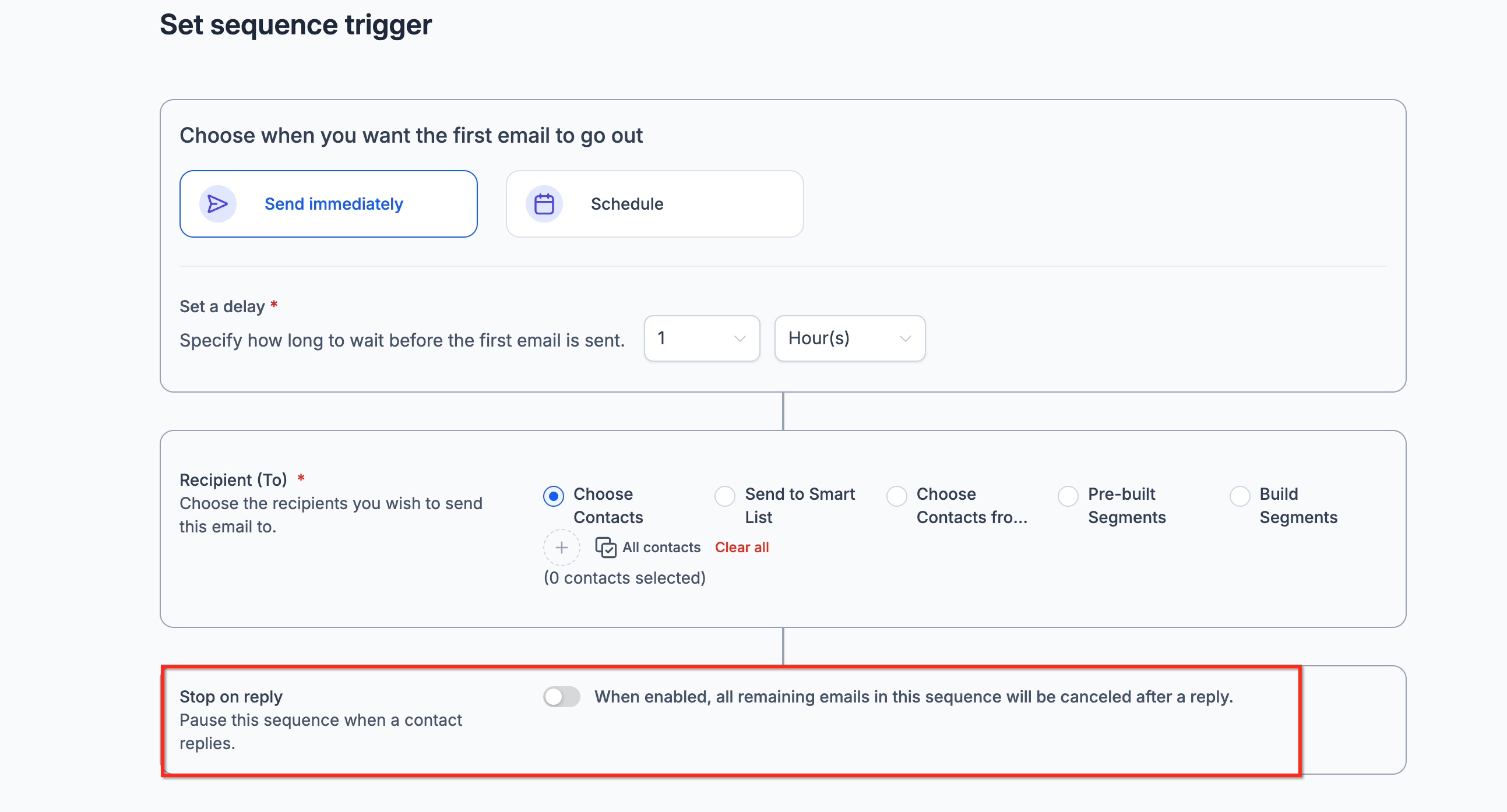
- Set the sequence trigger to start immediately or at a scheduled time.
- Choose the audience by selecting contacts, lists, or segments.
- Configure Stop on Reply if you want the sequence to halt after a reply.
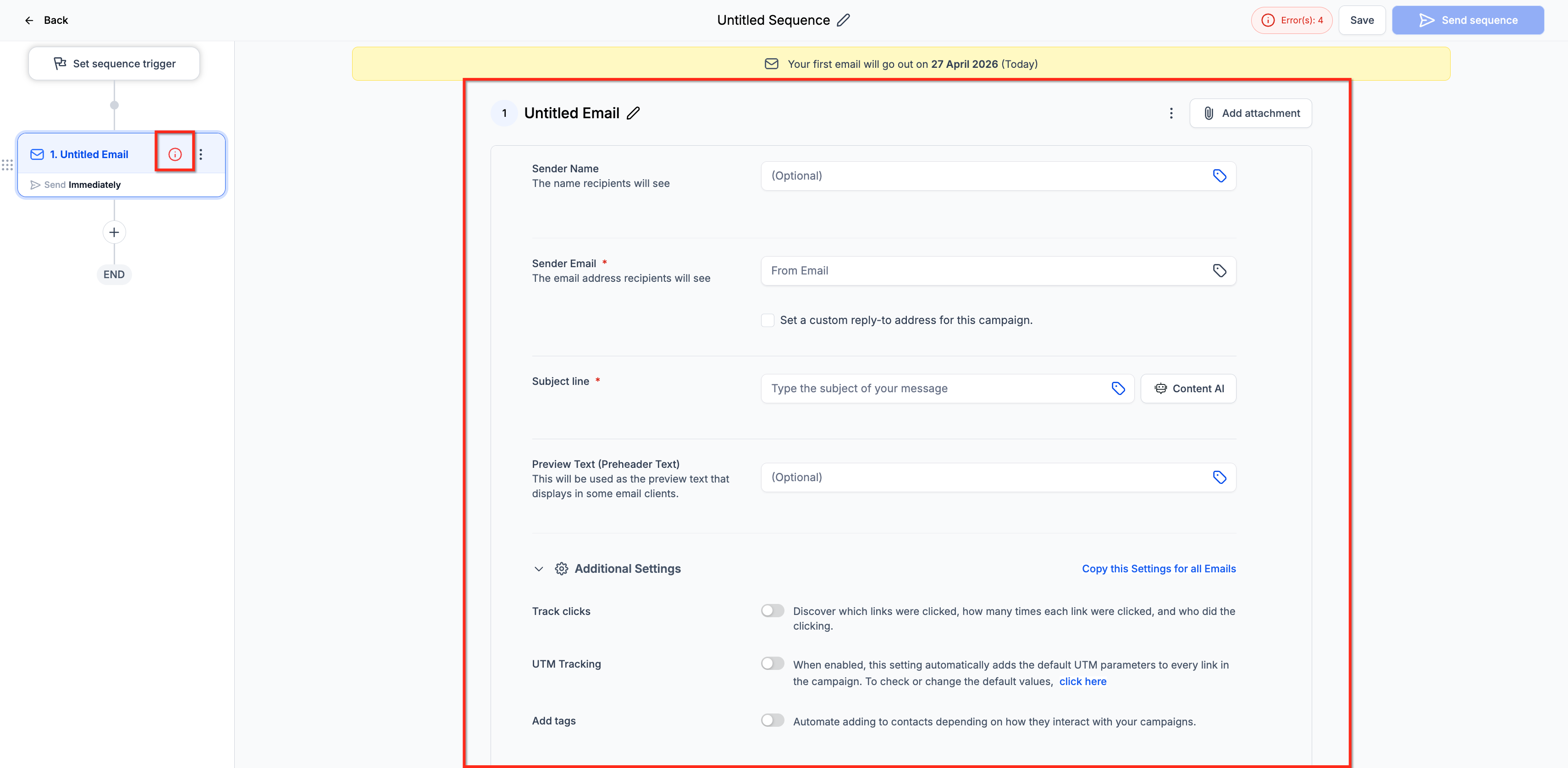
- Add email steps and define delays between each step.
- Select a template or use plain text for each email step.
- Set conditions such as open or delivery status and enable tracking as needed.
- Review the entire flow and activate the sequence.
Pause an email sequence
- Move the published sequence back to draft.
- Be aware that contacts eligible for a step while the sequence is paused will be skipped.
- Note that after the first email of a step has been sent, you cannot pause the sequence to edit the trigger or the first step.
06What it looks like in HighLevel
07Settings that matter
- Stop on Reply. Controls whether the sequence stops sending future emails to a contact after that contact replies.
- Delays. Determines the amount of time that passes between each email step in the sequence.
- Conditions. Specifies criteria based on email open or delivery status that a contact must meet for a step to be sent.
- Sequence Trigger. Sets when the sequence begins, either immediately or at a later scheduled time.
08Things to know before you rely on it
- Email Sequences are only available in Private Beta for selected opted in customers.
- Stop on Reply is optional and must be reviewed before activation.
- Once the first email in a sequence is sent, the trigger or first step cannot be edited while the sequence runs.
- Pausing a published sequence returns it to draft, but contacts eligible for a step during the pause are skipped.
09How it connects to the rest of HighLevel
- Use regular email campaigns for one time sends that do not require follow up steps. Regular email campaigns
- Access the template library to design emails used in sequence steps. Template library
- Review pricing and plan eligibility for accessing Private Beta features. Pricing
Michael's take

Skip it if you are not in the private beta or don’t require automated multistep email follow ups.