
01Who this is for
- Growth marketers can duplicate high performing campaigns to maintain consistent settings while testing new audiences.
- Ecommerce owners can quickly set up seasonal promotions by cloning prior holiday campaigns.
- International agencies can adapt a single campaign for multiple countries without rebuilding each from scratch.
- Small business Founders can save setup time when launching similar ad sets across different products.
02Campaign cloning, explained
Cloning a campaign creates an exact replica of an existing ad campaign. The copy includes all budget, targeting, optimisation settings, creatives and ad group hierarchy.
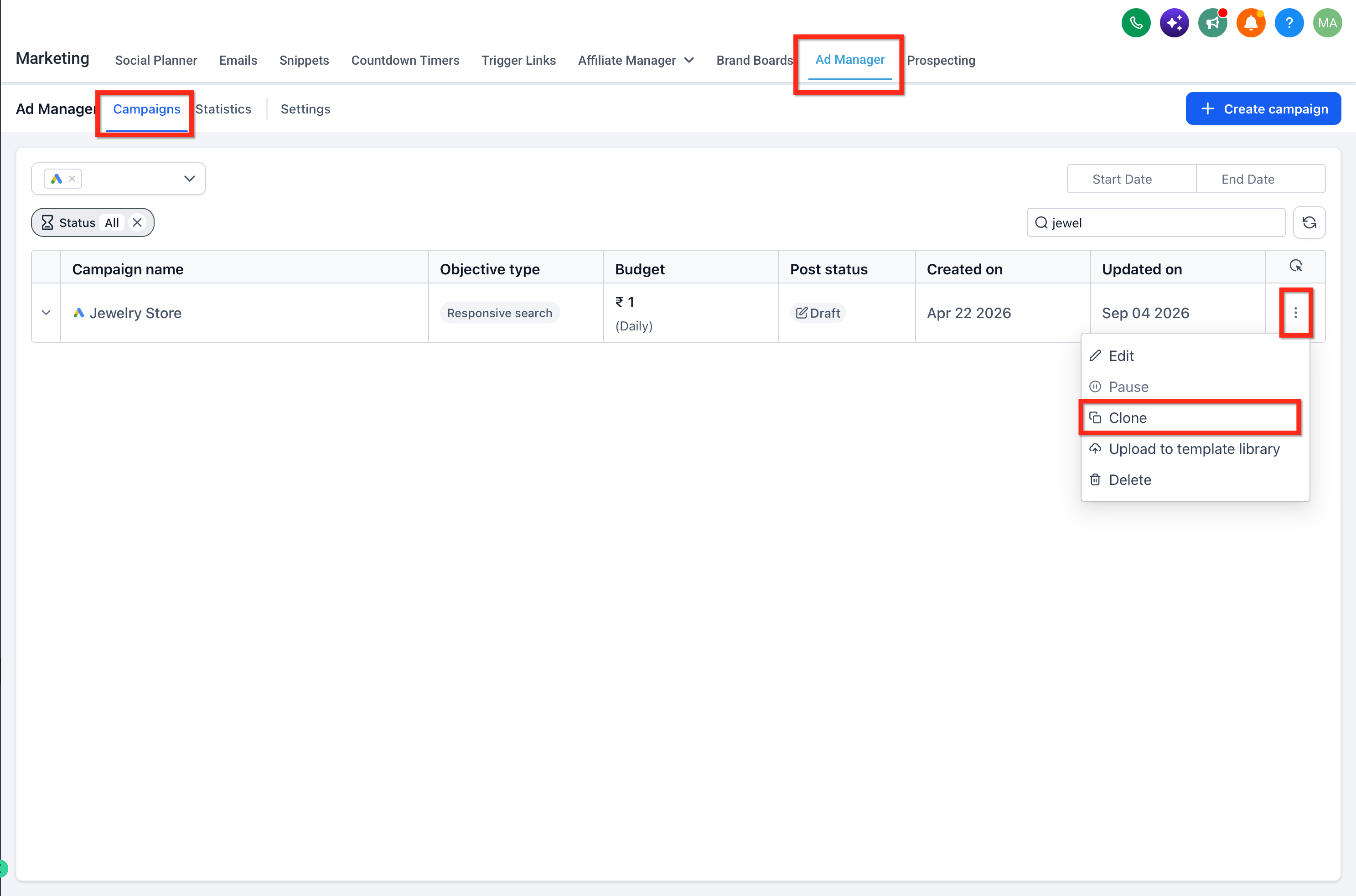
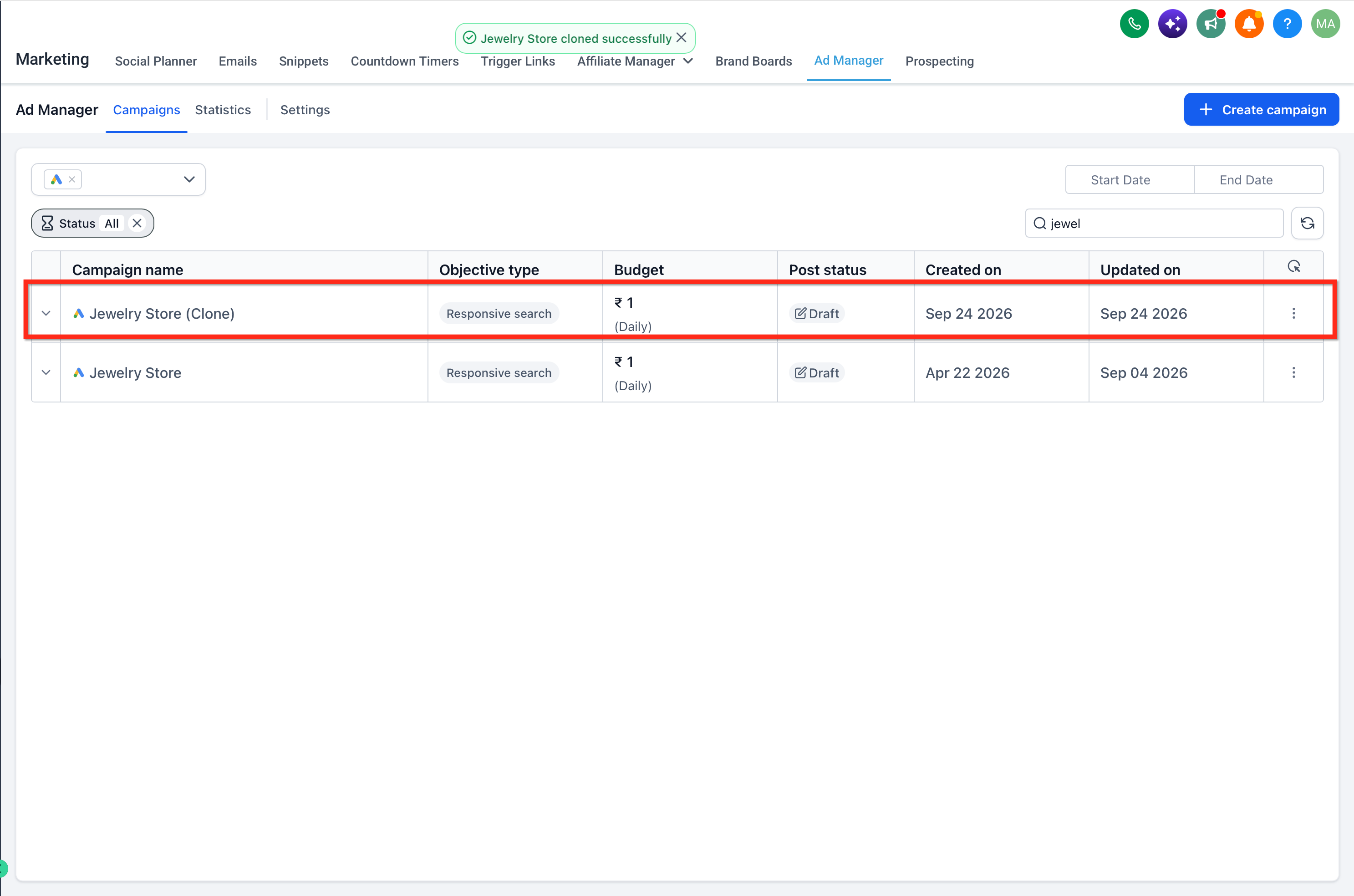
The duplicate appears at the top of the campaign list with the word “(clone)” added to its name. The feature is accessed in the Ad Manager view of HighLevel by clicking the ellipsis menu next to a campaign.
03How businesses use campaign cloning
- Dental practice. A dental office can clone a successful patient acquisition campaign to launch a similar promotion for a new service, then adjust the ad copy while keeping the same budget and targeting structure.
- Online clothing retailer. An ecommerce store can duplicate a high conversion holiday sale campaign, modify the product images for a new collection, and run the clone alongside the original to compare performance.
- Travel agency. A travel agency can copy a campaign that performed well for domestic trips, then change the location targeting to promote international destinations without rebuilding the entire setup.
04How to set up and use campaign cloning in HighLevel
Clone a campaign
- Click the three dot (ellipsis) icon next to the campaign you want to copy.
- Choose the ‘Clone’ option from the menu that appears.
- A new campaign is added to the top of the list, bearing the original name with ‘(clone)’ appended.
05What it looks like in HighLevel
06How it connects to the rest of HighLevel
- Create ad campaigns using templates Template library
- View and export ad campaign statistics Ad statistics
- HighLevel pricing and plans Pricing
Michael's take

Michael ReimerFounder of CRM Pros, HighLevel Commander and Certified Admin
Cloning campaigns is a fast way to roll out proven setups without redoing the work. Marketers who need to scale quickly or run multiple tests will find it useful.
Get More InformationOpens on HighLevelPublished November 2, 2026 · Updated November 17, 2026