
01Who this is for
- Marketing managers can see overall affiliate revenue and conversion rates in a single place.
- Ecommerce Founders can monitor top affiliates and manage payouts without leaving the platform.
- Agency owners can track multiple affiliate campaigns and compare performance across them.
02Affiliate manager dashboard, explained
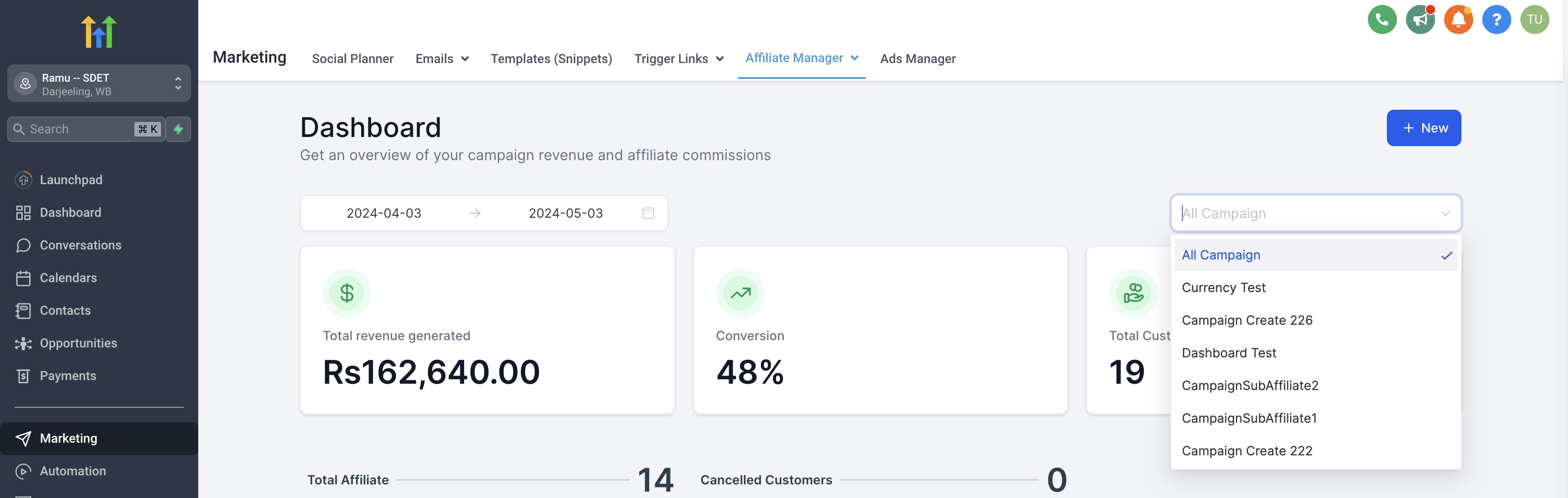
The Affiliate Manager Dashboard lives in the admin section of HighLevel. It aggregates data such as total revenue, customers, conversion percentages, and a leaderboard of top affiliates. Core metrics and trend graphs let you assess how affiliate referrals turn into paying customers.
Quick actions let you add new campaigns or affiliates directly from the dashboard. The Campaign Picker filters the view to all campaigns or a selected subset. Pending Actions highlight payouts that need review, and the Recent Activity panel shows the latest affiliate and commission events.
03How businesses use the affiliate manager dashboard
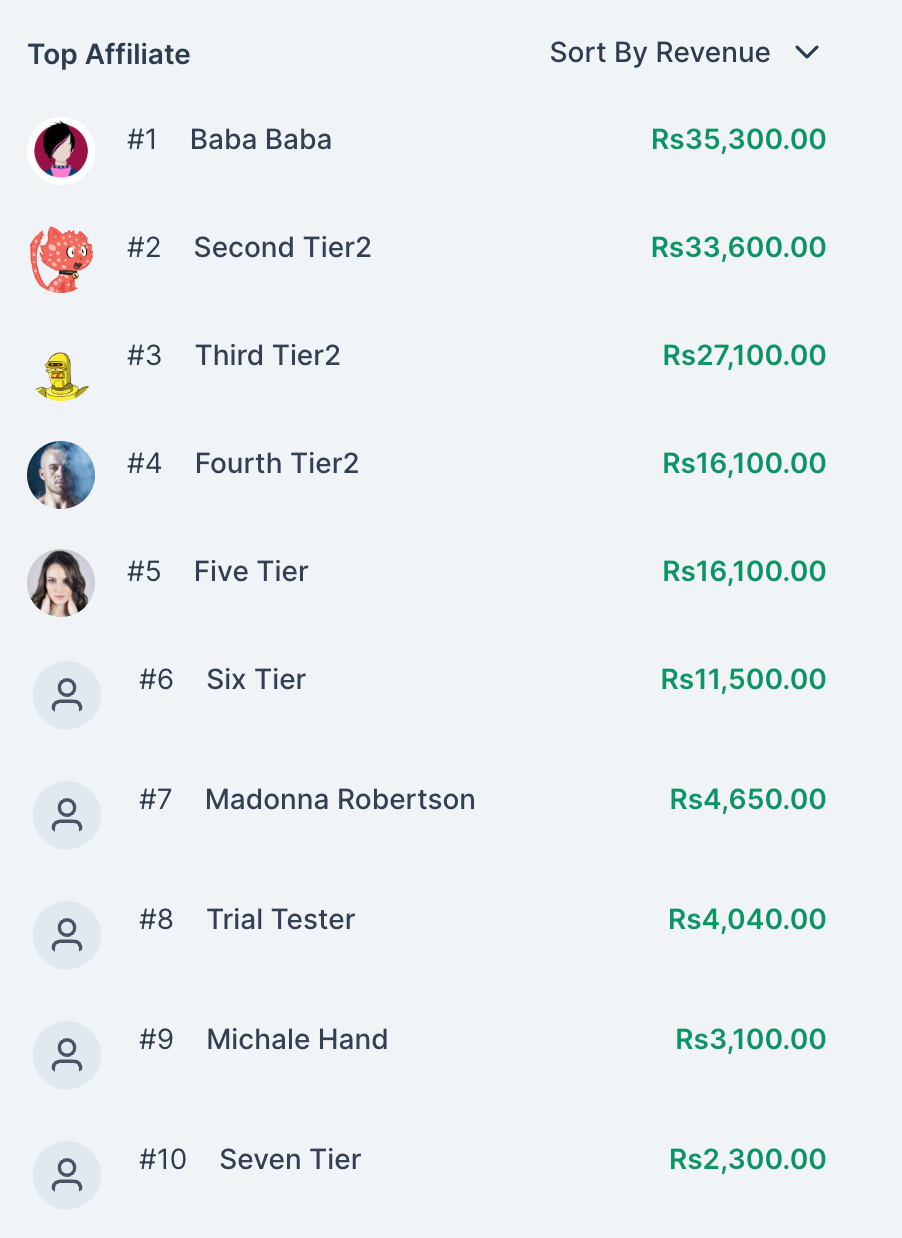
- Digital product retailer. The retailer opens the dashboard to view the Affiliate Leaderboard, identifies the highest earning affiliates, and exports a sales CSV to analyze commission structures. They also check Pending Payouts to approve affiliate payments before they are marked as paid.
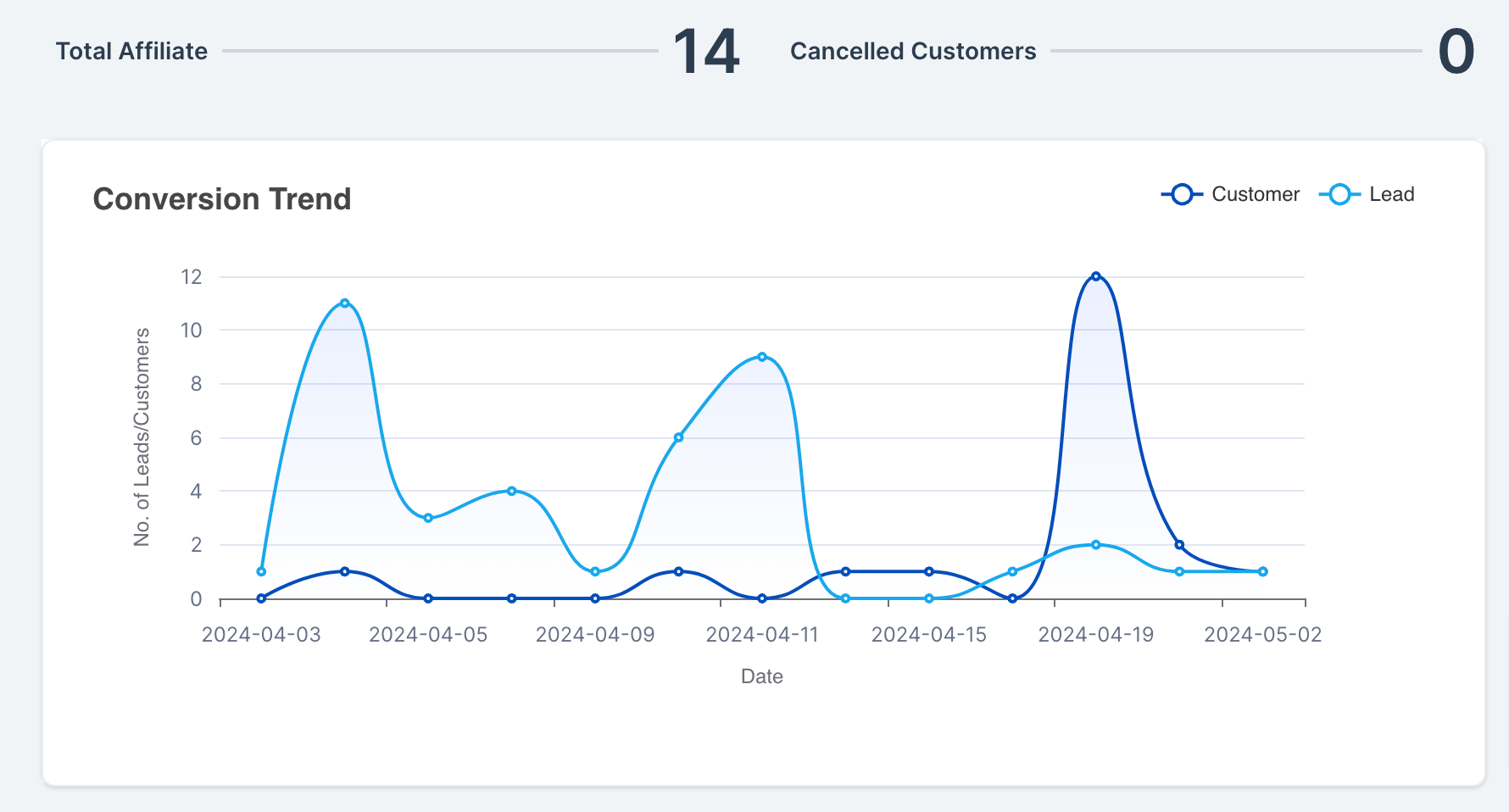
- SaaS startup. The startup uses the Core Metrics section to track total revenue generated by affiliates and the Conversion Trend graph to see how referral leads convert over time. When payouts become due, they review the Pending Actions list and approve the payouts.
- Real estate agency. The agency selects specific affiliate campaigns in the Campaign Picker to focus on regional partner performance. They monitor recent affiliate activity for new sign ups and use the Export Sales CSV function to reconcile commission data with their accounting system.
04The numbers and rules that matter
- Payout terms range from NET 7 through NET 90.
- Core metrics include Total Revenue, Total Customers, Conversion Percentage.
- Leaderboard shows top 10 affiliates based on the selected metric.
05How to set up and use the affiliate manager dashboard in HighLevel
Export sales CSV
- Open the Affiliate Manager Dashboard.
- Locate the export option for sales data.
- Download the CSV file to your computer.
Review pending payouts
- Open the Affiliate Manager Dashboard.
- Click the Pending Actions area and select "Pending Payouts".
- Examine the list of payouts awaiting approval.
- Approve the payouts that meet the configured payout terms.
06What it looks like in HighLevel



07Things to know before you rely on it
- Payout eligibility follows the payout term set for the affiliate program, which can range from NET-7 through NET-90.
- The dashboard is only visible to admins; affiliates see their own data in the Affiliate Portal.
08How it connects to the rest of HighLevel
- Explore all marketing features in HighLevel All Marketing features
- Check HighLevel pricing and plan options HighLevel pricing and plans
- Start a free 30 day trial of HighLevel Start a 30 day HighLevel trial
Michael's take

The Affiliate manager dashboard is worth the effort for any small business that runs an affiliate program because it puts every critical metric and action in one place, saving time and reducing the guesswork of manual tracking.
Don’t ignore the payout terms settings and assume payouts happen automatically.