
01Who this is for
- Agency owners who need to spin off a client into its own agency for better focus.
- Subaccount administrators who want to become the primary owner of a new agency.
02Subaccount transfers, explained
The Eject Subaccount feature lets an agency convert a subaccount into a brand new agency account. The original agency selects a user from the subaccount, nominates them as the future agency owner, and the system sends an invitation to complete a $97/month signup (per HighLevel's help center, checked November 2026). After the new agency is created, the original agency earns a 40 % affiliate commission on that agency’s renewals. The feature is accessed from Agency Level > Subaccounts, where you choose Actions > Transfer Subaccount and then select Eject to a New Agency. Sites, funnels, contacts, conversations, appointments, opportunities, automations (set to Draft) and subaccount API keys are transferred. Auth connections, custom domains, SaaS settings, and active third party subscriptions are not moved and must be re configured by the new agency.
03How businesses use eject subaccount to a new agency
- Marketing agency. The agency can eject a client subaccount that has grown into its own business. By nominating the client’s manager as the new agency owner, the client signs up for the standard plan and the original agency receives affiliate earnings. All funnels and contacts move automatically, while the client re adds integrations after the transfer.
- SaaS startup. When a product line is spun out, the startup uses the eject feature to create a separate agency for that line. The designated product manager receives the invitation, completes the $97/month signup (per HighLevel's help center, checked November 2026), and gains ownership of the new agency. The startup then restores any SaaS settings that were disabled before the ejection.
- Health clinic with HIPAA compliance. The clinic nominates its compliance officer as the new agency owner. During signup the HIPAA add on appears automatically in the order summary, ensuring the new agency remains HIPAA compliant. All patient related contacts and workflows transfer, while the clinic later reconnects required auth connections.
04The numbers and rules that matter
- $97/month plan for the new agency account (per HighLevel's help center, checked November 2026).
- 40% affiliate commission on all future renewals.
05Before you start
- Make sure all users you want to keep are set to User Type “Account” and are assigned only to the subaccount being ejected.
- Disable SaaS mode on the subaccount before initiating the eject.
- Cancel any active subscriptions such as Wordpress, Yext, Whatsapp, or Dedicated IP before the transfer.
06How to set up and use eject subaccount to a new agency in HighLevel
Eject subaccount (sender)
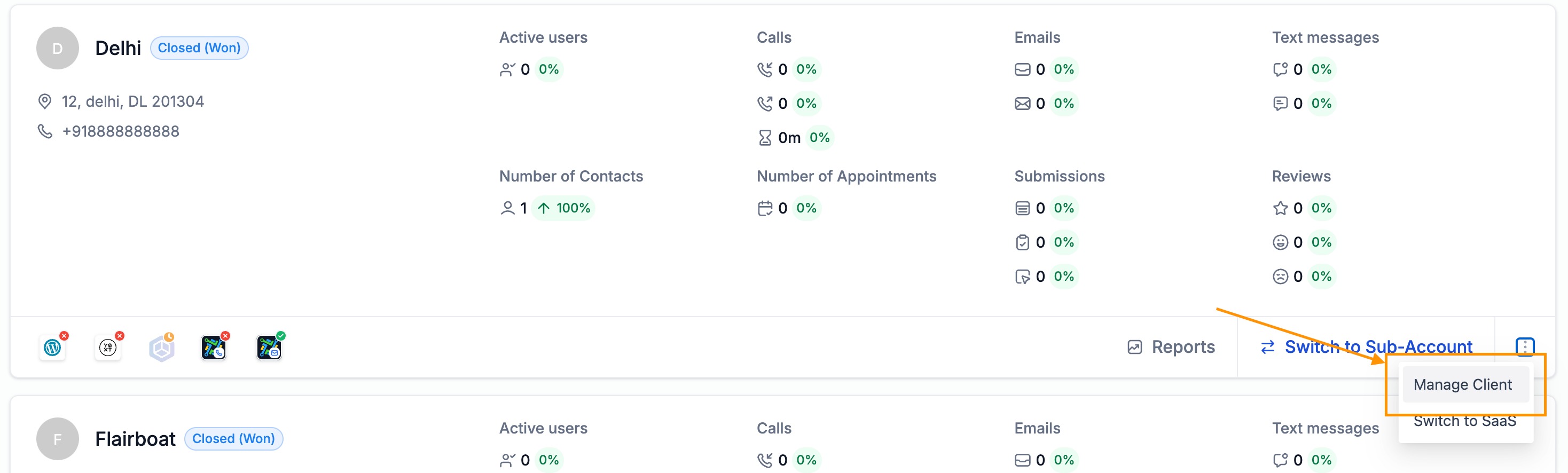
- Open Agency Level > Subaccounts and click Manage Client for the subaccount you want to eject.
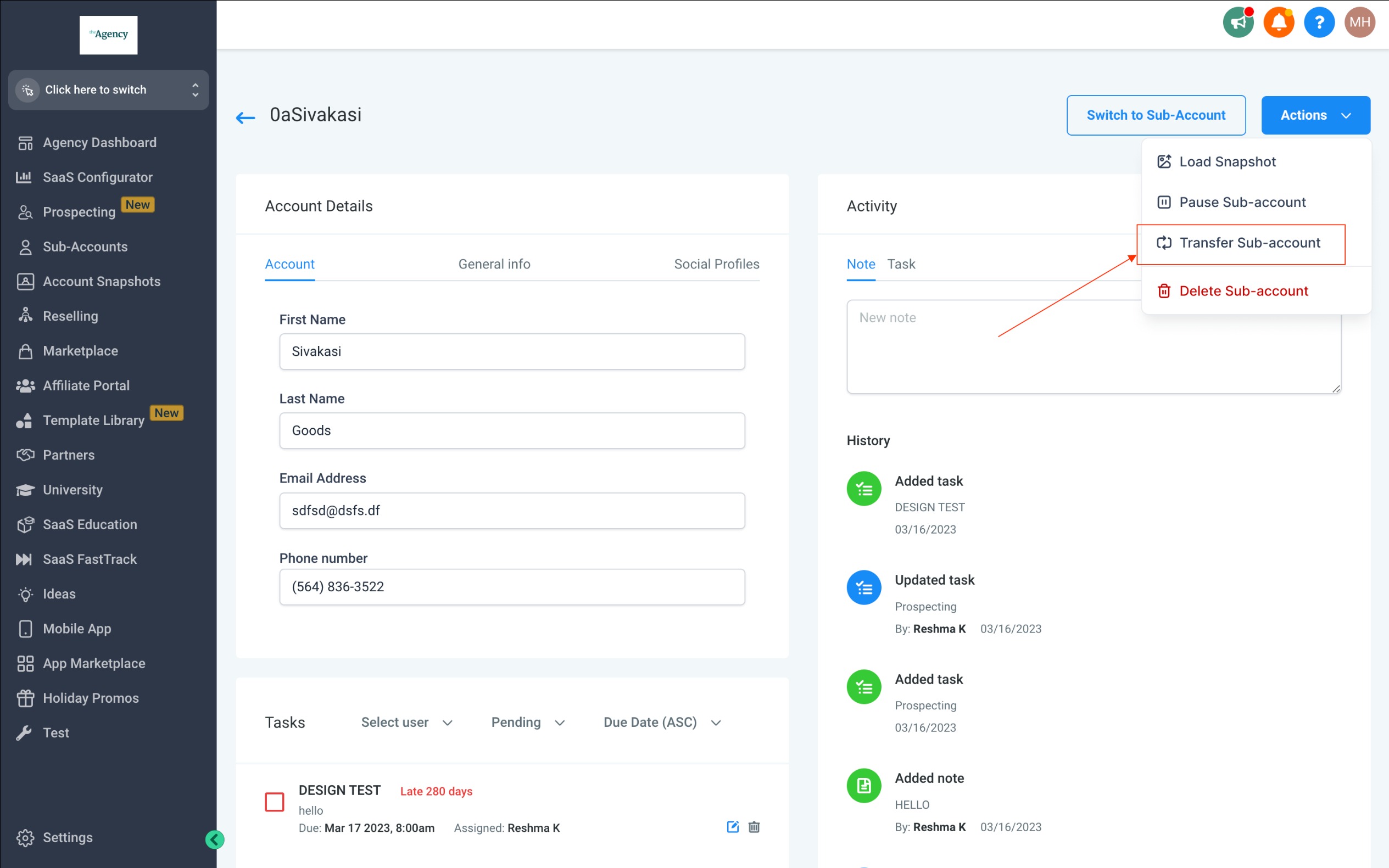
- Choose Actions > Transfer Subaccount from the dropdown menu.
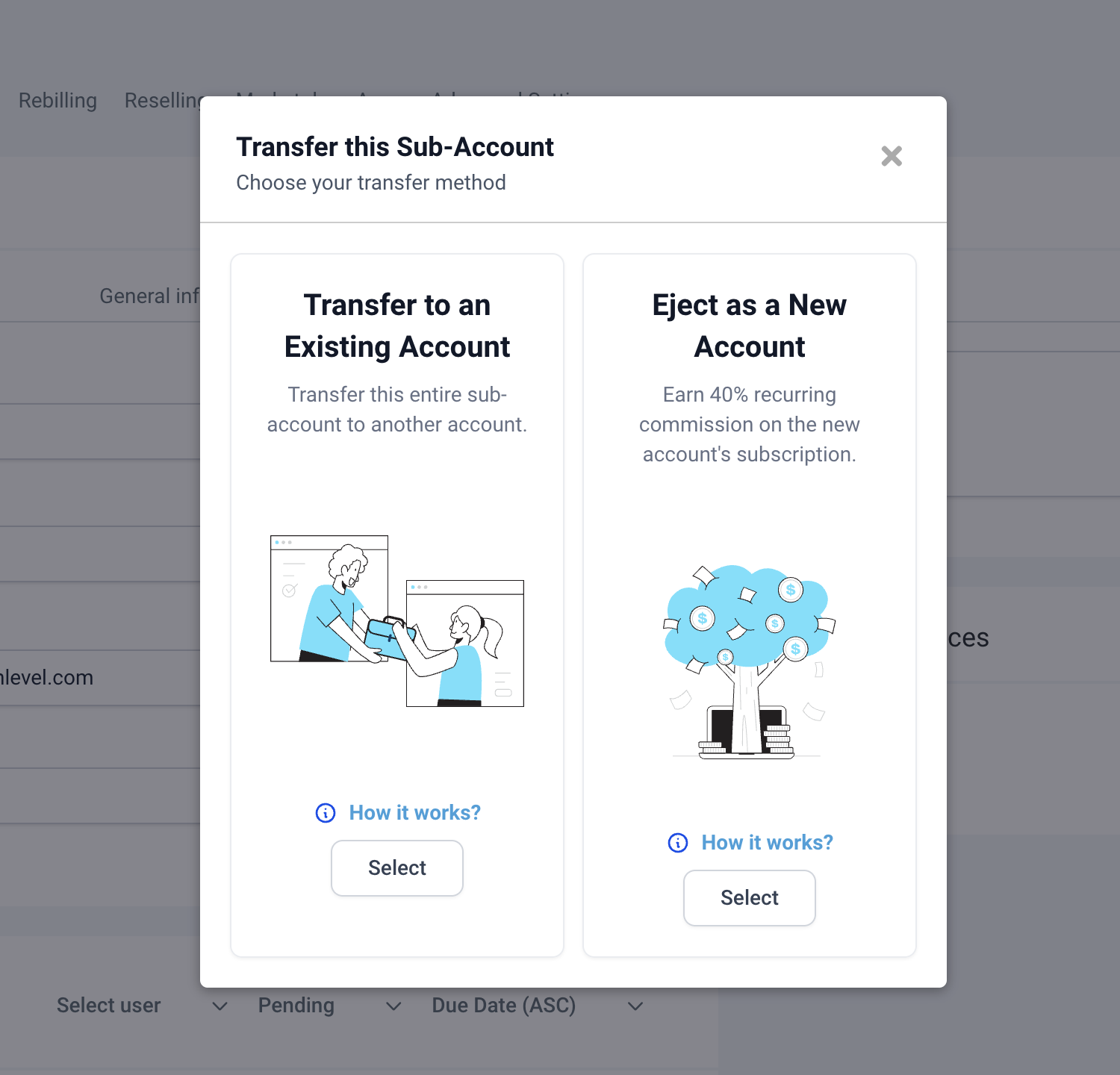
- Select the “Eject to a New Agency” option when prompted.
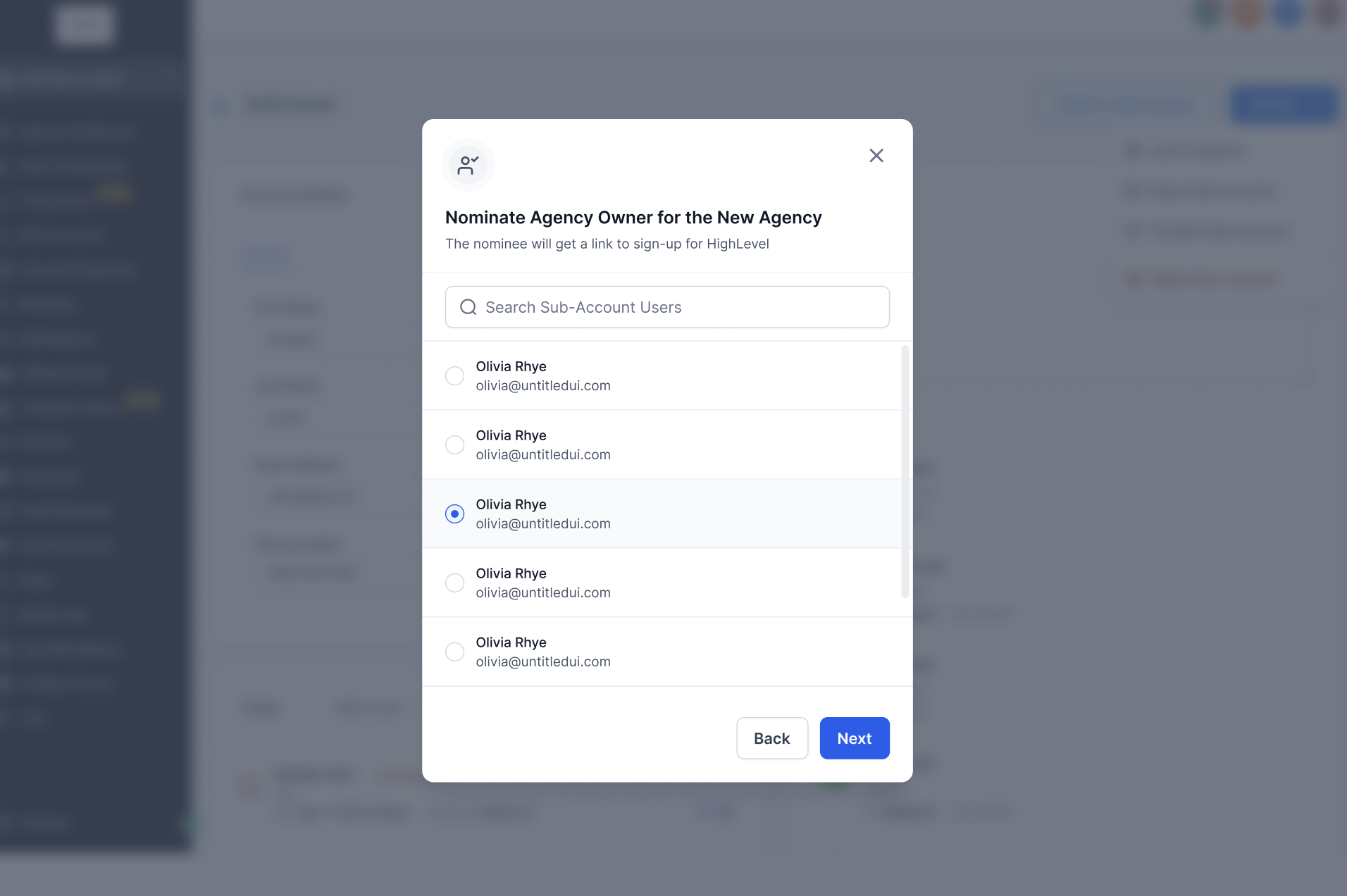
- Pick a user from the subaccount to serve as the new agency owner.
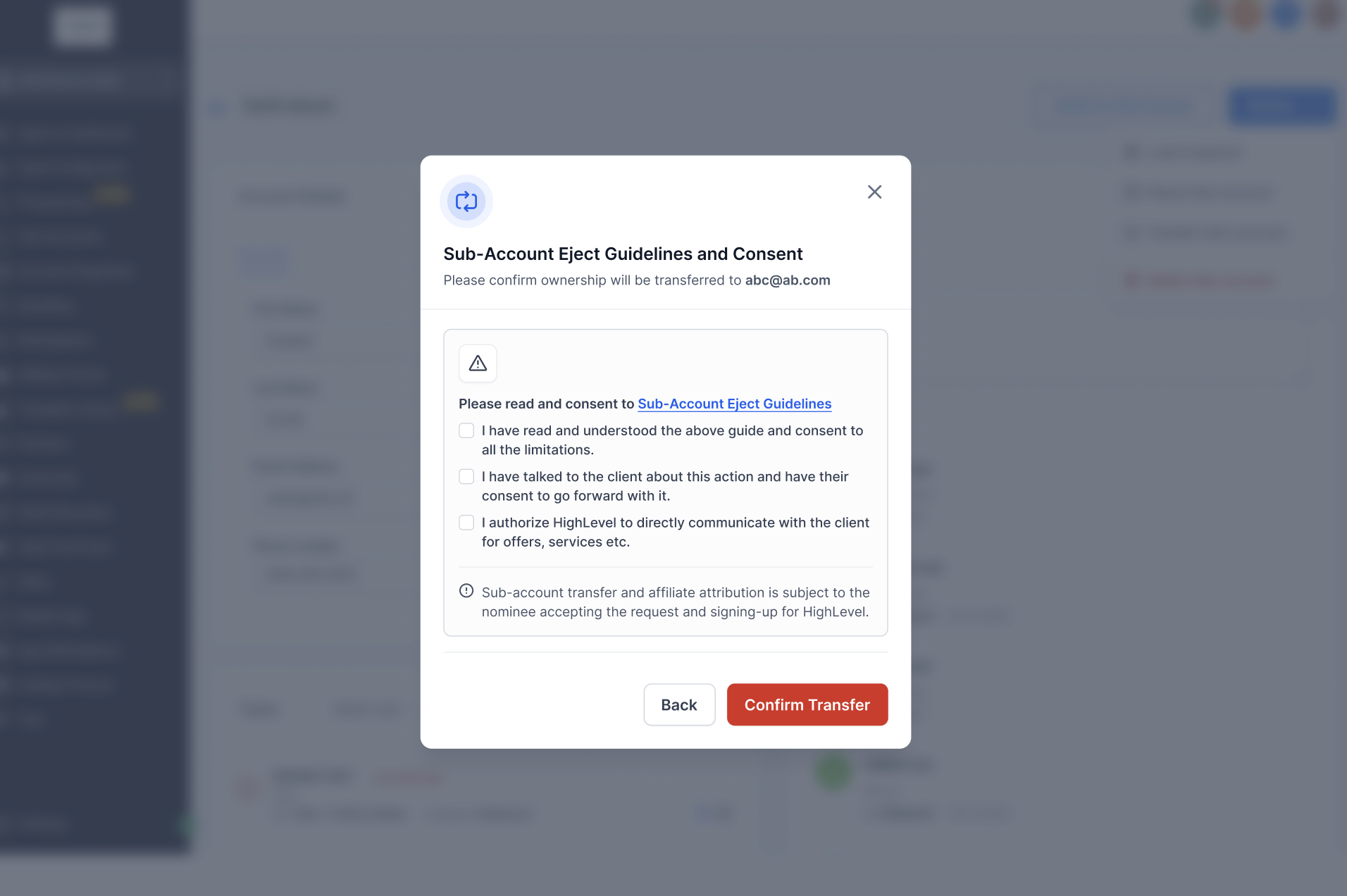
- Review the ejection guidelines and press Confirm Transfer.
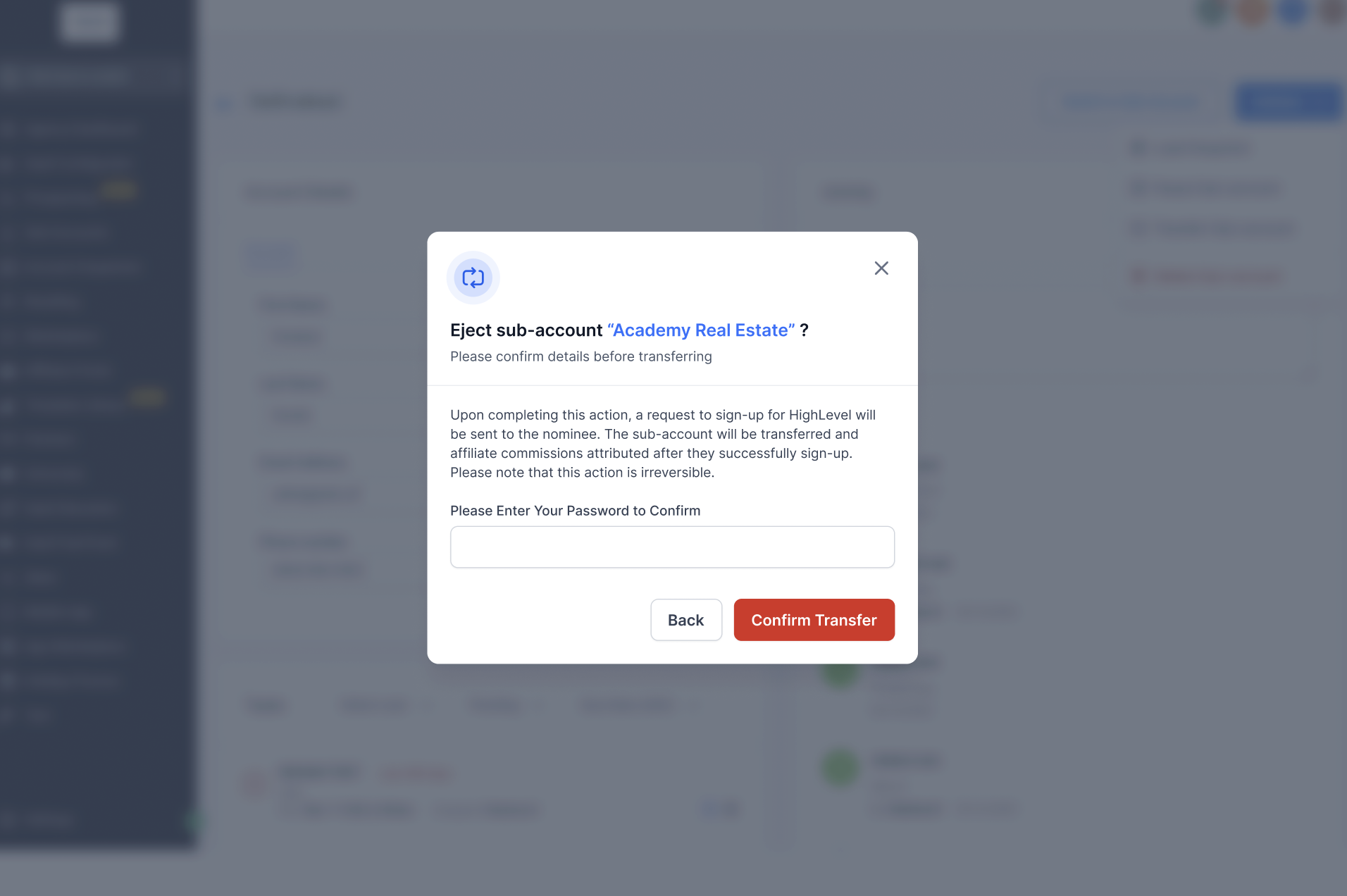
- Enter your password to finalize; an email is then sent to the nominee with setup instructions.
Receive subaccount (nominee)
- Open the email titled “Access your account” and click the button or link that mentions the eject request.
- When the login page opens in a new window, sign in with your HighLevel credentials.
- Verify or edit the pre filled company details and billing address for the new agency.
- Proceed to the payment screen where the $97/month plan is selected by default (per HighLevel's help center, checked November 2026).
- Enter your card information, review the order summary, and confirm the purchase.
- After payment, check your inbox for a welcome email that contains a link to set a new password and log in.
Track ejection (sender)
- Navigate to Agency Level > Subaccounts.
- Click the Subaccount Transfers option.
- Open the Eject tab to view the status of your transfer requests.
07What it looks like in HighLevel
08Things to know before you rely on it
- All auth connections (Google, Facebook, Quickbooks, etc.) are removed and must be re added by the new agency.
- External calendar integrations are disconnected during the transfer.
- Automations arrive in Draft mode; they do not remain active automatically.
- Smartlists, Mailgun/SMTP configurations and active third party subscriptions are not transferred.
- Phone numbers move only if both agencies use LeadConnector; otherwise they must be migrated manually via Twilio.
- Custom domains and subdomains are not inherited; they need to be re added after the new agency is created.
- HIPAA enabled subaccounts require the HIPAA add on to be purchased during the new agency signup.
09How it connects to the rest of HighLevel
- Guide to sending, tracking, and receiving subaccount transfers transfer guide
- HighLevel pricing and plan information pricing page
- Bulk subaccount transfer steps for existing agencies bulk transfer
Michael's take

Most people think the eject process simply moves a subaccount and everything stays linked. In reality, auth connections, domains and active subscriptions are cleared, and you must rebuild them in the new agency. I would first verify that every user you want to keep is set to the Account type and that any SaaS mode is turned off before you start.
If I were handling an eject, I’d map out the assets that will move. Websites, funnels, contacts, automations. So the new owner knows what’s coming over. Then I’d make a short checklist for the nominee: Reconnect Google, Facebook, Stripe and add back the custom domain.