
01Who this is for
- Small business owners who need to capture purchase details from payment processors, using inbound webhooks to receive that data for follow up actions.
- Marketing teams that rely on Zapier, Make, or Pabbly to connect multiple tools, as webhooks provide a lightweight bridge without custom code.
02Webhooks, explained
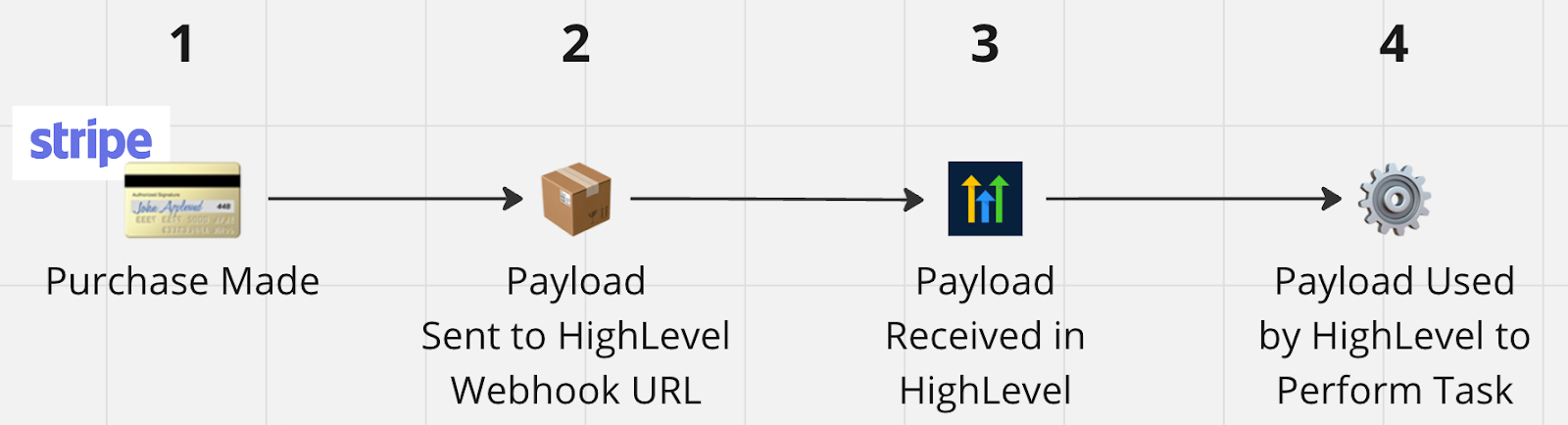
Webhooks are HTTPS requests that transfer a payload of information between applications. In HighLevel, an inbound webhook is a workflow trigger that generates a unique URL. When an external app posts data to that URL, HighLevel captures the payload and makes it available as custom values for further actions.
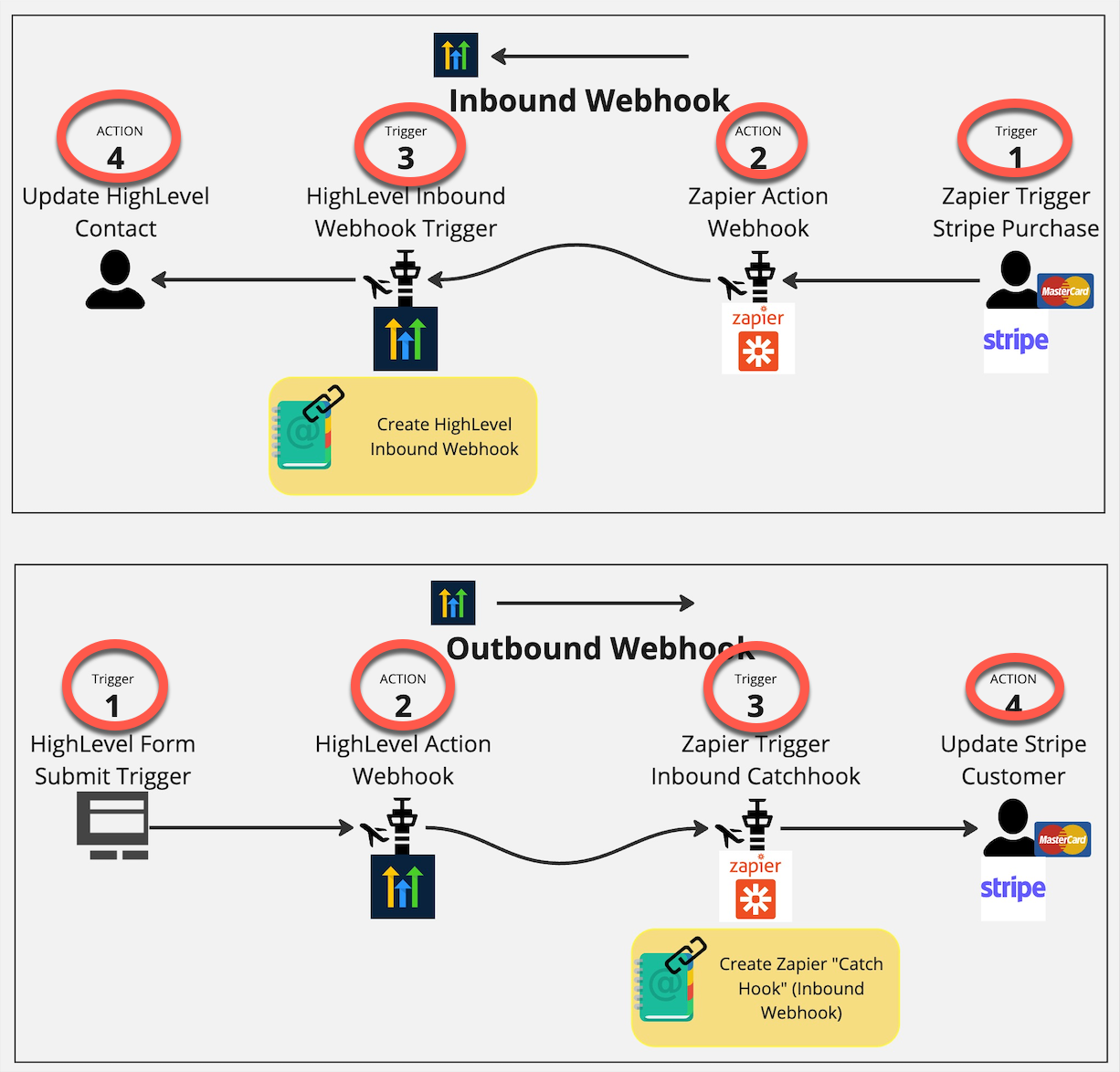
An outbound webhook is a workflow action that sends a POST request to a URL you provide. It lets HighLevel push contact or form data to another service. Both inbound and outbound webhooks live inside the Workflow builder, under triggers for inbound and actions for outbound.
03How businesses use webhooks
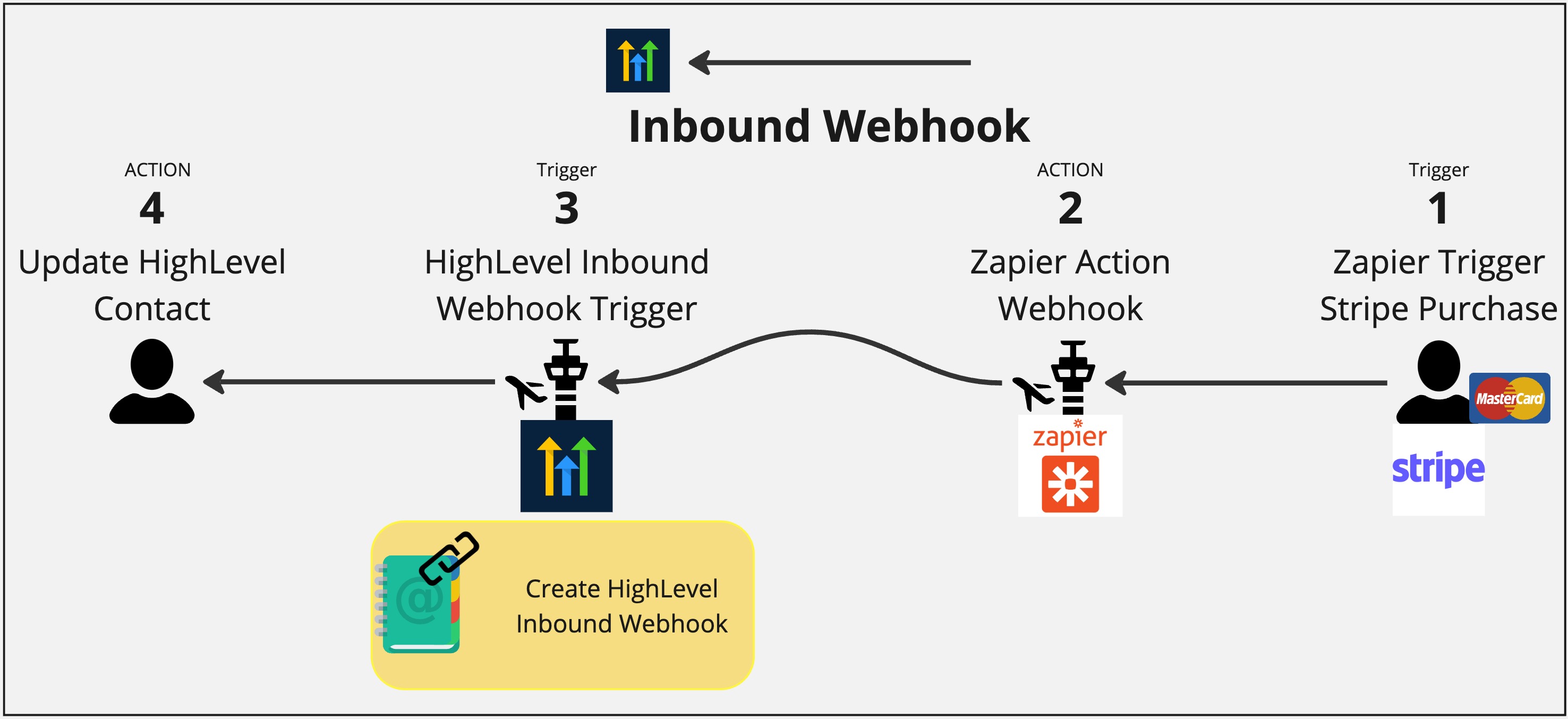
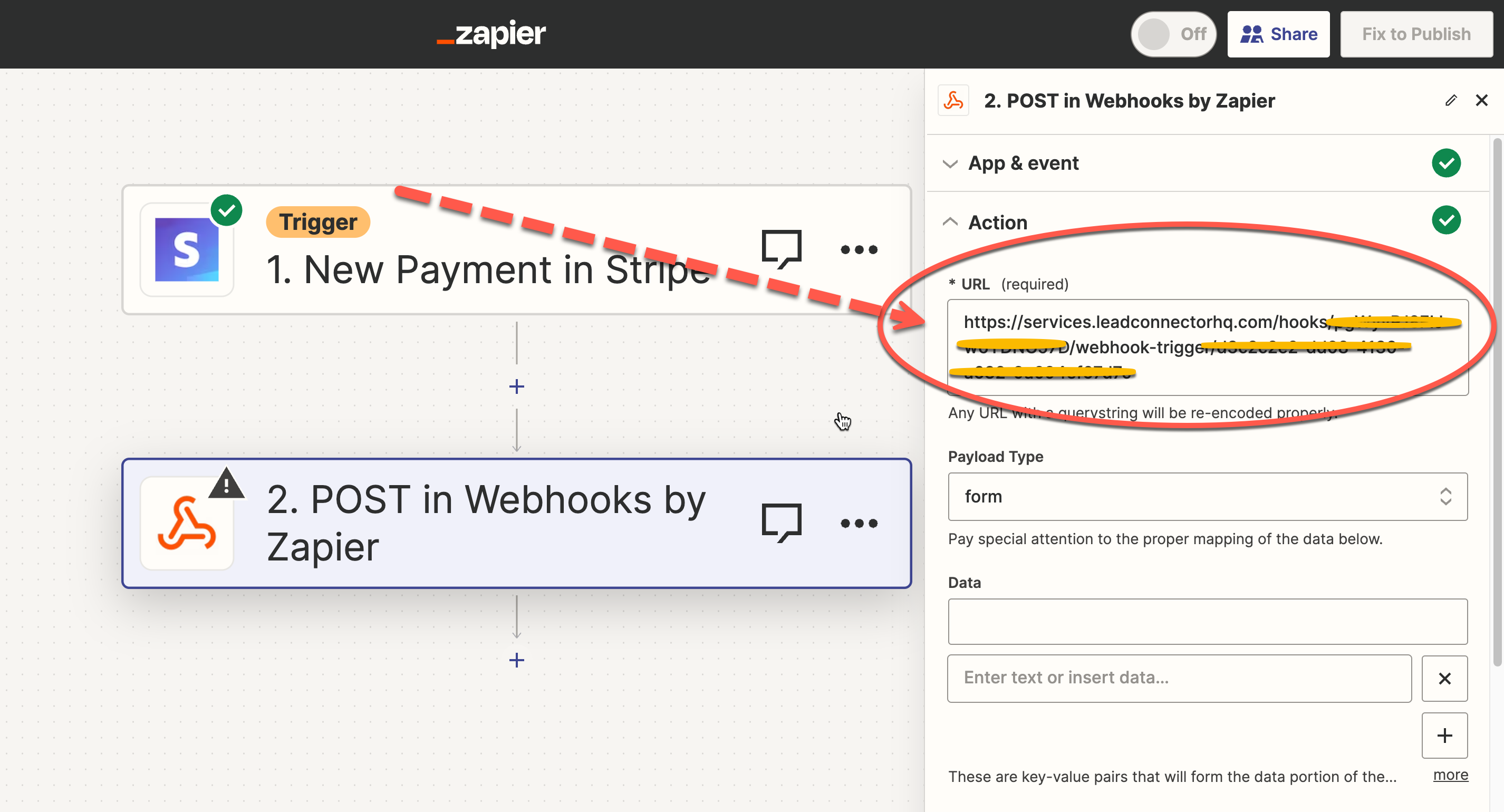
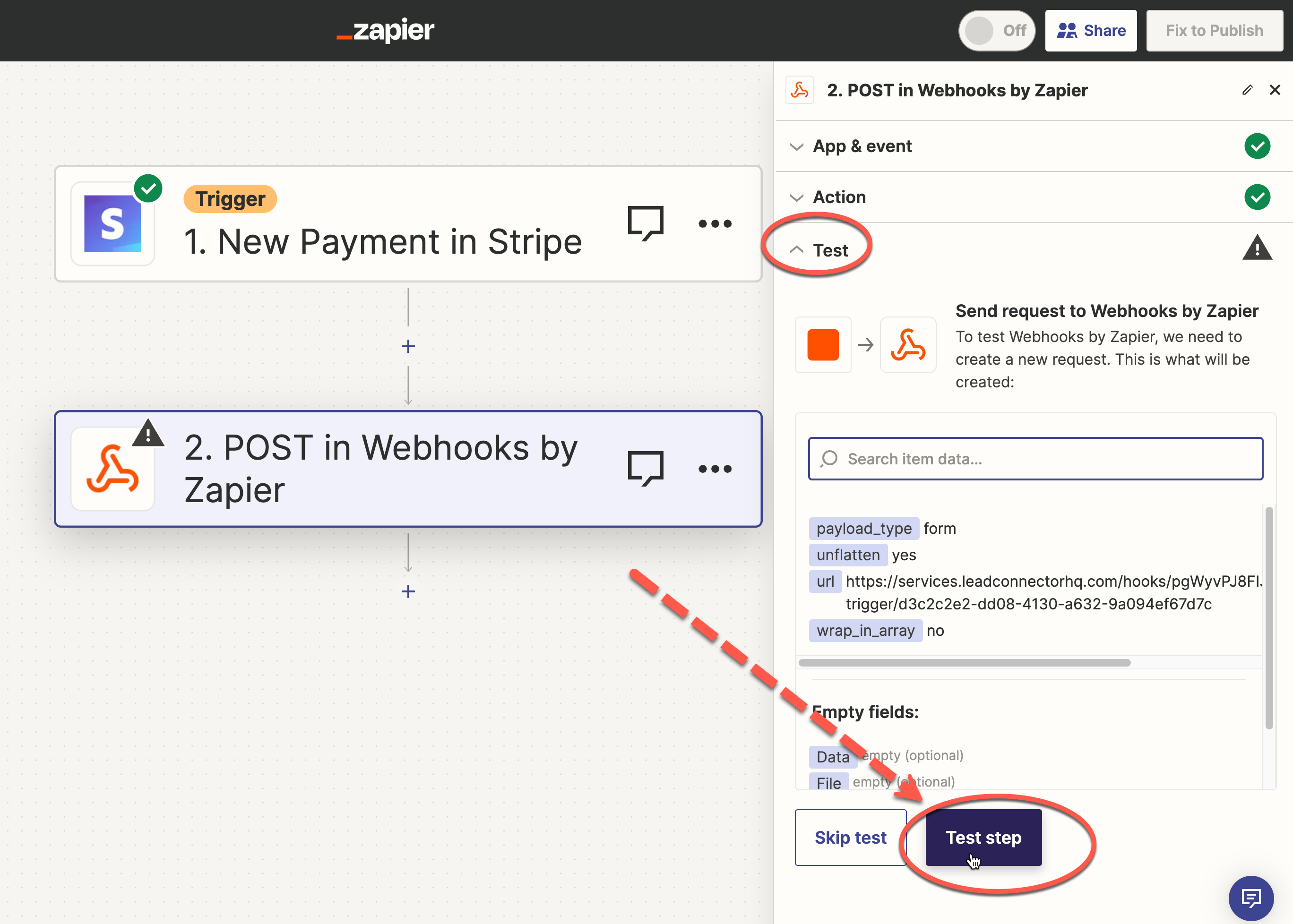
- Ecommerce store. Create an inbound webhook trigger in a HighLevel workflow, copy the generated URL, and configure Zapier to POST order data to that URL when a sale occurs. The workflow then creates or updates the purchaser’s contact record for follow up emails.
- Contact export. Add an outbound webhook action to a workflow that runs after a form is submitted. Paste the URL of a Zapier webhook, so each contact’s details are automatically sent to the external app.
- Spreadsheet sync. Use an outbound webhook to send data from HighLevel to a Google Sheet via Zapier, allowing each new contact or event to be recorded in the spreadsheet.
04Before you start
- Enable LC Premium Triggers & Actions in your account before creating an inbound webhook.
- Confirm that the external application can receive webhook data; some services require a paid plan for inbound hooks.
05How to set up and use webhooks in HighLevel
Set up inbound webhook (catching external data)
- Enable LC Premium Triggers & Actions in your account.
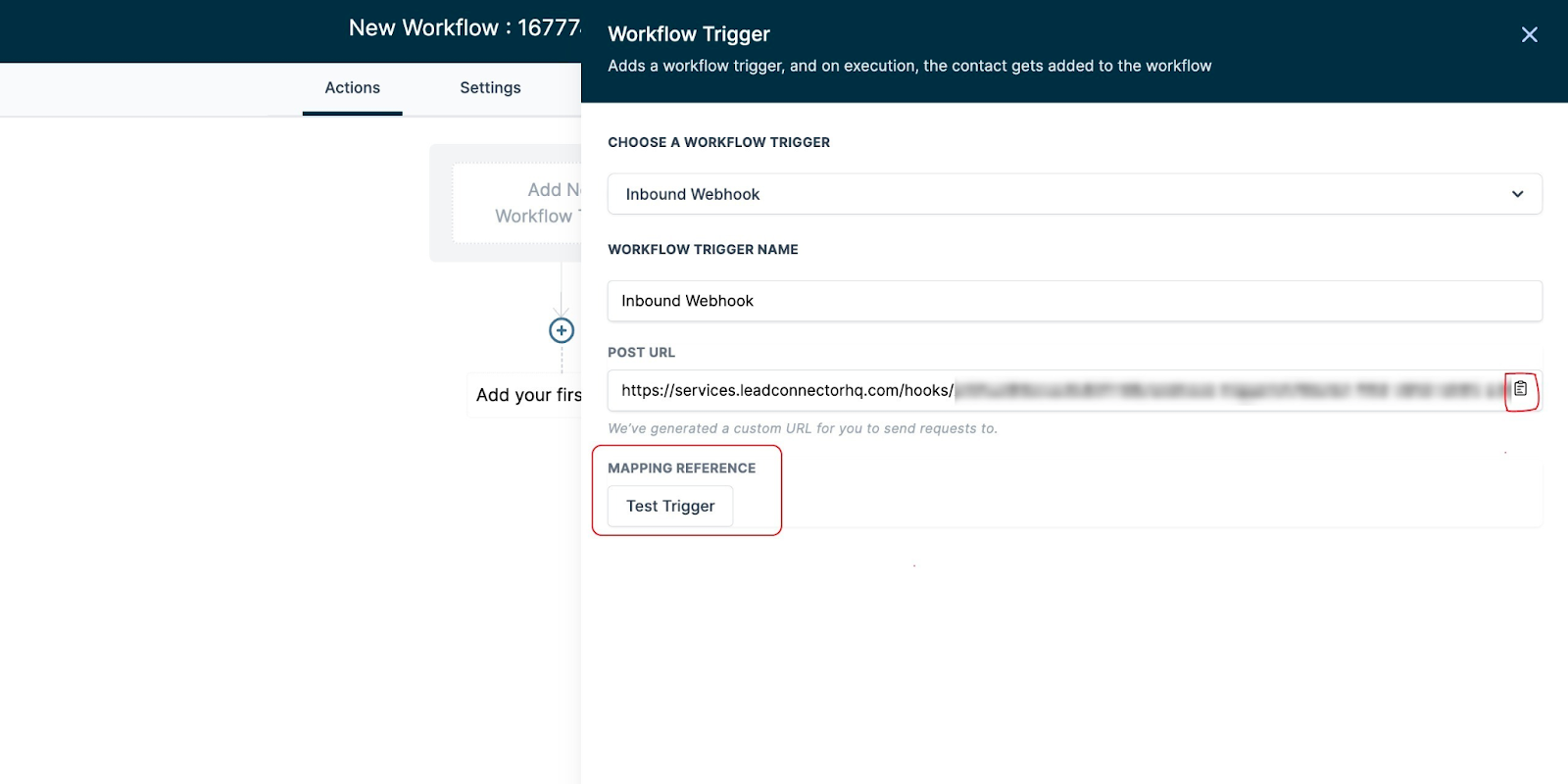
- Open or create a workflow, select Inbound Webhooks as the trigger, and copy the generated webhook URL.
- In the external app, add a trigger and a webhook action that posts to the copied HighLevel URL.
- Send a test payload from the external app and refresh the Mapping Reference in HighLevel until it appears.
- Add a Create/Update Contact action (or Find Contact) that uses data from the payload so the workflow has a contact to work with.
Set up outbound webhook (sending data to another app)
- Verify the external application can receive webhook data and upgrade if the feature is premium.
- In the external app, create an inbound webhook trigger and copy the generated webhook URL.
- In a HighLevel workflow, add a Webhook action and paste the external webhook URL, then save and publish the workflow.
- Trigger the workflow (for example, submit a test form) and confirm the payload is received by the external app.
06What it looks like in HighLevel
07Settings that matter
- LC Premium Triggers & Actions. Controls access to the Inbound Webhook trigger; it must be enabled before an inbound webhook can be created.
08Things to know before you rely on it
- Inbound webhook triggers are only available when LC Premium Triggers & Actions are enabled.
- Some external apps require a paid Zapier, Make, or Pabbly account to accept inbound webhook (Catch Hook) requests.
- A workflow must have a contact created or found; without a contact, the webhook workflow will break.
- Query Params can be added to the webhook URL without a stated limit.
09How it connects to the rest of HighLevel
- Map webhook data to custom fields Custom fields guide
- Check plan requirements for premium triggers Pricing and plans
Michael's take

Webhooks can feel risky if you don’t double check that every payload contains the fields you expect. Missing a contact or sending data to the wrong endpoint can cause a workflow to stop, so treat each test as a safety net.
When they work, though, they turn a static system into a live data bridge, letting you move purchase info, form submissions, or any event straight into HighLevel or out to your favorite tools without writing code.